uawdijnntqw1x1x1
IP : 216.73.216.110
Hostname : 6.87.74.97.host.secureserver.net
Kernel : Linux 6.87.74.97.host.secureserver.net 4.18.0-553.83.1.el8_10.x86_64 #1 SMP Mon Nov 10 04:22:44 EST 2025 x86_64
Disable Function : None :)
OS : Linux
PATH:
/
home
/
emeraadmin
/
.cpanel
/
..
/
public_html
/
.
/
node_modules
/
make-iterator
/
..
/
..
/
4d695
/
README.md.tar
/
/
home/emeraadmin/public_html/node_modules/twilio/README.md000064400000027641151677225500017367 0ustar00# twilio-node [![][test-workflow-image]][test-workflow-url] [![][npm-version-image]][npm-url] [![][npm-install-size-image]][npm-install-size-url] [![][npm-downloads-image]][npm-downloads-url] ## Documentation The documentation for the Twilio API can be found [here][apidocs]. The Node library documentation can be found [here][libdocs]. ## Versions `twilio-node` uses a modified version of [Semantic Versioning](https://semver.org) for all changes. [See this document](VERSIONS.md) for details. ### Supported Node.js Versions This library supports the following Node.js implementations: - Node.js 14 - Node.js 16 - Node.js 18 - Node.js LTS (20) TypeScript is supported for TypeScript version 2.9 and above. > **Warning** > Do not use this Node.js library in a front-end application. Doing so can expose your Twilio credentials to end-users as part of the bundled HTML/JavaScript sent to their browser. ## Installation `npm install twilio` or `yarn add twilio` ### Test your installation To make sure the installation was successful, try sending yourself an SMS message, like this: ```js // Your AccountSID and Auth Token from console.twilio.com const accountSid = 'ACXXXXXXXXXXXXXXXXXXXXXXXXXXXXXXXX'; const authToken = 'your_auth_token'; const client = require('twilio')(accountSid, authToken); client.messages .create({ body: 'Hello from twilio-node', to: '+12345678901', // Text your number from: '+12345678901', // From a valid Twilio number }) .then((message) => console.log(message.sid)); ``` After a brief delay, you will receive the text message on your phone. > **Warning** > It's okay to hardcode your credentials when testing locally, but you should use environment variables to keep them secret before committing any code or deploying to production. Check out [How to Set Environment Variables](https://www.twilio.com/blog/2017/01/how-to-set-environment-variables.html) for more information. ## Usage Check out these [code examples](examples) in JavaScript and TypeScript to get up and running quickly. ### Environment Variables `twilio-node` supports credential storage in environment variables. If no credentials are provided when instantiating the Twilio client (e.g., `const client = require('twilio')();`), the values in following env vars will be used: `TWILIO_ACCOUNT_SID` and `TWILIO_AUTH_TOKEN`. If your environment requires SSL decryption, you can set the path to CA bundle in the env var `TWILIO_CA_BUNDLE`. ### Client Initialization If you invoke any V2010 operations without specifying an account SID, `twilio-node` will automatically use the `TWILIO_ACCOUNT_SID` value that the client was initialized with. This is useful for when you'd like to, for example, fetch resources for your main account but also your subaccount. See below: ```javascript // Your Account SID, Subaccount SID Auth Token from console.twilio.com const accountSid = process.env.TWILIO_ACCOUNT_SID; const authToken = process.env.TWILIO_AUTH_TOKEN; const subaccountSid = process.env.TWILIO_ACCOUNT_SUBACCOUNT_SID; const client = require('twilio')(accountSid, authToken); const mainAccountCalls = client.api.v2010.account.calls.list; // SID not specified, so defaults to accountSid const subaccountCalls = client.api.v2010.account(subaccountSid).calls.list; // SID specified as subaccountSid ``` ### Lazy Loading `twilio-node` supports lazy loading required modules for faster loading time. Lazy loading is enabled by default. To disable lazy loading, simply instantiate the Twilio client with the `lazyLoading` flag set to `false`: ```javascript // Your Account SID and Auth Token from console.twilio.com const accountSid = process.env.TWILIO_ACCOUNT_SID; const authToken = process.env.TWILIO_AUTH_TOKEN; const client = require('twilio')(accountSid, authToken, { lazyLoading: false, }); ``` ### Enable Auto-Retry with Exponential Backoff `twilio-node` supports automatic retry with exponential backoff when API requests receive an [Error 429 response](https://support.twilio.com/hc/en-us/articles/360044308153-Twilio-API-response-Error-429-Too-Many-Requests-). This retry with exponential backoff feature is disabled by default. To enable this feature, instantiate the Twilio client with the `autoRetry` flag set to `true`. Optionally, the maximum number of retries performed by this feature can be set with the `maxRetries` flag. The default maximum number of retries is `3`. ```javascript const accountSid = process.env.TWILIO_ACCOUNT_SID; const authToken = process.env.TWILIO_AUTH_TOKEN; const client = require('twilio')(accountSid, authToken, { autoRetry: true, maxRetries: 3, }); ``` ### Specify Region and/or Edge To take advantage of Twilio's [Global Infrastructure](https://www.twilio.com/docs/global-infrastructure), specify the target Region and/or Edge for the client: ```javascript const accountSid = process.env.TWILIO_ACCOUNT_SID; const authToken = process.env.TWILIO_AUTH_TOKEN; const client = require('twilio')(accountSid, authToken, { region: 'au1', edge: 'sydney', }); ``` Alternatively, specify the edge and/or region after constructing the Twilio client: ```javascript const client = require('twilio')(accountSid, authToken); client.region = 'au1'; client.edge = 'sydney'; ``` This will result in the `hostname` transforming from `api.twilio.com` to `api.sydney.au1.twilio.com`. ### Iterate through records The library automatically handles paging for you. Collections, such as `calls` and `messages`, have `list` and `each` methods that page under the hood. With both `list` and `each`, you can specify the number of records you want to receive (`limit`) and the maximum size you want each page fetch to be (`pageSize`). The library will then handle the task for you. `list` eagerly fetches all records and returns them as a list, whereas `each` streams records and lazily retrieves pages of records as you iterate over the collection. You can also page manually using the `page` method. For more information about these methods, view the [auto-generated library docs](https://www.twilio.com/docs/libraries/reference/twilio-node/). ```js // Your Account SID and Auth Token from console.twilio.com const accountSid = 'ACXXXXXXXXXXXXXXXXXXXXXXXXXXXXXXXX'; const authToken = 'your_auth_token'; const client = require('twilio')(accountSid, authToken); client.calls.each((call) => console.log(call.direction)); ``` ### Enable Debug Logging There are two ways to enable debug logging in the default HTTP client. You can create an environment variable called `TWILIO_LOG_LEVEL` and set it to `debug` or you can set the logLevel variable on the client as debug: ```javascript const accountSid = process.env.TWILIO_ACCOUNT_SID; const authToken = process.env.TWILIO_AUTH_TOKEN; const client = require('twilio')(accountSid, authToken, { logLevel: 'debug', }); ``` You can also set the logLevel variable on the client after constructing the Twilio client: ```javascript const client = require('twilio')(accountSid, authToken); client.logLevel = 'debug'; ``` ### Debug API requests To assist with debugging, the library allows you to access the underlying request and response objects. This capability is built into the default HTTP client that ships with the library. For example, you can retrieve the status code of the last response like so: ```js const accountSid = 'ACXXXXXXXXXXXXXXXXXXXXXXXXXXXXXXXX'; const authToken = 'your_auth_token'; const client = require('twilio')(accountSid, authToken); client.messages .create({ to: '+14158675309', from: '+14258675310', body: 'Ahoy!', }) .then(() => { // Access details about the last request console.log(client.lastRequest.method); console.log(client.lastRequest.url); console.log(client.lastRequest.auth); console.log(client.lastRequest.params); console.log(client.lastRequest.headers); console.log(client.lastRequest.data); // Access details about the last response console.log(client.httpClient.lastResponse.statusCode); console.log(client.httpClient.lastResponse.body); }); ``` ### Handle exceptions If the Twilio API returns a 400 or a 500 level HTTP response, `twilio-node` will throw an error including relevant information, which you can then `catch`: ```js client.messages .create({ body: 'Hello from Node', to: '+12345678901', from: '+12345678901', }) .then((message) => console.log(message)) .catch((error) => { // You can implement your fallback code here console.log(error); }); ``` or with `async/await`: ```js try { const message = await client.messages.create({ body: 'Hello from Node', to: '+12345678901', from: '+12345678901', }); console.log(message); } catch (error) { // You can implement your fallback code here console.error(error); } ``` If you are using callbacks, error information will be included in the `error` parameter of the callback. 400-level errors are [normal during API operation](https://www.twilio.com/docs/api/rest/request#get-responses) ("Invalid number", "Cannot deliver SMS to that number", for example) and should be handled appropriately. ### Use a custom HTTP Client To use a custom HTTP client with this helper library, please see the [advanced example of how to do so](./advanced-examples/custom-http-client.md). ### Use webhook validation See [example](examples/express.js) for a code sample for incoming Twilio request validation. ## Docker image The `Dockerfile` present in this repository and its respective `twilio/twilio-node` Docker image are currently used by Twilio for testing purposes only. ## Getting help If you need help installing or using the library, please check the [Twilio Support Help Center](https://support.twilio.com) first, and [file a support ticket](https://twilio.com/help/contact) if you don't find an answer to your question. If you've instead found a bug in the library or would like new features added, go ahead and open issues or pull requests against this repo! ## Contributing Bug fixes, docs, and library improvements are always welcome. Please refer to our [Contributing Guide](CONTRIBUTING.md) for detailed information on how you can contribute. > ⚠️ Please be aware that a large share of the files are auto-generated by our backend tool. You are welcome to suggest changes and submit PRs illustrating the changes. However, we'll have to make the changes in the underlying tool. You can find more info about this in the [Contributing Guide](CONTRIBUTING.md). If you're not familiar with the GitHub pull request/contribution process, [this is a nice tutorial](https://gun.io/blog/how-to-github-fork-branch-and-pull-request/). ### Get started If you want to familiarize yourself with the project, you can start by [forking the repository](https://help.github.com/articles/fork-a-repo/) and [cloning it in your local development environment](https://help.github.com/articles/cloning-a-repository/). The project requires [Node.js](https://nodejs.org) to be installed on your machine. After cloning the repository, install the dependencies by running the following command in the directory of your cloned repository: ```bash npm install ``` You can run the existing tests to see if everything is okay by executing: ```bash npm test ``` To run just one specific test file instead of the whole suite, provide a JavaScript regular expression that will match your spec file's name, like: ```bash npm run test:javascript -- -m .\*client.\* ``` [apidocs]: https://www.twilio.com/docs/api [libdocs]: https://twilio.github.io/twilio-node [test-workflow-image]: https://github.com/twilio/twilio-node/actions/workflows/test-and-deploy.yml/badge.svg [test-workflow-url]: https://github.com/twilio/twilio-node/actions/workflows/test-and-deploy.yml [npm-downloads-image]: https://img.shields.io/npm/dm/twilio.svg [npm-downloads-url]: https://npmcharts.com/compare/twilio?minimal=true [npm-install-size-image]: https://badgen.net/packagephobia/install/twilio [npm-install-size-url]: https://packagephobia.com/result?p=twilio [npm-url]: https://npmjs.org/package/twilio [npm-version-image]: https://img.shields.io/npm/v/twilio.svg home/emeraadmin/public_html/node_modules/map-cache/README.md000064400000006636151677226740017706 0ustar00# map-cache [](https://www.npmjs.com/package/map-cache) [](https://npmjs.org/package/map-cache) [](https://travis-ci.org/jonschlinkert/map-cache) Basic cache object for storing key-value pairs. ## Install Install with [npm](https://www.npmjs.com/): ```sh $ npm install map-cache --save ``` Based on MapCache in Lo-dash v3.0. [MIT License](https://github.com/lodash/lodash/blob/master/LICENSE.txt) ## Usage ```js var MapCache = require('map-cache'); var mapCache = new MapCache(); ``` ## API ### [MapCache](index.js#L28) Creates a cache object to store key/value pairs. **Example** ```js var cache = new MapCache(); ``` ### [.set](index.js#L45) Adds `value` to `key` on the cache. **Params** * `key` **{String}**: The key of the value to cache. * `value` **{any}**: The value to cache. * `returns` **{Object}**: Returns the `Cache` object for chaining. **Example** ```js cache.set('foo', 'bar'); ``` ### [.get](index.js#L65) Gets the cached value for `key`. **Params** * `key` **{String}**: The key of the value to get. * `returns` **{any}**: Returns the cached value. **Example** ```js cache.get('foo'); //=> 'bar' ``` ### [.has](index.js#L82) Checks if a cached value for `key` exists. **Params** * `key` **{String}**: The key of the entry to check. * `returns` **{Boolean}**: Returns `true` if an entry for `key` exists, else `false`. **Example** ```js cache.has('foo'); //=> true ``` ### [.del](index.js#L98) Removes `key` and its value from the cache. **Params** * `key` **{String}**: The key of the value to remove. * `returns` **{Boolean}**: Returns `true` if the entry was removed successfully, else `false`. **Example** ```js cache.del('foo'); ``` ## Related projects You might also be interested in these projects: * [cache-base](https://www.npmjs.com/package/cache-base): Basic object cache with `get`, `set`, `del`, and `has` methods for node.js/javascript projects. | [homepage](https://github.com/jonschlinkert/cache-base) * [config-cache](https://www.npmjs.com/package/config-cache): General purpose JavaScript object storage methods. | [homepage](https://github.com/jonschlinkert/config-cache) * [option-cache](https://www.npmjs.com/package/option-cache): Simple API for managing options in JavaScript applications. | [homepage](https://github.com/jonschlinkert/option-cache) ## Contributing Pull requests and stars are always welcome. For bugs and feature requests, [please create an issue](https://github.com/jonschlinkert/map-cache/issues/new). ## Building docs Generate readme and API documentation with [verb](https://github.com/verbose/verb): ```sh $ npm install verb && npm run docs ``` Or, if [verb](https://github.com/verbose/verb) is installed globally: ```sh $ verb ``` ## Running tests Install dev dependencies: ```sh $ npm install -d && npm test ``` ## Author **Jon Schlinkert** * [github/jonschlinkert](https://github.com/jonschlinkert) * [twitter/jonschlinkert](http://twitter.com/jonschlinkert) ## License Copyright © 2016, [Jon Schlinkert](https://github.com/jonschlinkert). Released under the [MIT license](https://github.com/jonschlinkert/map-cache/blob/master/LICENSE). *** _This file was generated by [verb](https://github.com/verbose/verb), v0.9.0, on May 10, 2016._home/emeraadmin/public_html/node_modules/datedropper/README.md000064400000001346151677231760020370 0ustar00# datedropper datedropper is a jQuery plugin that provides a quick and easy way to manage dates for input fields. [Usage and Examples](http://bit.ly/17ab6dt) ### Supported Languages LANGUAGE | OPTION --------- | --------- Arabic | { lang: 'ar' } Chinese | { lang: 'zh' } Dansk | { lang: 'da' } Deutsch | { lang: 'de' } Dutch | { lang: 'nl' } Español | { lang: 'es' } English | (Default) Finnish | { lang: 'fi' } Français | { lang: 'fr' } Greek | { lang: 'gr' } Hungarian | { lang: 'hu' } Italian | { lang: 'it' } Polish | { lang: 'pl' } Portuguese | { lang: 'pt' } Russian | { lang: 'ru' } Slovenian | { lang: 'si' } Ukrainian | { lang: 'uk' } Turkish | { lang: 'tr' } home/emeraadmin/public_html/node_modules/rechoir/README.md000064400000007043151677231760017512 0ustar00<p align="center"> <a href="http://gulpjs.com"> <img height="257" width="114" src="https://raw.githubusercontent.com/gulpjs/artwork/master/gulp-2x.png"> </a> </p> # rechoir [![NPM version][npm-image]][npm-url] [![Downloads][downloads-image]][npm-url] [![Travis Build Status][travis-image]][travis-url] [![AppVeyor Build Status][appveyor-image]][appveyor-url] [![Coveralls Status][coveralls-image]][coveralls-url] [![Gitter chat][gitter-image]][gitter-url] Prepare a node environment to require files with different extensions. ## What is it? This module, in conjunction with [interpret]-like objects, can register any filetype the npm ecosystem has a module loader for. This library is a dependency of [Liftoff]. **Note:** While `rechoir` will automatically load and register transpilers like `coffee-script`, you must provide a local installation. The transpilers are **not** bundled with this module. ## rechoir for enterprise Available as part of the Tidelift Subscription The maintainers of rechoir and thousands of other packages are working with Tidelift to deliver commercial support and maintenance for the open source dependencies you use to build your applications. Save time, reduce risk, and improve code health, while paying the maintainers of the exact dependencies you use. [Learn more.](https://tidelift.com/subscription/pkg/npm-rechoir?utm_source=npm-rechoir&utm_medium=referral&utm_campaign=enterprise&utm_term=repo) ## Usage ```js const config = require('interpret').extensions; const rechoir = require('rechoir'); rechoir.prepare(config, './test/fixtures/test.coffee'); rechoir.prepare(config, './test/fixtures/test.csv'); rechoir.prepare(config, './test/fixtures/test.toml'); console.log(require('./test/fixtures/test.coffee')); console.log(require('./test/fixtures/test.csv')); console.log(require('./test/fixtures/test.toml')); ``` ## API ### `prepare(config, filepath, [cwd], [noThrow])` Look for a module loader associated with the provided file and attempt require it. If necessary, run any setup required to inject it into [require.extensions](http://nodejs.org/api/globals.html#globals_require_extensions). `config` An [interpret]-like configuration object. `filepath` A file whose type you'd like to register a module loader for. `cwd` An optional path to start searching for the module required to load the requested file. Defaults to the directory of `filepath`. `noThrow` An optional boolean indicating if the method should avoid throwing. If calling this method is successful (e.g. it doesn't throw), you can now require files of the type you requested natively. An error with a `failures` property will be thrown if the module loader(s) configured for a given extension cannot be registered. If a loader is already registered, this will simply return `true`. ## License MIT [interpret]: http://github.com/gulpjs/interpret [Liftoff]: http://github.com/gulpjs/liftoff [downloads-image]: http://img.shields.io/npm/dm/rechoir.svg [npm-url]: https://www.npmjs.com/package/rechoir [npm-image]: http://img.shields.io/npm/v/rechoir.svg [travis-url]: https://travis-ci.org/gulpjs/rechoir [travis-image]: http://img.shields.io/travis/gulpjs/rechoir.svg?label=travis-ci [appveyor-url]: https://ci.appveyor.com/project/gulpjs/rechoir [appveyor-image]: https://img.shields.io/appveyor/ci/gulpjs/rechoir.svg?label=appveyor [coveralls-url]: https://coveralls.io/r/gulpjs/rechoir [coveralls-image]: http://img.shields.io/coveralls/gulpjs/rechoir/master.svg [gitter-url]: https://gitter.im/gulpjs/gulp [gitter-image]: https://badges.gitter.im/gulpjs/gulp.svg home/emeraadmin/public_html/node_modules/path-root-regex/README.md000064400000004152151677240430021074 0ustar00# path-root-regex [](https://www.npmjs.com/package/path-root-regex) [](https://npmjs.org/package/path-root-regex) [](https://travis-ci.org/regexhq/path-root-regex) > Regular expression for getting the root of a posix or windows filepath. You might also be interested in [path-root](https://github.com/jonschlinkert/path-root). ## Usage The module exposes a function that must be called to get the regex (modified from the split device regex in the node.js path module); ```js var pathRootRegex = require('path-root-regex'); console.log(pathRootRegex() instanceof RegExp); //=> true ``` See the [path-root](https://github.com/jonschlinkert/path-root) module for examples. ## Related projects You might also be interested in these projects: * [is-absolute](https://www.npmjs.com/package/is-absolute): Polyfill for node.js `path.isAbolute`. Returns true if a file path is absolute. | [homepage](https://github.com/jonschlinkert/is-absolute) * [parse-filepath](https://www.npmjs.com/package/parse-filepath): Parse a filepath into an object. Falls back on the native node.js `path.parse` method if… [more](https://www.npmjs.com/package/parse-filepath) | [homepage](https://github.com/jonschlinkert/parse-filepath) ## Contributing Pull requests and stars are always welcome. For bugs and feature requests, [please create an issue](https://github.com/jonschlinkert/path-root-regex/issues/new). ## Running tests Install dev dependencies: ```sh $ npm install -d && npm test ``` ## Author **Jon Schlinkert** * [github/jonschlinkert](https://github.com/jonschlinkert) * [twitter/jonschlinkert](http://twitter.com/jonschlinkert) ## License Copyright © 2016, [Jon Schlinkert](https://github.com/jonschlinkert). Released under the [MIT license](https://github.com/regexhq/path-root-regex/blob/master/LICENSE). *** _This file was generated by [verb](https://github.com/verbose/verb), v, on March 29, 2016._home/emeraadmin/public_html/node_modules/debug/README.md000064400000053740151677240650017150 0ustar00# debug [](https://travis-ci.org/debug-js/debug) [](https://coveralls.io/github/debug-js/debug?branch=master) [](https://visionmedia-community-slackin.now.sh/) [](#backers) [](#sponsors) <img width="647" src="https://user-images.githubusercontent.com/71256/29091486-fa38524c-7c37-11e7-895f-e7ec8e1039b6.png"> A tiny JavaScript debugging utility modelled after Node.js core's debugging technique. Works in Node.js and web browsers. ## Installation ```bash $ npm install debug ``` ## Usage `debug` exposes a function; simply pass this function the name of your module, and it will return a decorated version of `console.error` for you to pass debug statements to. This will allow you to toggle the debug output for different parts of your module as well as the module as a whole. Example [_app.js_](./examples/node/app.js): ```js var debug = require('debug')('http') , http = require('http') , name = 'My App'; // fake app debug('booting %o', name); http.createServer(function(req, res){ debug(req.method + ' ' + req.url); res.end('hello\n'); }).listen(3000, function(){ debug('listening'); }); // fake worker of some kind require('./worker'); ``` Example [_worker.js_](./examples/node/worker.js): ```js var a = require('debug')('worker:a') , b = require('debug')('worker:b'); function work() { a('doing lots of uninteresting work'); setTimeout(work, Math.random() * 1000); } work(); function workb() { b('doing some work'); setTimeout(workb, Math.random() * 2000); } workb(); ``` The `DEBUG` environment variable is then used to enable these based on space or comma-delimited names. Here are some examples: <img width="647" alt="screen shot 2017-08-08 at 12 53 04 pm" src="https://user-images.githubusercontent.com/71256/29091703-a6302cdc-7c38-11e7-8304-7c0b3bc600cd.png"> <img width="647" alt="screen shot 2017-08-08 at 12 53 38 pm" src="https://user-images.githubusercontent.com/71256/29091700-a62a6888-7c38-11e7-800b-db911291ca2b.png"> <img width="647" alt="screen shot 2017-08-08 at 12 53 25 pm" src="https://user-images.githubusercontent.com/71256/29091701-a62ea114-7c38-11e7-826a-2692bedca740.png"> #### Windows command prompt notes ##### CMD On Windows the environment variable is set using the `set` command. ```cmd set DEBUG=*,-not_this ``` Example: ```cmd set DEBUG=* & node app.js ``` ##### PowerShell (VS Code default) PowerShell uses different syntax to set environment variables. ```cmd $env:DEBUG = "*,-not_this" ``` Example: ```cmd $env:DEBUG='app';node app.js ``` Then, run the program to be debugged as usual. npm script example: ```js "windowsDebug": "@powershell -Command $env:DEBUG='*';node app.js", ``` ## Namespace Colors Every debug instance has a color generated for it based on its namespace name. This helps when visually parsing the debug output to identify which debug instance a debug line belongs to. #### Node.js In Node.js, colors are enabled when stderr is a TTY. You also _should_ install the [`supports-color`](https://npmjs.org/supports-color) module alongside debug, otherwise debug will only use a small handful of basic colors. <img width="521" src="https://user-images.githubusercontent.com/71256/29092181-47f6a9e6-7c3a-11e7-9a14-1928d8a711cd.png"> #### Web Browser Colors are also enabled on "Web Inspectors" that understand the `%c` formatting option. These are WebKit web inspectors, Firefox ([since version 31](https://hacks.mozilla.org/2014/05/editable-box-model-multiple-selection-sublime-text-keys-much-more-firefox-developer-tools-episode-31/)) and the Firebug plugin for Firefox (any version). <img width="524" src="https://user-images.githubusercontent.com/71256/29092033-b65f9f2e-7c39-11e7-8e32-f6f0d8e865c1.png"> ## Millisecond diff When actively developing an application it can be useful to see when the time spent between one `debug()` call and the next. Suppose for example you invoke `debug()` before requesting a resource, and after as well, the "+NNNms" will show you how much time was spent between calls. <img width="647" src="https://user-images.githubusercontent.com/71256/29091486-fa38524c-7c37-11e7-895f-e7ec8e1039b6.png"> When stdout is not a TTY, `Date#toISOString()` is used, making it more useful for logging the debug information as shown below: <img width="647" src="https://user-images.githubusercontent.com/71256/29091956-6bd78372-7c39-11e7-8c55-c948396d6edd.png"> ## Conventions If you're using this in one or more of your libraries, you _should_ use the name of your library so that developers may toggle debugging as desired without guessing names. If you have more than one debuggers you _should_ prefix them with your library name and use ":" to separate features. For example "bodyParser" from Connect would then be "connect:bodyParser". If you append a "*" to the end of your name, it will always be enabled regardless of the setting of the DEBUG environment variable. You can then use it for normal output as well as debug output. ## Wildcards The `*` character may be used as a wildcard. Suppose for example your library has debuggers named "connect:bodyParser", "connect:compress", "connect:session", instead of listing all three with `DEBUG=connect:bodyParser,connect:compress,connect:session`, you may simply do `DEBUG=connect:*`, or to run everything using this module simply use `DEBUG=*`. You can also exclude specific debuggers by prefixing them with a "-" character. For example, `DEBUG=*,-connect:*` would include all debuggers except those starting with "connect:". ## Environment Variables When running through Node.js, you can set a few environment variables that will change the behavior of the debug logging: | Name | Purpose | |-----------|-------------------------------------------------| | `DEBUG` | Enables/disables specific debugging namespaces. | | `DEBUG_HIDE_DATE` | Hide date from debug output (non-TTY). | | `DEBUG_COLORS`| Whether or not to use colors in the debug output. | | `DEBUG_DEPTH` | Object inspection depth. | | `DEBUG_SHOW_HIDDEN` | Shows hidden properties on inspected objects. | __Note:__ The environment variables beginning with `DEBUG_` end up being converted into an Options object that gets used with `%o`/`%O` formatters. See the Node.js documentation for [`util.inspect()`](https://nodejs.org/api/util.html#util_util_inspect_object_options) for the complete list. ## Formatters Debug uses [printf-style](https://wikipedia.org/wiki/Printf_format_string) formatting. Below are the officially supported formatters: | Formatter | Representation | |-----------|----------------| | `%O` | Pretty-print an Object on multiple lines. | | `%o` | Pretty-print an Object all on a single line. | | `%s` | String. | | `%d` | Number (both integer and float). | | `%j` | JSON. Replaced with the string '[Circular]' if the argument contains circular references. | | `%%` | Single percent sign ('%'). This does not consume an argument. | ### Custom formatters You can add custom formatters by extending the `debug.formatters` object. For example, if you wanted to add support for rendering a Buffer as hex with `%h`, you could do something like: ```js const createDebug = require('debug') createDebug.formatters.h = (v) => { return v.toString('hex') } // …elsewhere const debug = createDebug('foo') debug('this is hex: %h', new Buffer('hello world')) // foo this is hex: 68656c6c6f20776f726c6421 +0ms ``` ## Browser Support You can build a browser-ready script using [browserify](https://github.com/substack/node-browserify), or just use the [browserify-as-a-service](https://wzrd.in/) [build](https://wzrd.in/standalone/debug@latest), if you don't want to build it yourself. Debug's enable state is currently persisted by `localStorage`. Consider the situation shown below where you have `worker:a` and `worker:b`, and wish to debug both. You can enable this using `localStorage.debug`: ```js localStorage.debug = 'worker:*' ``` And then refresh the page. ```js a = debug('worker:a'); b = debug('worker:b'); setInterval(function(){ a('doing some work'); }, 1000); setInterval(function(){ b('doing some work'); }, 1200); ``` In Chromium-based web browsers (e.g. Brave, Chrome, and Electron), the JavaScript console will—by default—only show messages logged by `debug` if the "Verbose" log level is _enabled_. <img width="647" src="https://user-images.githubusercontent.com/7143133/152083257-29034707-c42c-4959-8add-3cee850e6fcf.png"> ## Output streams By default `debug` will log to stderr, however this can be configured per-namespace by overriding the `log` method: Example [_stdout.js_](./examples/node/stdout.js): ```js var debug = require('debug'); var error = debug('app:error'); // by default stderr is used error('goes to stderr!'); var log = debug('app:log'); // set this namespace to log via console.log log.log = console.log.bind(console); // don't forget to bind to console! log('goes to stdout'); error('still goes to stderr!'); // set all output to go via console.info // overrides all per-namespace log settings debug.log = console.info.bind(console); error('now goes to stdout via console.info'); log('still goes to stdout, but via console.info now'); ``` ## Extend You can simply extend debugger ```js const log = require('debug')('auth'); //creates new debug instance with extended namespace const logSign = log.extend('sign'); const logLogin = log.extend('login'); log('hello'); // auth hello logSign('hello'); //auth:sign hello logLogin('hello'); //auth:login hello ``` ## Set dynamically You can also enable debug dynamically by calling the `enable()` method : ```js let debug = require('debug'); console.log(1, debug.enabled('test')); debug.enable('test'); console.log(2, debug.enabled('test')); debug.disable(); console.log(3, debug.enabled('test')); ``` print : ``` 1 false 2 true 3 false ``` Usage : `enable(namespaces)` `namespaces` can include modes separated by a colon and wildcards. Note that calling `enable()` completely overrides previously set DEBUG variable : ``` $ DEBUG=foo node -e 'var dbg = require("debug"); dbg.enable("bar"); console.log(dbg.enabled("foo"))' => false ``` `disable()` Will disable all namespaces. The functions returns the namespaces currently enabled (and skipped). This can be useful if you want to disable debugging temporarily without knowing what was enabled to begin with. For example: ```js let debug = require('debug'); debug.enable('foo:*,-foo:bar'); let namespaces = debug.disable(); debug.enable(namespaces); ``` Note: There is no guarantee that the string will be identical to the initial enable string, but semantically they will be identical. ## Checking whether a debug target is enabled After you've created a debug instance, you can determine whether or not it is enabled by checking the `enabled` property: ```javascript const debug = require('debug')('http'); if (debug.enabled) { // do stuff... } ``` You can also manually toggle this property to force the debug instance to be enabled or disabled. ## Usage in child processes Due to the way `debug` detects if the output is a TTY or not, colors are not shown in child processes when `stderr` is piped. A solution is to pass the `DEBUG_COLORS=1` environment variable to the child process. For example: ```javascript worker = fork(WORKER_WRAP_PATH, [workerPath], { stdio: [ /* stdin: */ 0, /* stdout: */ 'pipe', /* stderr: */ 'pipe', 'ipc', ], env: Object.assign({}, process.env, { DEBUG_COLORS: 1 // without this settings, colors won't be shown }), }); worker.stderr.pipe(process.stderr, { end: false }); ``` ## Authors - TJ Holowaychuk - Nathan Rajlich - Andrew Rhyne - Josh Junon ## Backers Support us with a monthly donation and help us continue our activities. [[Become a backer](https://opencollective.com/debug#backer)] <a href="https://opencollective.com/debug/backer/0/website" target="_blank"><img src="https://opencollective.com/debug/backer/0/avatar.svg"></a> <a href="https://opencollective.com/debug/backer/1/website" target="_blank"><img src="https://opencollective.com/debug/backer/1/avatar.svg"></a> <a href="https://opencollective.com/debug/backer/2/website" target="_blank"><img src="https://opencollective.com/debug/backer/2/avatar.svg"></a> <a href="https://opencollective.com/debug/backer/3/website" target="_blank"><img src="https://opencollective.com/debug/backer/3/avatar.svg"></a> <a href="https://opencollective.com/debug/backer/4/website" target="_blank"><img src="https://opencollective.com/debug/backer/4/avatar.svg"></a> <a href="https://opencollective.com/debug/backer/5/website" target="_blank"><img src="https://opencollective.com/debug/backer/5/avatar.svg"></a> <a href="https://opencollective.com/debug/backer/6/website" target="_blank"><img src="https://opencollective.com/debug/backer/6/avatar.svg"></a> <a href="https://opencollective.com/debug/backer/7/website" target="_blank"><img src="https://opencollective.com/debug/backer/7/avatar.svg"></a> <a href="https://opencollective.com/debug/backer/8/website" target="_blank"><img src="https://opencollective.com/debug/backer/8/avatar.svg"></a> <a href="https://opencollective.com/debug/backer/9/website" target="_blank"><img src="https://opencollective.com/debug/backer/9/avatar.svg"></a> <a href="https://opencollective.com/debug/backer/10/website" target="_blank"><img src="https://opencollective.com/debug/backer/10/avatar.svg"></a> <a href="https://opencollective.com/debug/backer/11/website" target="_blank"><img src="https://opencollective.com/debug/backer/11/avatar.svg"></a> <a href="https://opencollective.com/debug/backer/12/website" target="_blank"><img src="https://opencollective.com/debug/backer/12/avatar.svg"></a> <a href="https://opencollective.com/debug/backer/13/website" target="_blank"><img src="https://opencollective.com/debug/backer/13/avatar.svg"></a> <a href="https://opencollective.com/debug/backer/14/website" target="_blank"><img src="https://opencollective.com/debug/backer/14/avatar.svg"></a> <a href="https://opencollective.com/debug/backer/15/website" target="_blank"><img src="https://opencollective.com/debug/backer/15/avatar.svg"></a> <a href="https://opencollective.com/debug/backer/16/website" target="_blank"><img src="https://opencollective.com/debug/backer/16/avatar.svg"></a> <a href="https://opencollective.com/debug/backer/17/website" target="_blank"><img src="https://opencollective.com/debug/backer/17/avatar.svg"></a> <a href="https://opencollective.com/debug/backer/18/website" target="_blank"><img src="https://opencollective.com/debug/backer/18/avatar.svg"></a> <a href="https://opencollective.com/debug/backer/19/website" target="_blank"><img src="https://opencollective.com/debug/backer/19/avatar.svg"></a> <a href="https://opencollective.com/debug/backer/20/website" target="_blank"><img src="https://opencollective.com/debug/backer/20/avatar.svg"></a> <a href="https://opencollective.com/debug/backer/21/website" target="_blank"><img src="https://opencollective.com/debug/backer/21/avatar.svg"></a> <a href="https://opencollective.com/debug/backer/22/website" target="_blank"><img src="https://opencollective.com/debug/backer/22/avatar.svg"></a> <a href="https://opencollective.com/debug/backer/23/website" target="_blank"><img src="https://opencollective.com/debug/backer/23/avatar.svg"></a> <a href="https://opencollective.com/debug/backer/24/website" target="_blank"><img src="https://opencollective.com/debug/backer/24/avatar.svg"></a> <a href="https://opencollective.com/debug/backer/25/website" target="_blank"><img src="https://opencollective.com/debug/backer/25/avatar.svg"></a> <a href="https://opencollective.com/debug/backer/26/website" target="_blank"><img src="https://opencollective.com/debug/backer/26/avatar.svg"></a> <a href="https://opencollective.com/debug/backer/27/website" target="_blank"><img src="https://opencollective.com/debug/backer/27/avatar.svg"></a> <a href="https://opencollective.com/debug/backer/28/website" target="_blank"><img src="https://opencollective.com/debug/backer/28/avatar.svg"></a> <a href="https://opencollective.com/debug/backer/29/website" target="_blank"><img src="https://opencollective.com/debug/backer/29/avatar.svg"></a> ## Sponsors Become a sponsor and get your logo on our README on Github with a link to your site. [[Become a sponsor](https://opencollective.com/debug#sponsor)] <a href="https://opencollective.com/debug/sponsor/0/website" target="_blank"><img src="https://opencollective.com/debug/sponsor/0/avatar.svg"></a> <a href="https://opencollective.com/debug/sponsor/1/website" target="_blank"><img src="https://opencollective.com/debug/sponsor/1/avatar.svg"></a> <a href="https://opencollective.com/debug/sponsor/2/website" target="_blank"><img src="https://opencollective.com/debug/sponsor/2/avatar.svg"></a> <a href="https://opencollective.com/debug/sponsor/3/website" target="_blank"><img src="https://opencollective.com/debug/sponsor/3/avatar.svg"></a> <a href="https://opencollective.com/debug/sponsor/4/website" target="_blank"><img src="https://opencollective.com/debug/sponsor/4/avatar.svg"></a> <a href="https://opencollective.com/debug/sponsor/5/website" target="_blank"><img src="https://opencollective.com/debug/sponsor/5/avatar.svg"></a> <a href="https://opencollective.com/debug/sponsor/6/website" target="_blank"><img src="https://opencollective.com/debug/sponsor/6/avatar.svg"></a> <a href="https://opencollective.com/debug/sponsor/7/website" target="_blank"><img src="https://opencollective.com/debug/sponsor/7/avatar.svg"></a> <a href="https://opencollective.com/debug/sponsor/8/website" target="_blank"><img src="https://opencollective.com/debug/sponsor/8/avatar.svg"></a> <a href="https://opencollective.com/debug/sponsor/9/website" target="_blank"><img src="https://opencollective.com/debug/sponsor/9/avatar.svg"></a> <a href="https://opencollective.com/debug/sponsor/10/website" target="_blank"><img src="https://opencollective.com/debug/sponsor/10/avatar.svg"></a> <a href="https://opencollective.com/debug/sponsor/11/website" target="_blank"><img src="https://opencollective.com/debug/sponsor/11/avatar.svg"></a> <a href="https://opencollective.com/debug/sponsor/12/website" target="_blank"><img src="https://opencollective.com/debug/sponsor/12/avatar.svg"></a> <a href="https://opencollective.com/debug/sponsor/13/website" target="_blank"><img src="https://opencollective.com/debug/sponsor/13/avatar.svg"></a> <a href="https://opencollective.com/debug/sponsor/14/website" target="_blank"><img src="https://opencollective.com/debug/sponsor/14/avatar.svg"></a> <a href="https://opencollective.com/debug/sponsor/15/website" target="_blank"><img src="https://opencollective.com/debug/sponsor/15/avatar.svg"></a> <a href="https://opencollective.com/debug/sponsor/16/website" target="_blank"><img src="https://opencollective.com/debug/sponsor/16/avatar.svg"></a> <a href="https://opencollective.com/debug/sponsor/17/website" target="_blank"><img src="https://opencollective.com/debug/sponsor/17/avatar.svg"></a> <a href="https://opencollective.com/debug/sponsor/18/website" target="_blank"><img src="https://opencollective.com/debug/sponsor/18/avatar.svg"></a> <a href="https://opencollective.com/debug/sponsor/19/website" target="_blank"><img src="https://opencollective.com/debug/sponsor/19/avatar.svg"></a> <a href="https://opencollective.com/debug/sponsor/20/website" target="_blank"><img src="https://opencollective.com/debug/sponsor/20/avatar.svg"></a> <a href="https://opencollective.com/debug/sponsor/21/website" target="_blank"><img src="https://opencollective.com/debug/sponsor/21/avatar.svg"></a> <a href="https://opencollective.com/debug/sponsor/22/website" target="_blank"><img src="https://opencollective.com/debug/sponsor/22/avatar.svg"></a> <a href="https://opencollective.com/debug/sponsor/23/website" target="_blank"><img src="https://opencollective.com/debug/sponsor/23/avatar.svg"></a> <a href="https://opencollective.com/debug/sponsor/24/website" target="_blank"><img src="https://opencollective.com/debug/sponsor/24/avatar.svg"></a> <a href="https://opencollective.com/debug/sponsor/25/website" target="_blank"><img src="https://opencollective.com/debug/sponsor/25/avatar.svg"></a> <a href="https://opencollective.com/debug/sponsor/26/website" target="_blank"><img src="https://opencollective.com/debug/sponsor/26/avatar.svg"></a> <a href="https://opencollective.com/debug/sponsor/27/website" target="_blank"><img src="https://opencollective.com/debug/sponsor/27/avatar.svg"></a> <a href="https://opencollective.com/debug/sponsor/28/website" target="_blank"><img src="https://opencollective.com/debug/sponsor/28/avatar.svg"></a> <a href="https://opencollective.com/debug/sponsor/29/website" target="_blank"><img src="https://opencollective.com/debug/sponsor/29/avatar.svg"></a> ## License (The MIT License) Copyright (c) 2014-2017 TJ Holowaychuk <tj@vision-media.ca> Copyright (c) 2018-2021 Josh Junon Permission is hereby granted, free of charge, to any person obtaining a copy of this software and associated documentation files (the 'Software'), to deal in the Software without restriction, including without limitation the rights to use, copy, modify, merge, publish, distribute, sublicense, and/or sell copies of the Software, and to permit persons to whom the Software is furnished to do so, subject to the following conditions: The above copyright notice and this permission notice shall be included in all copies or substantial portions of the Software. THE SOFTWARE IS PROVIDED 'AS IS', WITHOUT WARRANTY OF ANY KIND, EXPRESS OR IMPLIED, INCLUDING BUT NOT LIMITED TO THE WARRANTIES OF MERCHANTABILITY, FITNESS FOR A PARTICULAR PURPOSE AND NONINFRINGEMENT. IN NO EVENT SHALL THE AUTHORS OR COPYRIGHT HOLDERS BE LIABLE FOR ANY CLAIM, DAMAGES OR OTHER LIABILITY, WHETHER IN AN ACTION OF CONTRACT, TORT OR OTHERWISE, ARISING FROM, OUT OF OR IN CONNECTION WITH THE SOFTWARE OR THE USE OR OTHER DEALINGS IN THE SOFTWARE. home/emeraadmin/public_html/node_modules/react-dnd/README.md000064400000001320151677244120017702 0ustar00[](https://www.npmjs.com/package/react-dnd) [](https://www.npmjs.com/package/react-dnd) [](https://travis-ci.org/react-dnd/react-dnd) # React _DnD_ Drag and Drop for React. See the docs, tutorials and examples on the website: http://react-dnd.github.io/react-dnd/ See the changelog on the Releases page: https://github.com/react-dnd/react-dnd/releases Big thanks to [BrowserStack](https://www.browserstack.com) for letting the maintainers use their service to debug browser issues. home/emeraadmin/public_html/node_modules/array-each/README.md000064400000006072151677244360020074 0ustar00# array-each [](https://www.npmjs.com/package/array-each) [](https://npmjs.org/package/array-each) [](https://npmjs.org/package/array-each) [](https://travis-ci.org/jonschlinkert/array-each) > Loop over each item in an array and call the given function on every element. ## Install Install with [npm](https://www.npmjs.com/): ```sh $ npm install --save array-each ``` ## Usage ### [each](index.js#L34) Loop over each item in an array and call the given function on every element. **Params** * `array` **{Array}** * `fn` **{Function}** * `thisArg` **{Object}**: (optional) pass a `thisArg` to be used as the context in which to call the function. * `returns` **{undefined}** **Example** ```js each(['a', 'b', 'c'], function(ele) { return ele + ele; }); //=> ['aa', 'bb', 'cc'] each(['a', 'b', 'c'], function(ele, i) { return i + ele; }); //=> ['0a', '1b', '2c'] ``` ## About ### Related projects * [arr-filter](https://www.npmjs.com/package/arr-filter): Faster alternative to javascript's native filter method. | [homepage](https://github.com/jonschlinkert/arr-filter "Faster alternative to javascript's native filter method.") * [arr-map](https://www.npmjs.com/package/arr-map): Faster, node.js focused alternative to JavaScript's native array map. | [homepage](https://github.com/jonschlinkert/arr-map "Faster, node.js focused alternative to JavaScript's native array map.") * [collection-map](https://www.npmjs.com/package/collection-map): Returns an array of mapped values from an array or object. | [homepage](https://github.com/jonschlinkert/collection-map "Returns an array of mapped values from an array or object.") ### Contributing Pull requests and stars are always welcome. For bugs and feature requests, [please create an issue](../../issues/new). ### Building docs _(This project's readme.md is generated by [verb](https://github.com/verbose/verb-generate-readme), please don't edit the readme directly. Any changes to the readme must be made in the [.verb.md](.verb.md) readme template.)_ To generate the readme, run the following command: ```sh $ npm install -g verbose/verb#dev verb-generate-readme && verb ``` ### Running tests Running and reviewing unit tests is a great way to get familiarized with a library and its API. You can install dependencies and run tests with the following command: ```sh $ npm install && npm test ``` ### Author **Jon Schlinkert** * [github/jonschlinkert](https://github.com/jonschlinkert) * [twitter/jonschlinkert](https://twitter.com/jonschlinkert) ### License Copyright © 2017, [Jon Schlinkert](https://github.com/jonschlinkert). Released under the [MIT License](LICENSE). *** _This file was generated by [verb-generate-readme](https://github.com/verbose/verb-generate-readme), v0.4.2, on February 26, 2017._home/emeraadmin/public_html/node_modules/define-data-property/README.md000064400000004577151677245110022105 0ustar00# define-data-property <sup>[![Version Badge][npm-version-svg]][package-url]</sup> [![github actions][actions-image]][actions-url] [![coverage][codecov-image]][codecov-url] [![License][license-image]][license-url] [![Downloads][downloads-image]][downloads-url] [![npm badge][npm-badge-png]][package-url] Define a data property on an object. Will fall back to assignment in an engine without descriptors. The three `non*` argument can also be passed `null`, which will use the existing state if available. The `loose` argument will mean that if you attempt to set a non-normal data property, in an environment without descriptor support, it will fall back to normal assignment. ## Usage ```javascript var defineDataProperty = require('define-data-property'); var assert = require('assert'); var obj = {}; defineDataProperty(obj, 'key', 'value'); defineDataProperty( obj, 'key2', 'value', true, // nonEnumerable, optional false, // nonWritable, optional true, // nonConfigurable, optional false // loose, optional ); assert.deepEqual( Object.getOwnPropertyDescriptors(obj), { key: { configurable: true, enumerable: true, value: 'value', writable: true, }, key2: { configurable: false, enumerable: false, value: 'value', writable: true, }, } ); ``` [package-url]: https://npmjs.org/package/define-data-property [npm-version-svg]: https://versionbadg.es/ljharb/define-data-property.svg [deps-svg]: https://david-dm.org/ljharb/define-data-property.svg [deps-url]: https://david-dm.org/ljharb/define-data-property [dev-deps-svg]: https://david-dm.org/ljharb/define-data-property/dev-status.svg [dev-deps-url]: https://david-dm.org/ljharb/define-data-property#info=devDependencies [npm-badge-png]: https://nodei.co/npm/define-data-property.png?downloads=true&stars=true [license-image]: https://img.shields.io/npm/l/define-data-property.svg [license-url]: LICENSE [downloads-image]: https://img.shields.io/npm/dm/define-data-property.svg [downloads-url]: https://npm-stat.com/charts.html?package=define-data-property [codecov-image]: https://codecov.io/gh/ljharb/define-data-property/branch/main/graphs/badge.svg [codecov-url]: https://app.codecov.io/gh/ljharb/define-data-property/ [actions-image]: https://img.shields.io/endpoint?url=https://github-actions-badge-u3jn4tfpocch.runkit.sh/ljharb/define-data-property [actions-url]: https://github.com/ljharb/define-data-property/actions home/emeraadmin/public_html/node_modules/proxy-from-env/README.md000064400000012226151677247240020766 0ustar00# proxy-from-env [](https://travis-ci.org/Rob--W/proxy-from-env) [](https://coveralls.io/github/Rob--W/proxy-from-env?branch=master) `proxy-from-env` is a Node.js package that exports a function (`getProxyForUrl`) that takes an input URL (a string or [`url.parse`](https://nodejs.org/docs/latest/api/url.html#url_url_parsing)'s return value) and returns the desired proxy URL (also a string) based on standard proxy environment variables. If no proxy is set, an empty string is returned. It is your responsibility to actually proxy the request using the given URL. Installation: ```sh npm install proxy-from-env ``` ## Example This example shows how the data for a URL can be fetched via the [`http` module](https://nodejs.org/api/http.html), in a proxy-aware way. ```javascript var http = require('http'); var parseUrl = require('url').parse; var getProxyForUrl = require('proxy-from-env').getProxyForUrl; var some_url = 'http://example.com/something'; // // Example, if there is a proxy server at 10.0.0.1:1234, then setting the // // http_proxy environment variable causes the request to go through a proxy. // process.env.http_proxy = 'http://10.0.0.1:1234'; // // // But if the host to be proxied is listed in NO_PROXY, then the request is // // not proxied (but a direct request is made). // process.env.no_proxy = 'example.com'; var proxy_url = getProxyForUrl(some_url); // <-- Our magic. if (proxy_url) { // Should be proxied through proxy_url. var parsed_some_url = parseUrl(some_url); var parsed_proxy_url = parseUrl(proxy_url); // A HTTP proxy is quite simple. It is similar to a normal request, except the // path is an absolute URL, and the proxied URL's host is put in the header // instead of the server's actual host. httpOptions = { protocol: parsed_proxy_url.protocol, hostname: parsed_proxy_url.hostname, port: parsed_proxy_url.port, path: parsed_some_url.href, headers: { Host: parsed_some_url.host, // = host name + optional port. }, }; } else { // Direct request. httpOptions = some_url; } http.get(httpOptions, function(res) { var responses = []; res.on('data', function(chunk) { responses.push(chunk); }); res.on('end', function() { console.log(responses.join('')); }); }); ``` ## Environment variables The environment variables can be specified in lowercase or uppercase, with the lowercase name having precedence over the uppercase variant. A variable that is not set has the same meaning as a variable that is set but has no value. ### NO\_PROXY `NO_PROXY` is a list of host names (optionally with a port). If the input URL matches any of the entries in `NO_PROXY`, then the input URL should be fetched by a direct request (i.e. without a proxy). Matching follows the following rules: - `NO_PROXY=*` disables all proxies. - Space and commas may be used to separate the entries in the `NO_PROXY` list. - If `NO_PROXY` does not contain any entries, then proxies are never disabled. - If a port is added after the host name, then the ports must match. If the URL does not have an explicit port name, the protocol's default port is used. - Generally, the proxy is only disabled if the host name is an exact match for an entry in the `NO_PROXY` list. The only exceptions are entries that start with a dot or with a wildcard; then the proxy is disabled if the host name ends with the entry. See `test.js` for examples of what should match and what does not. ### \*\_PROXY The environment variable used for the proxy depends on the protocol of the URL. For example, `https://example.com` uses the "https" protocol, and therefore the proxy to be used is `HTTPS_PROXY` (_NOT_ `HTTP_PROXY`, which is _only_ used for http:-URLs). The library is not limited to http(s), other schemes such as `FTP_PROXY` (ftp:), `WSS_PROXY` (wss:), `WS_PROXY` (ws:) are also supported. If present, `ALL_PROXY` is used as fallback if there is no other match. ## External resources The exact way of parsing the environment variables is not codified in any standard. This library is designed to be compatible with formats as expected by existing software. The following resources were used to determine the desired behavior: - cURL: https://curl.haxx.se/docs/manpage.html#ENVIRONMENT https://github.com/curl/curl/blob/4af40b3646d3b09f68e419f7ca866ff395d1f897/lib/url.c#L4446-L4514 https://github.com/curl/curl/blob/4af40b3646d3b09f68e419f7ca866ff395d1f897/lib/url.c#L4608-L4638 - wget: https://www.gnu.org/software/wget/manual/wget.html#Proxies http://git.savannah.gnu.org/cgit/wget.git/tree/src/init.c?id=636a5f9a1c508aa39e35a3a8e9e54520a284d93d#n383 http://git.savannah.gnu.org/cgit/wget.git/tree/src/retr.c?id=93c1517c4071c4288ba5a4b038e7634e4c6b5482#n1278 - W3: https://www.w3.org/Daemon/User/Proxies/ProxyClients.html - Python's urllib: https://github.com/python/cpython/blob/936135bb97fe04223aa30ca6e98eac8f3ed6b349/Lib/urllib/request.py#L755-L782 https://github.com/python/cpython/blob/936135bb97fe04223aa30ca6e98eac8f3ed6b349/Lib/urllib/request.py#L2444-L2479 home/emeraadmin/public_html/node_modules/ini/README.md000064400000005236151677247570016646 0ustar00An ini format parser and serializer for node. Sections are treated as nested objects. Items before the first heading are saved on the object directly. ## Usage Consider an ini-file `config.ini` that looks like this: ; this comment is being ignored scope = global [database] user = dbuser password = dbpassword database = use_this_database [paths.default] datadir = /var/lib/data array[] = first value array[] = second value array[] = third value You can read, manipulate and write the ini-file like so: var fs = require('fs') , ini = require('ini') var config = ini.parse(fs.readFileSync('./config.ini', 'utf-8')) config.scope = 'local' config.database.database = 'use_another_database' config.paths.default.tmpdir = '/tmp' delete config.paths.default.datadir config.paths.default.array.push('fourth value') fs.writeFileSync('./config_modified.ini', ini.stringify(config, { section: 'section' })) This will result in a file called `config_modified.ini` being written to the filesystem with the following content: [section] scope=local [section.database] user=dbuser password=dbpassword database=use_another_database [section.paths.default] tmpdir=/tmp array[]=first value array[]=second value array[]=third value array[]=fourth value ## API ### decode(inistring) Decode the ini-style formatted `inistring` into a nested object. ### parse(inistring) Alias for `decode(inistring)` ### encode(object, [options]) Encode the object `object` into an ini-style formatted string. If the optional parameter `section` is given, then all top-level properties of the object are put into this section and the `section`-string is prepended to all sub-sections, see the usage example above. The `options` object may contain the following: * `section` A string which will be the first `section` in the encoded ini data. Defaults to none. * `whitespace` Boolean to specify whether to put whitespace around the `=` character. By default, whitespace is omitted, to be friendly to some persnickety old parsers that don't tolerate it well. But some find that it's more human-readable and pretty with the whitespace. For backwards compatibility reasons, if a `string` options is passed in, then it is assumed to be the `section` value. ### stringify(object, [options]) Alias for `encode(object, [options])` ### safe(val) Escapes the string `val` such that it is safe to be used as a key or value in an ini-file. Basically escapes quotes. For example ini.safe('"unsafe string"') would result in "\"unsafe string\"" ### unsafe(val) Unescapes the string `val` home/emeraadmin/public_html/node_modules/osenv/README.md000064400000002674151677250200017204 0ustar00# osenv Look up environment settings specific to different operating systems. ## Usage ```javascript var osenv = require('osenv') var path = osenv.path() var user = osenv.user() // etc. // Some things are not reliably in the env, and have a fallback command: var h = osenv.hostname(function (er, hostname) { h = hostname }) // This will still cause it to be memoized, so calling osenv.hostname() // is now an immediate operation. // You can always send a cb, which will get called in the nextTick // if it's been memoized, or wait for the fallback data if it wasn't // found in the environment. osenv.hostname(function (er, hostname) { if (er) console.error('error looking up hostname') else console.log('this machine calls itself %s', hostname) }) ``` ## osenv.hostname() The machine name. Calls `hostname` if not found. ## osenv.user() The currently logged-in user. Calls `whoami` if not found. ## osenv.prompt() Either PS1 on unix, or PROMPT on Windows. ## osenv.tmpdir() The place where temporary files should be created. ## osenv.home() No place like it. ## osenv.path() An array of the places that the operating system will search for executables. ## osenv.editor() Return the executable name of the editor program. This uses the EDITOR and VISUAL environment variables, and falls back to `vi` on Unix, or `notepad.exe` on Windows. ## osenv.shell() The SHELL on Unix, which Windows calls the ComSpec. Defaults to 'bash' or 'cmd'. home/emeraadmin/public_html/node_modules/react-dom/README.md000064400000001610151677250760017725 0ustar00# `react-dom` This package serves as the entry point to the DOM and server renderers for React. It is intended to be paired with the generic React package, which is shipped as `react` to npm. ## Installation ```sh npm install react react-dom ``` ## Usage ### In the browser ```js var React = require('react'); var ReactDOM = require('react-dom'); class MyComponent extends React.Component { render() { return <div>Hello World</div>; } } ReactDOM.render(<MyComponent />, node); ``` ### On the server ```js var React = require('react'); var ReactDOMServer = require('react-dom/server'); class MyComponent extends React.Component { render() { return <div>Hello World</div>; } } ReactDOMServer.renderToString(<MyComponent />); ``` ## API ### `react-dom` - `findDOMNode` - `render` - `unmountComponentAtNode` ### `react-dom/server` - `renderToString` - `renderToStaticMarkup` home/emeraadmin/public_html/node_modules/jquery-mousewheel/README.md000064400000005270151677251340021545 0ustar00# jQuery Mouse Wheel Plugin A [jQuery](http://jquery.com/) plugin that adds cross-browser mouse wheel support with delta normalization. In order to use the plugin, simply bind the `mousewheel` event to an element. It also provides two helper methods called `mousewheel` and `unmousewheel` that act just like other event helper methods in jQuery. The event object is updated with the normalized `deltaX` and `deltaY` properties. In addition there is a new property on the event object called `deltaFactor`. Multiply the `deltaFactor` by `deltaX` or `deltaY` to get the scroll distance that the browser has reported. Here is an example of using both the bind and helper method syntax: ```js // using on $('#my_elem').on('mousewheel', function(event) { console.log(event.deltaX, event.deltaY, event.deltaFactor); }); // using the event helper $('#my_elem').mousewheel(function(event) { console.log(event.deltaX, event.deltaY, event.deltaFactor); }); ``` The old behavior of adding three arguments (`delta`, `deltaX`, and `deltaY`) to the event handler is now deprecated and will be removed in later releases. ## The Deltas... The combination of Browsers, Operating Systems, and Devices offer a huge range of possible delta values. In fact if the user uses a trackpad and then a physical mouse wheel the delta values can differ wildly. This plugin normalizes those values so you get a whole number starting at +-1 and going up in increments of +-1 according to the force or acceleration that is used. This number has the potential to be in the thousands depending on the device. Check out some of the data collected from users [here](http://mousewheeldatacollector.herokuapp.com/). ### Getting the scroll distance In some use-cases we prefer to have the normalized delta but in others we want to know how far the browser should scroll based on the users input. This can be done by multiplying the `deltaFactor` by the `deltaX` or `deltaY` event property to find the scroll distance the browser reported. The `deltaFactor` property was added to the event object in 3.1.5 so that the actual reported delta value can be extracted. This is a non-standard property. ## Using with [Browserify](http://browserify.org) Support for browserify is baked in. ```bash npm install jquery-mousewheel npm install jquery-browserify ``` In your server-side node.js code: ```js var express = require('express'); var app = express.createServer(); app.use(require('browserify')({ require : [ 'jquery-browserify', 'jquery-mousewheel' ] })); ``` In your browser-side javascript: ```js var $ = require('jquery-browserify'); require('jquery-mousewheel')($); ``` home/emeraadmin/public_html/node_modules/lodash.isplainobject/README.md000064400000000766151677251400022154 0ustar00# lodash.isplainobject v4.0.6 The [lodash](https://lodash.com/) method `_.isPlainObject` exported as a [Node.js](https://nodejs.org/) module. ## Installation Using npm: ```bash $ {sudo -H} npm i -g npm $ npm i --save lodash.isplainobject ``` In Node.js: ```js var isPlainObject = require('lodash.isplainobject'); ``` See the [documentation](https://lodash.com/docs#isPlainObject) or [package source](https://github.com/lodash/lodash/blob/4.0.6-npm-packages/lodash.isplainobject) for more details. home/emeraadmin/public_html/node_modules/follow-redirects/README.md000064400000014470151677251670021347 0ustar00## Follow Redirects Drop-in replacement for Node's `http` and `https` modules that automatically follows redirects. [](https://www.npmjs.com/package/follow-redirects) [](https://github.com/follow-redirects/follow-redirects/actions) [](https://coveralls.io/r/follow-redirects/follow-redirects?branch=master) [](https://www.npmjs.com/package/follow-redirects) [](https://github.com/sponsors/RubenVerborgh) `follow-redirects` provides [request](https://nodejs.org/api/http.html#http_http_request_options_callback) and [get](https://nodejs.org/api/http.html#http_http_get_options_callback) methods that behave identically to those found on the native [http](https://nodejs.org/api/http.html#http_http_request_options_callback) and [https](https://nodejs.org/api/https.html#https_https_request_options_callback) modules, with the exception that they will seamlessly follow redirects. ```javascript const { http, https } = require('follow-redirects'); http.get('http://bit.ly/900913', response => { response.on('data', chunk => { console.log(chunk); }); }).on('error', err => { console.error(err); }); ``` You can inspect the final redirected URL through the `responseUrl` property on the `response`. If no redirection happened, `responseUrl` is the original request URL. ```javascript const request = https.request({ host: 'bitly.com', path: '/UHfDGO', }, response => { console.log(response.responseUrl); // 'http://duckduckgo.com/robots.txt' }); request.end(); ``` ## Options ### Global options Global options are set directly on the `follow-redirects` module: ```javascript const followRedirects = require('follow-redirects'); followRedirects.maxRedirects = 10; followRedirects.maxBodyLength = 20 * 1024 * 1024; // 20 MB ``` The following global options are supported: - `maxRedirects` (default: `21`) – sets the maximum number of allowed redirects; if exceeded, an error will be emitted. - `maxBodyLength` (default: 10MB) – sets the maximum size of the request body; if exceeded, an error will be emitted. ### Per-request options Per-request options are set by passing an `options` object: ```javascript const url = require('url'); const { http, https } = require('follow-redirects'); const options = url.parse('http://bit.ly/900913'); options.maxRedirects = 10; options.beforeRedirect = (options, response, request) => { // Use this to adjust the request options upon redirecting, // to inspect the latest response headers, // or to cancel the request by throwing an error // response.headers = the redirect response headers // response.statusCode = the redirect response code (eg. 301, 307, etc.) // request.url = the requested URL that resulted in a redirect // request.headers = the headers in the request that resulted in a redirect // request.method = the method of the request that resulted in a redirect if (options.hostname === "example.com") { options.auth = "user:password"; } }; http.request(options); ``` In addition to the [standard HTTP](https://nodejs.org/api/http.html#http_http_request_options_callback) and [HTTPS options](https://nodejs.org/api/https.html#https_https_request_options_callback), the following per-request options are supported: - `followRedirects` (default: `true`) – whether redirects should be followed. - `maxRedirects` (default: `21`) – sets the maximum number of allowed redirects; if exceeded, an error will be emitted. - `maxBodyLength` (default: 10MB) – sets the maximum size of the request body; if exceeded, an error will be emitted. - `beforeRedirect` (default: `undefined`) – optionally change the request `options` on redirects, or abort the request by throwing an error. - `agents` (default: `undefined`) – sets the `agent` option per protocol, since HTTP and HTTPS use different agents. Example value: `{ http: new http.Agent(), https: new https.Agent() }` - `trackRedirects` (default: `false`) – whether to store the redirected response details into the `redirects` array on the response object. ### Advanced usage By default, `follow-redirects` will use the Node.js default implementations of [`http`](https://nodejs.org/api/http.html) and [`https`](https://nodejs.org/api/https.html). To enable features such as caching and/or intermediate request tracking, you might instead want to wrap `follow-redirects` around custom protocol implementations: ```javascript const { http, https } = require('follow-redirects').wrap({ http: require('your-custom-http'), https: require('your-custom-https'), }); ``` Such custom protocols only need an implementation of the `request` method. ## Browser Usage Due to the way the browser works, the `http` and `https` browser equivalents perform redirects by default. By requiring `follow-redirects` this way: ```javascript const http = require('follow-redirects/http'); const https = require('follow-redirects/https'); ``` you can easily tell webpack and friends to replace `follow-redirect` by the built-in versions: ```json { "follow-redirects/http" : "http", "follow-redirects/https" : "https" } ``` ## Contributing Pull Requests are always welcome. Please [file an issue](https://github.com/follow-redirects/follow-redirects/issues) detailing your proposal before you invest your valuable time. Additional features and bug fixes should be accompanied by tests. You can run the test suite locally with a simple `npm test` command. ## Debug Logging `follow-redirects` uses the excellent [debug](https://www.npmjs.com/package/debug) for logging. To turn on logging set the environment variable `DEBUG=follow-redirects` for debug output from just this module. When running the test suite it is sometimes advantageous to set `DEBUG=*` to see output from the express server as well. ## Authors - [Ruben Verborgh](https://ruben.verborgh.org/) - [Olivier Lalonde](mailto:olalonde@gmail.com) - [James Talmage](mailto:james@talmage.io) ## License [MIT License](https://github.com/follow-redirects/follow-redirects/blob/master/LICENSE) home/emeraadmin/public_html/node_modules/d3-brush/README.md000064400000032556151677252630017514 0ustar00# d3-brush Brushing is the interactive specification a one- or two-dimensional selected region using a pointing gesture, such as by clicking and dragging the mouse. Brushing is often used to select discrete elements, such as dots in a scatterplot or files on a desktop. It can also be used to zoom-in to a region of interest, or to select continuous regions for [cross-filtering data](http://square.github.io/crossfilter/) or live histograms: [<img alt="Mona Lisa Histogram" src="https://raw.githubusercontent.com/d3/d3-brush/master/img/mona-lisa.jpg" width="420" height="219">](http://bl.ocks.org/mbostock/0d20834e3d5a46138752f86b9b79727e) The d3-brush module implements brushing for mouse and touch events using [SVG](https://www.w3.org/TR/SVG/). Click and drag on the brush selection to translate the selection. Click and drag on one of the selection handles to move the corresponding edge (or edges) of the selection. Click and drag on the invisible overlay to define a new brush selection, or click anywhere within the brushable region while holding down the META (⌘) key. Holding down the ALT (⌥) key while moving the brush causes it to reposition around its center, while holding down SPACE locks the current brush size, allowing only translation. Brushes also support programmatic control. For example, you can listen to [*end* events](#brush-events), and then initiate a transition with [*brush*.move](#brush_move) to snap the brush selection to semantic boundaries: [<img alt="Brush Snapping" src="https://raw.githubusercontent.com/d3/d3-brush/master/img/snapping.png" width="420" height="219">](http://bl.ocks.org/mbostock/6232537) Or you can have the brush recenter when you click outside the current selection: [<img alt="Click-to-Recenter" src="https://raw.githubusercontent.com/d3/d3-brush/master/img/recenter.jpg" width="420" height="219">](https://bl.ocks.org/mbostock/6498000) ## Installing If you use NPM, `npm install d3-brush`. Otherwise, download the [latest release](https://github.com/d3/d3-brush/releases/latest). You can also load directly from [d3js.org](https://d3js.org), either as a [standalone library](https://d3js.org/d3-brush.v1.min.js) or as part of [D3 4.0](https://github.com/d3/d3). AMD, CommonJS, and vanilla environments are supported. In vanilla, a `d3` global is exported: ```html <script src="https://d3js.org/d3-color.v1.min.js"></script> <script src="https://d3js.org/d3-dispatch.v1.min.js"></script> <script src="https://d3js.org/d3-ease.v1.min.js"></script> <script src="https://d3js.org/d3-interpolate.v1.min.js"></script> <script src="https://d3js.org/d3-timer.v1.min.js"></script> <script src="https://d3js.org/d3-selection.v1.min.js"></script> <script src="https://d3js.org/d3-transition.v1.min.js"></script> <script src="https://d3js.org/d3-drag.v1.min.js"></script> <script src="https://d3js.org/d3-brush.v1.min.js"></script> <script> var brush = d3.brush(); </script> ``` [Try d3-brush in your browser.](https://tonicdev.com/npm/d3-brush) ## API Reference <a href="#brush" name="brush">#</a> d3.<b>brush</b>() [<>](https://github.com/d3/d3-brush/blob/master/src/brush.js#L131 "Source") Creates a new two-dimensional brush. <a href="#brushX" name="brushX">#</a> d3.<b>brushX</b>() [<>](https://github.com/d3/d3-brush/blob/master/src/brush.js#L123 "Source") Creates a new one-dimensional brush along the *x*-dimension. <a href="#brushY" name="brushY">#</a> d3.<b>brushY</b>() [<>](https://github.com/d3/d3-brush/blob/master/src/brush.js#L127 "Source") Creates a new one-dimensional brush along the *y*-dimension. <a href="#_brush" name="_brush">#</a> <i>brush</i>(<i>group</i>) [<>](https://github.com/d3/d3-brush/blob/master/src/brush.js#L142 "Source") Applies the brush to the specified *group*, which must be a [selection](https://github.com/d3/d3-selection) of SVG [G elements](https://www.w3.org/TR/SVG/struct.html#Groups). This function is typically not invoked directly, and is instead invoked via [*selection*.call](https://github.com/d3/d3-selection#selection_call). For example, to render a brush: ```js svg.append("g") .attr("class", "brush") .call(d3.brush().on("brush", brushed)); ``` Internally, the brush uses [*selection*.on](https://github.com/d3/d3-selection#selection_on) to bind the necessary event listeners for dragging. The listeners use the name `.brush`, so you can subsequently unbind the brush event listeners as follows: ```js group.on(".brush", null); ``` The brush also creates the SVG elements necessary to display the brush selection and to receive input events for interaction. You can add, remove or modify these elements as desired to change the brush appearance; you can also apply stylesheets to modify the brush appearance. The structure of a two-dimensional brush is as follows: ```html <g class="brush" fill="none" pointer-events="all" style="-webkit-tap-highlight-color: rgba(0, 0, 0, 0);"> <rect class="overlay" pointer-events="all" cursor="crosshair" x="0" y="0" width="960" height="500"></rect> <rect class="selection" cursor="move" fill="#777" fill-opacity="0.3" stroke="#fff" shape-rendering="crispEdges" x="112" y="194" width="182" height="83"></rect> <rect class="handle handle--n" cursor="ns-resize" x="107" y="189" width="192" height="10"></rect> <rect class="handle handle--e" cursor="ew-resize" x="289" y="189" width="10" height="93"></rect> <rect class="handle handle--s" cursor="ns-resize" x="107" y="272" width="192" height="10"></rect> <rect class="handle handle--w" cursor="ew-resize" x="107" y="189" width="10" height="93"></rect> <rect class="handle handle--nw" cursor="nwse-resize" x="107" y="189" width="10" height="10"></rect> <rect class="handle handle--ne" cursor="nesw-resize" x="289" y="189" width="10" height="10"></rect> <rect class="handle handle--se" cursor="nwse-resize" x="289" y="272" width="10" height="10"></rect> <rect class="handle handle--sw" cursor="nesw-resize" x="107" y="272" width="10" height="10"></rect> </g> ``` The overlay rect covers the brushable area defined by [*brush*.extent](#brush_extent). The selection rect covers the area defined by the current [brush selection](#brushSelection). The handle rects cover the edges and corners of the brush selection, allowing the corresponding value in the brush selection to be modified interactively. To modify the brush selection programmatically, use [*brush*.move](#brush_move). <a href="#brush_move" name="brush_move">#</a> <i>brush</i>.<b>move</b>(<i>group</i>, <i>selection</i>) [<>](https://github.com/d3/d3-brush/blob/master/src/brush.js#L189 "Source") Sets the active *selection* of the brush on the specified *group*, which must be a [selection](https://github.com/d3/d3-selection) or a [transition](https://github.com/d3/d3-transition) of SVG [G elements](https://www.w3.org/TR/SVG/struct.html#Groups). The *selection* must be defined as an array of numbers, or null to clear the brush selection. For a [two-dimensional brush](#brush), it must be defined as [[*x0*, *y0*], [*x1*, *y1*]], where *x0* is the minimum *x*-value, *y0* is the minimum *y*-value, *x1* is the maximum *x*-value, and *y1* is the maximum *y*-value. For an [*x*-brush](#brushX), it must be defined as [*x0*, *x1*]; for a [*y*-brush](#brushY), it must be defined as [*y0*, *y1*]. The selection may also be specified as a function which returns such an array; if a function, it is invoked for each selected element, being passed the current datum `d` and index `i`, with the `this` context as the current DOM element. The returned array defines the brush selection for that element. <a href="#brush_extent" name="brush_extent">#</a> <i>brush</i>.<b>extent</b>([<i>extent</i>]) [<>](https://github.com/d3/d3-brush/blob/master/src/brush.js#L521 "Source") If *extent* is specified, sets the brushable extent to the specified array of points [[*x0*, *y0*], [*x1*, *y1*]], where [*x0*, *y0*] is the top-left corner and [*x1*, *y1*] is the bottom-right corner, and returns this brush. The *extent* may also be specified as a function which returns such an array; if a function, it is invoked for each selected element, being passed the current datum `d` and index `i`, with the `this` context as the current DOM element. If *extent* is not specified, returns the current extent accessor, which defaults to: ```js function extent() { var svg = this.ownerSVGElement || this; return [[0, 0], [svg.width.baseVal.value, svg.height.baseVal.value]]; } ``` This default implementation requires that the owner SVG element have defined [width](https://www.w3.org/TR/SVG/struct.html#SVGElementWidthAttribute) and [height](https://www.w3.org/TR/SVG/struct.html#SVGElementHeightAttribute) attributes rather than (for example) relying on CSS properties or the viewBox attribute; SVG provides no programmatic method for retrieving the [initial viewport size](https://www.w3.org/TR/SVG/coords.html#ViewportSpace). Alternatively, consider using [*element*.getBoundingClientRect](https://developer.mozilla.org/en-US/docs/Web/API/Element/getBoundingClientRect). (In Firefox, [*element*.clientWidth](https://developer.mozilla.org/en-US/docs/Web/API/Element/clientWidth) and [*element*.clientHeight](https://developer.mozilla.org/en-US/docs/Web/API/Element/clientHeight) is zero for SVG elements!) The brush extent determines the size of the invisible overlay and also constrains the brush selection; the brush selection cannot go outside the brush extent. <a href="#brush_filter" name="brush_filter">#</a> <i>brush</i>.<b>filter</b>([<i>filter</i>]) [<>](https://github.com/d3/d3-brush/blob/master/src/brush.js#L525 "Source") If *filter* is specified, sets the filter to the specified function and returns the brush. If *filter* is not specified, returns the current filter, which defaults to: ```js function filter() { return !event.button; } ``` If the filter returns falsey, the initiating event is ignored and no brush gesture is started. Thus, the filter determines which input events are ignored. The default filter ignores mousedown events on secondary buttons, since those buttons are typically intended for other purposes, such as the context menu. <a href="#brush_handleSize" name="brush_handleSize">#</a> <i>brush</i>.<b>handleSize</b>([<i>size</i>]) [<>](https://github.com/d3/d3-brush/blob/master/src/brush.js#L529 "Source") If *size* is specified, sets the size of the brush handles to the specified number and returns the brush. If *size* is not specified, returns the current handle size, which defaults to six. This method must be called before [applying the brush](#_brush) to a selection; changing the handle size does not affect brushes that were previously rendered. <a href="#brush_on" name="brush_on">#</a> <i>brush</i>.<b>on</b>(<i>typenames</i>[, <i>listener</i>]) [<>](https://github.com/d3/d3-brush/blob/master/src/brush.js#L533 "Source") If *listener* is specified, sets the event *listener* for the specified *typenames* and returns the brush. If an event listener was already registered for the same type and name, the existing listener is removed before the new listener is added. If *listener* is null, removes the current event listeners for the specified *typenames*, if any. If *listener* is not specified, returns the first currently-assigned listener matching the specified *typenames*, if any. When a specified event is dispatched, each *listener* will be invoked with the same context and arguments as [*selection*.on](https://github.com/d3/d3-selection#selection_on) listeners: the current datum `d` and index `i`, with the `this` context as the current DOM element. The *typenames* is a string containing one or more *typename* separated by whitespace. Each *typename* is a *type*, optionally followed by a period (`.`) and a *name*, such as `brush.foo` and `brush.bar`; the name allows multiple listeners to be registered for the same *type*. The *type* must be one of the following: * `start` - at the start of a brush gesture, such as on mousedown. * `brush` - when the brush moves, such as on mousemove. * `end` - at the end of a brush gesture, such as on mouseup. See [*dispatch*.on](https://github.com/d3/d3-dispatch#dispatch_on) and [Brush Events](#brush-events) for more. <a href="#brushSelection" name="brushSelection">#</a> d3.<b>brushSelection</b>(<i>node</i>) [<>](https://github.com/d3/d3-brush/blob/master/src/brush.js#L118 "Source") Returns the current brush selection for the specified *node*. Internally, an element’s brush state is stored as *element*.\_\_brush; however, you should use this method rather than accessing it directly. If the given *node* has no selection, returns null. Otherwise, the *selection* is defined as an array of numbers. For a [two-dimensional brush](#brush), it is [[*x0*, *y0*], [*x1*, *y1*]], where *x0* is the minimum *x*-value, *y0* is the minimum *y*-value, *x1* is the maximum *x*-value, and *y1* is the maximum *y*-value. For an [*x*-brush](#brushX), it is [*x0*, *x1*]; for a [*y*-brush](#brushY), it is [*y0*, *y1*]. ### Brush Events When a [brush event listener](#brush_on) is invoked, [d3.event](https://github.com/d3/d3-selection#event) is set to the current brush event. The *event* object exposes several fields: * `target` - the associated [brush behavior](#brush). * `type` - the string “start”, “brush” or “end”; see [*brush*.on](#brush_on). * `selection` - the current [brush selection](#brushSelection). * `sourceEvent` - the underlying input event, such as mousemove or touchmove. home/emeraadmin/public_html/node_modules/d3-quadtree/README.md000064400000027047151677252770020207 0ustar00# d3-quadtree A [quadtree](https://en.wikipedia.org/wiki/Quadtree) recursively partitions two-dimensional space into squares, dividing each square into four equally-sized squares. Each distinct point exists in a unique leaf [node](#nodes); coincident points are represented by a linked list. Quadtrees can accelerate various spatial operations, such as the [Barnes–Hut approximation](https://en.wikipedia.org/wiki/Barnes–Hut_simulation) for computing many-body forces, collision detection, and searching for nearby points. <a href="http://bl.ocks.org/mbostock/9078690"><img src="http://bl.ocks.org/mbostock/raw/9078690/thumbnail.png" width="202"></a> <a href="http://bl.ocks.org/mbostock/4343214"><img src="http://bl.ocks.org/mbostock/raw/4343214/thumbnail.png" width="202"></a> ## Installing If you use NPM, `npm install d3-quadtree`. Otherwise, download the [latest release](https://github.com/d3/d3-quadtree/releases/latest). You can also load directly from [d3js.org](https://d3js.org), either as a [standalone library](https://d3js.org/d3-quadtree.v1.min.js) or as part of [D3 4.0](https://github.com/d3/d3). AMD, CommonJS, and vanilla environments are supported. In vanilla, a `d3` global is exported: ```html <script src="https://d3js.org/d3-quadtree.v1.min.js"></script> <script> var quadtree = d3.quadtree(); </script> ``` [Try d3-quadtree in your browser.](https://tonicdev.com/npm/d3-quadtree) ## API Reference <a name="quadtree" href="#quadtree">#</a> d3.<b>quadtree</b>([<i>data</i>[, <i>x</i>, <i>y</i>]]) [<>](https://github.com/d3/d3-quadtree/blob/master/src/quadtree.js#L14 "Source") Creates a new, empty quadtree with an empty [extent](#quadtree_extent) and the default [*x*-](#quadtree_x) and [*y*-](#quadtree_y)accessors. If *data* is specified, [adds](#quadtree_addAll) the specified array of data to the quadtree. This is equivalent to: ```js var tree = d3.quadtree() .addAll(data); ``` If *x* and *y* are also specified, sets the [*x*-](#quadtree_x) and [*y*-](#quadtree_y) accessors to the specified functions before adding the specified array of data to the quadtree, equivalent to: ```js var tree = d3.quadtree() .x(x) .y(y) .addAll(data); ``` <a name="quadtree_x" href="#quadtree_x">#</a> <i>quadtree</i>.<b>x</b>([<i>x</i>]) [<>](https://github.com/d3/d3-quadtree/blob/master/src/x.js "Source") If *x* is specified, sets the current *x*-coordinate accessor and returns the quadtree. If *x* is not specified, returns the current *x*-accessor, which defaults to: ```js function x(d) { return d[0]; } ``` The *x*-acccessor is used to derive the *x*-coordinate of data when [adding](#quadtree_add) to and [removing](#quadtree_remove) from the tree. It is also used when [finding](#quadtree_find) to re-access the coordinates of data previously added to the tree; therefore, the *x*- and *y*-accessors must be consistent, returning the same value given the same input. <a name="quadtree_y" href="#quadtree_y">#</a> <i>quadtree</i>.<b>y</b>([<i>y</i>]) [<>](https://github.com/d3/d3-quadtree/blob/master/src/y.js "Source") If *y* is specified, sets the current *y*-coordinate accessor and returns the quadtree. If *y* is not specified, returns the current *y*-accessor, which defaults to: ```js function y(d) { return d[1]; } ``` The *y*-acccessor is used to derive the *y*-coordinate of data when [adding](#quadtree_add) to and [removing](#quadtree_remove) from the tree. It is also used when [finding](#quadtree_find) to re-access the coordinates of data previously added to the tree; therefore, the *x*- and *y*-accessors must be consistent, returning the same value given the same input. <a name="quadtree_extent" href="#quadtree_extent">#</a> <i>quadtree</i>.<b>extent</b>([*extent*]) [<>](https://github.com/d3/d3-quadtree/blob/master/src/extent.js "Source") If *extent* is specified, expands the quadtree to [cover](#quadtree_cover) the specified points [[*x0*, *y0*], [*x1*, *y1*]] and returns the quadtree. If *extent* is not specified, returns the quadtree’s current extent [[*x0*, *y0*], [*x1*, *y1*]], where *x0* and *y0* are the inclusive lower bounds and *x1* and *y1* are the inclusive upper bounds, or undefined if the quadtree has no extent. The extent may also be expanded by calling [*quadtree*.cover](#quadtree_cover) or [*quadtree*.add](#quadtree_add). <a name="quadtree_cover" href="#quadtree_cover">#</a> <i>quadtree</i>.<b>cover</b>(<i>x</i>, <i>y</i>) [<>](https://github.com/d3/d3-quadtree/blob/master/src/cover.js "Source") Expands the quadtree to cover the specified point ⟨*x*,*y*⟩, and returns the quadtree. If the quadtree’s extent already covers the specified point, this method does nothing. If the quadtree has an extent, the extent is repeatedly doubled to cover the specified point, wrapping the [root](#quadtree_root) [node](#nodes) as necessary; if the quadtree is empty, the extent is initialized to the extent [[⌊*x*⌋, ⌊*y*⌋], [⌈*x*⌉, ⌈*y*⌉]]. (Rounding is necessary such that if the extent is later doubled, the boundaries of existing quadrants do not change due to floating point error.) <a name="quadtree_add" href="#quadtree_add">#</a> <i>quadtree</i>.<b>add</b>(<i>datum</i>) [<>](https://github.com/d3/d3-quadtree/blob/master/src/add.js "Source") Adds the specified *datum* to the quadtree, deriving its coordinates ⟨*x*,*y*⟩ using the current [*x*-](#quadtree_x) and [*y*-](#quadtree_y)accessors, and returns the quadtree. If the new point is outside the current [extent](#quadtree_extent) of the quadtree, the quadtree is automatically expanded to [cover](#quadtree_cover) the new point. <a name="quadtree_addAll" href="#quadtree_addAll">#</a> <i>quadtree</i>.<b>addAll</b>(<i>data</i>) [<>](https://github.com/d3/d3-quadtree/blob/master/src/add.js#L50 "Source") Adds the specified array of *data* to the quadtree, deriving each element’s coordinates ⟨*x*,*y*⟩ using the current [*x*-](#quadtree_x) and [*y*-](#quadtree_y)accessors, and return this quadtree. This is approximately equivalent to calling [*quadtree*.add](#quadtree_add) repeatedly: ```js for (var i = 0, n = data.length; i < n; ++i) { quadtree.add(data[i]); } ``` However, this method results in a more compact quadtree because the extent of the *data* is computed first before adding the data. <a name="quadtree_remove" href="#quadtree_remove">#</a> <i>quadtree</i>.<b>remove</b>(<i>datum</i>) [<>](https://github.com/d3/d3-quadtree/blob/master/src/remove.js "Source") Removes the specified *datum* to the quadtree, deriving its coordinates ⟨*x*,*y*⟩ using the current [*x*-](#quadtree_x) and [*y*-](#quadtree_y)accessors, and returns the quadtree. If the specified *datum* does not exist in this quadtree, this method does nothing. <a name="quadtree_removeAll" href="#quadtree_removeAll">#</a> <i>quadtree</i>.<b>removeAll</b>(<i>data</i>) [<>](https://github.com/d3/d3-quadtree/blob/master/src/remove.js#L59 "Source") … <a name="quadtree_copy" href="#quadtree_copy">#</a> <i>quadtree</i>.<b>copy</b>() Returns a copy of the quadtree. All [nodes](#nodes) in the returned quadtree are identical copies of the corresponding node in the quadtree; however, any data in the quadtree is shared by reference and not copied. <a name="quadtree_root" href="#quadtree_root">#</a> <i>quadtree</i>.<b>root</b>() [<>](https://github.com/d3/d3-quadtree/blob/master/src/root.js "Source") Returns the root [node](#nodes) of the quadtree. <a name="quadtree_data" href="#quadtree_data">#</a> <i>quadtree</i>.<b>data</b>() [<>](https://github.com/d3/d3-quadtree/blob/master/src/data.js "Source") Returns an array of all data in the quadtree. <a name="quadtree_size" href="#quadtree_size">#</a> <i>quadtree</i>.<b>size</b>() [<>](https://github.com/d3/d3-quadtree/blob/master/src/size.js "Source") Returns the total number of data in the quadtree. <a name="quadtree_find" href="#quadtree_find">#</a> <i>quadtree</i>.<b>find</b>(<i>x</i>, <i>y</i>[, <i>radius</i>]) [<>](https://github.com/d3/d3-quadtree/blob/master/src/find.js "Source") Returns the datum closest to the position ⟨*x*,*y*⟩ with the given search *radius*. If *radius* is not specified, it defaults to infinity. If there is no datum within the search area, returns undefined. <a name="quadtree_visit" href="#quadtree_visit">#</a> <i>quadtree</i>.<b>visit</b>(<i>callback</i>) [<>](https://github.com/d3/d3-quadtree/blob/master/src/visit.js "Source") Visits each [node](#nodes) in the quadtree in pre-order traversal, invoking the specified *callback* with arguments *node*, *x0*, *y0*, *x1*, *y1* for each node, where *node* is the node being visited, ⟨*x0*, *y0*⟩ are the lower bounds of the node, and ⟨*x1*, *y1*⟩ are the upper bounds, and returns the quadtree. (Assuming that positive *x* is right and positive *y* is down, as is typically the case in Canvas and SVG, ⟨*x0*, *y0*⟩ is the top-left corner and ⟨*x1*, *y1*⟩ is the lower-right corner; however, the coordinate system is arbitrary, so more formally *x0* <= *x1* and *y0* <= *y1*.) If the *callback* returns true for a given node, then the children of that node are not visited; otherwise, all child nodes are visited. This can be used to quickly visit only parts of the tree, for example when using the [Barnes–Hut approximation](https://en.wikipedia.org/wiki/Barnes–Hut_simulation). Note, however, that child quadrants are always visited in sibling order: top-left, top-right, bottom-left, bottom-right. In cases such as [search](#quadtree_find), visiting siblings in a specific order may be faster. <a name="quadtree_visitAfter" href="#quadtree_visitAfter">#</a> <i>quadtree</i>.<b>visitAfter</b>(<i>callback</i>) [<>](https://github.com/d3/d3-quadtree/blob/master/src/visitAfter.js "Source") Visits each [node](#nodes) in the quadtree in post-order traversal, invoking the specified *callback* with arguments *node*, *x0*, *y0*, *x1*, *y1* for each node, where *node* is the node being visited, ⟨*x0*, *y0*⟩ are the lower bounds of the node, and ⟨*x1*, *y1*⟩ are the upper bounds, and returns the quadtree. (Assuming that positive *x* is right and positive *y* is down, as is typically the case in Canvas and SVG, ⟨*x0*, *y0*⟩ is the top-left corner and ⟨*x1*, *y1*⟩ is the lower-right corner; however, the coordinate system is arbitrary, so more formally *x0* <= *x1* and *y0* <= *y1*.) Returns *root*. ### Nodes Internal nodes of the quadtree are represented as four-element arrays in left-to-right, top-to-bottom order: * `0` - the top-left quadrant, if any. * `1` - the top-right quadrant, if any. * `2` - the bottom-left quadrant, if any. * `3` - the bottom-right quadrant, if any. A child quadrant may be undefined if it is empty. Leaf nodes are represented as objects with the following properties: * `data` - the data associated with this point, as passed to [*quadtree*.add](#quadtree_add). * `next` - the next datum in this leaf, if any. The `length` property may be used to distinguish leaf nodes from internal nodes: it is undefined for leaf nodes, and 4 for internal nodes. For example, to iterate over all data in a leaf node: ```js if (!node.length) do console.log(node.data); while (node = node.next); ``` The point’s *x*- and *y*-coordinates **must not be modified** while the point is in the quadtree. To update a point’s position, [remove](#quadtree_remove) the point and then re-[add](#quadtree_add) it to the quadtree at the new position. Alternatively, you may discard the existing quadtree entirely and create a new one from scratch; this may be more efficient if many of the points have moved. home/emeraadmin/public_html/node_modules/kind-of/README.md000064400000026771151677253000017406 0ustar00# kind-of [](https://www.npmjs.com/package/kind-of) [](https://npmjs.org/package/kind-of) [](https://npmjs.org/package/kind-of) [](https://travis-ci.org/jonschlinkert/kind-of) > Get the native type of a value. Please consider following this project's author, [Jon Schlinkert](https://github.com/jonschlinkert), and consider starring the project to show your :heart: and support. ## Install Install with [npm](https://www.npmjs.com/): ```sh $ npm install --save kind-of ``` Install with [bower](https://bower.io/) ```sh $ bower install kind-of --save ``` ## Why use this? 1. [it's fast](#benchmarks) | [optimizations](#optimizations) 2. [better type checking](#better-type-checking) ## Usage > es5, es6, and browser ready ```js var kindOf = require('kind-of'); kindOf(undefined); //=> 'undefined' kindOf(null); //=> 'null' kindOf(true); //=> 'boolean' kindOf(false); //=> 'boolean' kindOf(new Buffer('')); //=> 'buffer' kindOf(42); //=> 'number' kindOf('str'); //=> 'string' kindOf(arguments); //=> 'arguments' kindOf({}); //=> 'object' kindOf(Object.create(null)); //=> 'object' kindOf(new Test()); //=> 'object' kindOf(new Date()); //=> 'date' kindOf([1, 2, 3]); //=> 'array' kindOf(/foo/); //=> 'regexp' kindOf(new RegExp('foo')); //=> 'regexp' kindOf(new Error('error')); //=> 'error' kindOf(function () {}); //=> 'function' kindOf(function * () {}); //=> 'generatorfunction' kindOf(Symbol('str')); //=> 'symbol' kindOf(new Map()); //=> 'map' kindOf(new WeakMap()); //=> 'weakmap' kindOf(new Set()); //=> 'set' kindOf(new WeakSet()); //=> 'weakset' kindOf(new Int8Array()); //=> 'int8array' kindOf(new Uint8Array()); //=> 'uint8array' kindOf(new Uint8ClampedArray()); //=> 'uint8clampedarray' kindOf(new Int16Array()); //=> 'int16array' kindOf(new Uint16Array()); //=> 'uint16array' kindOf(new Int32Array()); //=> 'int32array' kindOf(new Uint32Array()); //=> 'uint32array' kindOf(new Float32Array()); //=> 'float32array' kindOf(new Float64Array()); //=> 'float64array' ``` ## Benchmarks Benchmarked against [typeof](http://github.com/CodingFu/typeof) and [type-of](https://github.com/ForbesLindesay/type-of). ```bash # arguments (32 bytes) kind-of x 17,024,098 ops/sec ±1.90% (86 runs sampled) lib-type-of x 11,926,235 ops/sec ±1.34% (83 runs sampled) lib-typeof x 9,245,257 ops/sec ±1.22% (87 runs sampled) fastest is kind-of (by 161% avg) # array (22 bytes) kind-of x 17,196,492 ops/sec ±1.07% (88 runs sampled) lib-type-of x 8,838,283 ops/sec ±1.02% (87 runs sampled) lib-typeof x 8,677,848 ops/sec ±0.87% (87 runs sampled) fastest is kind-of (by 196% avg) # boolean (24 bytes) kind-of x 16,841,600 ops/sec ±1.10% (86 runs sampled) lib-type-of x 8,096,787 ops/sec ±0.95% (87 runs sampled) lib-typeof x 8,423,345 ops/sec ±1.15% (86 runs sampled) fastest is kind-of (by 204% avg) # buffer (38 bytes) kind-of x 14,848,060 ops/sec ±1.05% (86 runs sampled) lib-type-of x 3,671,577 ops/sec ±1.49% (87 runs sampled) lib-typeof x 8,360,236 ops/sec ±1.24% (86 runs sampled) fastest is kind-of (by 247% avg) # date (30 bytes) kind-of x 16,067,761 ops/sec ±1.58% (86 runs sampled) lib-type-of x 8,954,436 ops/sec ±1.40% (87 runs sampled) lib-typeof x 8,488,307 ops/sec ±1.51% (84 runs sampled) fastest is kind-of (by 184% avg) # error (36 bytes) kind-of x 9,634,090 ops/sec ±1.12% (89 runs sampled) lib-type-of x 7,735,624 ops/sec ±1.32% (86 runs sampled) lib-typeof x 7,442,160 ops/sec ±1.11% (90 runs sampled) fastest is kind-of (by 127% avg) # function (34 bytes) kind-of x 10,031,494 ops/sec ±1.27% (86 runs sampled) lib-type-of x 9,502,757 ops/sec ±1.17% (89 runs sampled) lib-typeof x 8,278,985 ops/sec ±1.08% (88 runs sampled) fastest is kind-of (by 113% avg) # null (24 bytes) kind-of x 18,159,808 ops/sec ±1.92% (86 runs sampled) lib-type-of x 12,927,635 ops/sec ±1.01% (88 runs sampled) lib-typeof x 7,958,234 ops/sec ±1.21% (89 runs sampled) fastest is kind-of (by 174% avg) # number (22 bytes) kind-of x 17,846,779 ops/sec ±0.91% (85 runs sampled) lib-type-of x 3,316,636 ops/sec ±1.19% (86 runs sampled) lib-typeof x 2,329,477 ops/sec ±2.21% (85 runs sampled) fastest is kind-of (by 632% avg) # object-plain (47 bytes) kind-of x 7,085,155 ops/sec ±1.05% (88 runs sampled) lib-type-of x 8,870,930 ops/sec ±1.06% (83 runs sampled) lib-typeof x 8,716,024 ops/sec ±1.05% (87 runs sampled) fastest is lib-type-of (by 112% avg) # regex (25 bytes) kind-of x 14,196,052 ops/sec ±1.65% (84 runs sampled) lib-type-of x 9,554,164 ops/sec ±1.25% (88 runs sampled) lib-typeof x 8,359,691 ops/sec ±1.07% (87 runs sampled) fastest is kind-of (by 158% avg) # string (33 bytes) kind-of x 16,131,428 ops/sec ±1.41% (85 runs sampled) lib-type-of x 7,273,172 ops/sec ±1.05% (87 runs sampled) lib-typeof x 7,382,635 ops/sec ±1.17% (85 runs sampled) fastest is kind-of (by 220% avg) # symbol (34 bytes) kind-of x 17,011,537 ops/sec ±1.24% (86 runs sampled) lib-type-of x 3,492,454 ops/sec ±1.23% (89 runs sampled) lib-typeof x 7,471,235 ops/sec ±2.48% (87 runs sampled) fastest is kind-of (by 310% avg) # template-strings (36 bytes) kind-of x 15,434,250 ops/sec ±1.46% (83 runs sampled) lib-type-of x 7,157,907 ops/sec ±0.97% (87 runs sampled) lib-typeof x 7,517,986 ops/sec ±0.92% (86 runs sampled) fastest is kind-of (by 210% avg) # undefined (29 bytes) kind-of x 19,167,115 ops/sec ±1.71% (87 runs sampled) lib-type-of x 15,477,740 ops/sec ±1.63% (85 runs sampled) lib-typeof x 19,075,495 ops/sec ±1.17% (83 runs sampled) fastest is lib-typeof,kind-of ``` ## Optimizations In 7 out of 8 cases, this library is 2x-10x faster than other top libraries included in the benchmarks. There are a few things that lead to this performance advantage, none of them hard and fast rules, but all of them simple and repeatable in almost any code library: 1. Optimize around the fastest and most common use cases first. Of course, this will change from project-to-project, but I took some time to understand how and why `typeof` checks were being used in my own libraries and other libraries I use a lot. 2. Optimize around bottlenecks - In other words, the order in which conditionals are implemented is significant, because each check is only as fast as the failing checks that came before it. Here, the biggest bottleneck by far is checking for plain objects (an object that was created by the `Object` constructor). I opted to make this check happen by process of elimination rather than brute force up front (e.g. by using something like `val.constructor.name`), so that every other type check would not be penalized it. 3. Don't do uneccessary processing - why do `.slice(8, -1).toLowerCase();` just to get the word `regex`? It's much faster to do `if (type === '[object RegExp]') return 'regex'` 4. There is no reason to make the code in a microlib as terse as possible, just to win points for making it shorter. It's always better to favor performant code over terse code. You will always only be using a single `require()` statement to use the library anyway, regardless of how the code is written. ## Better type checking kind-of seems to be more consistently "correct" than other type checking libs I've looked at. For example, here are some differing results from other popular libs: ### [typeof](https://github.com/CodingFu/typeof) lib Incorrectly identifies instances of custom constructors (pretty common): ```js var typeOf = require('typeof'); function Test() {} console.log(typeOf(new Test())); //=> 'test' ``` Returns `object` instead of `arguments`: ```js function foo() { console.log(typeOf(arguments)) //=> 'object' } foo(); ``` ### [type-of](https://github.com/ForbesLindesay/type-of) lib Incorrectly returns `object` for generator functions, buffers, `Map`, `Set`, `WeakMap` and `WeakSet`: ```js function * foo() {} console.log(typeOf(foo)); //=> 'object' console.log(typeOf(new Buffer(''))); //=> 'object' console.log(typeOf(new Map())); //=> 'object' console.log(typeOf(new Set())); //=> 'object' console.log(typeOf(new WeakMap())); //=> 'object' console.log(typeOf(new WeakSet())); //=> 'object' ``` ## About <details> <summary><strong>Contributing</strong></summary> Pull requests and stars are always welcome. For bugs and feature requests, [please create an issue](../../issues/new). </details> <details> <summary><strong>Running Tests</strong></summary> Running and reviewing unit tests is a great way to get familiarized with a library and its API. You can install dependencies and run tests with the following command: ```sh $ npm install && npm test ``` </details> <details> <summary><strong>Building docs</strong></summary> _(This project's readme.md is generated by [verb](https://github.com/verbose/verb-generate-readme), please don't edit the readme directly. Any changes to the readme must be made in the [.verb.md](.verb.md) readme template.)_ To generate the readme, run the following command: ```sh $ npm install -g verbose/verb#dev verb-generate-readme && verb ``` </details> ### Related projects You might also be interested in these projects: * [is-glob](https://www.npmjs.com/package/is-glob): Returns `true` if the given string looks like a glob pattern or an extglob pattern… [more](https://github.com/micromatch/is-glob) | [homepage](https://github.com/micromatch/is-glob "Returns `true` if the given string looks like a glob pattern or an extglob pattern. This makes it easy to create code that only uses external modules like node-glob when necessary, resulting in much faster code execution and initialization time, and a bet") * [is-number](https://www.npmjs.com/package/is-number): Returns true if a number or string value is a finite number. Useful for regex… [more](https://github.com/jonschlinkert/is-number) | [homepage](https://github.com/jonschlinkert/is-number "Returns true if a number or string value is a finite number. Useful for regex matches, parsing, user input, etc.") * [is-primitive](https://www.npmjs.com/package/is-primitive): Returns `true` if the value is a primitive. | [homepage](https://github.com/jonschlinkert/is-primitive "Returns `true` if the value is a primitive. ") ### Contributors | **Commits** | **Contributor** | | --- | --- | | 102 | [jonschlinkert](https://github.com/jonschlinkert) | | 3 | [aretecode](https://github.com/aretecode) | | 2 | [miguelmota](https://github.com/miguelmota) | | 1 | [doowb](https://github.com/doowb) | | 1 | [dtothefp](https://github.com/dtothefp) | | 1 | [ianstormtaylor](https://github.com/ianstormtaylor) | | 1 | [ksheedlo](https://github.com/ksheedlo) | | 1 | [pdehaan](https://github.com/pdehaan) | | 1 | [laggingreflex](https://github.com/laggingreflex) | | 1 | [tunnckoCore](https://github.com/tunnckoCore) | | 1 | [xiaofen9](https://github.com/xiaofen9) | ### Author **Jon Schlinkert** * [GitHub Profile](https://github.com/jonschlinkert) * [Twitter Profile](https://twitter.com/jonschlinkert) * [LinkedIn Profile](https://linkedin.com/in/jonschlinkert) ### License Copyright © 2020, [Jon Schlinkert](https://github.com/jonschlinkert). Released under the [MIT License](LICENSE). *** _This file was generated by [verb-generate-readme](https://github.com/verbose/verb-generate-readme), v0.8.0, on January 16, 2020._home/emeraadmin/public_html/node_modules/react-dnd-html5-backend/README.md000064400000003774151677253000022332 0ustar00[](https://www.npmjs.org/package/react-dnd-html5-backend) [](https://travis-ci.org/react-dnd/react-dnd-html5-backend) [](https://david-dm.org/react-dnd/react-dnd-html5-backend) [](https://david-dm.org/react-dnd/react-dnd-html5-backend?type=dev) [](https://david-dm.org/react-dnd/react-dnd-html5-backend?type=peer) # React DnD HTML5 Backend The officially supported HTML5 backend for [React DnD](http://react-dnd.github.io/react-dnd/). See [the docs](http://react-dnd.github.io/react-dnd/docs/backends/html5) for usage information. ## Installation If you use [npm](http://npmjs.com): ``` npm install --save react-dnd-html5-backend ``` The npm package defaults to the CommonJS build. However it also includes a pre-minified UMD build in the `dist` folder. The UMD build exports a global `window.ReactDnDHTML5Backend` when imported as a `<script>` tag. If you’d rather not use npm, you can use [unpkg](http://unpkg.com/) to access the UMD build directly: [ReactDnDHTML5Backend.min.js](https://unpkg.com/react-dnd-html5-backend@latest/dist/ReactDnDHTML5Backend.min.js). You may point your Bower config to it. ## Browser Support We strive to support the evergreen browsers, Safari 7+, as well as IE11+. IE10 should also work, but `DragLayer` is fairly useless because IE10 doesn’t support `pointer-events: none`. We don’t officially support IE9 and less. Unfortunately the browser bugs, inconsistencies, and regressions come up from time to time, so please make sure you test your app on the browsers you’re interested in, and report any bugs to us. ## License MIT home/emeraadmin/public_html/node_modules/lodash.isstring/README.md000064400000000723151677253510021165 0ustar00# lodash.isstring v4.0.1 The [lodash](https://lodash.com/) method `_.isString` exported as a [Node.js](https://nodejs.org/) module. ## Installation Using npm: ```bash $ {sudo -H} npm i -g npm $ npm i --save lodash.isstring ``` In Node.js: ```js var isString = require('lodash.isstring'); ``` See the [documentation](https://lodash.com/docs#isString) or [package source](https://github.com/lodash/lodash/blob/4.0.1-npm-packages/lodash.isstring) for more details. home/emeraadmin/public_html/node_modules/jsonwebtoken/README.md000064400000042455151677254630020576 0ustar00# jsonwebtoken | **Build** | **Dependency** | |-----------------------------------------------------------------------------------------------------------------------------------------|------------------------------------------------------------------------------------------------------------------------| | [](http://travis-ci.org/auth0/node-jsonwebtoken) | [](https://david-dm.org/auth0/node-jsonwebtoken) | An implementation of [JSON Web Tokens](https://tools.ietf.org/html/rfc7519). This was developed against `draft-ietf-oauth-json-web-token-08`. It makes use of [node-jws](https://github.com/brianloveswords/node-jws) # Install ```bash $ npm install jsonwebtoken ``` # Migration notes * [From v8 to v9](https://github.com/auth0/node-jsonwebtoken/wiki/Migration-Notes:-v8-to-v9) * [From v7 to v8](https://github.com/auth0/node-jsonwebtoken/wiki/Migration-Notes:-v7-to-v8) # Usage ### jwt.sign(payload, secretOrPrivateKey, [options, callback]) (Asynchronous) If a callback is supplied, the callback is called with the `err` or the JWT. (Synchronous) Returns the JsonWebToken as string `payload` could be an object literal, buffer or string representing valid JSON. > **Please _note_ that** `exp` or any other claim is only set if the payload is an object literal. Buffer or string payloads are not checked for JSON validity. > If `payload` is not a buffer or a string, it will be coerced into a string using `JSON.stringify`. `secretOrPrivateKey` is a string (utf-8 encoded), buffer, object, or KeyObject containing either the secret for HMAC algorithms or the PEM encoded private key for RSA and ECDSA. In case of a private key with passphrase an object `{ key, passphrase }` can be used (based on [crypto documentation](https://nodejs.org/api/crypto.html#crypto_sign_sign_private_key_output_format)), in this case be sure you pass the `algorithm` option. When signing with RSA algorithms the minimum modulus length is 2048 except when the allowInsecureKeySizes option is set to true. Private keys below this size will be rejected with an error. `options`: * `algorithm` (default: `HS256`) * `expiresIn`: expressed in seconds or a string describing a time span [vercel/ms](https://github.com/vercel/ms). > Eg: `60`, `"2 days"`, `"10h"`, `"7d"`. A numeric value is interpreted as a seconds count. If you use a string be sure you provide the time units (days, hours, etc), otherwise milliseconds unit is used by default (`"120"` is equal to `"120ms"`). * `notBefore`: expressed in seconds or a string describing a time span [vercel/ms](https://github.com/vercel/ms). > Eg: `60`, `"2 days"`, `"10h"`, `"7d"`. A numeric value is interpreted as a seconds count. If you use a string be sure you provide the time units (days, hours, etc), otherwise milliseconds unit is used by default (`"120"` is equal to `"120ms"`). * `audience` * `issuer` * `jwtid` * `subject` * `noTimestamp` * `header` * `keyid` * `mutatePayload`: if true, the sign function will modify the payload object directly. This is useful if you need a raw reference to the payload after claims have been applied to it but before it has been encoded into a token. * `allowInsecureKeySizes`: if true allows private keys with a modulus below 2048 to be used for RSA * `allowInvalidAsymmetricKeyTypes`: if true, allows asymmetric keys which do not match the specified algorithm. This option is intended only for backwards compatability and should be avoided. > There are no default values for `expiresIn`, `notBefore`, `audience`, `subject`, `issuer`. These claims can also be provided in the payload directly with `exp`, `nbf`, `aud`, `sub` and `iss` respectively, but you **_can't_** include in both places. Remember that `exp`, `nbf` and `iat` are **NumericDate**, see related [Token Expiration (exp claim)](#token-expiration-exp-claim) The header can be customized via the `options.header` object. Generated jwts will include an `iat` (issued at) claim by default unless `noTimestamp` is specified. If `iat` is inserted in the payload, it will be used instead of the real timestamp for calculating other things like `exp` given a timespan in `options.expiresIn`. Synchronous Sign with default (HMAC SHA256) ```js var jwt = require('jsonwebtoken'); var token = jwt.sign({ foo: 'bar' }, 'shhhhh'); ``` Synchronous Sign with RSA SHA256 ```js // sign with RSA SHA256 var privateKey = fs.readFileSync('private.key'); var token = jwt.sign({ foo: 'bar' }, privateKey, { algorithm: 'RS256' }); ``` Sign asynchronously ```js jwt.sign({ foo: 'bar' }, privateKey, { algorithm: 'RS256' }, function(err, token) { console.log(token); }); ``` Backdate a jwt 30 seconds ```js var older_token = jwt.sign({ foo: 'bar', iat: Math.floor(Date.now() / 1000) - 30 }, 'shhhhh'); ``` #### Token Expiration (exp claim) The standard for JWT defines an `exp` claim for expiration. The expiration is represented as a **NumericDate**: > A JSON numeric value representing the number of seconds from 1970-01-01T00:00:00Z UTC until the specified UTC date/time, ignoring leap seconds. This is equivalent to the IEEE Std 1003.1, 2013 Edition [POSIX.1] definition "Seconds Since the Epoch", in which each day is accounted for by exactly 86400 seconds, other than that non-integer values can be represented. See RFC 3339 [RFC3339] for details regarding date/times in general and UTC in particular. This means that the `exp` field should contain the number of seconds since the epoch. Signing a token with 1 hour of expiration: ```javascript jwt.sign({ exp: Math.floor(Date.now() / 1000) + (60 * 60), data: 'foobar' }, 'secret'); ``` Another way to generate a token like this with this library is: ```javascript jwt.sign({ data: 'foobar' }, 'secret', { expiresIn: 60 * 60 }); //or even better: jwt.sign({ data: 'foobar' }, 'secret', { expiresIn: '1h' }); ``` ### jwt.verify(token, secretOrPublicKey, [options, callback]) (Asynchronous) If a callback is supplied, function acts asynchronously. The callback is called with the decoded payload if the signature is valid and optional expiration, audience, or issuer are valid. If not, it will be called with the error. (Synchronous) If a callback is not supplied, function acts synchronously. Returns the payload decoded if the signature is valid and optional expiration, audience, or issuer are valid. If not, it will throw the error. > __Warning:__ When the token comes from an untrusted source (e.g. user input or external requests), the returned decoded payload should be treated like any other user input; please make sure to sanitize and only work with properties that are expected `token` is the JsonWebToken string `secretOrPublicKey` is a string (utf-8 encoded), buffer, or KeyObject containing either the secret for HMAC algorithms, or the PEM encoded public key for RSA and ECDSA. If `jwt.verify` is called asynchronous, `secretOrPublicKey` can be a function that should fetch the secret or public key. See below for a detailed example As mentioned in [this comment](https://github.com/auth0/node-jsonwebtoken/issues/208#issuecomment-231861138), there are other libraries that expect base64 encoded secrets (random bytes encoded using base64), if that is your case you can pass `Buffer.from(secret, 'base64')`, by doing this the secret will be decoded using base64 and the token verification will use the original random bytes. `options` * `algorithms`: List of strings with the names of the allowed algorithms. For instance, `["HS256", "HS384"]`. > If not specified a defaults will be used based on the type of key provided > * secret - ['HS256', 'HS384', 'HS512'] > * rsa - ['RS256', 'RS384', 'RS512'] > * ec - ['ES256', 'ES384', 'ES512'] > * default - ['RS256', 'RS384', 'RS512'] * `audience`: if you want to check audience (`aud`), provide a value here. The audience can be checked against a string, a regular expression or a list of strings and/or regular expressions. > Eg: `"urn:foo"`, `/urn:f[o]{2}/`, `[/urn:f[o]{2}/, "urn:bar"]` * `complete`: return an object with the decoded `{ payload, header, signature }` instead of only the usual content of the payload. * `issuer` (optional): string or array of strings of valid values for the `iss` field. * `jwtid` (optional): if you want to check JWT ID (`jti`), provide a string value here. * `ignoreExpiration`: if `true` do not validate the expiration of the token. * `ignoreNotBefore`... * `subject`: if you want to check subject (`sub`), provide a value here * `clockTolerance`: number of seconds to tolerate when checking the `nbf` and `exp` claims, to deal with small clock differences among different servers * `maxAge`: the maximum allowed age for tokens to still be valid. It is expressed in seconds or a string describing a time span [vercel/ms](https://github.com/vercel/ms). > Eg: `1000`, `"2 days"`, `"10h"`, `"7d"`. A numeric value is interpreted as a seconds count. If you use a string be sure you provide the time units (days, hours, etc), otherwise milliseconds unit is used by default (`"120"` is equal to `"120ms"`). * `clockTimestamp`: the time in seconds that should be used as the current time for all necessary comparisons. * `nonce`: if you want to check `nonce` claim, provide a string value here. It is used on Open ID for the ID Tokens. ([Open ID implementation notes](https://openid.net/specs/openid-connect-core-1_0.html#NonceNotes)) * `allowInvalidAsymmetricKeyTypes`: if true, allows asymmetric keys which do not match the specified algorithm. This option is intended only for backwards compatability and should be avoided. ```js // verify a token symmetric - synchronous var decoded = jwt.verify(token, 'shhhhh'); console.log(decoded.foo) // bar // verify a token symmetric jwt.verify(token, 'shhhhh', function(err, decoded) { console.log(decoded.foo) // bar }); // invalid token - synchronous try { var decoded = jwt.verify(token, 'wrong-secret'); } catch(err) { // err } // invalid token jwt.verify(token, 'wrong-secret', function(err, decoded) { // err // decoded undefined }); // verify a token asymmetric var cert = fs.readFileSync('public.pem'); // get public key jwt.verify(token, cert, function(err, decoded) { console.log(decoded.foo) // bar }); // verify audience var cert = fs.readFileSync('public.pem'); // get public key jwt.verify(token, cert, { audience: 'urn:foo' }, function(err, decoded) { // if audience mismatch, err == invalid audience }); // verify issuer var cert = fs.readFileSync('public.pem'); // get public key jwt.verify(token, cert, { audience: 'urn:foo', issuer: 'urn:issuer' }, function(err, decoded) { // if issuer mismatch, err == invalid issuer }); // verify jwt id var cert = fs.readFileSync('public.pem'); // get public key jwt.verify(token, cert, { audience: 'urn:foo', issuer: 'urn:issuer', jwtid: 'jwtid' }, function(err, decoded) { // if jwt id mismatch, err == invalid jwt id }); // verify subject var cert = fs.readFileSync('public.pem'); // get public key jwt.verify(token, cert, { audience: 'urn:foo', issuer: 'urn:issuer', jwtid: 'jwtid', subject: 'subject' }, function(err, decoded) { // if subject mismatch, err == invalid subject }); // alg mismatch var cert = fs.readFileSync('public.pem'); // get public key jwt.verify(token, cert, { algorithms: ['RS256'] }, function (err, payload) { // if token alg != RS256, err == invalid signature }); // Verify using getKey callback // Example uses https://github.com/auth0/node-jwks-rsa as a way to fetch the keys. var jwksClient = require('jwks-rsa'); var client = jwksClient({ jwksUri: 'https://sandrino.auth0.com/.well-known/jwks.json' }); function getKey(header, callback){ client.getSigningKey(header.kid, function(err, key) { var signingKey = key.publicKey || key.rsaPublicKey; callback(null, signingKey); }); } jwt.verify(token, getKey, options, function(err, decoded) { console.log(decoded.foo) // bar }); ``` <details> <summary><em></em>Need to peek into a JWT without verifying it? (Click to expand)</summary> ### jwt.decode(token [, options]) (Synchronous) Returns the decoded payload without verifying if the signature is valid. > __Warning:__ This will __not__ verify whether the signature is valid. You should __not__ use this for untrusted messages. You most likely want to use `jwt.verify` instead. > __Warning:__ When the token comes from an untrusted source (e.g. user input or external request), the returned decoded payload should be treated like any other user input; please make sure to sanitize and only work with properties that are expected `token` is the JsonWebToken string `options`: * `json`: force JSON.parse on the payload even if the header doesn't contain `"typ":"JWT"`. * `complete`: return an object with the decoded payload and header. Example ```js // get the decoded payload ignoring signature, no secretOrPrivateKey needed var decoded = jwt.decode(token); // get the decoded payload and header var decoded = jwt.decode(token, {complete: true}); console.log(decoded.header); console.log(decoded.payload) ``` </details> ## Errors & Codes Possible thrown errors during verification. Error is the first argument of the verification callback. ### TokenExpiredError Thrown error if the token is expired. Error object: * name: 'TokenExpiredError' * message: 'jwt expired' * expiredAt: [ExpDate] ```js jwt.verify(token, 'shhhhh', function(err, decoded) { if (err) { /* err = { name: 'TokenExpiredError', message: 'jwt expired', expiredAt: 1408621000 } */ } }); ``` ### JsonWebTokenError Error object: * name: 'JsonWebTokenError' * message: * 'invalid token' - the header or payload could not be parsed * 'jwt malformed' - the token does not have three components (delimited by a `.`) * 'jwt signature is required' * 'invalid signature' * 'jwt audience invalid. expected: [OPTIONS AUDIENCE]' * 'jwt issuer invalid. expected: [OPTIONS ISSUER]' * 'jwt id invalid. expected: [OPTIONS JWT ID]' * 'jwt subject invalid. expected: [OPTIONS SUBJECT]' ```js jwt.verify(token, 'shhhhh', function(err, decoded) { if (err) { /* err = { name: 'JsonWebTokenError', message: 'jwt malformed' } */ } }); ``` ### NotBeforeError Thrown if current time is before the nbf claim. Error object: * name: 'NotBeforeError' * message: 'jwt not active' * date: 2018-10-04T16:10:44.000Z ```js jwt.verify(token, 'shhhhh', function(err, decoded) { if (err) { /* err = { name: 'NotBeforeError', message: 'jwt not active', date: 2018-10-04T16:10:44.000Z } */ } }); ``` ## Algorithms supported Array of supported algorithms. The following algorithms are currently supported. | alg Parameter Value | Digital Signature or MAC Algorithm | |---------------------|------------------------------------------------------------------------| | HS256 | HMAC using SHA-256 hash algorithm | | HS384 | HMAC using SHA-384 hash algorithm | | HS512 | HMAC using SHA-512 hash algorithm | | RS256 | RSASSA-PKCS1-v1_5 using SHA-256 hash algorithm | | RS384 | RSASSA-PKCS1-v1_5 using SHA-384 hash algorithm | | RS512 | RSASSA-PKCS1-v1_5 using SHA-512 hash algorithm | | PS256 | RSASSA-PSS using SHA-256 hash algorithm (only node ^6.12.0 OR >=8.0.0) | | PS384 | RSASSA-PSS using SHA-384 hash algorithm (only node ^6.12.0 OR >=8.0.0) | | PS512 | RSASSA-PSS using SHA-512 hash algorithm (only node ^6.12.0 OR >=8.0.0) | | ES256 | ECDSA using P-256 curve and SHA-256 hash algorithm | | ES384 | ECDSA using P-384 curve and SHA-384 hash algorithm | | ES512 | ECDSA using P-521 curve and SHA-512 hash algorithm | | none | No digital signature or MAC value included | ## Refreshing JWTs First of all, we recommend you to think carefully if auto-refreshing a JWT will not introduce any vulnerability in your system. We are not comfortable including this as part of the library, however, you can take a look at [this example](https://gist.github.com/ziluvatar/a3feb505c4c0ec37059054537b38fc48) to show how this could be accomplished. Apart from that example there are [an issue](https://github.com/auth0/node-jsonwebtoken/issues/122) and [a pull request](https://github.com/auth0/node-jsonwebtoken/pull/172) to get more knowledge about this topic. # TODO * X.509 certificate chain is not checked ## Issue Reporting If you have found a bug or if you have a feature request, please report them at this repository issues section. Please do not report security vulnerabilities on the public GitHub issue tracker. The [Responsible Disclosure Program](https://auth0.com/whitehat) details the procedure for disclosing security issues. ## Author [Auth0](https://auth0.com) ## License This project is licensed under the MIT license. See the [LICENSE](LICENSE) file for more info. home/emeraadmin/public_html/node_modules/lodash.throttle/README.md000064400000000723151677255300021167 0ustar00# lodash.throttle v4.1.1 The [lodash](https://lodash.com/) method `_.throttle` exported as a [Node.js](https://nodejs.org/) module. ## Installation Using npm: ```bash $ {sudo -H} npm i -g npm $ npm i --save lodash.throttle ``` In Node.js: ```js var throttle = require('lodash.throttle'); ``` See the [documentation](https://lodash.com/docs#throttle) or [package source](https://github.com/lodash/lodash/blob/4.1.1-npm-packages/lodash.throttle) for more details. home/emeraadmin/public_html/node_modules/js-tokens/README.md000064400000016334151677257060020000 0ustar00Overview [](https://travis-ci.org/lydell/js-tokens) ======== A regex that tokenizes JavaScript. ```js var jsTokens = require("js-tokens").default var jsString = "var foo=opts.foo;\n..." jsString.match(jsTokens) // ["var", " ", "foo", "=", "opts", ".", "foo", ";", "\n", ...] ``` Installation ============ `npm install js-tokens` ```js import jsTokens from "js-tokens" // or: var jsTokens = require("js-tokens").default ``` Usage ===== ### `jsTokens` ### A regex with the `g` flag that matches JavaScript tokens. The regex _always_ matches, even invalid JavaScript and the empty string. The next match is always directly after the previous. ### `var token = matchToToken(match)` ### ```js import {matchToToken} from "js-tokens" // or: var matchToToken = require("js-tokens").matchToToken ``` Takes a `match` returned by `jsTokens.exec(string)`, and returns a `{type: String, value: String}` object. The following types are available: - string - comment - regex - number - name - punctuator - whitespace - invalid Multi-line comments and strings also have a `closed` property indicating if the token was closed or not (see below). Comments and strings both come in several flavors. To distinguish them, check if the token starts with `//`, `/*`, `'`, `"` or `` ` ``. Names are ECMAScript IdentifierNames, that is, including both identifiers and keywords. You may use [is-keyword-js] to tell them apart. Whitespace includes both line terminators and other whitespace. [is-keyword-js]: https://github.com/crissdev/is-keyword-js ECMAScript support ================== The intention is to always support the latest ECMAScript version whose feature set has been finalized. If adding support for a newer version requires changes, a new version with a major verion bump will be released. Currently, ECMAScript 2018 is supported. Invalid code handling ===================== Unterminated strings are still matched as strings. JavaScript strings cannot contain (unescaped) newlines, so unterminated strings simply end at the end of the line. Unterminated template strings can contain unescaped newlines, though, so they go on to the end of input. Unterminated multi-line comments are also still matched as comments. They simply go on to the end of the input. Unterminated regex literals are likely matched as division and whatever is inside the regex. Invalid ASCII characters have their own capturing group. Invalid non-ASCII characters are treated as names, to simplify the matching of names (except unicode spaces which are treated as whitespace). Note: See also the [ES2018](#es2018) section. Regex literals may contain invalid regex syntax. They are still matched as regex literals. They may also contain repeated regex flags, to keep the regex simple. Strings may contain invalid escape sequences. Limitations =========== Tokenizing JavaScript using regexes—in fact, _one single regex_—won’t be perfect. But that’s not the point either. You may compare jsTokens with [esprima] by using `esprima-compare.js`. See `npm run esprima-compare`! [esprima]: http://esprima.org/ ### Template string interpolation ### Template strings are matched as single tokens, from the starting `` ` `` to the ending `` ` ``, including interpolations (whose tokens are not matched individually). Matching template string interpolations requires recursive balancing of `{` and `}`—something that JavaScript regexes cannot do. Only one level of nesting is supported. ### Division and regex literals collision ### Consider this example: ```js var g = 9.82 var number = bar / 2/g var regex = / 2/g ``` A human can easily understand that in the `number` line we’re dealing with division, and in the `regex` line we’re dealing with a regex literal. How come? Because humans can look at the whole code to put the `/` characters in context. A JavaScript regex cannot. It only sees forwards. (Well, ES2018 regexes can also look backwards. See the [ES2018](#es2018) section). When the `jsTokens` regex scans throught the above, it will see the following at the end of both the `number` and `regex` rows: ```js / 2/g ``` It is then impossible to know if that is a regex literal, or part of an expression dealing with division. Here is a similar case: ```js foo /= 2/g foo(/= 2/g) ``` The first line divides the `foo` variable with `2/g`. The second line calls the `foo` function with the regex literal `/= 2/g`. Again, since `jsTokens` only sees forwards, it cannot tell the two cases apart. There are some cases where we _can_ tell division and regex literals apart, though. First off, we have the simple cases where there’s only one slash in the line: ```js var foo = 2/g foo /= 2 ``` Regex literals cannot contain newlines, so the above cases are correctly identified as division. Things are only problematic when there are more than one non-comment slash in a single line. Secondly, not every character is a valid regex flag. ```js var number = bar / 2/e ``` The above example is also correctly identified as division, because `e` is not a valid regex flag. I initially wanted to future-proof by allowing `[a-zA-Z]*` (any letter) as flags, but it is not worth it since it increases the amount of ambigous cases. So only the standard `g`, `m`, `i`, `y` and `u` flags are allowed. This means that the above example will be identified as division as long as you don’t rename the `e` variable to some permutation of `gmiyus` 1 to 6 characters long. Lastly, we can look _forward_ for information. - If the token following what looks like a regex literal is not valid after a regex literal, but is valid in a division expression, then the regex literal is treated as division instead. For example, a flagless regex cannot be followed by a string, number or name, but all of those three can be the denominator of a division. - Generally, if what looks like a regex literal is followed by an operator, the regex literal is treated as division instead. This is because regexes are seldomly used with operators (such as `+`, `*`, `&&` and `==`), but division could likely be part of such an expression. Please consult the regex source and the test cases for precise information on when regex or division is matched (should you need to know). In short, you could sum it up as: If the end of a statement looks like a regex literal (even if it isn’t), it will be treated as one. Otherwise it should work as expected (if you write sane code). ### ES2018 ### ES2018 added some nice regex improvements to the language. - [Unicode property escapes] should allow telling names and invalid non-ASCII characters apart without blowing up the regex size. - [Lookbehind assertions] should allow matching telling division and regex literals apart in more cases. - [Named capture groups] might simplify some things. These things would be nice to do, but are not critical. They probably have to wait until the oldest maintained Node.js LTS release supports those features. [Unicode property escapes]: http://2ality.com/2017/07/regexp-unicode-property-escapes.html [Lookbehind assertions]: http://2ality.com/2017/05/regexp-lookbehind-assertions.html [Named capture groups]: http://2ality.com/2017/05/regexp-named-capture-groups.html License ======= [MIT](LICENSE). home/emeraadmin/public_html/node_modules/get-intrinsic/README.md000064400000005347151677257650020651 0ustar00# get-intrinsic <sup>[![Version Badge][npm-version-svg]][package-url]</sup> [![github actions][actions-image]][actions-url] [![coverage][codecov-image]][codecov-url] [![dependency status][deps-svg]][deps-url] [![dev dependency status][dev-deps-svg]][dev-deps-url] [![License][license-image]][license-url] [![Downloads][downloads-image]][downloads-url] [![npm badge][npm-badge-png]][package-url] Get and robustly cache all JS language-level intrinsics at first require time. See the syntax described [in the JS spec](https://tc39.es/ecma262/#sec-well-known-intrinsic-objects) for reference. ## Example ```js var GetIntrinsic = require('get-intrinsic'); var assert = require('assert'); // static methods assert.equal(GetIntrinsic('%Math.pow%'), Math.pow); assert.equal(Math.pow(2, 3), 8); assert.equal(GetIntrinsic('%Math.pow%')(2, 3), 8); delete Math.pow; assert.equal(GetIntrinsic('%Math.pow%')(2, 3), 8); // instance methods var arr = [1]; assert.equal(GetIntrinsic('%Array.prototype.push%'), Array.prototype.push); assert.deepEqual(arr, [1]); arr.push(2); assert.deepEqual(arr, [1, 2]); GetIntrinsic('%Array.prototype.push%').call(arr, 3); assert.deepEqual(arr, [1, 2, 3]); delete Array.prototype.push; GetIntrinsic('%Array.prototype.push%').call(arr, 4); assert.deepEqual(arr, [1, 2, 3, 4]); // missing features delete JSON.parse; // to simulate a real intrinsic that is missing in the environment assert.throws(() => GetIntrinsic('%JSON.parse%')); assert.equal(undefined, GetIntrinsic('%JSON.parse%', true)); ``` ## Tests Simply clone the repo, `npm install`, and run `npm test` ## Security Please email [@ljharb](https://github.com/ljharb) or see https://tidelift.com/security if you have a potential security vulnerability to report. [package-url]: https://npmjs.org/package/get-intrinsic [npm-version-svg]: https://versionbadg.es/ljharb/get-intrinsic.svg [deps-svg]: https://david-dm.org/ljharb/get-intrinsic.svg [deps-url]: https://david-dm.org/ljharb/get-intrinsic [dev-deps-svg]: https://david-dm.org/ljharb/get-intrinsic/dev-status.svg [dev-deps-url]: https://david-dm.org/ljharb/get-intrinsic#info=devDependencies [npm-badge-png]: https://nodei.co/npm/get-intrinsic.png?downloads=true&stars=true [license-image]: https://img.shields.io/npm/l/get-intrinsic.svg [license-url]: LICENSE [downloads-image]: https://img.shields.io/npm/dm/get-intrinsic.svg [downloads-url]: https://npm-stat.com/charts.html?package=get-intrinsic [codecov-image]: https://codecov.io/gh/ljharb/get-intrinsic/branch/main/graphs/badge.svg [codecov-url]: https://app.codecov.io/gh/ljharb/get-intrinsic/ [actions-image]: https://img.shields.io/endpoint?url=https://github-actions-badge-u3jn4tfpocch.runkit.sh/ljharb/get-intrinsic [actions-url]: https://github.com/ljharb/get-intrinsic/actions home/emeraadmin/public_html/node_modules/braces/README.md000064400000052001151677260450017306 0ustar00# braces [](https://www.paypal.com/cgi-bin/webscr?cmd=_s-xclick&hosted_button_id=W8YFZ425KND68) [](https://www.npmjs.com/package/braces) [](https://npmjs.org/package/braces) [](https://npmjs.org/package/braces) [](https://travis-ci.org/micromatch/braces) > Bash-like brace expansion, implemented in JavaScript. Safer than other brace expansion libs, with complete support for the Bash 4.3 braces specification, without sacrificing speed. Please consider following this project's author, [Jon Schlinkert](https://github.com/jonschlinkert), and consider starring the project to show your :heart: and support. ## Install Install with [npm](https://www.npmjs.com/): ```sh $ npm install --save braces ``` ## v3.0.0 Released!! See the [changelog](CHANGELOG.md) for details. ## Why use braces? Brace patterns make globs more powerful by adding the ability to match specific ranges and sequences of characters. - **Accurate** - complete support for the [Bash 4.3 Brace Expansion](www.gnu.org/software/bash/) specification (passes all of the Bash braces tests) - **[fast and performant](#benchmarks)** - Starts fast, runs fast and [scales well](#performance) as patterns increase in complexity. - **Organized code base** - The parser and compiler are easy to maintain and update when edge cases crop up. - **Well-tested** - Thousands of test assertions, and passes all of the Bash, minimatch, and [brace-expansion](https://github.com/juliangruber/brace-expansion) unit tests (as of the date this was written). - **Safer** - You shouldn't have to worry about users defining aggressive or malicious brace patterns that can break your application. Braces takes measures to prevent malicious regex that can be used for DDoS attacks (see [catastrophic backtracking](https://www.regular-expressions.info/catastrophic.html)). - [Supports lists](#lists) - (aka "sets") `a/{b,c}/d` => `['a/b/d', 'a/c/d']` - [Supports sequences](#sequences) - (aka "ranges") `{01..03}` => `['01', '02', '03']` - [Supports steps](#steps) - (aka "increments") `{2..10..2}` => `['2', '4', '6', '8', '10']` - [Supports escaping](#escaping) - To prevent evaluation of special characters. ## Usage The main export is a function that takes one or more brace `patterns` and `options`. ```js const braces = require('braces'); // braces(patterns[, options]); console.log(braces(['{01..05}', '{a..e}'])); //=> ['(0[1-5])', '([a-e])'] console.log(braces(['{01..05}', '{a..e}'], { expand: true })); //=> ['01', '02', '03', '04', '05', 'a', 'b', 'c', 'd', 'e'] ``` ### Brace Expansion vs. Compilation By default, brace patterns are compiled into strings that are optimized for creating regular expressions and matching. **Compiled** ```js console.log(braces('a/{x,y,z}/b')); //=> ['a/(x|y|z)/b'] console.log(braces(['a/{01..20}/b', 'a/{1..5}/b'])); //=> [ 'a/(0[1-9]|1[0-9]|20)/b', 'a/([1-5])/b' ] ``` **Expanded** Enable brace expansion by setting the `expand` option to true, or by using [braces.expand()](#expand) (returns an array similar to what you'd expect from Bash, or `echo {1..5}`, or [minimatch](https://github.com/isaacs/minimatch)): ```js console.log(braces('a/{x,y,z}/b', { expand: true })); //=> ['a/x/b', 'a/y/b', 'a/z/b'] console.log(braces.expand('{01..10}')); //=> ['01','02','03','04','05','06','07','08','09','10'] ``` ### Lists Expand lists (like Bash "sets"): ```js console.log(braces('a/{foo,bar,baz}/*.js')); //=> ['a/(foo|bar|baz)/*.js'] console.log(braces.expand('a/{foo,bar,baz}/*.js')); //=> ['a/foo/*.js', 'a/bar/*.js', 'a/baz/*.js'] ``` ### Sequences Expand ranges of characters (like Bash "sequences"): ```js console.log(braces.expand('{1..3}')); // ['1', '2', '3'] console.log(braces.expand('a/{1..3}/b')); // ['a/1/b', 'a/2/b', 'a/3/b'] console.log(braces('{a..c}', { expand: true })); // ['a', 'b', 'c'] console.log(braces('foo/{a..c}', { expand: true })); // ['foo/a', 'foo/b', 'foo/c'] // supports zero-padded ranges console.log(braces('a/{01..03}/b')); //=> ['a/(0[1-3])/b'] console.log(braces('a/{001..300}/b')); //=> ['a/(0{2}[1-9]|0[1-9][0-9]|[12][0-9]{2}|300)/b'] ``` See [fill-range](https://github.com/jonschlinkert/fill-range) for all available range-expansion options. ### Steppped ranges Steps, or increments, may be used with ranges: ```js console.log(braces.expand('{2..10..2}')); //=> ['2', '4', '6', '8', '10'] console.log(braces('{2..10..2}')); //=> ['(2|4|6|8|10)'] ``` When the [.optimize](#optimize) method is used, or [options.optimize](#optionsoptimize) is set to true, sequences are passed to [to-regex-range](https://github.com/jonschlinkert/to-regex-range) for expansion. ### Nesting Brace patterns may be nested. The results of each expanded string are not sorted, and left to right order is preserved. **"Expanded" braces** ```js console.log(braces.expand('a{b,c,/{x,y}}/e')); //=> ['ab/e', 'ac/e', 'a/x/e', 'a/y/e'] console.log(braces.expand('a/{x,{1..5},y}/c')); //=> ['a/x/c', 'a/1/c', 'a/2/c', 'a/3/c', 'a/4/c', 'a/5/c', 'a/y/c'] ``` **"Optimized" braces** ```js console.log(braces('a{b,c,/{x,y}}/e')); //=> ['a(b|c|/(x|y))/e'] console.log(braces('a/{x,{1..5},y}/c')); //=> ['a/(x|([1-5])|y)/c'] ``` ### Escaping **Escaping braces** A brace pattern will not be expanded or evaluted if _either the opening or closing brace is escaped_: ```js console.log(braces.expand('a\\{d,c,b}e')); //=> ['a{d,c,b}e'] console.log(braces.expand('a{d,c,b\\}e')); //=> ['a{d,c,b}e'] ``` **Escaping commas** Commas inside braces may also be escaped: ```js console.log(braces.expand('a{b\\,c}d')); //=> ['a{b,c}d'] console.log(braces.expand('a{d\\,c,b}e')); //=> ['ad,ce', 'abe'] ``` **Single items** Following bash conventions, a brace pattern is also not expanded when it contains a single character: ```js console.log(braces.expand('a{b}c')); //=> ['a{b}c'] ``` ## Options ### options.maxLength **Type**: `Number` **Default**: `10,000` **Description**: Limit the length of the input string. Useful when the input string is generated or your application allows users to pass a string, et cetera. ```js console.log(braces('a/{b,c}/d', { maxLength: 3 })); //=> throws an error ``` ### options.expand **Type**: `Boolean` **Default**: `undefined` **Description**: Generate an "expanded" brace pattern (alternatively you can use the `braces.expand()` method, which does the same thing). ```js console.log(braces('a/{b,c}/d', { expand: true })); //=> [ 'a/b/d', 'a/c/d' ] ``` ### options.nodupes **Type**: `Boolean` **Default**: `undefined` **Description**: Remove duplicates from the returned array. ### options.rangeLimit **Type**: `Number` **Default**: `1000` **Description**: To prevent malicious patterns from being passed by users, an error is thrown when `braces.expand()` is used or `options.expand` is true and the generated range will exceed the `rangeLimit`. You can customize `options.rangeLimit` or set it to `Inifinity` to disable this altogether. **Examples** ```js // pattern exceeds the "rangeLimit", so it's optimized automatically console.log(braces.expand('{1..1000}')); //=> ['([1-9]|[1-9][0-9]{1,2}|1000)'] // pattern does not exceed "rangeLimit", so it's NOT optimized console.log(braces.expand('{1..100}')); //=> ['1', '2', '3', '4', '5', '6', '7', '8', '9', '10', '11', '12', '13', '14', '15', '16', '17', '18', '19', '20', '21', '22', '23', '24', '25', '26', '27', '28', '29', '30', '31', '32', '33', '34', '35', '36', '37', '38', '39', '40', '41', '42', '43', '44', '45', '46', '47', '48', '49', '50', '51', '52', '53', '54', '55', '56', '57', '58', '59', '60', '61', '62', '63', '64', '65', '66', '67', '68', '69', '70', '71', '72', '73', '74', '75', '76', '77', '78', '79', '80', '81', '82', '83', '84', '85', '86', '87', '88', '89', '90', '91', '92', '93', '94', '95', '96', '97', '98', '99', '100'] ``` ### options.transform **Type**: `Function` **Default**: `undefined` **Description**: Customize range expansion. **Example: Transforming non-numeric values** ```js const alpha = braces.expand('x/{a..e}/y', { transform(value, index) { // When non-numeric values are passed, "value" is a character code. return 'foo/' + String.fromCharCode(value) + '-' + index; }, }); console.log(alpha); //=> [ 'x/foo/a-0/y', 'x/foo/b-1/y', 'x/foo/c-2/y', 'x/foo/d-3/y', 'x/foo/e-4/y' ] ``` **Example: Transforming numeric values** ```js const numeric = braces.expand('{1..5}', { transform(value) { // when numeric values are passed, "value" is a number return 'foo/' + value * 2; }, }); console.log(numeric); //=> [ 'foo/2', 'foo/4', 'foo/6', 'foo/8', 'foo/10' ] ``` ### options.quantifiers **Type**: `Boolean` **Default**: `undefined` **Description**: In regular expressions, quanitifiers can be used to specify how many times a token can be repeated. For example, `a{1,3}` will match the letter `a` one to three times. Unfortunately, regex quantifiers happen to share the same syntax as [Bash lists](#lists) The `quantifiers` option tells braces to detect when [regex quantifiers](https://developer.mozilla.org/en-US/docs/Web/JavaScript/Reference/Global_Objects/RegExp#quantifiers) are defined in the given pattern, and not to try to expand them as lists. **Examples** ```js const braces = require('braces'); console.log(braces('a/b{1,3}/{x,y,z}')); //=> [ 'a/b(1|3)/(x|y|z)' ] console.log(braces('a/b{1,3}/{x,y,z}', { quantifiers: true })); //=> [ 'a/b{1,3}/(x|y|z)' ] console.log(braces('a/b{1,3}/{x,y,z}', { quantifiers: true, expand: true })); //=> [ 'a/b{1,3}/x', 'a/b{1,3}/y', 'a/b{1,3}/z' ] ``` ### options.keepEscaping **Type**: `Boolean` **Default**: `undefined` **Description**: Do not strip backslashes that were used for escaping from the result. ## What is "brace expansion"? Brace expansion is a type of parameter expansion that was made popular by unix shells for generating lists of strings, as well as regex-like matching when used alongside wildcards (globs). In addition to "expansion", braces are also used for matching. In other words: - [brace expansion](#brace-expansion) is for generating new lists - [brace matching](#brace-matching) is for filtering existing lists <details> <summary><strong>More about brace expansion</strong> (click to expand)</summary> There are two main types of brace expansion: 1. **lists**: which are defined using comma-separated values inside curly braces: `{a,b,c}` 2. **sequences**: which are defined using a starting value and an ending value, separated by two dots: `a{1..3}b`. Optionally, a third argument may be passed to define a "step" or increment to use: `a{1..100..10}b`. These are also sometimes referred to as "ranges". Here are some example brace patterns to illustrate how they work: **Sets** ``` {a,b,c} => a b c {a,b,c}{1,2} => a1 a2 b1 b2 c1 c2 ``` **Sequences** ``` {1..9} => 1 2 3 4 5 6 7 8 9 {4..-4} => 4 3 2 1 0 -1 -2 -3 -4 {1..20..3} => 1 4 7 10 13 16 19 {a..j} => a b c d e f g h i j {j..a} => j i h g f e d c b a {a..z..3} => a d g j m p s v y ``` **Combination** Sets and sequences can be mixed together or used along with any other strings. ``` {a,b,c}{1..3} => a1 a2 a3 b1 b2 b3 c1 c2 c3 foo/{a,b,c}/bar => foo/a/bar foo/b/bar foo/c/bar ``` The fact that braces can be "expanded" from relatively simple patterns makes them ideal for quickly generating test fixtures, file paths, and similar use cases. ## Brace matching In addition to _expansion_, brace patterns are also useful for performing regular-expression-like matching. For example, the pattern `foo/{1..3}/bar` would match any of following strings: ``` foo/1/bar foo/2/bar foo/3/bar ``` But not: ``` baz/1/qux baz/2/qux baz/3/qux ``` Braces can also be combined with [glob patterns](https://github.com/jonschlinkert/micromatch) to perform more advanced wildcard matching. For example, the pattern `*/{1..3}/*` would match any of following strings: ``` foo/1/bar foo/2/bar foo/3/bar baz/1/qux baz/2/qux baz/3/qux ``` ## Brace matching pitfalls Although brace patterns offer a user-friendly way of matching ranges or sets of strings, there are also some major disadvantages and potential risks you should be aware of. ### tldr **"brace bombs"** - brace expansion can eat up a huge amount of processing resources - as brace patterns increase _linearly in size_, the system resources required to expand the pattern increase exponentially - users can accidentally (or intentially) exhaust your system's resources resulting in the equivalent of a DoS attack (bonus: no programming knowledge is required!) For a more detailed explanation with examples, see the [geometric complexity](#geometric-complexity) section. ### The solution Jump to the [performance section](#performance) to see how Braces solves this problem in comparison to other libraries. ### Geometric complexity At minimum, brace patterns with sets limited to two elements have quadradic or `O(n^2)` complexity. But the complexity of the algorithm increases exponentially as the number of sets, _and elements per set_, increases, which is `O(n^c)`. For example, the following sets demonstrate quadratic (`O(n^2)`) complexity: ``` {1,2}{3,4} => (2X2) => 13 14 23 24 {1,2}{3,4}{5,6} => (2X2X2) => 135 136 145 146 235 236 245 246 ``` But add an element to a set, and we get a n-fold Cartesian product with `O(n^c)` complexity: ``` {1,2,3}{4,5,6}{7,8,9} => (3X3X3) => 147 148 149 157 158 159 167 168 169 247 248 249 257 258 259 267 268 269 347 348 349 357 358 359 367 368 369 ``` Now, imagine how this complexity grows given that each element is a n-tuple: ``` {1..100}{1..100} => (100X100) => 10,000 elements (38.4 kB) {1..100}{1..100}{1..100} => (100X100X100) => 1,000,000 elements (5.76 MB) ``` Although these examples are clearly contrived, they demonstrate how brace patterns can quickly grow out of control. **More information** Interested in learning more about brace expansion? - [linuxjournal/bash-brace-expansion](http://www.linuxjournal.com/content/bash-brace-expansion) - [rosettacode/Brace_expansion](https://rosettacode.org/wiki/Brace_expansion) - [cartesian product](https://en.wikipedia.org/wiki/Cartesian_product) </details> ## Performance Braces is not only screaming fast, it's also more accurate the other brace expansion libraries. ### Better algorithms Fortunately there is a solution to the ["brace bomb" problem](#brace-matching-pitfalls): _don't expand brace patterns into an array when they're used for matching_. Instead, convert the pattern into an optimized regular expression. This is easier said than done, and braces is the only library that does this currently. **The proof is in the numbers** Minimatch gets exponentially slower as patterns increase in complexity, braces does not. The following results were generated using `braces()` and `minimatch.braceExpand()`, respectively. | **Pattern** | **braces** | **[minimatch][]** | | --------------------------- | ------------------- | ---------------------------- | | `{1..9007199254740991}`[^1] | `298 B` (5ms 459μs) | N/A (freezes) | | `{1..1000000000000000}` | `41 B` (1ms 15μs) | N/A (freezes) | | `{1..100000000000000}` | `40 B` (890μs) | N/A (freezes) | | `{1..10000000000000}` | `39 B` (2ms 49μs) | N/A (freezes) | | `{1..1000000000000}` | `38 B` (608μs) | N/A (freezes) | | `{1..100000000000}` | `37 B` (397μs) | N/A (freezes) | | `{1..10000000000}` | `35 B` (983μs) | N/A (freezes) | | `{1..1000000000}` | `34 B` (798μs) | N/A (freezes) | | `{1..100000000}` | `33 B` (733μs) | N/A (freezes) | | `{1..10000000}` | `32 B` (5ms 632μs) | `78.89 MB` (16s 388ms 569μs) | | `{1..1000000}` | `31 B` (1ms 381μs) | `6.89 MB` (1s 496ms 887μs) | | `{1..100000}` | `30 B` (950μs) | `588.89 kB` (146ms 921μs) | | `{1..10000}` | `29 B` (1ms 114μs) | `48.89 kB` (14ms 187μs) | | `{1..1000}` | `28 B` (760μs) | `3.89 kB` (1ms 453μs) | | `{1..100}` | `22 B` (345μs) | `291 B` (196μs) | | `{1..10}` | `10 B` (533μs) | `20 B` (37μs) | | `{1..3}` | `7 B` (190μs) | `5 B` (27μs) | ### Faster algorithms When you need expansion, braces is still much faster. _(the following results were generated using `braces.expand()` and `minimatch.braceExpand()`, respectively)_ | **Pattern** | **braces** | **[minimatch][]** | | --------------- | --------------------------- | ---------------------------- | | `{1..10000000}` | `78.89 MB` (2s 698ms 642μs) | `78.89 MB` (18s 601ms 974μs) | | `{1..1000000}` | `6.89 MB` (458ms 576μs) | `6.89 MB` (1s 491ms 621μs) | | `{1..100000}` | `588.89 kB` (20ms 728μs) | `588.89 kB` (156ms 919μs) | | `{1..10000}` | `48.89 kB` (2ms 202μs) | `48.89 kB` (13ms 641μs) | | `{1..1000}` | `3.89 kB` (1ms 796μs) | `3.89 kB` (1ms 958μs) | | `{1..100}` | `291 B` (424μs) | `291 B` (211μs) | | `{1..10}` | `20 B` (487μs) | `20 B` (72μs) | | `{1..3}` | `5 B` (166μs) | `5 B` (27μs) | If you'd like to run these comparisons yourself, see [test/support/generate.js](test/support/generate.js). ## Benchmarks ### Running benchmarks Install dev dependencies: ```bash npm i -d && npm benchmark ``` ### Latest results Braces is more accurate, without sacrificing performance. ```bash ● expand - range (expanded) braces x 53,167 ops/sec ±0.12% (102 runs sampled) minimatch x 11,378 ops/sec ±0.10% (102 runs sampled) ● expand - range (optimized for regex) braces x 373,442 ops/sec ±0.04% (100 runs sampled) minimatch x 3,262 ops/sec ±0.18% (100 runs sampled) ● expand - nested ranges (expanded) braces x 33,921 ops/sec ±0.09% (99 runs sampled) minimatch x 10,855 ops/sec ±0.28% (100 runs sampled) ● expand - nested ranges (optimized for regex) braces x 287,479 ops/sec ±0.52% (98 runs sampled) minimatch x 3,219 ops/sec ±0.28% (101 runs sampled) ● expand - set (expanded) braces x 238,243 ops/sec ±0.19% (97 runs sampled) minimatch x 538,268 ops/sec ±0.31% (96 runs sampled) ● expand - set (optimized for regex) braces x 321,844 ops/sec ±0.10% (97 runs sampled) minimatch x 140,600 ops/sec ±0.15% (100 runs sampled) ● expand - nested sets (expanded) braces x 165,371 ops/sec ±0.42% (96 runs sampled) minimatch x 337,720 ops/sec ±0.28% (100 runs sampled) ● expand - nested sets (optimized for regex) braces x 242,948 ops/sec ±0.12% (99 runs sampled) minimatch x 87,403 ops/sec ±0.79% (96 runs sampled) ``` ## About <details> <summary><strong>Contributing</strong></summary> Pull requests and stars are always welcome. For bugs and feature requests, [please create an issue](../../issues/new). </details> <details> <summary><strong>Running Tests</strong></summary> Running and reviewing unit tests is a great way to get familiarized with a library and its API. You can install dependencies and run tests with the following command: ```sh $ npm install && npm test ``` </details> <details> <summary><strong>Building docs</strong></summary> _(This project's readme.md is generated by [verb](https://github.com/verbose/verb-generate-readme), please don't edit the readme directly. Any changes to the readme must be made in the [.verb.md](.verb.md) readme template.)_ To generate the readme, run the following command: ```sh $ npm install -g verbose/verb#dev verb-generate-readme && verb ``` </details> ### Contributors | **Commits** | **Contributor** | | ----------- | ------------------------------------------------------------- | | 197 | [jonschlinkert](https://github.com/jonschlinkert) | | 4 | [doowb](https://github.com/doowb) | | 1 | [es128](https://github.com/es128) | | 1 | [eush77](https://github.com/eush77) | | 1 | [hemanth](https://github.com/hemanth) | | 1 | [wtgtybhertgeghgtwtg](https://github.com/wtgtybhertgeghgtwtg) | ### Author **Jon Schlinkert** - [GitHub Profile](https://github.com/jonschlinkert) - [Twitter Profile](https://twitter.com/jonschlinkert) - [LinkedIn Profile](https://linkedin.com/in/jonschlinkert) ### License Copyright © 2019, [Jon Schlinkert](https://github.com/jonschlinkert). Released under the [MIT License](LICENSE). --- _This file was generated by [verb-generate-readme](https://github.com/verbose/verb-generate-readme), v0.8.0, on April 08, 2019._ home/emeraadmin/public_html/node_modules/is-extglob/README.md000064400000006615151677260640020137 0ustar00# is-extglob [](https://www.npmjs.com/package/is-extglob) [](https://npmjs.org/package/is-extglob) [](https://travis-ci.org/jonschlinkert/is-extglob) > Returns true if a string has an extglob. ## Install Install with [npm](https://www.npmjs.com/): ```sh $ npm install --save is-extglob ``` ## Usage ```js var isExtglob = require('is-extglob'); ``` **True** ```js isExtglob('?(abc)'); isExtglob('@(abc)'); isExtglob('!(abc)'); isExtglob('*(abc)'); isExtglob('+(abc)'); ``` **False** Escaped extglobs: ```js isExtglob('\\?(abc)'); isExtglob('\\@(abc)'); isExtglob('\\!(abc)'); isExtglob('\\*(abc)'); isExtglob('\\+(abc)'); ``` Everything else... ```js isExtglob('foo.js'); isExtglob('!foo.js'); isExtglob('*.js'); isExtglob('**/abc.js'); isExtglob('abc/*.js'); isExtglob('abc/(aaa|bbb).js'); isExtglob('abc/[a-z].js'); isExtglob('abc/{a,b}.js'); isExtglob('abc/?.js'); isExtglob('abc.js'); isExtglob('abc/def/ghi.js'); ``` ## History **v2.0** Adds support for escaping. Escaped exglobs no longer return true. ## About ### Related projects * [has-glob](https://www.npmjs.com/package/has-glob): Returns `true` if an array has a glob pattern. | [homepage](https://github.com/jonschlinkert/has-glob "Returns `true` if an array has a glob pattern.") * [is-glob](https://www.npmjs.com/package/is-glob): Returns `true` if the given string looks like a glob pattern or an extglob pattern… [more](https://github.com/jonschlinkert/is-glob) | [homepage](https://github.com/jonschlinkert/is-glob "Returns `true` if the given string looks like a glob pattern or an extglob pattern. This makes it easy to create code that only uses external modules like node-glob when necessary, resulting in much faster code execution and initialization time, and a bet") * [micromatch](https://www.npmjs.com/package/micromatch): Glob matching for javascript/node.js. A drop-in replacement and faster alternative to minimatch and multimatch. | [homepage](https://github.com/jonschlinkert/micromatch "Glob matching for javascript/node.js. A drop-in replacement and faster alternative to minimatch and multimatch.") ### Contributing Pull requests and stars are always welcome. For bugs and feature requests, [please create an issue](../../issues/new). ### Building docs _(This document was generated by [verb-generate-readme](https://github.com/verbose/verb-generate-readme) (a [verb](https://github.com/verbose/verb) generator), please don't edit the readme directly. Any changes to the readme must be made in [.verb.md](.verb.md).)_ To generate the readme and API documentation with [verb](https://github.com/verbose/verb): ```sh $ npm install -g verb verb-generate-readme && verb ``` ### Running tests Install dev dependencies: ```sh $ npm install -d && npm test ``` ### Author **Jon Schlinkert** * [github/jonschlinkert](https://github.com/jonschlinkert) * [twitter/jonschlinkert](http://twitter.com/jonschlinkert) ### License Copyright © 2016, [Jon Schlinkert](https://github.com/jonschlinkert). Released under the [MIT license](https://github.com/jonschlinkert/is-extglob/blob/master/LICENSE). *** _This file was generated by [verb-generate-readme](https://github.com/verbose/verb-generate-readme), v0.1.31, on October 12, 2016._home/emeraadmin/public_html/node_modules/lodash.merge/README.md000064400000000676151677261110020424 0ustar00# lodash.merge v4.6.2 The [Lodash](https://lodash.com/) method `_.merge` exported as a [Node.js](https://nodejs.org/) module. ## Installation Using npm: ```bash $ {sudo -H} npm i -g npm $ npm i --save lodash.merge ``` In Node.js: ```js var merge = require('lodash.merge'); ``` See the [documentation](https://lodash.com/docs#merge) or [package source](https://github.com/lodash/lodash/blob/4.6.2-npm-packages/lodash.merge) for more details. home/emeraadmin/public_html/node_modules/bootstrap-tagsinput/README.md000064400000011762151677261350022111 0ustar00# Bootstrap Tags Input [](https://travis-ci.org/bootstrap-tagsinput/bootstrap-tagsinput) Bootstrap Tags Input is a jQuery plugin providing a Twitter Bootstrap user interface for managing tags. Current stable version: **v0.7.1** ## Usage Examples can be found [here](http://bootstrap-tagsinput.github.io/bootstrap-tagsinput/examples/). ## Features * Objects as tags * True multi value * Typeahead * Designed for Bootstrap 2.3.2 and 3 ### Objects as tags Not just support for using strings! This means you can use different values for a tag's label and value. Each tag also holds a reference to the object by which it was created, so by calling <code>tagsinput('items')</code> an array of the original items is returned. ### True multi value support Other implementations just concatenate the values to a comma separated string. This results in <code>val()</code> returning just this string, and when submitting the form, only one big, concatenated value is sent in the request. Bootstrap Tags Input provides true multivalue support. Just use a <code><select multiple /></code> as your input element, and <code>val()</code> will return an array of the tag values. When submitting the form, an array of values will be sent with the request. ### Typeahead support Integrates with Twitter Bootstraps' 2.3.2 typeahead, or use custom typeahead when using Bootstrap 3. ## Development Install dependencies: <pre> npm install grunt install </pre> Test: <pre> grunt test </pre> Build: <pre> grunt build </pre> Current Library Versions: - Bootstrap: 3.3.5 - jQuery: 2.1.4 - Typeahead: 0.11.1 Libraries for testing go in the **/lib** directory. ## History - 0.7.1 - [allowDuplicates not working](https://github.com/bootstrap-tagsinput/bootstrap-tagsinput/issues/419) - [tag text appears when typeahead input looses focus](https://github.com/bootstrap-tagsinput/bootstrap-tagsinput/issues/386) - [Remove duplicate method `removeAll` in manual](https://github.com/bootstrap-tagsinput/bootstrap-tagsinput/pull/427) - 0.7.0 - [.tt-menu etc. styles should be included in bootstrap-tagsinput.css by default](https://github.com/bootstrap-tagsinput/bootstrap-tagsinput/issues/426) - [Comma character carried over to new tag input when used as separator](https://github.com/bootstrap-tagsinput/bootstrap-tagsinput/issues/422) - [Emails in multi select are being duplicated](https://github.com/bootstrap-tagsinput/bootstrap-tagsinput/issues/399) - [The 'itemAdded' Event run on Load the Page!](https://github.com/bootstrap-tagsinput/bootstrap-tagsinput/issues/369) - 0.6.1 - [Source maps fix](https://github.com/bootstrap-tagsinput/bootstrap-tagsinput/issues/371) - 0.6.0 - [Allow form submissions when pressing enter if field is empty. Controlled by option](https://github.com/bootstrap-tagsinput/bootstrap-tagsinput/issues/368) - [Ability to set different or multiple delimiters](https://github.com/bootstrap-tagsinput/bootstrap-tagsinput/issues/397) - [No longer triggering itemRemoved when the field is already empty](https://github.com/bootstrap-tagsinput/bootstrap-tagsinput/issues/405) - 0.5 - [Added an optional 3rd parameter to the "add" and "remove" methods](https://github.com/bootstrap-tagsinput/bootstrap-tagsinput/pull/298) - 0.4 - [Fix typeahead when using Bootstrap 3](https://github.com/bootstrap-tagsinput/bootstrap-tagsinput/pull/73) - 0.3.13 - [#5: Trigger events on original input/select](https://github.com/bootstrap-tagsinput/bootstrap-tagsinput/issues/5) - Loads of fixes merged with help of @janvt, @rlidwka and @kuraga: thanks for helping me out! - 0.3.9 - [#48: Type ahead stops when entering second character](https://github.com/bootstrap-tagsinput/bootstrap-tagsinput/issues/48) - 0.3.8 - [#43: Add support for placeholder](https://github.com/bootstrap-tagsinput/bootstrap-tagsinput/pull/43) - [#46: ie 8 compatibility, replace indexOf method](https://github.com/bootstrap-tagsinput/bootstrap-tagsinput/pull/46) - 0.3.7 - [#39: flash when duplicate is entered](https://github.com/bootstrap-tagsinput/bootstrap-tagsinput/issues/39) - 0.3.6 - [#34: Error in ReloadPage](https://github.com/bootstrap-tagsinput/bootstrap-tagsinput/issues/34) - 0.3.5 - [#10: confirmKeys option](https://github.com/bootstrap-tagsinput/bootstrap-tagsinput/issues/10) - 0.3.4 - [#24: Add bsTagsInput angular directive & example for bootstrap3 with typeahea...](https://github.com/bootstrap-tagsinput/bootstrap-tagsinput/pull/24) - [#28: Limit number of tags, enable/disable input](https://github.com/bootstrap-tagsinput/bootstrap-tagsinput/pull/28) - [#33: Avoid conflict with other selects when checking for value presence](https://github.com/bootstrap-tagsinput/bootstrap-tagsinput/pull/33) ## License This project is licensed under [MIT](https://raw.github.com/bootstrap-tagsinput/bootstrap-tagsinput/master/LICENSE "Read more about the MIT license"). home/emeraadmin/public_html/node_modules/csstype/README.md000064400000024426151677261410017550 0ustar00# CSSType [](https://www.npmjs.com/package/csstype) TypeScript and Flow definitions for CSS, generated by [data from MDN](https://github.com/mdn/data). It provides autocompletion and type checking for CSS properties and values. **TypeScript** ```ts import type * as CSS from 'csstype'; const style: CSS.Properties = { colour: 'white', // Type error on property textAlign: 'middle', // Type error on value }; ``` **Flow** ```js // @flow strict import * as CSS from 'csstype'; const style: CSS.Properties<> = { colour: 'white', // Type error on property textAlign: 'middle', // Type error on value }; ``` _Further examples below will be in TypeScript!_ ## Getting started ```sh $ npm install csstype ``` ## Table of content - [Style types](#style-types) - [At-rule types](#at-rule-types) - [Pseudo types](#pseudo-types) - [Generics](#generics) - [Usage](#usage) - [What should I do when I get type errors?](#what-should-i-do-when-i-get-type-errors) - [Version 3.0](#version-30) - [Contributing](#contributing) ## Style types Properties are categorized in different uses and in several technical variations to provide typings that suits as many as possible. | | Default | `Hyphen` | `Fallback` | `HyphenFallback` | | -------------- | -------------------- | -------------------------- | ---------------------------- | ---------------------------------- | | **All** | `Properties` | `PropertiesHyphen` | `PropertiesFallback` | `PropertiesHyphenFallback` | | **`Standard`** | `StandardProperties` | `StandardPropertiesHyphen` | `StandardPropertiesFallback` | `StandardPropertiesHyphenFallback` | | **`Vendor`** | `VendorProperties` | `VendorPropertiesHyphen` | `VendorPropertiesFallback` | `VendorPropertiesHyphenFallback` | | **`Obsolete`** | `ObsoleteProperties` | `ObsoletePropertiesHyphen` | `ObsoletePropertiesFallback` | `ObsoletePropertiesHyphenFallback` | | **`Svg`** | `SvgProperties` | `SvgPropertiesHyphen` | `SvgPropertiesFallback` | `SvgPropertiesHyphenFallback` | Categories: - **All** - Includes `Standard`, `Vendor`, `Obsolete` and `Svg` - **`Standard`** - Current properties and extends subcategories `StandardLonghand` and `StandardShorthand` _(e.g. `StandardShorthandProperties`)_ - **`Vendor`** - Vendor prefixed properties and extends subcategories `VendorLonghand` and `VendorShorthand` _(e.g. `VendorShorthandProperties`)_ - **`Obsolete`** - Removed or deprecated properties - **`Svg`** - SVG-specific properties Variations: - **Default** - JavaScript (camel) cased property names - **`Hyphen`** - CSS (kebab) cased property names - **`Fallback`** - Also accepts array of values e.g. `string | string[]` ## At-rule types At-rule interfaces with descriptors. **TypeScript**: These will be found in the `AtRule` namespace, e.g. `AtRule.Viewport`. **Flow**: These will be prefixed with `AtRule$`, e.g. `AtRule$Viewport`. | | Default | `Hyphen` | `Fallback` | `HyphenFallback` | | -------------------- | -------------- | -------------------- | ---------------------- | ---------------------------- | | **`@counter-style`** | `CounterStyle` | `CounterStyleHyphen` | `CounterStyleFallback` | `CounterStyleHyphenFallback` | | **`@font-face`** | `FontFace` | `FontFaceHyphen` | `FontFaceFallback` | `FontFaceHyphenFallback` | | **`@viewport`** | `Viewport` | `ViewportHyphen` | `ViewportFallback` | `ViewportHyphenFallback` | ## Pseudo types String literals of pseudo classes and pseudo elements - `Pseudos` Extends: - `AdvancedPseudos` Function-like pseudos e.g. `:not(:first-child)`. The string literal contains the value excluding the parenthesis: `:not`. These are separated because they require an argument that results in infinite number of variations. - `SimplePseudos` Plain pseudos e.g. `:hover` that can only be **one** variation. ## Generics All interfaces has two optional generic argument to define length and time: `CSS.Properties<TLength = string | 0, TTime = string>` - **Length** is the first generic parameter and defaults to `string | 0` because `0` is the only [length where the unit identifier is optional](https://drafts.csswg.org/css-values-3/#lengths). You can specify this, e.g. `string | number`, for platforms and libraries that accepts any numeric value as length with a specific unit. ```tsx const style: CSS.Properties<string | number> = { width: 100, }; ``` - **Time** is the second generic argument and defaults to `string`. You can specify this, e.g. `string | number`, for platforms and libraries that accepts any numeric value as length with a specific unit. ```tsx const style: CSS.Properties<string | number, number> = { transitionDuration: 1000, }; ``` ## Usage ```ts import type * as CSS from 'csstype'; const style: CSS.Properties = { width: '10px', margin: '1em', }; ``` In some cases, like for CSS-in-JS libraries, an array of values is a way to provide fallback values in CSS. Using `CSS.PropertiesFallback` instead of `CSS.Properties` will add the possibility to use any property value as an array of values. ```ts import type * as CSS from 'csstype'; const style: CSS.PropertiesFallback = { display: ['-webkit-flex', 'flex'], color: 'white', }; ``` There's even string literals for pseudo selectors and elements. ```ts import type * as CSS from 'csstype'; const pseudos: { [P in CSS.SimplePseudos]?: CSS.Properties } = { ':hover': { display: 'flex', }, }; ``` Hyphen cased (kebab cased) properties are provided in `CSS.PropertiesHyphen` and `CSS.PropertiesHyphenFallback`. It's not **not** added by default in `CSS.Properties`. To allow both of them, you can simply extend with `CSS.PropertiesHyphen` or/and `CSS.PropertiesHyphenFallback`. ```ts import type * as CSS from 'csstype'; interface Style extends CSS.Properties, CSS.PropertiesHyphen {} const style: Style = { 'flex-grow': 1, 'flex-shrink': 0, 'font-weight': 'normal', backgroundColor: 'white', }; ``` Adding type checked CSS properties to a `HTMLElement`. ```ts import type * as CSS from 'csstype'; const style: CSS.Properties = { color: 'red', margin: '1em', }; let button = document.createElement('button'); Object.assign(button.style, style); ``` ## What should I do when I get type errors? The goal is to have as perfect types as possible and we're trying to do our best. But with CSS Custom Properties, the CSS specification changing frequently and vendors implementing their own specifications with new releases sometimes causes type errors even if it should work. Here's some steps you could take to get it fixed: _If you're using CSS Custom Properties you can step directly to step 3._ 1. **First of all, make sure you're doing it right.** A type error could also indicate that you're not :wink: - Some CSS specs that some vendors has implemented could have been officially rejected or haven't yet received any official acceptance and are therefor not included - If you're using TypeScript, [type widening](https://blog.mariusschulz.com/2017/02/04/TypeScript-2-1-literal-type-widening) could be the reason you get `Type 'string' is not assignable to...` errors 2. **Have a look in [issues](https://github.com/frenic/csstype/issues) to see if an issue already has been filed. If not, create a new one.** To help us out, please refer to any information you have found. 3. Fix the issue locally with **TypeScript** (Flow further down): - The recommended way is to use **module augmentation**. Here's a few examples: ```ts // My css.d.ts file import type * as CSS from 'csstype'; declare module 'csstype' { interface Properties { // Add a missing property WebkitRocketLauncher?: string; // Add a CSS Custom Property '--theme-color'?: 'black' | 'white'; // Allow namespaced CSS Custom Properties [index: `--theme-${string}`]: any; // Allow any CSS Custom Properties [index: `--${string}`]: any; // ...or allow any other property [index: string]: any; } } ``` - The alternative way is to use **type assertion**. Here's a few examples: ```ts const style: CSS.Properties = { // Add a missing property ['WebkitRocketLauncher' as any]: 'launching', // Add a CSS Custom Property ['--theme-color' as any]: 'black', }; ``` Fix the issue locally with **Flow**: - Use **type assertion**. Here's a few examples: ```js const style: $Exact<CSS.Properties<*>> = { // Add a missing property [('WebkitRocketLauncher': any)]: 'launching', // Add a CSS Custom Property [('--theme-color': any)]: 'black', }; ``` ## Version 3.0 - **All property types are exposed with namespace** TypeScript: `Property.AlignContent` (was `AlignContentProperty` before) Flow: `Property$AlignContent` - **All at-rules are exposed with namespace** TypeScript: `AtRule.FontFace` (was `FontFace` before) Flow: `AtRule$FontFace` - **Data types are NOT exposed** E.g. `Color` and `Box`. Because the generation of data types may suddenly be removed or renamed. - **TypeScript hack for autocompletion** Uses `(string & {})` for literal string unions and `(number & {})` for literal number unions ([related issue](https://github.com/microsoft/TypeScript/issues/29729)). Utilize `PropertyValue<T>` to unpack types from e.g. `(string & {})` to `string`. - **New generic for time** Read more on the ["Generics"](#generics) section. - **Flow types improvements** Flow Strict enabled and exact types are used. ## Contributing **Never modify `index.d.ts` and `index.js.flow` directly. They are generated automatically and committed so that we can easily follow any change it results in.** Therefor it's important that you run `$ git config merge.ours.driver true` after you've forked and cloned. That setting prevents merge conflicts when doing rebase. ### Commands - `npm run build` Generates typings and type checks them - `npm run watch` Runs build on each save - `npm run test` Runs the tests - `npm run lazy` Type checks, lints and formats everything home/emeraadmin/public_html/node_modules/tempusdominus-bootstrap-4/README.md000064400000003123151677263340023141 0ustar00# Tempus Dominus Bootstrap 4  # Version 5 This is the Bootstrap 4 component of the new Version 5. This is a "scorched earth" version and there are **a lot** of breaking changes. The new picker under the "Tempus Dominus" brand will be completely modular. The goal is to separate the core functions into its own library with specific modules for Bootstrap 3, Bootstrap 4, and possibly other UI frameworks. This new version has been completely rewritten in ES6 and uses Babel to transpile the code down. # Issues The issue tracker is solely for bug reports. Please ask your questions on Stack Overflow. New issues that are requests for "how do I.." will be closed and redirected to Stack Overflow. ## Submitting Issues If you have issues, please check the following first: * Have you read the docs? * Do you have the latest version of momentjs? * Do you have the latest version of jQuery? * Please test and/or fork [this jsfiddle](https://jsfiddle.net/Eonasdan/bdxss6m8/) with an example of your issue before you post an issue here. * Please indicate which version of the picker you are using (this can be found at the top of any included file) ## Where do you use this? I'd love to know if your public site is using this plugin and list your logo on the documentation site. Please email me `me at eonasdan dot com`. ## Priority support is available at an hourly rate. If you have an urgent request, bug or need installation help, please contact me at `me at eonasdan dot com` for a quote. home/emeraadmin/public_html/node_modules/es-define-property/README.md000064400000004010151677263650021572 0ustar00# es-define-property <sup>[![Version Badge][npm-version-svg]][package-url]</sup> [![github actions][actions-image]][actions-url] [![coverage][codecov-image]][codecov-url] [![License][license-image]][license-url] [![Downloads][downloads-image]][downloads-url] [![npm badge][npm-badge-png]][package-url] `Object.defineProperty`, but not IE 8's broken one. ## Example ```js const assert = require('assert'); const $defineProperty = require('es-define-property'); if ($defineProperty) { assert.equal($defineProperty, Object.defineProperty); } else if (Object.defineProperty) { assert.equal($defineProperty, false, 'this is IE 8'); } else { assert.equal($defineProperty, false, 'this is an ES3 engine'); } ``` ## Tests Simply clone the repo, `npm install`, and run `npm test` ## Security Please email [@ljharb](https://github.com/ljharb) or see https://tidelift.com/security if you have a potential security vulnerability to report. [package-url]: https://npmjs.org/package/es-define-property [npm-version-svg]: https://versionbadg.es/ljharb/es-define-property.svg [deps-svg]: https://david-dm.org/ljharb/es-define-property.svg [deps-url]: https://david-dm.org/ljharb/es-define-property [dev-deps-svg]: https://david-dm.org/ljharb/es-define-property/dev-status.svg [dev-deps-url]: https://david-dm.org/ljharb/es-define-property#info=devDependencies [npm-badge-png]: https://nodei.co/npm/es-define-property.png?downloads=true&stars=true [license-image]: https://img.shields.io/npm/l/es-define-property.svg [license-url]: LICENSE [downloads-image]: https://img.shields.io/npm/dm/es-define-property.svg [downloads-url]: https://npm-stat.com/charts.html?package=es-define-property [codecov-image]: https://codecov.io/gh/ljharb/es-define-property/branch/main/graphs/badge.svg [codecov-url]: https://app.codecov.io/gh/ljharb/es-define-property/ [actions-image]: https://img.shields.io/endpoint?url=https://github-actions-badge-u3jn4tfpocch.runkit.sh/ljharb/es-define-property [actions-url]: https://github.com/ljharb/es-define-property/actions home/emeraadmin/public_html/node_modules/jqGrid/README.md000064400000001415151677264320017272 0ustar00jqGrid ====== jQuery grid plugin jqGrid is an Ajax-enabled JavaScript control that provides solutions for representing and manipulating tabular data on the web. Since the grid is a client-side solution, loading data dynamically through Ajax callbacks, it can be integrated with any server-side technology, including PHP, ASP, Java Servlets, JSP, ColdFusion, and Perl. * Official website: [www.guriddo.net](http://www.guriddo.net) * Official download: [www.guriddo.net/?page_id=103292](http://www.guriddo.net/?page_id=103292) * Licensing: [www.guriddo.net/?page_id=103334](http://www.guriddo.net/?page_id=103334) * Support: [www.guriddo.net/?page_id=912](http://www.guriddo.net/?page_id=912) * Demo: [www.guriddo.net/demo/guriddojs](http://www.guriddo.net/demo/guriddojs/) home/emeraadmin/public_html/node_modules/d3-scale-chromatic/README.md000064400000066646151677265030021434 0ustar00# d3-scale-chromatic This module provides sequential, diverging and categorical color schemes designed to work with [d3-scale](https://github.com/d3/d3-scale)’s [d3.scaleOrdinal](https://github.com/d3/d3-scale#ordinal-scales) and [d3.scaleSequential](https://github.com/d3/d3-scale#sequential-scales). Most of these schemes are derived from Cynthia A. Brewer’s [ColorBrewer](http://colorbrewer2.org). Since ColorBrewer publishes only discrete color schemes, the sequential and diverging scales are interpolated using [uniform B-splines](https://bl.ocks.org/mbostock/048d21cf747371b11884f75ad896e5a5). For example, to create a categorical color scale using the [Accent](#schemeAccent) color scheme: ```js var accent = d3.scaleOrdinal(d3.schemeAccent); ``` To create a sequential discrete nine-color scale using the [Blues](#schemeBlues) color scheme: ```js var blues = d3.scaleOrdinal(d3.schemeBlues[9]); ``` To create a diverging, continuous color scale using the [PiYG](#interpolatePiYG) color scheme: ```js var piyg = d3.scaleSequential(d3.interpolatePiYG); ``` ## Installing If you use NPM, `npm install d3-scale-chromatic`. Otherwise, download the [latest release](https://github.com/d3/d3-scale-chromatic/releases/latest) or load directly from [d3js.org](https://d3js.org) as a [standalone library](https://d3js.org/d3-scale-chromatic.v1.min.js). AMD, CommonJS, and vanilla environments are supported. In vanilla, a `d3` global is exported: ```html <script src="https://d3js.org/d3-color.v1.min.js"></script> <script src="https://d3js.org/d3-interpolate.v1.min.js"></script> <script src="https://d3js.org/d3-scale-chromatic.v1.min.js"></script> <script> var yellow = d3.interpolateYlGn(0), // "rgb(255, 255, 229)" yellowGreen = d3.interpolateYlGn(0.5), // "rgb(120, 197, 120)" green = d3.interpolateYlGn(1); // "rgb(0, 69, 41)" </script> ``` Or, as part of the [D3 default bundle](https://github.com/d3/d3): ```html <script src="https://d3js.org/d3.v5.min.js"></script> <script> var yellow = d3.interpolateYlGn(0), // "rgb(255, 255, 229)" yellowGreen = d3.interpolateYlGn(0.5), // "rgb(120, 197, 120)" green = d3.interpolateYlGn(1); // "rgb(0, 69, 41)" </script> ``` [Try d3-scale-chromatic in your browser.](https://tonicdev.com/npm/d3-scale-chromatic) ## API Reference ### Categorical <a name="schemeCategory10" href="#schemeCategory10">#</a> d3.<b>schemeCategory10</b> [<>](https://github.com/d3/d3-scale-chromatic/blob/master/src/categorical/category10.js "Source") <img src="https://raw.githubusercontent.com/d3/d3-scale-chromatic/master/img/category10.png" width="100%" height="40" alt="category10"> An array of ten categorical colors represented as RGB hexadecimal strings. <a href="#schemeAccent" name="schemeAccent">#</a> d3.<b>schemeAccent</b> [<>](https://github.com/d3/d3-scale-chromatic/blob/master/src/categorical/Accent.js "Source") <img src="https://raw.githubusercontent.com/d3/d3-scale-chromatic/master/img/Accent.png" width="100%" height="40" alt="Accent"> An array of eight categorical colors represented as RGB hexadecimal strings. <a href="#schemeDark2" name="schemeDark2">#</a> d3.<b>schemeDark2</b> [<>](https://github.com/d3/d3-scale-chromatic/blob/master/src/categorical/Dark2.js "Source") <img src="https://raw.githubusercontent.com/d3/d3-scale-chromatic/master/img/Dark2.png" width="100%" height="40" alt="Dark2"> An array of eight categorical colors represented as RGB hexadecimal strings. <a href="#schemePaired" name="schemePaired">#</a> d3.<b>schemePaired</b> [<>](https://github.com/d3/d3-scale-chromatic/blob/master/src/categorical/Paired.js "Source") <img src="https://raw.githubusercontent.com/d3/d3-scale-chromatic/master/img/Paired.png" width="100%" height="40" alt="Paired"> An array of twelve categorical colors represented as RGB hexadecimal strings. <a href="#schemePastel1" name="schemePastel1">#</a> d3.<b>schemePastel1</b> [<>](https://github.com/d3/d3-scale-chromatic/blob/master/src/categorical/Pastel1.js "Source") <img src="https://raw.githubusercontent.com/d3/d3-scale-chromatic/master/img/Pastel1.png" width="100%" height="40" alt="Pastel1"> An array of nine categorical colors represented as RGB hexadecimal strings. <a href="#schemePastel2" name="schemePastel2">#</a> d3.<b>schemePastel2</b> [<>](https://github.com/d3/d3-scale-chromatic/blob/master/src/categorical/Pastel2.js "Source") <img src="https://raw.githubusercontent.com/d3/d3-scale-chromatic/master/img/Pastel2.png" width="100%" height="40" alt="Pastel2"> An array of eight categorical colors represented as RGB hexadecimal strings. <a href="#schemeSet1" name="schemeSet1">#</a> d3.<b>schemeSet1</b> [<>](https://github.com/d3/d3-scale-chromatic/blob/master/src/categorical/Set1.js "Source") <img src="https://raw.githubusercontent.com/d3/d3-scale-chromatic/master/img/Set1.png" width="100%" height="40" alt="Set1"> An array of nine categorical colors represented as RGB hexadecimal strings. <a href="#schemeSet2" name="schemeSet2">#</a> d3.<b>schemeSet2</b> [<>](https://github.com/d3/d3-scale-chromatic/blob/master/src/categorical/Set2.js "Source") <img src="https://raw.githubusercontent.com/d3/d3-scale-chromatic/master/img/Set2.png" width="100%" height="40" alt="Set2"> An array of eight categorical colors represented as RGB hexadecimal strings. <a href="#schemeSet3" name="schemeSet3">#</a> d3.<b>schemeSet3</b> [<>](https://github.com/d3/d3-scale-chromatic/blob/master/src/categorical/Set3.js "Source") <img src="https://raw.githubusercontent.com/d3/d3-scale-chromatic/master/img/Set3.png" width="100%" height="40" alt="Set3"> An array of twelve categorical colors represented as RGB hexadecimal strings. ### Diverging Diverging color schemes are available as continuous interpolators (often used with [d3.scaleSequential](https://github.com/d3/d3-scale/blob/master/README.md#sequential-scales)) and as discrete schemes (often used with [d3.scaleOrdinal](https://github.com/d3/d3-scale/blob/master/README.md#ordinal-scales)). Each discrete scheme, such as [d3.schemeBrBG](#schemeBrBG), is represented as an array of arrays of hexadecimal color strings. The *k*th element of this array contains the color scheme of size *k*; for example, `d3.schemeBrBG[9]` contains an array of nine strings representing the nine colors of the brown-blue-green diverging color scheme. Diverging color schemes support a size *k* ranging from 3 to 11. <a href="#interpolateBrBG" name="interpolateBrBG">#</a> d3.<b>interpolateBrBG</b>(*t*) [<>](https://github.com/d3/d3-scale-chromatic/blob/master/src/diverging/BrBG.js "Source") <br><a href="#schemeBrBG" name="schemeBrBG">#</a> d3.<b>schemeBrBG</b>[*k*] <img src="https://raw.githubusercontent.com/d3/d3-scale-chromatic/master/img/BrBG.png" width="100%" height="40" alt="BrBG"> Given a number *t* in the range [0,1], returns the corresponding color from the “BrBG” diverging color scheme represented as an RGB string. <a href="#interpolatePRGn" name="interpolatePRGn">#</a> d3.<b>interpolatePRGn</b>(*t*) [<>](https://github.com/d3/d3-scale-chromatic/blob/master/src/diverging/PRGn.js "Source") <br><a href="#schemePRGn" name="schemePRGn">#</a> d3.<b>schemePRGn</b>[*k*] <img src="https://raw.githubusercontent.com/d3/d3-scale-chromatic/master/img/PRGn.png" width="100%" height="40" alt="PRGn"> Given a number *t* in the range [0,1], returns the corresponding color from the “PRGn” diverging color scheme represented as an RGB string. <a href="#interpolatePiYG" name="interpolatePiYG">#</a> d3.<b>interpolatePiYG</b>(*t*) [<>](https://github.com/d3/d3-scale-chromatic/blob/master/src/diverging/PiYG.js "Source") <br><a href="#schemePiYG" name="schemePiYG">#</a> d3.<b>schemePiYG</b>[*k*] <img src="https://raw.githubusercontent.com/d3/d3-scale-chromatic/master/img/PiYG.png" width="100%" height="40" alt="PiYG"> Given a number *t* in the range [0,1], returns the corresponding color from the “PiYG” diverging color scheme represented as an RGB string. <a href="#interpolatePuOr" name="interpolatePuOr">#</a> d3.<b>interpolatePuOr</b>(*t*) [<>](https://github.com/d3/d3-scale-chromatic/blob/master/src/diverging/PuOr.js "Source") <br><a href="#schemePuOr" name="schemePuOr">#</a> d3.<b>schemePuOr</b>[*k*] <img src="https://raw.githubusercontent.com/d3/d3-scale-chromatic/master/img/PuOr.png" width="100%" height="40" alt="PuOr"> Given a number *t* in the range [0,1], returns the corresponding color from the “PuOr” diverging color scheme represented as an RGB string. <a href="#interpolateRdBu" name="interpolateRdBu">#</a> d3.<b>interpolateRdBu</b>(*t*) [<>](https://github.com/d3/d3-scale-chromatic/blob/master/src/diverging/RdBu.js "Source") <br><a href="#schemeRdBu" name="schemeRdBu">#</a> d3.<b>schemeRdBu</b>[*k*] <img src="https://raw.githubusercontent.com/d3/d3-scale-chromatic/master/img/RdBu.png" width="100%" height="40" alt="RdBu"> Given a number *t* in the range [0,1], returns the corresponding color from the “RdBu” diverging color scheme represented as an RGB string. <a href="#interpolateRdGy" name="interpolateRdGy">#</a> d3.<b>interpolateRdGy</b>(*t*) [<>](https://github.com/d3/d3-scale-chromatic/blob/master/src/diverging/RdGy.js "Source") <br><a href="#schemeRdGy" name="schemeRdGy">#</a> d3.<b>schemeRdGy</b>[*k*] <img src="https://raw.githubusercontent.com/d3/d3-scale-chromatic/master/img/RdGy.png" width="100%" height="40" alt="RdGy"> Given a number *t* in the range [0,1], returns the corresponding color from the “RdGy” diverging color scheme represented as an RGB string. <a href="#interpolateRdYlBu" name="interpolateRdYlBu">#</a> d3.<b>interpolateRdYlBu</b>(*t*) [<>](https://github.com/d3/d3-scale-chromatic/blob/master/src/diverging/RdYlBu.js "Source") <br><a href="#schemeRdYlBu" name="schemeRdYlBu">#</a> d3.<b>schemeRdYlBu</b>[*k*] <img src="https://raw.githubusercontent.com/d3/d3-scale-chromatic/master/img/RdYlBu.png" width="100%" height="40" alt="RdYlBu"> Given a number *t* in the range [0,1], returns the corresponding color from the “RdYlBu” diverging color scheme represented as an RGB string. <a href="#interpolateRdYlGn" name="interpolateRdYlGn">#</a> d3.<b>interpolateRdYlGn</b>(*t*) [<>](https://github.com/d3/d3-scale-chromatic/blob/master/src/diverging/RdYlGn.js "Source") <br><a href="#schemeRdYlGn" name="schemeRdYlGn">#</a> d3.<b>schemeRdYlGn</b>[*k*] <img src="https://raw.githubusercontent.com/d3/d3-scale-chromatic/master/img/RdYlGn.png" width="100%" height="40" alt="RdYlGn"> Given a number *t* in the range [0,1], returns the corresponding color from the “RdYlGn” diverging color scheme represented as an RGB string. <a href="#interpolateSpectral" name="interpolateSpectral">#</a> d3.<b>interpolateSpectral</b>(*t*) [<>](https://github.com/d3/d3-scale-chromatic/blob/master/src/diverging/Spectral.js "Source") <br><a href="#schemeSpectral" name="schemeSpectral">#</a> d3.<b>schemeSpectral</b>[*k*] <img src="https://raw.githubusercontent.com/d3/d3-scale-chromatic/master/img/Spectral.png" width="100%" height="40" alt="Spectral"> Given a number *t* in the range [0,1], returns the corresponding color from the “Spectral” diverging color scheme represented as an RGB string. ### Sequential (Single Hue) Sequential, single-hue color schemes are available as continuous interpolators (often used with [d3.scaleSequential](https://github.com/d3/d3-scale/blob/master/README.md#sequential-scales)) and as discrete schemes (often used with [d3.scaleOrdinal](https://github.com/d3/d3-scale/blob/master/README.md#ordinal-scales)). Each discrete scheme, such as [d3.schemeBlues](#schemeBlues), is represented as an array of arrays of hexadecimal color strings. The *k*th element of this array contains the color scheme of size *k*; for example, `d3.schemeBlues[9]` contains an array of nine strings representing the nine colors of the blue sequential color scheme. Sequential, single-hue color schemes support a size *k* ranging from 3 to 9. <a href="#interpolateBlues" name="interpolateBlues">#</a> d3.<b>interpolateBlues</b>(*t*) [<>](https://github.com/d3/d3-scale-chromatic/blob/master/src/sequential-single/Blues.js "Source") <br><a href="#schemeBlues" name="schemeBlues">#</a> d3.<b>schemeBlues</b>[*k*] <img src="https://raw.githubusercontent.com/d3/d3-scale-chromatic/master/img/Blues.png" width="100%" height="40" alt="Blues"> Given a number *t* in the range [0,1], returns the corresponding color from the “Blues” sequential color scheme represented as an RGB string. <a href="#interpolateGreens" name="interpolateGreens">#</a> d3.<b>interpolateGreens</b>(*t*) [<>](https://github.com/d3/d3-scale-chromatic/blob/master/src/sequential-single/Greens.js "Source") <br><a href="#schemeGreens" name="schemeGreens">#</a> d3.<b>schemeGreens</b>[*k*] <img src="https://raw.githubusercontent.com/d3/d3-scale-chromatic/master/img/Greens.png" width="100%" height="40" alt="Greens"> Given a number *t* in the range [0,1], returns the corresponding color from the “Greens” sequential color scheme represented as an RGB string. <a href="#interpolateGreys" name="interpolateGreys">#</a> d3.<b>interpolateGreys</b>(*t*) [<>](https://github.com/d3/d3-scale-chromatic/blob/master/src/sequential-single/Greys.js "Source") <br><a href="#schemeGreys" name="schemeGreys">#</a> d3.<b>schemeGreys</b>[*k*] <img src="https://raw.githubusercontent.com/d3/d3-scale-chromatic/master/img/Greys.png" width="100%" height="40" alt="Greys"> Given a number *t* in the range [0,1], returns the corresponding color from the “Greys” sequential color scheme represented as an RGB string. <a href="#interpolateOranges" name="interpolateOranges">#</a> d3.<b>interpolateOranges</b>(*t*) [<>](https://github.com/d3/d3-scale-chromatic/blob/master/src/sequential-single/Oranges.js "Source") <br><a href="#schemeOranges" name="schemeOranges">#</a> d3.<b>schemeOranges</b>[*k*] <img src="https://raw.githubusercontent.com/d3/d3-scale-chromatic/master/img/Oranges.png" width="100%" height="40" alt="Oranges"> Given a number *t* in the range [0,1], returns the corresponding color from the “Oranges” sequential color scheme represented as an RGB string. <a href="#interpolatePurples" name="interpolatePurples">#</a> d3.<b>interpolatePurples</b>(*t*) [<>](https://github.com/d3/d3-scale-chromatic/blob/master/src/sequential-single/Purples.js "Source") <br><a href="#schemePurples" name="schemePurples">#</a> d3.<b>schemePurples</b>[*k*] <img src="https://raw.githubusercontent.com/d3/d3-scale-chromatic/master/img/Purples.png" width="100%" height="40" alt="Purples"> Given a number *t* in the range [0,1], returns the corresponding color from the “Purples” sequential color scheme represented as an RGB string. <a href="#interpolateReds" name="interpolateReds">#</a> d3.<b>interpolateReds</b>(*t*) [<>](https://github.com/d3/d3-scale-chromatic/blob/master/src/sequential-single/Reds.js "Source") <br><a href="#schemeReds" name="schemeReds">#</a> d3.<b>schemeReds</b>[*k*] <img src="https://raw.githubusercontent.com/d3/d3-scale-chromatic/master/img/Reds.png" width="100%" height="40" alt="Reds"> Given a number *t* in the range [0,1], returns the corresponding color from the “Reds” sequential color scheme represented as an RGB string. ### Sequential (Multi-Hue) Sequential, multi-hue color schemes are available as continuous interpolators (often used with [d3.scaleSequential](https://github.com/d3/d3-scale/blob/master/README.md#sequential-scales)) and as discrete schemes (often used with [d3.scaleOrdinal](https://github.com/d3/d3-scale/blob/master/README.md#ordinal-scales)). Each discrete scheme, such as [d3.schemeBuGn](#schemeBuGn), is represented as an array of arrays of hexadecimal color strings. The *k*th element of this array contains the color scheme of size *k*; for example, `d3.schemeBuGn[9]` contains an array of nine strings representing the nine colors of the blue-green sequential color scheme. Sequential, multi-hue color schemes support a size *k* ranging from 3 to 9. <a name="interpolateViridis" href="#interpolateViridis">#</a> d3.<b>interpolateViridis</b>(<i>t</i>) [<>](https://github.com/d3/d3-scale-chromatic/blob/master/src/sequential-multi/viridis.js "Source") <img src="https://raw.githubusercontent.com/d3/d3-scale-chromatic/master/img/viridis.png" width="100%" height="40" alt="viridis"> Given a number *t* in the range [0,1], returns the corresponding color from the “viridis” perceptually-uniform color scheme designed by [van der Walt, Smith and Firing](https://bids.github.io/colormap/) for matplotlib, represented as an RGB string. <a name="interpolateInferno" href="#interpolateInferno">#</a> d3.<b>interpolateInferno</b>(<i>t</i>) [<>](https://github.com/d3/d3-scale-chromatic/blob/master/src/sequential-multi/viridis.js "Source") <img src="https://raw.githubusercontent.com/d3/d3-scale-chromatic/master/img/inferno.png" width="100%" height="40" alt="inferno"> Given a number *t* in the range [0,1], returns the corresponding color from the “inferno” perceptually-uniform color scheme designed by [van der Walt and Smith](https://bids.github.io/colormap/) for matplotlib, represented as an RGB string. <a name="interpolateMagma" href="#interpolateMagma">#</a> d3.<b>interpolateMagma</b>(<i>t</i>) [<>](https://github.com/d3/d3-scale-chromatic/blob/master/src/sequential-multi/viridis.js "Source") <img src="https://raw.githubusercontent.com/d3/d3-scale-chromatic/master/img/magma.png" width="100%" height="40" alt="magma"> Given a number *t* in the range [0,1], returns the corresponding color from the “magma” perceptually-uniform color scheme designed by [van der Walt and Smith](https://bids.github.io/colormap/) for matplotlib, represented as an RGB string. <a name="interpolatePlasma" href="#interpolatePlasma">#</a> d3.<b>interpolatePlasma</b>(<i>t</i>) [<>](https://github.com/d3/d3-scale-chromatic/blob/master/src/sequential-multi/viridis.js "Source") <img src="https://raw.githubusercontent.com/d3/d3-scale-chromatic/master/img/plasma.png" width="100%" height="40" alt="plasma"> Given a number *t* in the range [0,1], returns the corresponding color from the “plasma” perceptually-uniform color scheme designed by [van der Walt and Smith](https://bids.github.io/colormap/) for matplotlib, represented as an RGB string. <a name="interpolateWarm" href="#interpolateWarm">#</a> d3.<b>interpolateWarm</b>(<i>t</i>) [<>](https://github.com/d3/d3-scale-chromatic/blob/master/src/sequential-multi/rainbow.js "Source") <img src="https://raw.githubusercontent.com/d3/d3-scale-chromatic/master/img/warm.png" width="100%" height="40" alt="warm"> Given a number *t* in the range [0,1], returns the corresponding color from a 180° rotation of [Niccoli’s perceptual rainbow](https://mycarta.wordpress.com/2013/02/21/perceptual-rainbow-palette-the-method/), represented as an RGB string. <a name="interpolateCool" href="#interpolateCool">#</a> d3.<b>interpolateCool</b>(<i>t</i>) [<>](https://github.com/d3/d3-scale-chromatic/blob/master/src/sequential-multi/rainbow.js "Source") <img src="https://raw.githubusercontent.com/d3/d3-scale-chromatic/master/img/cool.png" width="100%" height="40" alt="cool"> Given a number *t* in the range [0,1], returns the corresponding color from [Niccoli’s perceptual rainbow](https://mycarta.wordpress.com/2013/02/21/perceptual-rainbow-palette-the-method/), represented as an RGB string. <a name="interpolateCubehelixDefault" href="#interpolateCubehelixDefault">#</a> d3.<b>interpolateCubehelixDefault</b>(<i>t</i>) [<>](https://github.com/d3/d3-scale-chromatic/blob/master/src/sequential-multi/cubehelix.js "Source") <img src="https://raw.githubusercontent.com/d3/d3-scale-chromatic/master/img/cubehelix.png" width="100%" height="40" alt="cubehelix"> Given a number *t* in the range [0,1], returns the corresponding color from [Green’s default Cubehelix](https://www.mrao.cam.ac.uk/~dag/CUBEHELIX/) represented as an RGB string. <a href="#interpolateBuGn" name="interpolateBuGn">#</a> d3.<b>interpolateBuGn</b>(*t*) [<>](https://github.com/d3/d3-scale-chromatic/blob/master/src/sequential-multi/BuGn.js "Source") <br><a href="#schemeBuGn" name="schemeBuGn">#</a> d3.<b>schemeBuGn</b>[*k*] <img src="https://raw.githubusercontent.com/d3/d3-scale-chromatic/master/img/BuGn.png" width="100%" height="40" alt="BuGn"> Given a number *t* in the range [0,1], returns the corresponding color from the “BuGn” sequential color scheme represented as an RGB string. <a href="#interpolateBuPu" name="interpolateBuPu">#</a> d3.<b>interpolateBuPu</b>(*t*) [<>](https://github.com/d3/d3-scale-chromatic/blob/master/src/sequential-multi/BuPu.js "Source") <br><a href="#schemeBuPu" name="schemeBuPu">#</a> d3.<b>schemeBuPu</b>[*k*] <img src="https://raw.githubusercontent.com/d3/d3-scale-chromatic/master/img/BuPu.png" width="100%" height="40" alt="BuPu"> Given a number *t* in the range [0,1], returns the corresponding color from the “BuPu” sequential color scheme represented as an RGB string. <a href="#interpolateGnBu" name="interpolateGnBu">#</a> d3.<b>interpolateGnBu</b>(*t*) [<>](https://github.com/d3/d3-scale-chromatic/blob/master/src/sequential-multi/GnBu.js "Source") <br><a href="#schemeGnBu" name="schemeGnBu">#</a> d3.<b>schemeGnBu</b>[*k*] <img src="https://raw.githubusercontent.com/d3/d3-scale-chromatic/master/img/GnBu.png" width="100%" height="40" alt="GnBu"> Given a number *t* in the range [0,1], returns the corresponding color from the “GnBu” sequential color scheme represented as an RGB string. <a href="#interpolateOrRd" name="interpolateOrRd">#</a> d3.<b>interpolateOrRd</b>(*t*) [<>](https://github.com/d3/d3-scale-chromatic/blob/master/src/sequential-multi/OrRd.js "Source") <br><a href="#schemeOrRd" name="schemeOrRd">#</a> d3.<b>schemeOrRd</b>[*k*] <img src="https://raw.githubusercontent.com/d3/d3-scale-chromatic/master/img/OrRd.png" width="100%" height="40" alt="OrRd"> Given a number *t* in the range [0,1], returns the corresponding color from the “OrRd” sequential color scheme represented as an RGB string. <a href="#interpolatePuBuGn" name="interpolatePuBuGn">#</a> d3.<b>interpolatePuBuGn</b>(*t*) [<>](https://github.com/d3/d3-scale-chromatic/blob/master/src/sequential-multi/PuBuGn.js "Source") <br><a href="#schemePuBuGn" name="schemePuBuGn">#</a> d3.<b>schemePuBuGn</b>[*k*] <img src="https://raw.githubusercontent.com/d3/d3-scale-chromatic/master/img/PuBuGn.png" width="100%" height="40" alt="PuBuGn"> Given a number *t* in the range [0,1], returns the corresponding color from the “PuBuGn” sequential color scheme represented as an RGB string. <a href="#interpolatePuBu" name="interpolatePuBu">#</a> d3.<b>interpolatePuBu</b>(*t*) [<>](https://github.com/d3/d3-scale-chromatic/blob/master/src/sequential-multi/PuBu.js "Source") <br><a href="#schemePuBu" name="schemePuBu">#</a> d3.<b>schemePuBu</b>[*k*] <img src="https://raw.githubusercontent.com/d3/d3-scale-chromatic/master/img/PuBu.png" width="100%" height="40" alt="PuBu"> Given a number *t* in the range [0,1], returns the corresponding color from the “PuBu” sequential color scheme represented as an RGB string. <a href="#interpolatePuRd" name="interpolatePuRd">#</a> d3.<b>interpolatePuRd</b>(*t*) [<>](https://github.com/d3/d3-scale-chromatic/blob/master/src/sequential-multi/PuRd.js "Source") <br><a href="#schemePuRd" name="schemePuRd">#</a> d3.<b>schemePuRd</b>[*k*] <img src="https://raw.githubusercontent.com/d3/d3-scale-chromatic/master/img/PuRd.png" width="100%" height="40" alt="PuRd"> Given a number *t* in the range [0,1], returns the corresponding color from the “PuRd” sequential color scheme represented as an RGB string. <a href="#interpolateRdPu" name="interpolateRdPu">#</a> d3.<b>interpolateRdPu</b>(*t*) [<>](https://github.com/d3/d3-scale-chromatic/blob/master/src/sequential-multi/RdPu.js "Source") <br><a href="#schemeRdPu" name="schemeRdPu">#</a> d3.<b>schemeRdPu</b>[*k*] <img src="https://raw.githubusercontent.com/d3/d3-scale-chromatic/master/img/RdPu.png" width="100%" height="40" alt="RdPu"> Given a number *t* in the range [0,1], returns the corresponding color from the “RdPu” sequential color scheme represented as an RGB string. <a href="#interpolateYlGnBu" name="interpolateYlGnBu">#</a> d3.<b>interpolateYlGnBu</b>(*t*) [<>](https://github.com/d3/d3-scale-chromatic/blob/master/src/sequential-multi/YlGnBu.js "Source") <br><a href="#schemeYlGnBu" name="schemeYlGnBu">#</a> d3.<b>schemeYlGnBu</b>[*k*] <img src="https://raw.githubusercontent.com/d3/d3-scale-chromatic/master/img/YlGnBu.png" width="100%" height="40" alt="YlGnBu"> Given a number *t* in the range [0,1], returns the corresponding color from the “YlGnBu” sequential color scheme represented as an RGB string. <a href="#interpolateYlGn" name="interpolateYlGn">#</a> d3.<b>interpolateYlGn</b>(*t*) [<>](https://github.com/d3/d3-scale-chromatic/blob/master/src/sequential-multi/YlGn.js "Source") <br><a href="#schemeYlGn" name="schemeYlGn">#</a> d3.<b>schemeYlGn</b>[*k*] <img src="https://raw.githubusercontent.com/d3/d3-scale-chromatic/master/img/YlGn.png" width="100%" height="40" alt="YlGn"> Given a number *t* in the range [0,1], returns the corresponding color from the “YlGn” sequential color scheme represented as an RGB string. <a href="#interpolateYlOrBr" name="interpolateYlOrBr">#</a> d3.<b>interpolateYlOrBr</b>(*t*) [<>](https://github.com/d3/d3-scale-chromatic/blob/master/src/sequential-multi/YlOrBr.js "Source") <br><a href="#schemeYlOrBr" name="schemeYlOrBr">#</a> d3.<b>schemeYlOrBr</b>[*k*] <img src="https://raw.githubusercontent.com/d3/d3-scale-chromatic/master/img/YlOrBr.png" width="100%" height="40" alt="YlOrBr"> Given a number *t* in the range [0,1], returns the corresponding color from the “YlOrBr” sequential color scheme represented as an RGB string. <a href="#interpolateYlOrRd" name="interpolateYlOrRd">#</a> d3.<b>interpolateYlOrRd</b>(*t*) [<>](https://github.com/d3/d3-scale-chromatic/blob/master/src/sequential-multi/YlOrRd.js "Source") <br><a href="#schemeYlOrRd" name="schemeYlOrRd">#</a> d3.<b>schemeYlOrRd</b>[*k*] <img src="https://raw.githubusercontent.com/d3/d3-scale-chromatic/master/img/YlOrRd.png" width="100%" height="40" alt="YlOrRd"> Given a number *t* in the range [0,1], returns the corresponding color from the “YlOrRd” sequential color scheme represented as an RGB string. ### Cyclical <a name="interpolateRainbow" href="#interpolateRainbow">#</a> d3.<b>interpolateRainbow</b>(<i>t</i>) [<>](https://github.com/d3/d3-scale-chromatic/blob/master/src/sequential-multi/rainbow.js "Source") <img src="https://raw.githubusercontent.com/d3/d3-scale-chromatic/master/img/rainbow.png" width="100%" height="40" alt="rainbow"> Given a number *t* in the range [0,1], returns the corresponding color from [d3.interpolateWarm](#interpolateWarm) scale from [0.0, 0.5] followed by the [d3.interpolateCool](#interpolateCool) scale from [0.5, 1.0], thus implementing the cyclical [less-angry rainbow](http://bl.ocks.org/mbostock/310c99e53880faec2434) color scheme. <a name="interpolateSinebow" href="#interpolateSinebow">#</a> d3.<b>interpolateSinebow</b>(<i>t</i>) [<>](https://github.com/d3/d3-scale-chromatic/blob/master/src/sequential-multi/sinebow.js "Source") <img src="https://raw.githubusercontent.com/d3/d3-scale-chromatic/master/img/sinebow.png" width="100%" height="40" alt="sinebow"> Given a number *t* in the range [0,1], returns the corresponding color from the “sinebow” color scheme by [Jim Bumgardner](https://krazydad.com/tutorials/makecolors.php) and [Charlie Loyd](http://basecase.org/env/on-rainbows). home/emeraadmin/public_html/node_modules/object.pick/README.md000064400000006553151677267250020262 0ustar00# object.pick [](https://www.npmjs.com/package/object.pick) [](https://npmjs.org/package/object.pick) [](https://npmjs.org/package/object.pick) [](https://travis-ci.org/jonschlinkert/object.pick) > Returns a filtered copy of an object with only the specified keys, similar to `_.pick` from lodash / underscore. You might also be interested in [object.omit](https://github.com/jonschlinkert/object.omit). ## Install Install with [npm](https://www.npmjs.com/): ```sh $ npm install --save object.pick ``` ## benchmarks This is the [fastest implementation](http://jsperf.com/pick-props) I tested. Pull requests welcome! ## Usage ```js var pick = require('object.pick'); pick({a: 'a', b: 'b'}, 'a') //=> {a: 'a'} pick({a: 'a', b: 'b', c: 'c'}, ['a', 'b']) //=> {a: 'a', b: 'b'} ``` ## About ### Related projects * [extend-shallow](https://www.npmjs.com/package/extend-shallow): Extend an object with the properties of additional objects. node.js/javascript util. | [homepage](https://github.com/jonschlinkert/extend-shallow "Extend an object with the properties of additional objects. node.js/javascript util.") * [get-value](https://www.npmjs.com/package/get-value): Use property paths (`a.b.c`) to get a nested value from an object. | [homepage](https://github.com/jonschlinkert/get-value "Use property paths (`a.b.c`) to get a nested value from an object.") * [mixin-deep](https://www.npmjs.com/package/mixin-deep): Deeply mix the properties of objects into the first object. Like merge-deep, but doesn't clone. | [homepage](https://github.com/jonschlinkert/mixin-deep "Deeply mix the properties of objects into the first object. Like merge-deep, but doesn't clone.") * [set-value](https://www.npmjs.com/package/set-value): Create nested values and any intermediaries using dot notation (`'a.b.c'`) paths. | [homepage](https://github.com/jonschlinkert/set-value "Create nested values and any intermediaries using dot notation (`'a.b.c'`) paths.") ### Contributing Pull requests and stars are always welcome. For bugs and feature requests, [please create an issue](../../issues/new). ### Building docs _(This document was generated by [verb-generate-readme](https://github.com/verbose/verb-generate-readme) (a [verb](https://github.com/verbose/verb) generator), please don't edit the readme directly. Any changes to the readme must be made in [.verb.md](.verb.md).)_ To generate the readme and API documentation with [verb](https://github.com/verbose/verb): ```sh $ npm install -g verb verb-generate-readme && verb ``` ### Running tests Install dev dependencies: ```sh $ npm install -d && npm test ``` ### Author **Jon Schlinkert** * [github/jonschlinkert](https://github.com/jonschlinkert) * [twitter/jonschlinkert](http://twitter.com/jonschlinkert) ### License Copyright © 2016, [Jon Schlinkert](https://github.com/jonschlinkert). Released under the [MIT license](https://github.com/jonschlinkert/object.pick/blob/master/LICENSE). *** _This file was generated by [verb-generate-readme](https://github.com/verbose/verb-generate-readme), v0.2.0, on October 27, 2016._home/emeraadmin/public_html/node_modules/d3-interpolate/README.md000064400000055066151677271250020717 0ustar00# d3-interpolate This module provides a variety of interpolation methods for blending between two values. Values may be numbers, colors, strings, arrays, or even deeply-nested objects. For example: ```js var i = d3.interpolateNumber(10, 20); i(0.0); // 10 i(0.2); // 12 i(0.5); // 15 i(1.0); // 20 ``` The returned function `i` is called an *interpolator*. Given a starting value *a* and an ending value *b*, it takes a parameter *t* in the domain [0, 1] and returns the corresponding interpolated value between *a* and *b*. An interpolator typically returns a value equivalent to *a* at *t* = 0 and a value equivalent to *b* at *t* = 1. You can interpolate more than just numbers. To find the perceptual midpoint between steelblue and brown: ```js d3.interpolateLab("steelblue", "brown")(0.5); // "rgb(142, 92, 109)" ``` Here’s a more elaborate example demonstrating type inference used by [interpolate](#interpolate): ```js var i = d3.interpolate({colors: ["red", "blue"]}, {colors: ["white", "black"]}); i(0.0); // {colors: ["rgb(255, 0, 0)", "rgb(0, 0, 255)"]} i(0.5); // {colors: ["rgb(255, 128, 128)", "rgb(0, 0, 128)"]} i(1.0); // {colors: ["rgb(255, 255, 255)", "rgb(0, 0, 0)"]} ``` Note that the generic value interpolator detects not only nested objects and arrays, but also color strings and numbers embedded in strings! ## Installing If you use NPM, `npm install d3-interpolate`. Otherwise, download the [latest release](https://github.com/d3/d3-interpolate/releases/latest). You can also load directly from [d3js.org](https://d3js.org), either as a [standalone library](https://d3js.org/d3-interpolate.v1.min.js) or as part of [D3 4.0](https://github.com/d3/d3). AMD, CommonJS, and vanilla environments are supported. In vanilla, a `d3` global is exported: ```html <script src="https://d3js.org/d3-color.v1.min.js"></script> <script src="https://d3js.org/d3-interpolate.v1.min.js"></script> <script> var interpolate = d3.interpolateRgb("steelblue", "brown"); </script> ``` [Try d3-interpolate in your browser.](https://tonicdev.com/npm/d3-interpolate) ## API Reference <a name="interpolate" href="#interpolate">#</a> d3.<b>interpolate</b>(<i>a</i>, <i>b</i>) Returns an interpolator between the two arbitrary values *a* and *b*. The interpolator implementation is based on the type of the end value *b*, using the following algorithm: 1. If *b* is null, undefined or a boolean, use the constant *b*. 2. If *b* is a number, use [interpolateNumber](#interpolateNumber). 3. If *b* is a [color](https://github.com/d3/d3-color#color) or a string coercible to a color, use [interpolateRgb](#interpolateRgb). 4. If *b* is a [date](https://developer.mozilla.org/en-US/docs/Web/JavaScript/Reference/Global_Objects/Date), use [interpolateDate](#interpolateDate). 5. If *b* is a string, use [interpolateString](#interpolateString). 6. If *b* is an [array](https://developer.mozilla.org/en-US/docs/Web/JavaScript/Reference/Global_Objects/Array/isArray), use [interpolateArray](#interpolateArray). 7. If *b* is coercible to a number, use [interpolateNumber](#interpolateNumber). 8. Use [interpolateObject](#interpolateObject). Based on the chosen interpolator, *a* is coerced to the suitable corresponding type. <a name="interpolateNumber" href="#interpolateNumber">#</a> d3.<b>interpolateNumber</b>(<i>a</i>, <i>b</i>) [<>](https://github.com/d3/d3-interpolate/blob/master/src/number.js "Source") Returns an interpolator between the two numbers *a* and *b*. The returned interpolator is equivalent to: ```js function interpolator(t) { return a * (1 - t) + b * t; } ``` Caution: avoid interpolating to or from the number zero when the interpolator is used to generate a string. When very small values are stringified, they may be converted to scientific notation, which is an invalid attribute or style property value in older browsers. For example, the number `0.0000001` is converted to the string `"1e-7"`. This is particularly noticeable with interpolating opacity. To avoid scientific notation, start or end the transition at 1e-6: the smallest value that is not stringified in scientific notation. <a name="interpolateRound" href="#interpolateRound">#</a> d3.<b>interpolateRound</b>(<i>a</i>, <i>b</i>) [<>](https://github.com/d3/d3-interpolate/blob/master/src/round.js "Source") Returns an interpolator between the two numbers *a* and *b*; the interpolator is similar to [interpolateNumber](#interpolateNumber), except it will round the resulting value to the nearest integer. <a name="interpolateString" href="#interpolateString">#</a> d3.<b>interpolateString</b>(<i>a</i>, <i>b</i>) [<>](https://github.com/d3/d3-interpolate/blob/master/src/string.js "Source") Returns an interpolator between the two strings *a* and *b*. The string interpolator finds numbers embedded in *a* and *b*, where each number is of the form understood by JavaScript. A few examples of numbers that will be detected within a string: `-1`, `42`, `3.14159`, and `6.0221413e+23`. For each number embedded in *b*, the interpolator will attempt to find a corresponding number in *a*. If a corresponding number is found, a numeric interpolator is created using [interpolateNumber](#interpolateNumber). The remaining parts of the string *b* are used as a template: the static parts of the string *b* remain constant for the interpolation, with the interpolated numeric values embedded in the template. For example, if *a* is `"300 12px sans-serif"`, and *b* is `"500 36px Comic-Sans"`, two embedded numbers are found. The remaining static parts (of string *b*) are a space between the two numbers (`" "`), and the suffix (`"px Comic-Sans"`). The result of the interpolator at *t* = 0.5 is `"400 24px Comic-Sans"`. <a name="interpolateDate" href="#interpolateDate">#</a> d3.<b>interpolateDate</b>(<i>a</i>, <i>b</i>) [<>](https://github.com/d3/d3-interpolate/blob/master/src/date.js "Source") Returns an interpolator between the two [dates](https://developer.mozilla.org/en-US/docs/Web/JavaScript/Reference/Global_Objects/Date) *a* and *b*. Note: **no defensive copy** of the returned date is created; the same Date instance is returned for every evaluation of the interpolator. No copy is made for performance reasons; interpolators are often part of the inner loop of [animated transitions](https://github.com/d3/d3-transition). <a name="interpolateArray" href="#interpolateArray">#</a> d3.<b>interpolateArray</b>(<i>a</i>, <i>b</i>) [<>](https://github.com/d3/d3-interpolate/blob/master/src/array.js "Source") Returns an interpolator between the two arrays *a* and *b*. Internally, an array template is created that is the same length in *b*. For each element in *b*, if there exists a corresponding element in *a*, a generic interpolator is created for the two elements using [interpolate](#interpolate). If there is no such element, the static value from *b* is used in the template. Then, for the given parameter *t*, the template’s embedded interpolators are evaluated. The updated array template is then returned. For example, if *a* is the array `[0, 1]` and *b* is the array `[1, 10, 100]`, then the result of the interpolator for *t* = 0.5 is the array `[0.5, 5.5, 100]`. Note: **no defensive copy** of the template array is created; modifications of the returned array may adversely affect subsequent evaluation of the interpolator. No copy is made for performance reasons; interpolators are often part of the inner loop of [animated transitions](https://github.com/d3/d3-transition). <a name="interpolateObject" href="#interpolateObject">#</a> d3.<b>interpolateObject</b>(<i>a</i>, <i>b</i>) [<>](https://github.com/d3/d3-interpolate/blob/master/src/object.js "Source") Returns an interpolator between the two objects *a* and *b*. Internally, an object template is created that has the same properties as *b*. For each property in *b*, if there exists a corresponding property in *a*, a generic interpolator is created for the two elements using [interpolate](#interpolate). If there is no such property, the static value from *b* is used in the template. Then, for the given parameter *t*, the template's embedded interpolators are evaluated and the updated object template is then returned. For example, if *a* is the object `{x: 0, y: 1}` and *b* is the object `{x: 1, y: 10, z: 100}`, the result of the interpolator for *t* = 0.5 is the object `{x: 0.5, y: 5.5, z: 100}`. Object interpolation is particularly useful for *dataspace interpolation*, where data is interpolated rather than attribute values. For example, you can interpolate an object which describes an arc in a pie chart, and then use d3.svg.arc to compute the new SVG path data. Note: **no defensive copy** of the template object is created; modifications of the returned object may adversely affect subsequent evaluation of the interpolator. No copy is made for performance reasons; interpolators are often part of the inner loop of [animated transitions](https://github.com/d3/d3-transition). <a name="interpolateTransformCss" href="#interpolateTransformCss">#</a> d3.<b>interpolateTransformCss</b>(<i>a</i>, <i>b</i>) [<>](https://github.com/d3/d3-interpolate/blob/master/src/transform/index.js#L62 "Source") Returns an interpolator between the two 2D CSS transforms represented by *a* and *b*. Each transform is decomposed to a standard representation of translate, rotate, *x*-skew and scale; these component transformations are then interpolated. This behavior is standardized by CSS: see [matrix decomposition for animation](http://www.w3.org/TR/css3-2d-transforms/#matrix-decomposition). <a name="interpolateTransformSvg" href="#interpolateTransformSvg">#</a> d3.<b>interpolateTransformSvg</b>(<i>a</i>, <i>b</i>) [<>](https://github.com/d3/d3-interpolate/blob/master/src/transform/index.js#L63 "Source") Returns an interpolator between the two 2D SVG transforms represented by *a* and *b*. Each transform is decomposed to a standard representation of translate, rotate, *x*-skew and scale; these component transformations are then interpolated. This behavior is standardized by CSS: see [matrix decomposition for animation](http://www.w3.org/TR/css3-2d-transforms/#matrix-decomposition). <a name="interpolateZoom" href="#interpolateZoom">#</a> d3.<b>interpolateZoom</b>(<i>a</i>, <i>b</i>) [<>](https://github.com/d3/d3-interpolate/blob/master/src/zoom.js "Source") Returns an interpolator between the two views *a* and *b* of a two-dimensional plane, based on [“Smooth and efficient zooming and panning”](http://www.win.tue.nl/~vanwijk/zoompan.pdf) by Jarke J. van Wijk and Wim A.A. Nuij. Each view is defined as an array of three numbers: *cx*, *cy* and *width*. The first two coordinates *cx*, *cy* represent the center of the viewport; the last coordinate *width* represents the size of the viewport. The returned interpolator exposes a *duration* property which encodes the recommended transition duration in milliseconds. This duration is based on the path length of the curved trajectory through *x,y* space. If you want to a slower or faster transition, multiply this by an arbitrary scale factor (<i>V</i> as described in the original paper). <a name="interpolateDiscrete" href="#interpolateDiscrete">#</a> d3.<b>interpolateDiscrete</b>(<i>values</i>) [<>](https://github.com/d3/d3-interpolate/blob/master/src/discrete.js "Source") Returns a discrete interpolator for the given array of *values*. The returned interpolator maps *t* in [0, 1 / *n*) to *values*[0], *t* in [1 / *n*, 2 / *n*) to *values*[1], and so on, where *n* = *values*.length. In effect, this is a lightweight [quantize scale](https://github.com/d3/d3-scale/blob/master/README.md#quantize-scales) with a fixed domain of [0, 1]. ### Sampling <a name="quantize" href="#quantize">#</a> d3.<b>quantize</b>(<i>interpolator</i>, <i>n</i>) [<>](https://github.com/d3/d3-interpolate/blob/master/src/quantize.js "Source") Returns *n* uniformly-spaced samples from the specified *interpolator*, where *n* is an integer greater than one. The first sample is always at *t* = 0, and the last sample is always at *t* = 1. This can be useful in generating a fixed number of samples from a given interpolator, such as to derive the range of a [quantize scale](https://github.com/d3/d3-scale#quantize-scales) from a [continuous interpolator](https://github.com/d3/d3-scale#interpolateWarm). Caution: this method will not work with interpolators that do not return defensive copies of their output, such as [d3.interpolateArray](#interpolateArray), [d3.interpolateDate](#interpolateDate) and [d3.interpolateObject](#interpolateObject). For those interpolators, you must wrap the interpolator and create a copy for each returned value. ### Color Spaces <a name="interpolateRgb" href="#interpolateRgb">#</a> d3.<b>interpolateRgb</b>(<i>a</i>, <i>b</i>) [<>](https://github.com/d3/d3-interpolate/blob/master/src/rgb.js "Source") <img src="https://raw.githubusercontent.com/d3/d3-interpolate/master/img/rgb.png" width="100%" height="40" alt="rgb"> Or, with a corrected [gamma](#interpolate_gamma) of 2.2: <img src="https://raw.githubusercontent.com/d3/d3-interpolate/master/img/rgbGamma.png" width="100%" height="40" alt="rgbGamma"> Returns an RGB color space interpolator between the two colors *a* and *b* with a configurable [gamma](#interpolate_gamma). If the gamma is not specified, it defaults to 1.0. The colors *a* and *b* need not be in RGB; they will be converted to RGB using [d3.rgb](https://github.com/d3/d3-color#rgb). The return value of the interpolator is an RGB string. <a href="#interpolateRgbBasis" name="interpolateRgbBasis">#</a> d3.<b>interpolateRgbBasis</b>(<i>colors</i>) [<>](https://github.com/d3/d3-interpolate/blob/master/src/rgb.js#L54 "Source") Returns a uniform nonrational B-spline interpolator through the specified array of *colors*, which are converted to [RGB color space](https://github.com/d3/d3-color#rgb). Implicit control points are generated such that the interpolator returns *colors*[0] at *t* = 0 and *colors*[*colors*.length - 1] at *t* = 1. Opacity interpolation is not currently supported. See also [d3.interpolateBasis](#interpolateBasis), and see [d3-scale-chromatic](https://github.com/d3/d3-scale-chromatic) for examples. <a href="#interpolateRgbBasisClosed" name="interpolateRgbBasisClosed">#</a> d3.<b>interpolateRgbBasisClosed</b>(<i>colors</i>) [<>](https://github.com/d3/d3-interpolate/blob/master/src/rgb.js#L55 "Source") Returns a uniform nonrational B-spline interpolator through the specified array of *colors*, which are converted to [RGB color space](https://github.com/d3/d3-color#rgb). The control points are implicitly repeated such that the resulting spline has cyclical C² continuity when repeated around *t* in [0,1]; this is useful, for example, to create cyclical color scales. Opacity interpolation is not currently supported. See also [d3.interpolateBasisClosed](#interpolateBasisClosed), and see [d3-scale-chromatic](https://github.com/d3/d3-scale-chromatic) for examples. <a name="interpolateHsl" href="#interpolateHsl">#</a> d3.<b>interpolateHsl</b>(<i>a</i>, <i>b</i>) [<>](https://github.com/d3/d3-interpolate/blob/master/src/hsl.js "Source") <img src="https://raw.githubusercontent.com/d3/d3-interpolate/master/img/hsl.png" width="100%" height="40" alt="hsl"> Returns an HSL color space interpolator between the two colors *a* and *b*. The colors *a* and *b* need not be in HSL; they will be converted to HSL using [d3.hsl](https://github.com/d3/d3-color#hsl). If either color’s hue or saturation is NaN, the opposing color’s channel value is used. The shortest path between hues is used. The return value of the interpolator is an RGB string. <a name="interpolateHslLong" href="#interpolateHslLong">#</a> d3.<b>interpolateHslLong</b>(<i>a</i>, <i>b</i>) [<>](https://github.com/d3/d3-interpolate/blob/master/src/hsl.js#L21 "Source") <img src="https://raw.githubusercontent.com/d3/d3-interpolate/master/img/hslLong.png" width="100%" height="40" alt="hslLong"> Like [interpolateHsl](#interpolateHsl), but does not use the shortest path between hues. <a name="interpolateLab" href="#interpolateLab">#</a> d3.<b>interpolateLab</b>(<i>a</i>, <i>b</i>) [<>](https://github.com/d3/d3-interpolate/blob/master/src/lab.js "Source") <img src="https://raw.githubusercontent.com/d3/d3-interpolate/master/img/lab.png" width="100%" height="40" alt="lab"> Returns a Lab color space interpolator between the two colors *a* and *b*. The colors *a* and *b* need not be in Lab; they will be converted to Lab using [d3.lab](https://github.com/d3/d3-color#lab). The return value of the interpolator is an RGB string. <a name="interpolateHcl" href="#interpolateHcl">#</a> d3.<b>interpolateHcl</b>(<i>a</i>, <i>b</i>) [<>](https://github.com/d3/d3-interpolate/blob/master/src/hcl.js "Source") <img src="https://raw.githubusercontent.com/d3/d3-interpolate/master/img/hcl.png" width="100%" height="40" alt="hcl"> Returns an HCL color space interpolator between the two colors *a* and *b*. The colors *a* and *b* need not be in HCL; they will be converted to HCL using [d3.hcl](https://github.com/d3/d3-color#hcl). If either color’s hue or chroma is NaN, the opposing color’s channel value is used. The shortest path between hues is used. The return value of the interpolator is an RGB string. <a name="interpolateHclLong" href="#interpolateHclLong">#</a> d3.<b>interpolateHclLong</b>(<i>a</i>, <i>b</i>) [<>](https://github.com/d3/d3-interpolate/blob/master/src/hcl.js#L21 "Source") <img src="https://raw.githubusercontent.com/d3/d3-interpolate/master/img/hclLong.png" width="100%" height="40" alt="hclLong"> Like [interpolateHcl](#interpolateHcl), but does not use the shortest path between hues. <a name="interpolateCubehelix" href="#interpolateCubehelix">#</a> d3.<b>interpolateCubehelix</b>(<i>a</i>, <i>b</i>) [<>](https://github.com/d3/d3-interpolate/blob/master/src/cubehelix.js "Source") <img src="https://raw.githubusercontent.com/d3/d3-interpolate/master/img/cubehelix.png" width="100%" height="40" alt="cubehelix"> Or, with a [gamma](#interpolate_gamma) of 3.0 to emphasize high-intensity values: <img src="https://raw.githubusercontent.com/d3/d3-interpolate/master/img/cubehelixGamma.png" width="100%" height="40" alt="cubehelixGamma"> Returns a Cubehelix color space interpolator between the two colors *a* and *b* using a configurable [gamma](#interpolate_gamma). If the gamma is not specified, it defaults to 1.0. The colors *a* and *b* need not be in Cubehelix; they will be converted to Cubehelix using [d3.cubehelix](https://github.com/d3/d3-color#cubehelix). If either color’s hue or saturation is NaN, the opposing color’s channel value is used. The shortest path between hues is used. The return value of the interpolator is an RGB string. <a name="interpolateCubehelixLong" href="#interpolateCubehelixLong">#</a> d3.<b>interpolateCubehelixLong</b>(<i>a</i>, <i>b</i>) [<>](https://github.com/d3/d3-interpolate/blob/master/src/cubehelix.js#L29 "Source") <img src="https://raw.githubusercontent.com/d3/d3-interpolate/master/img/cubehelixLong.png" width="100%" height="40" alt="cubehelixLong"> Or, with a [gamma](#interpolate_gamma) of 3.0 to emphasize high-intensity values: <img src="https://raw.githubusercontent.com/d3/d3-interpolate/master/img/cubehelixGammaLong.png" width="100%" height="40" alt="cubehelixGammaLong"> Like [interpolateCubehelix](#interpolateCubehelix), but does not use the shortest path between hues. <a name="interpolate_gamma" href="#interpolate_gamma">#</a> <i>interpolate</i>.<b>gamma</b>(<i>gamma</i>) Given that *interpolate* is one of [interpolateRgb](#interpolateRgb), [interpolateCubehelix](#interpolateCubehelix) or [interpolateCubehelixLong](#interpolateCubehelixLong), returns a new interpolator factory of the same type using the specified *gamma*. For example, to interpolate from purple to orange with a gamma of 2.2 in RGB space: ```js var interpolator = d3.interpolateRgb.gamma(2.2)("purple", "orange"); ``` See Eric Brasseur’s article, [Gamma error in picture scaling](https://web.archive.org/web/20160112115812/http://www.4p8.com/eric.brasseur/gamma.html), for more on gamma correction. <a name="interpolateHue" href="#interpolateHue">#</a> d3.<b>interpolateHue</b>(<i>a</i>, <i>b</i>) [<>](https://github.com/d3/d3-interpolate/blob/master/src/hue.js "Source") Returns an interpolator between the two hue angles *a* and *b*. If either hue is NaN, the opposing value is used. The shortest path between hues is used. The return value of the interpolator is a number in [0, 360). ### Splines Whereas standard interpolators blend from a starting value *a* at *t* = 0 to an ending value *b* at *t* = 1, spline interpolators smoothly blend multiple input values for *t* in [0,1] using piecewise polynomial functions. Only cubic uniform nonrational [B-splines](https://en.wikipedia.org/wiki/B-spline) are currently supported, also known as basis splines. <a href="#interpolateBasis" name="interpolateBasis">#</a> d3.<b>interpolateBasis</b>(<i>values</i>) [<>](https://github.com/d3/d3-interpolate/blob/master/src/basis.js "Source") Returns a uniform nonrational B-spline interpolator through the specified array of *values*, which must be numbers. Implicit control points are generated such that the interpolator returns *values*[0] at *t* = 0 and *values*[*values*.length - 1] at *t* = 1. See also [d3.curveBasis](https://github.com/d3/d3-shape#curveBasis). <a href="#interpolateBasisClosed" name="interpolateBasisClosed">#</a> d3.<b>interpolateBasisClosed</b>(<i>values</i>) [<>](https://github.com/d3/d3-interpolate/blob/master/src/basisClosed.js "Source") Returns a uniform nonrational B-spline interpolator through the specified array of *values*, which must be numbers. The control points are implicitly repeated such that the resulting one-dimensional spline has cyclical C² continuity when repeated around *t* in [0,1]. See also [d3.curveBasisClosed](https://github.com/d3/d3-shape#curveBasisClosed). ### Piecewise <a name="piecewise" href="#piecewise">#</a> d3.<b>piecewise</b>(<i>interpolate</i>, <i>values</i>) [<>](https://github.com/d3/d3-interpolate/blob/master/src/piecewise.js "Source") Returns a piecewise interpolator, composing interpolators for each adjacent pair of *values*. The returned interpolator maps *t* in [0, 1 / (*n* - 1)] to *interpolate*(*values*[0], *values*[1]), *t* in [1 / (*n* - 1), 2 / (*n* - 1)] to *interpolate*(*values*[1], *values*[2]), and so on, where *n* = *values*.length. In effect, this is a lightweight [linear scale](https://github.com/d3/d3-scale/blob/master/README.md#linear-scales). For example, to blend through red, green and blue: ```js var interpolate = d3.piecewise(d3.interpolateRgb.gamma(2.2), ["red", "green", "blue"]); ``` home/emeraadmin/public_html/node_modules/mime-types/README.md000064400000006631151677271560020154 0ustar00# mime-types [![NPM Version][npm-version-image]][npm-url] [![NPM Downloads][npm-downloads-image]][npm-url] [![Node.js Version][node-version-image]][node-version-url] [![Build Status][ci-image]][ci-url] [![Test Coverage][coveralls-image]][coveralls-url] The ultimate javascript content-type utility. Similar to [the `mime@1.x` module](https://www.npmjs.com/package/mime), except: - __No fallbacks.__ Instead of naively returning the first available type, `mime-types` simply returns `false`, so do `var type = mime.lookup('unrecognized') || 'application/octet-stream'`. - No `new Mime()` business, so you could do `var lookup = require('mime-types').lookup`. - No `.define()` functionality - Bug fixes for `.lookup(path)` Otherwise, the API is compatible with `mime` 1.x. ## Install This is a [Node.js](https://nodejs.org/en/) module available through the [npm registry](https://www.npmjs.com/). Installation is done using the [`npm install` command](https://docs.npmjs.com/getting-started/installing-npm-packages-locally): ```sh $ npm install mime-types ``` ## Adding Types All mime types are based on [mime-db](https://www.npmjs.com/package/mime-db), so open a PR there if you'd like to add mime types. ## API ```js var mime = require('mime-types') ``` All functions return `false` if input is invalid or not found. ### mime.lookup(path) Lookup the content-type associated with a file. ```js mime.lookup('json') // 'application/json' mime.lookup('.md') // 'text/markdown' mime.lookup('file.html') // 'text/html' mime.lookup('folder/file.js') // 'application/javascript' mime.lookup('folder/.htaccess') // false mime.lookup('cats') // false ``` ### mime.contentType(type) Create a full content-type header given a content-type or extension. When given an extension, `mime.lookup` is used to get the matching content-type, otherwise the given content-type is used. Then if the content-type does not already have a `charset` parameter, `mime.charset` is used to get the default charset and add to the returned content-type. ```js mime.contentType('markdown') // 'text/x-markdown; charset=utf-8' mime.contentType('file.json') // 'application/json; charset=utf-8' mime.contentType('text/html') // 'text/html; charset=utf-8' mime.contentType('text/html; charset=iso-8859-1') // 'text/html; charset=iso-8859-1' // from a full path mime.contentType(path.extname('/path/to/file.json')) // 'application/json; charset=utf-8' ``` ### mime.extension(type) Get the default extension for a content-type. ```js mime.extension('application/octet-stream') // 'bin' ``` ### mime.charset(type) Lookup the implied default charset of a content-type. ```js mime.charset('text/markdown') // 'UTF-8' ``` ### var type = mime.types[extension] A map of content-types by extension. ### [extensions...] = mime.extensions[type] A map of extensions by content-type. ## License [MIT](LICENSE) [ci-image]: https://badgen.net/github/checks/jshttp/mime-types/master?label=ci [ci-url]: https://github.com/jshttp/mime-types/actions/workflows/ci.yml [coveralls-image]: https://badgen.net/coveralls/c/github/jshttp/mime-types/master [coveralls-url]: https://coveralls.io/r/jshttp/mime-types?branch=master [node-version-image]: https://badgen.net/npm/node/mime-types [node-version-url]: https://nodejs.org/en/download [npm-downloads-image]: https://badgen.net/npm/dm/mime-types [npm-url]: https://npmjs.org/package/mime-types [npm-version-image]: https://badgen.net/npm/v/mime-types home/emeraadmin/public_html/node_modules/summernote/README.md000064400000006432151677273240020255 0ustar00# Summernote Super simple WYSIWYG Editor. [](http://travis-ci.org/summernote/summernote) [](http://badge.fury.io/js/summernote) [](https://gemnasium.com/summernote/summernote) [](https://coveralls.io/github/summernote/summernote?branch=develop) [](https://saucelabs.com/u/summernoteis) ### Summernote Summernote is a JavaScript library that helps you create WYSIWYG editors online. Home page: <https://summernote.org> ### Why Summernote? Summernote has a few special features: * Paste images from clipboard * Saves images directly in the content of the field using base64 encoding, so you don't need to implement image handling at all * Simple UI * Interactive WYSIWYG editing * Handy integration with server * Supports Bootstrap 3 and 4 integrities * Lots of [plugins and connectors](https://github.com/summernote/awesome-summernote) provided together ### Installation and dependencies Summernote is built on [jQuery](http://jquery.com/). #### 1. Include JS/CSS Include the following code in the `<head>` tag of your HTML: ```html <!-- include libraries(jQuery, bootstrap) --> <script type="text/javascript" src="//cdnjs.cloudflare.com/ajax/libs/jquery/3.2.1/jquery.min.js"></script> <link rel="stylesheet" href="//cdnjs.cloudflare.com/ajax/libs/twitter-bootstrap/3.3.5/css/bootstrap.min.css" /> <script type="text/javascript" src="//cdnjs.cloudflare.com/ajax/libs/twitter-bootstrap/3.3.5/js/bootstrap.min.js"></script> <!-- include summernote css/js--> <link href="summernote.css" rel="stylesheet"> <script src="summernote.js"></script> ``` #### 2. Target a element Then place a `div` tag somewhere in the `body` tag. This element will be replaced with the summernote editor. ```html <div id="summernote">Hello Summernote</div> ``` #### 3. Summernote it! Finally, run this script after the DOM is ready: ```javascript $(document).ready(function() { $('#summernote').summernote(); }); ``` For more examples, please visit to [homepage](http://summernote.org/examples). ### API `code` - get the HTML source code underlying the text in the editor: ```javascript var html = $('#summernote').summernote('code'); ``` For more detail about API, please refer to [document](http://summernote.org/getting-started/#basic-api). #### Warning - code injection The code view allows the user to enter script contents. Make sure to filter/[sanitize the HTML on the server](https://github.com/search?l=JavaScript&q=sanitize+html). Otherwise, an attacker can inject arbitrary JavaScript code into clients. ### For contributing https://github.com/summernote/summernote/blob/develop/CONTRIBUTING.md ### Contacts * Facebook user group: https://www.facebook.com/groups/summernote * Summernote Slack: [Join the Summernote Slack community](https://communityinviter.com/apps/summernote/summernote) ### License Summernote may be freely distributed under the MIT license. home/emeraadmin/public_html/node_modules/performance-now/README.md000064400000003745151677273560021172 0ustar00# performance-now [](https://travis-ci.org/braveg1rl/performance-now) [](https://david-dm.org/braveg1rl/performance-now) Implements a function similar to `performance.now` (based on `process.hrtime`). Modern browsers have a `window.performance` object with - among others - a `now` method which gives time in milliseconds, but with sub-millisecond precision. This module offers the same function based on the Node.js native `process.hrtime` function. Using `process.hrtime` means that the reported time will be monotonically increasing, and not subject to clock-drift. According to the [High Resolution Time specification](http://www.w3.org/TR/hr-time/), the number of milliseconds reported by `performance.now` should be relative to the value of `performance.timing.navigationStart`. In the current version of the module (2.0) the reported time is relative to the time the current Node process has started (inferred from `process.uptime()`). Version 1.0 reported a different time. The reported time was relative to the time the module was loaded (i.e. the time it was first `require`d). If you need this functionality, version 1.0 is still available on NPM. ## Example usage ```javascript var now = require("performance-now") var start = now() var end = now() console.log(start.toFixed(3)) // the number of milliseconds the current node process is running console.log((start-end).toFixed(3)) // ~ 0.002 on my system ``` Running the now function two times right after each other yields a time difference of a few microseconds. Given this overhead, I think it's best to assume that the precision of intervals computed with this method is not higher than 10 microseconds, if you don't know the exact overhead on your own system. ## License performance-now is released under the [MIT License](http://opensource.org/licenses/MIT). Copyright (c) 2017 Braveg1rl home/emeraadmin/public_html/node_modules/flot-charts/README.md000064400000007464151677273770020323 0ustar00# Flot [](https://travis-ci.org/flot/flot) ## About ## Flot is a Javascript plotting library for jQuery. Read more at the website: <http://www.flotcharts.org/> Take a look at the the examples in examples/index.html; they should give a good impression of what Flot can do, and the source code of the examples is probably the fastest way to learn how to use Flot. ## Installation ## Just include the Javascript file after you've included jQuery. Generally, all browsers that support the HTML5 canvas tag are supported. For support for Internet Explorer < 9, you can use [Excanvas] [excanvas], a canvas emulator; this is used in the examples bundled with Flot. You just include the excanvas script like this: ```html <!--[if lte IE 8]><script language="javascript" type="text/javascript" src="excanvas.min.js"></script><![endif]--> ``` If it's not working on your development IE 6.0, check that it has support for VML which Excanvas is relying on. It appears that some stripped down versions used for test environments on virtual machines lack the VML support. You can also try using [Flashcanvas][flashcanvas], which uses Flash to do the emulation. Although Flash can be a bit slower to load than VML, if you've got a lot of points, the Flash version can be much faster overall. Flot contains some wrapper code for activating Excanvas which Flashcanvas is compatible with. You need at least jQuery 1.2.6, but try at least 1.3.2 for interactive charts because of performance improvements in event handling. ## Basic usage ## Create a placeholder div to put the graph in: ```html <div id="placeholder"></div> ``` You need to set the width and height of this div, otherwise the plot library doesn't know how to scale the graph. You can do it inline like this: ```html <div id="placeholder" style="width:600px;height:300px"></div> ``` You can also do it with an external stylesheet. Make sure that the placeholder isn't within something with a display:none CSS property - in that case, Flot has trouble measuring label dimensions which results in garbled looks and might have trouble measuring the placeholder dimensions which is fatal (it'll throw an exception). Then when the div is ready in the DOM, which is usually on document ready, run the plot function: ```js $.plot($("#placeholder"), data, options); ``` Here, data is an array of data series and options is an object with settings if you want to customize the plot. Take a look at the examples for some ideas of what to put in or look at the [API reference](API.md). Here's a quick example that'll draw a line from (0, 0) to (1, 1): ```js $.plot($("#placeholder"), [ [[0, 0], [1, 1]] ], { yaxis: { max: 1 } }); ``` The plot function immediately draws the chart and then returns a plot object with a couple of methods. ## What's with the name? ## First: it's pronounced with a short o, like "plot". Not like "flawed". So "Flot" rhymes with "plot". And if you look up "flot" in a Danish-to-English dictionary, some of the words that come up are "good-looking", "attractive", "stylish", "smart", "impressive", "extravagant". One of the main goals with Flot is pretty looks. ## Notes about the examples ## In order to have a useful, functional example of time-series plots using time zones, date.js from [timezone-js][timezone-js] (released under the Apache 2.0 license) and the [Olson][olson] time zone database (released to the public domain) have been included in the examples directory. They are used in examples/axes-time-zones/index.html. [excanvas]: http://code.google.com/p/explorercanvas/ [flashcanvas]: http://code.google.com/p/flashcanvas/ [timezone-js]: https://github.com/mde/timezone-js [olson]: http://ftp.iana.org/time-zones home/emeraadmin/public_html/node_modules/d3-color/README.md000064400000027156151677274310017506 0ustar00# d3-color Even though your browser understands a lot about colors, it doesn’t offer much help in manipulating colors through JavaScript. The d3-color module therefore provides representations for various color spaces, allowing specification, conversion and manipulation. (Also see [d3-interpolate](https://github.com/d3/d3-interpolate) for color interpolation.) For example, take the color named “steelblue”: ```js var c = d3.color("steelblue"); // {r: 70, g: 130, b: 180, opacity: 1} ``` Let’s try converting it to HSL: ```js var c = d3.hsl("steelblue"); // {h: 207.27…, s: 0.44, l: 0.4902…, opacity: 1} ``` Now rotate the hue by 90°, bump up the saturation, and format as a string for CSS: ```js c.h += 90; c.s += 0.2; c + ""; // rgb(198, 45, 205) ``` To fade the color slightly: ```js c.opacity = 0.8; c + ""; // rgba(198, 45, 205, 0.8) ``` In addition to the ubiquitous and machine-friendly [RGB](#rgb) and [HSL](#hsl) color space, d3-color supports two color spaces that are designed for humans: * Dave Green’s [Cubehelix](#cubehelix) * [Lab (CIELAB)](#lab) and [HCL (CIELCH)](#hcl) Cubehelix features monotonic lightness, while Lab and HCL are perceptually uniform. Note that HCL is the cylindrical form of Lab, similar to how HSL is the cylindrical form of RGB. For additional color spaces, see: * [d3-cam16](https://github.com/d3/d3-cam16) * [d3-cam02](https://github.com/connorgr/d3-cam02) * [d3-hsv](https://github.com/d3/d3-hsv) * [d3-hcg](https://github.com/d3/d3-hcg) ## Installing If you use NPM, `npm install d3-color`. Otherwise, download the [latest release](https://github.com/d3/d3-color/releases/latest). You can also load directly from [d3js.org](https://d3js.org), either as a [standalone library](https://d3js.org/d3-color.v1.min.js) or as part of [D3 4.0](https://github.com/d3/d3). AMD, CommonJS, and vanilla environments are supported. In vanilla, a `d3` global is exported: ```html <script src="https://d3js.org/d3-color.v1.min.js"></script> <script> var steelblue = d3.rgb("steelblue"); </script> ``` [Try d3-color in your browser.](https://tonicdev.com/npm/d3-color) ## API Reference <a name="color" href="#color">#</a> d3.<b>color</b>(<i>specifier</i>) [<>](https://github.com/d3/d3-color/blob/master/src/color.js "Source") Parses the specified [CSS Color Module Level 3](http://www.w3.org/TR/css3-color/#colorunits) *specifier* string, returning an [RGB](#rgb) or [HSL](#hsl) color. If the specifier was not valid, null is returned. Some examples: * `rgb(255, 255, 255)` * `rgb(10%, 20%, 30%)` * `rgba(255, 255, 255, 0.4)` * `rgba(10%, 20%, 30%, 0.4)` * `hsl(120, 50%, 20%)` * `hsla(120, 50%, 20%, 0.4)` * `#ffeeaa` * `#fea` * `steelblue` The list of supported [named colors](http://www.w3.org/TR/SVG/types.html#ColorKeywords) is specified by CSS. Note: this function may also be used with `instanceof` to test if an object is a color instance. The same is true of color subclasses, allowing you to test whether a color is in a particular color space. <a name="color_opacity" href="#color_opacity">#</a> *color*.<b>opacity</b> This color’s opacity, typically in the range [0, 1]. <a name="color_rgb" href="#color_rgb">#</a> *color*.<b>rgb</b>() [<>](https://github.com/d3/d3-color/blob/master/src/color.js "Source") Returns the [RGB equivalent](#rgb) of this color. For RGB colors, that’s `this`. <a name="color_brighter" href="#color_brighter">#</a> *color*.<b>brighter</b>([<i>k</i>]) [<>](https://github.com/d3/d3-color/blob/master/src/color.js "Source") Returns a brighter copy of this color. If *k* is specified, it controls how much brighter the returned color should be. If *k* is not specified, it defaults to 1. The behavior of this method is dependent on the implementing color space. <a name="color_darker" href="#color_darker">#</a> *color*.<b>darker</b>([<i>k</i>]) [<>](https://github.com/d3/d3-color/blob/master/src/color.js "Source") Returns a darker copy of this color. If *k* is specified, it controls how much darker the returned color should be. If *k* is not specified, it defaults to 1. The behavior of this method is dependent on the implementing color space. <a name="color_displayable" href="#color_displayable">#</a> *color*.<b>displayable</b>() [<>](https://github.com/d3/d3-color/blob/master/src/color.js "Source") Returns true if and only if the color is displayable on standard hardware. For example, this returns false for an RGB color if any channel value is less than zero or greater than 255, or if the opacity is not in the range [0, 1]. <a name="color_hex" href="#color_hex">#</a> *color*.<b>hex</b>() [<>](https://github.com/d3/d3-color/blob/master/src/color.js "Source") Returns a hexadecimal string representing this color in RGB space, such as `#f7eaba`. If this color is not displayable, a suitable displayable color is returned instead. For example, RGB channel values greater than 255 are clamped to 255. <a name="color_toString" href="#color_toString">#</a> *color*.<b>toString</b>() [<>](https://github.com/d3/d3-color/blob/master/src/color.js "Source") Returns a string representing this color according to the [CSS Object Model specification](https://drafts.csswg.org/cssom/#serialize-a-css-component-value), such as `rgb(247, 234, 186)` or `rgba(247, 234, 186, 0.2)`. If this color is not displayable, a suitable displayable color is returned instead. For example, RGB channel values greater than 255 are clamped to 255. <a name="rgb" href="#rgb">#</a> d3.<b>rgb</b>(<i>r</i>, <i>g</i>, <i>b</i>[, <i>opacity</i>]) [<>](https://github.com/d3/d3-color/blob/master/src/color.js "Source")<br> <a href="#rgb">#</a> d3.<b>rgb</b>(<i>specifier</i>)<br> <a href="#rgb">#</a> d3.<b>rgb</b>(<i>color</i>)<br> Constructs a new [RGB](https://en.wikipedia.org/wiki/RGB_color_model) color. The channel values are exposed as `r`, `g` and `b` properties on the returned instance. Use the [RGB color picker](http://bl.ocks.org/mbostock/78d64ca7ef013b4dcf8f) to explore this color space. If *r*, *g* and *b* are specified, these represent the channel values of the returned color; an *opacity* may also be specified. If a CSS Color Module Level 3 *specifier* string is specified, it is parsed and then converted to the RGB color space. See [color](#color) for examples. If a [*color*](#color) instance is specified, it is converted to the RGB color space using [*color*.rgb](#color_rgb). Note that unlike [*color*.rgb](#color_rgb) this method *always* returns a new instance, even if *color* is already an RGB color. <a name="hsl" href="#hsl">#</a> d3.<b>hsl</b>(<i>h</i>, <i>s</i>, <i>l</i>[, <i>opacity</i>]) [<>](https://github.com/d3/d3-color/blob/master/src/color.js "Source")<br> <a href="#hsl">#</a> d3.<b>hsl</b>(<i>specifier</i>)<br> <a href="#hsl">#</a> d3.<b>hsl</b>(<i>color</i>)<br> Constructs a new [HSL](https://en.wikipedia.org/wiki/HSL_and_HSV) color. The channel values are exposed as `h`, `s` and `l` properties on the returned instance. Use the [HSL color picker](http://bl.ocks.org/mbostock/debaad4fcce9bcee14cf) to explore this color space. If *h*, *s* and *l* are specified, these represent the channel values of the returned color; an *opacity* may also be specified. If a CSS Color Module Level 3 *specifier* string is specified, it is parsed and then converted to the HSL color space. See [color](#color) for examples. If a [*color*](#color) instance is specified, it is converted to the RGB color space using [*color*.rgb](#color_rgb) and then converted to HSL. (Colors already in the HSL color space skip the conversion to RGB.) <a name="lab" href="#lab">#</a> d3.<b>lab</b>(<i>l</i>, <i>a</i>, <i>b</i>[, <i>opacity</i>]) [<>](https://github.com/d3/d3-color/blob/master/src/lab.js "Source")<br> <a href="#lab">#</a> d3.<b>lab</b>(<i>specifier</i>)<br> <a href="#lab">#</a> d3.<b>lab</b>(<i>color</i>)<br> Constructs a new [Lab](https://en.wikipedia.org/wiki/Lab_color_space#CIELAB) color. The channel values are exposed as `l`, `a` and `b` properties on the returned instance. Use the [Lab color picker](http://bl.ocks.org/mbostock/9f37cc207c0cb166921b) to explore this color space. The value of *l* is typically in the range [0, 100], while *a* and *b* are typically in [-160, +160]. If *l*, *a* and *b* are specified, these represent the channel values of the returned color; an *opacity* may also be specified. If a CSS Color Module Level 3 *specifier* string is specified, it is parsed and then converted to the Lab color space. See [color](#color) for examples. If a [*color*](#color) instance is specified, it is converted to the RGB color space using [*color*.rgb](#color_rgb) and then converted to Lab. (Colors already in the Lab color space skip the conversion to RGB, and colors in the HCL color space are converted directly to Lab.) <a name="gray" href="#gray">#</a> d3.<b>gray</b>(<i>l</i>[, <i>opacity</i>]) [<>](https://github.com/d3/d3-color/blob/master/src/lab.js "Source")<br> Constructs a new [Lab](#lab) color with the specified *l* value and *a* = *b* = 0. <a name="hcl" href="#hcl">#</a> d3.<b>hcl</b>(<i>h</i>, <i>c</i>, <i>l</i>[, <i>opacity</i>]) [<>](https://github.com/d3/d3-color/blob/master/src/lab.js "Source")<br> <a href="#hcl">#</a> d3.<b>hcl</b>(<i>specifier</i>)<br> <a href="#hcl">#</a> d3.<b>hcl</b>(<i>color</i>)<br> Constructs a new [HCL](https://en.wikipedia.org/wiki/HCL_color_space) color. The channel values are exposed as `h`, `c` and `l` properties on the returned instance. Use the [HCL color picker](http://bl.ocks.org/mbostock/3e115519a1b495e0bd95) to explore this color space. The value of *l* is typically in the range [0, 100], *c* is typically in [0, 230], and *h* is typically in [0, 360). If *h*, *c* and *l* are specified, these represent the channel values of the returned color; an *opacity* may also be specified. If a CSS Color Module Level 3 *specifier* string is specified, it is parsed and then converted to the HCL color space. See [color](#color) for examples. If a [*color*](#color) instance is specified, it is converted to the RGB color space using [*color*.rgb](#color_rgb) and then converted to HCL. (Colors already in the HCL color space skip the conversion to RGB, and colors in the Lab color space are converted directly to HCL.) <a name="lch" href="#lch">#</a> d3.<b>lch</b>(<i>l</i>, <i>c</i>, <i>h</i>[, <i>opacity</i>]) [<>](https://github.com/d3/d3-color/blob/master/src/lab.js "Source")<br> <a href="#lch">#</a> d3.<b>lch</b>(<i>specifier</i>)<br> <a href="#lch">#</a> d3.<b>lch</b>(<i>color</i>)<br> Equivalent to [d3.hcl](#hcl), but with reversed argument order. <a name="cubehelix" href="#cubehelix">#</a> d3.<b>cubehelix</b>(<i>h</i>, <i>s</i>, <i>l</i>[, <i>opacity</i>]) [<>](https://github.com/d3/d3-color/blob/master/src/cubehelix.js "Source")<br> <a href="#cubehelix">#</a> d3.<b>cubehelix</b>(<i>specifier</i>)<br> <a href="#cubehelix">#</a> d3.<b>cubehelix</b>(<i>color</i>)<br> Constructs a new [Cubehelix](https://www.mrao.cam.ac.uk/~dag/CUBEHELIX/) color. The channel values are exposed as `h`, `s` and `l` properties on the returned instance. Use the [Cubehelix color picker](http://bl.ocks.org/mbostock/ba8d75e45794c27168b5) to explore this color space. If *h*, *s* and *l* are specified, these represent the channel values of the returned color; an *opacity* may also be specified. If a CSS Color Module Level 3 *specifier* string is specified, it is parsed and then converted to the Cubehelix color space. See [color](#color) for examples. If a [*color*](#color) instance is specified, it is converted to the RGB color space using [*color*.rgb](#color_rgb) and then converted to Cubehelix. (Colors already in the Cubehelix color space skip the conversion to RGB.) home/emeraadmin/public_html/node_modules/react-virtualized/README.md000064400000047607151677274330021527 0ustar00[<img src="https://cloud.githubusercontent.com/assets/29597/11737732/0ca1e55e-9f91-11e5-97f3-098f2f8ed866.png" alt="React virtualized" data-canonical-src="https://cloud.githubusercontent.com/assets/29597/11737732/0ca1e55e-9f91-11e5-97f3-098f2f8ed866.png" width="330" height="100" />](http://bvaughn.github.io/react-virtualized/) React components for efficiently rendering large lists and tabular data. Check out [the demo](https://bvaughn.github.io/react-virtualized/) for some examples. ### If you like this project, 🎉 [become a sponsor](https://github.com/sponsors/bvaughn/) or ☕ [buy me a coffee](http://givebrian.coffee/) ### Sponsors The following wonderful companies have sponsored react-virtualized: <a href="https://www.treasuredata.com/"><img width="64" height="64" title="Treasure Data" src="https://cloud.githubusercontent.com/assets/29597/17391516/962647f8-59cb-11e6-83be-aa1bac299dd0.png"></a> <a href="https://developer.hpe.com/"><img width="64" height="64" title="HPE Dev" src="https://user-images.githubusercontent.com/5983843/37311298-1c3a711a-261d-11e8-9129-ef1589d7063f.png"></a> <a href="https://opencollective.com/react-virtualized/sponsor/0/website" target="_blank"><img src="https://opencollective.com/react-virtualized/sponsor/0/avatar.svg"></a> <a href="https://opencollective.com/react-virtualized/sponsor/1/website" target="_blank"><img src="https://opencollective.com/react-virtualized/sponsor/1/avatar.svg"></a> <a href="https://opencollective.com/react-virtualized/sponsor/2/website" target="_blank"><img src="https://opencollective.com/react-virtualized/sponsor/2/avatar.svg"></a> <a href="https://opencollective.com/react-virtualized/sponsor/3/website" target="_blank"><img src="https://opencollective.com/react-virtualized/sponsor/3/avatar.svg"></a> <a href="https://opencollective.com/react-virtualized/sponsor/4/website" target="_blank"><img src="https://opencollective.com/react-virtualized/sponsor/4/avatar.svg"></a> <a href="https://opencollective.com/react-virtualized/sponsor/5/website" target="_blank"><img src="https://opencollective.com/react-virtualized/sponsor/5/avatar.svg"></a> <a href="https://opencollective.com/react-virtualized/sponsor/6/website" target="_blank"><img src="https://opencollective.com/react-virtualized/sponsor/6/avatar.svg"></a> <a href="https://opencollective.com/react-virtualized/sponsor/7/website" target="_blank"><img src="https://opencollective.com/react-virtualized/sponsor/7/avatar.svg"></a> <a href="https://opencollective.com/react-virtualized/sponsor/8/website" target="_blank"><img src="https://opencollective.com/react-virtualized/sponsor/8/avatar.svg"></a> <a href="https://opencollective.com/react-virtualized/sponsor/9/website" target="_blank"><img src="https://opencollective.com/react-virtualized/sponsor/9/avatar.svg"></a> <a href="https://opencollective.com/react-virtualized/sponsor/10/website" target="_blank"><img src="https://opencollective.com/react-virtualized/sponsor/10/avatar.svg"></a> <a href="https://opencollective.com/react-virtualized/sponsor/11/website" target="_blank"><img src="https://opencollective.com/react-virtualized/sponsor/11/avatar.svg"></a> <a href="https://opencollective.com/react-virtualized/sponsor/12/website" target="_blank"><img src="https://opencollective.com/react-virtualized/sponsor/12/avatar.svg"></a> <a href="https://opencollective.com/react-virtualized/sponsor/13/website" target="_blank"><img src="https://opencollective.com/react-virtualized/sponsor/13/avatar.svg"></a> <a href="https://opencollective.com/react-virtualized/sponsor/14/website" target="_blank"><img src="https://opencollective.com/react-virtualized/sponsor/14/avatar.svg"></a> <a href="https://opencollective.com/react-virtualized/sponsor/15/website" target="_blank"><img src="https://opencollective.com/react-virtualized/sponsor/15/avatar.svg"></a> <a href="https://opencollective.com/react-virtualized/sponsor/16/website" target="_blank"><img src="https://opencollective.com/react-virtualized/sponsor/16/avatar.svg"></a> <a href="https://opencollective.com/react-virtualized/sponsor/17/website" target="_blank"><img src="https://opencollective.com/react-virtualized/sponsor/17/avatar.svg"></a> <a href="https://opencollective.com/react-virtualized/sponsor/18/website" target="_blank"><img src="https://opencollective.com/react-virtualized/sponsor/18/avatar.svg"></a> <a href="https://opencollective.com/react-virtualized/sponsor/19/website" target="_blank"><img src="https://opencollective.com/react-virtualized/sponsor/19/avatar.svg"></a> <a href="https://opencollective.com/react-virtualized/sponsor/20/website" target="_blank"><img src="https://opencollective.com/react-virtualized/sponsor/20/avatar.svg"></a> <a href="https://opencollective.com/react-virtualized/sponsor/21/website" target="_blank"><img src="https://opencollective.com/react-virtualized/sponsor/21/avatar.svg"></a> <a href="https://opencollective.com/react-virtualized/sponsor/22/website" target="_blank"><img src="https://opencollective.com/react-virtualized/sponsor/22/avatar.svg"></a> <a href="https://opencollective.com/react-virtualized/sponsor/23/website" target="_blank"><img src="https://opencollective.com/react-virtualized/sponsor/23/avatar.svg"></a> <a href="https://opencollective.com/react-virtualized/sponsor/24/website" target="_blank"><img src="https://opencollective.com/react-virtualized/sponsor/24/avatar.svg"></a> <a href="https://opencollective.com/react-virtualized/sponsor/25/website" target="_blank"><img src="https://opencollective.com/react-virtualized/sponsor/25/avatar.svg"></a> <a href="https://opencollective.com/react-virtualized/sponsor/26/website" target="_blank"><img src="https://opencollective.com/react-virtualized/sponsor/26/avatar.svg"></a> <a href="https://opencollective.com/react-virtualized/sponsor/27/website" target="_blank"><img src="https://opencollective.com/react-virtualized/sponsor/27/avatar.svg"></a> <a href="https://opencollective.com/react-virtualized/sponsor/28/website" target="_blank"><img src="https://opencollective.com/react-virtualized/sponsor/28/avatar.svg"></a> <a href="https://opencollective.com/react-virtualized/sponsor/29/website" target="_blank"><img src="https://opencollective.com/react-virtualized/sponsor/29/avatar.svg"></a> [Learn more about becoming a sponsor!](https://opencollective.com/react-virtualized#sponsor) <a href="https://opencollective.com/react-virtualized/backer/0/website" target="_blank"><img src="https://opencollective.com/react-virtualized/backer/0/avatar.svg"></a> <a href="https://opencollective.com/react-virtualized/backer/1/website" target="_blank"><img src="https://opencollective.com/react-virtualized/backer/1/avatar.svg"></a> <a href="https://opencollective.com/react-virtualized/backer/2/website" target="_blank"><img src="https://opencollective.com/react-virtualized/backer/2/avatar.svg"></a> <a href="https://opencollective.com/react-virtualized/backer/3/website" target="_blank"><img src="https://opencollective.com/react-virtualized/backer/3/avatar.svg"></a> <a href="https://opencollective.com/react-virtualized/backer/4/website" target="_blank"><img src="https://opencollective.com/react-virtualized/backer/4/avatar.svg"></a> <a href="https://opencollective.com/react-virtualized/backer/5/website" target="_blank"><img src="https://opencollective.com/react-virtualized/backer/5/avatar.svg"></a> <a href="https://opencollective.com/react-virtualized/backer/6/website" target="_blank"><img src="https://opencollective.com/react-virtualized/backer/6/avatar.svg"></a> <a href="https://opencollective.com/react-virtualized/backer/7/website" target="_blank"><img src="https://opencollective.com/react-virtualized/backer/7/avatar.svg"></a> <a href="https://opencollective.com/react-virtualized/backer/8/website" target="_blank"><img src="https://opencollective.com/react-virtualized/backer/8/avatar.svg"></a> <a href="https://opencollective.com/react-virtualized/backer/9/website" target="_blank"><img src="https://opencollective.com/react-virtualized/backer/9/avatar.svg"></a> <a href="https://opencollective.com/react-virtualized/backer/10/website" target="_blank"><img src="https://opencollective.com/react-virtualized/backer/10/avatar.svg"></a> <a href="https://opencollective.com/react-virtualized/backer/11/website" target="_blank"><img src="https://opencollective.com/react-virtualized/backer/11/avatar.svg"></a> <a href="https://opencollective.com/react-virtualized/backer/12/website" target="_blank"><img src="https://opencollective.com/react-virtualized/backer/12/avatar.svg"></a> <a href="https://opencollective.com/react-virtualized/backer/13/website" target="_blank"><img src="https://opencollective.com/react-virtualized/backer/13/avatar.svg"></a> <a href="https://opencollective.com/react-virtualized/backer/14/website" target="_blank"><img src="https://opencollective.com/react-virtualized/backer/14/avatar.svg"></a> <a href="https://opencollective.com/react-virtualized/backer/15/website" target="_blank"><img src="https://opencollective.com/react-virtualized/backer/15/avatar.svg"></a> <a href="https://opencollective.com/react-virtualized/backer/16/website" target="_blank"><img src="https://opencollective.com/react-virtualized/backer/16/avatar.svg"></a> <a href="https://opencollective.com/react-virtualized/backer/17/website" target="_blank"><img src="https://opencollective.com/react-virtualized/backer/17/avatar.svg"></a> <a href="https://opencollective.com/react-virtualized/backer/18/website" target="_blank"><img src="https://opencollective.com/react-virtualized/backer/18/avatar.svg"></a> <a href="https://opencollective.com/react-virtualized/backer/19/website" target="_blank"><img src="https://opencollective.com/react-virtualized/backer/19/avatar.svg"></a> <a href="https://opencollective.com/react-virtualized/backer/20/website" target="_blank"><img src="https://opencollective.com/react-virtualized/backer/20/avatar.svg"></a> <a href="https://opencollective.com/react-virtualized/backer/21/website" target="_blank"><img src="https://opencollective.com/react-virtualized/backer/21/avatar.svg"></a> <a href="https://opencollective.com/react-virtualized/backer/22/website" target="_blank"><img src="https://opencollective.com/react-virtualized/backer/22/avatar.svg"></a> <a href="https://opencollective.com/react-virtualized/backer/23/website" target="_blank"><img src="https://opencollective.com/react-virtualized/backer/23/avatar.svg"></a> <a href="https://opencollective.com/react-virtualized/backer/24/website" target="_blank"><img src="https://opencollective.com/react-virtualized/backer/24/avatar.svg"></a> <a href="https://opencollective.com/react-virtualized/backer/25/website" target="_blank"><img src="https://opencollective.com/react-virtualized/backer/25/avatar.svg"></a> <a href="https://opencollective.com/react-virtualized/backer/26/website" target="_blank"><img src="https://opencollective.com/react-virtualized/backer/26/avatar.svg"></a> <a href="https://opencollective.com/react-virtualized/backer/27/website" target="_blank"><img src="https://opencollective.com/react-virtualized/backer/27/avatar.svg"></a> <a href="https://opencollective.com/react-virtualized/backer/28/website" target="_blank"><img src="https://opencollective.com/react-virtualized/backer/28/avatar.svg"></a> <a href="https://opencollective.com/react-virtualized/backer/29/website" target="_blank"><img src="https://opencollective.com/react-virtualized/backer/29/avatar.svg"></a> ## A word about `react-window` If you're considering adding `react-virtualized` to a project, take a look at [`react-window`](https://github.com/bvaughn/react-window) as a possible lighter-weight alternative. [Learn more about how the two libraries compare here.](https://github.com/bvaughn/react-window#how-is-react-window-different-from-react-virtualized) ## Getting started Install `react-virtualized` using npm. ```shell npm install react-virtualized --save ``` ES6, CommonJS, and UMD builds are available with each distribution. For example: ```js // Most of react-virtualized's styles are functional (eg position, size). // Functional styles are applied directly to DOM elements. // The Table component ships with a few presentational styles as well. // They are optional, but if you want them you will need to also import the CSS file. // This only needs to be done once; probably during your application's bootstrapping process. import 'react-virtualized/styles.css'; // You can import any component you want as a named export from 'react-virtualized', eg import {Column, Table} from 'react-virtualized'; // But if you only use a few react-virtualized components, // And you're concerned about increasing your application's bundle size, // You can directly import only the components you need, like so: import AutoSizer from 'react-virtualized/dist/commonjs/AutoSizer'; import List from 'react-virtualized/dist/commonjs/List'; ``` Note webpack 4 makes this optimization itself, see the [documentation](https://webpack.js.org/guides/tree-shaking/#mark-the-file-as-side-effect-free). If the above syntax looks too cumbersome, or you import react-virtualized components from a lot of places, you can also configure a Webpack alias. For example: ```js // Partial webpack.config.js { alias: { 'react-virtualized/List': 'react-virtualized/dist/es/List', }, ...rest } ``` Then you can just import like so: ```js import List from 'react-virtualized/List'; // Now you can use <List {...props} /> ``` You can also use a global-friendly UMD build: ```html <link rel="stylesheet" href="path-to-react-virtualized/styles.css" /> <script src="path-to-react-virtualized/dist/umd/react-virtualized.js"></script> ``` Now you're ready to start using the components. You can learn more about which components react-virtualized has to offer [below](#documentation). ## Dependencies React Virtualized has very few dependencies and most are managed by NPM automatically. However the following peer dependencies must be specified by your project in order to avoid version conflicts: [`react`](https://www.npmjs.com/package/react), [`react-dom`](https://www.npmjs.com/package/react-dom). NPM will not automatically install these for you but it will show you a warning message with instructions on how to install them. ## Pure Components By default all react-virtualized components use [`shallowCompare`](https://facebook.github.io/react/docs/shallow-compare.html) to avoid re-rendering unless props or state has changed. This occasionally confuses users when a collection's data changes (eg `['a','b','c']` => `['d','e','f']`) but props do not (eg `array.length`). The solution to this is to let react-virtualized know that something external has changed. This can be done a couple of different ways. ###### Pass-thru props The `shallowCompare` method will detect changes to any props, even if they aren't declared as `propTypes`. This means you can also pass through additional properties that affect cell rendering to ensure changes are detected. For example, if you're using `List` to render a list of items that may be re-sorted after initial render- react-virtualized would not normally detect the sort operation because none of the properties it deals with change. However you can pass through the additional sort property to trigger a re-render. For example: ```js <List {...listProps} sortBy={sortBy} /> ``` ###### Public methods `Grid` and `Collection` components can be forcefully re-rendered using [`forceUpdate`](https://facebook.github.io/react/docs/component-api.html#forceupdate). For `Table` and `List`, you'll need to call [`forceUpdateGrid`](https://github.com/bvaughn/react-virtualized/blob/master/docs/Table.md#forceupdategrid) to ensure that the inner `Grid` is also updated. For `MultiGrid`, you'll need to call [`forceUpdateGrids`](https://github.com/bvaughn/react-virtualized/blob/master/docs/MultiGrid.md#forceupdategrids) to ensure that the inner `Grid`s are updated. ## Documentation API documentation available [here](docs/README.md). There are also a couple of how-to guides: - [Customizing classes and styles](docs/customizingStyles.md) - [Displaying items in reverse order](docs/reverseList.md) - [Using AutoSizer](docs/usingAutoSizer.md) - [Creating an infinite-loading list](docs/creatingAnInfiniteLoadingList.md) - [Natural sort Table](docs/tableWithNaturalSort.md) - [Sorting a Table by multiple columns](docs/multiColumnSortTable.md) ## Examples Examples for each component can be seen in [the documentation](docs/README.md). Here are some online demos of each component: - [ArrowKeyStepper](https://bvaughn.github.io/react-virtualized/#/components/ArrowKeyStepper) - [AutoSizer](https://bvaughn.github.io/react-virtualized/#/components/AutoSizer) - [CellMeasurer](https://bvaughn.github.io/react-virtualized/#/components/CellMeasurer) - [Collection](https://bvaughn.github.io/react-virtualized/#/components/Collection) - [ColumnSizer](https://bvaughn.github.io/react-virtualized/#/components/ColumnSizer) - [Grid](https://bvaughn.github.io/react-virtualized/#/components/Grid) - [InfiniteLoader](https://bvaughn.github.io/react-virtualized/#/components/InfiniteLoader) - [List](https://bvaughn.github.io/react-virtualized/#/components/List) - [Masonry](https://bvaughn.github.io/react-virtualized/#/components/Masonry) - [MultiGrid](https://bvaughn.github.io/react-virtualized/#/components/MultiGrid) - [ScrollSync](https://bvaughn.github.io/react-virtualized/#/components/ScrollSync) - [Table](https://bvaughn.github.io/react-virtualized/#/components/Table) - [WindowScroller](https://bvaughn.github.io/react-virtualized/#/components/WindowScroller) And here are some "recipe" type demos: - [Table with resizable (drag and drop) columns](https://codesandbox.io/s/j30k46l7xw) - [Collapsable tree view](https://rawgit.com/bvaughn/react-virtualized/master/playground/tree.html) - [Full-page grid (spreadsheet)](https://rawgit.com/bvaughn/react-virtualized/master/playground/grid.html) - [Dynamic cell measuring](https://rawgit.com/bvaughn/react-virtualized/master/playground/chat.html) - [Cell hover effects](https://rawgit.com/bvaughn/react-virtualized/master/playground/hover.html) ## Supported Browsers react-virtualized aims to support all evergreen browsers and recent mobile browsers for iOS and Android. IE 9+ is also supported (although IE 9 will require some user-defined, custom CSS since flexbox layout is not supported). If you find a browser-specific problem, please report it along with a repro case. The easiest way to do this is probably by forking [this Plunker](https://plnkr.co/edit/6syKo8cx3RfoO96hXFT1). ## Friends Here are some great components built on top of react-virtualized: - [react-infinite-calendar](https://github.com/clauderic/react-infinite-calendar): Infinite scrolling date-picker with localization, themes, keyboard support, and more - [react-sortable-hoc](https://github.com/clauderic/react-sortable-hoc): Higher-order components to turn any list into an animated, touch-friendly, sortable list - [react-sortable-tree](https://github.com/fritz-c/react-sortable-tree): Drag-and-drop sortable representation of hierarchical data - [react-virtualized-checkbox](https://github.com/emilebres/react-virtualized-checkbox): Checkbox group component with virtualization for large number of options - [react-virtualized-select](https://github.com/bvaughn/react-virtualized-select): Drop-down menu for React with windowing to support large numbers of options. - [react-virtualized-tree](https://github.com/diogofcunha/react-virtualized-tree/): A reactive tree component that aims to render large sets of tree structured data in an elegant and performant way - [react-timeline-9000](https://github.com/BHP-DevHub/react-timeline-9000/): A calendar timeline component that is capable of displaying and interacting with a large number of items ## Contributions Use [GitHub issues](https://github.com/bvaughn/react-virtualized/issues) for requests. I actively welcome pull requests; learn how to [contribute](https://github.com/bvaughn/react-virtualized/blob/master/CONTRIBUTING.md). ## Changelog Changes are tracked in the [changelog](https://github.com/bvaughn/react-virtualized/blob/master/CHANGELOG.md). ## License _react-virtualized_ is available under the MIT License. home/emeraadmin/public_html/node_modules/mohithg-switchery/README.md000064400000021473151677276650021547 0ustar00 ## Description Switchery is a simple component that helps you turn your default HTML checkbox inputs into beautiful iOS 7 style switches in just few simple steps. You can easily customize switches, so that they match your design perfectly. Supported by all modern browsers: Chrome, Firefox, Opera, Safari, IE8+  [Live Preview](http://abpetkov.github.io/switchery/) ## Installation ##### Standalone: ```html <link rel="stylesheet" href="dist/switchery.css" /> <script src="dist/switchery.js"></script> ``` ##### Component: ```shell $ component install abpetkov/switchery ``` ##### Bower: ```shell $ bower install switchery ``` ##### Rails To use Switchery in your rails app, add this to your Gemfile: ```rails gem 'switchery-rails' ``` Or go to [Switchery Rails gem page](https://rubygems.org/gems/switchery-rails) for more info, documentation and instructions. ##### Angular JS For thorough installation and usage instructions on how to use Switchery with Angular JS, check out this repo: [servergrove/NgSwitchery](https://github.com/servergrove/NgSwitchery) ##### Meteor You can install Switchery to your Meteor.js app via: ```shell $ meteor add abpetkov:switchery ``` [Switchery on Atmosphere](https://atmospherejs.com/abpetkov/switchery) ## Usage ```js var elem = document.querySelector('.js-switch'); var init = new Switchery(elem); ``` Use the above for the standalone version. ## Settings and Defaults ```js defaults = { color : '#64bd63' , secondaryColor : '#dfdfdf' , jackColor : '#fff' , jackSecondaryColor: null , className : 'switchery' , disabled : false , disabledOpacity : 0.5 , speed : '0.4s' , size : 'default' }; ``` - `color` : color of the switch element (HEX or RGB value) - `secondaryColor` : secondary color for background color and border, when the switch is off - `jackColor` : default color of the jack/handle element - `jackSecondaryColor` : color of unchecked jack/handle element - `className` : class name for the switch element (by default styled in switchery.css) - `disabled` : enable or disable click events and changing the state of the switch (boolean value) - `disabledOpacity` : opacity of the switch when it's disabled (0 to 1) - `speed` : length of time that the transition will take, ex. '0.4s', '1s', '2.2s' (Note: transition speed of the handle is twice shorter) - `size` : size of the switch element (small or large) ## API ##### .destroy() Unbinding all event handlers attached to the switch element to prepare the object for garbage collection. ##### .enable() Enable disabled switch by re-adding event handlers and changing the opacity to 1. ##### .disable() Disable switch by unbinding attached events and changing opacity to `disabledOpacity` value. ##### .isDisabled() Check if switch is currently disabled by checking the `readonly` and `disabled` attributes on the checkbox and the `disabled` option set via JS. If any of those are present, the returned value is `true`. ## Examples ##### Checked Only thing you need is to add a `checked` attribute to your checkbox input. Simple as that. ```html <input type="checkbox" class="js-switch" checked /> ``` ##### Multiple switches You can add as many switches as you like, as long as their corresponding checkboxes have the same class. Select them and make new instance of the Switchery class for every of them. ```js var elems = Array.prototype.slice.call(document.querySelectorAll('.js-switch')); elems.forEach(function(html) { var switchery = new Switchery(html); }); ```  ##### Multiple calls You can filter out existing elements that have already been called by looking for `data-switchery="true"`. ##### Disabled Use the `disabled` option to make your switch active or inactive. ```js var switchery = new Switchery(elem, { disabled: true }); ``` Customize the default opacity of the disabled switch, using the `disabledOpacity` option. ```js var switchery = new Switchery(elem, { disabled: true, disabledOpacity: 0.75 }); ``` Adding `disabled` or `readonly` attribute to the native input element will result in the switch being disabled as well. ##### Colored You can change the primary(on) and secondary(off) color of the switch to fit your design perfectly. Accomplish this, changing the `color` and `secondaryColor` options. The jack colors are also customizable via the `jackColor` and the `jackSecondaryColor` options. Below is a good example of what you can accomplish using those. ```js var switchery = new Switchery(elem, { color: '#7c8bc7', jackColor: '#9decff' }); ```  or ```js var switchery = new Switchery(elem, { color: '#faab43', secondaryColor: '#fC73d0', jackColor: '#fcf45e', jackSecondaryColor: '#c8ff77' }); ```  Any other changes regarding colors you want to make, should take place in `switchery.css`. ##### Sizes Since version 0.7.0 you can change the sizes of the switch element via `size`. Giving it a value of `small` or `large` will result in adding `switchery-small` or `switchery-large` classes respectively, which will change the switch size. Not using this property will render the default sized switch element. ```js var switchery = new Switchery(elem, { size: 'small' }); // ... or var switchery = new Switchery(elem, { size: 'large' }); ```  ##### Checking state In many cases, you'll need to have the current state of the checkbox, checked or not. I'll demostrate how to do this in the two most common situations - getting the state on click and on change. On click: ```js var clickCheckbox = document.querySelector('.js-check-click') , clickButton = document.querySelector('.js-check-click-button'); clickButton.addEventListener('click', function() { alert(clickCheckbox.checked); }); ``` On change: ```js var changeCheckbox = document.querySelector('.js-check-change'); changeCheckbox.onchange = function() { alert(changeCheckbox.checked); }; ``` ##### Legacy browsers If you are an adventurer and like to support legacy browsers, like IE8 and IE7, apply your favourite fix for rounded corners and box shadows and try a slightly different approach. ```js var elems = document.querySelectorAll('.js-switch'); for (var i = 0; i < elems.length; i++) { var switchery = new Switchery(elems[i]); } ``` Personally I recommend using [CSS3 PIE](http://css3pie.com/). For working example you can check out the demo page. ## Development If you've decided to go in development mode and tweak all of this a bit, there are few things you should do. After you clone the repository, do this in your terminal ([NPM](http://npmjs.org/) required): ```shell $ npm install ``` Add the following code before the rest: ```js var Switchery = require('switchery'); ``` Make sure you're using the `build/build.js` and `build/build.css` files and you're ready. There are some useful commands you can use. `$ make install` - will install Node.js modules, components etc. `$ make build` - will create a build file `$ make standalone` - will create a standalone and minified files ## Credits Big thanks to: - [Veselin Todorov](https://github.com/vesln) ## Contact If you like this component, share your appreciation by following me in [Twitter](https://twitter.com/abpetkov), [GitHub](https://github.com/abpetkov) or [Dribbble](http://dribbble.com/apetkov). ## License The MIT License (MIT) Copyright (c) 2013-2015 Alexander Petkov Permission is hereby granted, free of charge, to any person obtaining a copy of this software and associated documentation files (the "Software"), to deal in the Software without restriction, including without limitation the rights to use, copy, modify, merge, publish, distribute, sublicense, and/or sell copies of the Software, and to permit persons to whom the Software is furnished to do so, subject to the following conditions: The above copyright notice and this permission notice shall be included in all copies or substantial portions of the Software. THE SOFTWARE IS PROVIDED "AS IS", WITHOUT WARRANTY OF ANY KIND, EXPRESS OR IMPLIED, INCLUDING BUT NOT LIMITED TO THE WARRANTIES OF MERCHANTABILITY, FITNESS FOR A PARTICULAR PURPOSE AND NONINFRINGEMENT. IN NO EVENT SHALL THE AUTHORS OR COPYRIGHT HOLDERS BE LIABLE FOR ANY CLAIM, DAMAGES OR OTHER LIABILITY, WHETHER IN AN ACTION OF CONTRACT, TORT OR OTHERWISE, ARISING FROM, OUT OF OR IN CONNECTION WITH THE SOFTWARE OR THE USE OR OTHER DEALINGS IN THE SOFTWARE. home/emeraadmin/public_html/node_modules/array-slice/README.md000064400000006673151677301240020271 0ustar00# array-slice [](https://www.npmjs.com/package/array-slice) [](https://npmjs.org/package/array-slice) [](https://npmjs.org/package/array-slice) [](https://travis-ci.org/jonschlinkert/array-slice) > Array-slice method. Slices `array` from the `start` index up to, but not including, the `end` index. Please consider following this project's author, [Jon Schlinkert](https://github.com/jonschlinkert), and consider starring the project to show your :heart: and support. ## Install Install with [npm](https://www.npmjs.com/): ```sh $ npm install --save array-slice ``` This function is used instead of `Array#slice` to support node lists in IE < 9 and to ensure dense arrays are returned. This is also faster than native slice in some cases. ## Usage ```js var slice = require('array-slice'); var arr = ['a', 'b', 'd', 'e', 'f', 'g', 'h', 'i', 'j']; slice(arr, 3, 6); //=> ['e', 'f', 'g'] ``` ## About <details> <summary><strong>Contributing</strong></summary> Pull requests and stars are always welcome. For bugs and feature requests, [please create an issue](../../issues/new). </details> <details> <summary><strong>Running Tests</strong></summary> Running and reviewing unit tests is a great way to get familiarized with a library and its API. You can install dependencies and run tests with the following command: ```sh $ npm install && npm test ``` </details> <details> <summary><strong>Building docs</strong></summary> _(This project's readme.md is generated by [verb](https://github.com/verbose/verb-generate-readme), please don't edit the readme directly. Any changes to the readme must be made in the [.verb.md](.verb.md) readme template.)_ To generate the readme, run the following command: ```sh $ npm install -g verbose/verb#dev verb-generate-readme && verb ``` </details> ### Related projects You might also be interested in these projects: * [arr-flatten](https://www.npmjs.com/package/arr-flatten): Recursively flatten an array or arrays. | [homepage](https://github.com/jonschlinkert/arr-flatten "Recursively flatten an array or arrays.") * [array-unique](https://www.npmjs.com/package/array-unique): Remove duplicate values from an array. Fastest ES5 implementation. | [homepage](https://github.com/jonschlinkert/array-unique "Remove duplicate values from an array. Fastest ES5 implementation.") * [array-xor](https://www.npmjs.com/package/array-xor): Returns the symmetric difference (exclusive-or) of an array of elements (elements that are present in… [more](https://github.com/jonschlinkert/array-xor) | [homepage](https://github.com/jonschlinkert/array-xor "Returns the symmetric difference (exclusive-or) of an array of elements (elements that are present in all given arrays and not in their intersections).") ### Author **Jon Schlinkert** * [github/jonschlinkert](https://github.com/jonschlinkert) * [twitter/jonschlinkert](https://twitter.com/jonschlinkert) ### License Copyright © 2017, [Jon Schlinkert](https://github.com/jonschlinkert). Released under the [MIT License](LICENSE). *** _This file was generated by [verb-generate-readme](https://github.com/verbose/verb-generate-readme), v0.6.0, on November 30, 2017._home/emeraadmin/public_html/node_modules/qs/README.md000064400000056457151677301500016505 0ustar00<p align="center"> <img alt="qs" src="./logos/banner_default.png" width="800" /> </p> # qs <sup>[![Version Badge][npm-version-svg]][package-url]</sup> [![github actions][actions-image]][actions-url] [![coverage][codecov-image]][codecov-url] [![License][license-image]][license-url] [![Downloads][downloads-image]][downloads-url] [![npm badge][npm-badge-png]][package-url] A querystring parsing and stringifying library with some added security. Lead Maintainer: [Jordan Harband](https://github.com/ljharb) The **qs** module was originally created and maintained by [TJ Holowaychuk](https://github.com/visionmedia/node-querystring). ## Usage ```javascript var qs = require('qs'); var assert = require('assert'); var obj = qs.parse('a=c'); assert.deepEqual(obj, { a: 'c' }); var str = qs.stringify(obj); assert.equal(str, 'a=c'); ``` ### Parsing Objects [](#preventEval) ```javascript qs.parse(string, [options]); ``` **qs** allows you to create nested objects within your query strings, by surrounding the name of sub-keys with square brackets `[]`. For example, the string `'foo[bar]=baz'` converts to: ```javascript assert.deepEqual(qs.parse('foo[bar]=baz'), { foo: { bar: 'baz' } }); ``` When using the `plainObjects` option the parsed value is returned as a null object, created via `Object.create(null)` and as such you should be aware that prototype methods will not exist on it and a user may set those names to whatever value they like: ```javascript var nullObject = qs.parse('a[hasOwnProperty]=b', { plainObjects: true }); assert.deepEqual(nullObject, { a: { hasOwnProperty: 'b' } }); ``` By default parameters that would overwrite properties on the object prototype are ignored, if you wish to keep the data from those fields either use `plainObjects` as mentioned above, or set `allowPrototypes` to `true` which will allow user input to overwrite those properties. *WARNING* It is generally a bad idea to enable this option as it can cause problems when attempting to use the properties that have been overwritten. Always be careful with this option. ```javascript var protoObject = qs.parse('a[hasOwnProperty]=b', { allowPrototypes: true }); assert.deepEqual(protoObject, { a: { hasOwnProperty: 'b' } }); ``` URI encoded strings work too: ```javascript assert.deepEqual(qs.parse('a%5Bb%5D=c'), { a: { b: 'c' } }); ``` You can also nest your objects, like `'foo[bar][baz]=foobarbaz'`: ```javascript assert.deepEqual(qs.parse('foo[bar][baz]=foobarbaz'), { foo: { bar: { baz: 'foobarbaz' } } }); ``` By default, when nesting objects **qs** will only parse up to 5 children deep. This means if you attempt to parse a string like `'a[b][c][d][e][f][g][h][i]=j'` your resulting object will be: ```javascript var expected = { a: { b: { c: { d: { e: { f: { '[g][h][i]': 'j' } } } } } } }; var string = 'a[b][c][d][e][f][g][h][i]=j'; assert.deepEqual(qs.parse(string), expected); ``` This depth can be overridden by passing a `depth` option to `qs.parse(string, [options])`: ```javascript var deep = qs.parse('a[b][c][d][e][f][g][h][i]=j', { depth: 1 }); assert.deepEqual(deep, { a: { b: { '[c][d][e][f][g][h][i]': 'j' } } }); ``` The depth limit helps mitigate abuse when **qs** is used to parse user input, and it is recommended to keep it a reasonably small number. For similar reasons, by default **qs** will only parse up to 1000 parameters. This can be overridden by passing a `parameterLimit` option: ```javascript var limited = qs.parse('a=b&c=d', { parameterLimit: 1 }); assert.deepEqual(limited, { a: 'b' }); ``` To bypass the leading question mark, use `ignoreQueryPrefix`: ```javascript var prefixed = qs.parse('?a=b&c=d', { ignoreQueryPrefix: true }); assert.deepEqual(prefixed, { a: 'b', c: 'd' }); ``` An optional delimiter can also be passed: ```javascript var delimited = qs.parse('a=b;c=d', { delimiter: ';' }); assert.deepEqual(delimited, { a: 'b', c: 'd' }); ``` Delimiters can be a regular expression too: ```javascript var regexed = qs.parse('a=b;c=d,e=f', { delimiter: /[;,]/ }); assert.deepEqual(regexed, { a: 'b', c: 'd', e: 'f' }); ``` Option `allowDots` can be used to enable dot notation: ```javascript var withDots = qs.parse('a.b=c', { allowDots: true }); assert.deepEqual(withDots, { a: { b: 'c' } }); ``` Option `decodeDotInKeys` can be used to decode dots in keys Note: it implies `allowDots`, so `parse` will error if you set `decodeDotInKeys` to `true`, and `allowDots` to `false`. ```javascript var withDots = qs.parse('name%252Eobj.first=John&name%252Eobj.last=Doe', { decodeDotInKeys: true }); assert.deepEqual(withDots, { 'name.obj': { first: 'John', last: 'Doe' }}); ``` Option `allowEmptyArrays` can be used to allowing empty array values in object ```javascript var withEmptyArrays = qs.parse('foo[]&bar=baz', { allowEmptyArrays: true }); assert.deepEqual(withEmptyArrays, { foo: [], bar: 'baz' }); ``` Option `duplicates` can be used to change the behavior when duplicate keys are encountered ```javascript assert.deepEqual(qs.parse('foo=bar&foo=baz'), { foo: ['bar', 'baz'] }); assert.deepEqual(qs.parse('foo=bar&foo=baz', { duplicates: 'combine' }), { foo: ['bar', 'baz'] }); assert.deepEqual(qs.parse('foo=bar&foo=baz', { duplicates: 'first' }), { foo: 'bar' }); assert.deepEqual(qs.parse('foo=bar&foo=baz', { duplicates: 'last' }), { foo: 'baz' }); ``` If you have to deal with legacy browsers or services, there's also support for decoding percent-encoded octets as iso-8859-1: ```javascript var oldCharset = qs.parse('a=%A7', { charset: 'iso-8859-1' }); assert.deepEqual(oldCharset, { a: '§' }); ``` Some services add an initial `utf8=✓` value to forms so that old Internet Explorer versions are more likely to submit the form as utf-8. Additionally, the server can check the value against wrong encodings of the checkmark character and detect that a query string or `application/x-www-form-urlencoded` body was *not* sent as utf-8, eg. if the form had an `accept-charset` parameter or the containing page had a different character set. **qs** supports this mechanism via the `charsetSentinel` option. If specified, the `utf8` parameter will be omitted from the returned object. It will be used to switch to `iso-8859-1`/`utf-8` mode depending on how the checkmark is encoded. **Important**: When you specify both the `charset` option and the `charsetSentinel` option, the `charset` will be overridden when the request contains a `utf8` parameter from which the actual charset can be deduced. In that sense the `charset` will behave as the default charset rather than the authoritative charset. ```javascript var detectedAsUtf8 = qs.parse('utf8=%E2%9C%93&a=%C3%B8', { charset: 'iso-8859-1', charsetSentinel: true }); assert.deepEqual(detectedAsUtf8, { a: 'ø' }); // Browsers encode the checkmark as ✓ when submitting as iso-8859-1: var detectedAsIso8859_1 = qs.parse('utf8=%26%2310003%3B&a=%F8', { charset: 'utf-8', charsetSentinel: true }); assert.deepEqual(detectedAsIso8859_1, { a: 'ø' }); ``` If you want to decode the `&#...;` syntax to the actual character, you can specify the `interpretNumericEntities` option as well: ```javascript var detectedAsIso8859_1 = qs.parse('a=%26%239786%3B', { charset: 'iso-8859-1', interpretNumericEntities: true }); assert.deepEqual(detectedAsIso8859_1, { a: '☺' }); ``` It also works when the charset has been detected in `charsetSentinel` mode. ### Parsing Arrays **qs** can also parse arrays using a similar `[]` notation: ```javascript var withArray = qs.parse('a[]=b&a[]=c'); assert.deepEqual(withArray, { a: ['b', 'c'] }); ``` You may specify an index as well: ```javascript var withIndexes = qs.parse('a[1]=c&a[0]=b'); assert.deepEqual(withIndexes, { a: ['b', 'c'] }); ``` Note that the only difference between an index in an array and a key in an object is that the value between the brackets must be a number to create an array. When creating arrays with specific indices, **qs** will compact a sparse array to only the existing values preserving their order: ```javascript var noSparse = qs.parse('a[1]=b&a[15]=c'); assert.deepEqual(noSparse, { a: ['b', 'c'] }); ``` You may also use `allowSparse` option to parse sparse arrays: ```javascript var sparseArray = qs.parse('a[1]=2&a[3]=5', { allowSparse: true }); assert.deepEqual(sparseArray, { a: [, '2', , '5'] }); ``` Note that an empty string is also a value, and will be preserved: ```javascript var withEmptyString = qs.parse('a[]=&a[]=b'); assert.deepEqual(withEmptyString, { a: ['', 'b'] }); var withIndexedEmptyString = qs.parse('a[0]=b&a[1]=&a[2]=c'); assert.deepEqual(withIndexedEmptyString, { a: ['b', '', 'c'] }); ``` **qs** will also limit specifying indices in an array to a maximum index of `20`. Any array members with an index of greater than `20` will instead be converted to an object with the index as the key. This is needed to handle cases when someone sent, for example, `a[999999999]` and it will take significant time to iterate over this huge array. ```javascript var withMaxIndex = qs.parse('a[100]=b'); assert.deepEqual(withMaxIndex, { a: { '100': 'b' } }); ``` This limit can be overridden by passing an `arrayLimit` option: ```javascript var withArrayLimit = qs.parse('a[1]=b', { arrayLimit: 0 }); assert.deepEqual(withArrayLimit, { a: { '1': 'b' } }); ``` To disable array parsing entirely, set `parseArrays` to `false`. ```javascript var noParsingArrays = qs.parse('a[]=b', { parseArrays: false }); assert.deepEqual(noParsingArrays, { a: { '0': 'b' } }); ``` If you mix notations, **qs** will merge the two items into an object: ```javascript var mixedNotation = qs.parse('a[0]=b&a[b]=c'); assert.deepEqual(mixedNotation, { a: { '0': 'b', b: 'c' } }); ``` You can also create arrays of objects: ```javascript var arraysOfObjects = qs.parse('a[][b]=c'); assert.deepEqual(arraysOfObjects, { a: [{ b: 'c' }] }); ``` Some people use comma to join array, **qs** can parse it: ```javascript var arraysOfObjects = qs.parse('a=b,c', { comma: true }) assert.deepEqual(arraysOfObjects, { a: ['b', 'c'] }) ``` (_this cannot convert nested objects, such as `a={b:1},{c:d}`_) ### Parsing primitive/scalar values (numbers, booleans, null, etc) By default, all values are parsed as strings. This behavior will not change and is explained in [issue #91](https://github.com/ljharb/qs/issues/91). ```javascript var primitiveValues = qs.parse('a=15&b=true&c=null'); assert.deepEqual(primitiveValues, { a: '15', b: 'true', c: 'null' }); ``` If you wish to auto-convert values which look like numbers, booleans, and other values into their primitive counterparts, you can use the [query-types Express JS middleware](https://github.com/xpepermint/query-types) which will auto-convert all request query parameters. ### Stringifying [](#preventEval) ```javascript qs.stringify(object, [options]); ``` When stringifying, **qs** by default URI encodes output. Objects are stringified as you would expect: ```javascript assert.equal(qs.stringify({ a: 'b' }), 'a=b'); assert.equal(qs.stringify({ a: { b: 'c' } }), 'a%5Bb%5D=c'); ``` This encoding can be disabled by setting the `encode` option to `false`: ```javascript var unencoded = qs.stringify({ a: { b: 'c' } }, { encode: false }); assert.equal(unencoded, 'a[b]=c'); ``` Encoding can be disabled for keys by setting the `encodeValuesOnly` option to `true`: ```javascript var encodedValues = qs.stringify( { a: 'b', c: ['d', 'e=f'], f: [['g'], ['h']] }, { encodeValuesOnly: true } ); assert.equal(encodedValues,'a=b&c[0]=d&c[1]=e%3Df&f[0][0]=g&f[1][0]=h'); ``` This encoding can also be replaced by a custom encoding method set as `encoder` option: ```javascript var encoded = qs.stringify({ a: { b: 'c' } }, { encoder: function (str) { // Passed in values `a`, `b`, `c` return // Return encoded string }}) ``` _(Note: the `encoder` option does not apply if `encode` is `false`)_ Analogue to the `encoder` there is a `decoder` option for `parse` to override decoding of properties and values: ```javascript var decoded = qs.parse('x=z', { decoder: function (str) { // Passed in values `x`, `z` return // Return decoded string }}) ``` You can encode keys and values using different logic by using the type argument provided to the encoder: ```javascript var encoded = qs.stringify({ a: { b: 'c' } }, { encoder: function (str, defaultEncoder, charset, type) { if (type === 'key') { return // Encoded key } else if (type === 'value') { return // Encoded value } }}) ``` The type argument is also provided to the decoder: ```javascript var decoded = qs.parse('x=z', { decoder: function (str, defaultDecoder, charset, type) { if (type === 'key') { return // Decoded key } else if (type === 'value') { return // Decoded value } }}) ``` Examples beyond this point will be shown as though the output is not URI encoded for clarity. Please note that the return values in these cases *will* be URI encoded during real usage. When arrays are stringified, they follow the `arrayFormat` option, which defaults to `indices`: ```javascript qs.stringify({ a: ['b', 'c', 'd'] }); // 'a[0]=b&a[1]=c&a[2]=d' ``` You may override this by setting the `indices` option to `false`, or to be more explicit, the `arrayFormat` option to `repeat`: ```javascript qs.stringify({ a: ['b', 'c', 'd'] }, { indices: false }); // 'a=b&a=c&a=d' ``` You may use the `arrayFormat` option to specify the format of the output array: ```javascript qs.stringify({ a: ['b', 'c'] }, { arrayFormat: 'indices' }) // 'a[0]=b&a[1]=c' qs.stringify({ a: ['b', 'c'] }, { arrayFormat: 'brackets' }) // 'a[]=b&a[]=c' qs.stringify({ a: ['b', 'c'] }, { arrayFormat: 'repeat' }) // 'a=b&a=c' qs.stringify({ a: ['b', 'c'] }, { arrayFormat: 'comma' }) // 'a=b,c' ``` Note: when using `arrayFormat` set to `'comma'`, you can also pass the `commaRoundTrip` option set to `true` or `false`, to append `[]` on single-item arrays, so that they can round trip through a parse. When objects are stringified, by default they use bracket notation: ```javascript qs.stringify({ a: { b: { c: 'd', e: 'f' } } }); // 'a[b][c]=d&a[b][e]=f' ``` You may override this to use dot notation by setting the `allowDots` option to `true`: ```javascript qs.stringify({ a: { b: { c: 'd', e: 'f' } } }, { allowDots: true }); // 'a.b.c=d&a.b.e=f' ``` You may encode the dot notation in the keys of object with option `encodeDotInKeys` by setting it to `true`: Note: it implies `allowDots`, so `stringify` will error if you set `decodeDotInKeys` to `true`, and `allowDots` to `false`. Caveat: when `encodeValuesOnly` is `true` as well as `encodeDotInKeys`, only dots in keys and nothing else will be encoded. ```javascript qs.stringify({ "name.obj": { "first": "John", "last": "Doe" } }, { allowDots: true, encodeDotInKeys: true }) // 'name%252Eobj.first=John&name%252Eobj.last=Doe' ``` You may allow empty array values by setting the `allowEmptyArrays` option to `true`: ```javascript qs.stringify({ foo: [], bar: 'baz' }, { allowEmptyArrays: true }); // 'foo[]&bar=baz' ``` Empty strings and null values will omit the value, but the equals sign (=) remains in place: ```javascript assert.equal(qs.stringify({ a: '' }), 'a='); ``` Key with no values (such as an empty object or array) will return nothing: ```javascript assert.equal(qs.stringify({ a: [] }), ''); assert.equal(qs.stringify({ a: {} }), ''); assert.equal(qs.stringify({ a: [{}] }), ''); assert.equal(qs.stringify({ a: { b: []} }), ''); assert.equal(qs.stringify({ a: { b: {}} }), ''); ``` Properties that are set to `undefined` will be omitted entirely: ```javascript assert.equal(qs.stringify({ a: null, b: undefined }), 'a='); ``` The query string may optionally be prepended with a question mark: ```javascript assert.equal(qs.stringify({ a: 'b', c: 'd' }, { addQueryPrefix: true }), '?a=b&c=d'); ``` The delimiter may be overridden with stringify as well: ```javascript assert.equal(qs.stringify({ a: 'b', c: 'd' }, { delimiter: ';' }), 'a=b;c=d'); ``` If you only want to override the serialization of `Date` objects, you can provide a `serializeDate` option: ```javascript var date = new Date(7); assert.equal(qs.stringify({ a: date }), 'a=1970-01-01T00:00:00.007Z'.replace(/:/g, '%3A')); assert.equal( qs.stringify({ a: date }, { serializeDate: function (d) { return d.getTime(); } }), 'a=7' ); ``` You may use the `sort` option to affect the order of parameter keys: ```javascript function alphabeticalSort(a, b) { return a.localeCompare(b); } assert.equal(qs.stringify({ a: 'c', z: 'y', b : 'f' }, { sort: alphabeticalSort }), 'a=c&b=f&z=y'); ``` Finally, you can use the `filter` option to restrict which keys will be included in the stringified output. If you pass a function, it will be called for each key to obtain the replacement value. Otherwise, if you pass an array, it will be used to select properties and array indices for stringification: ```javascript function filterFunc(prefix, value) { if (prefix == 'b') { // Return an `undefined` value to omit a property. return; } if (prefix == 'e[f]') { return value.getTime(); } if (prefix == 'e[g][0]') { return value * 2; } return value; } qs.stringify({ a: 'b', c: 'd', e: { f: new Date(123), g: [2] } }, { filter: filterFunc }); // 'a=b&c=d&e[f]=123&e[g][0]=4' qs.stringify({ a: 'b', c: 'd', e: 'f' }, { filter: ['a', 'e'] }); // 'a=b&e=f' qs.stringify({ a: ['b', 'c', 'd'], e: 'f' }, { filter: ['a', 0, 2] }); // 'a[0]=b&a[2]=d' ``` You could also use `filter` to inject custom serialization for user defined types. Consider you're working with some api that expects query strings of the format for ranges: ``` https://domain.com/endpoint?range=30...70 ``` For which you model as: ```javascript class Range { constructor(from, to) { this.from = from; this.to = to; } } ``` You could _inject_ a custom serializer to handle values of this type: ```javascript qs.stringify( { range: new Range(30, 70), }, { filter: (prefix, value) => { if (value instanceof Range) { return `${value.from}...${value.to}`; } // serialize the usual way return value; }, } ); // range=30...70 ``` ### Handling of `null` values By default, `null` values are treated like empty strings: ```javascript var withNull = qs.stringify({ a: null, b: '' }); assert.equal(withNull, 'a=&b='); ``` Parsing does not distinguish between parameters with and without equal signs. Both are converted to empty strings. ```javascript var equalsInsensitive = qs.parse('a&b='); assert.deepEqual(equalsInsensitive, { a: '', b: '' }); ``` To distinguish between `null` values and empty strings use the `strictNullHandling` flag. In the result string the `null` values have no `=` sign: ```javascript var strictNull = qs.stringify({ a: null, b: '' }, { strictNullHandling: true }); assert.equal(strictNull, 'a&b='); ``` To parse values without `=` back to `null` use the `strictNullHandling` flag: ```javascript var parsedStrictNull = qs.parse('a&b=', { strictNullHandling: true }); assert.deepEqual(parsedStrictNull, { a: null, b: '' }); ``` To completely skip rendering keys with `null` values, use the `skipNulls` flag: ```javascript var nullsSkipped = qs.stringify({ a: 'b', c: null}, { skipNulls: true }); assert.equal(nullsSkipped, 'a=b'); ``` If you're communicating with legacy systems, you can switch to `iso-8859-1` using the `charset` option: ```javascript var iso = qs.stringify({ æ: 'æ' }, { charset: 'iso-8859-1' }); assert.equal(iso, '%E6=%E6'); ``` Characters that don't exist in `iso-8859-1` will be converted to numeric entities, similar to what browsers do: ```javascript var numeric = qs.stringify({ a: '☺' }, { charset: 'iso-8859-1' }); assert.equal(numeric, 'a=%26%239786%3B'); ``` You can use the `charsetSentinel` option to announce the character by including an `utf8=✓` parameter with the proper encoding if the checkmark, similar to what Ruby on Rails and others do when submitting forms. ```javascript var sentinel = qs.stringify({ a: '☺' }, { charsetSentinel: true }); assert.equal(sentinel, 'utf8=%E2%9C%93&a=%E2%98%BA'); var isoSentinel = qs.stringify({ a: 'æ' }, { charsetSentinel: true, charset: 'iso-8859-1' }); assert.equal(isoSentinel, 'utf8=%26%2310003%3B&a=%E6'); ``` ### Dealing with special character sets By default the encoding and decoding of characters is done in `utf-8`, and `iso-8859-1` support is also built in via the `charset` parameter. If you wish to encode querystrings to a different character set (i.e. [Shift JIS](https://en.wikipedia.org/wiki/Shift_JIS)) you can use the [`qs-iconv`](https://github.com/martinheidegger/qs-iconv) library: ```javascript var encoder = require('qs-iconv/encoder')('shift_jis'); var shiftJISEncoded = qs.stringify({ a: 'こんにちは!' }, { encoder: encoder }); assert.equal(shiftJISEncoded, 'a=%82%B1%82%F1%82%C9%82%BF%82%CD%81I'); ``` This also works for decoding of query strings: ```javascript var decoder = require('qs-iconv/decoder')('shift_jis'); var obj = qs.parse('a=%82%B1%82%F1%82%C9%82%BF%82%CD%81I', { decoder: decoder }); assert.deepEqual(obj, { a: 'こんにちは!' }); ``` ### RFC 3986 and RFC 1738 space encoding RFC3986 used as default option and encodes ' ' to *%20* which is backward compatible. In the same time, output can be stringified as per RFC1738 with ' ' equal to '+'. ``` assert.equal(qs.stringify({ a: 'b c' }), 'a=b%20c'); assert.equal(qs.stringify({ a: 'b c' }, { format : 'RFC3986' }), 'a=b%20c'); assert.equal(qs.stringify({ a: 'b c' }, { format : 'RFC1738' }), 'a=b+c'); ``` ## Security Please email [@ljharb](https://github.com/ljharb) or see https://tidelift.com/security if you have a potential security vulnerability to report. ## qs for enterprise Available as part of the Tidelift Subscription The maintainers of qs and thousands of other packages are working with Tidelift to deliver commercial support and maintenance for the open source dependencies you use to build your applications. Save time, reduce risk, and improve code health, while paying the maintainers of the exact dependencies you use. [Learn more.](https://tidelift.com/subscription/pkg/npm-qs?utm_source=npm-qs&utm_medium=referral&utm_campaign=enterprise&utm_term=repo) [package-url]: https://npmjs.org/package/qs [npm-version-svg]: https://versionbadg.es/ljharb/qs.svg [deps-svg]: https://david-dm.org/ljharb/qs.svg [deps-url]: https://david-dm.org/ljharb/qs [dev-deps-svg]: https://david-dm.org/ljharb/qs/dev-status.svg [dev-deps-url]: https://david-dm.org/ljharb/qs#info=devDependencies [npm-badge-png]: https://nodei.co/npm/qs.png?downloads=true&stars=true [license-image]: https://img.shields.io/npm/l/qs.svg [license-url]: LICENSE [downloads-image]: https://img.shields.io/npm/dm/qs.svg [downloads-url]: https://npm-stat.com/charts.html?package=qs [codecov-image]: https://codecov.io/gh/ljharb/qs/branch/main/graphs/badge.svg [codecov-url]: https://app.codecov.io/gh/ljharb/qs/ [actions-image]: https://img.shields.io/endpoint?url=https://github-actions-badge-u3jn4tfpocch.runkit.sh/ljharb/qs [actions-url]: https://github.com/ljharb/qs/actions ## Acknowledgements qs logo by [NUMI](https://github.com/numi-hq/open-design): [<img src="https://raw.githubusercontent.com/numi-hq/open-design/main/assets/numi-lockup.png" alt="NUMI Logo" style="width: 200px;"/>](https://numi.tech/?ref=qs) home/emeraadmin/public_html/node_modules/path-parse/README.md000064400000001547151677301630020120 0ustar00# path-parse [](https://travis-ci.org/jbgutierrez/path-parse) > Node.js [`path.parse(pathString)`](https://nodejs.org/api/path.html#path_path_parse_pathstring) [ponyfill](https://ponyfill.com). ## Install ``` $ npm install --save path-parse ``` ## Usage ```js var pathParse = require('path-parse'); pathParse('/home/user/dir/file.txt'); //=> { // root : "/", // dir : "/home/user/dir", // base : "file.txt", // ext : ".txt", // name : "file" // } ``` ## API See [`path.parse(pathString)`](https://nodejs.org/api/path.html#path_path_parse_pathstring) docs. ### pathParse(path) ### pathParse.posix(path) The Posix specific version. ### pathParse.win32(path) The Windows specific version. ## License MIT © [Javier Blanco](http://jbgutierrez.info) home/emeraadmin/public_html/node_modules/resolve-dir/README.md000064400000006445151677301630020311 0ustar00# resolve-dir [](https://www.npmjs.com/package/resolve-dir) [](https://npmjs.org/package/resolve-dir) [](https://travis-ci.org/jonschlinkert/resolve-dir) > Resolve a directory that is either local, global or in the user's home directory. ## Install Install with [npm](https://www.npmjs.com/): ```sh $ npm install --save resolve-dir ``` ## Usage ```js var resolve = require('resolve-dir'); ``` Returns a local directory path unchanged ```js resolve('a') //=> 'a' ``` Resolves the path to user home ```js resolve('~') //=> '/Users/jonschlinkert' resolve('~/foo') //=> '/Users/jonschlinkert/foo' ``` Resolves the path to global npm modules ```js resolve('@') //=> '/usr/local/lib/node_modules' resolve('@/foo') //=> '/usr/local/lib/node_modules/foo' ``` ## About ### Related projects * [expand-tilde](https://www.npmjs.com/package/expand-tilde): Bash-like tilde expansion for node.js. Expands a leading tilde in a file path to the… [more](https://github.com/jonschlinkert/expand-tilde) | [homepage](https://github.com/jonschlinkert/expand-tilde "Bash-like tilde expansion for node.js. Expands a leading tilde in a file path to the user home directory, or `~+` to the cwd.") * [findup-sync](https://www.npmjs.com/package/findup-sync): Find the first file matching a given pattern in the current directory or the nearest… [more](https://github.com/cowboy/node-findup-sync) | [homepage](https://github.com/cowboy/node-findup-sync "Find the first file matching a given pattern in the current directory or the nearest ancestor directory.") * [resolve-modules](https://www.npmjs.com/package/resolve-modules): Resolves local and global npm modules that match specified patterns, and returns a configuration object… [more](https://github.com/jonschlinkert/resolve-modules) | [homepage](https://github.com/jonschlinkert/resolve-modules "Resolves local and global npm modules that match specified patterns, and returns a configuration object for each resolved module.") ### Contributing Pull requests and stars are always welcome. For bugs and feature requests, [please create an issue](../../issues/new). ### Building docs _(This document was generated by [verb-generate-readme](https://github.com/verbose/verb-generate-readme) (a [verb](https://github.com/verbose/verb) generator), please don't edit the readme directly. Any changes to the readme must be made in [.verb.md](.verb.md).)_ To generate the readme and API documentation with [verb](https://github.com/verbose/verb): ```sh $ npm install -g verb verb-generate-readme && verb ``` ### Running tests Install dev dependencies: ```sh $ npm install -d && npm test ``` ### Author **Jon Schlinkert** * [github/jonschlinkert](https://github.com/jonschlinkert) * [twitter/jonschlinkert](http://twitter.com/jonschlinkert) ### License Copyright © 2016, [Jon Schlinkert](https://github.com/jonschlinkert). Released under the [MIT license](https://github.com/jonschlinkert/resolve-dir/blob/master/LICENSE). *** _This file was generated by [verb-generate-readme](https://github.com/verbose/verb-generate-readme), v0.2.0, on October 18, 2016._home/emeraadmin/public_html/node_modules/interpret/README.md000064400000010163151677302330020060 0ustar00# interpret > A dictionary of file extensions and associated module loaders. [](https://nodei.co/npm/interpret/) ## What is it This is used by [Liftoff](http://github.com/tkellen/node-liftoff) to automatically require dependencies for configuration files, and by [rechoir](http://github.com/tkellen/node-rechoir) for registering module loaders. ## API ### extensions Map file types to modules which provide a [require.extensions] loader. ```js { '.babel.js': [ { module: '@babel/register', register: function (module) { module({ // register on .js extension due to https://github.com/joyent/node/blob/v0.12.0/lib/module.js#L353 // which only captures the final extension (.babel.js -> .js) extensions: '.js' }); } }, { module: 'babel-register', register: function (module) { module({ // register on .js extension due to https://github.com/joyent/node/blob/v0.12.0/lib/module.js#L353 // which only captures the final extension (.babel.js -> .js) extensions: '.js' }); } }, { module: 'babel-core/register', register: function (module) { module({ extensions: '.js' }); } }, { module: 'babel/register', register: function (module) { module({ extensions: '.js' }); } } ], '.buble.js': 'buble/register', '.cirru': 'cirru-script/lib/register', '.cjsx': 'node-cjsx/register', '.co': 'coco', '.coffee': ['coffeescript/register', 'coffee-script/register', 'coffeescript', 'coffee-script'], '.coffee.md': ['coffeescript/register', 'coffee-script/register', 'coffeescript', 'coffee-script'], '.csv': 'require-csv', '.eg': 'earlgrey/register', '.iced': ['iced-coffee-script/register', 'iced-coffee-script'], '.iced.md': 'iced-coffee-script/register', '.ini': 'require-ini', '.js': null, '.json': null, '.json5': 'json5/lib/require', '.jsx': [ { module: '@babel/register', register: function (module) { module({ extensions: '.jsx' }); } }, { module: 'babel-register', register: function (module) { module({ extensions: '.jsx' }); } }, { module: 'babel-core/register', register: function (module) { module({ extensions: '.jsx' }); } }, { module: 'babel/register', register: function (module) { module({ extensions: '.jsx' }); }, }, { module: 'node-jsx', register: function (module) { module.install({ extension: '.jsx', harmony: true }); } } ], '.litcoffee': ['coffeescript/register', 'coffee-script/register', 'coffeescript', 'coffee-script'], '.liticed': 'iced-coffee-script/register', '.ls': ['livescript', 'LiveScript'], '.node': null, '.toml': { module: 'toml-require', register: function (module) { module.install(); } }, '.ts': ['ts-node/register', 'typescript-node/register', 'typescript-register', 'typescript-require'], '.tsx': ['ts-node/register', 'typescript-node/register'], '.wisp': 'wisp/engine/node', '.xml': 'require-xml', '.yaml': 'require-yaml', '.yml': 'require-yaml' }; ``` ### jsVariants Same as above, but only include the extensions which are javascript variants. ## How to use it Consumers should use the exported `extensions` or `jsVariants` object to determine which module should be loaded for a given extension. If a matching extension is found, consumers should do the following: 1. If the value is null, do nothing. 2. If the value is a string, try to require it. 3. If the value is an object, try to require the `module` property. If successful, the `register` property (a function) should be called with the module passed as the first argument. 4. If the value is an array, iterate over it, attempting step #2 or #3 until one of the attempts does not throw. [require.extensions]: http://nodejs.org/api/globals.html#globals_require_extensions home/emeraadmin/public_html/node_modules/react-is/README.md000064400000004512151677302340017555 0ustar00# `react-is` This package allows you to test arbitrary values and see if they're a particular React element type. ## Installation ```sh # Yarn yarn add react-is # NPM npm install react-is ``` ## Usage ### Determining if a Component is Valid ```js import React from "react"; import * as ReactIs from "react-is"; class ClassComponent extends React.Component { render() { return React.createElement("div"); } } const FunctionComponent = () => React.createElement("div"); const ForwardRefComponent = React.forwardRef((props, ref) => React.createElement(Component, { forwardedRef: ref, ...props }) ); const Context = React.createContext(false); ReactIs.isValidElementType("div"); // true ReactIs.isValidElementType(ClassComponent); // true ReactIs.isValidElementType(FunctionComponent); // true ReactIs.isValidElementType(ForwardRefComponent); // true ReactIs.isValidElementType(Context.Provider); // true ReactIs.isValidElementType(Context.Consumer); // true ReactIs.isValidElementType(React.createFactory("div")); // true ``` ### Determining an Element's Type #### Context ```js import React from "react"; import * as ReactIs from 'react-is'; const ThemeContext = React.createContext("blue"); ReactIs.isContextConsumer(<ThemeContext.Consumer />); // true ReactIs.isContextProvider(<ThemeContext.Provider />); // true ReactIs.typeOf(<ThemeContext.Provider />) === ReactIs.ContextProvider; // true ReactIs.typeOf(<ThemeContext.Consumer />) === ReactIs.ContextConsumer; // true ``` #### Element ```js import React from "react"; import * as ReactIs from 'react-is'; ReactIs.isElement(<div />); // true ReactIs.typeOf(<div />) === ReactIs.Element; // true ``` #### Fragment ```js import React from "react"; import * as ReactIs from 'react-is'; ReactIs.isFragment(<></>); // true ReactIs.typeOf(<></>) === ReactIs.Fragment; // true ``` #### Portal ```js import React from "react"; import ReactDOM from "react-dom"; import * as ReactIs from 'react-is'; const div = document.createElement("div"); const portal = ReactDOM.createPortal(<div />, div); ReactIs.isPortal(portal); // true ReactIs.typeOf(portal) === ReactIs.Portal; // true ``` #### StrictMode ```js import React from "react"; import * as ReactIs from 'react-is'; ReactIs.isStrictMode(<React.StrictMode />); // true ReactIs.typeOf(<React.StrictMode />) === ReactIs.StrictMode; // true ``` home/emeraadmin/public_html/node_modules/call-bind/README.md000064400000003752151677302750017705 0ustar00# call-bind <sup>[![Version Badge][npm-version-svg]][package-url]</sup> [![github actions][actions-image]][actions-url] [![coverage][codecov-image]][codecov-url] [![dependency status][deps-svg]][deps-url] [![dev dependency status][dev-deps-svg]][dev-deps-url] [![License][license-image]][license-url] [![Downloads][downloads-image]][downloads-url] [![npm badge][npm-badge-png]][package-url] Robustly `.call.bind()` a function. ## Getting started ```sh npm install --save call-bind ``` ## Usage/Examples ```js const assert = require('assert'); const callBind = require('call-bind'); const callBound = require('call-bind/callBound'); function f(a, b) { assert.equal(this, 1); assert.equal(a, 2); assert.equal(b, 3); assert.equal(arguments.length, 2); } const fBound = callBind(f); const slice = callBound('Array.prototype.slice'); delete Function.prototype.call; delete Function.prototype.bind; fBound(1, 2, 3); assert.deepEqual(slice([1, 2, 3, 4], 1, -1), [2, 3]); ``` ## Tests Clone the repo, `npm install`, and run `npm test` [package-url]: https://npmjs.org/package/call-bind [npm-version-svg]: https://versionbadg.es/ljharb/call-bind.svg [deps-svg]: https://david-dm.org/ljharb/call-bind.svg [deps-url]: https://david-dm.org/ljharb/call-bind [dev-deps-svg]: https://david-dm.org/ljharb/call-bind/dev-status.svg [dev-deps-url]: https://david-dm.org/ljharb/call-bind#info=devDependencies [npm-badge-png]: https://nodei.co/npm/call-bind.png?downloads=true&stars=true [license-image]: https://img.shields.io/npm/l/call-bind.svg [license-url]: LICENSE [downloads-image]: https://img.shields.io/npm/dm/call-bind.svg [downloads-url]: https://npm-stat.com/charts.html?package=call-bind [codecov-image]: https://codecov.io/gh/ljharb/call-bind/branch/main/graphs/badge.svg [codecov-url]: https://app.codecov.io/gh/ljharb/call-bind/ [actions-image]: https://img.shields.io/endpoint?url=https://github-actions-badge-u3jn4tfpocch.runkit.sh/ljharb/call-bind [actions-url]: https://github.com/ljharb/call-bind/actions home/emeraadmin/public_html/node_modules/d3-dsv/README.md000064400000047532151677304430017161 0ustar00# d3-dsv This module provides a parser and formatter for delimiter-separated values, most commonly [comma-](https://en.wikipedia.org/wiki/Comma-separated_values) (CSV) or tab-separated values (TSV). These tabular formats are popular with spreadsheet programs such as Microsoft Excel, and are often more space-efficient than JSON. This implementation is based on [RFC 4180](http://tools.ietf.org/html/rfc4180). Comma (CSV) and tab (TSV) delimiters are built-in. For example, to parse: ```js d3.csvParse("foo,bar\n1,2"); // [{foo: "1", bar: "2"}, columns: ["foo", "bar"]] d3.tsvParse("foo\tbar\n1\t2"); // [{foo: "1", bar: "2"}, columns: ["foo", "bar"]] ``` Or to format: ```js d3.csvFormat([{foo: "1", bar: "2"}]); // "foo,bar\n1,2" d3.tsvFormat([{foo: "1", bar: "2"}]); // "foo\tbar\n1\t2" ``` To use a different delimiter, such as “|” for pipe-separated values, use [d3.dsvFormat](#dsvFormat): ```js var psv = d3.dsvFormat("|"); console.log(psv.parse("foo|bar\n1|2")); // [{foo: "1", bar: "2"}, columns: ["foo", "bar"]] ``` For easy loading of DSV files in a browser, see [d3-request](https://github.com/d3/d3-request)’s [d3.csv](https://github.com/d3/d3-request#csv) and [d3.tsv](https://github.com/d3/d3-request#tsv) methods. ## Installing If you use NPM, `npm install d3-dsv`. Otherwise, download the [latest release](https://github.com/d3/d3-dsv/releases/latest). You can also load directly from [d3js.org](https://d3js.org), either as a [standalone library](https://d3js.org/d3-dsv.v1.min.js) or as part of [D3 4.0](https://github.com/d3/d3). AMD, CommonJS, and vanilla environments are supported. In vanilla, a `d3` global is exported: ```html <script src="https://d3js.org/d3-dsv.v1.min.js"></script> <script> var data = d3.csvParse(string); </script> ``` [Try d3-dsv in your browser.](https://tonicdev.com/npm/d3-dsv) ## API Reference <a name="csvParse" href="#csvParse">#</a> d3.<b>csvParse</b>(<i>string</i>[, <i>row</i>]) [<>](https://github.com/d3/d3-dsv/blob/master/src/csv.js#L5 "Source") Equivalent to [dsvFormat](#dsvFormat)(",").[parse](#dsv_parse). <a name="csvParseRows" href="#csvParseRows">#</a> d3.<b>csvParseRows</b>(<i>string</i>[, <i>row</i>]) [<>](https://github.com/d3/d3-dsv/blob/master/src/csv.js#L6 "Source") Equivalent to [dsvFormat](#dsvFormat)(",").[parseRows](#dsv_parseRows). <a name="csvFormat" href="#csvFormat">#</a> d3.<b>csvFormat</b>(<i>rows</i>[, <i>columns</i>]) [<>](https://github.com/d3/d3-dsv/blob/master/src/csv.js#L7 "Source") Equivalent to [dsvFormat](#dsvFormat)(",").[format](#dsv_format). <a name="csvFormatRows" href="#csvFormatRows">#</a> d3.<b>csvFormatRows</b>(<i>rows</i>) [<>](https://github.com/d3/d3-dsv/blob/master/src/csv.js#L8 "Source") Equivalent to [dsvFormat](#dsvFormat)(",").[formatRows](#dsv_formatRows). <a name="tsvParse" href="#tsvParse">#</a> d3.<b>tsvParse</b>(<i>string</i>[, <i>row</i>]) [<>](https://github.com/d3/d3-dsv/blob/master/src/tsv.js#L5 "Source") Equivalent to [dsvFormat](#dsvFormat)("\t").[parse](#dsv_parse). <a name="tsvParseRows" href="#tsvParseRows">#</a> d3.<b>tsvParseRows</b>(<i>string</i>[, <i>row</i>]) [<>](https://github.com/d3/d3-dsv/blob/master/src/tsv.js#L6 "Source") Equivalent to [dsvFormat](#dsvFormat)("\t").[parseRows](#dsv_parseRows). <a name="tsvFormat" href="#tsvFormat">#</a> d3.<b>tsvFormat</b>(<i>rows</i>[, <i>columns</i>]) [<>](https://github.com/d3/d3-dsv/blob/master/src/tsv.js#L7 "Source") Equivalent to [dsvFormat](#dsvFormat)("\t").[format](#dsv_format). <a name="tsvFormatRows" href="#tsvFormatRows">#</a> d3.<b>tsvFormatRows</b>(<i>rows</i>) [<>](https://github.com/d3/d3-dsv/blob/master/src/tsv.js#L8 "Source") Equivalent to [dsvFormat](#dsvFormat)("\t").[formatRows](#dsv_formatRows). <a name="dsvFormat" href="#dsvFormat">#</a> d3.<b>dsvFormat</b>(<i>delimiter</i>) [<>](https://github.com/d3/d3-dsv/blob/master/src/dsv.js#L30) Constructs a new DSV parser and formatter for the specified *delimiter*. The *delimiter* must be a single character (*i.e.*, a single 16-bit code unit); so, ASCII delimiters are fine, but emoji delimiters are not. <a name="dsv_parse" href="#dsv_parse">#</a> *dsv*.<b>parse</b>(<i>string</i>[, <i>row</i>]) [<>](https://github.com/d3/d3-dsv/blob/master/src/dsv.js#L34 "Source") Parses the specified *string*, which must be in the delimiter-separated values format with the appropriate delimiter, returning an array of objects representing the parsed rows. Unlike [*dsv*.parseRows](#dsv_parseRows), this method requires that the first line of the DSV content contains a delimiter-separated list of column names; these column names become the attributes on the returned objects. For example, consider the following CSV file: ``` Year,Make,Model,Length 1997,Ford,E350,2.34 2000,Mercury,Cougar,2.38 ``` The resulting JavaScript array is: ```js [ {"Year": "1997", "Make": "Ford", "Model": "E350", "Length": "2.34"}, {"Year": "2000", "Make": "Mercury", "Model": "Cougar", "Length": "2.38"} ] ``` The returned array also exposes a `columns` property containing the column names in input order (in contrast to Object.keys, whose iteration order is arbitrary). For example: ```js data.columns; // ["Year", "Make", "Model", "Length"] ``` If a *row* conversion function is not specified, field values are strings. For safety, there is no automatic conversion to numbers, dates, or other types. In some cases, JavaScript may coerce strings to numbers for you automatically (for example, using the `+` operator), but better is to specify a *row* conversion function. If a *row* conversion function is specified, the specified function is invoked for each row, being passed an object representing the current row (`d`), the index (`i`) starting at zero for the first non-header row, and the array of column names. If the returned value is null or undefined, the row is skipped and will be ommitted from the array returned by *dsv*.parse; otherwise, the returned value defines the corresponding row object. For example: ```js var data = d3.csvParse(string, function(d) { return { year: new Date(+d.Year, 0, 1), // lowercase and convert "Year" to Date make: d.Make, // lowercase model: d.Model, // lowercase length: +d.Length // lowercase and convert "Length" to number }; }); ``` Note: using `+` rather than [parseInt](https://developer.mozilla.org/en/JavaScript/Reference/Global_Objects/parseInt) or [parseFloat](https://developer.mozilla.org/en/JavaScript/Reference/Global_Objects/parseFloat) is typically faster, though more restrictive. For example, `"30px"` when coerced using `+` returns `NaN`, while parseInt and parseFloat return `30`. <a name="dsv_parseRows" href="#dsv_parseRows">#</a> <i>dsv</i>.<b>parseRows</b>(<i>string</i>[, <i>row</i>]) [<>](https://github.com/d3/d3-dsv/blob/master/src/dsv.js#L43 "Source") Parses the specified *string*, which must be in the delimiter-separated values format with the appropriate delimiter, returning an array of arrays representing the parsed rows. Unlike [*dsv*.parse](#dsv_parse), this method treats the header line as a standard row, and should be used whenever DSV content does not contain a header. Each row is represented as an array rather than an object. Rows may have variable length. For example, consider the following CSV file, which notably lacks a header line: ``` 1997,Ford,E350,2.34 2000,Mercury,Cougar,2.38 ``` The resulting JavaScript array is: ```js [ ["1997", "Ford", "E350", "2.34"], ["2000", "Mercury", "Cougar", "2.38"] ] ``` If a *row* conversion function is not specified, field values are strings. For safety, there is no automatic conversion to numbers, dates, or other types. In some cases, JavaScript may coerce strings to numbers for you automatically (for example, using the `+` operator), but better is to specify a *row* conversion function. If a *row* conversion function is specified, the specified function is invoked for each row, being passed an array representing the current row (`d`), the index (`i`) starting at zero for the first row, and the array of column names. If the returned value is null or undefined, the row is skipped and will be ommitted from the array returned by *dsv*.parse; otherwise, the returned value defines the corresponding row object. For example: ```js var data = d3.csvParseRows(string, function(d, i) { return { year: new Date(+d[0], 0, 1), // convert first colum column to Date make: d[1], model: d[2], length: +d[3] // convert fourth column to number }; }); ``` In effect, *row* is similar to applying a [map](https://developer.mozilla.org/en/JavaScript/Reference/Global_Objects/Array/map) and [filter](https://developer.mozilla.org/en/JavaScript/Reference/Global_Objects/Array/filter) operator to the returned rows. <a name="dsv_format" href="#dsv_format">#</a> <i>dsv</i>.<b>format</b>(<i>rows</i>[, <i>columns</i>]) [<>](https://github.com/d3/d3-dsv/blob/master/src/dsv.js#L105 "Source") Formats the specified array of object *rows* as delimiter-separated values, returning a string. This operation is the inverse of [*dsv*.parse](#dsv_parse). Each row will be separated by a newline (`\n`), and each column within each row will be separated by the delimiter (such as a comma, `,`). Values that contain either the delimiter, a double-quote (`"`) or a newline will be escaped using double-quotes. If *columns* is not specified, the list of column names that forms the header row is determined by the union of all properties on all objects in *rows*; the order of columns is nondeterministic. If *columns* is specified, it is an array of strings representing the column names. For example: ```js var string = d3.csvFormat(data, ["year", "make", "model", "length"]); ``` All fields on each row object will be coerced to strings. For more control over which and how fields are formatted, first map *rows* to an array of array of string, and then use [*dsv*.formatRows](#dsv_formatRows). <a name="dsv_formatRows" href="#dsv_formatRows">#</a> <i>dsv</i>.<b>formatRows</b>(<i>rows</i>) [<>](https://github.com/d3/d3-dsv/blob/master/src/dsv.js#L114 "Source") Formats the specified array of array of string *rows* as delimiter-separated values, returning a string. This operation is the reverse of [*dsv*.parseRows](#dsv_parseRows). Each row will be separated by a newline (`\n`), and each column within each row will be separated by the delimiter (such as a comma, `,`). Values that contain either the delimiter, a double-quote (") or a newline will be escaped using double-quotes. To convert an array of objects to an array of arrays while explicitly specifying the columns, use [*array*.map](https://developer.mozilla.org/en-US/docs/Web/JavaScript/Reference/Global_Objects/Array/map). For example: ```js var string = d3.csvFormatRows(data.map(function(d, i) { return [ d.year.getFullYear(), // Assuming d.year is a Date object. d.make, d.model, d.length ]; })); ``` If you like, you can also [*array*.concat](https://developer.mozilla.org/en-US/docs/Web/JavaScript/Reference/Global_Objects/Array/concat) this result with an array of column names to generate the first row: ```js var string = d3.csvFormatRows([[ "year", "make", "model", "length" ]].concat(data.map(function(d, i) { return [ d.year.getFullYear(), // Assuming d.year is a Date object. d.make, d.model, d.length ]; }))); ``` ### Content Security Policy If a [content security policy](http://www.w3.org/TR/CSP/) is in place, note that [*dsv*.parse](#dsv_parse) requires `unsafe-eval` in the `script-src` directive, due to the (safe) use of dynamic code generation for fast parsing. (See [source](https://github.com/d3/d3-dsv/blob/master/src/dsv.js).) Alternatively, use [*dsv*.parseRows](#dsv_parseRows). ### Byte-Order Marks DSV files sometimes begin with a [byte order mark (BOM)](https://en.wikipedia.org/wiki/Byte_order_mark); saving a spreadsheet in CSV UTF-8 format from Microsoft Excel, for example, will include a BOM. On the web this is not usually a problem because the [UTF-8 decode algorithm](https://encoding.spec.whatwg.org/#utf-8-decode) specified in the Encoding standard removes the BOM. Node.js, on the other hand, [does not remove the BOM](https://github.com/nodejs/node-v0.x-archive/issues/1918) when decoding UTF-8. If the BOM is not removed, the first character of the text is a zero-width non-breaking space. So if a CSV file with a BOM is parsed by [d3.csvParse](#csvParse), the first column’s name will begin with a zero-width non-breaking space. This can be hard to spot since this character is usually invisible when printed. To remove the BOM before parsing, consider using [strip-bom](https://www.npmjs.com/package/strip-bom). ## Command Line Reference ### dsv2dsv <a name="dsv2dsv" href="#dsv2dsv">#</a> <b>dsv2dsv</b> [<i>options…</i>] [<i>file</i>] Converts the specified DSV input *file* to DSV (typically with a different delimiter or encoding). If *file* is not specified, defaults to reading from stdin. For example, to convert to CSV to TSV: ``` csv2tsv < example.csv > example.tsv ``` To convert windows-1252 CSV to utf-8 CSV: ``` dsv2dsv --input-encoding windows-1252 < latin1.csv > utf8.csv ``` <a name="dsv2dsv_help" href="dsv2dsv_help">#</a> dsv2dsv <b>-h</b> <br><a href="dsv2dsv_help">#</a> dsv2dsv <b>--help</b> Output usage information. <a name="dsv2dsv_version" href="dsv2dsv_version">#</a> dsv2dsv <b>-V</b> <br><a href="dsv2dsv_version">#</a> dsv2dsv <b>--version</b> Output the version number. <a name="dsv2dsv_out" href="dsv2dsv_out">#</a> dsv2dsv <b>-o</b> <i>file</i> <br><a href="dsv2dsv_out">#</a> dsv2dsv <b>--out</b> <i>file</i> Specify the output file name. Defaults to “-” for stdout. <a name="dsv2dsv_input_delimiter" href="dsv2dsv_input_delimiter">#</a> dsv2dsv <b>-r</b> <i>delimiter</i> <br><a href="dsv2dsv_input_delimiter">#</a> dsv2dsv <b>--input-delimiter</b> <i>delimiter</i> Specify the input delimiter character. Defaults to “,” for reading CSV. (You can enter a tab on the command line by typing ⌃V.) <a name="dsv2dsv_input_encoding" href="dsv2dsv_input_encoding">#</a> dsv2dsv <b>--input-encoding</b> <i>encoding</i> Specify the input character encoding. Defaults to “utf8”. <a name="dsv2dsv_output_delimiter" href="dsv2dsv_output_delimiter">#</a> dsv2dsv <b>-w</b> <i>delimiter</i> <br><a href="dsv2dsv_output_delimiter">#</a> dsv2dsv <b>--output-delimiter</b> <i>delimiter</i> Specify the output delimiter character. Defaults to “,” for writing CSV. (You can enter a tab on the command line by typing ⌃V.) <a name="dsv2dsv_output_encoding" href="dsv2dsv_output_encoding">#</a> dsv2dsv <b>--output-encoding</b> <i>encoding</i> Specify the output character encoding. Defaults to “utf8”. <a name="csv2tsv" href="#csv2tsv">#</a> <b>csv2tsv</b> [<i>options…</i>] [<i>file</i>] Equivalent to [dsv2dsv](#dsv2dsv), but the [output delimiter](#dsv2dsv_output_delimiter) defaults to the tab character (\t). <a name="tsv2csv" href="#tsv2csv">#</a> <b>tsv2csv</b> [<i>options…</i>] [<i>file</i>] Equivalent to [dsv2dsv](#dsv2dsv), but the [input delimiter](#dsv2dsv_output_delimiter) defaults to the tab character (\t). ### dsv2json <a name="dsv2json" href="#dsv2json">#</a> <b>dsv2json</b> [<i>options…</i>] [<i>file</i>] Converts the specified DSV input *file* to JSON. If *file* is not specified, defaults to reading from stdin. For example, to convert to CSV to JSON: ``` csv2json < example.csv > example.json ``` Or to convert CSV to a newline-delimited JSON stream: ``` csv2json -n < example.csv > example.ndjson ``` <a name="dsv2json_help" href="dsv2json_help">#</a> dsv2json <b>-h</b> <br><a href="dsv2json_help">#</a> dsv2json <b>--help</b> Output usage information. <a name="dsv2json_version" href="dsv2json_version">#</a> dsv2json <b>-V</b> <br><a href="dsv2json_version">#</a> dsv2json <b>--version</b> Output the version number. <a name="dsv2json_out" href="dsv2json_out">#</a> dsv2json <b>-o</b> <i>file</i> <br><a href="dsv2json_out">#</a> dsv2json <b>--out</b> <i>file</i> Specify the output file name. Defaults to “-” for stdout. <a name="dsv2json_input_delimiter" href="dsv2json_input_delimiter">#</a> dsv2json <b>-r</b> <i>delimiter</i> <br><a href="dsv2json_input_delimiter">#</a> dsv2json <b>--input-delimiter</b> <i>delimiter</i> Specify the input delimiter character. Defaults to “,” for reading CSV. (You can enter a tab on the command line by typing ⌃V.) <a name="dsv2json_input_encoding" href="dsv2json_input_encoding">#</a> dsv2json <b>--input-encoding</b> <i>encoding</i> Specify the input character encoding. Defaults to “utf8”. <a name="dsv2json_output_encoding" href="dsv2json_output_encoding">#</a> dsv2json <b>-r</b> <i>encoding</i> <br><a href="dsv2json_output_encoding">#</a> dsv2json <b>--output-encoding</b> <i>encoding</i> Specify the output character encoding. Defaults to “utf8”. <a name="dsv2json_newline_delimited" href="dsv2json_newline_delimited">#</a> dsv2json <b>-n</b> <br><a href="dsv2json_newline_delimited">#</a> dsv2json <b>--newline-delimited</b> Output [newline-delimited JSON](https://github.com/mbostock/ndjson-cli) instead of a single JSON array. <a name="csv2json" href="#csv2json">#</a> <b>csv2json</b> [<i>options…</i>] [<i>file</i>] Equivalent to [dsv2json](#dsv2json). <a name="tsv2json" href="#csv2json">#</a> <b>tsv2json</b> [<i>options…</i>] [<i>file</i>] Equivalent to [dsv2json](#dsv2json), but the [input delimiter](#dsv2json_input_delimiter) defaults to the tab character (\t). ### json2dsv <a name="json2dsv" href="#json2dsv">#</a> <b>json2dsv</b> [<i>options…</i>] [<i>file</i>] Converts the specified JSON input *file* to DSV. If *file* is not specified, defaults to reading from stdin. For example, to convert to JSON to CSV: ``` json2csv < example.json > example.csv ``` Or to convert a newline-delimited JSON stream to CSV: ``` json2csv -n < example.ndjson > example.csv ``` <a name="json2dsv_help" href="json2dsv_help">#</a> json2dsv <b>-h</b> <br><a href="json2dsv_help">#</a> json2dsv <b>--help</b> Output usage information. <a name="json2dsv_version" href="json2dsv_version">#</a> json2dsv <b>-V</b> <br><a href="json2dsv_version">#</a> json2dsv <b>--version</b> Output the version number. <a name="json2dsv_out" href="json2dsv_out">#</a> json2dsv <b>-o</b> <i>file</i> <br><a href="json2dsv_out">#</a> json2dsv <b>--out</b> <i>file</i> Specify the output file name. Defaults to “-” for stdout. <a name="json2dsv_input_encoding" href="json2dsv_input_encoding">#</a> json2dsv <b>--input-encoding</b> <i>encoding</i> Specify the input character encoding. Defaults to “utf8”. <a name="json2dsv_output_delimiter" href="json2dsv_output_delimiter">#</a> json2dsv <b>-w</b> <i>delimiter</i> <br><a href="json2dsv_output_delimiter">#</a> json2dsv <b>--output-delimiter</b> <i>delimiter</i> Specify the output delimiter character. Defaults to “,” for writing CSV. (You can enter a tab on the command line by typing ⌃V.) <a name="json2dsv_output_encoding" href="json2dsv_output_encoding">#</a> json2dsv <b>--output-encoding</b> <i>encoding</i> Specify the output character encoding. Defaults to “utf8”. <a name="json2dsv_newline_delimited" href="json2dsv_newline_delimited">#</a> json2dsv <b>-n</b> <br><a href="json2dsv_newline_delimited">#</a> json2dsv <b>--newline-delimited</b> Read [newline-delimited JSON](https://github.com/mbostock/ndjson-cli) instead of a single JSON array. <a name="csv2json" href="#csv2json">#</a> <b>csv2json</b> [<i>options…</i>] [<i>file</i>] Equivalent to [json2dsv](#json2dsv). <a name="tsv2json" href="#csv2json">#</a> <b>tsv2json</b> [<i>options…</i>] [<i>file</i>] Equivalent to [json2dsv](#json2dsv), but the [output delimiter](#json2dsv_output_delimiter) defaults to the tab character (\t). home/emeraadmin/public_html/node_modules/d3-zoom/README.md000064400000110446151677305510017344 0ustar00# d3-zoom Panning and zooming are popular interaction techniques which let the user focus on a region of interest by restricting the view. It is easy to learn due to direct manipulation: click-and-drag to pan (translate), spin the wheel to zoom (scale), or use touch. Panning and zooming are widely used in web-based mapping, but can also be used with visualizations such as time-series and scatterplots. The zoom behavior implemented by d3-zoom is a convenient but flexible abstraction for enabling pan-and-zoom on [selections](https://github.com/d3/d3-selection). It handles a surprising variety of [input events](#api-reference ) and browser quirks. The zoom behavior is agnostic about the DOM, so you can use it with SVG, HTML or Canvas. [<img alt="Canvas Zooming" src="https://raw.githubusercontent.com/d3/d3-zoom/master/img/dots.png" width="420" height="219">](https://bl.ocks.org/mbostock/d1f7b58631e71fbf9c568345ee04a60e)[<img alt="SVG Zooming" src="https://raw.githubusercontent.com/d3/d3-zoom/master/img/dots.png" width="420" height="219">](https://bl.ocks.org/mbostock/4e3925cdc804db257a86fdef3a032a45) The zoom behavior is also designed to work with [d3-scale](https://github.com/d3/d3-scale) and [d3-axis](https://github.com/d3/d3-axis); see [*transform*.rescaleX](#transform_rescaleX) and [*transform*.rescaleY](#transform_rescaleY). You can also restrict zooming using [*zoom*.scaleExtent](#zoom_scaleExtent) and panning using [*zoom*.translateExtent](#zoom_translateExtent). [<img alt="Axis Zooming" src="https://raw.githubusercontent.com/d3/d3-zoom/master/img/axis.png" width="420" height="219">](https://bl.ocks.org/mbostock/db6b4335bf1662b413e7968910104f0f) The zoom behavior can be combined with other behaviors, such as [d3-drag](https://github.com/d3/d3-drag) for dragging, and [d3-brush](https://github.com/d3/d3-brush) for focus + context. [<img alt="Drag & Zoom II" src="https://raw.githubusercontent.com/d3/d3-zoom/master/img/dots.png" width="420" height="219">](https://bl.ocks.org/mbostock/3127661b6f13f9316be745e77fdfb084)[<img alt="Brush & Zoom" src="https://raw.githubusercontent.com/d3/d3-zoom/master/img/brush.png" width="420" height="219">](https://bl.ocks.org/mbostock/34f08d5e11952a80609169b7917d4172) The zoom behavior can be controlled programmatically using [*zoom*.transform](#zoom_transform), allowing you to implement user interface controls which drive the display or to stage animated tours through your data. Smooth zoom transitions are based on [“Smooth and efficient zooming and panning”](http://www.win.tue.nl/~vanwijk/zoompan.pdf) by Jarke J. van Wijk and Wim A.A. Nuij. [<img alt="Zoom Transitions" src="https://raw.githubusercontent.com/d3/d3-zoom/master/img/transition.png" width="420" height="219">](https://bl.ocks.org/mbostock/b783fbb2e673561d214e09c7fb5cedee) See also [d3-tile](https://github.com/d3/d3-tile) for examples panning and zooming maps. ## Installing If you use NPM, `npm install d3-zoom`. Otherwise, download the [latest release](https://github.com/d3/d3-zoom/releases/latest). You can also load directly from [d3js.org](https://d3js.org), either as a [standalone library](https://d3js.org/d3-zoom.v1.min.js) or as part of [D3 4.0](https://github.com/d3/d3). AMD, CommonJS, and vanilla environments are supported. In vanilla, a `d3` global is exported: ```html <script src="https://d3js.org/d3-color.v1.min.js"></script> <script src="https://d3js.org/d3-dispatch.v1.min.js"></script> <script src="https://d3js.org/d3-ease.v1.min.js"></script> <script src="https://d3js.org/d3-interpolate.v1.min.js"></script> <script src="https://d3js.org/d3-selection.v1.min.js"></script> <script src="https://d3js.org/d3-timer.v1.min.js"></script> <script src="https://d3js.org/d3-transition.v1.min.js"></script> <script src="https://d3js.org/d3-drag.v1.min.js"></script> <script src="https://d3js.org/d3-zoom.v1.min.js"></script> <script> var zoom = d3.zoom(); </script> ``` [Try d3-zoom in your browser.](https://tonicdev.com/npm/d3-zoom) ## API Reference This table describes how the zoom behavior interprets native events: | Event | Listening Element | Zoom Event | Default Prevented? | | ------------ | ----------------- | ----------- | ------------------ | | mousedown⁵ | selection | start | no¹ | | mousemove² | window¹ | zoom | yes | | mouseup² | window¹ | end | yes | | dragstart² | window | - | yes | | selectstart² | window | - | yes | | click³ | window | - | yes | | dblclick | selection | *multiple*⁶ | yes | | wheel⁸ | selection | zoom⁷ | yes | | touchstart | selection | *multiple*⁶ | no⁴ | | touchmove | selection | zoom | yes | | touchend | selection | end | no⁴ | | touchcancel | selection | end | no⁴ | The propagation of all consumed events is [immediately stopped](https://dom.spec.whatwg.org/#dom-event-stopimmediatepropagation). ¹ Necessary to capture events outside an iframe; see [d3-drag#9](https://github.com/d3/d3-drag/issues/9). <br>² Only applies during an active, mouse-based gesture; see [d3-drag#9](https://github.com/d3/d3-drag/issues/9). <br>³ Only applies immediately after some mouse-based gestures; see [*zoom*.clickDistance](#zoom_clickDistance). <br>⁴ Necessary to allow [click emulation](https://developer.apple.com/library/ios/documentation/AppleApplications/Reference/SafariWebContent/HandlingEvents/HandlingEvents.html#//apple_ref/doc/uid/TP40006511-SW7) on touch input; see [d3-drag#9](https://github.com/d3/d3-drag/issues/9). <br>⁵ Ignored if within 500ms of a touch gesture ending; assumes [click emulation](https://developer.apple.com/library/ios/documentation/AppleApplications/Reference/SafariWebContent/HandlingEvents/HandlingEvents.html#//apple_ref/doc/uid/TP40006511-SW7). <br>⁶ Double-click and double-tap initiate a transition that emits start, zoom and end events. <br>⁷ The first wheel event emits a start event; an end event is emitted when no wheel events are received for 150ms. <br>⁸ Ignored if already at the corresponding limit of the [scale extent](#zoom_scaleExtent). <a href="#zoom" name="zoom">#</a> d3.<b>zoom</b>() [<>](https://github.com/d3/d3-zoom/blob/master/src/zoom.js "Source") Creates a new zoom behavior. The returned behavior, [*zoom*](#_drag), is both an object and a function, and is typically applied to selected elements via [*selection*.call](https://github.com/d3/d3-selection#selection_call). <a href="#_zoom" name="_zoom">#</a> <i>zoom</i>(<i>selection</i>) [<>](https://github.com/d3/d3-zoom/blob/master/src/zoom.js#L62 "Source") Applies this zoom behavior to the specified [*selection*](https://github.com/d3/d3-selection), binding the necessary event listeners to allow panning and zooming, and initializing the [zoom transform](#zoom-transforms) on each selected element to the identity transform if not already defined. This function is typically not invoked directly, and is instead invoked via [*selection*.call](https://github.com/d3/d3-selection#selection_call). For example, to instantiate a zoom behavior and apply it to a selection: ```js selection.call(d3.zoom().on("zoom", zoomed)); ``` Internally, the zoom behavior uses [*selection*.on](https://github.com/d3/d3-selection#selection_on) to bind the necessary event listeners for zooming. The listeners use the name `.zoom`, so you can subsequently unbind the zoom behavior as follows: ```js selection.on(".zoom", null); ``` To disable just wheel-driven zooming (say to not interfere with native scrolling), you can remove the zoom behavior’s wheel event listener after applying the zoom behavior to the selection: ```js selection .call(zoom) .on("wheel.zoom", null); ``` Alternatively, use [*zoom*.filter](#zoom_filter) for greater control over which events can initiate zoom gestures. Applying the zoom behavior also sets the [-webkit-tap-highlight-color](https://developer.apple.com/library/mac/documentation/AppleApplications/Reference/SafariWebContent/AdjustingtheTextSize/AdjustingtheTextSize.html#//apple_ref/doc/uid/TP40006510-SW5) style to transparent, disabling the tap highlight on iOS. If you want a different tap highlight color, remove or re-apply this style after applying the drag behavior. <a href="#zoom_transform" name="zoom_transform">#</a> <i>zoom</i>.<b>transform</b>(<i>selection</i>, <i>transform</i>) [<>](https://github.com/d3/d3-zoom/blob/master/src/zoom.js#L76 "Source") If *selection* is a selection, sets the [current zoom transform](#zoomTransform) of the selected elements to the specified *transform*, instantaneously emitting start, zoom and end [events](#zoom-events). If *selection* is a transition, defines a “zoom” tween to the specified *transform* using [d3.interpolateZoom](https://github.com/d3/d3-interpolate#interpolateZoom), emitting a start event when the transition starts, zoom events for each tick of the transition, and then an end event when the transition ends (or is interrupted). The *transform* may be specified either as a [zoom transform](#zoom-transforms) or as a function that returns a zoom transform. If a function, it is invoked for each selected element, being passed the current datum `d` and index `i`, with the `this` context as the current DOM element. This function is typically not invoked directly, and is instead invoked via [*selection*.call](https://github.com/d3/d3-selection#selection_call) or [*transition*.call](https://github.com/d3/d3-transition#transition_call). For example, to reset the zoom transform to the [identity transform](#zoomIdentity) instantaneously: ```js selection.call(zoom.transform, d3.zoomIdentity); ``` To smoothly reset the zoom transform to the identity transform over 750 milliseconds: ```js selection.transition().duration(750).call(zoom.transform, d3.zoomIdentity); ``` This method requires that you specify the new zoom transform completely, and does not enforce the defined [scale extent](#zoom_scaleExtent) and [translate extent](#zoom_translateExtent), if any. To derive a new transform from the existing transform, and to enforce the scale and translate extents, see the convenience methods [*zoom*.translateBy](#zoom_translateBy), [*zoom*.scaleBy](#zoom_scaleBy) and [*zoom*.scaleTo](#zoom_scaleTo). <a href="#zoom_translateBy" name="zoom_translateBy">#</a> <i>zoom</i>.<b>translateBy</b>(<i>selection</i>, <i>x</i>, <i>y</i>) [<>](https://github.com/d3/d3-zoom/blob/master/src/zoom.js#L110 "Source") If *selection* is a selection, [translates](#transform_translate) the [current zoom transform](#zoomTransform) of the selected elements by *x* and *y*, such that the new *t<sub>x1</sub>* = *t<sub>x0</sub>* + *kx* and *t<sub>y1</sub>* = *t<sub>y0</sub>* + *ky*. If *selection* is a transition, defines a “zoom” tween translating the current transform. This method is a convenience method for [*zoom*.transform](#zoom_transform). The *x* and *y* translation amounts may be specified either as numbers or as functions that returns numbers. If a function, it is invoked for each selected element, being passed the current datum `d` and index `i`, with the `this` context as the current DOM element. <a href="#zoom_translateTo" name="zoom_translateTo">#</a> <i>zoom</i>.<b>translateTo</b>(<i>selection</i>, <i>x</i>, <i>y</i>) [<>](https://github.com/d3/d3-zoom/blob/master/src/zoom.js#L119 "Source") If *selection* is a selection, [translates](#transform_translate) the [current zoom transform](#zoomTransform) of the selected elements such that the specified position ⟨*x*,*y*⟩ appears at the center of the [viewport extent](#zoom_extent). The new *t<sub>x</sub>* = *c<sub>x</sub>* - *kx* and *t<sub>y</sub>* = *c<sub>y</sub>* - *ky*, where ⟨*c<sub>x</sub>*,*c<sub>y</sub>*⟩ is the center. If *selection* is a transition, defines a “zoom” tween translating the current transform. This method is a convenience method for [*zoom*.transform](#zoom_transform). The *x* and *y* coordinates may be specified either as numbers or as functions that returns numbers. If a function, it is invoked for each selected element, being passed the current datum `d` and index `i`, with the `this` context as the current DOM element. <a href="#zoom_scaleBy" name="zoom_scaleBy">#</a> <i>zoom</i>.<b>scaleBy</b>(<i>selection</i>, <i>k</i>) [<>](https://github.com/d3/d3-zoom/blob/master/src/zoom.js#L91 "Source") If *selection* is a selection, [scales](#transform_scale) the [current zoom transform](#zoomTransform) of the selected elements by *k*, such that the new *k₁* = *k₀k*. If *selection* is a transition, defines a “zoom” tween translating the current transform. This method is a convenience method for [*zoom*.transform](#zoom_transform). The *k* scale factor may be specified either as numbers or as functions that returns numbers. If a function, it is invoked for each selected element, being passed the current datum `d` and index `i`, with the `this` context as the current DOM element. <a href="#zoom_scaleTo" name="zoom_scaleTo">#</a> <i>zoom</i>.<b>scaleTo</b>(<i>selection</i>, <i>k</i>) [<>](https://github.com/d3/d3-zoom/blob/master/src/zoom.js#L99 "Source") If *selection* is a selection, [scales](#transform_scale) the [current zoom transform](#zoomTransform) of the selected elements to *k*, such that the new *k₁* = *k*. If *selection* is a transition, defines a “zoom” tween translating the current transform. This method is a convenience method for [*zoom*.transform](#zoom_transform). The *k* scale factor may be specified either as numbers or as functions that returns numbers. If a function, it is invoked for each selected element, being passed the current datum `d` and index `i`, with the `this` context as the current DOM element. <a href="#zoom_constrain" name="zoom_constrain">#</a> <i>zoom</i>.<b>constrain</b>([<i>constrain</i>]) [<>](https://github.com/d3/d3-zoom/blob/master/src/zoom.js#403 "Source") If *constrain* is specified, sets the transform constraint function to the specified function and returns the zoom behavior. If *constrain* is not specified, returns the current constraint function, which defaults to: ```js function constrain(transform, extent, translateExtent) { var dx0 = transform.invertX(extent[0][0]) - translateExtent[0][0], dx1 = transform.invertX(extent[1][0]) - translateExtent[1][0], dy0 = transform.invertY(extent[0][1]) - translateExtent[0][1], dy1 = transform.invertY(extent[1][1]) - translateExtent[1][1]; return transform.translate( dx1 > dx0 ? (dx0 + dx1) / 2 : Math.min(0, dx0) || Math.max(0, dx1), dy1 > dy0 ? (dy0 + dy1) / 2 : Math.min(0, dy0) || Math.max(0, dy1) ); } ``` The constraint function must return a [*transform*](#zoom-transforms) given the current *transform*, [viewport extent](#zoom_extent) and [translate extent](#zoom_translateExtent). The default implementation attempts to ensure that the viewport extent does not go outside the translate extent. <a href="#zoom_filter" name="zoom_filter">#</a> <i>zoom</i>.<b>filter</b>([<i>filter</i>]) [<>](https://github.com/d3/d3-zoom/blob/master/src/zoom.js#L386 "Source") If *filter* is specified, sets the filter to the specified function and returns the zoom behavior. If *filter* is not specified, returns the current filter, which defaults to: ```js function filter() { return !d3.event.button; } ``` If the filter returns falsey, the initiating event is ignored and no zoom gestures are started. Thus, the filter determines which input events are ignored. The default filter ignores mousedown events on secondary buttons, since those buttons are typically intended for other purposes, such as the context menu. <a href="#zoom_touchable" name="zoom_touchable">#</a> <i>zoom</i>.<b>touchable</b>([<i>touchable</i>]) [<>](https://github.com/d3/d3-zoom/blob/master/src/zoom.js#L390 "Source") If *touchable* is specified, sets the touch support detector to the specified function and returns the zoom behavior. If *touchable* is not specified, returns the current touch support detector, which defaults to: ```js function touchable() { return "ontouchstart" in this; } ``` Touch event listeners are only registered if the detector returns truthy for the corresponding element when the zoom behavior is [applied](#_zoom). The default detector works well for most browsers that are capable of touch input, but not all; Chrome’s mobile device emulator, for example, fails detection. <a href="#zoom_wheelDelta" name="zoom_wheelDelta">#</a> <i>zoom</i>.<b>wheelDelta</b>([<i>delta</i>]) [<>](https://github.com/d3/d3-zoom/blob/master/src/zoom.js#L382 "Source") If *delta* is specified, sets the wheel delta function to the specified function and returns the zoom behavior. If *delta* is not specified, returns the current wheel delta function, which defaults to: ```js function wheelDelta() { return -d3.event.deltaY * (d3.event.deltaMode ? 120 : 1) / 500; } ``` The value *Δ* returned by the wheel delta function determines the amount of scaling applied in response to a [WheelEvent](https://developer.mozilla.org/en-US/docs/Web/API/WheelEvent). The scale factor [*transform*.k](#zoomTransform) is multiplied by 2<sup>*Δ*</sup>; for example, a *Δ* of +1 doubles the scale factor, *Δ* of -1 halves the scale factor. <a href="#zoom_extent" name="zoom_extent">#</a> <i>zoom</i>.<b>extent</b>([<i>extent</i>]) [<>](https://github.com/d3/d3-zoom/blob/master/src/zoom.js#L394 "Source") If *extent* is specified, sets the viewport extent to the specified array of points [[*x0*, *y0*], [*x1*, *y1*]], where [*x0*, *y0*] is the top-left corner of the viewport and [*x1*, *y1*] is the bottom-right corner of the viewport, and returns this zoom behavior. The *extent* may also be specified as a function which returns such an array; if a function, it is invoked for each selected element, being passed the current datum `d` and index `i`, with the `this` context as the current DOM element. If *extent* is not specified, returns the current extent accessor, which defaults to [[0, 0], [*width*, *height*]] where *width* is the [client width](https://developer.mozilla.org/en-US/docs/Web/API/Element/clientWidth) of the element and *height* is its [client height](https://developer.mozilla.org/en-US/docs/Web/API/Element/clientHeight); for SVG elements, the nearest ancestor SVG element’s [width](https://www.w3.org/TR/SVG/struct.html#SVGElementWidthAttribute) and [height](https://www.w3.org/TR/SVG/struct.html#SVGElementHeightAttribute) is used. In this case, the owner SVG element must have defined [width](https://www.w3.org/TR/SVG/struct.html#SVGElementWidthAttribute) and [height](https://www.w3.org/TR/SVG/struct.html#SVGElementHeightAttribute) attributes rather than (for example) relying on CSS properties or the viewBox attribute; SVG provides no programmatic method for retrieving the [initial viewport size](https://www.w3.org/TR/SVG/coords.html#ViewportSpace). Alternatively, consider using [*element*.getBoundingClientRect](https://developer.mozilla.org/en-US/docs/Web/API/Element/getBoundingClientRect). (In Firefox, [*element*.clientWidth](https://developer.mozilla.org/en-US/docs/Web/API/Element/clientWidth) and [*element*.clientHeight](https://developer.mozilla.org/en-US/docs/Web/API/Element/clientHeight) is zero for SVG elements!) The viewport extent affects several functions: the center of the viewport remains fixed during changes by [*zoom*.scaleBy](#zoom_scaleBy) and [*zoom*.scaleTo](#zoom_scaleTo); the viewport center and dimensions affect the path chosen by [d3.interpolateZoom](https://github.com/d3/d3-interpolate#interpolateZoom); and the viewport extent is needed to enforce the optional [translate extent](#zoom_translateExtent). <a href="#zoom_scaleExtent" name="zoom_scaleExtent">#</a> <i>zoom</i>.<b>scaleExtent</b>([<i>extent</i>]) [<>](https://github.com/d3/d3-zoom/blob/master/src/zoom.js#L398 "Source") If *extent* is specified, sets the scale extent to the specified array of numbers [*k0*, *k1*] where *k0* is the minimum allowed scale factor and *k1* is the maximum allowed scale factor, and returns this zoom behavior. If *extent* is not specified, returns the current scale extent, which defaults to [0, ∞]. The scale extent restricts zooming in and out. It is enforced on interaction and when using [*zoom*.scaleBy](#zoom_scaleBy), [*zoom*.scaleTo](#zoom_scaleTo) and [*zoom*.translateBy](#zoom_translateBy); however, it is not enforced when using [*zoom*.transform](#zoom_transform) to set the transform explicitly. If the user tries to zoom by wheeling when already at the corresponding limit of the scale extent, the wheel events will be ignored and not initiate a zoom gesture. This allows the user to scroll down past a zoomable area after zooming in, or to scroll up after zooming out. If you would prefer to always prevent scrolling on wheel input regardless of the scale extent, register a wheel event listener to prevent the browser default behavior: ```js selection .call(zoom) .on("wheel", function() { d3.event.preventDefault(); }); ``` <a href="#zoom_translateExtent" name="zoom_translateExtent">#</a> <i>zoom</i>.<b>translateExtent</b>([<i>extent</i>]) [<>](https://github.com/d3/d3-zoom/blob/master/src/zoom.js#L402 "Source") If *extent* is specified, sets the translate extent to the specified array of points [[*x0*, *y0*], [*x1*, *y1*]], where [*x0*, *y0*] is the top-left corner of the world and [*x1*, *y1*] is the bottom-right corner of the world, and returns this zoom behavior. If *extent* is not specified, returns the current translate extent, which defaults to [[-∞, -∞], [+∞, +∞]]. The translate extent restricts panning, and may cause translation on zoom out. It is enforced on interaction and when using [*zoom*.scaleBy](#zoom_scaleBy), [*zoom*.scaleTo](#zoom_scaleTo) and [*zoom*.translateBy](#zoom_translateBy); however, it is not enforced when using [*zoom*.transform](#zoom_transform) to set the transform explicitly. <a href="#zoom_clickDistance" name="zoom_clickDistance">#</a> <i>zoom</i>.<b>clickDistance</b>([<i>distance</i>]) [<>](https://github.com/d3/d3-zoom/blob/master/src/zoom.js#L419 "Source") If *distance* is specified, sets the maximum distance that the mouse can move between mousedown and mouseup that will trigger a subsequent click event. If at any point between mousedown and mouseup the mouse is greater than or equal to *distance* from its position on mousedown, the click event following mouseup will be suppressed. If *distance* is not specified, returns the current distance threshold, which defaults to zero. The distance threshold is measured in client coordinates ([*event*.clientX](https://developer.mozilla.org/en-US/docs/Web/API/MouseEvent/clientX) and [*event*.clientY](https://developer.mozilla.org/en-US/docs/Web/API/MouseEvent/clientY)). <a href="#zoom_duration" name="zoom_duration">#</a> <i>zoom</i>.<b>duration</b>([<i>duration</i>]) [<>](https://github.com/d3/d3-zoom/blob/master/src/zoom.js#L406 "Source") If *duration* is specified, sets the duration for zoom transitions on double-click and double-tap to the specified number of milliseconds and returns the zoom behavior. If *duration* is not specified, returns the current duration, which defaults to 250 milliseconds. If the duration is not greater than zero, double-click and -tap trigger instantaneous changes to the zoom transform rather than initiating smooth transitions. To disable double-click and double-tap transitions, you can remove the zoom behavior’s dblclick event listener after applying the zoom behavior to the selection: ```js selection .call(zoom) .on("dblclick.zoom", null); ``` <a href="#zoom_interpolate" name="zoom_interpolate">#</a> <i>zoom</i>.<b>interpolate</b>([<i>interpolate</i>]) [<>](https://github.com/d3/d3-zoom/blob/master/src/zoom.js#L410 "Source") If *interpolate* is specified, sets the interpolation factory for zoom transitions to the specified function. If *interpolate* is not specified, returns the current interpolation factory, which defaults to [d3.interpolateZoom](https://github.com/d3/d3-interpolate#interpolateZoom) to implement smooth zooming. To apply direct interpolation between two views, try [d3.interpolate](https://github.com/d3/d3-interpolate#interpolate) instead. <a href="#zoom_on" name="zoom_on">#</a> <i>zoom</i>.<b>on</b>(<i>typenames</i>[, <i>listener</i>]) [<>](https://github.com/d3/d3-zoom/blob/master/src/zoom.js#L414 "Source") If *listener* is specified, sets the event *listener* for the specified *typenames* and returns the zoom behavior. If an event listener was already registered for the same type and name, the existing listener is removed before the new listener is added. If *listener* is null, removes the current event listeners for the specified *typenames*, if any. If *listener* is not specified, returns the first currently-assigned listener matching the specified *typenames*, if any. When a specified event is dispatched, each *listener* will be invoked with the same context and arguments as [*selection*.on](https://github.com/d3/d3-selection#selection_on) listeners: the current datum `d` and index `i`, with the `this` context as the current DOM element. The *typenames* is a string containing one or more *typename* separated by whitespace. Each *typename* is a *type*, optionally followed by a period (`.`) and a *name*, such as `zoom.foo` and `zoom.bar`; the name allows multiple listeners to be registered for the same *type*. The *type* must be one of the following: * `start` - after zooming begins (such as on mousedown). * `zoom` - after a change to the zoom transform (such as on mousemove). * `end` - after zooming ends (such as on mouseup ). See [*dispatch*.on](https://github.com/d3/d3-dispatch#dispatch_on) for more. ### Zoom Events When a [zoom event listener](#zoom_on) is invoked, [d3.event](https://github.com/d3/d3-selection#event) is set to the current zoom event. The *event* object exposes several fields: * *event*.target - the associated [zoom behavior](#zoom). * *event*.type - the string “start”, “zoom” or “end”; see [*zoom*.on](#zoom_on). * *event*.transform - the current [zoom transform](#zoom-transforms). * *event*.sourceEvent - the underlying input event, such as mousemove or touchmove. ### Zoom Transforms The zoom behavior stores the zoom state on the element to which the zoom behavior was [applied](#_zoom), not on the zoom behavior itself. This is because the zoom behavior can be applied to many elements simultaneously, and each element can be zoomed independently. The zoom state can change either on user interaction or programmatically via [*zoom*.transform](#zoom_transform). To retrieve the zoom state, use *event*.transform on the current [zoom event](#zoom-events) within a zoom event listener (see [*zoom*.on](#zoom_on)), or use [d3.zoomTransform](#zoomTransform) for a given node. The latter is particularly useful for modifying the zoom state programmatically, say to implement buttons for zooming in and out. <a href="#zoomTransform" name="zoomTransform">#</a> d3.<b>zoomTransform</b>(<i>node</i>) [<>](https://github.com/d3/d3-zoom/blob/master/src/transform.js "Source") Returns the current transform for the specified *node*. Note that *node* should typically be a DOM element, not a *selection*. (A selection may consist of multiple nodes, in different states, and this function only returns a single transform.) If you have a selection, call [*selection*.node](https://github.com/d3/d3-selection#selection_node) first: ```js var transform = d3.zoomTransform(selection.node()); ``` In the context of an [event listener](https://github.com/d3/d3-selection#selection_on), the *node* is typically the element that received the input event (which should be equal to [*event*.transform](#zoom-events)), *this*: ```js var transform = d3.zoomTransform(this); ``` Internally, an element’s transform is stored as *element*.\_\_zoom; however, you should use this method rather than accessing it directly. If the given *node* has no defined transform, returns the [identity transformation](#zoomIdentity). The returned transform represents a two-dimensional [transformation matrix](https://en.wikipedia.org/wiki/Transformation_matrix#Affine_transformations) of the form: *k* 0 *t<sub>x</sub>* <br>0 *k* *t<sub>y</sub>* <br>0 0 1 (This matrix is capable of representing only scale and translation; a future release may also allow rotation, though this would probably not be a backwards-compatible change.) The position ⟨*x*,*y*⟩ is transformed to ⟨*xk* + *t<sub>x</sub>*,*yk* + *t<sub>y</sub>*⟩. The transform object exposes the following properties: * *transform*.x - the translation amount *t<sub>x</sub>* along the *x*-axis. * *transform*.y - the translation amount *t<sub>y</sub>* along the *y*-axis. * *transform*.k - the scale factor *k*. These properties should be considered read-only; instead of mutating a transform, use [*transform*.scale](#transform_scale) and [*transform*.translate](#transform_translate) to derive a new transform. Also see [*zoom*.scaleBy](#zoom_scaleBy), [*zoom*.scaleTo](#zoom_scaleTo) and [*zoom*.translateBy](#zoom_translateBy) for convenience methods on the zoom behavior. To create a transform with a given *k*, *t<sub>x</sub>*, and *t<sub>y</sub>*: ```js var t = d3.zoomIdentity.translate(x, y).scale(k); ``` To apply the transformation to a [Canvas 2D context](https://www.w3.org/TR/2dcontext/), use [*context*.translate](https://www.w3.org/TR/2dcontext/#dom-context-2d-translate) followed by [*context*.scale](https://www.w3.org/TR/2dcontext/#dom-context-2d-scale): ```js context.translate(transform.x, transform.y); context.scale(transform.k, transform.k); ``` Similarly, to apply the transformation to HTML elements via [CSS](https://www.w3.org/TR/css-transforms-1/): ```js div.style("transform", "translate(" + transform.x + "px," + transform.y + "px) scale(" + transform.k + ")"); div.style("transform-origin", "0 0"); ``` To apply the transformation to [SVG](https://www.w3.org/TR/SVG/coords.html#TransformAttribute): ```js g.attr("transform", "translate(" + transform.x + "," + transform.y + ") scale(" + transform.k + ")"); ``` Or more simply, taking advantage of [*transform*.toString](#transform_toString): ```js g.attr("transform", transform); ``` Note that the order of transformations matters! The translate must be applied before the scale. <a href="#transform_scale" name="transform_scale">#</a> <i>transform</i>.<b>scale</b>(<i>k</i>) [<>](https://github.com/d3/d3-zoom/blob/master/src/transform.js#L9 "Source") Returns a transform whose scale *k₁* is equal to *k₀k*, where *k₀* is this transform’s scale. <a href="#transform_translate" name="transform_translate">#</a> <i>transform</i>.<b>translate</b>(<i>x</i>, <i>y</i>) [<>](https://github.com/d3/d3-zoom/blob/master/src/transform.js#L12 "Source") Returns a transform whose translation *t<sub>x1</sub>* and *t<sub>y1</sub>* is equal to *t<sub>x0</sub>* + *x* and *t<sub>y0</sub>* + *y*, where *t<sub>x0</sub>* and *t<sub>y0</sub>* is this transform’s translation. <a href="#transform_apply" name="transform_apply">#</a> <i>transform</i>.<b>apply</b>(<i>point</i>) [<>](https://github.com/d3/d3-zoom/blob/master/src/transform.js#L15 "Source") Returns the transformation of the specified *point* which is a two-element array of numbers [*x*, *y*]. The returned point is equal to [*xk* + *t<sub>x</sub>*, *yk* + *t<sub>y</sub>*]. <a href="#transform_applyX" name="transform_applyX">#</a> <i>transform</i>.<b>applyX</b>(<i>x</i>) [<>](https://github.com/d3/d3-zoom/blob/master/src/transform.js#L18 "Source") Returns the transformation of the specified *x*-coordinate, *xk* + *t<sub>x</sub>*. <a href="#transform_applyY" name="transform_applyY">#</a> <i>transform</i>.<b>applyY</b>(<i>y</i>) [<>](https://github.com/d3/d3-zoom/blob/master/src/transform.js#L21 "Source") Returns the transformation of the specified *y*-coordinate, *yk* + *t<sub>y</sub>*. <a href="#transform_invert" name="transform_invert">#</a> <i>transform</i>.<b>invert</b>(<i>point</i>) [<>](https://github.com/d3/d3-zoom/blob/master/src/transform.js#L24 "Source") Returns the inverse transformation of the specified *point* which is a two-element array of numbers [*x*, *y*]. The returned point is equal to [(*x* - *t<sub>x</sub>*) / *k*, (*y* - *t<sub>y</sub>*) / *k*]. <a href="#transform_invertX" name="transform_invertX">#</a> <i>transform</i>.<b>invertX</b>(<i>x</i>) [<>](https://github.com/d3/d3-zoom/blob/master/src/transform.js#L27 "Source") Returns the inverse transformation of the specified *x*-coordinate, (*x* - *t<sub>x</sub>*) / *k*. <a href="#transform_invertY" name="transform_invertY">#</a> <i>transform</i>.<b>invertY</b>(<i>y</i>) [<>](https://github.com/d3/d3-zoom/blob/master/src/transform.js#L30 "Source") Returns the inverse transformation of the specified *y*-coordinate, (*y* - *t<sub>y</sub>*) / *k*. <a href="#transform_rescaleX" name="transform_rescaleX">#</a> <i>transform</i>.<b>rescaleX</b>(<i>x</i>) [<>](https://github.com/d3/d3-zoom/blob/master/src/transform.js#L33 "Source") Returns a [copy](https://github.com/d3/d3-scale#continuous_copy) of the [continuous scale](https://github.com/d3/d3-scale#continuous-scales) *x* whose [domain](https://github.com/d3/d3-scale#continuous_domain) is transformed. This is implemented by first applying the [inverse *x*-transform](#transform_invertX) on the scale’s [range](https://github.com/d3/d3-scale#continuous_range), and then applying the [inverse scale](https://github.com/d3/d3-scale#continuous_invert) to compute the corresponding domain: ```js function rescaleX(x) { var range = x.range().map(transform.invertX, transform), domain = range.map(x.invert, x); return x.copy().domain(domain); } ``` The scale *x* must use [d3.interpolateNumber](https://github.com/d3/d3-interpolate#interpolateNumber); do not use [*continuous*.rangeRound](https://github.com/d3/d3-scale#continuous_rangeRound) as this reduces the accuracy of [*continuous*.invert](https://github.com/d3/d3-scale#continuous_invert) and can lead to an inaccurate rescaled domain. This method does not modify the input scale *x*; *x* thus represents the untransformed scale, while the returned scale represents its transformed view. <a href="#transform_rescaleY" name="transform_rescaleY">#</a> <i>transform</i>.<b>rescaleY</b>(<i>y</i>) [<>](https://github.com/d3/d3-zoom/blob/master/src/transform.js#L36 "Source") Returns a [copy](https://github.com/d3/d3-scale#continuous_copy) of the [continuous scale](https://github.com/d3/d3-scale#continuous-scales) *y* whose [domain](https://github.com/d3/d3-scale#continuous_domain) is transformed. This is implemented by first applying the [inverse *y*-transform](#transform_invertY) on the scale’s [range](https://github.com/d3/d3-scale#continuous_range), and then applying the [inverse scale](https://github.com/d3/d3-scale#continuous_invert) to compute the corresponding domain: ```js function rescaleY(y) { var range = y.range().map(transform.invertY, transform), domain = range.map(y.invert, y); return y.copy().domain(domain); } ``` The scale *y* must use [d3.interpolateNumber](https://github.com/d3/d3-interpolate#interpolateNumber); do not use [*continuous*.rangeRound](https://github.com/d3/d3-scale#continuous_rangeRound) as this reduces the accuracy of [*continuous*.invert](https://github.com/d3/d3-scale#continuous_invert) and can lead to an inaccurate rescaled domain. This method does not modify the input scale *y*; *y* thus represents the untransformed scale, while the returned scale represents its transformed view. <a href="#transform_toString" name="transform_toString">#</a> <i>transform</i>.<b>toString</b>() [<>](https://github.com/d3/d3-zoom/blob/master/src/transform.js#L39 "Source") Returns a string representing the [SVG transform](https://www.w3.org/TR/SVG/coords.html#TransformAttribute) corresponding to this transform. Implemented as: ```js function toString() { return "translate(" + this.x + "," + this.y + ") scale(" + this.k + ")"; } ``` <a href="#zoomIdentity" name="zoomIdentity">#</a> d3.<b>zoomIdentity</b> [<>](https://github.com/d3/d3-zoom/blob/master/src/transform.js#L44 "Source") The identity transform, where *k* = 1, *t<sub>x</sub>* = *t<sub>y</sub>* = 0. home/emeraadmin/public_html/node_modules/d3-array/README.md000064400000077204151677306030017500 0ustar00# d3-array Data in JavaScript is often represented by an array, and so one tends to manipulate arrays when visualizing or analyzing data. Some common forms of manipulation include taking a contiguous slice (subset) of an array, filtering an array using a predicate function, and mapping an array to a parallel set of values using a transform function. Before looking at the set of utilities that this module provides, familiarize yourself with the powerful [array methods built-in to JavaScript](https://developer.mozilla.org/en-US/docs/Web/JavaScript/Reference/Global_Objects/Array/prototype). JavaScript includes **mutation methods** that modify the array: * [*array*.pop](https://developer.mozilla.org/en-US/docs/Web/JavaScript/Reference/Global_Objects/Array/pop) - Remove the last element from the array. * [*array*.push](https://developer.mozilla.org/en-US/docs/Web/JavaScript/Reference/Global_Objects/Array/push) - Add one or more elements to the end of the array. * [*array*.reverse](https://developer.mozilla.org/en-US/docs/Web/JavaScript/Reference/Global_Objects/Array/reverse) - Reverse the order of the elements of the array. * [*array*.shift](https://developer.mozilla.org/en-US/docs/Web/JavaScript/Reference/Global_Objects/Array/shift) - Remove the first element from the array. * [*array*.sort](https://developer.mozilla.org/en-US/docs/Web/JavaScript/Reference/Global_Objects/Array/sort) - Sort the elements of the array. * [*array*.splice](https://developer.mozilla.org/en-US/docs/Web/JavaScript/Reference/Global_Objects/Array/splice) - Add or remove elements from the array. * [*array*.unshift](https://developer.mozilla.org/en-US/docs/Web/JavaScript/Reference/Global_Objects/Array/unshift) - Add one or more elements to the front of the array. There are also **access methods** that return some representation of the array: * [*array*.concat](https://developer.mozilla.org/en-US/docs/Web/JavaScript/Reference/Global_Objects/Array/concat) - Join the array with other array(s) or value(s). * [*array*.join](https://developer.mozilla.org/en-US/docs/Web/JavaScript/Reference/Global_Objects/Array/join) - Join all elements of the array into a string. * [*array*.slice](https://developer.mozilla.org/en-US/docs/Web/JavaScript/Reference/Global_Objects/Array/slice) - Extract a section of the array. * [*array*.indexOf](https://developer.mozilla.org/en-US/docs/Web/JavaScript/Reference/Global_Objects/Array/indexOf) - Find the first occurrence of a value within the array. * [*array*.lastIndexOf](https://developer.mozilla.org/en-US/docs/Web/JavaScript/Reference/Global_Objects/Array/lastIndexOf) - Find the last occurrence of a value within the array. And finally **iteration methods** that apply functions to elements in the array: * [*array*.filter](https://developer.mozilla.org/en-US/docs/Web/JavaScript/Reference/Global_Objects/Array/filter) - Create a new array with only the elements for which a predicate is true. * [*array*.forEach](https://developer.mozilla.org/en-US/docs/Web/JavaScript/Reference/Global_Objects/Array/forEach) - Call a function for each element in the array. * [*array*.every](https://developer.mozilla.org/en-US/docs/Web/JavaScript/Reference/Global_Objects/Array/every) - See if every element in the array satisfies a predicate. * [*array*.map](https://developer.mozilla.org/en-US/docs/Web/JavaScript/Reference/Global_Objects/Array/map) - Create a new array with the result of calling a function on every element in the array. * [*array*.some](https://developer.mozilla.org/en-US/docs/Web/JavaScript/Reference/Global_Objects/Array/some) - See if at least one element in the array satisfies a predicate. * [*array*.reduce](https://developer.mozilla.org/en-US/docs/Web/JavaScript/Reference/Global_Objects/Array/reduce) - Apply a function to reduce the array to a single value (from left-to-right). * [*array*.reduceRight](https://developer.mozilla.org/en-US/docs/Web/JavaScript/Reference/Global_Objects/Array/reduceRight) - Apply a function to reduce the array to a single value (from right-to-left). ## Installing If you use NPM, `npm install d3-array`. Otherwise, download the [latest release](https://github.com/d3/d3-array/releases/latest). You can also load directly from [d3js.org](https://d3js.org), either as a [standalone library](https://d3js.org/d3-array.v1.min.js) or as part of [D3 4.0](https://github.com/d3/d3). AMD, CommonJS, and vanilla environments are supported. In vanilla, a `d3` global is exported: ```html <script src="https://d3js.org/d3-array.v1.min.js"></script> <script> var min = d3.min(array); </script> ``` [Try d3-array in your browser.](https://tonicdev.com/npm/d3-array) ## API Reference * [Statistics](#statistics) * [Search](#search) * [Transformations](#transformations) * [Histograms](#histograms) * [Histogram Thresholds](#histogram-thresholds) ### Statistics Methods for computing basic summary statistics. <a name="min" href="#min">#</a> d3.<b>min</b>(<i>array</i>[, <i>accessor</i>]) [<>](https://github.com/d3/d3-array/blob/master/src/min.js "Source") Returns the minimum value in the given *array* using natural order. If the array is empty, returns undefined. An optional *accessor* function may be specified, which is equivalent to calling *array*.map(*accessor*) before computing the minimum value. Unlike the built-in [Math.min](https://developer.mozilla.org/en/JavaScript/Reference/Global_Objects/Math/min), this method ignores undefined, null and NaN values; this is useful for ignoring missing data. In addition, elements are compared using natural order rather than numeric order. For example, the minimum of the strings [“20”, “3”] is “20”, while the minimum of the numbers [20, 3] is 3. See also [scan](#scan) and [extent](#extent). <a name="max" href="#max">#</a> d3.<b>max</b>(<i>array</i>[, <i>accessor</i>]) [<>](https://github.com/d3/d3-array/blob/master/src/max.js "Source") Returns the maximum value in the given *array* using natural order. If the array is empty, returns undefined. An optional *accessor* function may be specified, which is equivalent to calling *array*.map(*accessor*) before computing the maximum value. Unlike the built-in [Math.max](https://developer.mozilla.org/en/JavaScript/Reference/Global_Objects/Math/max), this method ignores undefined values; this is useful for ignoring missing data. In addition, elements are compared using natural order rather than numeric order. For example, the maximum of the strings [“20”, “3”] is “3”, while the maximum of the numbers [20, 3] is 20. See also [scan](#scan) and [extent](#extent). <a name="extent" href="#extent">#</a> d3.<b>extent</b>(<i>array</i>[, <i>accessor</i>]) [<>](https://github.com/d3/d3-array/blob/master/src/extent.js "Source") Returns the [minimum](#min) and [maximum](#max) value in the given *array* using natural order. If the array is empty, returns [undefined, undefined]. An optional *accessor* function may be specified, which is equivalent to calling *array*.map(*accessor*) before computing the extent. <a name="sum" href="#sum">#</a> d3.<b>sum</b>(<i>array</i>[, <i>accessor</i>]) [<>](https://github.com/d3/d3-array/blob/master/src/sum.js "Source") Returns the sum of the given *array* of numbers. If the array is empty, returns 0. An optional *accessor* function may be specified, which is equivalent to calling *array*.map(*accessor*) before computing the sum. This method ignores undefined and NaN values; this is useful for ignoring missing data. <a name="mean" href="#mean">#</a> d3.<b>mean</b>(<i>array</i>[, <i>accessor</i>]) [<>](https://github.com/d3/d3-array/blob/master/src/mean.js "Source") Returns the mean of the given *array* of numbers. If the array is empty, returns undefined. An optional *accessor* function may be specified, which is equivalent to calling *array*.map(*accessor*) before computing the mean. This method ignores undefined and NaN values; this is useful for ignoring missing data. <a name="median" href="#median">#</a> d3.<b>median</b>(<i>array</i>[, <i>accessor</i>]) [<>](https://github.com/d3/d3-array/blob/master/src/median.js "Source") Returns the median of the given *array* of numbers using the [R-7 method](https://en.wikipedia.org/wiki/Quantile#Estimating_quantiles_from_a_sample). If the array is empty, returns undefined. An optional *accessor* function may be specified, which is equivalent to calling *array*.map(*accessor*) before computing the median. This method ignores undefined and NaN values; this is useful for ignoring missing data. <a name="quantile" href="#quantile">#</a> d3.<b>quantile</b>(<i>array</i>, <i>p</i>[, <i>accessor</i>]) [<>](https://github.com/d3/d3-array/blob/master/src/quantile.js "Source") Returns the *p*-quantile of the given **sorted** *array* of numbers, where *p* is a number in the range [0, 1]. For example, the median can be computed using *p* = 0.5, the first quartile at *p* = 0.25, and the third quartile at *p* = 0.75. This particular implementation uses the [R-7 method](http://en.wikipedia.org/wiki/Quantile#Quantiles_of_a_population), which is the default for the R programming language and Excel. For example: ```js var a = [0, 10, 30]; d3.quantile(a, 0); // 0 d3.quantile(a, 0.5); // 10 d3.quantile(a, 1); // 30 d3.quantile(a, 0.25); // 5 d3.quantile(a, 0.75); // 20 d3.quantile(a, 0.1); // 2 ``` An optional *accessor* function may be specified, which is equivalent to calling *array*.map(*accessor*) before computing the quantile. <a name="variance" href="#variance">#</a> d3.<b>variance</b>(<i>array</i>[, <i>accessor</i>]) [<>](https://github.com/d3/d3-array/blob/master/src/variance.js "Source") Returns an [unbiased estimator of the population variance](http://mathworld.wolfram.com/SampleVariance.html) of the given *array* of numbers. If the array has fewer than two values, returns undefined. An optional *accessor* function may be specified, which is equivalent to calling *array*.map(*accessor*) before computing the variance. This method ignores undefined and NaN values; this is useful for ignoring missing data. <a name="deviation" href="#deviation">#</a> d3.<b>deviation</b>(<i>array</i>[, <i>accessor</i>]) [<>](https://github.com/d3/d3-array/blob/master/src/deviation.js "Source") Returns the standard deviation, defined as the square root of the [bias-corrected variance](#variance), of the given *array* of numbers. If the array has fewer than two values, returns undefined. An optional *accessor* function may be specified, which is equivalent to calling *array*.map(*accessor*) before computing the standard deviation. This method ignores undefined and NaN values; this is useful for ignoring missing data. ### Search Methods for searching arrays for a specific element. <a name="scan" href="#scan">#</a> d3.<b>scan</b>(<i>array</i>[, <i>comparator</i>]) [<>](https://github.com/d3/d3-array/blob/master/src/scan.js "Source") Performs a linear scan of the specified *array*, returning the index of the least element according to the specified *comparator*. If the given *array* contains no comparable elements (*i.e.*, the comparator returns NaN when comparing each element to itself), returns undefined. If *comparator* is not specified, it defaults to [ascending](#ascending). For example: ```js var array = [{foo: 42}, {foo: 91}]; d3.scan(array, function(a, b) { return a.foo - b.foo; }); // 0 d3.scan(array, function(a, b) { return b.foo - a.foo; }); // 1 ``` This function is similar to [min](#min), except it allows the use of a comparator rather than an accessor and it returns the index instead of the accessed value. See also [bisect](#bisect). <a name="bisectLeft" href="#bisectLeft">#</a> d3.<b>bisectLeft</b>(<i>array</i>, <i>x</i>[, <i>lo</i>[, <i>hi</i>]]) [<>](https://github.com/d3/d3-array/blob/master/src/bisect.js#L6 "Source") Returns the insertion point for *x* in *array* to maintain sorted order. The arguments *lo* and *hi* may be used to specify a subset of the array which should be considered; by default the entire array is used. If *x* is already present in *array*, the insertion point will be before (to the left of) any existing entries. The return value is suitable for use as the first argument to [splice](https://developer.mozilla.org/en/JavaScript/Reference/Global_Objects/Array/splice) assuming that *array* is already sorted. The returned insertion point *i* partitions the *array* into two halves so that all *v* < *x* for *v* in *array*.slice(*lo*, *i*) for the left side and all *v* >= *x* for *v* in *array*.slice(*i*, *hi*) for the right side. <a name="bisect" href="#bisect">#</a> d3.<b>bisect</b>(<i>array</i>, <i>x</i>[, <i>lo</i>[, <i>hi</i>]]) [<>](https://github.com/d3/d3-array/blob/master/src/bisect.js "Source")<br> <a name="bisectRight" href="#bisectRight">#</a> d3.<b>bisectRight</b>(<i>array</i>, <i>x</i>[, <i>lo</i>[, <i>hi</i>]]) [<>](https://github.com/d3/d3-array/blob/master/src/bisect.js#L6 "Source") Similar to [bisectLeft](#bisectLeft), but returns an insertion point which comes after (to the right of) any existing entries of *x* in *array*. The returned insertion point *i* partitions the *array* into two halves so that all *v* <= *x* for *v* in *array*.slice(*lo*, *i*) for the left side and all *v* > *x* for *v* in *array*.slice(*i*, *hi*) for the right side. <a name="bisector" href="#bisector">#</a> d3.<b>bisector</b>(<i>accessor</i>) [<>](https://github.com/d3/d3-array/blob/master/src/bisector.js "Source") <br><a name="bisector" href="#bisector">#</a> d3.<b>bisector</b>(<i>comparator</i>) [<>](https://github.com/d3/d3-array/blob/master/src/bisector.js "Source") Returns a new bisector using the specified *accessor* or *comparator* function. This method can be used to bisect arrays of objects instead of being limited to simple arrays of primitives. For example, given the following array of objects: ```js var data = [ {date: new Date(2011, 1, 1), value: 0.5}, {date: new Date(2011, 2, 1), value: 0.6}, {date: new Date(2011, 3, 1), value: 0.7}, {date: new Date(2011, 4, 1), value: 0.8} ]; ``` A suitable bisect function could be constructed as: ```js var bisectDate = d3.bisector(function(d) { return d.date; }).right; ``` This is equivalent to specifying a comparator: ```js var bisectDate = d3.bisector(function(d, x) { return d.date - x; }).right; ``` And then applied as *bisectDate*(*array*, *date*), returning an index. Note that the comparator is always passed the search value *x* as the second argument. Use a comparator rather than an accessor if you want values to be sorted in an order different than natural order, such as in descending rather than ascending order. <a name="bisector_left" href="#bisector_left">#</a> <i>bisector</i>.<b>left</b>(<i>array</i>, <i>x</i>[, <i>lo</i>[, <i>hi</i>]]) [<>](https://github.com/d3/d3-array/blob/master/src/bisector.js#L6 "Source") Equivalent to [bisectLeft](#bisectLeft), but uses this bisector’s associated comparator. <a name="bisector_right" href="#bisector_right">#</a> <i>bisector</i>.<b>right</b>(<i>array</i>, <i>x</i>[, <i>lo</i>[, <i>hi</i>]]) [<>](https://github.com/d3/d3-array/blob/master/src/bisector.js#L16 "Source") Equivalent to [bisectRight](#bisectRight), but uses this bisector’s associated comparator. <a name="ascending" href="#ascending">#</a> d3.<b>ascending</b>(<i>a</i>, <i>b</i>) [<>](https://github.com/d3/d3-array/blob/master/src/ascending.js "Source") Returns -1 if *a* is less than *b*, or 1 if *a* is greater than *b*, or 0. This is the comparator function for natural order, and can be used in conjunction with the built-in [*array*.sort](https://developer.mozilla.org/en-US/docs/Web/JavaScript/Reference/Global_Objects/Array/sort) method to arrange elements in ascending order. It is implemented as: ```js function ascending(a, b) { return a < b ? -1 : a > b ? 1 : a >= b ? 0 : NaN; } ``` Note that if no comparator function is specified to the built-in sort method, the default order is lexicographic (alphabetical), not natural! This can lead to surprising behavior when sorting an array of numbers. <a name="descending" href="#descending">#</a> d3.<b>descending</b>(<i>a</i>, <i>b</i>) [<>](https://github.com/d3/d3-array/blob/master/src/descending.js "Source") Returns -1 if *a* is greater than *b*, or 1 if *a* is less than *b*, or 0. This is the comparator function for reverse natural order, and can be used in conjunction with the built-in array sort method to arrange elements in descending order. It is implemented as: ```js function descending(a, b) { return b < a ? -1 : b > a ? 1 : b >= a ? 0 : NaN; } ``` Note that if no comparator function is specified to the built-in sort method, the default order is lexicographic (alphabetical), not natural! This can lead to surprising behavior when sorting an array of numbers. ### Transformations Methods for transforming arrays and for generating new arrays. <a name="cross" href="#cross">#</a> d3.<b>cross</b>(<i>a</i>, <i>b</i>[, <i>reducer</i>]) [<>](https://github.com/d3/d3-array/blob/master/src/cross.js "Source") Returns the [Cartesian product](https://en.wikipedia.org/wiki/Cartesian_product) of the two arrays *a* and *b*. For each element *i* in the specified array *a* and each element *j* in the specified array *b*, in order, invokes the specified *reducer* function passing the element *i* and element *j*. If a *reducer* is not specified, it defaults to a function which creates a two-element array for each pair: ```js function pair(a, b) { return [a, b]; } ``` For example: ```js d3.cross([1, 2], ["x", "y"]); // returns [[1, "x"], [1, "y"], [2, "x"], [2, "y"]] d3.cross([1, 2], ["x", "y"], (a, b) => a + b); // returns ["1x", "1y", "2x", "2y"] ``` <a name="merge" href="#merge">#</a> d3.<b>merge</b>(<i>arrays</i>) [<>](https://github.com/d3/d3-array/blob/master/src/merge.js "Source") Merges the specified *arrays* into a single array. This method is similar to the built-in array concat method; the only difference is that it is more convenient when you have an array of arrays. ```js d3.merge([[1], [2, 3]]); // returns [1, 2, 3] ``` <a name="pairs" href="#pairs">#</a> d3.<b>pairs</b>(<i>array</i>[, <i>reducer</i>]) [<>](https://github.com/d3/d3-array/blob/master/src/pairs.js "Source") For each adjacent pair of elements in the specified *array*, in order, invokes the specified *reducer* function passing the element *i* and element *i* - 1. If a *reducer* is not specified, it defaults to a function which creates a two-element array for each pair: ```js function pair(a, b) { return [a, b]; } ``` For example: ```js d3.pairs([1, 2, 3, 4]); // returns [[1, 2], [2, 3], [3, 4]] d3.pairs([1, 2, 3, 4], (a, b) => b - a); // returns [1, 1, 1]; ``` If the specified array has fewer than two elements, returns the empty array. <a name="permute" href="#permute">#</a> d3.<b>permute</b>(<i>array</i>, <i>indexes</i>) [<>](https://github.com/d3/d3-array/blob/master/src/permute.js "Source") Returns a permutation of the specified *array* using the specified array of *indexes*. The returned array contains the corresponding element in array for each index in indexes, in order. For example, permute(["a", "b", "c"], [1, 2, 0]) returns ["b", "c", "a"]. It is acceptable for the array of indexes to be a different length from the array of elements, and for indexes to be duplicated or omitted. This method can also be used to extract the values from an object into an array with a stable order. Extracting keyed values in order can be useful for generating data arrays in nested selections. For example: ```js var object = {yield: 27, variety: "Manchuria", year: 1931, site: "University Farm"}, fields = ["site", "variety", "yield"]; d3.permute(object, fields); // returns ["University Farm", "Manchuria", 27] ``` <a name="shuffle" href="#shuffle">#</a> d3.<b>shuffle</b>(<i>array</i>[, <i>start</i>[, <i>stop</i>]]) [<>](https://github.com/d3/d3-array/blob/master/src/shuffle.js "Source") Randomizes the order of the specified *array* in-place using the [Fisher–Yates shuffle](https://bost.ocks.org/mike/shuffle/) and returns the *array*. If *start* is specified, it is the starting index (inclusive) of the *array* to shuffle; if *start* is not specified, it defaults to zero. If *stop* is specified, it is the ending index (exclusive) of the *array* to shuffle; if *stop* is not specified, it defaults to *array*.length. For example, to shuffle the first ten elements of the *array*: shuffle(*array*, 0, 10). <a name="ticks" href="#ticks">#</a> d3.<b>ticks</b>(<i>start</i>, <i>stop</i>, <i>count</i>) [<>](https://github.com/d3/d3-array/blob/master/src/ticks.js "Source") Returns an array of approximately *count* + 1 uniformly-spaced, nicely-rounded values between *start* and *stop* (inclusive). Each value is a power of ten multiplied by 1, 2 or 5. See also [d3.tickIncrement](#tickIncrement), [d3.tickStep](#tickStep) and [*linear*.ticks](https://github.com/d3/d3-scale/blob/master/README.md#linear_ticks). Ticks are inclusive in the sense that they may include the specified *start* and *stop* values if (and only if) they are exact, nicely-rounded values consistent with the inferred [step](#tickStep). More formally, each returned tick *t* satisfies *start* ≤ *t* and *t* ≤ *stop*. <a name="tickIncrement" href="#tickIncrement">#</a> d3.<b>tickIncrement</b>(<i>start</i>, <i>stop</i>, <i>count</i>) [<>](https://github.com/d3/d3-array/blob/master/src/ticks.js#L16 "Source") Like [d3.tickStep](#tickStep), except requires that *start* is always less than or equal to *step*, and if the tick step for the given *start*, *stop* and *count* would be less than one, returns the negative inverse tick step instead. This method is always guaranteed to return an integer, and is used by [d3.ticks](#ticks) to avoid guarantee that the returned tick values are represented as precisely as possible in IEEE 754 floating point. <a name="tickStep" href="#tickStep">#</a> d3.<b>tickStep</b>(<i>start</i>, <i>stop</i>, <i>count</i>) [<>](https://github.com/d3/d3-array/blob/master/src/ticks.js#L16 "Source") Returns the difference between adjacent tick values if the same arguments were passed to [d3.ticks](#ticks): a nicely-rounded value that is a power of ten multiplied by 1, 2 or 5. Note that due to the limited precision of IEEE 754 floating point, the returned value may not be exact decimals; use [d3-format](https://github.com/d3/d3-format) to format numbers for human consumption. <a name="range" href="#range">#</a> d3.<b>range</b>([<i>start</i>, ]<i>stop</i>[, <i>step</i>]) [<>](https://github.com/d3/d3-array/blob/master/src/range.js "Source") Returns an array containing an arithmetic progression, similar to the Python built-in [range](http://docs.python.org/library/functions.html#range). This method is often used to iterate over a sequence of uniformly-spaced numeric values, such as the indexes of an array or the ticks of a linear scale. (See also [d3.ticks](#ticks) for nicely-rounded values.) If *step* is omitted, it defaults to 1. If *start* is omitted, it defaults to 0. The *stop* value is exclusive; it is not included in the result. If *step* is positive, the last element is the largest *start* + *i* \* *step* less than *stop*; if *step* is negative, the last element is the smallest *start* + *i* \* *step* greater than *stop*. If the returned array would contain an infinite number of values, an empty range is returned. The arguments are not required to be integers; however, the results are more predictable if they are. The values in the returned array are defined as *start* + *i* \* *step*, where *i* is an integer from zero to one minus the total number of elements in the returned array. For example: ```js d3.range(0, 1, 0.2) // [0, 0.2, 0.4, 0.6000000000000001, 0.8] ``` This unexpected behavior is due to IEEE 754 double-precision floating point, which defines 0.2 * 3 = 0.6000000000000001. Use [d3-format](https://github.com/d3/d3-format) to format numbers for human consumption with appropriate rounding; see also [linear.tickFormat](https://github.com/d3/d3-scale/blob/master/README.md#linear_tickFormat) in [d3-scale](https://github.com/d3/d3-scale). Likewise, if the returned array should have a specific length, consider using [array.map](https://developer.mozilla.org/en-US/docs/Web/JavaScript/Reference/Global_Objects/Array/map) on an integer range. For example: ```js d3.range(0, 1, 1 / 49); // BAD: returns 50 elements! d3.range(49).map(function(d) { return d / 49; }); // GOOD: returns 49 elements. ``` <a name="transpose" href="#transpose">#</a> d3.<b>transpose</b>(<i>matrix</i>) [<>](https://github.com/d3/d3-array/blob/master/src/transpose.js "Source") Uses the [zip](#zip) operator as a two-dimensional [matrix transpose](http://en.wikipedia.org/wiki/Transpose). <a name="zip" href="#zip">#</a> d3.<b>zip</b>(<i>arrays…</i>) [<>](https://github.com/d3/d3-array/blob/master/src/zip.js "Source") Returns an array of arrays, where the *i*th array contains the *i*th element from each of the argument *arrays*. The returned array is truncated in length to the shortest array in *arrays*. If *arrays* contains only a single array, the returned array contains one-element arrays. With no arguments, the returned array is empty. ```js d3.zip([1, 2], [3, 4]); // returns [[1, 3], [2, 4]] ``` ### Histograms [<img src="https://raw.githubusercontent.com/d3/d3-array/master/img/histogram.png" width="480" height="250" alt="Histogram">](http://bl.ocks.org/mbostock/3048450) Histograms bin many discrete samples into a smaller number of consecutive, non-overlapping intervals. They are often used to visualize the distribution of numerical data. <a name="histogram" href="#histogram">#</a> d3.<b>histogram</b>() [<>](https://github.com/d3/d3-array/blob/master/src/histogram.js "Source") Constructs a new histogram generator with the default settings. <a name="_histogram" href="#_histogram">#</a> <i>histogram</i>(<i>data</i>) [<>](https://github.com/d3/d3-array/blob/master/src/histogram.js#L14 "Source") Computes the histogram for the given array of *data* samples. Returns an array of bins, where each bin is an array containing the associated elements from the input *data*. Thus, the `length` of the bin is the number of elements in that bin. Each bin has two additional attributes: * `x0` - the lower bound of the bin (inclusive). * `x1` - the upper bound of the bin (exclusive, except for the last bin). <a name="histogram_value" href="#histogram_value">#</a> <i>histogram</i>.<b>value</b>([<i>value</i>]) [<>](https://github.com/d3/d3-array/blob/master/src/histogram.js#L58 "Source") If *value* is specified, sets the value accessor to the specified function or constant and returns this histogram generator. If *value* is not specified, returns the current value accessor, which defaults to the identity function. When a histogram is [generated](#_histogram), the value accessor will be invoked for each element in the input data array, being passed the element `d`, the index `i`, and the array `data` as three arguments. The default value accessor assumes that the input data are orderable (comparable), such as numbers or dates. If your data are not, then you should specify an accessor that returns the corresponding orderable value for a given datum. This is similar to mapping your data to values before invoking the histogram generator, but has the benefit that the input data remains associated with the returned bins, thereby making it easier to access other fields of the data. <a name="histogram_domain" href="#histogram_domain">#</a> <i>histogram</i>.<b>domain</b>([<i>domain</i>]) [<>](https://github.com/d3/d3-array/blob/master/src/histogram.js#L62 "Source") If *domain* is specified, sets the domain accessor to the specified function or array and returns this histogram generator. If *domain* is not specified, returns the current domain accessor, which defaults to [extent](#extent). The histogram domain is defined as an array [*min*, *max*], where *min* is the minimum observable value and *max* is the maximum observable value; both values are inclusive. Any value outside of this domain will be ignored when the histogram is [generated](#_histogram). For example, if you are using the the histogram in conjunction with a [linear scale](https://github.com/d3/d3-scale/blob/master/README.md#linear-scales) `x`, you might say: ```js var histogram = d3.histogram() .domain(x.domain()) .thresholds(x.ticks(20)); ``` You can then compute the bins from an array of numbers like so: ```js var bins = histogram(numbers); ``` Note that the domain accessor is invoked on the materialized array of [values](#histogram_value), not on the input data array. <a name="histogram_thresholds" href="#histogram_thresholds">#</a> <i>histogram</i>.<b>thresholds</b>([<i>count</i>]) [<>](https://github.com/d3/d3-array/blob/master/src/histogram.js#L66 "Source") <br><a name="histogram_thresholds" href="#histogram_thresholds">#</a> <i>histogram</i>.<b>thresholds</b>([<i>thresholds</i>]) [<>](https://github.com/d3/d3-array/blob/master/src/histogram.js#L66 "Source") If *thresholds* is specified, sets the [threshold generator](#histogram-thresholds) to the specified function or array and returns this histogram generator. If *thresholds* is not specified, returns the current threshold generator, which by default implements [Sturges’ formula](#thresholdSturges). (Thus by default, the histogram values must be numbers!) Thresholds are defined as an array of values [*x0*, *x1*, …]. Any value less than *x0* will be placed in the first bin; any value greater than or equal to *x0* but less than *x1* will be placed in the second bin; and so on. Thus, the [generated histogram](#_histogram) will have *thresholds*.length + 1 bins. See [histogram thresholds](#histogram-thresholds) for more information. Any threshold values outside the [domain](#histogram_domain) are ignored. The first *bin*.x0 is always equal to the minimum domain value, and the last *bin*.x1 is always equal to the maximum domain value. If a *count* is specified instead of an array of *thresholds*, then the [domain](#histogram_domain) will be uniformly divided into approximately *count* bins; see [ticks](#ticks). ### Histogram Thresholds These functions are typically not used directly; instead, pass them to [*histogram*.thresholds](#histogram_thresholds). You may also implement your own threshold generator taking three arguments: the array of input [*values*](#histogram_value) derived from the data, and the [observable domain](#histogram_domain) represented as *min* and *max*. The generator may then return either the array of numeric thresholds or the *count* of bins; in the latter case the domain is divided uniformly into approximately *count* bins; see [ticks](#ticks). <a name="thresholdFreedmanDiaconis" href="#thresholdFreedmanDiaconis">#</a> d3.<b>thresholdFreedmanDiaconis</b>(<i>values</i>, <i>min</i>, <i>max</i>) [<>](https://github.com/d3/d3-array/blob/master/src/threshold/freedmanDiaconis.js "Source") Returns the number of bins according to the [Freedman–Diaconis rule](https://en.wikipedia.org/wiki/Histogram#Mathematical_definition); the input *values* must be numbers. <a name="thresholdScott" href="#thresholdScott">#</a> d3.<b>thresholdScott</b>(<i>values</i>, <i>min</i>, <i>max</i>) [<>](https://github.com/d3/d3-array/blob/master/src/threshold/scott.js "Source") Returns the number of bins according to [Scott’s normal reference rule](https://en.wikipedia.org/wiki/Histogram#Mathematical_definition); the input *values* must be numbers. <a name="thresholdSturges" href="#thresholdSturges">#</a> d3.<b>thresholdSturges</b>(<i>values</i>) [<>](https://github.com/d3/d3-array/blob/master/src/threshold/sturges.js "Source") Returns the number of bins according to [Sturges’ formula](https://en.wikipedia.org/wiki/Histogram#Mathematical_definition); the input *values* must be numbers. home/emeraadmin/public_html/node_modules/jquery-bar-rating/README.md000064400000001230151677306200021402 0ustar00# jQuery Bar Rating Plugin [](https://travis-ci.org/antennaio/jquery-bar-rating) Minimal, light-weight jQuery ratings. ## How to use Documentation and examples of use can be found here: [http://antenna.io/demo/jquery-bar-rating/examples/](http://antenna.io/demo/jquery-bar-rating/examples/) ## How to run tests ``` git clone https://github.com/antennaio/jquery-bar-rating cd jquery-bar-rating npm install npm test ``` ## License This plugin is available under [the MIT license](http://www.opensource.org/licenses/mit-license.php). home/emeraadmin/public_html/node_modules/d3-dispatch/README.md000064400000012356151677307430020163 0ustar00# d3-dispatch Dispatching is a convenient mechanism for separating concerns with loosely-coupled code: register named callbacks and then call them with arbitrary arguments. A variety of D3 components, such as [d3-request](https://github.com/d3/d3-request), use this mechanism to emit events to listeners. Think of this like Node’s [EventEmitter](https://nodejs.org/api/events.html), except every listener has a well-defined name so it’s easy to remove or replace them. For example, to create a dispatch for *start* and *end* events: ```js var dispatch = d3.dispatch("start", "end"); ``` You can then register callbacks for these events using [*dispatch*.on](#dispatch_on): ```js dispatch.on("start", callback1); dispatch.on("start.foo", callback2); dispatch.on("end", callback3); ``` Then, you can invoke all the *start* callbacks using [*dispatch*.call](#dispatch_call) or [*dispatch*.apply](#dispatch_apply): ```js dispatch.call("start"); ``` Like *function*.call, you may also specify the `this` context and any arguments: ```js dispatch.call("start", {about: "I am a context object"}, "I am an argument"); ``` Want a more involved example? See how to use [d3-dispatch for coordinated views](http://bl.ocks.org/mbostock/5872848). ## Installing If you use NPM, `npm install d3-dispatch`. Otherwise, download the [latest release](https://github.com/d3/d3-dispatch/releases/latest). You can also load directly from [d3js.org](https://d3js.org), either as a [standalone library](https://d3js.org/d3-dispatch.v1.min.js) or as part of [D3 4.0](https://github.com/d3/d3). AMD, CommonJS, and vanilla environments are supported. In vanilla, a `d3` global is exported: ```html <script src="https://d3js.org/d3-dispatch.v1.min.js"></script> <script> var dispatch = d3.dispatch("start", "end"); </script> ``` [Try d3-dispatch in your browser.](https://tonicdev.com/npm/d3-dispatch) ## API Reference <a name="dispatch" href="#dispatch">#</a> d3.<b>dispatch</b>(<i>types…</i>) [<>](https://github.com/d3/d3-dispatch/blob/master/src/dispatch.js "Source") Creates a new dispatch for the specified event *types*. Each *type* is a string, such as `"start"` or `"end"`. <a name="dispatch_on" href="#dispatch_on">#</a> *dispatch*.<b>on</b>(<i>typenames</i>[, <i>callback</i>]) [<>](https://github.com/d3/d3-dispatch/blob/master/src/dispatch.js#L26 "Source") Adds, removes or gets the *callback* for the specified *typenames*. If a *callback* function is specified, it is registered for the specified (fully-qualified) *typenames*. If a callback was already registered for the given *typenames*, the existing callback is removed before the new callback is added. The specified *typenames* is a string, such as `start` or `end.foo`. The type may be optionally followed by a period (`.`) and a name; the optional name allows multiple callbacks to be registered to receive events of the same type, such as `start.foo` and `start.bar`. To specify multiple typenames, separate typenames with spaces, such as `start end` or `start.foo start.bar`. To remove all callbacks for a given name `foo`, say `dispatch.on(".foo", null)`. If *callback* is not specified, returns the current callback for the specified *typenames*, if any. If multiple typenames are specified, the first matching callback is returned. <a name="dispatch_copy" href="#dispatch_copy">#</a> *dispatch*.<b>copy</b>() [<>](https://github.com/d3/d3-dispatch/blob/master/src/dispatch.js#L49 "Source") Returns a copy of this dispatch object. Changes to this dispatch do not affect the returned copy and <i>vice versa</i>. <a name="dispatch_call" href="#dispatch_call">#</a> *dispatch*.<b>call</b>(<i>type</i>[, <i>that</i>[, <i>arguments…</i>]]) [<>](https://github.com/d3/d3-dispatch/blob/master/src/dispatch.js#L54 "Source") Like [*function*.call](https://developer.mozilla.org/en-US/docs/Web/JavaScript/Reference/Global_Objects/Function/call), invokes each registered callback for the specified *type*, passing the callback the specified *arguments*, with *that* as the `this` context. See [*dispatch*.apply](#dispatch_apply) for more information. <a name="dispatch_apply" href="#dispatch_apply">#</a> *dispatch*.<b>apply</b>(<i>type</i>[, <i>that</i>[, <i>arguments</i>]]) [<>](https://github.com/d3/d3-dispatch/blob/master/src/dispatch.js#L59 "Source") Like [*function*.apply](https://developer.mozilla.org/en-US/docs/Web/JavaScript/Reference/Global_Objects/Function/call), invokes each registered callback for the specified *type*, passing the callback the specified *arguments*, with *that* as the `this` context. For example, if you wanted to dispatch your *custom* callbacks after handling a native *click* event, while preserving the current `this` context and arguments, you could say: ```js selection.on("click", function() { dispatch.apply("custom", this, arguments); }); ``` You can pass whatever arguments you want to callbacks; most commonly, you might create an object that represents an event, or pass the current datum (*d*) and index (*i*). See [function.call](https://developer.mozilla.org/en/JavaScript/Reference/Global_Objects/Function/Call) and [function.apply](https://developer.mozilla.org/en/JavaScript/Reference/Global_Objects/Function/Apply) for further information. home/emeraadmin/public_html/node_modules/flagged-respawn/README.md000064400000012176151677307530021127 0ustar00<p align="center"> <a href="http://gulpjs.com"> <img height="257" width="114" src="https://raw.githubusercontent.com/gulpjs/artwork/master/gulp-2x.png"> </a> </p> # flagged-respawn [![NPM version][npm-image]][npm-url] [![Downloads][downloads-image]][npm-url] [![Travis Build Status][travis-image]][travis-url] [![AppVeyor Build Status][appveyor-image]][appveyor-url] [![Coveralls Status][coveralls-image]][coveralls-url] [![Gitter chat][gitter-image]][gitter-url] A tool for respawning node binaries when special flags are present. ## What is it? Say you wrote a command line tool that runs arbitrary javascript (e.g. task runner, test framework, etc). For the sake of discussion, let's pretend it's a testing harness you've named `testify`. Everything is going splendidly until one day you decide to test some code that relies on a feature behind a v8 flag in node (`--harmony`, for example). Without much thought, you run `testify --harmony spec tests.js`. It doesn't work. After digging around for a bit, you realize this produces a [`process.argv`](http://nodejs.org/docs/latest/api/process.html#process_process_argv) of: `['node', '/usr/local/bin/test', '--harmony', 'spec', 'tests.js']` Crap. The `--harmony` flag is in the wrong place! It should be applied to the **node** command, not our binary. What we actually wanted was this: `['node', '--harmony', '/usr/local/bin/test', 'spec', 'tests.js']` Flagged-respawn fixes this problem and handles all the edge cases respawning creates, such as: - Providing a method to determine if a respawn is needed. - Piping stderr/stdout from the child into the parent. - Making the parent process exit with the same code as the child. - If the child is killed, making the parent exit with the same signal. To see it in action, clone this repository and run `npm install` / `npm run respawn` / `npm run nospawn`. ## Sample Usage ```js #!/usr/bin/env node const flaggedRespawn = require('flagged-respawn'); // get a list of all possible v8 flags for the running version of node const v8flags = require('v8flags').fetch(); flaggedRespawn(v8flags, process.argv, function (ready, child) { if (ready) { console.log('Running!'); // your cli code here } else { console.log('Special flags found, respawning.'); } if (process.pid !== child.pid) { console.log('Respawned to PID:', child.pid); } }); ``` ## API ### <u>flaggedRespawn(flags, argv, [ forcedFlags, ] callback) : Void</u> Respawns the script itself when *argv* has special flag contained in *flags* and/or *forcedFlags* is not empty. Because members of *flags* and *forcedFlags* are passed to `node` command, each of them needs to be a node flag or a V8 flag. #### Forbid respawning If `--no-respawning` flag is given in *argv*, this function does not respawned even if *argv* contains members of flags or *forcedFlags* is not empty. (This flag is also used internally to prevent from respawning more than once). #### Parameter: | Parameter | Type | Description | |:--------------|:------:|:----------------------------------------------------| | *flags* | Array | An array of node flags and V8 flags which are available when present in *argv*. | | *argv* | Array | Command line arguments to respawn. | | *forcedFlags* | Array or String | An array of node flags or a string of a single flag and V8 flags for respawning forcely. | | *callback* | function | A called function when not respawning or after respawned. | * **<u><i>callback</i>(ready, proc, argv) : Void</u>** *callback* function is called both when respawned or not, and it can be distinguished by callback's argument: *ready*. (*ready* indicates whether a process spawned its child process (false) or not (true), but it does not indicate whether a process is a spawned child process or not. *ready* for a spawned child process is true.) *argv* is an array of command line arguments which is respawned (when *ready* is false) or is passed current process except flags within *flags* and `--no-respawning` (when *ready* is true). **Parameter:** | Parameter | Type | Description | |:----------|:-------:|:--------------------------| | *ready* | boolean | True, if not respawning and is ready to execute main function. | | *proc* | object | Child process object if respawned, otherwise current process object. | | *argv* | Array | An array of command line arguments. | ## License MIT [downloads-image]: http://img.shields.io/npm/dm/flagged-respawn.svg [npm-url]: https://www.npmjs.com/package/flagged-respawn [npm-image]: http://img.shields.io/npm/v/flagged-respawn.svg [travis-url]: https://travis-ci.org/gulpjs/flagged-respawn [travis-image]: http://img.shields.io/travis/gulpjs/flagged-respawn.svg?label=travis-ci [appveyor-url]: https://ci.appveyor.com/project/gulpjs/flagged-respawn [appveyor-image]: https://img.shields.io/appveyor/ci/gulpjs/flagged-respawn.svg?label=appveyor [coveralls-url]: https://coveralls.io/r/gulpjs/flagged-respawn [coveralls-image]: http://img.shields.io/coveralls/gulpjs/flagged-respawn/master.svg [gitter-url]: https://gitter.im/gulpjs/gulp [gitter-image]: https://badges.gitter.im/gulpjs/gulp.svg home/emeraadmin/public_html/node_modules/object.defaults/README.md000064400000005034151677310160021121 0ustar00# object.defaults [](https://www.npmjs.com/package/object.defaults) [](https://npmjs.org/package/object.defaults) [](https://npmjs.org/package/object.defaults) [](https://travis-ci.org/jonschlinkert/object.defaults) > Like `extend` but only copies missing properties/values to the target object. ## Install Install with [npm](https://www.npmjs.com/): ```sh $ npm install --save object.defaults ``` Install with [bower](https://bower.io/) ```sh $ bower install object.defaults --save ``` ## Usage ```js var defaults = require('object.defaults'); var obj = {a: 'c'}; defaults(obj, {a: 'bbb', d: 'c'}); console.log(obj); //=> {a: 'c', d: 'c'} ``` Or immutable defaulting: ```js var defaults = require('object.defaults/immutable'); var obj = {a: 'c'}; var defaulted = defaults(obj, {a: 'bbb', d: 'c'}); console.log(obj !== defaulted); //=> true ``` ## About ### Contributing Pull requests and stars are always welcome. For bugs and feature requests, [please create an issue](../../issues/new). ### Contributors | **Commits** | **Contributor** | | --- | --- | | 16 | [jonschlinkert](https://github.com/jonschlinkert) | | 1 | [phated](https://github.com/phated) | | 1 | [sobolevn](https://github.com/sobolevn) | ### Building docs _(This project's readme.md is generated by [verb](https://github.com/verbose/verb-generate-readme), please don't edit the readme directly. Any changes to the readme must be made in the [.verb.md](.verb.md) readme template.)_ To generate the readme, run the following command: ```sh $ npm install -g verbose/verb#dev verb-generate-readme && verb ``` ### Running tests Running and reviewing unit tests is a great way to get familiarized with a library and its API. You can install dependencies and run tests with the following command: ```sh $ npm install && npm test ``` ### Author **Jon Schlinkert** * [github/jonschlinkert](https://github.com/jonschlinkert) * [twitter/jonschlinkert](https://twitter.com/jonschlinkert) ### License Copyright © 2017, [Jon Schlinkert](https://github.com/jonschlinkert). Released under the [MIT License](LICENSE). *** _This file was generated by [verb-generate-readme](https://github.com/verbose/verb-generate-readme), v0.5.0, on April 26, 2017._home/emeraadmin/public_html/node_modules/v8flags/README.md000064400000003453151677311440017424 0ustar00<p align="center"> <a href="http://gulpjs.com"> <img height="257" width="114" src="https://raw.githubusercontent.com/gulpjs/artwork/master/gulp-2x.png"> </a> </p> # v8flags [![NPM version][npm-image]][npm-url] [![Downloads][downloads-image]][npm-url] [![Travis Build Status][travis-image]][travis-url] [![AppVeyor Build Status][appveyor-image]][appveyor-url] [![Coveralls Status][coveralls-image]][coveralls-url] [![Gitter chat][gitter-image]][gitter-url] Get available v8 and Node.js flags. ## Usage ```js const v8flags = require('v8flags'); v8flags(function(err, results) { console.log(results); // [ '--use_strict', // '--es5_readonly', // '--es52_globals', // '--harmony_typeof', // '--harmony_scoping', // '--harmony_modules', // '--harmony_proxies', // '--harmony_collections', // '--harmony', // ... }); ``` ## API ### `v8flags(cb)` Finds the available flags and calls the passed callback with any errors and an array of flag results. ### `v8flags.configfile` The name of the cache file for flags. ### `v8flags.configPath` The filepath location of the `configfile` above. ## License MIT [downloads-image]: http://img.shields.io/npm/dm/v8flags.svg [npm-url]: https://www.npmjs.com/package/v8flags [npm-image]: http://img.shields.io/npm/v/v8flags.svg [travis-url]: https://travis-ci.org/gulpjs/v8flags [travis-image]: http://img.shields.io/travis/gulpjs/v8flags.svg?label=travis-ci [appveyor-url]: https://ci.appveyor.com/project/gulpjs/v8flags [appveyor-image]: https://img.shields.io/appveyor/ci/gulpjs/v8flags.svg?label=appveyor [coveralls-url]: https://coveralls.io/r/gulpjs/v8flags [coveralls-image]: http://img.shields.io/coveralls/gulpjs/v8flags/master.svg [gitter-url]: https://gitter.im/gulpjs/gulp [gitter-image]: https://badges.gitter.im/gulpjs/gulp.svg home/emeraadmin/public_html/node_modules/lodash.find/README.md000064400000000667151677311570020253 0ustar00# lodash.find v4.6.0 The [lodash](https://lodash.com/) method `_.find` exported as a [Node.js](https://nodejs.org/) module. ## Installation Using npm: ```bash $ {sudo -H} npm i -g npm $ npm i --save lodash.find ``` In Node.js: ```js var find = require('lodash.find'); ``` See the [documentation](https://lodash.com/docs#find) or [package source](https://github.com/lodash/lodash/blob/4.6.0-npm-packages/lodash.find) for more details. home/emeraadmin/public_html/node_modules/react-dnd-scrollzone-patch-react-17/README.md000064400000013254151677312450024523 0ustar00# frontend-collective-react-dnd-scrollzone Forked from https://github.com/azuqua/react-dnd-scrollzone with support for react-dnd@7. Cross browser compatible scrolling containers for drag and drop interactions. ### [Basic Example](./examples/basic) ```js import React, { Component } from 'react'; import { DragDropContextProvider } from 'react-dnd'; import HTML5Backend from 'react-dnd-html5-backend'; import withScrolling from 'react-dnd-scrollzone'; import DragItem from './DragItem'; import './App.css'; const ScrollingComponent = withScrolling('div'); const ITEMS = [1,2,3,4,5,6,7,8,9,10]; export default class App extends Component { render() { return ( <DragDropContextProvider backend={HTML5Backend}> <ScrollingComponent className="App"> {ITEMS.map(n => ( <DragItem key={n} label={`Item ${n}`} /> ))} </ScrollingComponent> </DragDropContextProvider> ); } } ``` Note: You should replace the original `div` you would like to make scrollable with the `ScrollingComponent`. ### Easing Example ```js import React, { Component } from 'react'; import { DragDropContextProvider } from 'react-dnd'; import HTML5Backend from 'react-dnd-html5-backend'; import withScrolling, { createHorizontalStrength, createVerticalStrength } from 'react-dnd-scrollzone'; import DragItem from './DragItem'; import './App.css'; const ScrollZone = withScrolling('ul'); const linearHorizontalStrength = createHorizontalStrength(150); const linearVerticalStrength = createVerticalStrength(150); const ITEMS = [1,2,3,4,5,6,7,8,9,10]; // this easing function is from https://gist.github.com/gre/1650294 and // expects/returns a number between [0, 1], however strength functions // expects/returns a value between [-1, 1] function ease(val) { const t = (val + 1) / 2; // [-1, 1] -> [0, 1] const easedT = t<.5 ? 2*t*t : -1+(4-2*t)*t; return easedT * 2 - 1; // [0, 1] -> [-1, 1] } function hStrength(box, point) { return ease(linearHorizontalStrength(box, point)); } function vStrength(box, point) { return ease(linearVerticalStrength(box, point)); } export default App(props) { return ( <DragDropContextProvider backend={HTML5Backend}> <ScrollingComponent className="App" verticalStrength={vStrength} horizontalStrength={hStrength} > {ITEMS.map(n => ( <DragItem key={n} label={`Item ${n}`} /> ))} </ScrollingComponent> </DragDropContextProvider> ); } ``` Note: You should replace the original `div` you would like to make scrollable with the `ScrollingComponent`. ### Virtualized Example Since react-dnd-scrollzone utilizes the Higher Order Components (HOC) pattern, drag and drop scrolling behaviour can easily be added to existing components. For example to speedup huge lists by using [react-virtualized](https://github.com/bvaughn/react-virtualized) for a windowed view where only the visible rows are rendered: ```js import React from 'react'; import { DragDropContextProvider } from 'react-dnd'; import HTML5Backend from 'react-dnd-html5-backend'; import withScrolling from 'react-dnd-scrollzone'; import { List } from 'react-virtualized'; import DragItem from './DragItem'; import './App.css'; const ScrollingVirtualList = withScrolling(List); // creates array with 1000 entries const ITEMS = Array.from(Array(1000)).map((e,i)=> `Item ${i}`); export default App(props) { return ( <DragDropContextProvider backend={HTML5Backend}> <ScrollingVirtualList className="App" height={600} width={800} rowCount={ITEMS.length} rowHeight={34} rowRenderer={ ({ key, index, style }) => ( <DragItem key={key} style={style} label={ITEMS[index]} /> ) } /> </DragDropContextProvider> ); } ``` ### API #### `withScrolling` A React higher order component with the following properties: ```js const ScrollZone = withScrolling(String|Component); <ScrollZone strengthMultiplier={Number} horizontalStrength={Function} verticalStrength={Function} onScrollChange={Function} > {children} </Scrollzone> ``` Apply the withScrolling function to any html-identifier ("div", "ul" etc) or react component to add drag and drop scrolling behaviour. * `horizontalStrength` a function that returns the strength of the horizontal scroll direction * `verticalStrength` - a function that returns the strength of the vertical scroll direction * `strengthMultiplier` - strength multiplier, play around with this (default 30) * `onScrollChange` - a function that is called when `scrollLeft` or `scrollTop` of the component are changed. Called with those two arguments in that order. The strength functions are both called with two arguments. An object representing the rectangle occupied by the Scrollzone, and an object representing the coordinates of mouse. They should return a value between -1 and 1. * Negative values scroll up or left. * Positive values scroll down or right. * 0 stops all scrolling. #### `createVerticalStrength(buffer)` and `createHorizontalStrength(buffer)` These allow you to create linearly scaling strength functions with a sensitivity different than the default value of 150px. ##### Example ```js import withScrolling, { createVerticalStrength, createHorizontalStrength } from 'react-dnd-scrollzone'; const Scrollzone = withScrolling('ul'); const vStrength = createVerticalStrength(500); const hStrength = createHorizontalStrength(300); // zone will scroll when the cursor drags within // 500px of the top/bottom and 300px of the left/right const zone = ( <Scrollzone verticalStrength={vStrength} horizontalStrength={hStrength}> </Scrollzone> ); ``` home/emeraadmin/public_html/node_modules/dayjs/README.md000064400000017234151677313060017166 0ustar00English | [简体中文](./docs/zh-cn/README.zh-CN.md) | [日本語](./docs/ja/README-ja.md) | [Português Brasileiro](./docs/pt-br/README-pt-br.md) | [한국어](./docs/ko/README-ko.md) | [Español (España)](./docs/es-es/README-es-es.md) | [Русский](./docs/ru/README-ru.md) | [Türkçe](./docs/tr/README-tr.md) | [සිංහල](./docs/si/README-si.md) | [עברית](./docs/he/README-he.md) <p align="center"><a href="https://day.js.org/" target="_blank" rel="noopener noreferrer"><img width="550" src="https://user-images.githubusercontent.com/17680888/39081119-3057bbe2-456e-11e8-862c-646133ad4b43.png" alt="Day.js" /></a></p> <p align="center">Fast <b>2kB</b> alternative to Moment.js with the same modern API</p> <p align="center"> <a href="https://unpkg.com/dayjs/dayjs.min.js"><img src="https://img.badgesize.io/https://unpkg.com/dayjs/dayjs.min.js?compression=gzip&style=flat-square" alt="Gzip Size"></a> <a href="https://www.npmjs.com/package/dayjs"><img src="https://img.shields.io/npm/v/dayjs.svg?style=flat-square&colorB=51C838" alt="NPM Version"></a> <a href="https://github.com/iamkun/dayjs/actions/workflows/check.yml"><img src="https://img.shields.io/github/actions/workflow/status/iamkun/dayjs/check.yml?style=flat-square" alt="Build Status"></a> <a href="https://codecov.io/gh/iamkun/dayjs"><img src="https://img.shields.io/codecov/c/github/iamkun/dayjs/master.svg?style=flat-square" alt="Codecov"></a> <a href="https://github.com/iamkun/dayjs/blob/master/LICENSE"><img src="https://img.shields.io/badge/license-MIT-brightgreen.svg?style=flat-square" alt="License"></a> <br> <a href="https://saucelabs.com/u/dayjs"> <img width="750" src="https://user-images.githubusercontent.com/17680888/40040137-8e3323a6-584b-11e8-9dba-bbe577ee8a7b.png" alt="Sauce Test Status"> </a> </p> > Day.js is a minimalist JavaScript library that parses, validates, manipulates, and displays dates and times for modern browsers with a largely Moment.js-compatible API. If you use Moment.js, you already know how to use Day.js. ```js dayjs().startOf('month').add(1, 'day').set('year', 2018).format('YYYY-MM-DD HH:mm:ss'); ``` * 🕒 Familiar Moment.js API & patterns * 💪 Immutable * 🔥 Chainable * 🌐 I18n support * 📦 2kb mini library * 👫 All browsers supported --- ## Getting Started ### Documentation You can find more details, API, and other docs on [day.js.org](https://day.js.org/) website. ### Installation ```console npm install dayjs --save ``` 📚[Installation Guide](https://day.js.org/docs/en/installation/installation) ### API It's easy to use Day.js APIs to parse, validate, manipulate, and display dates and times. ```javascript dayjs('2018-08-08') // parse dayjs().format('{YYYY} MM-DDTHH:mm:ss SSS [Z] A') // display dayjs().set('month', 3).month() // get & set dayjs().add(1, 'year') // manipulate dayjs().isBefore(dayjs()) // query ``` 📚[API Reference](https://day.js.org/docs/en/parse/parse) ### I18n Day.js has great support for internationalization. But none of them will be included in your build unless you use it. ```javascript import 'dayjs/locale/es' // load on demand dayjs.locale('es') // use Spanish locale globally dayjs('2018-05-05').locale('zh-cn').format() // use Chinese Simplified locale in a specific instance ``` 📚[Internationalization](https://day.js.org/docs/en/i18n/i18n) ### Plugin A plugin is an independent module that can be added to Day.js to extend functionality or add new features. ```javascript import advancedFormat from 'dayjs/plugin/advancedFormat' // load on demand dayjs.extend(advancedFormat) // use plugin dayjs().format('Q Do k kk X x') // more available formats ``` 📚[Plugin List](https://day.js.org/docs/en/plugin/plugin) ### Usage Trend <a href="https://npm-compare.com/moment,dayjs/#timeRange=THREE_YEARS" target="_blank"> <img src="https://user-images.githubusercontent.com/3455798/270162667-c7bd2ebe-675e-45c6-a2c9-dc67f3b65d6e.png"> </a> ## Sponsors Support this project by becoming a sponsor. Your logo will show up here with a link to your website. [[Become a sponsor via Github](https://github.com/sponsors/iamkun/)] [[Become a sponsor via OpenCollective](https://opencollective.com/dayjs#sponsor)] <a href="https://toyokumo.co.jp" target="_blank"> <img width="70" src="https://user-images.githubusercontent.com/17680888/197092231-2367b5eb-1e43-467e-a311-23f7cd97b086.png"> </a> <a href="https://github.com/alan-eu" target="_blank"> <img width="70" src="https://avatars.githubusercontent.com/u/18175329?s=52&v=4"> </a> <a href="https://opencollective.com/sight-and-sound-ministries" target="_blank"> <img width="70" src="https://user-images.githubusercontent.com/17680888/232316426-cb99b4cf-0ccb-4e73-a6ce-e16dba6aadf4.png"> </a> <a href="https://chudovo.com/" target="_blank"> <img width="70" src="https://images.opencollective.com/chudovo/3c866f5/logo/256.png?height=256"> </a> <a href="https://github.com/ken-swyfft" target="_blank"> <img width="70" src="https://avatars.githubusercontent.com/u/65305317?v=4"> </a> <a href="https://github.com/storyblok" target="_blank"> <img width="70" src="https://avatars.githubusercontent.com/u/13880908?s=200&v=4"> </a> <a href="https://www.exoflare.com/open-source/?utm_source=dayjs&utm_campaign=open_source" target="_blank"> <img width="70" src="https://user-images.githubusercontent.com/17680888/162761622-1407a849-0c41-4591-8aa9-f98114ec2092.png"> </a> <a href="https://bestkru.com/" target="_blank"> <img width="70" src="https://avatars.githubusercontent.com/u/159320286" alt="BestKru"> </a> <a href="https://opencollective.com/anonstories" target="_blank"><img width="70" src="https://images.opencollective.com/anonstories/7e826c0/avatar/256.png"></a> <a href="https://opencollective.com/datawrapper" target="_blank"><img width="70" src="https://images.opencollective.com/datawrapper/c13e229/logo.png"></a> ## Contributors This project exists thanks to all the people who contribute. Please give us a 💖 star 💖 to support us. Thank you. And thank you to all our backers! 🙏 <a href="https://opencollective.com/dayjs/backer/0/website?requireActive=false" target="_blank"><img width="35" src="https://opencollective.com/dayjs/backer/0/avatar.svg?requireActive=false"></a> <a href="https://opencollective.com/dayjs/backer/1/website?requireActive=false" target="_blank"><img width="35" src="https://opencollective.com/dayjs/backer/1/avatar.svg?requireActive=false"></a> <a href="https://opencollective.com/dayjs/backer/2/website?requireActive=false" target="_blank"><img width="35" src="https://opencollective.com/dayjs/backer/2/avatar.svg?requireActive=false"></a> <a href="https://opencollective.com/dayjs/backer/3/website?requireActive=false" target="_blank"><img width="35" src="https://opencollective.com/dayjs/backer/3/avatar.svg?requireActive=false"></a> <br /> <a href="https://opencollective.com/dayjs#backers" target="_blank"><img src="https://opencollective.com/dayjs/contributors.svg?width=890" /></a> ## License Day.js is licensed under a [MIT License](./LICENSE). home/emeraadmin/public_html/node_modules/weather-icons/README.md000064400000006022151677313600020615 0ustar00# Weather Icons *Version 1.3 - November 30th, 2014* ## A free, open source icon-font of Weather icons Weather Icons is a font of 189 weather themed icons, ready to be dropped right into [Bootstrap](http://www.getbootstrap.com) or any other project. Inspired by [Font Awesome](http://fontawesome.io/), they work in essentially the same way. They are infinitley scalable and any CSS that can be applied to text can be applied to them. All you need to do to insert an icon is add the base class and the specific icon class to an "i" element: ``<i class="wi wi-day-lightning"></i>`` At this time, there are no other effects/mixins to do advanced icon manipulation yet.  ####[View demo and full icon reference](http://erikflowers.github.io/weather-icons/) ## Getting Started Getting started is easy. First, put the fonts in the directory ABOVE your css directory. By default, the fonts are referencing a ../fonts/ folder that is on the same level as /css. This can be changed via the `@WeatherIconPath` variable in variables.less Include in your main .less file `weather-icons/weather-icons.less` and that is all you need to do. It is best to download the [repo](http://www.github.com/erikflowers/weather-icons) from Github if you want to keep up to date. Please report any issues or requests to the repository here #### CSS Only Method If you just want to add a css file to your project with no Less compiling, you just need to reference the `weather-icons.css` included in the css folder. *If you are not familiar with using Bootstrap, or using Bootstrap in the precompiled Less mode, I would recommend you give it a try)* ## New in version 1.3 Umbrella, day-windy, night-alt-cloudy, up-left, down-right, day-sleet, night-sleet, night-alt-sleet, sleet, day-haze. 28 moon phase icons 12 clock icons 13 Beafort Scale icons ### Collaboration If you feel so inclined to add icon ideas, icon art, or other fixes/changes to how the package works, feel free to help! I'd also love it if someone wanted to make this a component as well for bower, npm, component, etc. No idea how to do that myself (yet). ## Credit The icon designs are originally by [Lukas Bischoff](http://www.twitter.com/artill). Icon art for v1.1 forward, HTML, Less, and CSS are by [me (Erik)](http://www.helloerik.com). None of this would be possible without [Bootstrap](http://www.getbootstrap.com), [Font Awesome](http://fontawesome.io/) and [Lukas Bischoff](http://www.twitter.com/artill). I just put it all together into a neat package. Cheatsheet provided by Michael Woywod. Weather Icons licensed under [SIL OFL 1.1](http://scripts.sil.org/OFL) — Code licensed under [MIT License](http://opensource.org/licenses/mit-license.html) — Documentation licensed under [CC BY 3.0](http://creativecommons.org/licenses/by/3.0) ## Contact Weather Icons is maintained by me, Erik Flowers. Reach me at [@Erik_UX](http://www.twitter.com/Erik_UX) or at [http://www.helloerik.com](http://www.helloerik.com). home/emeraadmin/public_html/node_modules/micromatch/README.md000064400000113765151677314750020217 0ustar00# micromatch [](https://www.npmjs.com/package/micromatch) [](https://npmjs.org/package/micromatch) [](https://npmjs.org/package/micromatch) [](https://github.com/micromatch/micromatch/actions/workflows/test.yml) > Glob matching for javascript/node.js. A replacement and faster alternative to minimatch and multimatch. Please consider following this project's author, [Jon Schlinkert](https://github.com/jonschlinkert), and consider starring the project to show your :heart: and support. ## Table of Contents <details> <summary><strong>Details</strong></summary> * [Install](#install) - [Sponsors](#sponsors) * [Gold Sponsors](#gold-sponsors) * [Quickstart](#quickstart) * [Why use micromatch?](#why-use-micromatch) + [Matching features](#matching-features) * [Switching to micromatch](#switching-to-micromatch) + [From minimatch](#from-minimatch) + [From multimatch](#from-multimatch) * [API](#api) * [Options](#options) * [Options Examples](#options-examples) + [options.basename](#optionsbasename) + [options.bash](#optionsbash) + [options.expandRange](#optionsexpandrange) + [options.format](#optionsformat) + [options.ignore](#optionsignore) + [options.matchBase](#optionsmatchbase) + [options.noextglob](#optionsnoextglob) + [options.nonegate](#optionsnonegate) + [options.noglobstar](#optionsnoglobstar) + [options.nonull](#optionsnonull) + [options.nullglob](#optionsnullglob) + [options.onIgnore](#optionsonignore) + [options.onMatch](#optionsonmatch) + [options.onResult](#optionsonresult) + [options.posixSlashes](#optionsposixslashes) + [options.unescape](#optionsunescape) * [Extended globbing](#extended-globbing) + [Extglobs](#extglobs) + [Braces](#braces) + [Regex character classes](#regex-character-classes) + [Regex groups](#regex-groups) + [POSIX bracket expressions](#posix-bracket-expressions) * [Notes](#notes) + [Bash 4.3 parity](#bash-43-parity) + [Backslashes](#backslashes) * [Benchmarks](#benchmarks) + [Running benchmarks](#running-benchmarks) + [Latest results](#latest-results) * [Contributing](#contributing) * [About](#about) </details> ## Install Install with [npm](https://www.npmjs.com/) (requires [Node.js](https://nodejs.org/en/) >=8.6): ```sh $ npm install --save micromatch ``` <br /> # Sponsors [Become a Sponsor](https://github.com/sponsors/jonschlinkert) to add your logo to this README, or any of [my other projects](https://github.com/jonschlinkert?tab=repositories&q=&type=&language=&sort=stargazers) <br /> ## Quickstart ```js const micromatch = require('micromatch'); // micromatch(list, patterns[, options]); ``` The [main export](#micromatch) takes a list of strings and one or more glob patterns: ```js console.log(micromatch(['foo', 'bar', 'baz', 'qux'], ['f*', 'b*'])) //=> ['foo', 'bar', 'baz'] console.log(micromatch(['foo', 'bar', 'baz', 'qux'], ['*', '!b*'])) //=> ['foo', 'qux'] ``` Use [.isMatch()](#ismatch) to for boolean matching: ```js console.log(micromatch.isMatch('foo', 'f*')) //=> true console.log(micromatch.isMatch('foo', ['b*', 'f*'])) //=> true ``` [Switching](#switching-to-micromatch) from minimatch and multimatch is easy! <br> ## Why use micromatch? > micromatch is a [replacement](#switching-to-micromatch) for minimatch and multimatch - Supports all of the same matching features as [minimatch][] and [multimatch][] - More complete support for the Bash 4.3 specification than minimatch and multimatch. Micromatch passes _all of the spec tests_ from bash, including some that bash still fails. - **Fast & Performant** - Loads in about 5ms and performs [fast matches](#benchmarks). - **Glob matching** - Using wildcards (`*` and `?`), globstars (`**`) for nested directories - **[Advanced globbing](#extended-globbing)** - Supports [extglobs](#extglobs), [braces](#braces-1), and [POSIX brackets](#posix-bracket-expressions), and support for escaping special characters with `\` or quotes. - **Accurate** - Covers more scenarios [than minimatch](https://github.com/yarnpkg/yarn/pull/3339) - **Well tested** - More than 5,000 [test assertions](./test) - **Windows support** - More reliable windows support than minimatch and multimatch. - **[Safe][braces]{#braces-is-safe}** - Micromatch is not subject to DoS with brace patterns like minimatch and multimatch. ### Matching features * Support for multiple glob patterns (no need for wrappers like multimatch) * Wildcards (`**`, `*.js`) * Negation (`'!a/*.js'`, `'*!(b).js'`) * [extglobs](#extglobs) (`+(x|y)`, `!(a|b)`) * [POSIX character classes](#posix-bracket-expressions) (`[[:alpha:][:digit:]]`) * [brace expansion][braces] (`foo/{1..5}.md`, `bar/{a,b,c}.js`) * regex character classes (`foo-[1-5].js`) * regex logical "or" (`foo/(abc|xyz).js`) You can mix and match these features to create whatever patterns you need! ## Switching to micromatch _(There is one notable difference between micromatch and minimatch in regards to how backslashes are handled. See [the notes about backslashes](#backslashes) for more information.)_ ### From minimatch Use [micromatch.isMatch()](#ismatch) instead of `minimatch()`: ```js console.log(micromatch.isMatch('foo', 'b*')); //=> false ``` Use [micromatch.match()](#match) instead of `minimatch.match()`: ```js console.log(micromatch.match(['foo', 'bar'], 'b*')); //=> 'bar' ``` ### From multimatch Same signature: ```js console.log(micromatch(['foo', 'bar', 'baz'], ['f*', '*z'])); //=> ['foo', 'baz'] ``` ## API **Params** * `list` **{String|Array<string>}**: List of strings to match. * `patterns` **{String|Array<string>}**: One or more glob patterns to use for matching. * `options` **{Object}**: See available [options](#options) * `returns` **{Array}**: Returns an array of matches **Example** ```js const mm = require('micromatch'); // mm(list, patterns[, options]); console.log(mm(['a.js', 'a.txt'], ['*.js'])); //=> [ 'a.js' ] ``` ### [.matcher](index.js#L104) Returns a matcher function from the given glob `pattern` and `options`. The returned function takes a string to match as its only argument and returns true if the string is a match. **Params** * `pattern` **{String}**: Glob pattern * `options` **{Object}** * `returns` **{Function}**: Returns a matcher function. **Example** ```js const mm = require('micromatch'); // mm.matcher(pattern[, options]); const isMatch = mm.matcher('*.!(*a)'); console.log(isMatch('a.a')); //=> false console.log(isMatch('a.b')); //=> true ``` ### [.isMatch](index.js#L123) Returns true if **any** of the given glob `patterns` match the specified `string`. **Params** * `str` **{String}**: The string to test. * `patterns` **{String|Array}**: One or more glob patterns to use for matching. * `[options]` **{Object}**: See available [options](#options). * `returns` **{Boolean}**: Returns true if any patterns match `str` **Example** ```js const mm = require('micromatch'); // mm.isMatch(string, patterns[, options]); console.log(mm.isMatch('a.a', ['b.*', '*.a'])); //=> true console.log(mm.isMatch('a.a', 'b.*')); //=> false ``` ### [.not](index.js#L148) Returns a list of strings that _**do not match any**_ of the given `patterns`. **Params** * `list` **{Array}**: Array of strings to match. * `patterns` **{String|Array}**: One or more glob pattern to use for matching. * `options` **{Object}**: See available [options](#options) for changing how matches are performed * `returns` **{Array}**: Returns an array of strings that **do not match** the given patterns. **Example** ```js const mm = require('micromatch'); // mm.not(list, patterns[, options]); console.log(mm.not(['a.a', 'b.b', 'c.c'], '*.a')); //=> ['b.b', 'c.c'] ``` ### [.contains](index.js#L188) Returns true if the given `string` contains the given pattern. Similar to [.isMatch](#isMatch) but the pattern can match any part of the string. **Params** * `str` **{String}**: The string to match. * `patterns` **{String|Array}**: Glob pattern to use for matching. * `options` **{Object}**: See available [options](#options) for changing how matches are performed * `returns` **{Boolean}**: Returns true if any of the patterns matches any part of `str`. **Example** ```js var mm = require('micromatch'); // mm.contains(string, pattern[, options]); console.log(mm.contains('aa/bb/cc', '*b')); //=> true console.log(mm.contains('aa/bb/cc', '*d')); //=> false ``` ### [.matchKeys](index.js#L230) Filter the keys of the given object with the given `glob` pattern and `options`. Does not attempt to match nested keys. If you need this feature, use [glob-object][] instead. **Params** * `object` **{Object}**: The object with keys to filter. * `patterns` **{String|Array}**: One or more glob patterns to use for matching. * `options` **{Object}**: See available [options](#options) for changing how matches are performed * `returns` **{Object}**: Returns an object with only keys that match the given patterns. **Example** ```js const mm = require('micromatch'); // mm.matchKeys(object, patterns[, options]); const obj = { aa: 'a', ab: 'b', ac: 'c' }; console.log(mm.matchKeys(obj, '*b')); //=> { ab: 'b' } ``` ### [.some](index.js#L259) Returns true if some of the strings in the given `list` match any of the given glob `patterns`. **Params** * `list` **{String|Array}**: The string or array of strings to test. Returns as soon as the first match is found. * `patterns` **{String|Array}**: One or more glob patterns to use for matching. * `options` **{Object}**: See available [options](#options) for changing how matches are performed * `returns` **{Boolean}**: Returns true if any `patterns` matches any of the strings in `list` **Example** ```js const mm = require('micromatch'); // mm.some(list, patterns[, options]); console.log(mm.some(['foo.js', 'bar.js'], ['*.js', '!foo.js'])); // true console.log(mm.some(['foo.js'], ['*.js', '!foo.js'])); // false ``` ### [.every](index.js#L295) Returns true if every string in the given `list` matches any of the given glob `patterns`. **Params** * `list` **{String|Array}**: The string or array of strings to test. * `patterns` **{String|Array}**: One or more glob patterns to use for matching. * `options` **{Object}**: See available [options](#options) for changing how matches are performed * `returns` **{Boolean}**: Returns true if all `patterns` matches all of the strings in `list` **Example** ```js const mm = require('micromatch'); // mm.every(list, patterns[, options]); console.log(mm.every('foo.js', ['foo.js'])); // true console.log(mm.every(['foo.js', 'bar.js'], ['*.js'])); // true console.log(mm.every(['foo.js', 'bar.js'], ['*.js', '!foo.js'])); // false console.log(mm.every(['foo.js'], ['*.js', '!foo.js'])); // false ``` ### [.all](index.js#L334) Returns true if **all** of the given `patterns` match the specified string. **Params** * `str` **{String|Array}**: The string to test. * `patterns` **{String|Array}**: One or more glob patterns to use for matching. * `options` **{Object}**: See available [options](#options) for changing how matches are performed * `returns` **{Boolean}**: Returns true if any patterns match `str` **Example** ```js const mm = require('micromatch'); // mm.all(string, patterns[, options]); console.log(mm.all('foo.js', ['foo.js'])); // true console.log(mm.all('foo.js', ['*.js', '!foo.js'])); // false console.log(mm.all('foo.js', ['*.js', 'foo.js'])); // true console.log(mm.all('foo.js', ['*.js', 'f*', '*o*', '*o.js'])); // true ``` ### [.capture](index.js#L361) Returns an array of matches captured by `pattern` in `string, or `null` if the pattern did not match. **Params** * `glob` **{String}**: Glob pattern to use for matching. * `input` **{String}**: String to match * `options` **{Object}**: See available [options](#options) for changing how matches are performed * `returns` **{Array|null}**: Returns an array of captures if the input matches the glob pattern, otherwise `null`. **Example** ```js const mm = require('micromatch'); // mm.capture(pattern, string[, options]); console.log(mm.capture('test/*.js', 'test/foo.js')); //=> ['foo'] console.log(mm.capture('test/*.js', 'foo/bar.css')); //=> null ``` ### [.makeRe](index.js#L387) Create a regular expression from the given glob `pattern`. **Params** * `pattern` **{String}**: A glob pattern to convert to regex. * `options` **{Object}** * `returns` **{RegExp}**: Returns a regex created from the given pattern. **Example** ```js const mm = require('micromatch'); // mm.makeRe(pattern[, options]); console.log(mm.makeRe('*.js')); //=> /^(?:(\.[\\\/])?(?!\.)(?=.)[^\/]*?\.js)$/ ``` ### [.scan](index.js#L403) Scan a glob pattern to separate the pattern into segments. Used by the [split](#split) method. **Params** * `pattern` **{String}** * `options` **{Object}** * `returns` **{Object}**: Returns an object with **Example** ```js const mm = require('micromatch'); const state = mm.scan(pattern[, options]); ``` ### [.parse](index.js#L419) Parse a glob pattern to create the source string for a regular expression. **Params** * `glob` **{String}** * `options` **{Object}** * `returns` **{Object}**: Returns an object with useful properties and output to be used as regex source string. **Example** ```js const mm = require('micromatch'); const state = mm.parse(pattern[, options]); ``` ### [.braces](index.js#L446) Process the given brace `pattern`. **Params** * `pattern` **{String}**: String with brace pattern to process. * `options` **{Object}**: Any [options](#options) to change how expansion is performed. See the [braces][] library for all available options. * `returns` **{Array}** **Example** ```js const { braces } = require('micromatch'); console.log(braces('foo/{a,b,c}/bar')); //=> [ 'foo/(a|b|c)/bar' ] console.log(braces('foo/{a,b,c}/bar', { expand: true })); //=> [ 'foo/a/bar', 'foo/b/bar', 'foo/c/bar' ] ``` ## Options | **Option** | **Type** | **Default value** | **Description** | | --- | --- | --- | --- | | `basename` | `boolean` | `false` | If set, then patterns without slashes will be matched against the basename of the path if it contains slashes. For example, `a?b` would match the path `/xyz/123/acb`, but not `/xyz/acb/123`. | | `bash` | `boolean` | `false` | Follow bash matching rules more strictly - disallows backslashes as escape characters, and treats single stars as globstars (`**`). | | `capture` | `boolean` | `undefined` | Return regex matches in supporting methods. | | `contains` | `boolean` | `undefined` | Allows glob to match any part of the given string(s). | | `cwd` | `string` | `process.cwd()` | Current working directory. Used by `picomatch.split()` | | `debug` | `boolean` | `undefined` | Debug regular expressions when an error is thrown. | | `dot` | `boolean` | `false` | Match dotfiles. Otherwise dotfiles are ignored unless a `.` is explicitly defined in the pattern. | | `expandRange` | `function` | `undefined` | Custom function for expanding ranges in brace patterns, such as `{a..z}`. The function receives the range values as two arguments, and it must return a string to be used in the generated regex. It's recommended that returned strings be wrapped in parentheses. This option is overridden by the `expandBrace` option. | | `failglob` | `boolean` | `false` | Similar to the `failglob` behavior in Bash, throws an error when no matches are found. Based on the bash option of the same name. | | `fastpaths` | `boolean` | `true` | To speed up processing, full parsing is skipped for a handful common glob patterns. Disable this behavior by setting this option to `false`. | | `flags` | `boolean` | `undefined` | Regex flags to use in the generated regex. If defined, the `nocase` option will be overridden. | | [format](#optionsformat) | `function` | `undefined` | Custom function for formatting the returned string. This is useful for removing leading slashes, converting Windows paths to Posix paths, etc. | | `ignore` | `array\|string` | `undefined` | One or more glob patterns for excluding strings that should not be matched from the result. | | `keepQuotes` | `boolean` | `false` | Retain quotes in the generated regex, since quotes may also be used as an alternative to backslashes. | | `literalBrackets` | `boolean` | `undefined` | When `true`, brackets in the glob pattern will be escaped so that only literal brackets will be matched. | | `lookbehinds` | `boolean` | `true` | Support regex positive and negative lookbehinds. Note that you must be using Node 8.1.10 or higher to enable regex lookbehinds. | | `matchBase` | `boolean` | `false` | Alias for `basename` | | `maxLength` | `boolean` | `65536` | Limit the max length of the input string. An error is thrown if the input string is longer than this value. | | `nobrace` | `boolean` | `false` | Disable brace matching, so that `{a,b}` and `{1..3}` would be treated as literal characters. | | `nobracket` | `boolean` | `undefined` | Disable matching with regex brackets. | | `nocase` | `boolean` | `false` | Perform case-insensitive matching. Equivalent to the regex `i` flag. Note that this option is ignored when the `flags` option is defined. | | `nodupes` | `boolean` | `true` | Deprecated, use `nounique` instead. This option will be removed in a future major release. By default duplicates are removed. Disable uniquification by setting this option to false. | | `noext` | `boolean` | `false` | Alias for `noextglob` | | `noextglob` | `boolean` | `false` | Disable support for matching with [extglobs](#extglobs) (like `+(a\|b)`) | | `noglobstar` | `boolean` | `false` | Disable support for matching nested directories with globstars (`**`) | | `nonegate` | `boolean` | `false` | Disable support for negating with leading `!` | | `noquantifiers` | `boolean` | `false` | Disable support for regex quantifiers (like `a{1,2}`) and treat them as brace patterns to be expanded. | | [onIgnore](#optionsonIgnore) | `function` | `undefined` | Function to be called on ignored items. | | [onMatch](#optionsonMatch) | `function` | `undefined` | Function to be called on matched items. | | [onResult](#optionsonResult) | `function` | `undefined` | Function to be called on all items, regardless of whether or not they are matched or ignored. | | `posix` | `boolean` | `false` | Support [POSIX character classes](#posix-bracket-expressions) ("posix brackets"). | | `posixSlashes` | `boolean` | `undefined` | Convert all slashes in file paths to forward slashes. This does not convert slashes in the glob pattern itself | | `prepend` | `string` | `undefined` | String to prepend to the generated regex used for matching. | | `regex` | `boolean` | `false` | Use regular expression rules for `+` (instead of matching literal `+`), and for stars that follow closing parentheses or brackets (as in `)*` and `]*`). | | `strictBrackets` | `boolean` | `undefined` | Throw an error if brackets, braces, or parens are imbalanced. | | `strictSlashes` | `boolean` | `undefined` | When true, picomatch won't match trailing slashes with single stars. | | `unescape` | `boolean` | `undefined` | Remove preceding backslashes from escaped glob characters before creating the regular expression to perform matches. | | `unixify` | `boolean` | `undefined` | Alias for `posixSlashes`, for backwards compatitibility. | ## Options Examples ### options.basename Allow glob patterns without slashes to match a file path based on its basename. Same behavior as [minimatch][] option `matchBase`. **Type**: `Boolean` **Default**: `false` **Example** ```js micromatch(['a/b.js', 'a/c.md'], '*.js'); //=> [] micromatch(['a/b.js', 'a/c.md'], '*.js', { basename: true }); //=> ['a/b.js'] ``` ### options.bash Enabled by default, this option enforces bash-like behavior with stars immediately following a bracket expression. Bash bracket expressions are similar to regex character classes, but unlike regex, a star following a bracket expression **does not repeat the bracketed characters**. Instead, the star is treated the same as any other star. **Type**: `Boolean` **Default**: `true` **Example** ```js const files = ['abc', 'ajz']; console.log(micromatch(files, '[a-c]*')); //=> ['abc', 'ajz'] console.log(micromatch(files, '[a-c]*', { bash: false })); ``` ### options.expandRange **Type**: `function` **Default**: `undefined` Custom function for expanding ranges in brace patterns. The [fill-range][] library is ideal for this purpose, or you can use custom code to do whatever you need. **Example** The following example shows how to create a glob that matches a numeric folder name between `01` and `25`, with leading zeros. ```js const fill = require('fill-range'); const regex = micromatch.makeRe('foo/{01..25}/bar', { expandRange(a, b) { return `(${fill(a, b, { toRegex: true })})`; } }); console.log(regex) //=> /^(?:foo\/((?:0[1-9]|1[0-9]|2[0-5]))\/bar)$/ console.log(regex.test('foo/00/bar')) // false console.log(regex.test('foo/01/bar')) // true console.log(regex.test('foo/10/bar')) // true console.log(regex.test('foo/22/bar')) // true console.log(regex.test('foo/25/bar')) // true console.log(regex.test('foo/26/bar')) // false ``` ### options.format **Type**: `function` **Default**: `undefined` Custom function for formatting strings before they're matched. **Example** ```js // strip leading './' from strings const format = str => str.replace(/^\.\//, ''); const isMatch = picomatch('foo/*.js', { format }); console.log(isMatch('./foo/bar.js')) //=> true ``` ### options.ignore String or array of glob patterns to match files to ignore. **Type**: `String|Array` **Default**: `undefined` ```js const isMatch = micromatch.matcher('*', { ignore: 'f*' }); console.log(isMatch('foo')) //=> false console.log(isMatch('bar')) //=> true console.log(isMatch('baz')) //=> true ``` ### options.matchBase Alias for [options.basename](#options-basename). ### options.noextglob Disable extglob support, so that [extglobs](#extglobs) are regarded as literal characters. **Type**: `Boolean` **Default**: `undefined` **Examples** ```js console.log(micromatch(['a/z', 'a/b', 'a/!(z)'], 'a/!(z)')); //=> ['a/b', 'a/!(z)'] console.log(micromatch(['a/z', 'a/b', 'a/!(z)'], 'a/!(z)', { noextglob: true })); //=> ['a/!(z)'] (matches only as literal characters) ``` ### options.nonegate Disallow negation (`!`) patterns, and treat leading `!` as a literal character to match. **Type**: `Boolean` **Default**: `undefined` ### options.noglobstar Disable matching with globstars (`**`). **Type**: `Boolean` **Default**: `undefined` ```js micromatch(['a/b', 'a/b/c', 'a/b/c/d'], 'a/**'); //=> ['a/b', 'a/b/c', 'a/b/c/d'] micromatch(['a/b', 'a/b/c', 'a/b/c/d'], 'a/**', {noglobstar: true}); //=> ['a/b'] ``` ### options.nonull Alias for [options.nullglob](#options-nullglob). ### options.nullglob If `true`, when no matches are found the actual (arrayified) glob pattern is returned instead of an empty array. Same behavior as [minimatch][] option `nonull`. **Type**: `Boolean` **Default**: `undefined` ### options.onIgnore ```js const onIgnore = ({ glob, regex, input, output }) => { console.log({ glob, regex, input, output }); // { glob: '*', regex: /^(?:(?!\.)(?=.)[^\/]*?\/?)$/, input: 'foo', output: 'foo' } }; const isMatch = micromatch.matcher('*', { onIgnore, ignore: 'f*' }); isMatch('foo'); isMatch('bar'); isMatch('baz'); ``` ### options.onMatch ```js const onMatch = ({ glob, regex, input, output }) => { console.log({ input, output }); // { input: 'some\\path', output: 'some/path' } // { input: 'some\\path', output: 'some/path' } // { input: 'some\\path', output: 'some/path' } }; const isMatch = micromatch.matcher('**', { onMatch, posixSlashes: true }); isMatch('some\\path'); isMatch('some\\path'); isMatch('some\\path'); ``` ### options.onResult ```js const onResult = ({ glob, regex, input, output }) => { console.log({ glob, regex, input, output }); }; const isMatch = micromatch('*', { onResult, ignore: 'f*' }); isMatch('foo'); isMatch('bar'); isMatch('baz'); ``` ### options.posixSlashes Convert path separators on returned files to posix/unix-style forward slashes. Aliased as `unixify` for backwards compatibility. **Type**: `Boolean` **Default**: `true` on windows, `false` everywhere else. **Example** ```js console.log(micromatch.match(['a\\b\\c'], 'a/**')); //=> ['a/b/c'] console.log(micromatch.match(['a\\b\\c'], { posixSlashes: false })); //=> ['a\\b\\c'] ``` ### options.unescape Remove backslashes from escaped glob characters before creating the regular expression to perform matches. **Type**: `Boolean` **Default**: `undefined` **Example** In this example we want to match a literal `*`: ```js console.log(micromatch.match(['abc', 'a\\*c'], 'a\\*c')); //=> ['a\\*c'] console.log(micromatch.match(['abc', 'a\\*c'], 'a\\*c', { unescape: true })); //=> ['a*c'] ``` <br> <br> ## Extended globbing Micromatch supports the following extended globbing features. ### Extglobs Extended globbing, as described by the bash man page: | **pattern** | **regex equivalent** | **description** | | --- | --- | --- | | `?(pattern)` | `(pattern)?` | Matches zero or one occurrence of the given patterns | | `*(pattern)` | `(pattern)*` | Matches zero or more occurrences of the given patterns | | `+(pattern)` | `(pattern)+` | Matches one or more occurrences of the given patterns | | `@(pattern)` | `(pattern)` <sup>*</sup> | Matches one of the given patterns | | `!(pattern)` | N/A (equivalent regex is much more complicated) | Matches anything except one of the given patterns | <sup><strong>*</strong></sup> Note that `@` isn't a regex character. ### Braces Brace patterns can be used to match specific ranges or sets of characters. **Example** The pattern `{f,b}*/{1..3}/{b,q}*` would match any of following strings: ``` foo/1/bar foo/2/bar foo/3/bar baz/1/qux baz/2/qux baz/3/qux ``` Visit [braces][] to see the full range of features and options related to brace expansion, or to create brace matching or expansion related issues. ### Regex character classes Given the list: `['a.js', 'b.js', 'c.js', 'd.js', 'E.js']`: * `[ac].js`: matches both `a` and `c`, returning `['a.js', 'c.js']` * `[b-d].js`: matches from `b` to `d`, returning `['b.js', 'c.js', 'd.js']` * `a/[A-Z].js`: matches and uppercase letter, returning `['a/E.md']` Learn about [regex character classes][charclass]. ### Regex groups Given `['a.js', 'b.js', 'c.js', 'd.js', 'E.js']`: * `(a|c).js`: would match either `a` or `c`, returning `['a.js', 'c.js']` * `(b|d).js`: would match either `b` or `d`, returning `['b.js', 'd.js']` * `(b|[A-Z]).js`: would match either `b` or an uppercase letter, returning `['b.js', 'E.js']` As with regex, parens can be nested, so patterns like `((a|b)|c)/b` will work. Although brace expansion might be friendlier to use, depending on preference. ### POSIX bracket expressions POSIX brackets are intended to be more user-friendly than regex character classes. This of course is in the eye of the beholder. **Example** ```js console.log(micromatch.isMatch('a1', '[[:alpha:][:digit:]]')) //=> true console.log(micromatch.isMatch('a1', '[[:alpha:][:alpha:]]')) //=> false ``` *** ## Notes ### Bash 4.3 parity Whenever possible matching behavior is based on behavior Bash 4.3, which is mostly consistent with minimatch. However, it's suprising how many edge cases and rabbit holes there are with glob matching, and since there is no real glob specification, and micromatch is more accurate than both Bash and minimatch, there are cases where best-guesses were made for behavior. In a few cases where Bash had no answers, we used wildmatch (used by git) as a fallback. ### Backslashes There is an important, notable difference between minimatch and micromatch _in regards to how backslashes are handled_ in glob patterns. - Micromatch exclusively and explicitly reserves backslashes for escaping characters in a glob pattern, even on windows, which is consistent with bash behavior. _More importantly, unescaping globs can result in unsafe regular expressions_. - Minimatch converts all backslashes to forward slashes, which means you can't use backslashes to escape any characters in your glob patterns. We made this decision for micromatch for a couple of reasons: - Consistency with bash conventions. - Glob patterns are not filepaths. They are a type of [regular language][regular-language] that is converted to a JavaScript regular expression. Thus, when forward slashes are defined in a glob pattern, the resulting regular expression will match windows or POSIX path separators just fine. **A note about joining paths to globs** Note that when you pass something like `path.join('foo', '*')` to micromatch, you are creating a filepath and expecting it to still work as a glob pattern. This causes problems on windows, since the `path.sep` is `\\`. In other words, since `\\` is reserved as an escape character in globs, on windows `path.join('foo', '*')` would result in `foo\\*`, which tells micromatch to match `*` as a literal character. This is the same behavior as bash. To solve this, you might be inspired to do something like `'foo\\*'.replace(/\\/g, '/')`, but this causes another, potentially much more serious, problem. ## Benchmarks ### Running benchmarks Install dependencies for running benchmarks: ```sh $ cd bench && npm install ``` Run the benchmarks: ```sh $ npm run bench ``` ### Latest results As of July 12, 2023 (longer bars are better): ```sh # .makeRe star micromatch x 2,232,802 ops/sec ±2.34% (89 runs sampled)) minimatch x 781,018 ops/sec ±6.74% (92 runs sampled)) # .makeRe star; dot=true micromatch x 1,863,453 ops/sec ±0.74% (93 runs sampled) minimatch x 723,105 ops/sec ±0.75% (93 runs sampled) # .makeRe globstar micromatch x 1,624,179 ops/sec ±2.22% (91 runs sampled) minimatch x 1,117,230 ops/sec ±2.78% (86 runs sampled)) # .makeRe globstars micromatch x 1,658,642 ops/sec ±0.86% (92 runs sampled) minimatch x 741,224 ops/sec ±1.24% (89 runs sampled)) # .makeRe with leading star micromatch x 1,525,014 ops/sec ±1.63% (90 runs sampled) minimatch x 561,074 ops/sec ±3.07% (89 runs sampled) # .makeRe - braces micromatch x 172,478 ops/sec ±2.37% (78 runs sampled) minimatch x 96,087 ops/sec ±2.34% (88 runs sampled))) # .makeRe braces - range (expanded) micromatch x 26,973 ops/sec ±0.84% (89 runs sampled) minimatch x 3,023 ops/sec ±0.99% (90 runs sampled)) # .makeRe braces - range (compiled) micromatch x 152,892 ops/sec ±1.67% (83 runs sampled) minimatch x 992 ops/sec ±3.50% (89 runs sampled)d)) # .makeRe braces - nested ranges (expanded) micromatch x 15,816 ops/sec ±13.05% (80 runs sampled) minimatch x 2,953 ops/sec ±1.64% (91 runs sampled) # .makeRe braces - nested ranges (compiled) micromatch x 110,881 ops/sec ±1.85% (82 runs sampled) minimatch x 1,008 ops/sec ±1.51% (91 runs sampled) # .makeRe braces - set (compiled) micromatch x 134,930 ops/sec ±3.54% (63 runs sampled)) minimatch x 43,242 ops/sec ±0.60% (93 runs sampled) # .makeRe braces - nested sets (compiled) micromatch x 94,455 ops/sec ±1.74% (69 runs sampled)) minimatch x 27,720 ops/sec ±1.84% (93 runs sampled)) ``` ## Contributing All contributions are welcome! Please read [the contributing guide](.github/contributing.md) to get started. **Bug reports** Please create an issue if you encounter a bug or matching behavior that doesn't seem correct. If you find a matching-related issue, please: - [research existing issues first](../../issues) (open and closed) - visit the [GNU Bash documentation][bash] to see how Bash deals with the pattern - visit the [minimatch][] documentation to cross-check expected behavior in node.js - if all else fails, since there is no real specification for globs we will probably need to discuss expected behavior and decide how to resolve it. which means any detail you can provide to help with this discussion would be greatly appreciated. **Platform issues** It's important to us that micromatch work consistently on all platforms. If you encounter any platform-specific matching or path related issues, please let us know (pull requests are also greatly appreciated). [regular-language]: https://en.wikipedia.org/wiki/Regular_language [bash]: https://www.gnu.org/software/bash/manual/ [charclass]: http://www.regular-expressions.info/charclass.html [extended]: http://mywiki.wooledge.org/BashGuide/Patterns#Extended_Globs [brackets]: https://github.com/micromatch/expand-brackets [braces]: https://github.com/micromatch/braces ## About <details> <summary><strong>Contributing</strong></summary> Pull requests and stars are always welcome. For bugs and feature requests, [please create an issue](../../issues/new). Please read the [contributing guide](.github/contributing.md) for advice on opening issues, pull requests, and coding standards. </details> <details> <summary><strong>Running Tests</strong></summary> Running and reviewing unit tests is a great way to get familiarized with a library and its API. You can install dependencies and run tests with the following command: ```sh $ npm install && npm test ``` </details> <details> <summary><strong>Building docs</strong></summary> _(This project's readme.md is generated by [verb](https://github.com/verbose/verb-generate-readme), please don't edit the readme directly. Any changes to the readme must be made in the [.verb.md](.verb.md) readme template.)_ To generate the readme, run the following command: ```sh $ npm install -g verbose/verb#dev verb-generate-readme && verb ``` </details> ### Related projects You might also be interested in these projects: - [braces](https://www.npmjs.com/package/braces): Bash-like brace expansion, implemented in JavaScript. Safer than other brace expansion libs, with complete support… [more](https://github.com/micromatch/braces) | [homepage](https://github.com/micromatch/braces "Bash-like brace expansion, implemented in JavaScript. Safer than other brace expansion libs, with complete support for the Bash 4.3 braces specification, without sacrificing speed.") - [expand-brackets](https://www.npmjs.com/package/expand-brackets): Expand POSIX bracket expressions (character classes) in glob patterns. | [homepage](https://github.com/micromatch/expand-brackets "Expand POSIX bracket expressions (character classes) in glob patterns.") - [extglob](https://www.npmjs.com/package/extglob): Extended glob support for JavaScript. Adds (almost) the expressive power of regular expressions to glob… [more](https://github.com/micromatch/extglob) | [homepage](https://github.com/micromatch/extglob "Extended glob support for JavaScript. Adds (almost) the expressive power of regular expressions to glob patterns.") - [fill-range](https://www.npmjs.com/package/fill-range): Fill in a range of numbers or letters, optionally passing an increment or `step` to… [more](https://github.com/jonschlinkert/fill-range) | [homepage](https://github.com/jonschlinkert/fill-range "Fill in a range of numbers or letters, optionally passing an increment or `step` to use, or create a regex-compatible range with `options.toRegex`") - [nanomatch](https://www.npmjs.com/package/nanomatch): Fast, minimal glob matcher for node.js. Similar to micromatch, minimatch and multimatch, but complete Bash… [more](https://github.com/micromatch/nanomatch) | [homepage](https://github.com/micromatch/nanomatch "Fast, minimal glob matcher for node.js. Similar to micromatch, minimatch and multimatch, but complete Bash 4.3 wildcard support only (no support for exglobs, posix brackets or braces)") ### Contributors | **Commits** | **Contributor** | | --- | --- | | 515 | [jonschlinkert](https://github.com/jonschlinkert) | | 12 | [es128](https://github.com/es128) | | 9 | [danez](https://github.com/danez) | | 8 | [doowb](https://github.com/doowb) | | 6 | [paulmillr](https://github.com/paulmillr) | | 5 | [mrmlnc](https://github.com/mrmlnc) | | 3 | [DrPizza](https://github.com/DrPizza) | | 2 | [TrySound](https://github.com/TrySound) | | 2 | [mceIdo](https://github.com/mceIdo) | | 2 | [Glazy](https://github.com/Glazy) | | 2 | [MartinKolarik](https://github.com/MartinKolarik) | | 2 | [antonyk](https://github.com/antonyk) | | 2 | [Tvrqvoise](https://github.com/Tvrqvoise) | | 1 | [amilajack](https://github.com/amilajack) | | 1 | [Cslove](https://github.com/Cslove) | | 1 | [devongovett](https://github.com/devongovett) | | 1 | [DianeLooney](https://github.com/DianeLooney) | | 1 | [UltCombo](https://github.com/UltCombo) | | 1 | [frangio](https://github.com/frangio) | | 1 | [joyceerhl](https://github.com/joyceerhl) | | 1 | [juszczykjakub](https://github.com/juszczykjakub) | | 1 | [muescha](https://github.com/muescha) | | 1 | [sebdeckers](https://github.com/sebdeckers) | | 1 | [tomByrer](https://github.com/tomByrer) | | 1 | [fidian](https://github.com/fidian) | | 1 | [curbengh](https://github.com/curbengh) | | 1 | [simlu](https://github.com/simlu) | | 1 | [wtgtybhertgeghgtwtg](https://github.com/wtgtybhertgeghgtwtg) | | 1 | [yvele](https://github.com/yvele) | ### Author **Jon Schlinkert** + [GitHub Profile](https://github.com/jonschlinkert) + [Twitter Profile](https://twitter.com/jonschlinkert) + [LinkedIn Profile](https://linkedin.com/in/jonschlinkert) ### License Copyright © 2023, [Jon Schlinkert](https://github.com/jonschlinkert). Released under the [MIT License](LICENSE). *** _This file was generated by [verb-generate-readme](https://github.com/verbose/verb-generate-readme), v0.8.0, on July 12, 2023._ [extglob]: https://github.com/micromatch/extglob [fill-range]: https://github.com/jonschlinkert/fill-range [glob-object]: https://github.com/jonschlinkert/glob-object [minimatch]: https://github.com/isaacs/minimatch [multimatch]: https://github.com/sindresorhus/multimatch home/emeraadmin/public_html/node_modules/liftup/README.md000064400000036747151677315240017373 0ustar00# liftup ## Fork of https://github.com/js-cli/js-liftoff since version 2.2.1 > Launch your command line tool with ease. [](https://nodei.co/npm/liftup/) ## What is it? [See this blog post](http://weblog.bocoup.com/building-command-line-tools-in-node-with-liftoff/), [check out this proof of concept](https://github.com/js-cli/js-hacker), or read on. Say you're writing a CLI tool. Let's call it [hacker](https://github.com/js-cli/js-hacker). You want to configure it using a `Hackerfile`. This is node, so you install `hacker` locally for each project you use it in. But, in order to get the `hacker` command in your PATH, you also install it globally. Now, when you run `hacker`, you want to configure what it does using the `Hackerfile` in your current directory, and you want it to execute using the local installation of your tool. Also, it'd be nice if the `hacker` command was smart enough to traverse up your folders until it finds a `Hackerfile`—for those times when you're not in the root directory of your project. Heck, you might even want to launch `hacker` from a folder outside of your project by manually specifying a working directory. Liftoff manages this for you. So, everything is working great. Now you can find your local `hacker` and `Hackerfile` with ease. Unfortunately, it turns out you've authored your `Hackerfile` in coffee-script, or some other JS variant. In order to support *that*, you have to load the compiler for it, and then register the extension for it with node. Good news, Liftoff can do that, and a whole lot more, too. ## API ### constructor(opts) Create an instance of Liftoff to invoke your application. An example utilizing all options: ```js const Hacker = new Liftoff({ name: 'hacker', processTitle: 'hacker', moduleName: 'hacker', configName: 'hackerfile', extensions: { '.js': null, '.json': null, '.coffee': 'coffee-script/register' }, v8flags: ['--harmony'] // or v8flags: require('v8flags') }); ``` #### opts.name Sugar for setting `processTitle`, `moduleName`, `configName` automatically. Type: `String` Default: `null` These are equivalent: ```js const Hacker = Liftoff({ processTitle: 'hacker', moduleName: 'hacker', configName: 'hackerfile' }); ``` ```js const Hacker = Liftoff({name:'hacker'}); ``` #### opts.moduleName Sets which module your application expects to find locally when being run. Type: `String` Default: `null` #### opts.configName Sets the name of the configuration file Liftoff will attempt to find. Case-insensitive. Type: `String` Default: `null` #### opts.extensions Set extensions to include when searching for a configuration file. If an external module is needed to load a given extension (e.g. `.coffee`), the module name should be specified as the value for the key. Type: `Object` Default: `{".js":null,".json":null}` **Examples:** In this example Liftoff will look for `myappfile{.js,.json,.coffee}`. If a config with the extension `.coffee` is found, Liftoff will try to require `coffee-script/require` from the current working directory. ```js const MyApp = new Liftoff({ name: 'myapp', extensions: { '.js': null, '.json': null, '.coffee': 'coffee-script/register' } }); ``` In this example, Liftoff will look for `.myapp{rc}`. ```js const MyApp = new Liftoff({ name: 'myapp', configName: '.myapp', extensions: { 'rc': null } }); ``` In this example, Liftoff will automatically attempt to load the correct module for any javascript variant supported by [interpret](https://github.com/js-cli/js-interpret) (as long as it does not require a register method). ```js const MyApp = new Liftoff({ name: 'myapp', extensions: require('interpret').jsVariants }); ``` #### opts.v8flags Any flag specified here will be applied to node, not your program. Useful for supporting invocations like `myapp --harmony command`, where `--harmony` should be passed to node, not your program. This functionality is implemented using [flagged-respawn](http://github.com/js-cli/js-flagged-respawn). To support all v8flags, see [v8flags](https://github.com/js-cli/js-v8flags). Type: `Array|Function` Default: `null` If this method is a function, it should take a node-style callback that yields an array of flags. #### opts.processTitle Sets what the [process title](http://nodejs.org/api/process.html#process_process_title) will be. Type: `String` Default: `null` #### opts.completions(type) A method to handle bash/zsh/whatever completions. Type: `Function` Default: `null` #### opts.configFiles An object of configuration files to find. Each property is keyed by the default basename of the file being found, and the value is an object of [path arguments](#path-arguments) keyed by unique names. __Note:__ This option is useful if, for example, you want to support an `.apprc` file in addition to an `appfile.js`. If you only need a single configuration file, you probably don't need this. In addition to letting you find multiple files, this option allows more fine-grained control over how configuration files are located. Type: `Object` Default: `null` #### Path arguments The [`fined`](https://github.com/js-cli/fined) module accepts a string representing the path to search or an object with the following keys: * `path` __(required)__ The path to search. Using only a string expands to this property. Type: `String` Default: `null` * `name` The basename of the file to find. Extensions are appended during lookup. Type: `String` Default: Top-level key in `configFiles` * `extensions` The extensions to append to `name` during lookup. See also: [`opts.extensions`](#optsextensions). Type: `String|Array|Object` Default: The value of [`opts.extensions`](#optsextensions) * `cwd` The base directory of `path` (if relative). Type: `String` Default: The value of [`opts.cwd`](#optscwd) * `findUp` Whether the `path` should be traversed up to find the file. Type: `Boolean` Default: `false` **Examples:** In this example Liftoff will look for the `.hacker.js` file relative to the `cwd` as declared in `configFiles`. ```js const MyApp = new Liftoff({ name: 'hacker', configFiles: { '.hacker': { cwd: '.' } } }); ``` In this example, Liftoff will look for `.hackerrc` in the home directory. ```js const MyApp = new Liftoff({ name: 'hacker', configFiles: { '.hacker': { home: { path: '~', extensions: { 'rc': null } } } } }); ``` In this example, Liftoff will look in the `cwd` and then lookup the tree for the `.hacker.js` file. ```js const MyApp = new Liftoff({ name: 'hacker', configFiles: { '.hacker': { up: { path: '.', findUp: true } } } }); ``` In this example, the `name` is overridden and the key is ignored so Liftoff looks for `.override.js`. ```js const MyApp = new Liftoff({ name: 'hacker', configFiles: { hacker: { override: { path: '.', name: '.override' } } } }); ``` In this example, Liftoff will use the home directory as the `cwd` and looks for `~/.hacker.js`. ```js const MyApp = new Liftoff({ name: 'hacker', configFiles: { '.hacker': { home: { path: '.', cwd: '~' } } } }); ``` ### prepare(opts, callback(env)) Prepares the environment for your application with provided options, and invokes your callback with the calculated environment as the first argument. The environment can be modified before using it as the first argument to `execute`. **Example Configuration w/ Options Parsing:** ```js const Liftoff = require('liftoff'); const MyApp = new Liftoff({name:'myapp'}); const argv = require('minimist')(process.argv.slice(2)); const onExecute = function (env, argv) { // Do post-execute things }; const onPrepare = function (env) { console.log('my environment is:', env); console.log('my liftoff config is:', this); MyApp.execute(env, onExecute); }; MyApp.prepare({ cwd: argv.cwd, configPath: argv.myappfile, preload: argv.preload, completion: argv.completion }, onPrepare); ``` **Example w/ modified environment** ```js const Liftoff = require('liftoff'); const Hacker = new Liftoff({ name: 'hacker', configFiles: { '.hacker': { home: { path: '.', cwd: '~' } } } }); const onExecute = function (env, argv) { // Do post-execute things }; const onPrepare = function (env) { env.configProps = ['home', 'cwd'].map(function(dirname) { return env.configFiles['.hacker'][dirname] }).filter(function(filePath) { return Boolean(filePath); }).reduce(function(config, filePath) { return mergeDeep(config, require(filePath)); }, {}); if (env.configProps.hackerfile) { env.configPath = path.resolve(env.configProps.hackerfile); env.configBase = path.dirname(env.configPath); } Hacker.execute(env, onExecute); }; Hacker.prepare({}, onPrepare); ``` #### opts.cwd Change the current working directory for this launch. Relative paths are calculated against `process.cwd()`. Type: `String` Default: `process.cwd()` **Example Configuration:** ```js const argv = require('minimist')(process.argv.slice(2)); MyApp.launch({ cwd: argv.cwd }, invoke); ``` **Matching CLI Invocation:** ``` myapp --cwd ../ ``` #### opts.configPath Don't search for a config, use the one provided. **Note:** Liftoff will assume the current working directory is the directory containing the config file unless an alternate location is explicitly specified using `cwd`. Type: `String` Default: `null` **Example Configuration:** ```js var argv = require('minimist')(process.argv.slice(2)); MyApp.launch({ configPath: argv.myappfile }, invoke); ``` **Matching CLI Invocation:** ``` myapp --myappfile /var/www/project/Myappfile.js ``` **Examples using `cwd` and `configPath` together:** These are functionally identical: ``` myapp --myappfile /var/www/project/Myappfile.js myapp --cwd /var/www/project ``` These can run myapp from a shared directory as though it were located in another project: ``` myapp --myappfile /Users/name/Myappfile.js --cwd /var/www/project1 myapp --myappfile /Users/name/Myappfile.js --cwd /var/www/project2 ``` #### opts.preload A string or array of modules to attempt requiring from the local working directory before invoking the launch callback. Type: `String|Array` Default: `null` **Example Configuration:** ```js var argv = require('minimist')(process.argv.slice(2)); MyApp.launch({ preload: argv.preload }, invoke); ``` **Matching CLI Invocation:** ```js myapp --preload coffee-script/register ``` #### callback(env) A function called after your environment is prepared. A good place to modify the environment before calling `execute`. When invoked, `this` will be your instance of Liftoff. The `env` param will contain the following keys: - `cwd`: the current working directory - `preload`: an array of modules that liftoff tried to pre-load - `configNameSearch`: the config files searched for - `configPath`: the full path to your configuration file (if found) - `configBase`: the base directory of your configuration file (if found) - `modulePath`: the full path to the local module your project relies on (if found) - `modulePackage`: the contents of the local module's package.json (if found) - `configFiles`: an object of filepaths for each found config file (filepath values will be null if not found) ### execute(env, [forcedFlags], callback(env, argv)) A function to start your application, based on the `env` given. Optionally takes an array of `forcedFlags`, which will force a respawn with those node or V8 flags during startup. Invokes your callback with the environment and command-line arguments (minus node & v8 flags) after the application has been executed. **Example:** ```js const Liftoff = require('liftoff'); const MyApp = new Liftoff({name:'myapp'}); const onExecute = function (env, argv) { // Do post-execute things console.log('my environment is:', env); console.log('my cli options are:', argv); console.log('my liftoff config is:', this); }; const onPrepare = function (env) { var forcedFlags = ['--trace-deprecation']; MyApp.execute(env, forcedFlags, onExecute); }; MyApp.prepare({}, onPrepare); ``` #### callback(env, argv) A function called after your application is executed. When invoked, `this` will be your instance of Liftoff, `argv` will be all command-line arguments (minus node & v8 flags), and `env` will contain the following keys: - `cwd`: the current working directory - `preload`: an array of modules that liftoff tried to pre-load - `configNameSearch`: the config files searched for - `configPath`: the full path to your configuration file (if found) - `configBase`: the base directory of your configuration file (if found) - `modulePath`: the full path to the local module your project relies on (if found) - `modulePackage`: the contents of the local module's package.json (if found) - `configFiles`: an object of filepaths for each found config file (filepath values will be null if not found) ### events #### `on('preload:before', function(name) {})` Emitted before a module is pre-load. (But for only a module which is specified by `opts.preload`.) ```js var Hacker = new Liftoff({name:'hacker', preload:'coffee-script'}); Hacker.on('preload:before', function (name) { console.log('Requiring external module: '+name+'...'); }); ``` #### `on('preload:success', function(name, module) {})` Emitted when a module has been pre-loaded. ```js var Hacker = new Liftoff({name:'hacker'}); Hacker.on('preload:success', function (name, module) { console.log('Required external module: '+name+'...'); // automatically register coffee-script extensions if (name === 'coffee-script') { module.register(); } }); ``` #### `on('preload:failure', function(name, err) {})` Emitted when a requested module cannot be preloaded. ```js var Hacker = new Liftoff({name:'hacker'}); Hacker.on('preload:failure', function (name, err) { console.log('Unable to load:', name, err); }); ``` #### `on('loader:success, function(name, module) {})` Emitted when a loader that matches an extension has been loaded. ```js var Hacker = new Liftoff({ name: 'hacker', extensions: { '.ts': 'ts-node/register' } }); Hacker.on('loader:success', function (name, module) { console.log('Required external module: '+name+'...'); }); ``` #### `on('loader:failure', function(name, err) {})` Emitted when no loader for an extension can be loaded. Emits an error for each failed loader. ```js var Hacker = new Liftoff({ name: 'hacker', extensions: { '.ts': 'ts-node/register' } }); Hacker.on('loader:failure', function (name, err) { console.log('Unable to load:', name, err); }); ``` #### `on('respawn', function(flags, child) {})` Emitted when Liftoff re-spawns your process (when a [`v8flags`](#optsv8flags) is detected). ```js var Hacker = new Liftoff({ name: 'hacker', v8flags: ['--harmony'] }); Hacker.on('respawn', function (flags, child) { console.log('Detected node flags:', flags); console.log('Respawned to PID:', child.pid); }); ``` Event will be triggered for this command: `hacker --harmony commmand` ## Examples Check out how [gulp](https://github.com/gulpjs/gulp-cli/blob/master/index.js) uses Liftoff. For a bare-bones example, try [the hacker project](https://github.com/js-cli/js-hacker/blob/master/bin/hacker.js). To try the example, do the following: 1. Install the sample project `hacker` with `npm install -g hacker`. 2. Make a `Hackerfile.js` with some arbitrary javascript it. 3. Install hacker next to it with `npm install hacker`. 3. Run `hacker` while in the same parent folder. home/emeraadmin/public_html/node_modules/lodash.isundefined/README.md000064400000001122151677315360021614 0ustar00# lodash.isundefined v3.0.1 The [modern build](https://github.com/lodash/lodash/wiki/Build-Differences) of [lodash’s](https://lodash.com/) `_.isUndefined` exported as a [Node.js](http://nodejs.org/)/[io.js](https://iojs.org/) module. ## Installation Using npm: ```bash $ {sudo -H} npm i -g npm $ npm i --save lodash.isundefined ``` In Node.js/io.js: ```js var isUndefined = require('lodash.isundefined'); ``` See the [documentation](https://lodash.com/docs#isUndefined) or [package source](https://github.com/lodash/lodash/blob/3.0.1-npm-packages/lodash.isundefined) for more details. home/emeraadmin/public_html/node_modules/jquery-toast-plugin/README.md000064400000015417151677315670022031 0ustar00# Jquery Toast Plugin A plugin to show highly customizable notifications to the user. <img src="http://i.imgur.com/RRrb0KE.png" /> # How to use - You can install the plugin via Bower: ```js bower install jquery-toast-plugin ``` or via `npm` ```js npm install jquery-toast-plugin ``` Or directly download the repository and place the content of `dist` wherever you can access them. - Include the CSS and JS files. - Simply do ```$.toast('Toast message to be shown')``` Of course it would be the world's simplest toast message but believe me **you can do a lot more** with the options. # Demo For some quick demos and a detailed documentation accompanied by the demos for each of the available options can be accessed through http://kamranahmed.info/toast ## Quick usage examples **Simple textual toast** ```javascript // Non sticky version $.toast("Lorem ipsum dolor sit amet, consectetur adipisicing elit. Hic, consequuntur doloremque eveniet eius eaque dicta repudiandae illo ullam. Minima itaque sint magnam dolorum asperiores repudiandae dignissimos expedita, voluptatum vitae velit.") // Sticky version $.toast({ text : "Lorem ipsum dolor sit amet, consectetur adipisicing elit. Hic, consequuntur doloremque eveniet eius eaque dicta repudiandae illo ullam. Minima itaque sint magnam dolorum asperiores repudiandae dignissimos expedita, voluptatum vitae velit.", hideAfter : false }) ``` **Toast using HTML as a text** ```javascript // Non sticky $.toast("Let's test some HTML stuff... <a href='#'>github</a>") // sticky $.toast({ text : "<strong>Remember!</strong> You can <span style='font-weight: bold; color:red;' class='horribly-styled'>always</span> introduce your own × HTML and <span style='font-size: 18px;'>CSS</span> in the toast.", hideAfter : false }) ``` **Unordered list elements as the text of toast using array** ```javascript // Non sticky version $.toast(["Ubuntu : One of it's kind", "Sublime Text : Productivity unleashed", "HeidiSQL : Just love it", "Github : Just Lovely"]) // Sticky version $.toast({ text : ["Ubuntu : One of it's kind", "Sublime Text : Productivity unleashed", "HeidiSQL : Just love it", "Github : Just Lovely"], hideAfter : false }) ``` **Changing the animations** ```javascript $.toast({ text : "Let's test some HTML stuff... <a href='#'>github</a>", showHideTransition : 'slide' // It can be plain, fade or slide }) ``` **Changing the formatting** ```javascript $.toast({ text : "Let's test some HTML stuff... <a href='#'>github</a>", showHideTransition : 'slide', // It can be plain, fade or slide bgColor : 'blue', // Background color for toast textColor : '#eee', // text color allowToastClose : false, // Show the close button or not hideAfter : 5000, // `false` to make it sticky or time in miliseconds to hide after stack : 5, // `fakse` to show one stack at a time count showing the number of toasts that can be shown at once textAlign : 'left', // Alignment of text i.e. left, right, center position : 'bottom-left' // bottom-left or bottom-right or bottom-center or top-left or top-right or top-center or mid-center or an object representing the left, right, top, bottom values to position the toast on page }) ``` **Resetting the toast** ```javascript var myToast = $.toast('Some toast that needs to be removed.'); myToast.reset(); // remove the toast "Some toast that needs to be removed" ``` What if I want to reset all the toasts at once? You may ask. Well in that case, you can do the following: ```javascript $.toast().reset('all'); ``` **Updating the toast** Suppose, you had shown some toast upon the page, a sticky toast for example and now you want to update the toast. You can do the following ```javascript var myToast = $.toast({ text : 'Some toast that needs to show the success message after the ajax call.', hideAfter : false, bgColor : '#E01A31' }); window.setTimeout(function(){ myToast.update({ text : '<strong>Updated after a few seconds</strong>', bgColor : '#23B65D' }); }, 5000); ``` To learn more about how to use and customize it, head to <a href="http://kamranahmed.info/toast" target="_blank">http://kamranahmed.info/toast</a>. Also you can find a customizer there that will let you modify the look and feel of the toast however you like it. <hr> You can simply download the repo or if you are in rush the <a href="https://raw.githubusercontent.com/kamranahmedse/jquery-toast-plugin/master/jquery.toast.min.css" target="_blank">minified CSS</a> or <a href="https://raw.githubusercontent.com/kamranahmedse/jquery-toast-plugin/master/jquery.toast.css">non-minified CSS</a> can be found and <a href="https://raw.githubusercontent.com/kamranahmedse/jquery-toast-plugin/master/jquery.toast.min.js" target="_blank">minified JS</a> and <a href="https://raw.githubusercontent.com/kamranahmedse/jquery-toast-plugin/master/jquery.toast.js" target="_blank">non minified JS</a> can also be found. # Features <ul> <li>Show different types of toasts i.e. informational, warning, errors and success</li> <li>Custom <strong>toast background color</strong> and <strong>text color</strong></li> <li>Ability to <strong>hack the CSS</strong> to add your own thing</li> <li> <strong>Text can be</strong> provided in the form of <ul> <li><strong>Array</strong> (It's elements will be changed to an un ordered list)</li> <li><strong>Simple text</strong></li> <li><strong>HTML</strong></li> </ul> </li> <li><strong>Events support</strong> i.e. <code>beforeHide</code>, <code>afterHidden</code>, <code>beforeShow</code>, <code>afterShown</code></li> <li><code>Fade</code> and <code>Slide</code> show/hide transitions support (More to come)</li> <li>Supports showing the loader for the toast</li> <li>You can <strong>position the toast, wherever you want</strong> there is support for <code>top-left</code>, <code>top-right</code> <code>bottom-left</code> and <strong>bottom-right</strong>, <code>top-center</code>, <code>bottom-center</code> and <code>mid-center</code> ...sighs! That's a whole lot of options, isn't it? No, you say. Ok then here is the most exciting thing, you can also introduce <strong>your own positioning</strong> just <strong>by passing a simple js object</strong> containing <code>{ top: - , bottom: -, left: -, right: - }</code> </li> <li>Ability to add <strong>sticky toast</strong></li> <li>Optional <strong>stack length can be defined</strong> (i.e. maximum number of toasts that can be shown at once)</li> </ul> Please report any bugs or features you would like added. # Copyright MIT © [Kamran Ahmed](http://kamranahmed.info) home/emeraadmin/public_html/node_modules/lodash.isboolean/README.md000064400000000732151677316040021274 0ustar00# lodash.isboolean v3.0.3 The [lodash](https://lodash.com/) method `_.isBoolean` exported as a [Node.js](https://nodejs.org/) module. ## Installation Using npm: ```bash $ {sudo -H} npm i -g npm $ npm i --save lodash.isboolean ``` In Node.js: ```js var isBoolean = require('lodash.isboolean'); ``` See the [documentation](https://lodash.com/docs#isBoolean) or [package source](https://github.com/lodash/lodash/blob/3.0.3-npm-packages/lodash.isboolean) for more details. home/emeraadmin/public_html/node_modules/jquery-knob/README.md000064400000006226151677316200020320 0ustar00jQuery Knob ============= - canvas based ; no png or jpg sprites. - touch, mouse and mousewheel, keyboard events implemented. - downward compatible ; overloads an input element. Example ------- ```html <input type="text" value="75" class="dial"> <script> $(function() { $(".dial").knob(); }); </script> ``` Options ------- Options are provided as attributes 'data-option': ```html <input type="text" class="dial" data-min="-50" data-max="50"> ``` ... or in the "knob()" call : ```javascript $(".dial").knob({ 'min':-50, 'max':50 }); ``` The following options are supported : Behaviors : * min : min value | default=0. * max : max value | default=100. * step : step size | default=1. * angleOffset : starting angle in degrees | default=0. * angleArc : arc size in degrees | default=360. * stopper : stop at min & max on keydown/mousewheel | default=true. * readOnly : disable input and events | default=false. * rotation : direction of progression | default=clockwise. UI : * cursor : display mode "cursor", cursor size could be changed passing a numeric value to the option, default width is used when passing boolean value "true" | default=gauge. * thickness : gauge thickness. * lineCap : gauge stroke endings. | default=butt, round=rounded line endings * width : dial width. * displayInput : default=true | false=hide input. * displayPrevious : default=false | true=displays the previous value with transparency. * fgColor : foreground color. * inputColor : input value (number) color. * font : font family. * fontWeight : font weight. * bgColor : background color. Hooks ------- ```html <script> $(".dial").knob({ 'release' : function (v) { /*make something*/ } }); </script> ``` * 'release' : executed on release Parameters : + value : int, current value * 'change' : executed at each change of the value Parameters : + value : int, current value * 'draw' : when drawing the canvas Context : - this.g : canvas context 2D (see Canvas documentation) - this.$ : jQuery wrapped element - this.o : options - this.i : input - ... console.log(this); * 'cancel' : triggered on [esc] keydown * 'format' : allows to format output (add unit %, ms ...) The scope (this) of each hook function is the current Knob instance (refer to the demo code). Example ------- ```html <input type="text" value="75" class="dial"> <script> $(".dial").knob({ 'change' : function (v) { console.log(v); } }); </script> ``` Dynamically configure ------- ```html <script> $('.dial').trigger( 'configure', { "min":10, "max":40, "fgColor":"#FF0000", "skin":"tron", "cursor":true } ); </script> ``` Set the value ------- ```html <script> $('.dial') .val(27) .trigger('change'); </script> ``` Supported browser ------- Tested on Chrome, Safari, Firefox, IE>=8.0 (IE8.0 with excanvas).  home/emeraadmin/public_html/node_modules/agent-base/README.md000064400000011700151677316530020057 0ustar00agent-base ========== ### Turn a function into an [`http.Agent`][http.Agent] instance [](https://github.com/TooTallNate/node-agent-base/actions?workflow=Node+CI) This module provides an `http.Agent` generator. That is, you pass it an async callback function, and it returns a new `http.Agent` instance that will invoke the given callback function when sending outbound HTTP requests. #### Some subclasses: Here's some more interesting uses of `agent-base`. Send a pull request to list yours! * [`http-proxy-agent`][http-proxy-agent]: An HTTP(s) proxy `http.Agent` implementation for HTTP endpoints * [`https-proxy-agent`][https-proxy-agent]: An HTTP(s) proxy `http.Agent` implementation for HTTPS endpoints * [`pac-proxy-agent`][pac-proxy-agent]: A PAC file proxy `http.Agent` implementation for HTTP and HTTPS * [`socks-proxy-agent`][socks-proxy-agent]: A SOCKS proxy `http.Agent` implementation for HTTP and HTTPS Installation ------------ Install with `npm`: ``` bash $ npm install agent-base ``` Example ------- Here's a minimal example that creates a new `net.Socket` connection to the server for every HTTP request (i.e. the equivalent of `agent: false` option): ```js var net = require('net'); var tls = require('tls'); var url = require('url'); var http = require('http'); var agent = require('agent-base'); var endpoint = 'http://nodejs.org/api/'; var parsed = url.parse(endpoint); // This is the important part! parsed.agent = agent(function (req, opts) { var socket; // `secureEndpoint` is true when using the https module if (opts.secureEndpoint) { socket = tls.connect(opts); } else { socket = net.connect(opts); } return socket; }); // Everything else works just like normal... http.get(parsed, function (res) { console.log('"response" event!', res.headers); res.pipe(process.stdout); }); ``` Returning a Promise or using an `async` function is also supported: ```js agent(async function (req, opts) { await sleep(1000); // etc… }); ``` Return another `http.Agent` instance to "pass through" the responsibility for that HTTP request to that agent: ```js agent(function (req, opts) { return opts.secureEndpoint ? https.globalAgent : http.globalAgent; }); ``` API --- ## Agent(Function callback[, Object options]) → [http.Agent][] Creates a base `http.Agent` that will execute the callback function `callback` for every HTTP request that it is used as the `agent` for. The callback function is responsible for creating a `stream.Duplex` instance of some kind that will be used as the underlying socket in the HTTP request. The `options` object accepts the following properties: * `timeout` - Number - Timeout for the `callback()` function in milliseconds. Defaults to Infinity (optional). The callback function should have the following signature: ### callback(http.ClientRequest req, Object options, Function cb) → undefined The ClientRequest `req` can be accessed to read request headers and and the path, etc. The `options` object contains the options passed to the `http.request()`/`https.request()` function call, and is formatted to be directly passed to `net.connect()`/`tls.connect()`, or however else you want a Socket to be created. Pass the created socket to the callback function `cb` once created, and the HTTP request will continue to proceed. If the `https` module is used to invoke the HTTP request, then the `secureEndpoint` property on `options` _will be set to `true`_. License ------- (The MIT License) Copyright (c) 2013 Nathan Rajlich <nathan@tootallnate.net> Permission is hereby granted, free of charge, to any person obtaining a copy of this software and associated documentation files (the 'Software'), to deal in the Software without restriction, including without limitation the rights to use, copy, modify, merge, publish, distribute, sublicense, and/or sell copies of the Software, and to permit persons to whom the Software is furnished to do so, subject to the following conditions: The above copyright notice and this permission notice shall be included in all copies or substantial portions of the Software. THE SOFTWARE IS PROVIDED 'AS IS', WITHOUT WARRANTY OF ANY KIND, EXPRESS OR IMPLIED, INCLUDING BUT NOT LIMITED TO THE WARRANTIES OF MERCHANTABILITY, FITNESS FOR A PARTICULAR PURPOSE AND NONINFRINGEMENT. IN NO EVENT SHALL THE AUTHORS OR COPYRIGHT HOLDERS BE LIABLE FOR ANY CLAIM, DAMAGES OR OTHER LIABILITY, WHETHER IN AN ACTION OF CONTRACT, TORT OR OTHERWISE, ARISING FROM, OUT OF OR IN CONNECTION WITH THE SOFTWARE OR THE USE OR OTHER DEALINGS IN THE SOFTWARE. [http-proxy-agent]: https://github.com/TooTallNate/node-http-proxy-agent [https-proxy-agent]: https://github.com/TooTallNate/node-https-proxy-agent [pac-proxy-agent]: https://github.com/TooTallNate/node-pac-proxy-agent [socks-proxy-agent]: https://github.com/TooTallNate/node-socks-proxy-agent [http.Agent]: https://nodejs.org/api/http.html#http_class_http_agent home/emeraadmin/public_html/node_modules/lodash.get/README.md000064400000000660151677316750020110 0ustar00# lodash.get v4.4.2 The [lodash](https://lodash.com/) method `_.get` exported as a [Node.js](https://nodejs.org/) module. ## Installation Using npm: ```bash $ {sudo -H} npm i -g npm $ npm i --save lodash.get ``` In Node.js: ```js var get = require('lodash.get'); ``` See the [documentation](https://lodash.com/docs#get) or [package source](https://github.com/lodash/lodash/blob/4.4.2-npm-packages/lodash.get) for more details. home/emeraadmin/public_html/node_modules/raf/README.md000064400000004701151677317620016625 0ustar00# raf [](http://ci.testling.com/chrisdickinson/raf) requestAnimationFrame polyfill for node and the browser. ```js var raf = require('raf') raf(function tick() { // Animation logic raf(tick) }) ``` **Note:** The stream/event emitter logic found in versions prior to 1.0.0 can be found in [raf-stream](https://www.npmjs.org/package/raf-stream). ## Getting started ### CommonJS (Node, Browserify, Webpack, etc.) Install `raf` from npm: ```bash npm install --save raf ``` Require it like you would any other module: ```js const raf = require('raf') ``` ### AMD (require.js, etc) Download the UMD-bundle from [wzrd.in](https://wzrd.in/standalone/raf@latest) (remember to include the current version number in the filename). Add it to your AMD module loader config and require it like you would any other module: ```html define(['raf'], raf => {...}) ``` ### `<script>` Download the UMD-bundle from [wzrd.in](https://wzrd.in/standalone/raf@latest) (remember to include the current version number in the filename). Then include it via a script tag: ```html <script src="raf-x.x.x.js"></script> ``` The API will be available on `window.raf`. ## API [Documentation at Mozilla Developer Network](https://developer.mozilla.org/en-US/docs/Web/API/window.requestAnimationFrame), [W3 Specification](http://www.w3.org/TR/animation-timing/#requestAnimationFrame) ### var handle = raf(callback) `callback` is the function to invoke in the next frame. `handle` is a long integer value that uniquely identifies the entry in the callback list. This is a non-zero value, but you may not make any other assumptions about its value. ### raf.cancel(handle) `handle` is the entry identifier returned by `raf()`. Removes the queued animation frame callback (other queued callbacks will still be invoked unless cancelled). ### raf.polyfill([object]) Shorthand to polyfill `window.requestAnimationFrame` and `window.cancelAnimationFrame` if necessary (Polyfills `global` in node). Alternatively you can require `raf/polyfill` which will act the same as `require('raf').polyfill()`. If you provide `object` the polyfills are attached to that given object, instead of the inferred global. Useful if you have an instance of a fake `window` object, and want to add `raf` and `caf` to it. ## Acknowledgments Based on work by Erik Möller, Paul Irish, and Tino Zijdel (https://gist.github.com/paulirish/1579671) ## License MIT home/emeraadmin/public_html/node_modules/loose-envify/README.md000064400000002057151677317750020502 0ustar00# loose-envify [](https://travis-ci.org/zertosh/loose-envify) Fast (and loose) selective `process.env` replacer using [js-tokens](https://github.com/lydell/js-tokens) instead of an AST. Works just like [envify](https://github.com/hughsk/envify) but much faster. ## Gotchas * Doesn't handle broken syntax. * Doesn't look inside embedded expressions in template strings. - **this won't work:** ```js console.log(`the current env is ${process.env.NODE_ENV}`); ``` * Doesn't replace oddly-spaced or oddly-commented expressions. - **this won't work:** ```js console.log(process./*won't*/env./*work*/NODE_ENV); ``` ## Usage/Options loose-envify has the exact same interface as [envify](https://github.com/hughsk/envify), including the CLI. ## Benchmark ``` envify: $ for i in {1..5}; do node bench/bench.js 'envify'; done 708ms 727ms 791ms 719ms 720ms loose-envify: $ for i in {1..5}; do node bench/bench.js '../'; done 51ms 52ms 52ms 52ms 52ms ``` home/emeraadmin/public_html/node_modules/core-js-pure/README.md000064400000014072151677320020020356 0ustar00 <div align="center"> [](https://opencollective.com/core-js) [](https://github.com/zloirock/core-js/blob/master/CONTRIBUTING.md) [](https://www.npmjs.com/package/core-js-pure) [](https://npm-stat.com/charts.html?package=core-js&package=core-js-pure&package=core-js-compat&from=2014-11-18) </div> **I highly recommend reading this: [So, what's next?](https://github.com/zloirock/core-js/blob/master/docs/2023-02-14-so-whats-next.md)** --- > Modular standard library for JavaScript. Includes polyfills for [ECMAScript up to 2023](https://github.com/zloirock/core-js#ecmascript): [promises](https://github.com/zloirock/core-js#ecmascript-promise), [symbols](https://github.com/zloirock/core-js#ecmascript-symbol), [collections](https://github.com/zloirock/core-js#ecmascript-collections), iterators, [typed arrays](https://github.com/zloirock/core-js#ecmascript-typed-arrays), many other features, [ECMAScript proposals](https://github.com/zloirock/core-js#ecmascript-proposals), [some cross-platform WHATWG / W3C features and proposals](#web-standards) like [`URL`](https://github.com/zloirock/core-js#url-and-urlsearchparams). You can load only required features or use it without global namespace pollution. ## Raising funds `core-js` isn't backed by a company, so the future of this project depends on you. Become a sponsor or a backer if you are interested in `core-js`: [**Open Collective**](https://opencollective.com/core-js), [**Patreon**](https://patreon.com/zloirock), [**Boosty**](https://boosty.to/zloirock), **Bitcoin ( bc1qlea7544qtsmj2rayg0lthvza9fau63ux0fstcz )**, [**Alipay**](https://user-images.githubusercontent.com/2213682/219464783-c17ad329-17ce-4795-82a7-f609493345ed.png). --- <a href="https://opencollective.com/core-js/sponsor/0/website" target="_blank"><img src="https://opencollective.com/core-js/sponsor/0/avatar.svg"></a><a href="https://opencollective.com/core-js/sponsor/1/website" target="_blank"><img src="https://opencollective.com/core-js/sponsor/1/avatar.svg"></a><a href="https://opencollective.com/core-js/sponsor/2/website" target="_blank"><img src="https://opencollective.com/core-js/sponsor/2/avatar.svg"></a><a href="https://opencollective.com/core-js/sponsor/3/website" target="_blank"><img src="https://opencollective.com/core-js/sponsor/3/avatar.svg"></a><a href="https://opencollective.com/core-js/sponsor/4/website" target="_blank"><img src="https://opencollective.com/core-js/sponsor/4/avatar.svg"></a><a href="https://opencollective.com/core-js/sponsor/5/website" target="_blank"><img src="https://opencollective.com/core-js/sponsor/5/avatar.svg"></a><a href="https://opencollective.com/core-js/sponsor/6/website" target="_blank"><img src="https://opencollective.com/core-js/sponsor/6/avatar.svg"></a><a href="https://opencollective.com/core-js/sponsor/7/website" target="_blank"><img src="https://opencollective.com/core-js/sponsor/7/avatar.svg"></a><a href="https://opencollective.com/core-js/sponsor/8/website" target="_blank"><img src="https://opencollective.com/core-js/sponsor/8/avatar.svg"></a><a href="https://opencollective.com/core-js/sponsor/9/website" target="_blank"><img src="https://opencollective.com/core-js/sponsor/9/avatar.svg"></a><a href="https://opencollective.com/core-js/sponsor/10/website" target="_blank"><img src="https://opencollective.com/core-js/sponsor/10/avatar.svg"></a><a href="https://opencollective.com/core-js/sponsor/11/website" target="_blank"><img src="https://opencollective.com/core-js/sponsor/11/avatar.svg"></a> --- <a href="https://opencollective.com/core-js#backers" target="_blank"><img src="https://opencollective.com/core-js/backers.svg?width=890"></a> --- [*Example of usage*](https://tinyurl.com/2mknex43): ```js import 'core-js/actual'; Promise.resolve(42).then(it => console.log(it)); // => 42 Array.from(new Set([1, 2, 3]).union(new Set([3, 4, 5]))); // => [1, 2, 3, 4, 5] [1, 2].flatMap(it => [it, it]); // => [1, 1, 2, 2] (function * (i) { while (true) yield i++; })(1) .drop(1).take(5) .filter(it => it % 2) .map(it => it ** 2) .toArray(); // => [9, 25] structuredClone(new Set([1, 2, 3])); // => new Set([1, 2, 3]) ``` *You can load only required features*: ```js import 'core-js/actual/promise'; import 'core-js/actual/set'; import 'core-js/actual/iterator'; import 'core-js/actual/array/from'; import 'core-js/actual/array/flat-map'; import 'core-js/actual/structured-clone'; Promise.resolve(42).then(it => console.log(it)); // => 42 Array.from(new Set([1, 2, 3]).union(new Set([3, 4, 5]))); // => [1, 2, 3, 4, 5] [1, 2].flatMap(it => [it, it]); // => [1, 1, 2, 2] (function * (i) { while (true) yield i++; })(1) .drop(1).take(5) .filter(it => it % 2) .map(it => it ** 2) .toArray(); // => [9, 25] structuredClone(new Set([1, 2, 3])); // => new Set([1, 2, 3]) ``` *Or use it without global namespace pollution*: ```js import Promise from 'core-js-pure/actual/promise'; import Set from 'core-js-pure/actual/set'; import Iterator from 'core-js-pure/actual/iterator'; import from from 'core-js-pure/actual/array/from'; import flatMap from 'core-js-pure/actual/array/flat-map'; import structuredClone from 'core-js-pure/actual/structured-clone'; Promise.resolve(42).then(it => console.log(it)); // => 42 from(new Set([1, 2, 3]).union(new Set([3, 4, 5]))); // => [1, 2, 3, 4, 5] flatMap([1, 2], it => [it, it]); // => [1, 1, 2, 2] Iterator.from(function * (i) { while (true) yield i++; }(1)) .drop(1).take(5) .filter(it => it % 2) .map(it => it ** 2) .toArray(); // => [9, 25] structuredClone(new Set([1, 2, 3])); // => new Set([1, 2, 3]) ``` **It's a version without global namespace pollution (the third example), for more info see [`core-js` documentation](https://github.com/zloirock/core-js/blob/master/README.md)**. home/emeraadmin/public_html/node_modules/for-in/README.md000064400000006574151677320500017250 0ustar00# for-in [](https://www.npmjs.com/package/for-in) [](https://npmjs.org/package/for-in) [](https://npmjs.org/package/for-in) [](https://travis-ci.org/jonschlinkert/for-in) > Iterate over the own and inherited enumerable properties of an object, and return an object with properties that evaluate to true from the callback. Exit early by returning `false`. JavaScript/Node.js ## Install Install with [npm](https://www.npmjs.com/): ```sh $ npm install --save for-in ``` ## Usage ```js var forIn = require('for-in'); var obj = {a: 'foo', b: 'bar', c: 'baz'}; var values = []; var keys = []; forIn(obj, function (value, key, o) { keys.push(key); values.push(value); }); console.log(keys); //=> ['a', 'b', 'c']; console.log(values); //=> ['foo', 'bar', 'baz']; ``` ## About ### Related projects * [arr-flatten](https://www.npmjs.com/package/arr-flatten): Recursively flatten an array or arrays. This is the fastest implementation of array flatten. | [homepage](https://github.com/jonschlinkert/arr-flatten "Recursively flatten an array or arrays. This is the fastest implementation of array flatten.") * [collection-map](https://www.npmjs.com/package/collection-map): Returns an array of mapped values from an array or object. | [homepage](https://github.com/jonschlinkert/collection-map "Returns an array of mapped values from an array or object.") * [for-own](https://www.npmjs.com/package/for-own): Iterate over the own enumerable properties of an object, and return an object with properties… [more](https://github.com/jonschlinkert/for-own) | [homepage](https://github.com/jonschlinkert/for-own "Iterate over the own enumerable properties of an object, and return an object with properties that evaluate to true from the callback. Exit early by returning `false`. JavaScript/Node.js.") ### Contributing Pull requests and stars are always welcome. For bugs and feature requests, [please create an issue](../../issues/new). ### Contributors | **Commits** | **Contributor** | | --- | --- | | 16 | [jonschlinkert](https://github.com/jonschlinkert) | | 2 | [paulirish](https://github.com/paulirish) | ### Building docs _(This project's readme.md is generated by [verb](https://github.com/verbose/verb-generate-readme), please don't edit the readme directly. Any changes to the readme must be made in the [.verb.md](.verb.md) readme template.)_ To generate the readme, run the following command: ```sh $ npm install -g verbose/verb#dev verb-generate-readme && verb ``` ### Running tests Running and reviewing unit tests is a great way to get familiarized with a library and its API. You can install dependencies and run tests with the following command: ```sh $ npm install && npm test ``` ### Author **Jon Schlinkert** * [github/jonschlinkert](https://github.com/jonschlinkert) * [twitter/jonschlinkert](https://twitter.com/jonschlinkert) ### License Copyright © 2017, [Jon Schlinkert](https://github.com/jonschlinkert). Released under the [MIT License](LICENSE). *** _This file was generated by [verb-generate-readme](https://github.com/verbose/verb-generate-readme), v0.4.2, on February 28, 2017._home/emeraadmin/public_html/node_modules/redux/README.md000064400000061614151677320640017206 0ustar00# <a href='http://redux.js.org'><img src='https://camo.githubusercontent.com/f28b5bc7822f1b7bb28a96d8d09e7d79169248fc/687474703a2f2f692e696d6775722e636f6d2f4a65567164514d2e706e67' height='60' alt='Redux Logo' aria-label='redux.js.org' /></a> Redux is a predictable state container for JavaScript apps. (Not to be confused with a WordPress framework – [Redux Framework](https://reduxframework.com/).) It helps you write applications that behave consistently, run in different environments (client, server, and native), and are easy to test. On top of that, it provides a great developer experience, such as [live code editing combined with a time traveling debugger](https://github.com/reduxjs/redux-devtools). You can use Redux together with [React](https://reactjs.org), or with any other view library. It is tiny (2kB, including dependencies). > **Note**: We are currently planning a rewrite of the Redux docs. Please take some time to **[fill out this survey on what content is most important in a docs site](https://docs.google.com/forms/d/e/1FAIpQLSfzIkY3fXZ8PrQKScYMK0YoEgALfAK2qQ0mOj1_ibKv2qDTuQ/viewform)**. Thanks! [](https://travis-ci.org/reduxjs/redux) [](https://www.npmjs.com/package/redux) [](https://www.npmjs.com/package/redux) [](https://discord.gg/0ZcbPKXt5bZ6au5t) [](https://changelog.com/187) ## Learn Redux We have a variety of resources available to help you learn Redux, no matter what your background or learning style is. ### Just the Basics If you're brand new to Redux and want to understand the basic concepts, see: - The **[Motivation](https://redux.js.org/introduction/motivation)** behind building Redux, the **[Core Concepts](https://redux.js.org/introduction/coreconcepts)**, and the **[Three Principles](https://redux.js.org/introduction/threeprinciples)**. - The **[basic tutorial in the Redux docs](https://redux.js.org/basics)** - Redux creator Dan Abramov's **free ["Getting Started with Redux" video series](https://egghead.io/series/getting-started-with-redux)** on Egghead.io - Redux co-maintainer Mark Erikson's **["Redux Fundamentals" slideshow](http://blog.isquaredsoftware.com/2018/03/presentation-reactathon-redux-fundamentals/)** and **[list of suggested resources for learning Redux](http://blog.isquaredsoftware.com/2017/12/blogged-answers-learn-redux/)** - If you learn best by looking at code and playing with it, check out our list of **[Redux example applications](https://redux.js.org/introduction/examples)**, available as separate projects in the Redux repo, and also as interactive online examples on CodeSandbox. - The **[Redux Tutorials](https://github.com/markerikson/react-redux-links/blob/master/redux-tutorials.md)** section of the **[React/Redux links list](https://github.com/markerikson/react-redux-links)**. Here's a top list of our recommended tutorials: - Dave Ceddia's posts [What Does Redux Do? (and when should you use it?)](https://daveceddia.com/what-does-redux-do/) and [How Redux Works: A Counter-Example](https://daveceddia.com/how-does-redux-work/) are a great intro to the basics of Redux and how to use it with React, as is this post on [React and Redux: An Introduction](http://jakesidsmith.com/blog/post/2017-11-18-redux-and-react-an-introduction/). - Valentino Gagliardi's post [React Redux Tutorial for Beginners: Learning Redux in 2018](https://www.valentinog.com/blog/react-redux-tutorial-beginners/) is an excellent extended introduction to many aspects of using Redux. - The CSS Tricks article [Leveling Up with React: Redux](https://css-tricks.com/learning-react-redux/) covers the Redux basics well. - This [DevGuides: Introduction to Redux](http://devguides.io/redux/) tutorial covers several aspects of Redux, including actions, reducers, usage with React, and middleware. ### Intermediate Concepts Once you've picked up the basics of working with actions, reducers, and the store, you may have questions about topics like working with asynchronous logic and AJAX requests, connecting a UI framework like React to your Redux store, and setting up an application to use Redux: - The **["Advanced" docs section](https://redux.js.org/advanced)** covers working with async logic, middleware, routing. - The Redux docs **["Learning Resources"](https://redux.js.org/introduction/learning-resources)** page points to recommended articles on a variety of Redux-related topics. - Sophie DeBenedetto's 8-part **[Building a Simple CRUD App with React + Redux](http://www.thegreatcodeadventure.com/building-a-simple-crud-app-with-react-redux-part-1/)** series shows how to put together a basic CRUD app from scratch. ### Real-World Usage Going from a TodoMVC app to a real production application can be a big jump, but we've got plenty of resources to help: - Redux creator Dan Abramov's **[free "Building React Applications with Idiomatic Redux" video series](https://egghead.io/courses/building-react-applications-with-idiomatic-redux)** builds on his first video series and covers topics like middleware, routing, and persistence. - The **[Redux FAQ](https://redux.js.org/faq)** answers many common questions about how to use Redux, and the **["Recipes" docs section](https://redux.js.org/recipes)** has information on handling derived data, testing, structuring reducer logic, and reducing boilerplate. - Redux co-maintainer Mark Erikson's **["Practical Redux" tutorial series](http://blog.isquaredsoftware.com/series/practical-redux/)** demonstrates real-world intermediate and advanced techniques for working with React and Redux (also available as **[an interactive course on Educative.io](https://www.educative.io/collection/5687753853370368/5707702298738688)**). - The **[React/Redux links list](https://github.com/markerikson/react-redux-links)** has categorized articles on working with [reducers and selectors](https://github.com/markerikson/react-redux-links/blob/master/redux-reducers-selectors.md), [managing side effects](https://github.com/markerikson/react-redux-links/blob/master/redux-side-effects.md), [Redux architecture and best practices](https://github.com/markerikson/react-redux-links/blob/master/redux-architecture.md), and more. - Our community has created thousands of Redux-related libraries, addons, and tools. The **["Ecosystem" docs page](https://redux.js.org/introduction/ecosystem)** lists our recommendations, and there's a complete listing available in the **[Redux addons catalog](https://github.com/markerikson/redux-ecosystem-links)**. - If you're looking to learn from actual application codebases, the addons catalog also has a list of **[purpose-built examples and real-world applications](https://github.com/markerikson/redux-ecosystem-links/blob/master/apps-and-examples.md)**. Finally, Mark Erikson is teaching a series of **[Redux workshops through Workshop.me](#redux-workshops)**. Check the [workshop schedule](https://workshop.me/?a=mark) for upcoming dates and locations. ### Help and Discussion The **[#redux channel](https://discord.gg/0ZcbPKXt5bZ6au5t)** of the **[Reactiflux Discord community](http://www.reactiflux.com)** is our official resource for all questions related to learning and using Redux. Reactiflux is a great place to hang out, ask questions, and learn - come join us! ## Before Proceeding Further Redux is a valuable tool for organizing your state, but you should also consider whether it's appropriate for your situation. Don't use Redux just because someone said you should - take some time to understand the potential benefits and tradeoffs of using it. Here are some suggestions on when it makes sense to use Redux: - You have reasonable amounts of data changing over time - You need a single source of truth for your state - You find that keeping all your state in a top-level component is no longer sufficient Yes, these guidelines are subjective and vague, but this is for good reason. The point at which you should integrate Redux into your application is different for every user and different for every application. > **For more thoughts on how Redux is meant to be used, see:**<br> > > - **[You Might Not Need Redux](https://medium.com/@dan_abramov/you-might-not-need-redux-be46360cf367)**<br> > - **[The Tao of Redux, Part 1 - Implementation and Intent](http://blog.isquaredsoftware.com/2017/05/idiomatic-redux-tao-of-redux-part-1/)**<br> > - **[The Tao of Redux, Part 2 - Practice and Philosophy](http://blog.isquaredsoftware.com/2017/05/idiomatic-redux-tao-of-redux-part-2/)** > - **[Redux FAQ](https://redux.js.org/faq)** ## Developer Experience Dan Abramov (author of Redux) wrote Redux while working on his React Europe talk called [“Hot Reloading with Time Travel”](https://www.youtube.com/watch?v=xsSnOQynTHs). His goal was to create a state management library with a minimal API but completely predictable behavior. Redux makes it possible to implement logging, hot reloading, time travel, universal apps, record and replay, without any buy-in from the developer. ## Influences Redux evolves the ideas of [Flux](http://facebook.github.io/flux/), but avoids its complexity by taking cues from [Elm](https://github.com/evancz/elm-architecture-tutorial/). Even if you haven't used Flux or Elm, Redux only takes a few minutes to get started with. ## Installation To install the stable version: ```sh npm install --save redux ``` This assumes you are using [npm](https://www.npmjs.com/) as your package manager. If you're not, you can [access these files on unpkg](https://unpkg.com/redux/), download them, or point your package manager to them. Most commonly, people consume Redux as a collection of [CommonJS](https://github.com/webpack/docs/wiki/commonjs) modules. These modules are what you get when you import `redux` in a [Webpack](https://webpack.js.org/), [Browserify](http://browserify.org/), or a Node environment. If you like to live on the edge and use [Rollup](https://rollupjs.org), we support that as well. If you don't use a module bundler, it's also fine. The `redux` npm package includes precompiled production and development [UMD](https://github.com/umdjs/umd) builds in the [`dist` folder](https://unpkg.com/redux/dist/). They can be used directly without a bundler and are thus compatible with many popular JavaScript module loaders and environments. For example, you can drop a UMD build as a [`<script>` tag](https://unpkg.com/redux/dist/redux.js) on the page, or [tell Bower to install it](https://github.com/reduxjs/redux/pull/1181#issuecomment-167361975). The UMD builds make Redux available as a `window.Redux` global variable. The Redux source code is written in ES2015 but we precompile both CommonJS and UMD builds to ES5 so they work in [any modern browser](http://caniuse.com/#feat=es5). You don't need to use Babel or a module bundler to [get started with Redux](https://github.com/reduxjs/redux/blob/master/examples/counter-vanilla/index.html). You can even use the ES module build that's available at [`es/redux.mjs`](https://unpkg.com/redux/es/) which can be referenced using `type="module"` in your `script` tag or as a standard `import`. ### Complementary Packages Most likely, you'll also need [the React bindings](https://github.com/reduxjs/react-redux) and [the developer tools](https://github.com/reduxjs/redux-devtools). ```sh npm install --save react-redux npm install --save-dev redux-devtools ``` Note that unlike Redux itself, many packages in the Redux ecosystem don't provide UMD builds, so we recommend using CommonJS module bundlers like [Webpack](https://webpack.js.org/) and [Browserify](http://browserify.org/) for the most comfortable development experience. ## The Gist The whole state of your app is stored in an object tree inside a single _store_. The only way to change the state tree is to emit an _action_, an object describing what happened. To specify how the actions transform the state tree, you write pure _reducers_. That's it! ```js import { createStore } from 'redux' /** * This is a reducer, a pure function with (state, action) => state signature. * It describes how an action transforms the state into the next state. * * The shape of the state is up to you: it can be a primitive, an array, an object, * or even an Immutable.js data structure. The only important part is that you should * not mutate the state object, but return a new object if the state changes. * * In this example, we use a `switch` statement and strings, but you can use a helper that * follows a different convention (such as function maps) if it makes sense for your * project. */ function counter(state = 0, action) { switch (action.type) { case 'INCREMENT': return state + 1 case 'DECREMENT': return state - 1 default: return state } } // Create a Redux store holding the state of your app. // Its API is { subscribe, dispatch, getState }. let store = createStore(counter) // You can use subscribe() to update the UI in response to state changes. // Normally you'd use a view binding library (e.g. React Redux) rather than subscribe() directly. // However it can also be handy to persist the current state in the localStorage. store.subscribe(() => console.log(store.getState())) // The only way to mutate the internal state is to dispatch an action. // The actions can be serialized, logged or stored and later replayed. store.dispatch({ type: 'INCREMENT' }) // 1 store.dispatch({ type: 'INCREMENT' }) // 2 store.dispatch({ type: 'DECREMENT' }) // 1 ``` Instead of mutating the state directly, you specify the mutations you want to happen with plain objects called _actions_. Then you write a special function called a _reducer_ to decide how every action transforms the entire application's state. If you're coming from Flux, there is a single important difference you need to understand. Redux doesn't have a Dispatcher or support many stores. Instead, there is just a single store with a single root reducing function. As your app grows, instead of adding stores, you split the root reducer into smaller reducers independently operating on the different parts of the state tree. This is exactly like how there is just one root component in a React app, but it is composed out of many small components. This architecture might seem like an overkill for a counter app, but the beauty of this pattern is how well it scales to large and complex apps. It also enables very powerful developer tools, because it is possible to trace every mutation to the action that caused it. You can record user sessions and reproduce them just by replaying every action. ## Learn Redux from Its Authors ### Redux Video Tutorials by Dan Abramov #### Getting Started with Redux **[Getting Started with Redux](https://egghead.io/series/getting-started-with-redux)** is a video course consisting of 30 videos narrated by [Dan Abramov](https://twitter.com/dan_abramov), author of Redux. It is designed to complement the “Basics” part of the docs while bringing additional insights about immutability, testing, Redux best practices, and using Redux with React. **This course is free and will always be.** > [“Great course on egghead.io by @dan_abramov - instead of just showing you how to use #redux, it also shows how and why redux was built!”](https://twitter.com/sandrinodm/status/670548531422326785) > Sandrino Di Mattia > [“Plowing through @dan_abramov 'Getting Started with Redux' - its amazing how much simpler concepts get with video.”](https://twitter.com/chrisdhanaraj/status/670328025553219584) > Chris Dhanaraj > [“This video series on Redux by @dan_abramov on @eggheadio is spectacular!”](https://twitter.com/eddiezane/status/670333133242408960) > Eddie Zaneski > [“Come for the name hype. Stay for the rock solid fundamentals. (Thanks, and great job @dan_abramov and @eggheadio!)”](https://twitter.com/danott/status/669909126554607617) > Dan > [“This series of videos on Redux by @dan_abramov is repeatedly blowing my mind - gunna do some serious refactoring”](https://twitter.com/gelatindesign/status/669658358643892224) > Laurence Roberts So, what are you waiting for? #### [Watch the free "Getting Started with Redux" video series](https://egghead.io/series/getting-started-with-redux) > Note: If you enjoyed Dan's course, consider supporting Egghead by [buying a subscription](https://egghead.io/pricing). Subscribers have access to the source code of every example in my videos and tons of advanced lessons on other topics, including JavaScript in depth, React, Angular, and more. Many [Egghead instructors](https://egghead.io/instructors) are also open source library authors, so buying a subscription is a nice way to thank them for the work that they've done. #### Building React Applications with Idiomatic Redux The **[Building React Applications with Idiomatic Redux](https://egghead.io/courses/building-react-applications-with-idiomatic-redux)** course is a second free video series by Dan Abramov. It picks up where the first series left off, and covers practical production ready techniques for building your React and Redux applications: advanced state management, middleware, React Router integration, and other common problems you are likely to encounter while building applications for your clients and customers. As with the first series, **this course will always be free**. #### [Watch the free "Idiomatic Redux" video series](https://egghead.io/courses/building-react-applications-with-idiomatic-redux) ### Practical Redux course **[Practical Redux](https://www.educative.io/collection/5687753853370368/5707702298738688/)** is a paid interactive course by Redux co-maintainer [Mark Erikson](https://twitter.com/acemarke). The course is designed to show how to apply the basic concepts of Redux to building something larger than a TodoMVC application. It includes real-world topics like: - Adding Redux to a new Create-React-App project and configuring Hot Module Replacement for faster development - Controlling your UI behavior with Redux - Using the Redux-ORM library to manage relational data in your Redux store - Building a master/detail view to display and edit data - Writing custom advanced Redux reducer logic to solve specific problems - Optimizing performance of Redux-connected form inputs And much more! The course is based on Mark's original free **["Practical Redux" blog tutorial series](http://blog.isquaredsoftware.com/series/practical-redux/)**, but with updated and improved content. ### Redux Fundamentals Workshop Redux co-maintainer [Mark Erikson](https://twitter.com/acemarke) has put together a [**Redux Fundamentals workshop**, and slides are available here](https://blog.isquaredsoftware.com/2018/06/redux-fundamentals-workshop-slides/). They cover: - The history and purpose of Redux - Reducers and actions, and working with a Redux store - Using Redux with React - Using and writing Redux middleware - Working with AJAX calls and other side effects - Unit testing Redux apps - Real-world Redux app structure and development ## Documentation - [Introduction](http://redux.js.org/introduction) - [Basics](http://redux.js.org/basics) - [Advanced](http://redux.js.org/advanced) - [Recipes](http://redux.js.org/recipes) - [FAQ](http://redux.js.org/faq) - [Troubleshooting](http://redux.js.org/troubleshooting) - [Glossary](http://redux.js.org/glossary) - [API Reference](http://redux.js.org/api) For PDF, ePub, and MOBI exports for offline reading, and instructions on how to create them, please see: [paulkogel/redux-offline-docs](https://github.com/paulkogel/redux-offline-docs). For Offline docs, please see: [devdocs](http://devdocs.io/redux/) ## Examples Almost all examples have a corresponding CodeSandbox sandbox. This is an interactive version of the code that you can play with online. - [**Counter Vanilla**](https://redux.js.org/introduction/examples#counter-vanilla): [Source](https://github.com/reduxjs/redux/tree/master/examples/counter-vanilla) - [**Counter**](https://redux.js.org/introduction/examples#counter): [Source](https://github.com/reduxjs/redux/tree/master/examples/counter) | [Sandbox](https://codesandbox.io/s/github/reduxjs/redux/tree/master/examples/counter) - [**Todos**](https://redux.js.org/introduction/examples#todos): [Source](https://github.com/reduxjs/redux/tree/master/examples/todos) | [Sandbox](https://codesandbox.io/s/github/reduxjs/redux/tree/master/examples/todos) - [**Todos with Undo**](https://redux.js.org/introduction/examples#todos-with-undo): [Source](https://github.com/reduxjs/redux/tree/master/examples/todos-with-undo) | [Sandbox](https://codesandbox.io/s/github/reduxjs/redux/tree/master/examples/todos-with-undo) - [**Todos w/ Flow**](https://redux.js.org/introduction/examples#todos-flow): [Source](https://github.com/reduxjs/redux/tree/master/examples/todos-flow) - [**TodoMVC**](https://redux.js.org/introduction/examples#todomvc): [Source](https://github.com/reduxjs/redux/tree/master/examples/todomvc) | [Sandbox](https://codesandbox.io/s/github/reduxjs/redux/tree/master/examples/todomvc) - [**Shopping Cart**](https://redux.js.org/introduction/examples#shopping-cart): [Source](https://github.com/reduxjs/redux/tree/master/examples/shopping-cart) | [Sandbox](https://codesandbox.io/s/github/reduxjs/redux/tree/master/examples/shopping-cart) - [**Tree View**](https://redux.js.org/introduction/examples#tree-view): [Source](https://github.com/reduxjs/redux/tree/master/examples/tree-view) | [Sandbox](https://codesandbox.io/s/github/reduxjs/redux/tree/master/examples/tree-view) - [**Async**](https://redux.js.org/introduction/examples#async): [Source](https://github.com/reduxjs/redux/tree/master/examples/async) | [Sandbox](https://codesandbox.io/s/github/reduxjs/redux/tree/master/examples/async) - [**Universal**](https://redux.js.org/introduction/examples#universal): [Source](https://github.com/reduxjs/redux/tree/master/examples/universal) - [**Real World**](https://redux.js.org/introduction/examples#real-world): [Source](https://github.com/reduxjs/redux/tree/master/examples/real-world) | [Sandbox](https://codesandbox.io/s/github/reduxjs/redux/tree/master/examples/real-world) If you're new to the NPM ecosystem and have troubles getting a project up and running, or aren't sure where to paste the gist above, check out [simplest-redux-example](https://github.com/jackielii/simplest-redux-example) that uses Redux together with React and Browserify. ## Testimonials > [“Love what you're doing with Redux”](https://twitter.com/jingc/status/616608251463909376) > Jing Chen, creator of Flux > [“I asked for comments on Redux in FB's internal JS discussion group, and it was universally praised. Really awesome work.”](https://twitter.com/fisherwebdev/status/616286955693682688) > Bill Fisher, author of Flux documentation > [“It's cool that you are inventing a better Flux by not doing Flux at all.”](https://twitter.com/andrestaltz/status/616271392930201604) > André Staltz, creator of Cycle ## Thanks - [The Elm Architecture](https://github.com/evancz/elm-architecture-tutorial) for a great intro to modeling state updates with reducers; - [Turning the database inside-out](https://www.confluent.io/blog/turning-the-database-inside-out-with-apache-samza/) for blowing my mind; - [Developing ClojureScript with Figwheel](https://www.youtube.com/watch?v=j-kj2qwJa_E) for convincing me that re-evaluation should “just work”; - [Webpack](https://webpack.js.org/concepts/hot-module-replacement/) for Hot Module Replacement; - [Flummox](https://github.com/acdlite/flummox) for teaching me to approach Flux without boilerplate or singletons; - [disto](https://github.com/threepointone/disto) for a proof of concept of hot reloadable Stores; - [NuclearJS](https://github.com/optimizely/nuclear-js) for proving this architecture can be performant; - [Om](https://github.com/omcljs/om) for popularizing the idea of a single state atom; - [Cycle](https://github.com/cyclejs/cycle-core) for showing how often a function is the best tool; - [React](https://github.com/facebook/react) for the pragmatic innovation. Special thanks to [Jamie Paton](http://jdpaton.github.io) for handing over the `redux` NPM package name. ## Logo You can find the official logo [on GitHub](https://github.com/reduxjs/redux/tree/master/logo). ## Change Log This project adheres to [Semantic Versioning](http://semver.org/). Every release, along with the migration instructions, is documented on the GitHub [Releases](https://github.com/reduxjs/redux/releases) page. ## Patrons The work on Redux was [funded by the community](https://www.patreon.com/reactdx). Meet some of the outstanding companies that made it possible: - [Webflow](https://github.com/webflow) - [Ximedes](https://www.ximedes.com/) [See the full list of Redux patrons](PATRONS.md), as well as the always-growing list of [people and companies that use Redux](https://github.com/reduxjs/redux/issues/310). ## License [MIT](LICENSE.md) home/emeraadmin/public_html/node_modules/lodash.isinteger/README.md000064400000000732151677321740021315 0ustar00# lodash.isinteger v4.0.4 The [lodash](https://lodash.com/) method `_.isInteger` exported as a [Node.js](https://nodejs.org/) module. ## Installation Using npm: ```bash $ {sudo -H} npm i -g npm $ npm i --save lodash.isinteger ``` In Node.js: ```js var isInteger = require('lodash.isinteger'); ``` See the [documentation](https://lodash.com/docs#isInteger) or [package source](https://github.com/lodash/lodash/blob/4.0.4-npm-packages/lodash.isinteger) for more details. home/emeraadmin/public_html/node_modules/flot.curvedlines/README.md000064400000012732151677322260021342 0ustar00### What it is ### CurvedLines is a plugin for flot, which displays lines in a smooth curved way. This is achieved by adding additional points in between the "real" data points. See the test files for examples. Feel free to add additional features and correct errors. Regards Michael ### Hermite Splines v1.x.y ### With the new version 1.x.y the original curve computation (nergal.dev's code) has been replaced by a new algorithm which computes hermite splines. In general the result should be closer to the data however the old implementation is still accessible through the legacyOverride option. The approximation with local third-degree polynoms solves some existing issues. The problematic parameters curvePointFactor and fitPointDist are not longer needed and I hope that the new nrSplinePoints parameter needs less manual adjustment (basically only if you use zooming or large segments) and is easier to understand. The old fit option has been replaced with monotonicFit, which if set, enforces the use of the Fritsch-Carlson method (anti wiggle no overshooting / undershooting). ### Hands on ### * * * * * * * * * * * * * * * * * * * * * * * * examples: * * * * * * * * * * * * * * * * * * * * * * * * http://jsfiddle.net/p55d7bk8/2/ <- random data example <br> http://jsfiddle.net/yqsb8mdc/2/ <- nrSplinePoints parameter <br> http://jsfiddle.net/jd9q53fw/2/ <- fit parameters <br> https://jsfiddle.net/L0kgfytv/ <- advanced usage <br> http://jsfiddle.net/n0600qo4/2/ <- legacy example <br> * * * * * * * * * * * * * * * * * * * * * * * * how to use it: * * * * * * * * * * * * * * * * * * * * * * * * ##### Data: ##### CurvedLines assumes x<sub>i</sub> < x<sub>i+1</sub> that is x values must be ordered from smallest to largest and must be unique. ##### Config: ###### ``` ... lines: { show: true}, curvedLines: { apply: true, } ... ``` * * * * * * * * * * * * * * * * * * * * * * * * options: * * * * * * * * * * * * * * * * * * * * * * * * | parameter | type | effect | |----------------|------|--------------------------------------------------------------------------------------------------| | active | bool | true => plugin can be used | | apply | bool | true => series will be drawn as curved line | | monotonicFit | bool | true => uses monotone cubic interpolation (preserve monotonicity) | | tension | double | [0,1] defines the tension parameter of the hermite spline interpolation (only if monotonicFit = false) | | nrSplinePoints | int | defines the number of sample points (of the spline) in between two consecutive points | ##### Versioning and Linking ##### CurvedLines is listed at [bower.io](http://bower.io/search/?q=flot.curvedlines). Releases are marked in GitHub The following snippet uses RawGit as CDN to include CurvedLines and loads a local copy as fallback. **Before copy pasting this please check the terms and conditions at [RawGit](https://rawgit.com/)!** ```` <script src="https://cdn.rawgit.com/MichaelZinsmaier/CurvedLines/1.1.1/curvedLines.js"></script> <script> $.plot.plugins.find(function(element){return element.name == "curvedLines"}) || document.write('<script src="[server_local_copy]"><\/script>'); </script> ```` ### deprecated pre 1.0.0 plotting ### * * * * * * * * * * * * * * * * * * * * * * * * legacy options: * * * * * * * * * * * * * * * * * * * * * * * * to use the old curve computation algorithm with default parameters simply set legacyOverride to true | parameter | type | effect | |----------------|------|---------------------------------------------------------------------------------------------------------------------------------------------| | legacyOverride | bool | true => use old default | or to get more control set a parameter object with the old parameters as members | parameter | type | effect | |----------------|------|---------------------------------------------------------------------------------------------------------------------------------------------| | fit | bool | true => forces the max,mins of the curve to be on the datapoints | | curvePointFactor | int | defines how many "virtual" points are used per "real" data point to emulate the curvedLines (points total = real points * curvePointFactor) | | fitPointDist | double | defines the x axis distance of the additional two points that are used to enforce the min max condition. | ``` ... lines: { show: true}, curvedLines: { apply: true, legacyOverride: { fit: true } } ... ``` home/emeraadmin/public_html/node_modules/lodash.clonedeep/README.md000064400000000732151677324770021270 0ustar00# lodash.clonedeep v4.5.0 The [lodash](https://lodash.com/) method `_.cloneDeep` exported as a [Node.js](https://nodejs.org/) module. ## Installation Using npm: ```bash $ {sudo -H} npm i -g npm $ npm i --save lodash.clonedeep ``` In Node.js: ```js var cloneDeep = require('lodash.clonedeep'); ``` See the [documentation](https://lodash.com/docs#cloneDeep) or [package source](https://github.com/lodash/lodash/blob/4.5.0-npm-packages/lodash.clonedeep) for more details. home/emeraadmin/public_html/node_modules/nopt/README.md000064400000016702151677325070017037 0ustar00If you want to write an option parser, and have it be good, there are two ways to do it. The Right Way, and the Wrong Way. The Wrong Way is to sit down and write an option parser. We've all done that. The Right Way is to write some complex configurable program with so many options that you hit the limit of your frustration just trying to manage them all, and defer it with duct-tape solutions until you see exactly to the core of the problem, and finally snap and write an awesome option parser. If you want to write an option parser, don't write an option parser. Write a package manager, or a source control system, or a service restarter, or an operating system. You probably won't end up with a good one of those, but if you don't give up, and you are relentless and diligent enough in your procrastination, you may just end up with a very nice option parser. ## USAGE ```javascript // my-program.js var nopt = require("nopt") , Stream = require("stream").Stream , path = require("path") , knownOpts = { "foo" : [String, null] , "bar" : [Stream, Number] , "baz" : path , "bloo" : [ "big", "medium", "small" ] , "flag" : Boolean , "pick" : Boolean , "many1" : [String, Array] , "many2" : [path, Array] } , shortHands = { "foofoo" : ["--foo", "Mr. Foo"] , "b7" : ["--bar", "7"] , "m" : ["--bloo", "medium"] , "p" : ["--pick"] , "f" : ["--flag"] } // everything is optional. // knownOpts and shorthands default to {} // arg list defaults to process.argv // slice defaults to 2 , parsed = nopt(knownOpts, shortHands, process.argv, 2) console.log(parsed) ``` This would give you support for any of the following: ```console $ node my-program.js --foo "blerp" --no-flag { "foo" : "blerp", "flag" : false } $ node my-program.js ---bar 7 --foo "Mr. Hand" --flag { bar: 7, foo: "Mr. Hand", flag: true } $ node my-program.js --foo "blerp" -f -----p { foo: "blerp", flag: true, pick: true } $ node my-program.js -fp --foofoo { foo: "Mr. Foo", flag: true, pick: true } $ node my-program.js --foofoo -- -fp # -- stops the flag parsing. { foo: "Mr. Foo", argv: { remain: ["-fp"] } } $ node my-program.js --blatzk -fp # unknown opts are ok. { blatzk: true, flag: true, pick: true } $ node my-program.js --blatzk=1000 -fp # but you need to use = if they have a value { blatzk: 1000, flag: true, pick: true } $ node my-program.js --no-blatzk -fp # unless they start with "no-" { blatzk: false, flag: true, pick: true } $ node my-program.js --baz b/a/z # known paths are resolved. { baz: "/Users/isaacs/b/a/z" } # if Array is one of the types, then it can take many # values, and will always be an array. The other types provided # specify what types are allowed in the list. $ node my-program.js --many1 5 --many1 null --many1 foo { many1: ["5", "null", "foo"] } $ node my-program.js --many2 foo --many2 bar { many2: ["/path/to/foo", "path/to/bar"] } ``` Read the tests at the bottom of `lib/nopt.js` for more examples of what this puppy can do. ## Types The following types are supported, and defined on `nopt.typeDefs` * String: A normal string. No parsing is done. * path: A file system path. Gets resolved against cwd if not absolute. * url: A url. If it doesn't parse, it isn't accepted. * Number: Must be numeric. * Date: Must parse as a date. If it does, and `Date` is one of the options, then it will return a Date object, not a string. * Boolean: Must be either `true` or `false`. If an option is a boolean, then it does not need a value, and its presence will imply `true` as the value. To negate boolean flags, do `--no-whatever` or `--whatever false` * NaN: Means that the option is strictly not allowed. Any value will fail. * Stream: An object matching the "Stream" class in node. Valuable for use when validating programmatically. (npm uses this to let you supply any WriteStream on the `outfd` and `logfd` config options.) * Array: If `Array` is specified as one of the types, then the value will be parsed as a list of options. This means that multiple values can be specified, and that the value will always be an array. If a type is an array of values not on this list, then those are considered valid values. For instance, in the example above, the `--bloo` option can only be one of `"big"`, `"medium"`, or `"small"`, and any other value will be rejected. When parsing unknown fields, `"true"`, `"false"`, and `"null"` will be interpreted as their JavaScript equivalents. You can also mix types and values, or multiple types, in a list. For instance `{ blah: [Number, null] }` would allow a value to be set to either a Number or null. When types are ordered, this implies a preference, and the first type that can be used to properly interpret the value will be used. To define a new type, add it to `nopt.typeDefs`. Each item in that hash is an object with a `type` member and a `validate` method. The `type` member is an object that matches what goes in the type list. The `validate` method is a function that gets called with `validate(data, key, val)`. Validate methods should assign `data[key]` to the valid value of `val` if it can be handled properly, or return boolean `false` if it cannot. You can also call `nopt.clean(data, types, typeDefs)` to clean up a config object and remove its invalid properties. ## Error Handling By default, nopt outputs a warning to standard error when invalid values for known options are found. You can change this behavior by assigning a method to `nopt.invalidHandler`. This method will be called with the offending `nopt.invalidHandler(key, val, types)`. If no `nopt.invalidHandler` is assigned, then it will console.error its whining. If it is assigned to boolean `false` then the warning is suppressed. ## Abbreviations Yes, they are supported. If you define options like this: ```javascript { "foolhardyelephants" : Boolean , "pileofmonkeys" : Boolean } ``` Then this will work: ```bash node program.js --foolhar --pil node program.js --no-f --pileofmon # etc. ``` ## Shorthands Shorthands are a hash of shorter option names to a snippet of args that they expand to. If multiple one-character shorthands are all combined, and the combination does not unambiguously match any other option or shorthand, then they will be broken up into their constituent parts. For example: ```json { "s" : ["--loglevel", "silent"] , "g" : "--global" , "f" : "--force" , "p" : "--parseable" , "l" : "--long" } ``` ```bash npm ls -sgflp # just like doing this: npm ls --loglevel silent --global --force --long --parseable ``` ## The Rest of the args The config object returned by nopt is given a special member called `argv`, which is an object with the following fields: * `remain`: The remaining args after all the parsing has occurred. * `original`: The args as they originally appeared. * `cooked`: The args after flags and shorthands are expanded. ## Slicing Node programs are called with more or less the exact argv as it appears in C land, after the v8 and node-specific options have been plucked off. As such, `argv[0]` is always `node` and `argv[1]` is always the JavaScript program being run. That's usually not very useful to you. So they're sliced off by default. If you want them, then you can pass in `0` as the last argument, or any other number that you'd like to slice off the start of the list. home/emeraadmin/public_html/node_modules/semver/README.md000064400000057552151677325220017365 0ustar00semver(1) -- The semantic versioner for npm =========================================== ## Install ```bash npm install semver ```` ## Usage As a node module: ```js const semver = require('semver') semver.valid('1.2.3') // '1.2.3' semver.valid('a.b.c') // null semver.clean(' =v1.2.3 ') // '1.2.3' semver.satisfies('1.2.3', '1.x || >=2.5.0 || 5.0.0 - 7.2.3') // true semver.gt('1.2.3', '9.8.7') // false semver.lt('1.2.3', '9.8.7') // true semver.minVersion('>=1.0.0') // '1.0.0' semver.valid(semver.coerce('v2')) // '2.0.0' semver.valid(semver.coerce('42.6.7.9.3-alpha')) // '42.6.7' ``` You can also just load the module for the function that you care about if you'd like to minimize your footprint. ```js // load the whole API at once in a single object const semver = require('semver') // or just load the bits you need // all of them listed here, just pick and choose what you want // classes const SemVer = require('semver/classes/semver') const Comparator = require('semver/classes/comparator') const Range = require('semver/classes/range') // functions for working with versions const semverParse = require('semver/functions/parse') const semverValid = require('semver/functions/valid') const semverClean = require('semver/functions/clean') const semverInc = require('semver/functions/inc') const semverDiff = require('semver/functions/diff') const semverMajor = require('semver/functions/major') const semverMinor = require('semver/functions/minor') const semverPatch = require('semver/functions/patch') const semverPrerelease = require('semver/functions/prerelease') const semverCompare = require('semver/functions/compare') const semverRcompare = require('semver/functions/rcompare') const semverCompareLoose = require('semver/functions/compare-loose') const semverCompareBuild = require('semver/functions/compare-build') const semverSort = require('semver/functions/sort') const semverRsort = require('semver/functions/rsort') // low-level comparators between versions const semverGt = require('semver/functions/gt') const semverLt = require('semver/functions/lt') const semverEq = require('semver/functions/eq') const semverNeq = require('semver/functions/neq') const semverGte = require('semver/functions/gte') const semverLte = require('semver/functions/lte') const semverCmp = require('semver/functions/cmp') const semverCoerce = require('semver/functions/coerce') // working with ranges const semverSatisfies = require('semver/functions/satisfies') const semverMaxSatisfying = require('semver/ranges/max-satisfying') const semverMinSatisfying = require('semver/ranges/min-satisfying') const semverToComparators = require('semver/ranges/to-comparators') const semverMinVersion = require('semver/ranges/min-version') const semverValidRange = require('semver/ranges/valid') const semverOutside = require('semver/ranges/outside') const semverGtr = require('semver/ranges/gtr') const semverLtr = require('semver/ranges/ltr') const semverIntersects = require('semver/ranges/intersects') const semverSimplifyRange = require('semver/ranges/simplify') const semverRangeSubset = require('semver/ranges/subset') ``` As a command-line utility: ``` $ semver -h A JavaScript implementation of the https://semver.org/ specification Copyright Isaac Z. Schlueter Usage: semver [options] <version> [<version> [...]] Prints valid versions sorted by SemVer precedence Options: -r --range <range> Print versions that match the specified range. -i --increment [<level>] Increment a version by the specified level. Level can be one of: major, minor, patch, premajor, preminor, prepatch, or prerelease. Default level is 'patch'. Only one version may be specified. --preid <identifier> Identifier to be used to prefix premajor, preminor, prepatch or prerelease version increments. -l --loose Interpret versions and ranges loosely -n <0|1> This is the base to be used for the prerelease identifier. -p --include-prerelease Always include prerelease versions in range matching -c --coerce Coerce a string into SemVer if possible (does not imply --loose) --rtl Coerce version strings right to left --ltr Coerce version strings left to right (default) Program exits successfully if any valid version satisfies all supplied ranges, and prints all satisfying versions. If no satisfying versions are found, then exits failure. Versions are printed in ascending order, so supplying multiple versions to the utility will just sort them. ``` ## Versions A "version" is described by the `v2.0.0` specification found at <https://semver.org/>. A leading `"="` or `"v"` character is stripped off and ignored. ## Ranges A `version range` is a set of `comparators` that specify versions that satisfy the range. A `comparator` is composed of an `operator` and a `version`. The set of primitive `operators` is: * `<` Less than * `<=` Less than or equal to * `>` Greater than * `>=` Greater than or equal to * `=` Equal. If no operator is specified, then equality is assumed, so this operator is optional but MAY be included. For example, the comparator `>=1.2.7` would match the versions `1.2.7`, `1.2.8`, `2.5.3`, and `1.3.9`, but not the versions `1.2.6` or `1.1.0`. The comparator `>1` is equivalent to `>=2.0.0` and would match the versions `2.0.0` and `3.1.0`, but not the versions `1.0.1` or `1.1.0`. Comparators can be joined by whitespace to form a `comparator set`, which is satisfied by the **intersection** of all of the comparators it includes. A range is composed of one or more comparator sets, joined by `||`. A version matches a range if and only if every comparator in at least one of the `||`-separated comparator sets is satisfied by the version. For example, the range `>=1.2.7 <1.3.0` would match the versions `1.2.7`, `1.2.8`, and `1.2.99`, but not the versions `1.2.6`, `1.3.0`, or `1.1.0`. The range `1.2.7 || >=1.2.9 <2.0.0` would match the versions `1.2.7`, `1.2.9`, and `1.4.6`, but not the versions `1.2.8` or `2.0.0`. ### Prerelease Tags If a version has a prerelease tag (for example, `1.2.3-alpha.3`) then it will only be allowed to satisfy comparator sets if at least one comparator with the same `[major, minor, patch]` tuple also has a prerelease tag. For example, the range `>1.2.3-alpha.3` would be allowed to match the version `1.2.3-alpha.7`, but it would *not* be satisfied by `3.4.5-alpha.9`, even though `3.4.5-alpha.9` is technically "greater than" `1.2.3-alpha.3` according to the SemVer sort rules. The version range only accepts prerelease tags on the `1.2.3` version. Version `3.4.5` *would* satisfy the range because it does not have a prerelease flag, and `3.4.5` is greater than `1.2.3-alpha.7`. The purpose of this behavior is twofold. First, prerelease versions frequently are updated very quickly, and contain many breaking changes that are (by the author's design) not yet fit for public consumption. Therefore, by default, they are excluded from range-matching semantics. Second, a user who has opted into using a prerelease version has indicated the intent to use *that specific* set of alpha/beta/rc versions. By including a prerelease tag in the range, the user is indicating that they are aware of the risk. However, it is still not appropriate to assume that they have opted into taking a similar risk on the *next* set of prerelease versions. Note that this behavior can be suppressed (treating all prerelease versions as if they were normal versions, for range-matching) by setting the `includePrerelease` flag on the options object to any [functions](https://github.com/npm/node-semver#functions) that do range matching. #### Prerelease Identifiers The method `.inc` takes an additional `identifier` string argument that will append the value of the string as a prerelease identifier: ```javascript semver.inc('1.2.3', 'prerelease', 'beta') // '1.2.4-beta.0' ``` command-line example: ```bash $ semver 1.2.3 -i prerelease --preid beta 1.2.4-beta.0 ``` Which then can be used to increment further: ```bash $ semver 1.2.4-beta.0 -i prerelease 1.2.4-beta.1 ``` #### Prerelease Identifier Base The method `.inc` takes an optional parameter 'identifierBase' string that will let you let your prerelease number as zero-based or one-based. Set to `false` to omit the prerelease number altogether. If you do not specify this parameter, it will default to zero-based. ```javascript semver.inc('1.2.3', 'prerelease', 'beta', '1') // '1.2.4-beta.1' ``` ```javascript semver.inc('1.2.3', 'prerelease', 'beta', false) // '1.2.4-beta' ``` command-line example: ```bash $ semver 1.2.3 -i prerelease --preid beta -n 1 1.2.4-beta.1 ``` ```bash $ semver 1.2.3 -i prerelease --preid beta -n false 1.2.4-beta ``` ### Advanced Range Syntax Advanced range syntax desugars to primitive comparators in deterministic ways. Advanced ranges may be combined in the same way as primitive comparators using white space or `||`. #### Hyphen Ranges `X.Y.Z - A.B.C` Specifies an inclusive set. * `1.2.3 - 2.3.4` := `>=1.2.3 <=2.3.4` If a partial version is provided as the first version in the inclusive range, then the missing pieces are replaced with zeroes. * `1.2 - 2.3.4` := `>=1.2.0 <=2.3.4` If a partial version is provided as the second version in the inclusive range, then all versions that start with the supplied parts of the tuple are accepted, but nothing that would be greater than the provided tuple parts. * `1.2.3 - 2.3` := `>=1.2.3 <2.4.0-0` * `1.2.3 - 2` := `>=1.2.3 <3.0.0-0` #### X-Ranges `1.2.x` `1.X` `1.2.*` `*` Any of `X`, `x`, or `*` may be used to "stand in" for one of the numeric values in the `[major, minor, patch]` tuple. * `*` := `>=0.0.0` (Any non-prerelease version satisfies, unless `includePrerelease` is specified, in which case any version at all satisfies) * `1.x` := `>=1.0.0 <2.0.0-0` (Matching major version) * `1.2.x` := `>=1.2.0 <1.3.0-0` (Matching major and minor versions) A partial version range is treated as an X-Range, so the special character is in fact optional. * `""` (empty string) := `*` := `>=0.0.0` * `1` := `1.x.x` := `>=1.0.0 <2.0.0-0` * `1.2` := `1.2.x` := `>=1.2.0 <1.3.0-0` #### Tilde Ranges `~1.2.3` `~1.2` `~1` Allows patch-level changes if a minor version is specified on the comparator. Allows minor-level changes if not. * `~1.2.3` := `>=1.2.3 <1.(2+1).0` := `>=1.2.3 <1.3.0-0` * `~1.2` := `>=1.2.0 <1.(2+1).0` := `>=1.2.0 <1.3.0-0` (Same as `1.2.x`) * `~1` := `>=1.0.0 <(1+1).0.0` := `>=1.0.0 <2.0.0-0` (Same as `1.x`) * `~0.2.3` := `>=0.2.3 <0.(2+1).0` := `>=0.2.3 <0.3.0-0` * `~0.2` := `>=0.2.0 <0.(2+1).0` := `>=0.2.0 <0.3.0-0` (Same as `0.2.x`) * `~0` := `>=0.0.0 <(0+1).0.0` := `>=0.0.0 <1.0.0-0` (Same as `0.x`) * `~1.2.3-beta.2` := `>=1.2.3-beta.2 <1.3.0-0` Note that prereleases in the `1.2.3` version will be allowed, if they are greater than or equal to `beta.2`. So, `1.2.3-beta.4` would be allowed, but `1.2.4-beta.2` would not, because it is a prerelease of a different `[major, minor, patch]` tuple. #### Caret Ranges `^1.2.3` `^0.2.5` `^0.0.4` Allows changes that do not modify the left-most non-zero element in the `[major, minor, patch]` tuple. In other words, this allows patch and minor updates for versions `1.0.0` and above, patch updates for versions `0.X >=0.1.0`, and *no* updates for versions `0.0.X`. Many authors treat a `0.x` version as if the `x` were the major "breaking-change" indicator. Caret ranges are ideal when an author may make breaking changes between `0.2.4` and `0.3.0` releases, which is a common practice. However, it presumes that there will *not* be breaking changes between `0.2.4` and `0.2.5`. It allows for changes that are presumed to be additive (but non-breaking), according to commonly observed practices. * `^1.2.3` := `>=1.2.3 <2.0.0-0` * `^0.2.3` := `>=0.2.3 <0.3.0-0` * `^0.0.3` := `>=0.0.3 <0.0.4-0` * `^1.2.3-beta.2` := `>=1.2.3-beta.2 <2.0.0-0` Note that prereleases in the `1.2.3` version will be allowed, if they are greater than or equal to `beta.2`. So, `1.2.3-beta.4` would be allowed, but `1.2.4-beta.2` would not, because it is a prerelease of a different `[major, minor, patch]` tuple. * `^0.0.3-beta` := `>=0.0.3-beta <0.0.4-0` Note that prereleases in the `0.0.3` version *only* will be allowed, if they are greater than or equal to `beta`. So, `0.0.3-pr.2` would be allowed. When parsing caret ranges, a missing `patch` value desugars to the number `0`, but will allow flexibility within that value, even if the major and minor versions are both `0`. * `^1.2.x` := `>=1.2.0 <2.0.0-0` * `^0.0.x` := `>=0.0.0 <0.1.0-0` * `^0.0` := `>=0.0.0 <0.1.0-0` A missing `minor` and `patch` values will desugar to zero, but also allow flexibility within those values, even if the major version is zero. * `^1.x` := `>=1.0.0 <2.0.0-0` * `^0.x` := `>=0.0.0 <1.0.0-0` ### Range Grammar Putting all this together, here is a Backus-Naur grammar for ranges, for the benefit of parser authors: ```bnf range-set ::= range ( logical-or range ) * logical-or ::= ( ' ' ) * '||' ( ' ' ) * range ::= hyphen | simple ( ' ' simple ) * | '' hyphen ::= partial ' - ' partial simple ::= primitive | partial | tilde | caret primitive ::= ( '<' | '>' | '>=' | '<=' | '=' ) partial partial ::= xr ( '.' xr ( '.' xr qualifier ? )? )? xr ::= 'x' | 'X' | '*' | nr nr ::= '0' | ['1'-'9'] ( ['0'-'9'] ) * tilde ::= '~' partial caret ::= '^' partial qualifier ::= ( '-' pre )? ( '+' build )? pre ::= parts build ::= parts parts ::= part ( '.' part ) * part ::= nr | [-0-9A-Za-z]+ ``` ## Functions All methods and classes take a final `options` object argument. All options in this object are `false` by default. The options supported are: - `loose`: Be more forgiving about not-quite-valid semver strings. (Any resulting output will always be 100% strict compliant, of course.) For backwards compatibility reasons, if the `options` argument is a boolean value instead of an object, it is interpreted to be the `loose` param. - `includePrerelease`: Set to suppress the [default behavior](https://github.com/npm/node-semver#prerelease-tags) of excluding prerelease tagged versions from ranges unless they are explicitly opted into. Strict-mode Comparators and Ranges will be strict about the SemVer strings that they parse. * `valid(v)`: Return the parsed version, or null if it's not valid. * `inc(v, release, options, identifier, identifierBase)`: Return the version incremented by the release type (`major`, `premajor`, `minor`, `preminor`, `patch`, `prepatch`, or `prerelease`), or null if it's not valid * `premajor` in one call will bump the version up to the next major version and down to a prerelease of that major version. `preminor`, and `prepatch` work the same way. * If called from a non-prerelease version, `prerelease` will work the same as `prepatch`. It increments the patch version and then makes a prerelease. If the input version is already a prerelease it simply increments it. * `identifier` can be used to prefix `premajor`, `preminor`, `prepatch`, or `prerelease` version increments. `identifierBase` is the base to be used for the `prerelease` identifier. * `prerelease(v)`: Returns an array of prerelease components, or null if none exist. Example: `prerelease('1.2.3-alpha.1') -> ['alpha', 1]` * `major(v)`: Return the major version number. * `minor(v)`: Return the minor version number. * `patch(v)`: Return the patch version number. * `intersects(r1, r2, loose)`: Return true if the two supplied ranges or comparators intersect. * `parse(v)`: Attempt to parse a string as a semantic version, returning either a `SemVer` object or `null`. ### Comparison * `gt(v1, v2)`: `v1 > v2` * `gte(v1, v2)`: `v1 >= v2` * `lt(v1, v2)`: `v1 < v2` * `lte(v1, v2)`: `v1 <= v2` * `eq(v1, v2)`: `v1 == v2` This is true if they're logically equivalent, even if they're not the same string. You already know how to compare strings. * `neq(v1, v2)`: `v1 != v2` The opposite of `eq`. * `cmp(v1, comparator, v2)`: Pass in a comparison string, and it'll call the corresponding function above. `"==="` and `"!=="` do simple string comparison, but are included for completeness. Throws if an invalid comparison string is provided. * `compare(v1, v2)`: Return `0` if `v1 == v2`, or `1` if `v1` is greater, or `-1` if `v2` is greater. Sorts in ascending order if passed to `Array.sort()`. * `rcompare(v1, v2)`: The reverse of `compare`. Sorts an array of versions in descending order when passed to `Array.sort()`. * `compareBuild(v1, v2)`: The same as `compare` but considers `build` when two versions are equal. Sorts in ascending order if passed to `Array.sort()`. * `compareLoose(v1, v2)`: Short for ``compare(v1, v2, { loose: true })`. * `diff(v1, v2)`: Returns the difference between two versions by the release type (`major`, `premajor`, `minor`, `preminor`, `patch`, `prepatch`, or `prerelease`), or null if the versions are the same. ### Sorting * `sort(versions)`: Returns a sorted array of versions based on the `compareBuild` function. * `rsort(versions)`: The reverse of `sort`. Returns an array of versions based on the `compareBuild` function in descending order. ### Comparators * `intersects(comparator)`: Return true if the comparators intersect ### Ranges * `validRange(range)`: Return the valid range or null if it's not valid * `satisfies(version, range)`: Return true if the version satisfies the range. * `maxSatisfying(versions, range)`: Return the highest version in the list that satisfies the range, or `null` if none of them do. * `minSatisfying(versions, range)`: Return the lowest version in the list that satisfies the range, or `null` if none of them do. * `minVersion(range)`: Return the lowest version that can match the given range. * `gtr(version, range)`: Return `true` if the version is greater than all the versions possible in the range. * `ltr(version, range)`: Return `true` if the version is less than all the versions possible in the range. * `outside(version, range, hilo)`: Return true if the version is outside the bounds of the range in either the high or low direction. The `hilo` argument must be either the string `'>'` or `'<'`. (This is the function called by `gtr` and `ltr`.) * `intersects(range)`: Return true if any of the range comparators intersect. * `simplifyRange(versions, range)`: Return a "simplified" range that matches the same items in the `versions` list as the range specified. Note that it does *not* guarantee that it would match the same versions in all cases, only for the set of versions provided. This is useful when generating ranges by joining together multiple versions with `||` programmatically, to provide the user with something a bit more ergonomic. If the provided range is shorter in string-length than the generated range, then that is returned. * `subset(subRange, superRange)`: Return `true` if the `subRange` range is entirely contained by the `superRange` range. Note that, since ranges may be non-contiguous, a version might not be greater than a range, less than a range, *or* satisfy a range! For example, the range `1.2 <1.2.9 || >2.0.0` would have a hole from `1.2.9` until `2.0.0`, so version `1.2.10` would not be greater than the range (because `2.0.1` satisfies, which is higher), nor less than the range (since `1.2.8` satisfies, which is lower), and it also does not satisfy the range. If you want to know if a version satisfies or does not satisfy a range, use the `satisfies(version, range)` function. ### Coercion * `coerce(version, options)`: Coerces a string to semver if possible This aims to provide a very forgiving translation of a non-semver string to semver. It looks for the first digit in a string and consumes all remaining characters which satisfy at least a partial semver (e.g., `1`, `1.2`, `1.2.3`) up to the max permitted length (256 characters). Longer versions are simply truncated (`4.6.3.9.2-alpha2` becomes `4.6.3`). All surrounding text is simply ignored (`v3.4 replaces v3.3.1` becomes `3.4.0`). Only text which lacks digits will fail coercion (`version one` is not valid). The maximum length for any semver component considered for coercion is 16 characters; longer components will be ignored (`10000000000000000.4.7.4` becomes `4.7.4`). The maximum value for any semver component is `Number.MAX_SAFE_INTEGER || (2**53 - 1)`; higher value components are invalid (`9999999999999999.4.7.4` is likely invalid). If the `options.rtl` flag is set, then `coerce` will return the right-most coercible tuple that does not share an ending index with a longer coercible tuple. For example, `1.2.3.4` will return `2.3.4` in rtl mode, not `4.0.0`. `1.2.3/4` will return `4.0.0`, because the `4` is not a part of any other overlapping SemVer tuple. If the `options.includePrerelease` flag is set, then the `coerce` result will contain prerelease and build parts of a version. For example, `1.2.3.4-rc.1+rev.2` will preserve prerelease `rc.1` and build `rev.2` in the result. ### Clean * `clean(version)`: Clean a string to be a valid semver if possible This will return a cleaned and trimmed semver version. If the provided version is not valid a null will be returned. This does not work for ranges. ex. * `s.clean(' = v 2.1.5foo')`: `null` * `s.clean(' = v 2.1.5foo', { loose: true })`: `'2.1.5-foo'` * `s.clean(' = v 2.1.5-foo')`: `null` * `s.clean(' = v 2.1.5-foo', { loose: true })`: `'2.1.5-foo'` * `s.clean('=v2.1.5')`: `'2.1.5'` * `s.clean(' =v2.1.5')`: `'2.1.5'` * `s.clean(' 2.1.5 ')`: `'2.1.5'` * `s.clean('~1.0.0')`: `null` ## Constants As a convenience, helper constants are exported to provide information about what `node-semver` supports: ### `RELEASE_TYPES` - major - premajor - minor - preminor - patch - prepatch - prerelease ``` const semver = require('semver'); if (semver.RELEASE_TYPES.includes(arbitraryUserInput)) { console.log('This is a valid release type!'); } else { console.warn('This is NOT a valid release type!'); } ``` ### `SEMVER_SPEC_VERSION` 2.0.0 ``` const semver = require('semver'); console.log('We are currently using the semver specification version:', semver.SEMVER_SPEC_VERSION); ``` ## Exported Modules <!-- TODO: Make sure that all of these items are documented (classes aren't, eg), and then pull the module name into the documentation for that specific thing. --> You may pull in just the part of this semver utility that you need if you are sensitive to packing and tree-shaking concerns. The main `require('semver')` export uses getter functions to lazily load the parts of the API that are used. The following modules are available: * `require('semver')` * `require('semver/classes')` * `require('semver/classes/comparator')` * `require('semver/classes/range')` * `require('semver/classes/semver')` * `require('semver/functions/clean')` * `require('semver/functions/cmp')` * `require('semver/functions/coerce')` * `require('semver/functions/compare')` * `require('semver/functions/compare-build')` * `require('semver/functions/compare-loose')` * `require('semver/functions/diff')` * `require('semver/functions/eq')` * `require('semver/functions/gt')` * `require('semver/functions/gte')` * `require('semver/functions/inc')` * `require('semver/functions/lt')` * `require('semver/functions/lte')` * `require('semver/functions/major')` * `require('semver/functions/minor')` * `require('semver/functions/neq')` * `require('semver/functions/parse')` * `require('semver/functions/patch')` * `require('semver/functions/prerelease')` * `require('semver/functions/rcompare')` * `require('semver/functions/rsort')` * `require('semver/functions/satisfies')` * `require('semver/functions/sort')` * `require('semver/functions/valid')` * `require('semver/ranges/gtr')` * `require('semver/ranges/intersects')` * `require('semver/ranges/ltr')` * `require('semver/ranges/max-satisfying')` * `require('semver/ranges/min-satisfying')` * `require('semver/ranges/min-version')` * `require('semver/ranges/outside')` * `require('semver/ranges/simplify')` * `require('semver/ranges/subset')` * `require('semver/ranges/to-comparators')` * `require('semver/ranges/valid')` home/emeraadmin/public_html/node_modules/es-errors/README.md000064400000004102151677325340017767 0ustar00# es-errors <sup>[![Version Badge][npm-version-svg]][package-url]</sup> [![github actions][actions-image]][actions-url] [![coverage][codecov-image]][codecov-url] [![License][license-image]][license-url] [![Downloads][downloads-image]][downloads-url] [![npm badge][npm-badge-png]][package-url] A simple cache for a few of the JS Error constructors. ## Example ```js const assert = require('assert'); const Base = require('es-errors'); const Eval = require('es-errors/eval'); const Range = require('es-errors/range'); const Ref = require('es-errors/ref'); const Syntax = require('es-errors/syntax'); const Type = require('es-errors/type'); const URI = require('es-errors/uri'); assert.equal(Base, Error); assert.equal(Eval, EvalError); assert.equal(Range, RangeError); assert.equal(Ref, ReferenceError); assert.equal(Syntax, SyntaxError); assert.equal(Type, TypeError); assert.equal(URI, URIError); ``` ## Tests Simply clone the repo, `npm install`, and run `npm test` ## Security Please email [@ljharb](https://github.com/ljharb) or see https://tidelift.com/security if you have a potential security vulnerability to report. [package-url]: https://npmjs.org/package/es-errors [npm-version-svg]: https://versionbadg.es/ljharb/es-errors.svg [deps-svg]: https://david-dm.org/ljharb/es-errors.svg [deps-url]: https://david-dm.org/ljharb/es-errors [dev-deps-svg]: https://david-dm.org/ljharb/es-errors/dev-status.svg [dev-deps-url]: https://david-dm.org/ljharb/es-errors#info=devDependencies [npm-badge-png]: https://nodei.co/npm/es-errors.png?downloads=true&stars=true [license-image]: https://img.shields.io/npm/l/es-errors.svg [license-url]: LICENSE [downloads-image]: https://img.shields.io/npm/dm/es-errors.svg [downloads-url]: https://npm-stat.com/charts.html?package=es-errors [codecov-image]: https://codecov.io/gh/ljharb/es-errors/branch/main/graphs/badge.svg [codecov-url]: https://app.codecov.io/gh/ljharb/es-errors/ [actions-image]: https://img.shields.io/endpoint?url=https://github-actions-badge-u3jn4tfpocch.runkit.sh/ljharb/es-errors [actions-url]: https://github.com/ljharb/es-errors/actions home/emeraadmin/public_html/node_modules/is-relative/README.md000064400000007316151677327070020306 0ustar00# is-relative [](https://www.npmjs.com/package/is-relative) [](https://npmjs.org/package/is-relative) [](https://npmjs.org/package/is-relative) [](https://travis-ci.org/jonschlinkert/is-relative) > Returns `true` if the path appears to be relative. ## Install Install with [npm](https://www.npmjs.com/): ```sh $ npm install --save is-relative ``` ## Usage ```js var isRelative = require('is-relative'); console.log(isRelative('README.md')); //=> true console.log(isRelative('/User/dev/foo/README.md')); //=> false ``` ## About ### Related projects * [is-absolute](https://www.npmjs.com/package/is-absolute): Polyfill for node.js `path.isAbolute`. Returns true if a file path is absolute. | [homepage](https://github.com/jonschlinkert/is-absolute "Polyfill for node.js `path.isAbolute`. Returns true if a file path is absolute.") * [is-dotfile](https://www.npmjs.com/package/is-dotfile): Return true if a file path is (or has) a dotfile. Returns false if the… [more](https://github.com/jonschlinkert/is-dotfile) | [homepage](https://github.com/jonschlinkert/is-dotfile "Return true if a file path is (or has) a dotfile. Returns false if the path is a dot directory.") * [is-glob](https://www.npmjs.com/package/is-glob): Returns `true` if the given string looks like a glob pattern or an extglob pattern… [more](https://github.com/jonschlinkert/is-glob) | [homepage](https://github.com/jonschlinkert/is-glob "Returns `true` if the given string looks like a glob pattern or an extglob pattern. This makes it easy to create code that only uses external modules like node-glob when necessary, resulting in much faster code execution and initialization time, and a bet") * [is-relative](https://www.npmjs.com/package/is-relative): Returns `true` if the path appears to be relative. | [homepage](https://github.com/jonschlinkert/is-relative "Returns `true` if the path appears to be relative.") * [is-unc-path](https://www.npmjs.com/package/is-unc-path): Returns true if a filepath is a windows UNC file path. | [homepage](https://github.com/jonschlinkert/is-unc-path "Returns true if a filepath is a windows UNC file path.") ### Contributing Pull requests and stars are always welcome. For bugs and feature requests, [please create an issue](../../issues/new). ### Contributors | **Commits** | **Contributor** | | --- | --- | | 13 | [jonschlinkert](https://github.com/jonschlinkert) | | 3 | [shinnn](https://github.com/shinnn) | ### Building docs _(This project's readme.md is generated by [verb](https://github.com/verbose/verb-generate-readme), please don't edit the readme directly. Any changes to the readme must be made in the [.verb.md](.verb.md) readme template.)_ To generate the readme, run the following command: ```sh $ npm install -g verbose/verb#dev verb-generate-readme && verb ``` ### Running tests Running and reviewing unit tests is a great way to get familiarized with a library and its API. You can install dependencies and run tests with the following command: ```sh $ npm install && npm test ``` ### Author **Jon Schlinkert** * [github/jonschlinkert](https://github.com/jonschlinkert) * [twitter/jonschlinkert](https://twitter.com/jonschlinkert) ### License Copyright © 2017, [Jon Schlinkert](https://github.com/jonschlinkert). Released under the [MIT License](LICENSE). *** _This file was generated by [verb-generate-readme](https://github.com/verbose/verb-generate-readme), v0.6.0, on July 13, 2017._home/emeraadmin/public_html/node_modules/findup-sync/README.md000064400000004640151677327350020317 0ustar00<p align="center"> <a href="http://gulpjs.com"> <img height="257" width="114" src="https://raw.githubusercontent.com/gulpjs/artwork/master/gulp-2x.png"> </a> </p> # findup-sync [![NPM version][npm-image]][npm-url] [![Downloads][downloads-image]][npm-url] [![Azure Pipelines Build Status][azure-pipelines-image]][azure-pipelines-url] [![Travis Build Status][travis-image]][travis-url] [![AppVeyor Build Status][appveyor-image]][appveyor-url] [![Coveralls Status][coveralls-image]][coveralls-url] [![Gitter chat][gitter-image]][gitter-url] Find the first file matching a given pattern in the current directory or the nearest ancestor directory. Matching is done with [micromatch][micromatch], please report any matching related issues on that repository. ## Usage ```js var findup = require('findup-sync'); findup(patternOrPatterns [, micromatchOptions]); // Start looking in the CWD. var filepath1 = findup('{a,b}*.txt'); // Start looking somewhere else, and ignore case (probably a good idea). var filepath2 = findup('{a,b}*.txt', {cwd: '/some/path', nocase: true}); ``` ## API ### `findup(patterns, [options])` * `patterns` **{String|Array}**: Glob pattern(s) or file path(s) to match against. * `options` **{Object}**: Options to pass to [micromatch]. Note that if you want to start in a different directory than the current working directory, specify a `cwd` property here. * `returns` **{String}**: Returns the first matching file. ## License MIT [micromatch]: http://github.com/jonschlinkert/micromatch [downloads-image]: https://img.shields.io/npm/dm/findup-sync.svg [npm-url]: https://www.npmjs.com/package/findup-sync [npm-image]: https://img.shields.io/npm/v/findup-sync.svg [azure-pipelines-url]: https://dev.azure.com/gulpjs/gulp/_build/latest?definitionId=7&branchName=master [azure-pipelines-image]: https://dev.azure.com/gulpjs/gulp/_apis/build/status/findup-sync?branchName=master [travis-url]: https://travis-ci.org/gulpjs/findup-sync [travis-image]: https://img.shields.io/travis/gulpjs/findup-sync.svg?label=travis-ci [appveyor-url]: https://ci.appveyor.com/project/gulpjs/findup-sync [appveyor-image]: https://img.shields.io/appveyor/ci/gulpjs/findup-sync.svg?label=appveyor [coveralls-url]: https://coveralls.io/r/gulpjs/findup-sync [coveralls-image]: https://img.shields.io/coveralls/gulpjs/findup-sync/master.svg [gitter-url]: https://gitter.im/gulpjs/gulp [gitter-image]: https://badges.gitter.im/gulpjs/gulp.svg home/emeraadmin/public_html/node_modules/jquery.flot.tooltip/README.md000064400000036233151677327450022037 0ustar00# jquery.flot.tooltip __tooltip plugin for wonderful Flot plotting library__ For information about Flot library [go here](http://www.flotcharts.org/). Works also with Time series data and supports Date formatting in the same way as Flot itself. You can fully define content of tip (with values precision) and you can use HTML tags too. Flot Tooltip can be easily customized with CSS. Just do what you want with `.flotTip` in your stylesheet. Check `examples` folder for details of how to use it. ## How to use Download and include on your page __after__ main jquery.flot library: - [Latest Release](https://github.com/krzysu/flot.tooltip/releases/latest) - [Nightly Build](https://raw.github.com/krzysu/flot.tooltip/master/js/jquery.flot.tooltip.js) You can also use bower package manager: bower install flot.tooltip __Important!__ You need to set flot option `hoverable` to `true` if you want flot.tooltip plugin to work. grid: { hoverable: true } ### Plugin Options In comments there are default values tooltip: { show: boolean //false cssClass: string //"flotTip" content: string or function //"%s | X: %x | Y: %y" xDateFormat: string //null yDateFormat: string //null monthNames: string // null dayNames: string // null shifts: { x: int //10 y: int //20 } defaultTheme: boolean //true lines: boolean //false onHover: function(flotItem, $tooltipEl) $compat: boolean //false } - `show` : set to `true` to turn on this plugin (if `grid.hoverable` is also set to `true`) - `cssClass` : the class to assign to the tooltip's HTML DIV element, defaulted to "flotTip" - `content` : content of your tooltip, HTML tags are also allowed; use `%s` for series label, `%x` for X value, `%y` for Y value and `%p` for percentage value (useful with pie charts using flot.pie plugin) With `%x`, `%y` and `%p` values you can also use `.precision`, for example `%x.2` means that value of X will be rounded to 2 digits after the decimal point. If no precision or dateFormat is set then plugin uses tickFormatter to format values displayed on tooltip. If you require even more control over how the tooltip is generated you can pass a callback `function(label, xval, yval, flotItem)` that must return a string with the format described. The content callback function pass may also return a boolean value of false (or empty string) if the tooltip is to be hidden for the given data point. Pull request [#64](https://github.com/krzysu/flot.tooltip/pull/64) introduced two more placeholders `%lx` and `%ly`, that work with flot-axislabels plugin. Pull request [#75](https://github.com/krzysu/flot.tooltip/pull/75) introduced `%ct` placeholder for any custom text withing label (see example in `examples/custom-label-text.html`) Pull request [#112](https://github.com/krzysu/flot.tooltip/pull/112) introduced `%n` placeholder for the total number (rather than percent) represented by a single slice of a pie chart. - `xDateFormat` : you can use the same specifiers as in Flot, for time mode data - `yDateFormat` : you can use the same specifiers as in Flot, for time mode data - `monthNames` : check [#28](https://github.com/krzysu/flot.tooltip/issues/28) - `dayNames` : check [#28](https://github.com/krzysu/flot.tooltip/issues/28) - `shifts` : shift tooltip position regarding mouse pointer for `x` and `y`, negative values are ok - `defaultTheme` : plugin have default theme build-in but here you can switch it off and adjust look of tip styling `.flotTip` (or whatever you set the `class` parameter to) in your CSS - `lines` : whether or not to have a tooltip on hover for lines between points - `onHover` : callback that allows you i.e. change color of the border of the tooltip according to the currently hovered series - `$compat` : whether or not to use compatibility mode - set this to true if you are using jQuery <1.2.6 ## Supported plugins - [stack](http://www.flotcharts.org/flot/examples/stacking/index.html) - [pie](http://www.flotcharts.org/flot/examples/series-pie/index.html) - [threshold](http://www.flotcharts.org/flot/examples/threshold/index.html) - [axislabels](https://github.com/markrcote/flot-axislabels) - [tickRotor](https://github.com/markrcote/flot-tickrotor) - [stackpercent](https://github.com/skeleton9/flot.stackpercent) - [time] (http://www.flotcharts.org/flot/examples/axes-time/index.html) - [curvedLines] (http://curvedlines.michaelzinsmaier.de/) ## For developers/contributors See CONTRIBUTING.md ## Changelog ### v0.9.0 - merged pull requests: [#140](https://github.com/krzysu/flot.tooltip/pull/140), [#142](https://github.com/krzysu/flot.tooltip/pull/142) ### v0.8.7 - merged pull request: [#138](https://github.com/krzysu/flot.tooltip/pull/138), ### v0.8.6 - pull requests from the community since May 2015 ### v0.8.5 - IMPORTANT NOTE A: while a legacy check exists, the options object format has changed to be a single object `tooltip` with a property `show` (defaulted to false). The legacy check may not always exist, so it may be a good idea to update your production code. - IMPORTANT NOTE B: while there's a legacy check for the options object, there is not one for the id-to-class change (see below). This change will be far less relevant to developers, as it only matters when adding custom CSS styling. If your implementation does so, make sure you change your selectors with the new version! - merged pull requests: [#95](https://github.com/krzysu/flot.tooltip/pull/95), [#98](https://github.com/krzysu/flot.tooltip/pull/98), [#99](https://github.com/krzysu/flot.tooltip/pull/99), [#103](https://github.com/krzysu/flot.tooltip/pull/103) - corrected some errors in the documentation - improved line tracking feature - now utilizes flot's plot object's grid.mouseActiveRadius option for threshold and is based off pixel distance instead of data. - changed the id option to cssClass instead. This means the option is now cssClass instead of id, and will (obviously) be assigned as a class instead of an id. Therefore, any relevant CSS selectors need to be changed as well. - added fix that should allow x axis value to work properly in some multiple-series implementations ### v0.8.4 - merged pull request [#87](https://github.com/krzysu/flot.tooltip/pull/87), adding compatibility with jQuery < 1.2.6 - added new API functions to Flot's base plot object: - `setTooltipPosition(pos)` - `showTooltip(item, pos)` - `hideTooltip()` - cleaned a lot of the source code for better maintainability and development ### v0.8.3 - merged pull requests: [#86](https://github.com/krzysu/flot.tooltip/pull/86), [#85](https://github.com/krzysu/flot.tooltip/pull/85), [#83](https://github.com/krzysu/flot.tooltip/pull/83) - pull request #86 introduced support for showing tooltips when hovering over the lines between points - dropped the IE polyfill indexOf in favor of jQuery's $.inArray - these changes were actually distributed across v0.8.0-v0.8.3, but they all happened one after another so the changes have been summarized together ### v0.7.1 - merged pull requests: [#78](https://github.com/krzysu/flot.tooltip/pull/78), [#74](https://github.com/krzysu/flot.tooltip/pull/74), [#75](https://github.com/krzysu/flot.tooltip/pull/75) - added support for any arbitrary text in a label with a new `%ct` placeholder (see [#75](https://github.com/krzysu/flot.tooltip/pull/75) or example in `examples/custom-label-text.html`) ### v0.7.0 - added time zone support by using $.plot.dateGenerator by [@ilvalle](https://github.com/ilvalle) - this version requires that jquery.flot.js is **updated to the v8.3** ### v0.6.7 - added support for tickRotor plugin, thanks to [@pauljandrew](https://github.com/pauljandrew) - added support for flot-axislabels plugin (https://github.com/markrcote/flot-axislabels) through two new placeholders "%lx" and "%ly" for respectively x and y axis labels, thanks to [@LoicUV](https://github.com/LoicUV) - added a plugin "detection" system for facilitating further plugin-dependent developments - some bug fixes, thanks to [@vitorbaptista](https://github.com/vitorbaptista) ### v0.6.6 - added support for custom tick label on y axis, thanks to [@LoicUV](https://github.com/LoicUV) ### v0.6.5 - added support for threshold.plugin with new example, fixed [#57](https://github.com/krzysu/flot.tooltip/issues/57), thanks to [@juerkkil](https://github.com/juerkkil) ### v0.6.4 - great job by [@Lukindo](https://github.com/Lukindo), fixed a few issues: - precision in x or y value [#50](https://github.com/krzysu/flot.tooltip/issues/50) - concerning $ escaping [#16](https://github.com/krzysu/flot.tooltip/issues/16) - use custom ticks if given [#18](https://github.com/krzysu/flot.tooltip/issues/18) - remove %s if series label is undefined [#41](https://github.com/krzysu/flot.tooltip/issues/41) ### v0.6.3 - enable Flot original ability to change both dayNames and monthNames, fix [#28](https://github.com/krzysu/flot.tooltip/issues/28), thanks to [@Jako](https://github.com/Jako) ### v0.6.2 - events are properly unbinded on shutdown, thanks to [@maplemuse](https://github.com/maplemuse) - hide empty tooltip div on init, thanks to [@ulipollo](https://github.com/ulipollo) ### v0.6 and v0.6.1 - nothing from user perspective :) - another refactoring, `FlotTooltip` object structure changed to allow many instances to fix issue #13 (regression after v0.5 refactoring) ### v0.5.1 - `content` can be a function (thx to [@fmsf](https://github.com/fmsf) for pull request) ### v0.5 - refactoring + fixed few issues (#7 and #11) - `dateFormat` option replaced with `xDateFormat` and `yDateFormat` to support both axes - changed string formatter logic: - if any axis has `mode == time` then format value according to axis date format (if defined) or tick format - if value has set precision, use it - in the end use tick formatter for the axis ### v0.4.4 - add jquery.flot.pie plugin support, you can display percentage value on tooltip (thx to [@ismyrnow](https://github.com/ismyrnow) for pull request) ### v0.4.3 - add jquery.flot.stack plugin support, values in tooltip are now displayed correctly (issue #3) ### v0.4.2 - tooltip is appended to `body`, not `placeholder` of graph - changed default values of tip's shifts - time is formatted when first axis of flot's multi-axes is in time mode (issue #2) (full multi-axes support maybe in the future) - `#flotTip` container is initialized only if it does not exist (see new multiple-axes example and re-initialize plot) ### v0.4.1 - default theme with new option to disable it if you like to add your own styles ### v0.4 Now you can easily set precision of values displayed on tip thanks to enhanced _string formatter_. Just put your desired precision after value in format like this `%x.precision`, where _precision_ is a number of digits to appear after the decimal point. It uses `number.toFixed(precision)` function internally. What is more _string formatter_ was rewritten and now is RegExp based. #### Examples: content: "value of X is %x.1 and value of Y is %y.4 and they belong to '%s' series" content: "<h4>%s</h4><ul><li>X is %x</li><li>Y is %y.2</li></ul>" ### v0.3 I'd like to introduce _string formatter_. Now you can easily define how content of your flot.tooltip should look like. You can also use HTML tags! Just use new option called `content`. The following specifiers are supported: - `%x`: for X value - `%y`: for Y value - `%s`: for series label From now on also minified version is available. ### v0.2 ### - many series support with series name on the tooltip - date and time formatting can be defined when in time mode (using internal plot function) - tooltip position shift can be defined ## Contributors - [@Roundaround](https://github.com/Roundaround) - continuous contributor and co-author - [@ismyrnow](https://github.com/ismyrnow) - add jquery.flot.pie plugin support - [@fmsf](https://github.com/fmsf) - `content` can be a function - [@pdelanauze](https://github.com/pdelanauze) - upgrade to gruntjs v0.4 + memory usage optimization - [@grrowl](https://github.com/grrowl) - fix tooltip position for touch devices - [@Athanasius](https://github.com/Athanasius) - fix issue #17, Tooltip is outside the window - [@erezmazor](https://github.com/erezmazor) - added label to the signature of content function to allow for fully custom label drawing - [@maplemuse](https://github.com/maplemuse) - pull request [#39](https://github.com/krzysu/flot.tooltip/pull/39) - [@ulipollo](https://github.com/ulipollo) - pull request [#42](https://github.com/krzysu/flot.tooltip/pull/42) - [@Augi](https://github.com/Augi) - pull request [#36](https://github.com/krzysu/flot.tooltip/pull/36) - [@eunomie](https://github.com/eunomie) - pull request [#52](https://github.com/krzysu/flot.tooltip/pull/52) - [@Jako](https://github.com/Jako) - pull request [#55](https://github.com/krzysu/flot.tooltip/pull/52), fix for issue #28 - [@Lukindo](https://github.com/Lukindo) - pull request [#56](https://github.com/krzysu/flot.tooltip/pull/52), fix for issues: #50, #16, #18 and #41 - [@LoicUV](https://github.com/LoicUV) - pull request [#62](https://github.com/krzysu/flot.tooltip/pull/62), added support for custom tick label on y axis, pull request [#64](https://github.com/krzysu/flot.tooltip/pull/64), support for flot-axislabels plugin - [@vitorbaptista](https://github.com/vitorbaptista) - pull request [#66](https://github.com/krzysu/flot.tooltip/pull/66), fix tooltip when displaying multiple series - [@pauljandrew](https://github.com/pauljandrew) - pull request [#67](https://github.com/krzysu/flot.tooltip/pull/67), add support for tickRotor plugin - [@pib](https://github.com/pib) - bower package manager configuration file - [@ilvalle](https://github.com/ilvalle) - pull request [#77](https://github.com/krzysu/flot.tooltip/pull/77), added time zone support by using $.plot.dateGenerator - [@willianganzert](https://github.com/willianganzert) - pull request [#83](https://github.com/krzysu/flot.tooltip/pull/83), Add "id" to tooltip element - [@larsenmtl](https://github.com/larsenmtl) - pull request [#85](https://github.com/krzysu/flot.tooltip/pull/85), Support for stacked percent plugin - [@RoboterHund](https://github.com/RoboterHund) - pull request [#87](https://github.com/krzysu/flot.tooltip/pull/86), Compatibility fix for older versions of jQuery - and many more, check merged pull requests * * * Copyright (c) 2011-2016 Krzysztof Urbas (@krzysu) & Evan Steinkerchner (@Roundaround). __jquery.flot.tooltip__ is available under the MIT license. home/emeraadmin/public_html/node_modules/npm/README.md000064400000007624151677330570016655 0ustar00# npm - a JavaScript package manager [](https://npm.im/npm) [](https://npm.im/npm) [](https://github.com/npm/cli/actions/workflows/ci.yml) [](https://github.com/npm/cli/actions/workflows/benchmark.yml) ### Requirements One of the following versions of [Node.js](https://nodejs.org/en/download/) must be installed to run **`npm`**: * `18.x.x` >= `18.17.0` * `20.5.0` or higher ### Installation **`npm`** comes bundled with [**`node`**](https://nodejs.org/), & most third-party distributions, by default. Officially supported downloads/distributions can be found at: [nodejs.org/en/download](https://nodejs.org/en/download) #### Direct Download You can download & install **`npm`** directly from [**npmjs**.com](https://npmjs.com/) using our custom `install.sh` script: ```bash curl -qL https://www.npmjs.com/install.sh | sh ``` #### Node Version Managers If you're looking to manage multiple versions of **`Node.js`** &/or **`npm`**, consider using a [node version manager](https://github.com/search?q=node+version+manager+archived%3Afalse&type=repositories&ref=advsearch) ### Usage ```bash npm <command> ``` ### Links & Resources * [**Documentation**](https://docs.npmjs.com/) - Official docs & how-tos for all things **npm** * Note: you can also search docs locally with `npm help-search <query>` * [**Bug Tracker**](https://github.com/npm/cli/issues) - Search or submit bugs against the CLI * [**Roadmap**](https://github.com/orgs/github/projects/4247/views/1?filterQuery=npm) - Track & follow along with our public roadmap * [**Feedback**](https://github.com/npm/feedback) - Contribute ideas & discussion around the npm registry, website & CLI * [**RFCs**](https://github.com/npm/rfcs) - Contribute ideas & specifications for the API/design of the npm CLI * [**Service Status**](https://status.npmjs.org/) - Monitor the current status & see incident reports for the website & registry * [**Project Status**](https://npm.github.io/statusboard/) - See the health of all our maintained OSS projects in one view * [**Events Calendar**](https://calendar.google.com/calendar/u/0/embed?src=npmjs.com_oonluqt8oftrt0vmgrfbg6q6go@group.calendar.google.com) - Keep track of our Open RFC calls, releases, meetups, conferences & more * [**Support**](https://www.npmjs.com/support) - Experiencing problems with the **npm** [website](https://npmjs.com) or [registry](https://registry.npmjs.org)? File a ticket [here](https://www.npmjs.com/support) ### Acknowledgments * `npm` is configured to use the **npm Public Registry** at [https://registry.npmjs.org](https://registry.npmjs.org) by default; Usage of this registry is subject to **Terms of Use** available at [https://npmjs.com/policies/terms](https://npmjs.com/policies/terms) * You can configure `npm` to use any other compatible registry you prefer. You can read more about configuring third-party registries [here](https://docs.npmjs.com/cli/v7/using-npm/registry) ### FAQ on Branding #### Is it "npm" or "NPM" or "Npm"? **`npm`** should never be capitalized unless it is being displayed in a location that is customarily all-capitals (ex. titles on `man` pages). #### Is "npm" an acronym for "Node Package Manager"? Contrary to popular belief, **`npm`** **is not** in fact an acronym for "Node Package Manager"; It is a recursive bacronymic abbreviation for **"npm is not an acronym"** (if the project was named "ninaa", then it would be an acronym). The precursor to **`npm`** was actually a bash utility named **"pm"**, which was the shortform name of **"pkgmakeinst"** - a bash function that installed various things on various platforms. If **`npm`** were to ever have been considered an acronym, it would be as "node pm" or, potentially "new pm". home/emeraadmin/public_html/node_modules/d3-axis/README.md000064400000033210151677331250017315 0ustar00# d3-axis The axis component renders human-readable reference marks for [scales](https://github.com/d3/d3-scale). This alleviates one of the more tedious tasks in visualizing data. ## Installing If you use NPM, `npm install d3-axis`. Otherwise, download the [latest release](https://github.com/d3/d3-axis/releases/latest). You can also load directly from [d3js.org](https://d3js.org), either as a [standalone library](https://d3js.org/d3-axis.v1.min.js) or as part of [D3 4.0](https://github.com/d3/d3). (To be useful, you’ll also want to use [d3-scale](https://github.com/d3/d3-scale) and [d3-selection](https://github.com/d3/d3-selection), but these are soft dependencies.) AMD, CommonJS, and vanilla environments are supported. In vanilla, a `d3` global is exported: ```html <script src="https://d3js.org/d3-axis.v1.min.js"></script> <script> var axis = d3.axisLeft(scale); </script> ``` [Try d3-axis in your browser.](https://tonicdev.com/npm/d3-axis) ## API Reference Regardless of orientation, axes are always rendered at the origin. To change the position of the axis with respect to the chart, specify a [transform attribute](http://www.w3.org/TR/SVG/coords.html#TransformAttribute) on the containing element. For example: ```js d3.select("body").append("svg") .attr("width", 1440) .attr("height", 30) .append("g") .attr("transform", "translate(0,30)") .call(axis); ``` The elements created by the axis are considered part of its public API. You can apply external stylesheets or modify the generated axis elements to [customize the axis appearance](https://bl.ocks.org/mbostock/3371592). [<img alt="Custom Axis" src="https://raw.githubusercontent.com/d3/d3-axis/master/img/custom.png" width="420" height="219">](http://bl.ocks.org/mbostock/3371592) An axis consists of a [path element](https://www.w3.org/TR/SVG/paths.html#PathElement) of class “domain” representing the extent of the scale’s domain, followed by transformed [g elements](https://www.w3.org/TR/SVG/struct.html#Groups) of class “tick” representing each of the scale’s ticks. Each tick has a [line element](https://www.w3.org/TR/SVG/shapes.html#LineElement) to draw the tick line, and a [text element](https://www.w3.org/TR/SVG/text.html#TextElement) for the tick label. For example, here is a typical bottom-oriented axis: ```html <g fill="none" font-size="10" font-family="sans-serif" text-anchor="middle"> <path class="domain" stroke="currentColor" d="M0.5,6V0.5H880.5V6"></path> <g class="tick" opacity="1" transform="translate(0.5,0)"> <line stroke="currentColor" y2="6"></line> <text fill="currentColor" y="9" dy="0.71em">0.0</text> </g> <g class="tick" opacity="1" transform="translate(176.5,0)"> <line stroke="currentColor" y2="6"></line> <text fill="currentColor" y="9" dy="0.71em">0.2</text> </g> <g class="tick" opacity="1" transform="translate(352.5,0)"> <line stroke="currentColor" y2="6"></line> <text fill="currentColor" y="9" dy="0.71em">0.4</text> </g> <g class="tick" opacity="1" transform="translate(528.5,0)"> <line stroke="currentColor" y2="6"></line> <text fill="currentColor" y="9" dy="0.71em">0.6</text> </g> <g class="tick" opacity="1" transform="translate(704.5,0)"> <line stroke="currentColor" y2="6"></line> <text fill="currentColor" y="9" dy="0.71em">0.8</text> </g> <g class="tick" opacity="1" transform="translate(880.5,0)"> <line stroke="currentColor" y2="6"></line> <text fill="currentColor" y="9" dy="0.71em">1.0</text> </g> </g> ``` The orientation of an axis is fixed; to change the orientation, remove the old axis and create a new axis. <a name="axisTop" href="#axisTop">#</a> d3.<b>axisTop</b>(<i>scale</i>) [<>](https://github.com/d3/d3-axis/blob/master/src/axis.js#L159 "Source") Constructs a new top-oriented axis generator for the given [scale](https://github.com/d3/d3-scale), with empty [tick arguments](#axis_ticks), a [tick size](#axis_tickSize) of 6 and [padding](#axis_tickPadding) of 3. In this orientation, ticks are drawn above the horizontal domain path. <a name="axisRight" href="#axisRight">#</a> d3.<b>axisRight</b>(<i>scale</i>) [<>](https://github.com/d3/d3-axis/blob/master/src/axis.js#L163 "Source") Constructs a new right-oriented axis generator for the given [scale](https://github.com/d3/d3-scale), with empty [tick arguments](#axis_ticks), a [tick size](#axis_tickSize) of 6 and [padding](#axis_tickPadding) of 3. In this orientation, ticks are drawn to the right of the vertical domain path. <a name="axisBottom" href="#axisBottom">#</a> d3.<b>axisBottom</b>(<i>scale</i>) [<>](https://github.com/d3/d3-axis/blob/master/src/axis.js#L167 "Source") Constructs a new bottom-oriented axis generator for the given [scale](https://github.com/d3/d3-scale), with empty [tick arguments](#axis_ticks), a [tick size](#axis_tickSize) of 6 and [padding](#axis_tickPadding) of 3. In this orientation, ticks are drawn below the horizontal domain path. <a name="axisLeft" href="#axisLeft">#</a> d3.<b>axisLeft</b>(<i>scale</i>) [<>](https://github.com/d3/d3-axis/blob/master/src/axis.js#L171 "Source") Constructs a new left-oriented axis generator for the given [scale](https://github.com/d3/d3-scale), with empty [tick arguments](#axis_ticks), a [tick size](#axis_tickSize) of 6 and [padding](#axis_tickPadding) of 3. In this orientation, ticks are drawn to the left of the vertical domain path. <a name="_axis" href="#_axis">#</a> <i>axis</i>(<i>context</i>) [<>](https://github.com/d3/d3-axis/blob/master/src/axis.js#L40 "Source") Render the axis to the given *context*, which may be either a [selection](https://github.com/d3/d3-selection) of SVG containers (either SVG or G elements) or a corresponding [transition](https://github.com/d3/d3-transition). <a name="axis_scale" href="#axis_scale">#</a> <i>axis</i>.<b>scale</b>([<i>scale</i>]) [<>](https://github.com/d3/d3-axis/blob/master/src/axis.js#L120 "Source") If *scale* is specified, sets the [scale](https://github.com/d3/d3-scale) and returns the axis. If *scale* is not specified, returns the current scale. <a name="axis_ticks" href="#axis_ticks">#</a> <i>axis</i>.<b>ticks</b>(<i>arguments…</i>) [<>](https://github.com/d3/d3-axis/blob/master/src/axis.js#L124 "Source") <br><a href="#axis_ticks">#</a> <i>axis</i>.<b>ticks</b>([<i>count</i>[, <i>specifier</i>]]) <br><a href="#axis_ticks">#</a> <i>axis</i>.<b>ticks</b>([<i>interval</i>[, <i>specifier</i>]]) Sets the *arguments* that will be passed to [*scale*.ticks](https://github.com/d3/d3-scale/blob/master/README.md#continuous_ticks) and [*scale*.tickFormat](https://github.com/d3/d3-scale/blob/master/README.md#continuous_tickFormat) when the axis is [rendered](#_axis), and returns the axis generator. The meaning of the *arguments* depends on the [axis’ scale](#axis_scale) type: most commonly, the arguments are a suggested *count* for the number of ticks (or a [time *interval*](https://github.com/d3/d3-time) for time scales), and an optional [format *specifier*](https://github.com/d3/d3-format) to customize how the tick values are formatted. This method has no effect if the scale does not implement *scale*.ticks, as with [band](https://github.com/d3/d3-scale/blob/master/README.md#band-scales) and [point](https://github.com/d3/d3-scale/blob/master/README.md#point-scales) scales. To set the tick values explicitly, use [*axis*.tickValues](#axis_tickValues). To set the tick format explicitly, use [*axis*.tickFormat](#axis_tickFormat). For example, to generate twenty ticks with SI-prefix formatting on a linear scale, say: ```js axis.ticks(20, "s"); ``` To generate ticks every fifteen minutes with a time scale, say: ```js axis.ticks(d3.timeMinute.every(15)); ``` This method is also a convenience function for [*axis*.tickArguments](#axis_tickArguments). For example, this: ```js axis.ticks(10); ``` Is equivalent to: ```js axis.tickArguments([10]); ``` <a name="axis_tickArguments" href="#axis_tickArguments">#</a> <i>axis</i>.<b>tickArguments</b>([<i>arguments</i>]) [<>](https://github.com/d3/d3-axis/blob/master/src/axis.js#L128 "Source") If *arguments* is specified, sets the *arguments* that will be passed to [*scale*.ticks](https://github.com/d3/d3-scale/blob/master/README.md#continuous_ticks) and [*scale*.tickFormat](https://github.com/d3/d3-scale/blob/master/README.md#continuous_tickFormat) when the axis is [rendered](#_axis), and returns the axis generator. The meaning of the *arguments* depends on the [axis’ scale](#axis_scale) type: most commonly, the arguments are a suggested *count* for the number of ticks (or a [time *interval*](https://github.com/d3/d3-time) for time scales), and an optional [format *specifier*](https://github.com/d3/d3-format) to customize how the tick values are formatted. If *arguments* is specified, this method has no effect if the scale does not implement *scale*.ticks, as with [band](https://github.com/d3/d3-scale/blob/master/README.md#band-scales) and [point](https://github.com/d3/d3-scale/blob/master/README.md#point-scales) scales. To set the tick values explicitly, use [*axis*.tickValues](#axis_tickValues). To set the tick format explicitly, use [*axis*.tickFormat](#axis_tickFormat). If *arguments* is not specified, returns the current tick arguments, which defaults to the empty array. For example, to generate twenty ticks with SI-prefix formatting on a linear scale, say: ```js axis.tickArguments([20, "s"]); ``` To generate ticks every fifteen minutes with a time scale, say: ```js axis.tickArguments([d3.timeMinute.every(15)]); ``` See also [*axis*.ticks](#axis_ticks). <a name="axis_tickValues" href="#axis_tickValues">#</a> <i>axis</i>.<b>tickValues</b>([<i>values</i>]) [<>](https://github.com/d3/d3-axis/blob/master/src/axis.js#L132 "Source") If a *values* array is specified, the specified values are used for ticks rather than using the scale’s automatic tick generator. If *values* is null, clears any previously-set explicit tick values and reverts back to the scale’s tick generator. If *values* is not specified, returns the current tick values, which defaults to null. For example, to generate ticks at specific values: ```js var xAxis = d3.axisBottom(x) .tickValues([1, 2, 3, 5, 8, 13, 21]); ``` The explicit tick values take precedent over the tick arguments set by [*axis*.tickArguments](#axis_tickArguments). However, any tick arguments will still be passed to the scale’s [tickFormat](#axis_tickFormat) function if a tick format is not also set. <a name="axis_tickFormat" href="#axis_tickFormat">#</a> <i>axis</i>.<b>tickFormat</b>([<i>format</i>]) [<>](https://github.com/d3/d3-axis/blob/master/src/axis.js#L136 "Source") If *format* is specified, sets the tick format function and returns the axis. If *format* is not specified, returns the current format function, which defaults to null. A null format indicates that the scale’s default formatter should be used, which is generated by calling [*scale*.tickFormat](https://github.com/d3/d3-scale/blob/master/README.md#continuous_tickFormat). In this case, the arguments specified by [*axis*.tickArguments](#axis_tickArguments) are likewise passed to *scale*.tickFormat. See [d3-format](https://github.com/d3/d3-format) and [d3-time-format](https://github.com/d3/d3-time-format) for help creating formatters. For example, to display integers with comma-grouping for thousands: ```js axis.tickFormat(d3.format(",.0f")); ``` More commonly, a format specifier is passed to [*axis*.ticks](#axis_ticks): ```js axis.ticks(10, ",f"); ``` This has the advantage of setting the format precision automatically based on the tick interval. <a name="axis_tickSize" href="#axis_tickSize">#</a> <i>axis</i>.<b>tickSize</b>([<i>size</i>]) [<>](https://github.com/d3/d3-axis/blob/master/src/axis.js#L140 "Source") If *size* is specified, sets the [inner](#axis_tickSizeInner) and [outer](#axis_tickSizeOuter) tick size to the specified value and returns the axis. If *size* is not specified, returns the current inner tick size, which defaults to 6. <a name="axis_tickSizeInner" href="#axis_tickSizeInner">#</a> <i>axis</i>.<b>tickSizeInner</b>([<i>size</i>]) [<>](https://github.com/d3/d3-axis/blob/master/src/axis.js#L144 "Source") If *size* is specified, sets the inner tick size to the specified value and returns the axis. If *size* is not specified, returns the current inner tick size, which defaults to 6. The inner tick size controls the length of the tick lines, offset from the native position of the axis. <a name="axis_tickSizeOuter" href="#axis_tickSizeOuter">#</a> <i>axis</i>.<b>tickSizeOuter</b>([<i>size</i>]) [<>](https://github.com/d3/d3-axis/blob/master/src/axis.js#L148 "Source") If *size* is specified, sets the outer tick size to the specified value and returns the axis. If *size* is not specified, returns the current outer tick size, which defaults to 6. The outer tick size controls the length of the square ends of the domain path, offset from the native position of the axis. Thus, the “outer ticks” are not actually ticks but part of the domain path, and their position is determined by the associated scale’s domain extent. Thus, outer ticks may overlap with the first or last inner tick. An outer tick size of 0 suppresses the square ends of the domain path, instead producing a straight line. <a name="axis_tickPadding" href="#axis_tickPadding">#</a> <i>axis</i>.<b>tickPadding</b>([<i>padding</i>]) [<>](https://github.com/d3/d3-axis/blob/master/src/axis.js#L152 "Source") If *padding* is specified, sets the padding to the specified value in pixels and returns the axis. If *padding* is not specified, returns the current padding which defaults to 3 pixels. home/emeraadmin/public_html/node_modules/abbrev/README.md000064400000000763151677335760017327 0ustar00# abbrev-js Just like [ruby's Abbrev](http://apidock.com/ruby/Abbrev). Usage: var abbrev = require("abbrev"); abbrev("foo", "fool", "folding", "flop"); // returns: { fl: 'flop' , flo: 'flop' , flop: 'flop' , fol: 'folding' , fold: 'folding' , foldi: 'folding' , foldin: 'folding' , folding: 'folding' , foo: 'foo' , fool: 'fool' } This is handy for command-line scripts, or other cases where you want to be able to accept shorthands. home/emeraadmin/public_html/node_modules/which/README.md000064400000002352151677347650017165 0ustar00# which Like the unix `which` utility. Finds the first instance of a specified executable in the PATH environment variable. Does not cache the results, so `hash -r` is not needed when the PATH changes. ## USAGE ```javascript var which = require('which') // async usage which('node', function (er, resolvedPath) { // er is returned if no "node" is found on the PATH // if it is found, then the absolute path to the exec is returned }) // sync usage // throws if not found var resolved = which.sync('node') // if nothrow option is used, returns null if not found resolved = which.sync('node', {nothrow: true}) // Pass options to override the PATH and PATHEXT environment vars. which('node', { path: someOtherPath }, function (er, resolved) { if (er) throw er console.log('found at %j', resolved) }) ``` ## CLI USAGE Same as the BSD `which(1)` binary. ``` usage: which [-as] program ... ``` ## OPTIONS You may pass an options object as the second argument. - `path`: Use instead of the `PATH` environment variable. - `pathExt`: Use instead of the `PATHEXT` environment variable. - `all`: Return all matches, instead of just the first one. Note that this means the function returns an array of strings instead of a single string. home/emeraadmin/public_html/node_modules/axios/README.md000064400000163734151677350250017210 0ustar00<h3 align="center"> Platinum sponsors <br> </h3> <div align="center"> <a href="https://runalloy.com?utm_source=github&utm_medium=referral&utm_campaign=121423_axios"> <picture> <source width="400px" media="(prefers-color-scheme: dark)" srcset="https://github.com/axios/axios/assets/4814473/f6067247-7eba-4069-852a-ab1bb85b1780"> <source width="400px" media="(prefers-color-scheme: light)" srcset="https://github.com/axios/axios/assets/4814473/75c37f4d-36e6-44f5-a068-3edd77c00a10"> <img width="400px" src="https://github.com/axios/axios/assets/4814473/75c37f4d-36e6-44f5-a068-3edd77c00a10" /> </picture> </a> <p align="center">Alloy is the integration development platform that makes it simple and <br>fast for SaaS companies to launch critical user-facing integrations.</p> <p align="center"> <a href="https://runalloy.com/signup?utm_source=github&utm_medium=referral&utm_campaign=11823_axios"><b>Sign up free</b></a> • <a href="https://docs.runalloy.com/docs?utm_source=github&utm_medium=referral&utm_campaign=11823_axios"><b>Documentation</b></a> </p> <br><br> </div> <h3 align="center"> Gold sponsors <br><br> </h3> <table border="0"> <td align="center"> <a href="https://stytch.com?utm_source=oss-sponsorship&utm_medium=paid_sponsorship&utm_content=logo&utm_campaign=axios-http"> <picture> <source width="200px" media="(prefers-color-scheme: dark)" srcset="https://github.com/axios/axios/assets/4814473/538d715a-13c7-4668-ae7d-37a4548423f4"> <source width="200px" media="(prefers-color-scheme: light)" srcset="https://github.com/axios/axios/assets/4814473/b6a9a7bc-9fb1-4b9b-909f-1b4bee1fd142"> <img width="200px" src="https://github.com/axios/axios/assets/4814473/b6a9a7bc-9fb1-4b9b-909f-1b4bee1fd142" /> </picture> </a> <p align="center">API-first authentication, authorization, and fraud prevention</p> <p align="center"> <a href="https://stytch.com?utm_source=oss-sponsorship&utm_medium=paid_sponsorship&utm_content=website-link&utm_campaign=axios-http"><b>Website</b></a> • <a href="https://stytch.com/docs?utm_source=oss-sponsorship&utm_medium=paid_sponsorship&utm_content=docs-link&utm_campaign=axios-http"><b>Documentation</b></a> • <a href="https://github.com/stytchauth/stytch-node?utm_source=oss-sponsorship&utm_medium=paid_sponsorship&utm_content=node-sdk&utm_campaign=axios-http"><b>Node.js Backend SDK</b></a> </p> </td> <td align="center"> <a href="https://stytch.com?utm_source=oss-sponsorship&utm_medium=paid_sponsorship&utm_content=logo&utm_campaign=axios-http"> <picture> <source width="200px" media="(prefers-color-scheme: dark)" srcset="https://github.com/axios/axios/assets/4814473/79f572f3-9d57-488d-80cc-58d674bb98d8"> <source width="200px" media="(prefers-color-scheme: light)" srcset="https://github.com/axios/axios/assets/4814473/18b51893-c4b4-4557-b263-74c2b3de84ab"> <img width="200px" src="https://github.com/axios/axios/assets/4814473/18b51893-c4b4-4557-b263-74c2b3de84ab" /> </picture> </a> <p align="center">Drag-and-drop authentication, authorization, and identity management</p> <p align="center"> <a href="https://www.descope.com/?utm_source=axios&utm_medium=referral&utm_campaign=axios-oss-sponsorship"><b>Website</b></a> • <a href="https://docs.descope.com/?utm_source=axios&utm_medium=referral&utm_campaign=axios-oss-sponsorship"><b>Documentation</b></a> • <a href="https://www.descope.com/community?utm_source=axios&utm_medium=referral&utm_campaign=axios-oss-sponsorship"><b>Community</b></a> </p> </td> </table> <br><br> <div align="center"> <a href="https://axios-http.com"><img src="https://axios-http.com/assets/logo.svg" /></a><br> </div> <p align="center">Promise based HTTP client for the browser and node.js</p> <p align="center"> <a href="https://axios-http.com/"><b>Website</b></a> • <a href="https://axios-http.com/docs/intro"><b>Documentation</b></a> </p> <div align="center"> [](https://www.npmjs.org/package/axios) [](https://cdnjs.com/libraries/axios) [](https://github.com/axios/axios/actions/workflows/ci.yml) [](https://gitpod.io/#https://github.com/axios/axios) [](https://coveralls.io/r/mzabriskie/axios) [](https://packagephobia.now.sh/result?p=axios) [](https://bundlephobia.com/package/axios@latest) [](https://npm-stat.com/charts.html?package=axios) [](https://gitter.im/mzabriskie/axios) [](https://www.codetriage.com/axios/axios) [](https://snyk.io/test/npm/axios) </div> ## Table of Contents - [Features](#features) - [Browser Support](#browser-support) - [Installing](#installing) - [Package manager](#package-manager) - [CDN](#cdn) - [Example](#example) - [Axios API](#axios-api) - [Request method aliases](#request-method-aliases) - [Concurrency 👎](#concurrency-deprecated) - [Creating an instance](#creating-an-instance) - [Instance methods](#instance-methods) - [Request Config](#request-config) - [Response Schema](#response-schema) - [Config Defaults](#config-defaults) - [Global axios defaults](#global-axios-defaults) - [Custom instance defaults](#custom-instance-defaults) - [Config order of precedence](#config-order-of-precedence) - [Interceptors](#interceptors) - [Multiple Interceptors](#multiple-interceptors) - [Handling Errors](#handling-errors) - [Cancellation](#cancellation) - [AbortController](#abortcontroller) - [CancelToken 👎](#canceltoken-deprecated) - [Using application/x-www-form-urlencoded format](#using-applicationx-www-form-urlencoded-format) - [URLSearchParams](#urlsearchparams) - [Query string](#query-string-older-browsers) - [🆕 Automatic serialization](#-automatic-serialization-to-urlsearchparams) - [Using multipart/form-data format](#using-multipartform-data-format) - [FormData](#formdata) - [🆕 Automatic serialization](#-automatic-serialization-to-formdata) - [Files Posting](#files-posting) - [HTML Form Posting](#-html-form-posting-browser) - [🆕 Progress capturing](#-progress-capturing) - [🆕 Rate limiting](#-progress-capturing) - [🆕 AxiosHeaders](#-axiosheaders) - [🔥 Fetch adapter](#-fetch-adapter) - [Semver](#semver) - [Promises](#promises) - [TypeScript](#typescript) - [Resources](#resources) - [Credits](#credits) - [License](#license) ## Features - Make [XMLHttpRequests](https://developer.mozilla.org/en-US/docs/Web/API/XMLHttpRequest) from the browser - Make [http](https://nodejs.org/api/http.html) requests from node.js - Supports the [Promise](https://developer.mozilla.org/en-US/docs/Web/JavaScript/Reference/Global_Objects/Promise) API - Intercept request and response - Transform request and response data - Cancel requests - Automatic transforms for [JSON](https://www.json.org/json-en.html) data - 🆕 Automatic data object serialization to `multipart/form-data` and `x-www-form-urlencoded` body encodings - Client side support for protecting against [XSRF](https://en.wikipedia.org/wiki/Cross-site_request_forgery) ## Browser Support  |  |  |  |  |  | --- | --- | --- | --- | --- | --- | Latest ✔ | Latest ✔ | Latest ✔ | Latest ✔ | Latest ✔ | 11 ✔ | [](https://saucelabs.com/u/axios) ## Installing ### Package manager Using npm: ```bash $ npm install axios ``` Using bower: ```bash $ bower install axios ``` Using yarn: ```bash $ yarn add axios ``` Using pnpm: ```bash $ pnpm add axios ``` Once the package is installed, you can import the library using `import` or `require` approach: ```js import axios, {isCancel, AxiosError} from 'axios'; ``` You can also use the default export, since the named export is just a re-export from the Axios factory: ```js import axios from 'axios'; console.log(axios.isCancel('something')); ```` If you use `require` for importing, **only default export is available**: ```js const axios = require('axios'); console.log(axios.isCancel('something')); ``` For cases where something went wrong when trying to import a module into a custom or legacy environment, you can try importing the module package directly: ```js const axios = require('axios/dist/browser/axios.cjs'); // browser commonJS bundle (ES2017) // const axios = require('axios/dist/node/axios.cjs'); // node commonJS bundle (ES2017) ``` ### CDN Using jsDelivr CDN (ES5 UMD browser module): ```html <script src="https://cdn.jsdelivr.net/npm/axios@1.6.7/dist/axios.min.js"></script> ``` Using unpkg CDN: ```html <script src="https://unpkg.com/axios@1.6.7/dist/axios.min.js"></script> ``` ## Example > **Note**: CommonJS usage > In order to gain the TypeScript typings (for intellisense / autocomplete) while using CommonJS imports with `require()`, use the following approach: ```js import axios from 'axios'; //const axios = require('axios'); // legacy way // Make a request for a user with a given ID axios.get('/user?ID=12345') .then(function (response) { // handle success console.log(response); }) .catch(function (error) { // handle error console.log(error); }) .finally(function () { // always executed }); // Optionally the request above could also be done as axios.get('/user', { params: { ID: 12345 } }) .then(function (response) { console.log(response); }) .catch(function (error) { console.log(error); }) .finally(function () { // always executed }); // Want to use async/await? Add the `async` keyword to your outer function/method. async function getUser() { try { const response = await axios.get('/user?ID=12345'); console.log(response); } catch (error) { console.error(error); } } ``` > **Note**: `async/await` is part of ECMAScript 2017 and is not supported in Internet > Explorer and older browsers, so use with caution. Performing a `POST` request ```js axios.post('/user', { firstName: 'Fred', lastName: 'Flintstone' }) .then(function (response) { console.log(response); }) .catch(function (error) { console.log(error); }); ``` Performing multiple concurrent requests ```js function getUserAccount() { return axios.get('/user/12345'); } function getUserPermissions() { return axios.get('/user/12345/permissions'); } Promise.all([getUserAccount(), getUserPermissions()]) .then(function (results) { const acct = results[0]; const perm = results[1]; }); ``` ## axios API Requests can be made by passing the relevant config to `axios`. ##### axios(config) ```js // Send a POST request axios({ method: 'post', url: '/user/12345', data: { firstName: 'Fred', lastName: 'Flintstone' } }); ``` ```js // GET request for remote image in node.js axios({ method: 'get', url: 'https://bit.ly/2mTM3nY', responseType: 'stream' }) .then(function (response) { response.data.pipe(fs.createWriteStream('ada_lovelace.jpg')) }); ``` ##### axios(url[, config]) ```js // Send a GET request (default method) axios('/user/12345'); ``` ### Request method aliases For convenience, aliases have been provided for all common request methods. ##### axios.request(config) ##### axios.get(url[, config]) ##### axios.delete(url[, config]) ##### axios.head(url[, config]) ##### axios.options(url[, config]) ##### axios.post(url[, data[, config]]) ##### axios.put(url[, data[, config]]) ##### axios.patch(url[, data[, config]]) ###### NOTE When using the alias methods `url`, `method`, and `data` properties don't need to be specified in config. ### Concurrency (Deprecated) Please use `Promise.all` to replace the below functions. Helper functions for dealing with concurrent requests. axios.all(iterable) axios.spread(callback) ### Creating an instance You can create a new instance of axios with a custom config. ##### axios.create([config]) ```js const instance = axios.create({ baseURL: 'https://some-domain.com/api/', timeout: 1000, headers: {'X-Custom-Header': 'foobar'} }); ``` ### Instance methods The available instance methods are listed below. The specified config will be merged with the instance config. ##### axios#request(config) ##### axios#get(url[, config]) ##### axios#delete(url[, config]) ##### axios#head(url[, config]) ##### axios#options(url[, config]) ##### axios#post(url[, data[, config]]) ##### axios#put(url[, data[, config]]) ##### axios#patch(url[, data[, config]]) ##### axios#getUri([config]) ## Request Config These are the available config options for making requests. Only the `url` is required. Requests will default to `GET` if `method` is not specified. ```js { // `url` is the server URL that will be used for the request url: '/user', // `method` is the request method to be used when making the request method: 'get', // default // `baseURL` will be prepended to `url` unless `url` is absolute. // It can be convenient to set `baseURL` for an instance of axios to pass relative URLs // to methods of that instance. baseURL: 'https://some-domain.com/api/', // `transformRequest` allows changes to the request data before it is sent to the server // This is only applicable for request methods 'PUT', 'POST', 'PATCH' and 'DELETE' // The last function in the array must return a string or an instance of Buffer, ArrayBuffer, // FormData or Stream // You may modify the headers object. transformRequest: [function (data, headers) { // Do whatever you want to transform the data return data; }], // `transformResponse` allows changes to the response data to be made before // it is passed to then/catch transformResponse: [function (data) { // Do whatever you want to transform the data return data; }], // `headers` are custom headers to be sent headers: {'X-Requested-With': 'XMLHttpRequest'}, // `params` are the URL parameters to be sent with the request // Must be a plain object or a URLSearchParams object params: { ID: 12345 }, // `paramsSerializer` is an optional config that allows you to customize serializing `params`. paramsSerializer: { //Custom encoder function which sends key/value pairs in an iterative fashion. encode?: (param: string): string => { /* Do custom operations here and return transformed string */ }, // Custom serializer function for the entire parameter. Allows user to mimic pre 1.x behaviour. serialize?: (params: Record<string, any>, options?: ParamsSerializerOptions ), //Configuration for formatting array indexes in the params. indexes: false // Three available options: (1) indexes: null (leads to no brackets), (2) (default) indexes: false (leads to empty brackets), (3) indexes: true (leads to brackets with indexes). }, // `data` is the data to be sent as the request body // Only applicable for request methods 'PUT', 'POST', 'DELETE , and 'PATCH' // When no `transformRequest` is set, must be of one of the following types: // - string, plain object, ArrayBuffer, ArrayBufferView, URLSearchParams // - Browser only: FormData, File, Blob // - Node only: Stream, Buffer, FormData (form-data package) data: { firstName: 'Fred' }, // syntax alternative to send data into the body // method post // only the value is sent, not the key data: 'Country=Brasil&City=Belo Horizonte', // `timeout` specifies the number of milliseconds before the request times out. // If the request takes longer than `timeout`, the request will be aborted. timeout: 1000, // default is `0` (no timeout) // `withCredentials` indicates whether or not cross-site Access-Control requests // should be made using credentials withCredentials: false, // default // `adapter` allows custom handling of requests which makes testing easier. // Return a promise and supply a valid response (see lib/adapters/README.md) adapter: function (config) { /* ... */ }, // Also, you can set the name of the built-in adapter, or provide an array with their names // to choose the first available in the environment adapter: 'xhr' // 'fetch' | 'http' | ['xhr', 'http', 'fetch'] // `auth` indicates that HTTP Basic auth should be used, and supplies credentials. // This will set an `Authorization` header, overwriting any existing // `Authorization` custom headers you have set using `headers`. // Please note that only HTTP Basic auth is configurable through this parameter. // For Bearer tokens and such, use `Authorization` custom headers instead. auth: { username: 'janedoe', password: 's00pers3cret' }, // `responseType` indicates the type of data that the server will respond with // options are: 'arraybuffer', 'document', 'json', 'text', 'stream' // browser only: 'blob' responseType: 'json', // default // `responseEncoding` indicates encoding to use for decoding responses (Node.js only) // Note: Ignored for `responseType` of 'stream' or client-side requests // options are: 'ascii', 'ASCII', 'ansi', 'ANSI', 'binary', 'BINARY', 'base64', 'BASE64', 'base64url', // 'BASE64URL', 'hex', 'HEX', 'latin1', 'LATIN1', 'ucs-2', 'UCS-2', 'ucs2', 'UCS2', 'utf-8', 'UTF-8', // 'utf8', 'UTF8', 'utf16le', 'UTF16LE' responseEncoding: 'utf8', // default // `xsrfCookieName` is the name of the cookie to use as a value for xsrf token xsrfCookieName: 'XSRF-TOKEN', // default // `xsrfHeaderName` is the name of the http header that carries the xsrf token value xsrfHeaderName: 'X-XSRF-TOKEN', // default // `undefined` (default) - set XSRF header only for the same origin requests withXSRFToken: boolean | undefined | ((config: InternalAxiosRequestConfig) => boolean | undefined), // `onUploadProgress` allows handling of progress events for uploads // browser & node.js onUploadProgress: function ({loaded, total, progress, bytes, estimated, rate, upload = true}) { // Do whatever you want with the Axios progress event }, // `onDownloadProgress` allows handling of progress events for downloads // browser & node.js onDownloadProgress: function ({loaded, total, progress, bytes, estimated, rate, download = true}) { // Do whatever you want with the Axios progress event }, // `maxContentLength` defines the max size of the http response content in bytes allowed in node.js maxContentLength: 2000, // `maxBodyLength` (Node only option) defines the max size of the http request content in bytes allowed maxBodyLength: 2000, // `validateStatus` defines whether to resolve or reject the promise for a given // HTTP response status code. If `validateStatus` returns `true` (or is set to `null` // or `undefined`), the promise will be resolved; otherwise, the promise will be // rejected. validateStatus: function (status) { return status >= 200 && status < 300; // default }, // `maxRedirects` defines the maximum number of redirects to follow in node.js. // If set to 0, no redirects will be followed. maxRedirects: 21, // default // `beforeRedirect` defines a function that will be called before redirect. // Use this to adjust the request options upon redirecting, // to inspect the latest response headers, // or to cancel the request by throwing an error // If maxRedirects is set to 0, `beforeRedirect` is not used. beforeRedirect: (options, { headers }) => { if (options.hostname === "example.com") { options.auth = "user:password"; } }, // `socketPath` defines a UNIX Socket to be used in node.js. // e.g. '/var/run/docker.sock' to send requests to the docker daemon. // Only either `socketPath` or `proxy` can be specified. // If both are specified, `socketPath` is used. socketPath: null, // default // `transport` determines the transport method that will be used to make the request. If defined, it will be used. Otherwise, if `maxRedirects` is 0, the default `http` or `https` library will be used, depending on the protocol specified in `protocol`. Otherwise, the `httpFollow` or `httpsFollow` library will be used, again depending on the protocol, which can handle redirects. transport: undefined, // default // `httpAgent` and `httpsAgent` define a custom agent to be used when performing http // and https requests, respectively, in node.js. This allows options to be added like // `keepAlive` that are not enabled by default. httpAgent: new http.Agent({ keepAlive: true }), httpsAgent: new https.Agent({ keepAlive: true }), // `proxy` defines the hostname, port, and protocol of the proxy server. // You can also define your proxy using the conventional `http_proxy` and // `https_proxy` environment variables. If you are using environment variables // for your proxy configuration, you can also define a `no_proxy` environment // variable as a comma-separated list of domains that should not be proxied. // Use `false` to disable proxies, ignoring environment variables. // `auth` indicates that HTTP Basic auth should be used to connect to the proxy, and // supplies credentials. // This will set an `Proxy-Authorization` header, overwriting any existing // `Proxy-Authorization` custom headers you have set using `headers`. // If the proxy server uses HTTPS, then you must set the protocol to `https`. proxy: { protocol: 'https', host: '127.0.0.1', // hostname: '127.0.0.1' // Takes precedence over 'host' if both are defined port: 9000, auth: { username: 'mikeymike', password: 'rapunz3l' } }, // `cancelToken` specifies a cancel token that can be used to cancel the request // (see Cancellation section below for details) cancelToken: new CancelToken(function (cancel) { }), // an alternative way to cancel Axios requests using AbortController signal: new AbortController().signal, // `decompress` indicates whether or not the response body should be decompressed // automatically. If set to `true` will also remove the 'content-encoding' header // from the responses objects of all decompressed responses // - Node only (XHR cannot turn off decompression) decompress: true, // default // `insecureHTTPParser` boolean. // Indicates where to use an insecure HTTP parser that accepts invalid HTTP headers. // This may allow interoperability with non-conformant HTTP implementations. // Using the insecure parser should be avoided. // see options https://nodejs.org/dist/latest-v12.x/docs/api/http.html#http_http_request_url_options_callback // see also https://nodejs.org/en/blog/vulnerability/february-2020-security-releases/#strict-http-header-parsing-none insecureHTTPParser: undefined, // default // transitional options for backward compatibility that may be removed in the newer versions transitional: { // silent JSON parsing mode // `true` - ignore JSON parsing errors and set response.data to null if parsing failed (old behaviour) // `false` - throw SyntaxError if JSON parsing failed (Note: responseType must be set to 'json') silentJSONParsing: true, // default value for the current Axios version // try to parse the response string as JSON even if `responseType` is not 'json' forcedJSONParsing: true, // throw ETIMEDOUT error instead of generic ECONNABORTED on request timeouts clarifyTimeoutError: false, }, env: { // The FormData class to be used to automatically serialize the payload into a FormData object FormData: window?.FormData || global?.FormData }, formSerializer: { visitor: (value, key, path, helpers) => {}; // custom visitor function to serialize form values dots: boolean; // use dots instead of brackets format metaTokens: boolean; // keep special endings like {} in parameter key indexes: boolean; // array indexes format null - no brackets, false - empty brackets, true - brackets with indexes }, // http adapter only (node.js) maxRate: [ 100 * 1024, // 100KB/s upload limit, 100 * 1024 // 100KB/s download limit ] } ``` ## Response Schema The response for a request contains the following information. ```js { // `data` is the response that was provided by the server data: {}, // `status` is the HTTP status code from the server response status: 200, // `statusText` is the HTTP status message from the server response statusText: 'OK', // `headers` the HTTP headers that the server responded with // All header names are lowercase and can be accessed using the bracket notation. // Example: `response.headers['content-type']` headers: {}, // `config` is the config that was provided to `axios` for the request config: {}, // `request` is the request that generated this response // It is the last ClientRequest instance in node.js (in redirects) // and an XMLHttpRequest instance in the browser request: {} } ``` When using `then`, you will receive the response as follows: ```js axios.get('/user/12345') .then(function (response) { console.log(response.data); console.log(response.status); console.log(response.statusText); console.log(response.headers); console.log(response.config); }); ``` When using `catch`, or passing a [rejection callback](https://developer.mozilla.org/en-US/docs/Web/JavaScript/Reference/Global_Objects/Promise/then) as second parameter of `then`, the response will be available through the `error` object as explained in the [Handling Errors](#handling-errors) section. ## Config Defaults You can specify config defaults that will be applied to every request. ### Global axios defaults ```js axios.defaults.baseURL = 'https://api.example.com'; // Important: If axios is used with multiple domains, the AUTH_TOKEN will be sent to all of them. // See below for an example using Custom instance defaults instead. axios.defaults.headers.common['Authorization'] = AUTH_TOKEN; axios.defaults.headers.post['Content-Type'] = 'application/x-www-form-urlencoded'; ``` ### Custom instance defaults ```js // Set config defaults when creating the instance const instance = axios.create({ baseURL: 'https://api.example.com' }); // Alter defaults after instance has been created instance.defaults.headers.common['Authorization'] = AUTH_TOKEN; ``` ### Config order of precedence Config will be merged with an order of precedence. The order is library defaults found in [lib/defaults.js](https://github.com/axios/axios/blob/master/lib/defaults/index.js#L28), then `defaults` property of the instance, and finally `config` argument for the request. The latter will take precedence over the former. Here's an example. ```js // Create an instance using the config defaults provided by the library // At this point the timeout config value is `0` as is the default for the library const instance = axios.create(); // Override timeout default for the library // Now all requests using this instance will wait 2.5 seconds before timing out instance.defaults.timeout = 2500; // Override timeout for this request as it's known to take a long time instance.get('/longRequest', { timeout: 5000 }); ``` ## Interceptors You can intercept requests or responses before they are handled by `then` or `catch`. ```js // Add a request interceptor axios.interceptors.request.use(function (config) { // Do something before request is sent return config; }, function (error) { // Do something with request error return Promise.reject(error); }); // Add a response interceptor axios.interceptors.response.use(function (response) { // Any status code that lie within the range of 2xx cause this function to trigger // Do something with response data return response; }, function (error) { // Any status codes that falls outside the range of 2xx cause this function to trigger // Do something with response error return Promise.reject(error); }); ``` If you need to remove an interceptor later you can. ```js const myInterceptor = axios.interceptors.request.use(function () {/*...*/}); axios.interceptors.request.eject(myInterceptor); ``` You can also clear all interceptors for requests or responses. ```js const instance = axios.create(); instance.interceptors.request.use(function () {/*...*/}); instance.interceptors.request.clear(); // Removes interceptors from requests instance.interceptors.response.use(function () {/*...*/}); instance.interceptors.response.clear(); // Removes interceptors from responses ``` You can add interceptors to a custom instance of axios. ```js const instance = axios.create(); instance.interceptors.request.use(function () {/*...*/}); ``` When you add request interceptors, they are presumed to be asynchronous by default. This can cause a delay in the execution of your axios request when the main thread is blocked (a promise is created under the hood for the interceptor and your request gets put on the bottom of the call stack). If your request interceptors are synchronous you can add a flag to the options object that will tell axios to run the code synchronously and avoid any delays in request execution. ```js axios.interceptors.request.use(function (config) { config.headers.test = 'I am only a header!'; return config; }, null, { synchronous: true }); ``` If you want to execute a particular interceptor based on a runtime check, you can add a `runWhen` function to the options object. The interceptor will not be executed **if and only if** the return of `runWhen` is `false`. The function will be called with the config object (don't forget that you can bind your own arguments to it as well.) This can be handy when you have an asynchronous request interceptor that only needs to run at certain times. ```js function onGetCall(config) { return config.method === 'get'; } axios.interceptors.request.use(function (config) { config.headers.test = 'special get headers'; return config; }, null, { runWhen: onGetCall }); ``` ### Multiple Interceptors Given you add multiple response interceptors and when the response was fulfilled - then each interceptor is executed - then they are executed in the order they were added - then only the last interceptor's result is returned - then every interceptor receives the result of its predecessor - and when the fulfillment-interceptor throws - then the following fulfillment-interceptor is not called - then the following rejection-interceptor is called - once caught, another following fulfill-interceptor is called again (just like in a promise chain). Read [the interceptor tests](./test/specs/interceptors.spec.js) for seeing all this in code. ## Error Types There are many different axios error messages that can appear that can provide basic information about the specifics of the error and where opportunities may lie in debugging. The general structure of axios errors is as follows: | Property | Definition | | -------- | ---------- | | message | A quick summary of the error message and the status it failed with. | | name | This defines where the error originated from. For axios, it will always be an 'AxiosError'. | | stack | Provides the stack trace of the error. | | config | An axios config object with specific instance configurations defined by the user from when the request was made | | code | Represents an axios identified error. The table below lists out specific definitions for internal axios error. | | status | HTTP response status code. See [here](https://en.wikipedia.org/wiki/List_of_HTTP_status_codes) for common HTTP response status code meanings. Below is a list of potential axios identified error | Code | Definition | | -------- | ---------- | | ERR_BAD_OPTION_VALUE | Invalid or unsupported value provided in axios configuration. | | ERR_BAD_OPTION | Invalid option provided in axios configuration. | | ECONNABORTED | Request timed out due to exceeding timeout specified in axios configuration. | | ETIMEDOUT | Request timed out due to exceeding default axios timelimit. | | ERR_NETWORK | Network-related issue. | ERR_FR_TOO_MANY_REDIRECTS | Request is redirected too many times; exceeds max redirects specified in axios configuration. | ERR_DEPRECATED | Deprecated feature or method used in axios. | ERR_BAD_RESPONSE | Response cannot be parsed properly or is in an unexpected format. | ERR_BAD_REQUEST | Requested has unexpected format or missing required parameters. | | ERR_CANCELED | Feature or method is canceled explicitly by the user. | ERR_NOT_SUPPORT | Feature or method not supported in the current axios environment. | ERR_INVALID_URL | Invalid URL provided for axios request. ## Handling Errors the default behavior is to reject every response that returns with a status code that falls out of the range of 2xx and treat it as an error. ```js axios.get('/user/12345') .catch(function (error) { if (error.response) { // The request was made and the server responded with a status code // that falls out of the range of 2xx console.log(error.response.data); console.log(error.response.status); console.log(error.response.headers); } else if (error.request) { // The request was made but no response was received // `error.request` is an instance of XMLHttpRequest in the browser and an instance of // http.ClientRequest in node.js console.log(error.request); } else { // Something happened in setting up the request that triggered an Error console.log('Error', error.message); } console.log(error.config); }); ``` Using the `validateStatus` config option, you can override the default condition (status >= 200 && status < 300) and define HTTP code(s) that should throw an error. ```js axios.get('/user/12345', { validateStatus: function (status) { return status < 500; // Resolve only if the status code is less than 500 } }) ``` Using `toJSON` you get an object with more information about the HTTP error. ```js axios.get('/user/12345') .catch(function (error) { console.log(error.toJSON()); }); ``` ## Cancellation ### AbortController Starting from `v0.22.0` Axios supports AbortController to cancel requests in fetch API way: ```js const controller = new AbortController(); axios.get('/foo/bar', { signal: controller.signal }).then(function(response) { //... }); // cancel the request controller.abort() ``` ### CancelToken `👎deprecated` You can also cancel a request using a *CancelToken*. > The axios cancel token API is based on the withdrawn [cancellable promises proposal](https://github.com/tc39/proposal-cancelable-promises). > This API is deprecated since v0.22.0 and shouldn't be used in new projects You can create a cancel token using the `CancelToken.source` factory as shown below: ```js const CancelToken = axios.CancelToken; const source = CancelToken.source(); axios.get('/user/12345', { cancelToken: source.token }).catch(function (thrown) { if (axios.isCancel(thrown)) { console.log('Request canceled', thrown.message); } else { // handle error } }); axios.post('/user/12345', { name: 'new name' }, { cancelToken: source.token }) // cancel the request (the message parameter is optional) source.cancel('Operation canceled by the user.'); ``` You can also create a cancel token by passing an executor function to the `CancelToken` constructor: ```js const CancelToken = axios.CancelToken; let cancel; axios.get('/user/12345', { cancelToken: new CancelToken(function executor(c) { // An executor function receives a cancel function as a parameter cancel = c; }) }); // cancel the request cancel(); ``` > **Note:** you can cancel several requests with the same cancel token/abort controller. > If a cancellation token is already cancelled at the moment of starting an Axios request, then the request is cancelled immediately, without any attempts to make a real request. > During the transition period, you can use both cancellation APIs, even for the same request: ## Using `application/x-www-form-urlencoded` format ### URLSearchParams By default, axios serializes JavaScript objects to `JSON`. To send data in the [`application/x-www-form-urlencoded` format](https://developer.mozilla.org/en-US/docs/Web/HTTP/Methods/POST) instead, you can use the [`URLSearchParams`](https://developer.mozilla.org/en-US/docs/Web/API/URLSearchParams) API, which is [supported](http://www.caniuse.com/#feat=urlsearchparams) in the vast majority of browsers,and [ Node](https://nodejs.org/api/url.html#url_class_urlsearchparams) starting with v10 (released in 2018). ```js const params = new URLSearchParams({ foo: 'bar' }); params.append('extraparam', 'value'); axios.post('/foo', params); ``` ### Query string (Older browsers) For compatibility with very old browsers, there is a [polyfill](https://github.com/WebReflection/url-search-params) available (make sure to polyfill the global environment). Alternatively, you can encode data using the [`qs`](https://github.com/ljharb/qs) library: ```js const qs = require('qs'); axios.post('/foo', qs.stringify({ 'bar': 123 })); ``` Or in another way (ES6), ```js import qs from 'qs'; const data = { 'bar': 123 }; const options = { method: 'POST', headers: { 'content-type': 'application/x-www-form-urlencoded' }, data: qs.stringify(data), url, }; axios(options); ``` ### Older Node.js versions For older Node.js engines, you can use the [`querystring`](https://nodejs.org/api/querystring.html) module as follows: ```js const querystring = require('querystring'); axios.post('https://something.com/', querystring.stringify({ foo: 'bar' })); ``` You can also use the [`qs`](https://github.com/ljharb/qs) library. > **Note**: The `qs` library is preferable if you need to stringify nested objects, as the `querystring` method has [known issues](https://github.com/nodejs/node-v0.x-archive/issues/1665) with that use case. ### 🆕 Automatic serialization to URLSearchParams Axios will automatically serialize the data object to urlencoded format if the content-type header is set to "application/x-www-form-urlencoded". ```js const data = { x: 1, arr: [1, 2, 3], arr2: [1, [2], 3], users: [{name: 'Peter', surname: 'Griffin'}, {name: 'Thomas', surname: 'Anderson'}], }; await axios.postForm('https://postman-echo.com/post', data, {headers: {'content-type': 'application/x-www-form-urlencoded'}} ); ``` The server will handle it as: ```js { x: '1', 'arr[]': [ '1', '2', '3' ], 'arr2[0]': '1', 'arr2[1][0]': '2', 'arr2[2]': '3', 'arr3[]': [ '1', '2', '3' ], 'users[0][name]': 'Peter', 'users[0][surname]': 'griffin', 'users[1][name]': 'Thomas', 'users[1][surname]': 'Anderson' } ```` If your backend body-parser (like `body-parser` of `express.js`) supports nested objects decoding, you will get the same object on the server-side automatically ```js var app = express(); app.use(bodyParser.urlencoded({ extended: true })); // support encoded bodies app.post('/', function (req, res, next) { // echo body as JSON res.send(JSON.stringify(req.body)); }); server = app.listen(3000); ``` ## Using `multipart/form-data` format ### FormData To send the data as a `multipart/formdata` you need to pass a formData instance as a payload. Setting the `Content-Type` header is not required as Axios guesses it based on the payload type. ```js const formData = new FormData(); formData.append('foo', 'bar'); axios.post('https://httpbin.org/post', formData); ``` In node.js, you can use the [`form-data`](https://github.com/form-data/form-data) library as follows: ```js const FormData = require('form-data'); const form = new FormData(); form.append('my_field', 'my value'); form.append('my_buffer', new Buffer(10)); form.append('my_file', fs.createReadStream('/foo/bar.jpg')); axios.post('https://example.com', form) ``` ### 🆕 Automatic serialization to FormData Starting from `v0.27.0`, Axios supports automatic object serialization to a FormData object if the request `Content-Type` header is set to `multipart/form-data`. The following request will submit the data in a FormData format (Browser & Node.js): ```js import axios from 'axios'; axios.post('https://httpbin.org/post', {x: 1}, { headers: { 'Content-Type': 'multipart/form-data' } }).then(({data}) => console.log(data)); ``` In the `node.js` build, the ([`form-data`](https://github.com/form-data/form-data)) polyfill is used by default. You can overload the FormData class by setting the `env.FormData` config variable, but you probably won't need it in most cases: ```js const axios = require('axios'); var FormData = require('form-data'); axios.post('https://httpbin.org/post', {x: 1, buf: new Buffer(10)}, { headers: { 'Content-Type': 'multipart/form-data' } }).then(({data}) => console.log(data)); ``` Axios FormData serializer supports some special endings to perform the following operations: - `{}` - serialize the value with JSON.stringify - `[]` - unwrap the array-like object as separate fields with the same key > **Note**: unwrap/expand operation will be used by default on arrays and FileList objects FormData serializer supports additional options via `config.formSerializer: object` property to handle rare cases: - `visitor: Function` - user-defined visitor function that will be called recursively to serialize the data object to a `FormData` object by following custom rules. - `dots: boolean = false` - use dot notation instead of brackets to serialize arrays and objects; - `metaTokens: boolean = true` - add the special ending (e.g `user{}: '{"name": "John"}'`) in the FormData key. The back-end body-parser could potentially use this meta-information to automatically parse the value as JSON. - `indexes: null|false|true = false` - controls how indexes will be added to unwrapped keys of `flat` array-like objects - `null` - don't add brackets (`arr: 1`, `arr: 2`, `arr: 3`) - `false`(default) - add empty brackets (`arr[]: 1`, `arr[]: 2`, `arr[]: 3`) - `true` - add brackets with indexes (`arr[0]: 1`, `arr[1]: 2`, `arr[2]: 3`) Let's say we have an object like this one: ```js const obj = { x: 1, arr: [1, 2, 3], arr2: [1, [2], 3], users: [{name: 'Peter', surname: 'Griffin'}, {name: 'Thomas', surname: 'Anderson'}], 'obj2{}': [{x:1}] }; ``` The following steps will be executed by the Axios serializer internally: ```js const formData = new FormData(); formData.append('x', '1'); formData.append('arr[]', '1'); formData.append('arr[]', '2'); formData.append('arr[]', '3'); formData.append('arr2[0]', '1'); formData.append('arr2[1][0]', '2'); formData.append('arr2[2]', '3'); formData.append('users[0][name]', 'Peter'); formData.append('users[0][surname]', 'Griffin'); formData.append('users[1][name]', 'Thomas'); formData.append('users[1][surname]', 'Anderson'); formData.append('obj2{}', '[{"x":1}]'); ``` Axios supports the following shortcut methods: `postForm`, `putForm`, `patchForm` which are just the corresponding http methods with the `Content-Type` header preset to `multipart/form-data`. ## Files Posting You can easily submit a single file: ```js await axios.postForm('https://httpbin.org/post', { 'myVar' : 'foo', 'file': document.querySelector('#fileInput').files[0] }); ``` or multiple files as `multipart/form-data`: ```js await axios.postForm('https://httpbin.org/post', { 'files[]': document.querySelector('#fileInput').files }); ``` `FileList` object can be passed directly: ```js await axios.postForm('https://httpbin.org/post', document.querySelector('#fileInput').files) ``` All files will be sent with the same field names: `files[]`. ## 🆕 HTML Form Posting (browser) Pass HTML Form element as a payload to submit it as `multipart/form-data` content. ```js await axios.postForm('https://httpbin.org/post', document.querySelector('#htmlForm')); ``` `FormData` and `HTMLForm` objects can also be posted as `JSON` by explicitly setting the `Content-Type` header to `application/json`: ```js await axios.post('https://httpbin.org/post', document.querySelector('#htmlForm'), { headers: { 'Content-Type': 'application/json' } }) ``` For example, the Form ```html <form id="form"> <input type="text" name="foo" value="1"> <input type="text" name="deep.prop" value="2"> <input type="text" name="deep prop spaced" value="3"> <input type="text" name="baz" value="4"> <input type="text" name="baz" value="5"> <select name="user.age"> <option value="value1">Value 1</option> <option value="value2" selected>Value 2</option> <option value="value3">Value 3</option> </select> <input type="submit" value="Save"> </form> ``` will be submitted as the following JSON object: ```js { "foo": "1", "deep": { "prop": { "spaced": "3" } }, "baz": [ "4", "5" ], "user": { "age": "value2" } } ```` Sending `Blobs`/`Files` as JSON (`base64`) is not currently supported. ## 🆕 Progress capturing Axios supports both browser and node environments to capture request upload/download progress. The frequency of progress events is forced to be limited to `3` times per second. ```js await axios.post(url, data, { onUploadProgress: function (axiosProgressEvent) { /*{ loaded: number; total?: number; progress?: number; // in range [0..1] bytes: number; // how many bytes have been transferred since the last trigger (delta) estimated?: number; // estimated time in seconds rate?: number; // upload speed in bytes upload: true; // upload sign }*/ }, onDownloadProgress: function (axiosProgressEvent) { /*{ loaded: number; total?: number; progress?: number; bytes: number; estimated?: number; rate?: number; // download speed in bytes download: true; // download sign }*/ } }); ``` You can also track stream upload/download progress in node.js: ```js const {data} = await axios.post(SERVER_URL, readableStream, { onUploadProgress: ({progress}) => { console.log((progress * 100).toFixed(2)); }, headers: { 'Content-Length': contentLength }, maxRedirects: 0 // avoid buffering the entire stream }); ```` > **Note:** > Capturing FormData upload progress is not currently supported in node.js environments. > **⚠️ Warning** > It is recommended to disable redirects by setting maxRedirects: 0 to upload the stream in the **node.js** environment, > as follow-redirects package will buffer the entire stream in RAM without following the "backpressure" algorithm. ## 🆕 Rate limiting Download and upload rate limits can only be set for the http adapter (node.js): ```js const {data} = await axios.post(LOCAL_SERVER_URL, myBuffer, { onUploadProgress: ({progress, rate}) => { console.log(`Upload [${(progress*100).toFixed(2)}%]: ${(rate / 1024).toFixed(2)}KB/s`) }, maxRate: [100 * 1024], // 100KB/s limit }); ``` ## 🆕 AxiosHeaders Axios has its own `AxiosHeaders` class to manipulate headers using a Map-like API that guarantees caseless work. Although HTTP is case-insensitive in headers, Axios will retain the case of the original header for stylistic reasons and for a workaround when servers mistakenly consider the header's case. The old approach of directly manipulating headers object is still available, but deprecated and not recommended for future usage. ### Working with headers An AxiosHeaders object instance can contain different types of internal values. that control setting and merging logic. The final headers object with string values is obtained by Axios by calling the `toJSON` method. > Note: By JSON here we mean an object consisting only of string values intended to be sent over the network. The header value can be one of the following types: - `string` - normal string value that will be sent to the server - `null` - skip header when rendering to JSON - `false` - skip header when rendering to JSON, additionally indicates that `set` method must be called with `rewrite` option set to `true` to overwrite this value (Axios uses this internally to allow users to opt out of installing certain headers like `User-Agent` or `Content-Type`) - `undefined` - value is not set > Note: The header value is considered set if it is not equal to undefined. The headers object is always initialized inside interceptors and transformers: ```ts axios.interceptors.request.use((request: InternalAxiosRequestConfig) => { request.headers.set('My-header', 'value'); request.headers.set({ "My-set-header1": "my-set-value1", "My-set-header2": "my-set-value2" }); request.headers.set('User-Agent', false); // disable subsequent setting the header by Axios request.headers.setContentType('text/plain'); request.headers['My-set-header2'] = 'newValue' // direct access is deprecated return request; } ); ```` You can iterate over an `AxiosHeaders` instance using a `for...of` statement: ````js const headers = new AxiosHeaders({ foo: '1', bar: '2', baz: '3' }); for(const [header, value] of headers) { console.log(header, value); } // foo 1 // bar 2 // baz 3 ```` ### new AxiosHeaders(headers?) Constructs a new `AxiosHeaders` instance. ``` constructor(headers?: RawAxiosHeaders | AxiosHeaders | string); ``` If the headers object is a string, it will be parsed as RAW HTTP headers. ````js const headers = new AxiosHeaders(` Host: www.bing.com User-Agent: curl/7.54.0 Accept: */*`); console.log(headers); // Object [AxiosHeaders] { // host: 'www.bing.com', // 'user-agent': 'curl/7.54.0', // accept: '*/*' // } ```` ### AxiosHeaders#set ```ts set(headerName, value: Axios, rewrite?: boolean); set(headerName, value, rewrite?: (this: AxiosHeaders, value: string, name: string, headers: RawAxiosHeaders) => boolean); set(headers?: RawAxiosHeaders | AxiosHeaders | string, rewrite?: boolean); ``` The `rewrite` argument controls the overwriting behavior: - `false` - do not overwrite if header's value is set (is not `undefined`) - `undefined` (default) - overwrite the header unless its value is set to `false` - `true` - rewrite anyway The option can also accept a user-defined function that determines whether the value should be overwritten or not. Returns `this`. ### AxiosHeaders#get(header) ``` get(headerName: string, matcher?: true | AxiosHeaderMatcher): AxiosHeaderValue; get(headerName: string, parser: RegExp): RegExpExecArray | null; ```` Returns the internal value of the header. It can take an extra argument to parse the header's value with `RegExp.exec`, matcher function or internal key-value parser. ```ts const headers = new AxiosHeaders({ 'Content-Type': 'multipart/form-data; boundary=Asrf456BGe4h' }); console.log(headers.get('Content-Type')); // multipart/form-data; boundary=Asrf456BGe4h console.log(headers.get('Content-Type', true)); // parse key-value pairs from a string separated with \s,;= delimiters: // [Object: null prototype] { // 'multipart/form-data': undefined, // boundary: 'Asrf456BGe4h' // } console.log(headers.get('Content-Type', (value, name, headers) => { return String(value).replace(/a/g, 'ZZZ'); })); // multipZZZrt/form-dZZZtZZZ; boundZZZry=Asrf456BGe4h console.log(headers.get('Content-Type', /boundary=(\w+)/)?.[0]); // boundary=Asrf456BGe4h ``` Returns the value of the header. ### AxiosHeaders#has(header, matcher?) ``` has(header: string, matcher?: AxiosHeaderMatcher): boolean; ``` Returns `true` if the header is set (has no `undefined` value). ### AxiosHeaders#delete(header, matcher?) ``` delete(header: string | string[], matcher?: AxiosHeaderMatcher): boolean; ``` Returns `true` if at least one header has been removed. ### AxiosHeaders#clear(matcher?) ``` clear(matcher?: AxiosHeaderMatcher): boolean; ``` Removes all headers. Unlike the `delete` method matcher, this optional matcher will be used to match against the header name rather than the value. ```ts const headers = new AxiosHeaders({ 'foo': '1', 'x-foo': '2', 'x-bar': '3', }); console.log(headers.clear(/^x-/)); // true console.log(headers.toJSON()); // [Object: null prototype] { foo: '1' } ``` Returns `true` if at least one header has been cleared. ### AxiosHeaders#normalize(format); If the headers object was changed directly, it can have duplicates with the same name but in different cases. This method normalizes the headers object by combining duplicate keys into one. Axios uses this method internally after calling each interceptor. Set `format` to true for converting headers name to lowercase and capitalize the initial letters (`cOntEnt-type` => `Content-Type`) ```js const headers = new AxiosHeaders({ 'foo': '1', }); headers.Foo = '2'; headers.FOO = '3'; console.log(headers.toJSON()); // [Object: null prototype] { foo: '1', Foo: '2', FOO: '3' } console.log(headers.normalize().toJSON()); // [Object: null prototype] { foo: '3' } console.log(headers.normalize(true).toJSON()); // [Object: null prototype] { Foo: '3' } ``` Returns `this`. ### AxiosHeaders#concat(...targets) ``` concat(...targets: Array<AxiosHeaders | RawAxiosHeaders | string | undefined | null>): AxiosHeaders; ``` Merges the instance with targets into a new `AxiosHeaders` instance. If the target is a string, it will be parsed as RAW HTTP headers. Returns a new `AxiosHeaders` instance. ### AxiosHeaders#toJSON(asStrings?) ```` toJSON(asStrings?: boolean): RawAxiosHeaders; ```` Resolve all internal headers values into a new null prototype object. Set `asStrings` to true to resolve arrays as a string containing all elements, separated by commas. ### AxiosHeaders.from(thing?) ```` from(thing?: AxiosHeaders | RawAxiosHeaders | string): AxiosHeaders; ```` Returns a new `AxiosHeaders` instance created from the raw headers passed in, or simply returns the given headers object if it's an `AxiosHeaders` instance. ### AxiosHeaders.concat(...targets) ```` concat(...targets: Array<AxiosHeaders | RawAxiosHeaders | string | undefined | null>): AxiosHeaders; ```` Returns a new `AxiosHeaders` instance created by merging the target objects. ### Shortcuts The following shortcuts are available: - `setContentType`, `getContentType`, `hasContentType` - `setContentLength`, `getContentLength`, `hasContentLength` - `setAccept`, `getAccept`, `hasAccept` - `setUserAgent`, `getUserAgent`, `hasUserAgent` - `setContentEncoding`, `getContentEncoding`, `hasContentEncoding` ## 🔥 Fetch adapter Fetch adapter was introduced in `v1.7.0`. By default, it will be used if `xhr` and `http` adapters are not available in the build, or not supported by the environment. To use it by default, it must be selected explicitly: ```js const {data} = axios.get(url, { adapter: 'fetch' // by default ['xhr', 'http', 'fetch'] }) ``` You can create a separate instance for this: ```js const fetchAxios = axios.create({ adapter: 'fetch' }); const {data} = fetchAxios.get(url); ``` The adapter supports the same functionality as `xhr` adapter, **including upload and download progress capturing**. Also, it supports additional response types such as `stream` and `formdata` (if supported by the environment). ## Semver Until axios reaches a `1.0` release, breaking changes will be released with a new minor version. For example `0.5.1`, and `0.5.4` will have the same API, but `0.6.0` will have breaking changes. ## Promises axios depends on a native ES6 Promise implementation to be [supported](https://caniuse.com/promises). If your environment doesn't support ES6 Promises, you can [polyfill](https://github.com/jakearchibald/es6-promise). ## TypeScript axios includes [TypeScript](https://typescriptlang.org) definitions and a type guard for axios errors. ```typescript let user: User = null; try { const { data } = await axios.get('/user?ID=12345'); user = data.userDetails; } catch (error) { if (axios.isAxiosError(error)) { handleAxiosError(error); } else { handleUnexpectedError(error); } } ``` Because axios dual publishes with an ESM default export and a CJS `module.exports`, there are some caveats. The recommended setting is to use `"moduleResolution": "node16"` (this is implied by `"module": "node16"`). Note that this requires TypeScript 4.7 or greater. If use ESM, your settings should be fine. If you compile TypeScript to CJS and you can’t use `"moduleResolution": "node 16"`, you have to enable `esModuleInterop`. If you use TypeScript to type check CJS JavaScript code, your only option is to use `"moduleResolution": "node16"`. ## Online one-click setup You can use Gitpod, an online IDE(which is free for Open Source) for contributing or running the examples online. [](https://gitpod.io/#https://github.com/axios/axios/blob/main/examples/server.js) ## Resources * [Changelog](https://github.com/axios/axios/blob/v1.x/CHANGELOG.md) * [Ecosystem](https://github.com/axios/axios/blob/v1.x/ECOSYSTEM.md) * [Contributing Guide](https://github.com/axios/axios/blob/v1.x/CONTRIBUTING.md) * [Code of Conduct](https://github.com/axios/axios/blob/v1.x/CODE_OF_CONDUCT.md) ## Credits axios is heavily inspired by the [$http service](https://docs.angularjs.org/api/ng/service/$http) provided in [AngularJS](https://angularjs.org/). Ultimately axios is an effort to provide a standalone `$http`-like service for use outside of AngularJS. ## License [MIT](LICENSE) home/emeraadmin/public_html/node_modules/d3-transition/README.md000064400000110324151677351300020543 0ustar00# d3-transition A transition is a [selection](https://github.com/d3/d3-selection)-like interface for animating changes to the DOM. Instead of applying changes instantaneously, transitions smoothly interpolate the DOM from its current state to the desired target state over a given duration. To apply a transition, select elements, call [*selection*.transition](#selection_transition), and then make the desired changes. For example: ```js d3.select("body") .transition() .style("background-color", "red"); ``` Transitions support most selection methods (such as [*transition*.attr](#transition_attr) and [*transition*.style](#transition_style) in place of [*selection*.attr](https://github.com/d3/d3-selection#selection_attr) and [*selection*.style](https://github.com/d3/d3-selection#selection_style)), but not all methods are supported; for example, you must [append](https://github.com/d3/d3-selection#selection_append) elements or [bind data](https://github.com/d3/d3-selection#joining-data) before a transition starts. A [*transition*.remove](#transition_remove) operator is provided for convenient removal of elements when the transition ends. To compute intermediate state, transitions leverage a variety of [built-in interpolators](https://github.com/d3/d3-interpolate). [Colors](https://github.com/d3/d3-interpolate#interpolateRgb), [numbers](https://github.com/d3/d3-interpolate#interpolateNumber), and [transforms](https://github.com/d3/d3-interpolate#interpolateTransform) are automatically detected. [Strings](https://github.com/d3/d3-interpolate#interpolateString) with embedded numbers are also detected, as is common with many styles (such as padding or font sizes) and paths. To specify a custom interpolator, use [*transition*.attrTween](#transition_attrTween), [*transition*.styleTween](#transition_styleTween) or [*transition*.tween](#transition_tween). ## Installing If you use NPM, `npm install d3-transition`. Otherwise, download the [latest release](https://github.com/d3/d3-transition/releases/latest). You can also load directly from [d3js.org](https://d3js.org), either as a [standalone library](https://d3js.org/d3-transition.v1.min.js) or as part of [D3 4.0](https://github.com/d3/d3). AMD, CommonJS, and vanilla environments are supported. In vanilla, a `d3` global is exported: ```html <script src="https://d3js.org/d3-color.v1.min.js"></script> <script src="https://d3js.org/d3-dispatch.v1.min.js"></script> <script src="https://d3js.org/d3-ease.v1.min.js"></script> <script src="https://d3js.org/d3-interpolate.v1.min.js"></script> <script src="https://d3js.org/d3-selection.v1.min.js"></script> <script src="https://d3js.org/d3-timer.v1.min.js"></script> <script src="https://d3js.org/d3-transition.v1.min.js"></script> <script> var transition = d3.transition(); </script> ``` [Try d3-transition in your browser.](https://tonicdev.com/npm/d3-transition) ## API Reference * [Selecting Elements](#selecting-elements) * [Modifying Elements](#modifying-elements) * [Timing](#timing) * [Control Flow](#control-flow) * [The Life of a Transition](#the-life-of-a-transition) ### Selecting Elements Transitions are derived from [selections](https://github.com/d3/d3-selection) via [*selection*.transition](#selection_transition). You can also create a transition on the document root element using [d3.transition](#transition). <a name="selection_transition" href="#selection_transition">#</a> <i>selection</i>.<b>transition</b>([<i>name</i>]) [<>](https://github.com/d3/d3-transition/blob/master/src/selection/transition.js "Source") Returns a new transition on the given *selection* with the specified *name*. If a *name* is not specified, null is used. The new transition is only exclusive with other transitions of the same name. If the *name* is a [transition](#transition) instance, the returned transition has the same id and name as the specified transition. If a transition with the same id already exists on a selected element, the existing transition is returned for that element. Otherwise, the timing of the returned transition is inherited from the existing transition of the same id on the nearest ancestor of each selected element. Thus, this method can be used to synchronize a transition across multiple selections, or to re-select a transition for specific elements and modify its configuration. For example: ```js var t = d3.transition() .duration(750) .ease(d3.easeLinear); d3.selectAll(".apple").transition(t) .style("fill", "red"); d3.selectAll(".orange").transition(t) .style("fill", "orange"); ``` If the specified *transition* is not found on a selected node or its ancestors (such as if the transition [already ended](#the-life-of-a-transition)), the default timing parameters are used; however, in a future release, this will likely be changed to throw an error. See [#59](https://github.com/d3/d3-transition/issues/59). <a name="selection_interrupt" href="#selection_interrupt">#</a> <i>selection</i>.<b>interrupt</b>([<i>name</i>]) [<>](https://github.com/d3/d3-transition/blob/master/src/selection/interrupt.js "Source") Interrupts the active transition of the specified *name* on the selected elements, and cancels any pending transitions with the specified *name*, if any. If a name is not specified, null is used. Interrupting a transition on an element has no effect on any transitions on any descendant elements. For example, an [axis transition](https://github.com/d3/d3-axis) consists of multiple independent, synchronized transitions on the descendants of the axis [G element](https://www.w3.org/TR/SVG/struct.html#Groups) (the tick lines, the tick labels, the domain path, *etc.*). To interrupt the axis transition, you must therefore interrupt the descendants: ```js selection.selectAll("*").interrupt(); ``` The [universal selector](https://developer.mozilla.org/en-US/docs/Web/CSS/Universal_selectors), `*`, selects all descendant elements. If you also want to interrupt the G element itself: ```js selection.interrupt().selectAll("*").interrupt(); ``` <a name="interrupt" href="#interrupt">#</a> d3.<b>interrupt</b>(<i>node</i>[, <i>name</i>]) [<>](https://github.com/d3/d3-transition/blob/master/src/interrupt.js "Source") Interrupts the active transition of the specified *name* on the specified *node*, and cancels any pending transitions with the specified *name*, if any. If a name is not specified, null is used. See also [*selection*.interrupt](#selection_interrupt). <a name="transition" href="#transition">#</a> d3.<b>transition</b>([<i>name</i>]) [<>](https://github.com/d3/d3-transition/blob/master/src/transition/index.js#L29 "Source") Returns a new transition on the root element, `document.documentElement`, with the specified *name*. If a *name* is not specified, null is used. The new transition is only exclusive with other transitions of the same name. The *name* may also be a [transition](#transition) instance; see [*selection*.transition](#selection_transition). This method is equivalent to: ```js d3.selection() .transition(name) ``` This function can also be used to test for transitions (`instanceof d3.transition`) or to extend the transition prototype. <a name="transition_select" href="#transition_select">#</a> <i>transition</i>.<b>select</b>(<i>selector</i>) [<>](https://github.com/d3/d3-transition/blob/master/src/transition/select.js "Source") For each selected element, selects the first descendant element that matches the specified *selector* string, if any, and returns a transition on the resulting selection. The *selector* may be specified either as a selector string or a function. If a function, it is evaluated for each selected element, in order, being passed the current datum `d` and index `i`, with the `this` context as the current DOM element. The new transition has the same id, name and timing as this transition; however, if a transition with the same id already exists on a selected element, the existing transition is returned for that element. This method is equivalent to deriving the selection for this transition via [*transition*.selection](#transition_selection), creating a subselection via [*selection*.select](https://github.com/d3/d3-selection#selection_select), and then creating a new transition via [*selection*.transition](#selection_transition): ```js transition .selection() .select(selector) .transition(transition) ``` <a name="transition_selectAll" href="#transition_selectAll">#</a> <i>transition</i>.<b>selectAll</b>(<i>selector</i>) [<>](https://github.com/d3/d3-transition/blob/master/src/transition/selectAll.js "Source") For each selected element, selects all descendant elements that match the specified *selector* string, if any, and returns a transition on the resulting selection. The *selector* may be specified either as a selector string or a function. If a function, it is evaluated for each selected element, in order, being passed the current datum `d` and index `i`, with the `this` context as the current DOM element. The new transition has the same id, name and timing as this transition; however, if a transition with the same id already exists on a selected element, the existing transition is returned for that element. This method is equivalent to deriving the selection for this transition via [*transition*.selection](#transition_selection), creating a subselection via [*selection*.selectAll](https://github.com/d3/d3-selection#selection_selectAll), and then creating a new transition via [*selection*.transition](#selection_transition): ```js transition .selection() .selectAll(selector) .transition(transition) ``` <a name="transition_filter" href="#transition_filter">#</a> <i>transition</i>.<b>filter</b>(<i>filter</i>) [<>](https://github.com/d3/d3-transition/blob/master/src/transition/filter.js "Source") For each selected element, selects only the elements that match the specified *filter*, and returns a transition on the resulting selection. The *filter* may be specified either as a selector string or a function. If a function, it is evaluated for each selected element, in order, being passed the current datum `d` and index `i`, with the `this` context as the current DOM element. The new transition has the same id, name and timing as this transition; however, if a transition with the same id already exists on a selected element, the existing transition is returned for that element. This method is equivalent to deriving the selection for this transition via [*transition*.selection](#transition_selection), creating a subselection via [*selection*.filter](https://github.com/d3/d3-selection#selection_filter), and then creating a new transition via [*selection*.transition](#selection_transition): ```js transition .selection() .filter(filter) .transition(transition) ``` <a name="transition_merge" href="#transition_merge">#</a> <i>transition</i>.<b>merge</b>(<i>other</i>) [<>](https://github.com/d3/d3-transition/blob/master/src/transition/merge.js "Source") Returns a new transition merging this transition with the specified *other* transition, which must have the same id as this transition. The returned transition has the same number of groups, the same parents, the same name and the same id as this transition. Any missing (null) elements in this transition are filled with the corresponding element, if present (not null), from the *other* transition. This method is equivalent to deriving the selection for this transition via [*transition*.selection](#transition_selection), merging with the selection likewise derived from the *other* transition via [*selection*.merge](https://github.com/d3/d3-selection#selection_merge), and then creating a new transition via [*selection*.transition](#selection_transition): ```js transition .selection() .merge(other.selection()) .transition(transition) ``` <a name="transition_transition" href="#transition_transition">#</a> <i>transition</i>.<b>transition</b>() [<>](https://github.com/d3/d3-transition/blob/master/src/transition/transition.js "Source") Returns a new transition on the same selected elements as this transition, scheduled to start when this transition ends. The new transition inherits a reference time equal to this transition’s time plus its [delay](#transition_delay) and [duration](#transition_duration). The new transition also inherits this transition’s name, duration, and [easing](#transition_ease). This method can be used to schedule a sequence of chained transitions. For example: ```js d3.selectAll(".apple") .transition() // First fade to green. .style("fill", "green") .transition() // Then red. .style("fill", "red") .transition() // Wait one second. Then brown, and remove. .delay(1000) .style("fill", "brown") .remove(); ``` The delay for each transition is relative to its previous transition. Thus, in the above example, apples will stay red for one second before the last transition to brown starts. <a name="transition_selection" href="#transition_selection">#</a> <i>transition</i>.<b>selection</b>() [<>](https://github.com/d3/d3-transition/blob/master/src/transition/selection.js "Source") Returns the [selection](https://github.com/d3/d3-selection#selection) corresponding to this transition. <a name="active" href="#active">#</a> d3.<b>active</b>(<i>node</i>[, <i>name</i>]) [<>](https://github.com/d3/d3-transition/blob/master/src/active.js "Source") Returns the active transition on the specified *node* with the specified *name*, if any. If no *name* is specified, null is used. Returns null if there is no such active transition on the specified node. This method is useful for creating chained transitions. For example, to initiate disco mode: ```js d3.selectAll("circle").transition() .delay(function(d, i) { return i * 50; }) .on("start", function repeat() { d3.active(this) .style("fill", "red") .transition() .style("fill", "green") .transition() .style("fill", "blue") .transition() .on("start", repeat); }); ``` See [chained transitions](http://bl.ocks.org/mbostock/70d5541b547cc222aa02) for an example. ### Modifying Elements After selecting elements and creating a transition with [*selection*.transition](#selection_transition), use the transition’s transformation methods to affect document content. <a name="transition_attr" href="#transition_attr">#</a> <i>transition</i>.<b>attr</b>(<i>name</i>, <i>value</i>) [<>](https://github.com/d3/d3-transition/blob/master/src/transition/attr.js "Source") For each selected element, assigns the [attribute tween](#transition_attrTween) for the attribute with the specified *name* to the specified target *value*. The starting value of the tween is the attribute’s value when the transition starts. The target *value* may be specified either as a constant or a function. If a function, it is immediately evaluated for each selected element, in order, being passed the current datum `d` and index `i`, with the `this` context as the current DOM element. If the target value is null, the attribute is removed when the transition starts. Otherwise, an interpolator is chosen based on the type of the target value, using the following algorithm: 1. If *value* is a number, use [interpolateNumber](https://github.com/d3/d3-interpolate#interpolateNumber). 2. If *value* is a [color](https://github.com/d3/d3-color#color) or a string coercible to a color, use [interpolateRgb](https://github.com/d3/d3-interpolate#interpolateRgb). 3. Use [interpolateString](https://github.com/d3/d3-interpolate#interpolateString). To apply a different interpolator, use [*transition*.attrTween](#transition_attrTween). <a name="transition_attrTween" href="#transition_attrTween">#</a> <i>transition</i>.<b>attrTween</b>(<i>name</i>[, <i>factory</i>]) [<>](https://github.com/d3/d3-transition/blob/master/src/transition/attrTween.js "Source") If *factory* is specified and not null, assigns the attribute [tween](#transition_tween) for the attribute with the specified *name* to the specified interpolator *factory*. An interpolator factory is a function that returns an [interpolator](https://github.com/d3/d3-interpolate); when the transition starts, the *factory* is evaluated for each selected element, in order, being passed the current datum `d` and index `i`, with the `this` context as the current DOM element. The returned interpolator will then be invoked for each frame of the transition, in order, being passed the [eased](#transition_ease) time *t*, typically in the range [0, 1]. Lastly, the return value of the interpolator will be used to set the attribute value. The interpolator must return a string. (To remove an attribute at the start of a transition, use [*transition*.attr](#transition_attr); to remove an attribute at the end of a transition, use [*transition*.on](#transition_on) to listen for the *end* event.) If the specified *factory* is null, removes the previously-assigned attribute tween of the specified *name*, if any. If *factory* is not specified, returns the current interpolator factory for attribute with the specified *name*, or undefined if no such tween exists. For example, to interpolate the fill attribute from red to blue: ```js transition.attrTween("fill", function() { return d3.interpolateRgb("red", "blue"); }); ``` Or to interpolate from the current fill to blue, like [*transition*.attr](#transition_attr): ```js transition.attrTween("fill", function() { return d3.interpolateRgb(this.getAttribute("fill"), "blue"); }); ``` Or to apply a custom rainbow interpolator: ```js transition.attrTween("fill", function() { return function(t) { return "hsl(" + t * 360 + ",100%,50%)"; }; }); ``` This method is useful to specify a custom interpolator, such as one that understands [SVG paths](http://bl.ocks.org/mbostock/3916621). A useful technique is *data interpolation*, where [d3.interpolateObject](https://github.com/d3/d3-interpolate#interpolateObject) is used to interpolate two data values, and the resulting value is then used (say, with a [shape](https://github.com/d3/d3-shape)) to compute the new attribute value. <a name="transition_style" href="#transition_style">#</a> <i>transition</i>.<b>style</b>(<i>name</i>, <i>value</i>[, <i>priority</i>]) [<>](https://github.com/d3/d3-transition/blob/master/src/transition/style.js "Source") For each selected element, assigns the [style tween](#transition_styleTween) for the style with the specified *name* to the specified target *value* with the specified *priority*. The starting value of the tween is the style’s inline value if present, and otherwise its computed value, when the transition starts. The target *value* may be specified either as a constant or a function. If a function, it is immediately evaluated for each selected element, in order, being passed the current datum `d` and index `i`, with the `this` context as the current DOM element. If the target value is null, the style is removed when the transition starts. Otherwise, an interpolator is chosen based on the type of the target value, using the following algorithm: 1. If *value* is a number, use [interpolateNumber](https://github.com/d3/d3-interpolate#interpolateNumber). 2. If *value* is a [color](https://github.com/d3/d3-color#color) or a string coercible to a color, use [interpolateRgb](https://github.com/d3/d3-interpolate#interpolateRgb). 3. Use [interpolateString](https://github.com/d3/d3-interpolate#interpolateString). To apply a different interpolator, use [*transition*.styleTween](#transition_styleTween). <a name="transition_styleTween" href="#transition_styleTween">#</a> <i>transition</i>.<b>styleTween</b>(<i>name</i>[, <i>factory</i>[, <i>priority</i>]])) [<>](https://github.com/d3/d3-transition/blob/master/src/transition/styleTween.js "Source") If *factory* is specified and not null, assigns the style [tween](#transition_tween) for the style with the specified *name* to the specified interpolator *factory*. An interpolator factory is a function that returns an [interpolator](https://github.com/d3/d3-interpolate); when the transition starts, the *factory* is evaluated for each selected element, in order, being passed the current datum `d` and index `i`, with the `this` context as the current DOM element. The returned interpolator will then be invoked for each frame of the transition, in order, being passed the [eased](#transition_ease) time *t*, typically in the range [0, 1]. Lastly, the return value of the interpolator will be used to set the style value with the specified *priority*. The interpolator must return a string. (To remove an style at the start of a transition, use [*transition*.style](#transition_style); to remove an style at the end of a transition, use [*transition*.on](#transition_on) to listen for the *end* event.) If the specified *factory* is null, removes the previously-assigned style tween of the specified *name*, if any. If *factory* is not specified, returns the current interpolator factory for style with the specified *name*, or undefined if no such tween exists. For example, to interpolate the fill style from red to blue: ```js transition.styleTween("fill", function() { return d3.interpolateRgb("red", "blue"); }); ``` Or to interpolate from the current fill to blue, like [*transition*.style](#transition_style): ```js transition.styleTween("fill", function() { return d3.interpolateRgb(this.style.fill, "blue"); }); ``` Or to apply a custom rainbow interpolator: ```js transition.styleTween("fill", function() { return function(t) { return "hsl(" + t * 360 + ",100%,50%)"; }; }); ``` This method is useful to specify a custom interpolator, such as with *data interpolation*, where [d3.interpolateObject](https://github.com/d3/d3-interpolate#interpolateObject) is used to interpolate two data values, and the resulting value is then used to compute the new style value. <a name="transition_text" href="#transition_text">#</a> <i>transition</i>.<b>text</b>(<i>value</i>) [<>](https://github.com/d3/d3-transition/blob/master/src/transition/text.js "Source") For each selected element, sets the [text content](http://www.w3.org/TR/DOM-Level-3-Core/core.html#Node3-textContent) to the specified target *value* when the transition starts. The *value* may be specified either as a constant or a function. If a function, it is immediately evaluated for each selected element, in order, being passed the current datum `d` and index `i`, with the `this` context as the current DOM element. The function’s return value is then used to set each element’s text content. A null value will clear the content. To interpolate text rather than to set it on start, use [*transition*.tween](#transition_tween) ([for example](http://bl.ocks.org/mbostock/7004f92cac972edef365)) or append a replacement element and cross-fade opacity ([for example](http://bl.ocks.org/mbostock/f7dcecb19c4af317e464)). Text is not interpolated by default because it is usually undesirable. <a name="transition_remove" href="#transition_remove">#</a> <i>transition</i>.<b>remove</b>() [<>](https://github.com/d3/d3-transition/blob/master/src/transition/remove.js "Source") For each selected element, [removes](https://github.com/d3/d3-selection#selection_remove) the element when the transition ends, as long as the element has no other active or pending transitions. If the element has other active or pending transitions, does nothing. <a name="transition_tween" href="#transition_tween">#</a> <i>transition</i>.<b>tween</b>(<i>name</i>[, <i>value</i>]) [<>](https://github.com/d3/d3-transition/blob/master/src/transition/tween.js "Source") For each selected element, assigns the tween with the specified *name* with the specified *value* function. The *value* must be specified as a function that returns a function. When the transition starts, the *value* function is evaluated for each selected element, in order, being passed the current datum `d` and index `i`, with the `this` context as the current DOM element. The returned function is then invoked for each frame of the transition, in order, being passed the [eased](#transition_ease) time *t*, typically in the range [0, 1]. If the specified *value* is null, removes the previously-assigned tween of the specified *name*, if any. For example, to interpolate the fill attribute to blue, like [*transition*.attr](#transition_attr): ```js transition.tween("attr.fill", function() { var node = this, i = d3.interpolateRgb(node.getAttribute("fill"), "blue"); return function(t) { node.setAttribute("fill", i(t)); }; }); ``` This method is useful to specify a custom interpolator, or to perform side-effects, say to animate the [scroll offset](http://bl.ocks.org/mbostock/1649463). ### Timing The [easing](#transition_ease), [delay](#transition_delay) and [duration](#transition_duration) of a transition is configurable. For example, a per-element delay can be used to [stagger the reordering](http://bl.ocks.org/mbostock/3885705) of elements, improving perception. See [Animated Transitions in Statistical Data Graphics](http://vis.berkeley.edu/papers/animated_transitions/) for recommendations. <a name="transition_delay" href="#transition_delay">#</a> <i>transition</i>.<b>delay</b>([<i>value</i>]) [<>](https://github.com/d3/d3-transition/blob/master/src/transition/delay.js "Source") For each selected element, sets the transition delay to the specified *value* in milliseconds. The *value* may be specified either as a constant or a function. If a function, it is immediately evaluated for each selected element, in order, being passed the current datum `d` and index `i`, with the `this` context as the current DOM element. The function’s return value is then used to set each element’s transition delay. If a delay is not specified, it defaults to zero. If a *value* is not specified, returns the current value of the delay for the first (non-null) element in the transition. This is generally useful only if you know that the transition contains exactly one element. Setting the delay to a multiple of the index `i` is a convenient way to stagger transitions across a set of elements. For example: ```js transition.delay(function(d, i) { return i * 10; }); ``` Of course, you can also compute the delay as a function of the data, or [sort the selection](https://github.com/d3/d3-selection#selection_sort) before computed an index-based delay. <a name="transition_duration" href="#transition_duration">#</a> <i>transition</i>.<b>duration</b>([<i>value</i>]) [<>](https://github.com/d3/d3-transition/blob/master/src/transition/duration.js "Source") For each selected element, sets the transition duration to the specified *value* in milliseconds. The *value* may be specified either as a constant or a function. If a function, it is immediately evaluated for each selected element, in order, being passed the current datum `d` and index `i`, with the `this` context as the current DOM element. The function’s return value is then used to set each element’s transition duration. If a duration is not specified, it defaults to 250ms. If a *value* is not specified, returns the current value of the duration for the first (non-null) element in the transition. This is generally useful only if you know that the transition contains exactly one element. <a name="transition_ease" href="#transition_ease">#</a> <i>transition</i>.<b>ease</b>([<i>value</i>]) [<>](https://github.com/d3/d3-transition/blob/master/src/transition/ease.js "Source") Specifies the transition [easing function](https://github.com/d3/d3-ease) for all selected elements. The *value* must be specified as a function. The easing function is invoked for each frame of the animation, being passed the normalized time *t* in the range [0, 1]; it must then return the eased time *tʹ* which is typically also in the range [0, 1]. A good easing function should return 0 if *t* = 0 and 1 if *t* = 1. If an easing function is not specified, it defaults to [d3.easeCubic](https://github.com/d3/d3-ease#easeCubic). If a *value* is not specified, returns the current easing function for the first (non-null) element in the transition. This is generally useful only if you know that the transition contains exactly one element. ### Control Flow For advanced usage, transitions provide methods for custom control flow. <a name="transition_on" href="#transition_on">#</a> <i>transition</i>.<b>on</b>(<i>typenames</i>[, <i>listener</i>]) [<>](https://github.com/d3/d3-transition/blob/master/src/transition/on.js "Source") Adds or removes a *listener* to each selected element for the specified event *typenames*. The *typenames* is one of the following string event types: * `start` - when the transition starts. * `end` - when the transition ends. * `interrupt` - when the transition is interrupted. See [The Life of a Transition](#the-life-of-a-transition) for more. Note that these are *not* native DOM events as implemented by [*selection*.on](https://github.com/d3/d3-selection#selection_on) and [*selection*.dispatch](https://github.com/d3/d3-selection#selection_dispatch), but transition events! The type may be optionally followed by a period (`.`) and a name; the optional name allows multiple callbacks to be registered to receive events of the same type, such as `start.foo` and `start.bar`. To specify multiple typenames, separate typenames with spaces, such as `interrupt end` or `start.foo start.bar`. When a specified transition event is dispatched on a selected node, the specified *listener* will be invoked for the transitioning element, being passed the current datum `d` and index `i`, with the `this` context as the current DOM element. Listeners always see the latest datum for their element, but the index is a property of the selection and is fixed when the listener is assigned; to update the index, re-assign the listener. If an event listener was previously registered for the same *typename* on a selected element, the old listener is removed before the new listener is added. To remove a listener, pass null as the *listener*. To remove all listeners for a given name, pass null as the *listener* and `.foo` as the *typename*, where `foo` is the name; to remove all listeners with no name, specify `.` as the *typename*. If a *listener* is not specified, returns the currently-assigned listener for the specified event *typename* on the first (non-null) selected element, if any. If multiple typenames are specified, the first matching listener is returned. <a name="transition_each" href="#transition_each">#</a> <i>transition</i>.<b>each</b>(<i>function</i>) [<>](https://github.com/d3/d3-selection/blob/master/src/selection/each.js "Source") Invokes the specified *function* for each selected element, passing in the current datum `d` and index `i`, with the `this` context of the current DOM element. This method can be used to invoke arbitrary code for each selected element, and is useful for creating a context to access parent and child data simultaneously. Equivalent to [*selection*.each](https://github.com/d3/d3-selection#selection_each). <a name="transition_call" href="#transition_call">#</a> <i>transition</i>.<b>call</b>(<i>function</i>[, <i>arguments…</i>]) [<>](https://github.com/d3/d3-selection/blob/master/src/selection/call.js "Source") Invokes the specified *function* exactly once, passing in this transition along with any optional *arguments*. Returns this transition. This is equivalent to invoking the function by hand but facilitates method chaining. For example, to set several attributes in a reusable function: ```js function color(transition, fill, stroke) { transition .style("fill", fill) .style("stroke", stroke); } ``` Now say: ```js d3.selectAll("div").transition().call(color, "red", "blue"); ``` This is equivalent to: ```js color(d3.selectAll("div").transition(), "red", "blue"); ``` Equivalent to [*selection*.call](https://github.com/d3/d3-selection#selection_call). <a name="transition_empty" href="#transition_empty">#</a> <i>transition</i>.<b>empty</b>() [<>](https://github.com/d3/d3-selection/blob/master/src/selection/empty.js "Source") Returns true if this transition contains no (non-null) elements. Equivalent to [*selection*.empty](https://github.com/d3/d3-selection#selection_empty). <a name="transition_nodes" href="#transition_nodes">#</a> <i>transition</i>.<b>nodes</b>() [<>](https://github.com/d3/d3-selection/blob/master/src/selection/nodes.js "Source") Returns an array of all (non-null) elements in this transition. Equivalent to [*selection*.nodes](https://github.com/d3/d3-selection#selection_nodes). <a name="transition_node" href="#transition_node">#</a> <i>transition</i>.<b>node</b>() [<>](https://github.com/d3/d3-selection/blob/master/src/selection/node.js "Source") Returns the first (non-null) element in this transition. If the transition is empty, returns null. Equivalent to [*selection*.node](https://github.com/d3/d3-selection#selection_node). <a name="transition_size" href="#transition_size">#</a> <i>transition</i>.<b>size</b>() [<>](https://github.com/d3/d3-selection/blob/master/src/selection/size.js "Source") Returns the total number of elements in this transition. Equivalent to [*selection*.size](https://github.com/d3/d3-selection#selection_size). ### The Life of a Transition Immediately after creating a transition, such as by [*selection*.transition](#selection_transition) or [*transition*.transition](#transition_transition), you may configure the transition using methods such as [*transition*.delay](#transition_delay), [*transition*.duration](#transition_duration), [*transition*.attr](#transition_attr) and [*transition*.style](#transition_style). Methods that specify target values (such as *transition*.attr) are evaluated synchronously; however, methods that require the starting value for interpolation, such as [*transition*.attrTween](#transition_attrTween) and [*transition*.styleTween](#transition_styleTween), must be deferred until the transition starts. Shortly after creation, either at the end of the current frame or during the next frame, the transition is scheduled. At this point, the delay and `start` event listeners may no longer be changed; attempting to do so throws an error with the message “too late: already scheduled” (or if the transition has ended, “transition not found”). When the transition subsequently starts, it interrupts the active transition of the same name on the same element, if any, dispatching an `interrupt` event to registered listeners. (Note that interrupts happen on start, not creation, and thus even a zero-delay transition will not immediately interrupt the active transition: the old transition is given a final frame. Use [*selection*.interrupt](#selection_interrupt) to interrupt immediately.) The starting transition also cancels any pending transitions of the same name on the same element that were created before the starting transition. The transition then dispatches a `start` event to registered listeners. This is the last moment at which the transition may be modified: after starting, the transition’s timing, tweens, and listeners may no longer be changed; attempting to do so throws an error with the message “too late: already started” (or if the transition has ended, “transition not found”). The transition initializes its tweens immediately after starting. During the frame the transition starts, but *after* all transitions starting this frame have been started, the transition invokes its tweens for the first time. Batching tween initialization, which typically involves reading from the DOM, improves performance by avoiding interleaved DOM reads and writes. For each frame that a transition is active, it invokes its tweens with an [eased](#transition_ease) *t*-value ranging from 0 to 1. Within each frame, the transition invokes its tweens in the order they were registered. When a transition ends, it invokes its tweens a final time with a (non-eased) *t*-value of 1. It then dispatches an `end` event to registered listeners. This is the last moment at which the transition may be inspected: after ending, the transition is deleted from the element, and its configuration is destroyed. (A transition’s configuration is also destroyed on interrupt or cancel.) Attempting to inspect a transition after it is destroyed throws an error with the message “transition not found”. home/emeraadmin/public_html/node_modules/is-absolute/README.md000064400000011221151677352270020277 0ustar00# is-absolute [](https://www.npmjs.com/package/is-absolute) [](https://npmjs.org/package/is-absolute) [](https://npmjs.org/package/is-absolute) [](https://travis-ci.org/jonschlinkert/is-absolute) > Returns true if a file path is absolute. Does not rely on the path module and can be used as a polyfill for node.js native `path.isAbolute`. ## Install Install with [npm](https://www.npmjs.com/): ```sh $ npm install --save is-absolute ``` Originally based on the `isAbsolute` utility method in [express](https://github.com/visionmedia/express). ## Usage ```js var isAbsolute = require('is-absolute'); isAbsolute('a/b/c.js'); //=> 'false' isAbsolute('/a/b/c.js'); //=> 'true' ``` **Explicitly test windows paths** ```js isAbsolute.posix('/foo/bar'); isAbsolute.posix('/user/docs/Letter.txt'); //=> true isAbsolute.posix('foo/bar'); //=> false ``` **Explicitly test windows paths** ```js var isAbsolute = require('is-absolute'); isAbsolute.win32('c:\\'); isAbsolute.win32('//C://user\\docs\\Letter.txt'); isAbsolute.win32('\\\\unc\\share'); isAbsolute.win32('\\\\unc\\share\\foo'); isAbsolute.win32('\\\\unc\\share\\foo\\'); isAbsolute.win32('\\\\unc\\share\\foo\\bar'); isAbsolute.win32('\\\\unc\\share\\foo\\bar\\'); isAbsolute.win32('\\\\unc\\share\\foo\\bar\\baz'); //=> true isAbsolute.win32('a:foo/a/b/c/d'); isAbsolute.win32(':\\'); isAbsolute.win32('foo\\bar\\baz'); isAbsolute.win32('foo\\bar\\baz\\'); //=> false ``` ## About ### Related projects * [is-dotfile](https://www.npmjs.com/package/is-dotfile): Return true if a file path is (or has) a dotfile. Returns false if the… [more](https://github.com/jonschlinkert/is-dotfile) | [homepage](https://github.com/jonschlinkert/is-dotfile "Return true if a file path is (or has) a dotfile. Returns false if the path is a dot directory.") * [is-glob](https://www.npmjs.com/package/is-glob): Returns `true` if the given string looks like a glob pattern or an extglob pattern… [more](https://github.com/jonschlinkert/is-glob) | [homepage](https://github.com/jonschlinkert/is-glob "Returns `true` if the given string looks like a glob pattern or an extglob pattern. This makes it easy to create code that only uses external modules like node-glob when necessary, resulting in much faster code execution and initialization time, and a bet") * [is-relative](https://www.npmjs.com/package/is-relative): Returns `true` if the path appears to be relative. | [homepage](https://github.com/jonschlinkert/is-relative "Returns `true` if the path appears to be relative.") * [is-unc-path](https://www.npmjs.com/package/is-unc-path): Returns true if a filepath is a windows UNC file path. | [homepage](https://github.com/jonschlinkert/is-unc-path "Returns true if a filepath is a windows UNC file path.") * [is-valid-glob](https://www.npmjs.com/package/is-valid-glob): Return true if a value is a valid glob pattern or patterns. | [homepage](https://github.com/jonschlinkert/is-valid-glob "Return true if a value is a valid glob pattern or patterns.") ### Contributing Pull requests and stars are always welcome. For bugs and feature requests, [please create an issue](../../issues/new). ### Contributors | **Commits** | **Contributor** | | --- | --- | | 35 | [jonschlinkert](https://github.com/jonschlinkert) | | 1 | [es128](https://github.com/es128) | | 1 | [shinnn](https://github.com/shinnn) | | 1 | [Sobak](https://github.com/Sobak) | ### Building docs _(This project's readme.md is generated by [verb](https://github.com/verbose/verb-generate-readme), please don't edit the readme directly. Any changes to the readme must be made in the [.verb.md](.verb.md) readme template.)_ To generate the readme, run the following command: ```sh $ npm install -g verbose/verb#dev verb-generate-readme && verb ``` ### Running tests Running and reviewing unit tests is a great way to get familiarized with a library and its API. You can install dependencies and run tests with the following command: ```sh $ npm install && npm test ``` ### Author **Jon Schlinkert** * [github/jonschlinkert](https://github.com/jonschlinkert) * [twitter/jonschlinkert](https://twitter.com/jonschlinkert) ### License Copyright © 2017, [Jon Schlinkert](https://github.com/jonschlinkert). Released under the [MIT License](LICENSE). *** _This file was generated by [verb-generate-readme](https://github.com/verbose/verb-generate-readme), v0.6.0, on July 13, 2017._home/emeraadmin/public_html/node_modules/parse-passwd/README.md000064400000004670151677352330020470 0ustar00# parse-passwd [](https://www.npmjs.com/package/parse-passwd) [](https://npmjs.org/package/parse-passwd) [](https://travis-ci.org/doowb/parse-passwd) [](https://ci.appveyor.com/project/doowb/parse-passwd) > Parse a passwd file into a list of users. ## Install Install with [npm](https://www.npmjs.com/): ```sh $ npm install --save parse-passwd ``` ## Usage ```js var parse = require('parse-passwd'); ``` ## API **Example** ```js // assuming '/etc/passwd' contains: // doowb:*:123:123:Brian Woodward:/Users/doowb:/bin/bash console.log(parse(fs.readFileSync('/etc/passwd', 'utf8'))); //=> [ //=> { //=> username: 'doowb', //=> password: '*', //=> uid: '123', //=> gid: '123', //=> gecos: 'Brian Woodward', //=> homedir: '/Users/doowb', //=> shell: '/bin/bash' //=> } //=> ] ``` **Params** * `content` **{String}**: Content of a passwd file to parse. * `returns` **{Array}**: Array of user objects parsed from the content. ## About ### Contributing Pull requests and stars are always welcome. For bugs and feature requests, [please create an issue](../../issues/new). Please read the [contributing guide](contributing.md) for avice on opening issues, pull requests, and coding standards. ### Building docs _(This document was generated by [verb-generate-readme](https://github.com/verbose/verb-generate-readme) (a [verb](https://github.com/verbose/verb) generator), please don't edit the readme directly. Any changes to the readme must be made in [.verb.md](.verb.md).)_ To generate the readme and API documentation with [verb](https://github.com/verbose/verb): ```sh $ npm install -g verb verb-generate-readme && verb ``` ### Running tests Install dev dependencies: ```sh $ npm install -d && npm test ``` ### Author **Brian Woodward** * [github/doowb](https://github.com/doowb) * [twitter/doowb](http://twitter.com/doowb) ### License Copyright © 2016, [Brian Woodward](https://github.com/doowb). Released under the [MIT license](LICENSE). *** _This file was generated by [verb-generate-readme](https://github.com/verbose/verb-generate-readme), v0.2.0, on October 19, 2016._home/emeraadmin/public_html/node_modules/buffer-equal-constant-time/README.md000064400000002115151677353270023214 0ustar00# buffer-equal-constant-time Constant-time `Buffer` comparison for node.js. Should work with browserify too. [](https://travis-ci.org/goinstant/buffer-equal-constant-time) ```sh npm install buffer-equal-constant-time ``` # Usage ```js var bufferEq = require('buffer-equal-constant-time'); var a = new Buffer('asdf'); var b = new Buffer('asdf'); if (bufferEq(a,b)) { // the same! } else { // different in at least one byte! } ``` If you'd like to install an `.equal()` method onto the node.js `Buffer` and `SlowBuffer` prototypes: ```js require('buffer-equal-constant-time').install(); var a = new Buffer('asdf'); var b = new Buffer('asdf'); if (a.equal(b)) { // the same! } else { // different in at least one byte! } ``` To get rid of the installed `.equal()` method, call `.restore()`: ```js require('buffer-equal-constant-time').restore(); ``` # Legal © 2013 GoInstant Inc., a salesforce.com company Licensed under the BSD 3-clause license. home/emeraadmin/public_html/node_modules/amcharts3/README.md000064400000003202151677353400017731 0ustar00# amcharts3 An official repository for amCharts JavaScript Charts V3 (free version). ## Getting support **Important!** For questions regarding usage of this product, please email at contact@amcharts.com The issue tracker on GitHub is not being continuously monitored by amCharts support staff, so your questions might take longer to respond to here. ## Installing ### Using npm ``` npm install amcharts3 ``` ### Using bower ``` bower install amcharts3 ``` ## Usage Include `amcharts.js` plus files you will be using for each chart type, i.e. `serial.js`, `pie.js`: ``` <script src="/bower_components/amcharts3/amcharts/amcharts.js"></script> <script src="/bower_components/amcharts3/amcharts/serial.js"></script> ``` ## License This amCharts software is free under a linkware license. This means you may not remove or hide in any other way link to amCharts web site - www.amcharts.com. If you wish to remove the link, you should purchase commercial license. You may not redistribute, sublicense or sell this program without written permission of Antanas Marcelionis, the author of amcharts software. This software is provided without warranty. ## Commercial license To purchase a commercial license for the current version of this library, visit [amCharts Online Store](http://www.amcharts.com/online-store/) ## More info Visit [amCharts website](http://www.amcharts.com/) for more information and documentation. ## Contact us * Email: contact@amcharts.com * Web: http://www.amcharts.com/ * Facebook: https://www.facebook.com/amcharts * Twitter: https://twitter.com/amchartshome/emeraadmin/public_html/node_modules/set-function-length/README.md000064400000004167151677353730021762 0ustar00# set-function-length <sup>[![Version Badge][npm-version-svg]][package-url]</sup> [![github actions][actions-image]][actions-url] [![coverage][codecov-image]][codecov-url] [![License][license-image]][license-url] [![Downloads][downloads-image]][downloads-url] [![npm badge][npm-badge-png]][package-url] Set a function’s length. Arguments: - `fn`: the function - `length`: the new length. Must be an integer between 0 and 2**32. - `loose`: Optional. If true, and the length fails to be set, do not throw. Default false. Returns `fn`. ## Usage ```javascript var setFunctionLength = require('set-function-length'); var assert = require('assert'); function zero() {} function one(_) {} function two(_, __) {} assert.equal(zero.length, 0); assert.equal(one.length, 1); assert.equal(two.length, 2); assert.equal(setFunctionLength(zero, 10), zero); assert.equal(setFunctionLength(one, 11), one); assert.equal(setFunctionLength(two, 12), two); assert.equal(zero.length, 10); assert.equal(one.length, 11); assert.equal(two.length, 12); ``` [package-url]: https://npmjs.org/package/set-function-length [npm-version-svg]: https://versionbadg.es/ljharb/set-function-length.svg [deps-svg]: https://david-dm.org/ljharb/set-function-length.svg [deps-url]: https://david-dm.org/ljharb/set-function-length [dev-deps-svg]: https://david-dm.org/ljharb/set-function-length/dev-status.svg [dev-deps-url]: https://david-dm.org/ljharb/set-function-length#info=devDependencies [npm-badge-png]: https://nodei.co/npm/set-function-length.png?downloads=true&stars=true [license-image]: https://img.shields.io/npm/l/set-function-length.svg [license-url]: LICENSE [downloads-image]: https://img.shields.io/npm/dm/set-function-length.svg [downloads-url]: https://npm-stat.com/charts.html?package=set-function-length [codecov-image]: https://codecov.io/gh/ljharb/set-function-length/branch/main/graphs/badge.svg [codecov-url]: https://app.codecov.io/gh/ljharb/set-function-length/ [actions-image]: https://img.shields.io/endpoint?url=https://github-actions-badge-u3jn4tfpocch.runkit.sh/ljharb/set-function-length [actions-url]: https://github.com/ljharb/set-function-length/actions home/emeraadmin/public_html/node_modules/is-unc-path/README.md000064400000007667151677354560020227 0ustar00# is-unc-path [](https://www.npmjs.com/package/is-unc-path) [](https://npmjs.org/package/is-unc-path) [](https://npmjs.org/package/is-unc-path) [](https://travis-ci.org/jonschlinkert/is-unc-path) > Returns true if a filepath is a windows UNC file path. ## Install Install with [npm](https://www.npmjs.com/): ```sh $ npm install --save is-unc-path ``` ## Usage ```js var isUncPath = require('is-unc-path'); ``` **true** Returns true for windows UNC paths: ```js isUncPath('\\/foo/bar'); isUncPath('\\\\foo/bar'); isUncPath('\\\\foo\\admin$'); isUncPath('\\\\foo\\admin$\\system32'); isUncPath('\\\\foo\\temp'); isUncPath('\\\\/foo/bar'); isUncPath('\\\\\\/foo/bar'); ``` **false** Returns false for non-UNC paths: ```js isUncPath('/foo/bar'); isUncPath('/'); isUncPath('/foo'); isUncPath('/foo/'); isUncPath('c:'); isUncPath('c:.'); isUncPath('c:./'); isUncPath('c:./file'); isUncPath('c:/'); isUncPath('c:/file'); ``` **Customization** Use `.source` to use the regex as a component of another regex: ```js var myRegex = new RegExp(isUncPath.source + 'foo'); ``` **[Rules for UNC paths](http://resources.esri.com/help/9.3/ArcGISDesktop/com/Gp_ToolRef/sharing_tools_and_toolboxes/pathnames_explained_colon_absolute_relative_unc_and_url.htm)** * The computer name is always preceded by a double backward-slash (`\\`). * UNC paths cannot contain a drive letter (such as `D:`) ## Release history ### v1.0.0 - 2017-07-12 **Changes** * now throws a `TypeError` if value is not a string ## About ### Related projects * [is-absolute](https://www.npmjs.com/package/is-absolute): Polyfill for node.js `path.isAbolute`. Returns true if a file path is absolute. | [homepage](https://github.com/jonschlinkert/is-absolute "Polyfill for node.js `path.isAbolute`. Returns true if a file path is absolute.") * [is-glob](https://www.npmjs.com/package/is-glob): Returns `true` if the given string looks like a glob pattern or an extglob pattern… [more](https://github.com/jonschlinkert/is-glob) | [homepage](https://github.com/jonschlinkert/is-glob "Returns `true` if the given string looks like a glob pattern or an extglob pattern. This makes it easy to create code that only uses external modules like node-glob when necessary, resulting in much faster code execution and initialization time, and a bet") * [is-relative](https://www.npmjs.com/package/is-relative): Returns `true` if the path appears to be relative. | [homepage](https://github.com/jonschlinkert/is-relative "Returns `true` if the path appears to be relative.") ### Contributing Pull requests and stars are always welcome. For bugs and feature requests, [please create an issue](../../issues/new). ### Building docs _(This project's readme.md is generated by [verb](https://github.com/verbose/verb-generate-readme), please don't edit the readme directly. Any changes to the readme must be made in the [.verb.md](.verb.md) readme template.)_ To generate the readme, run the following command: ```sh $ npm install -g verbose/verb#dev verb-generate-readme && verb ``` ### Running tests Running and reviewing unit tests is a great way to get familiarized with a library and its API. You can install dependencies and run tests with the following command: ```sh $ npm install && npm test ``` ### Author **Jon Schlinkert** * [github/jonschlinkert](https://github.com/jonschlinkert) * [twitter/jonschlinkert](https://twitter.com/jonschlinkert) ### License Copyright © 2017, [Jon Schlinkert](https://github.com/jonschlinkert). Released under the [MIT License](LICENSE). *** _This file was generated by [verb-generate-readme](https://github.com/verbose/verb-generate-readme), v0.6.0, on July 13, 2017._home/emeraadmin/public_html/node_modules/ecdsa-sig-formatter/README.md000064400000003520151677355500021712 0ustar00# ecdsa-sig-formatter [](https://travis-ci.org/Brightspace/node-ecdsa-sig-formatter) [](https://coveralls.io/r/Brightspace/node-ecdsa-sig-formatter) Translate between JOSE and ASN.1/DER encodings for ECDSA signatures ## Install ```sh npm install ecdsa-sig-formatter --save ``` ## Usage ```js var format = require('ecdsa-sig-formatter'); var derSignature = '..'; // asn.1/DER encoded ecdsa signature var joseSignature = format.derToJose(derSignature); ``` ### API --- #### `.derToJose(Buffer|String signature, String alg)` -> `String` Convert the ASN.1/DER encoded signature to a JOSE-style concatenated signature. Returns a _base64 url_ encoded `String`. * If _signature_ is a `String`, it should be _base64_ encoded * _alg_ must be one of _ES256_, _ES384_ or _ES512_ --- #### `.joseToDer(Buffer|String signature, String alg)` -> `Buffer` Convert the JOSE-style concatenated signature to an ASN.1/DER encoded signature. Returns a `Buffer` * If _signature_ is a `String`, it should be _base64 url_ encoded * _alg_ must be one of _ES256_, _ES384_ or _ES512_ ## Contributing 1. **Fork** the repository. Committing directly against this repository is highly discouraged. 2. Make your modifications in a branch, updating and writing new unit tests as necessary in the `spec` directory. 3. Ensure that all tests pass with `npm test` 4. `rebase` your changes against master. *Do not merge*. 5. Submit a pull request to this repository. Wait for tests to run and someone to chime in. ### Code Style This repository is configured with [EditorConfig][EditorConfig] and [ESLint][ESLint] rules. [EditorConfig]: http://editorconfig.org/ [ESLint]: http://eslint.org home/emeraadmin/public_html/node_modules/d3-contour/README.md000064400000037114151677355550020062 0ustar00# d3-contour This library computes contour polygons by applying [marching squares](https://en.wikipedia.org/wiki/Marching_squares) to a rectangular array of numeric values. For example, here is Maungawhau’s topology (the classic `volcano` dataset and `terrain.colors` from R): [<img alt="Contour Plot" src="https://raw.githubusercontent.com/d3/d3-contour/master/img/volcano.gif" width="420" height="295">](https://bl.ocks.org/mbostock/4241134) For each [threshold value](#contours_thresholds), the [contour generator](#_contours) constructs a GeoJSON MultiPolygon geometry object representing the area where the input values are greater than or equal to the threshold value. The geometry is in planar coordinates, where ⟨<i>i</i> + 0.5, <i>j</i> + 0.5⟩ corresponds to element <i>i</i> + <i>jn</i> in the input values array. Here is an example that loads a GeoTIFF of surface temperatures, and another that blurs a noisy monochrome PNG to produce smooth contours of cloud fraction: [<img alt="GeoTiff Contours" src="https://raw.githubusercontent.com/d3/d3-contour/master/img/temperature.png" width="420" height="219">](https://bl.ocks.org/mbostock/4886c227038510f1c103ce305bef6fcc) [<img alt="Cloud Contours" src="https://raw.githubusercontent.com/d3/d3-contour/master/img/clouds.png" width="420" height="219">](https://bl.ocks.org/mbostock/818053c76d79d4841790c332656bf9da) Since the contour polygons are GeoJSON, you can transform and display them using standard tools; see [d3.geoPath](https://github.com/d3/d3-geo/blob/master/README.md#geoPath), [d3.geoProject](https://github.com/d3/d3-geo-projection/blob/master/README.md#geoProject) and [d3.geoStitch](https://github.com/d3/d3-geo-projection/blob/master/README.md#geoStitch), for example. Here the above contours of surface temperature are displayed in the Natural Earth projection: [<img alt="GeoTiff Contours II" src="https://raw.githubusercontent.com/d3/d3-contour/master/img/reprojection.png" width="420" height="219">](https://bl.ocks.org/mbostock/83c0be21dba7602ee14982b020b12f51) Contour plots can also visualize continuous functions by sampling. Here is the Goldstein–Price function (a test function for global optimization) and a trippy animation of *sin*(*x* + *y*)*sin*(*x* - *y*): [<img alt="Contour Plot II" src="https://raw.githubusercontent.com/d3/d3-contour/master/img/goldstein-price.png" width="420" height="219">](https://bl.ocks.org/mbostock/f48ff9c1af4d637c9a518727f5fdfef5) [<img alt="Contour Plot III" src="https://raw.githubusercontent.com/d3/d3-contour/master/img/sin-cos.png" width="420" height="219">](https://bl.ocks.org/mbostock/bf2f5f02b62b5b3bb92ae1b59b53da36) Contours can also show the [estimated density](#density-estimation) of point clouds, which is especially useful to avoid overplotting in large datasets. This library implements fast two-dimensional kernel density estimation; see [d3.contourDensity](#contourDensity). Here is a scatterplot showing the relationship between the idle duration and eruption duration for Old Faithful: [<img alt="Density Contours" src="https://raw.githubusercontent.com/d3/d3-contour/master/img/faithful.png" width="420" height="219">](https://bl.ocks.org/mbostock/e3f4376d54e02d5d43ae32a7cf0e6aa9) And here is a density contour plot showing the relationship between the weight and price of 53,940 diamonds: [<img alt="Density Contours" src="https://raw.githubusercontent.com/d3/d3-contour/master/img/diamonds.png" width="420" height="420">](https://bl.ocks.org/mbostock/7f5f22524bd1d824dd53c535eda0187f) ## Installing If you use NPM, `npm install d3-contour`. Otherwise, download the [latest release](https://github.com/d3/d3-contour/releases/latest). You can also load directly from [d3js.org](https://d3js.org), either as a [standalone library](https://d3js.org/d3-contour.v1.min.js) or as part of [D3 4.0](https://github.com/d3/d3). AMD, CommonJS, and vanilla environments are supported. In vanilla, a `d3` global is exported: ```html <script src="https://d3js.org/d3-contour.v1.min.js"></script> <script> // Populate a grid of n×m values where -2 ≤ x ≤ 2 and -2 ≤ y ≤ 1. var n = 256, m = 256, values = new Array(n * m); for (var j = 0.5, k = 0; j < m; ++j) { for (var i = 0.5; i < n; ++i, ++k) { values[k] = goldsteinPrice(i / n * 4 - 2, 1 - j / m * 3); } } // Compute the contour polygons at log-spaced intervals; returns an array of MultiPolygon. var contours = d3.contours() .size([n, m]) .thresholds(d3.range(2, 21).map(p => Math.pow(2, p))) (values); // See https://en.wikipedia.org/wiki/Test_functions_for_optimization function goldsteinPrice(x, y) { return (1 + Math.pow(x + y + 1, 2) * (19 - 14 * x + 3 * x * x - 14 * y + 6 * x * x + 3 * y * y)) * (30 + Math.pow(2 * x - 3 * y, 2) * (18 - 32 * x + 12 * x * x + 48 * y - 36 * x * y + 27 * y * y)); } </script> ``` [Try d3-contour in your browser.](https://tonicdev.com/npm/d3-contour) ## API Reference <a name="contours" href="#contours">#</a> d3.<b>contours</b>() [<>](https://github.com/d3/d3-contour/blob/master/src/contours.js "Source") Constructs a new contour generator with the default settings. <a name="_contours" href="#_contours">#</a> <i>contours</i>(<i>values</i>) [<>](https://github.com/d3/d3-contour/blob/master/src/contours.js "Source") Computes the contours for the given array of *values*, returning an array of [GeoJSON](http://geojson.org/geojson-spec.html) [MultiPolygon](http://geojson.org/geojson-spec.html#multipolygon) [geometry objects](http://geojson.org/geojson-spec.html#geometry-objects). Each geometry object represents the area where the input <i>values</i> are greater than or equal to the corresponding [threshold value](#contours_thresholds); the threshold value for each geometry object is exposed as <i>geometry</i>.value. The input *values* must be an array of length <i>n</i>×<i>m</i> where [<i>n</i>, <i>m</i>] is the contour generator’s [size](#contours_size); furthermore, each <i>values</i>[<i>i</i> + <i>jn</i>] must represent the value at the position ⟨<i>i</i>, <i>j</i>⟩. For example, to construct a 256×256 grid for the [Goldstein–Price function](https://en.wikipedia.org/wiki/Test_functions_for_optimization) where -2 ≤ <i>x</i> ≤ 2 and -2 ≤ <i>y</i> ≤ 1: ```js var n = 256, m = 256, values = new Array(n * m); for (var j = 0.5, k = 0; j < m; ++j) { for (var i = 0.5; i < n; ++i, ++k) { values[k] = goldsteinPrice(i / n * 4 - 2, 1 - j / m * 3); } } function goldsteinPrice(x, y) { return (1 + Math.pow(x + y + 1, 2) * (19 - 14 * x + 3 * x * x - 14 * y + 6 * x * x + 3 * y * y)) * (30 + Math.pow(2 * x - 3 * y, 2) * (18 - 32 * x + 12 * x * x + 48 * y - 36 * x * y + 27 * y * y)); } ``` The returned geometry objects are typically passed to [d3.geoPath](https://github.com/d3/d3-geo/blob/master/README.md#geoPath) to display, using null or [d3.geoIdentity](https://github.com/d3/d3-geo/blob/master/README.md#geoIdentity) as the associated projection. <a name="contours_contour" href="#contours_contour">#</a> <i>contours</i>.<b>contour</b>(<i>values</i>, <i>threshold</i>) [<>](https://github.com/d3/d3-contour/blob/master/src/contours.js "Source") Computes a single contour, returning a [GeoJSON](http://geojson.org/geojson-spec.html) [MultiPolygon](http://geojson.org/geojson-spec.html#multipolygon) [geometry object](http://geojson.org/geojson-spec.html#geometry-objects) representing the area where the input <i>values</i> are greater than or equal to the given [*threshold* value](#contours_thresholds); the threshold value for each geometry object is exposed as <i>geometry</i>.value. The input *values* must be an array of length <i>n</i>×<i>m</i> where [<i>n</i>, <i>m</i>] is the contour generator’s [size](#contours_size); furthermore, each <i>values</i>[<i>i</i> + <i>jn</i>] must represent the value at the position ⟨<i>i</i>, <i>j</i>⟩. See [*contours*](#_contours) for an example. <a name="contours_size" href="#contours_size">#</a> <i>contours</i>.<b>size</b>([<i>size</i>]) [<>](https://github.com/d3/d3-contour/blob/master/src/contours.js "Source") If *size* is specified, sets the expected size of the input *values* grid to the [contour generator](#_contour) and returns the contour generator. The *size* is specified as an array \[<i>n</i>, <i>m</i>\] where <i>n</i> is the number of columns in the grid and <i>m</i> is the number of rows; *n* and *m* must be positive integers. If *size* is not specified, returns the current size which defaults to [1, 1]. <a name="contours_smooth" href="#contours_smooth">#</a> <i>contours</i>.<b>smooth</b>([<i>smooth</i>]) [<>](https://github.com/d3/d3-contour/blob/master/src/contours.js "Source") If *smooth* is specified, sets whether or not the generated contour polygons are smoothed using linear interpolation. If *smooth* is not specified, returns the current smoothing flag, which defaults to true. <a name="contours_thresholds" href="#contours_thresholds">#</a> <i>contours</i>.<b>thresholds</b>([<i>thresholds</i>]) [<>](https://github.com/d3/d3-contour/blob/master/src/contours.js "Source") If *thresholds* is specified, sets the threshold generator to the specified function or array and returns this contour generator. If *thresholds* is not specified, returns the current threshold generator, which by default implements [Sturges’ formula](https://github.com/d3/d3-array/blob/master/README.md#thresholdSturges). Thresholds are defined as an array of values [*x0*, *x1*, …]. The first [generated contour](#_contour) corresponds to the area where the input values are greater than or equal to *x0*; the second contour corresponds to the area where the input values are greater than or equal to *x1*, and so on. Thus, there is exactly one generated MultiPolygon geometry object for each specified threshold value; the threshold value is exposed as <i>geometry</i>.value. If a *count* is specified instead of an array of *thresholds*, then the input values’ [extent](https://github.com/d3/d3-array/blob/master/README.md#extent) will be uniformly divided into approximately *count* bins; see [d3.ticks](https://github.com/d3/d3-array/blob/master/README.md#ticks). ## Density Estimation <a name="contourDensity" href="#contourDensity">#</a> d3.<b>contourDensity</b>() [<>](https://github.com/d3/d3-contour/blob/master/src/density.js "Source") Constructs a new density estimator with the default settings. <a name="_density" href="#_density">#</a> <i>density</i>(<i>data</i>) [<>](https://github.com/d3/d3-contour/blob/master/src/density.js "Source") Estimates the density contours for the given array of *data*, returning an array of [GeoJSON](http://geojson.org/geojson-spec.html) [MultiPolygon](http://geojson.org/geojson-spec.html#multipolygon) [geometry objects](http://geojson.org/geojson-spec.html#geometry-objects). Each geometry object represents the area where the estimated number of points per square pixel is greater than or equal to the corresponding [threshold value](#density_thresholds); the threshold value for each geometry object is exposed as <i>geometry</i>.value. The returned geometry objects are typically passed to [d3.geoPath](https://github.com/d3/d3-geo/blob/master/README.md#geoPath) to display, using null or [d3.geoIdentity](https://github.com/d3/d3-geo/blob/master/README.md#geoIdentity) as the associated projection. See also [d3.contours](#contours). The *x*- and *y*-coordinate for each data point are computed using [*density*.x](#density_x) and [*density*.y](#density_y). In addition, [*density*.weight](#density_weight) indicates the relative contribution of each data point (default 1). The generated contours are only accurate within the estimator’s [defined size](#density_size). <a name="density_x" href="#density_x">#</a> <i>density</i>.<b>x</b>([<i>x</i>]) [<>](https://github.com/d3/d3-contour/blob/master/src/density.js "Source") If *x* is specified, sets the *x*-coordinate accessor. If *x* is not specified, returns the current *x*-coordinate accessor, which defaults to: ```js function x(d) { return d[0]; } ``` <a name="density_y" href="#density_y">#</a> <i>density</i>.<b>y</b>([<i>y</i>]) [<>](https://github.com/d3/d3-contour/blob/master/src/density.js "Source") If *y* is specified, sets the *y*-coordinate accessor. If *y* is not specified, returns the current *y*-coordinate accessor, which defaults to: ```js function y(d) { return d[1]; } ``` <a name="density_weight" href="#density_weight">#</a> <i>density</i>.<b>weight</b>([<i>weight</i>]) [<>](https://github.com/d3/d3-contour/blob/master/src/density.js "Source") If *weight* is specified, sets the accessor for point weights. If *weight* is not specified, returns the current point weight accessor, which defaults to: ```js function weight() { return 1; } ``` <a name="density_size" href="#density_size">#</a> <i>density</i>.<b>size</b>([<i>size</i>]) [<>](https://github.com/d3/d3-contour/blob/master/src/density.js "Source") If *size* is specified, sets the size of the density estimator to the specified bounds and returns the estimator. The *size* is specified as an array \[<i>width</i>, <i>height</i>\], where <i>width</i> is the maximum *x*-value and <i>height</i> is the maximum *y*-value. If *size* is not specified, returns the current size which defaults to [960, 500]. The [estimated density contours](#_density) are only accurate within the defined size. <a name="density_cellSize" href="#density_cellSize">#</a> <i>density</i>.<b>cellSize</b>([<i>cellSize</i>]) [<>](https://github.com/d3/d3-contour/blob/master/src/density.js "Source") If *cellSize* is specified, sets the size of individual cells in the underlying bin grid to the specified positive integer and returns the estimator. If *cellSize* is not specified, returns the current cell size, which defaults to 4. The cell size is rounded down to the nearest power of two. Smaller cells produce more detailed contour polygons, but are more expensive to compute. <a name="density_thresholds" href="#density_thresholds">#</a> <i>density</i>.<b>thresholds</b>([<i>thresholds</i>]) [<>](https://github.com/d3/d3-contour/blob/master/src/density.js "Source") If *thresholds* is specified, sets the threshold generator to the specified function or array and returns this contour generator. If *thresholds* is not specified, returns the current threshold generator, which by default generates about twenty nicely-rounded density thresholds. Thresholds are defined as an array of values [*x0*, *x1*, …]. The first [generated density contour](#_density) corresponds to the area where the estimated density is greater than or equal to *x0*; the second contour corresponds to the area where the estimated density is greater than or equal to *x1*, and so on. Thus, there is exactly one generated MultiPolygon geometry object for each specified threshold value; the threshold value is exposed as <i>geometry</i>.value. The first value *x0* should typically be greater than zero. If a *count* is specified instead of an array of *thresholds*, then approximately *count* uniformly-spaced nicely-rounded thresholds will be generated; see [d3.ticks](https://github.com/d3/d3-array/blob/master/README.md#ticks). <a name="density_bandwidth" href="#density_bandwidth">#</a> <i>density</i>.<b>bandwidth</b>([<i>bandwidth</i>]) [<>](https://github.com/d3/d3-contour/blob/master/src/density.js "Source") If *bandwidth* is specified, sets the bandwidth (the standard deviation) of the Gaussian kernel and returns the estimate. If *bandwidth* is not specified, returns the current bandwidth, which defaults to 20.4939…. The specified *bandwidth* is currently rounded to the nearest supported value by this implementation, and must be nonnegative. home/emeraadmin/public_html/node_modules/select2/README.md000064400000011231151677355570017420 0ustar00Select2 ======= [![Build Status][travis-ci-image]][travis-ci-status] Select2 is a jQuery-based replacement for select boxes. It supports searching, remote data sets, and pagination of results. To get started, checkout examples and documentation at https://select2.org/ Use cases --------- * Enhancing native selects with search. * Enhancing native selects with a better multi-select interface. * Loading data from JavaScript: easily load items via AJAX and have them searchable. * Nesting optgroups: native selects only support one level of nesting. Select2 does not have this restriction. * Tagging: ability to add new items on the fly. * Working with large, remote datasets: ability to partially load a dataset based on the search term. * Paging of large datasets: easy support for loading more pages when the results are scrolled to the end. * Templating: support for custom rendering of results and selections. Browser compatibility --------------------- * IE 8+ * Chrome 8+ * Firefox 10+ * Safari 3+ * Opera 10.6+ Select2 is automatically tested on the following browsers. [![Sauce Labs Test Status][saucelabs-matrix]][saucelabs-status] Usage ----- You can source Select2 directly from a CDN like [JSDliver][jsdelivr] or [CDNJS][cdnjs], [download it from this GitHub repo][releases], or use one of the integrations below. Integrations ------------ Third party developers have created plugins for platforms which allow Select2 to be integrated more natively and quickly. For many platforms, additional plugins are not required because Select2 acts as a standard `<select>` box. Plugins * [Django] - [django-autocomplete-light] - [django-easy-select2] - [django-select2] * [Meteor] - [meteor-select2] * [Ruby on Rails][ruby-on-rails] - [select2-rails] * [Wicket] - [wicketstuff-select2] * [Yii 2][yii2] - [yii2-widget-select2] Themes - [Bootstrap 3][bootstrap3] - [select2-bootstrap-theme] - [Flat UI][flat-ui] - [select2-flat-theme] - [Metro UI][metro-ui] - [select2-metro] Missing an integration? Modify this `README` and make a pull request back here to Select2 on GitHub. Internationalization (i18n) --------------------------- Select2 supports multiple languages by simply including the right language JS file (`dist/js/i18n/it.js`, `dist/js/i18n/nl.js`, etc.) after `dist/js/select2.js`. Missing a language? Just copy `src/js/select2/i18n/en.js`, translate it, and make a pull request back to Select2 here on GitHub. Documentation ------------- The documentation for Select2 is available [through GitHub Pages][documentation] and is located within this repository in the [`docs` folder][documentation-folder]. Community --------- You can find out about the different ways to get in touch with the Select2 community at the [Select2 community page][community]. Copyright and license --------------------- The license is available within the repository in the [LICENSE][license] file. [cdnjs]: http://www.cdnjs.com/libraries/select2 [community]: https://select2.org/getting-help [documentation]: https://select2.org [documentation-folder]: https://github.com/select2/select2/tree/master/docs [freenode]: https://freenode.net/ [jsdelivr]: http://www.jsdelivr.com/#!select2 [license]: LICENSE.md [releases]: https://github.com/select2/select2/releases [saucelabs-matrix]: https://saucelabs.com/browser-matrix/select2.svg [saucelabs-status]: https://saucelabs.com/u/select2 [travis-ci-image]: https://img.shields.io/travis/select2/select2/master.svg [travis-ci-status]: https://travis-ci.org/select2/select2 [bootstrap3]: https://getbootstrap.com/ [django]: https://www.djangoproject.com/ [django-autocomplete-light]: https://github.com/yourlabs/django-autocomplete-light [django-easy-select2]: https://github.com/asyncee/django-easy-select2 [django-select2]: https://github.com/applegrew/django-select2 [flat-ui]: http://designmodo.github.io/Flat-UI/ [meteor]: https://www.meteor.com/ [meteor-select2]: https://github.com/nate-strauser/meteor-select2 [metro-ui]: http://metroui.org.ua/ [select2-metro]: http://metroui.org.ua/select2.html [ruby-on-rails]: http://rubyonrails.org/ [select2-bootstrap-theme]: https://github.com/select2/select2-bootstrap-theme [select2-flat-theme]: https://github.com/techhysahil/select2-Flat_Theme [select2-rails]: https://github.com/argerim/select2-rails [vue.js]: http://vuejs.org/ [select2-vue]: http://vuejs.org/examples/select2.html [wicket]: https://wicket.apache.org/ [wicketstuff-select2]: https://github.com/wicketstuff/core/tree/master/select2-parent [yii2]: http://www.yiiframework.com/ [yii2-widget-select2]: https://github.com/kartik-v/yii2-widget-select2 home/emeraadmin/public_html/node_modules/global-modules/README.md000064400000006431151677355730020771 0ustar00# global-modules [](https://www.npmjs.com/package/global-modules) [](https://npmjs.org/package/global-modules) [](https://npmjs.org/package/global-modules) [](https://travis-ci.org/jonschlinkert/global-modules) > The directory used by npm for globally installed npm modules. ## Install Install with [npm](https://www.npmjs.com/): ```sh $ npm install --save global-modules ``` ## Usage ```js var globalModules = require('global-modules'); console.log(globalModules); //=> '/usr/local/lib/node_modules' ``` _(Note that this path might be different based on OS or user defined configuration settings)_ ## About ### Related projects * [git-config-path](https://www.npmjs.com/package/git-config-path): Resolve the path to the user's local or global .gitconfig. | [homepage](https://github.com/jonschlinkert/git-config-path "Resolve the path to the user's local or global .gitconfig.") * [global-prefix](https://www.npmjs.com/package/global-prefix): Get the npm global path prefix. | [homepage](https://github.com/jonschlinkert/global-prefix "Get the npm global path prefix.") * [homedir-polyfill](https://www.npmjs.com/package/homedir-polyfill): Node.js os.homedir polyfill for older versions of node.js. | [homepage](https://github.com/doowb/homedir-polyfill "Node.js os.homedir polyfill for older versions of node.js.") * [npm-paths](https://www.npmjs.com/package/npm-paths): Returns an array of unique "npm" directories based on the user's platform and environment. | [homepage](https://github.com/jonschlinkert/npm-paths "Returns an array of unique "npm" directories based on the user's platform and environment.") ### Contributing Pull requests and stars are always welcome. For bugs and feature requests, [please create an issue](../../issues/new). ### Contributors | **Commits** | **Contributor** | | --- | --- | | 14 | [jonschlinkert](https://github.com/jonschlinkert) | | 1 | [jason-chang](https://github.com/jason-chang) | | 1 | [Kikobeats](https://github.com/Kikobeats) | ### Building docs _(This project's readme.md is generated by [verb](https://github.com/verbose/verb-generate-readme), please don't edit the readme directly. Any changes to the readme must be made in the [.verb.md](.verb.md) readme template.)_ To generate the readme, run the following command: ```sh $ npm install -g verbose/verb#dev verb-generate-readme && verb ``` ### Running tests Running and reviewing unit tests is a great way to get familiarized with a library and its API. You can install dependencies and run tests with the following command: ```sh $ npm install && npm test ``` ### Author **Jon Schlinkert** * [github/jonschlinkert](https://github.com/jonschlinkert) * [twitter/jonschlinkert](https://twitter.com/jonschlinkert) ### License Copyright © 2017, [Jon Schlinkert](https://github.com/jonschlinkert). Released under the [MIT License](LICENSE). *** _This file was generated by [verb-generate-readme](https://github.com/verbose/verb-generate-readme), v0.6.0, on June 28, 2017._home/emeraadmin/public_html/node_modules/expand-tilde/README.md000064400000007101151677355760020437 0ustar00# expand-tilde [](https://www.npmjs.com/package/expand-tilde) [](https://npmjs.org/package/expand-tilde) [](https://travis-ci.org/jonschlinkert/expand-tilde) > Bash-like tilde expansion for node.js. Expands a leading tilde in a file path to the user home directory, or `~+` to the cwd. ## Install Install with [npm](https://www.npmjs.com/): ```sh $ npm install --save expand-tilde ``` ## Usage See the [Bash documentation for Tilde Expansion](https://www.gnu.org/software/bash/manual/html_node/Tilde-Expansion.html). ```js var expandTilde = require('expand-tilde'); expandTilde('~') //=> '/Users/jonschlinkert' expandTilde('~+') //=> process.cwd() ``` ## Run tests Install dev dependencies: ```bash npm i -d && npm test ``` ## About ### Related projects * [braces](https://www.npmjs.com/package/braces): Fast, comprehensive, bash-like brace expansion implemented in JavaScript. Complete support for the Bash 4.3 braces… [more](https://github.com/jonschlinkert/braces) | [homepage](https://github.com/jonschlinkert/braces "Fast, comprehensive, bash-like brace expansion implemented in JavaScript. Complete support for the Bash 4.3 braces specification, without sacrificing speed.") * [expand-brackets](https://www.npmjs.com/package/expand-brackets): Expand POSIX bracket expressions (character classes) in glob patterns. | [homepage](https://github.com/jonschlinkert/expand-brackets "Expand POSIX bracket expressions (character classes) in glob patterns.") * [is-glob](https://www.npmjs.com/package/is-glob): Returns `true` if the given string looks like a glob pattern or an extglob pattern… [more](https://github.com/jonschlinkert/is-glob) | [homepage](https://github.com/jonschlinkert/is-glob "Returns `true` if the given string looks like a glob pattern or an extglob pattern. This makes it easy to create code that only uses external modules like node-glob when necessary, resulting in much faster code execution and initialization time, and a bet") * [micromatch](https://www.npmjs.com/package/micromatch): Glob matching for javascript/node.js. A drop-in replacement and faster alternative to minimatch and multimatch. | [homepage](https://github.com/jonschlinkert/micromatch "Glob matching for javascript/node.js. A drop-in replacement and faster alternative to minimatch and multimatch.") ### Contributing Pull requests and stars are always welcome. For bugs and feature requests, [please create an issue](../../issues/new). ### Building docs _(This document was generated by [verb-generate-readme](https://github.com/verbose/verb-generate-readme) (a [verb](https://github.com/verbose/verb) generator), please don't edit the readme directly. Any changes to the readme must be made in [.verb.md](.verb.md).)_ To generate the readme and API documentation with [verb](https://github.com/verbose/verb): ```sh $ npm install -g verb verb-generate-readme && verb ``` ### Running tests Install dev dependencies: ```sh $ npm install -d && npm test ``` ### Author **Jon Schlinkert** * [github/jonschlinkert](https://github.com/jonschlinkert) * [twitter/jonschlinkert](http://twitter.com/jonschlinkert) ### License Copyright © 2016, [Jon Schlinkert](https://github.com/jonschlinkert). Released under the [MIT license](LICENSE). *** _This file was generated by [verb-generate-readme](https://github.com/verbose/verb-generate-readme), v0.2.0, on December 08, 2016._home/emeraadmin/public_html/node_modules/sweetalert/README.md000064400000017070151677356570020246 0ustar00<p align="center"> <a href="http://sweetalert.js.org"> <img alt="SweetAlert" src="https://raw.githubusercontent.com/t4t5/sweetalert/e3c2085473a0eb5a6b022e43eb22e746380bb955/assets/logotype.png" width="300"> </a> </p> <p align="center"> A beautiful replacement for JavaScript's "alert" </p> <p align="center"> <a href="https://badge.fury.io/js/sweetalert"><img src="https://badge.fury.io/js/sweetalert.svg" alt="npm version" height="18"></a> <a href="https://travis-ci.org/t4t5/sweetalert"><img src="https://travis-ci.org/t4t5/sweetalert.svg" alt="Build status" /></a> <a href="https://www.npmjs.com/package/sweetalert"> <img src="https://img.shields.io/npm/dm/sweetalert.svg" /> </a> <a href="https://github.com/t4t5/sweetalert/blob/master/LICENSE"> <img src="https://img.shields.io/github/license/t4t5/sweetalert.svg" /> </a> <a href="#backers" alt="sponsors on Open Collective"><img src="https://opencollective.com/SweetAlert/backers/badge.svg" /></a> <a href="#sponsors" alt="Sponsors on Open Collective"><img src="https://opencollective.com/SweetAlert/sponsors/badge.svg" /></a> </p> <p align="center"> <img alt="A success modal" src="https://raw.githubusercontent.com/t4t5/sweetalert/e3c2085473a0eb5a6b022e43eb22e746380bb955/assets/swal.gif"> </p> ## Installation ```bash $ npm install --save sweetalert ``` ## Usage ```javascript import swal from 'sweetalert'; swal("Hello world!"); ``` ## Upgrading from 1.X Many improvements and breaking changes have been introduced in the 2.0 release. Make sure you read the [upgrade guide](https://sweetalert.js.org/guides/#upgrading-from-1x) to avoid nasty suprises! ## Guides - [Installation](https://sweetalert.js.org/guides/#installation) - [Getting started](https://sweetalert.js.org/guides/#getting-started) - [Advanced examples](https://sweetalert.js.org/guides/#advanced-examples) - [Using with libraries](https://sweetalert.js.org/guides/#using-with-libraries) - [Upgrading from 1.X](https://sweetalert.js.org/guides/#upgrading-from-1x) ## Documentation - [Configuration](https://sweetalert.js.org/docs/#configuration) - [Methods](https://sweetalert.js.org/docs/#methods) - [Theming](https://sweetalert.js.org/docs/#theming) ## Examples ### An error message: ```javascript swal("Oops!", "Something went wrong!", "error"); ``` ### A warning message, with a function attached to the confirm message: - Using promises: ```javascript swal({ title: "Are you sure?", text: "Are you sure that you want to leave this page?", icon: "warning", dangerMode: true, }) .then(willDelete => { if (willDelete) { swal("Deleted!", "Your imaginary file has been deleted!", "success"); } }); ``` - Using async/await: ```javascript const willDelete = await swal({ title: "Are you sure?", text: "Are you sure that you want to delete this file?", icon: "warning", dangerMode: true, }); if (willDelete) { swal("Deleted!", "Your imaginary file has been deleted!", "success"); } ``` ### A prompt modal, where the user's input is logged: - Using promises: ```javascript swal("Type something:", { content: "input", }) .then((value) => { swal(`You typed: ${value}`); }); ``` - Using async/await: ```javascript const value = await swal("Type something:", { content: "input", }); swal(`You typed: ${value}`); ``` ### In combination with Fetch: - Using promises: ```javascript swal({ text: "Wanna log some information about Bulbasaur?", button: { text: "Search!", closeModal: false, }, }) .then(willSearch => { if (willSearch) { return fetch("http://pokeapi.co/api/v2/pokemon/1"); } }) .then(result => result.json()) .then(json => console.log(json)) .catch(err => { swal("Oops!", "Seems like we couldn't fetch the info", "error"); }); ``` - Using async/await: ```javascript const willSearch = await swal({ text: "Wanna log some information about Bulbasaur?", button: { text: "Search!", closeModal: false, }, }); if (willSearch) { try { const result = await fetch("http://pokeapi.co/api/v2/pokemon/1"); const json = await result.json(); console.log(json); } catch (err) { swal("Oops!", "Seems like we couldn't fetch the info", "error"); } } ``` ## Using with React SweetAlert has tools for [integrating with your favourite rendering library](https://sweetalert.js.org/guides/#using-with-libraries). If you're using React, you can install [SweetAlert with React](https://www.npmjs.com/package/@sweetalert/with-react) in addition to the main library, and easily add React components to your alerts like this: ```javascript import React from 'react' import swal from '@sweetalert/with-react' swal( <div> <h1>Hello world!</h1> <p> This is now rendered with JSX! </p> </div> ) ``` [Read more about integrating with React](http://localhost:3000/guides#using-react) ## Contributing ### If you're changing the core library: 1. Make changes in the `src` folder. 2. Preview changes by running `npm run docs` 3. Submit pull request ### If you're changing the documentation: 1. Make changes in the `docs-src` folder. 2. Preview changes by running `npm run docs` 3. Run `npm run builddocs` to compile the changes to the `docs` folder 4. Submit pull request ## Contributors This project exists thanks to all the people who contribute. [[Contribute](https://github.com/t4t5/sweetalert#contributing)]. <a href="https://github.com/t4t5/sweetalert/graphs/contributors"><img src="https://opencollective.com/SweetAlert/contributors.svg?width=890&button=false" /></a> ## Backers Thank you to all our backers! 🙏 [[Become a backer](https://opencollective.com/SweetAlert#backer)] <a href="https://opencollective.com/SweetAlert#backers" target="_blank"><img src="https://opencollective.com/SweetAlert/backers.svg?width=890"></a> ## Sponsors Support this project by becoming a sponsor. Your logo will show up here with a link to your website. [[Become a sponsor](https://opencollective.com/SweetAlert#sponsor)] <a href="https://opencollective.com/SweetAlert/sponsor/0/website" target="_blank"><img src="https://opencollective.com/SweetAlert/sponsor/0/avatar.svg"></a> <a href="https://opencollective.com/SweetAlert/sponsor/1/website" target="_blank"><img src="https://opencollective.com/SweetAlert/sponsor/1/avatar.svg"></a> <a href="https://opencollective.com/SweetAlert/sponsor/2/website" target="_blank"><img src="https://opencollective.com/SweetAlert/sponsor/2/avatar.svg"></a> <a href="https://opencollective.com/SweetAlert/sponsor/3/website" target="_blank"><img src="https://opencollective.com/SweetAlert/sponsor/3/avatar.svg"></a> <a href="https://opencollective.com/SweetAlert/sponsor/4/website" target="_blank"><img src="https://opencollective.com/SweetAlert/sponsor/4/avatar.svg"></a> <a href="https://opencollective.com/SweetAlert/sponsor/5/website" target="_blank"><img src="https://opencollective.com/SweetAlert/sponsor/5/avatar.svg"></a> <a href="https://opencollective.com/SweetAlert/sponsor/6/website" target="_blank"><img src="https://opencollective.com/SweetAlert/sponsor/6/avatar.svg"></a> <a href="https://opencollective.com/SweetAlert/sponsor/7/website" target="_blank"><img src="https://opencollective.com/SweetAlert/sponsor/7/avatar.svg"></a> <a href="https://opencollective.com/SweetAlert/sponsor/8/website" target="_blank"><img src="https://opencollective.com/SweetAlert/sponsor/8/avatar.svg"></a> <a href="https://opencollective.com/SweetAlert/sponsor/9/website" target="_blank"><img src="https://opencollective.com/SweetAlert/sponsor/9/avatar.svg"></a> home/emeraadmin/public_html/node_modules/stylis/README.md000064400000013767151677356570017427 0ustar00# STYLIS [](https://github.com/thysultan/stylis.js) A Light–weight CSS Preprocessor. [](https://coveralls.io/github/thysultan/stylis.js) [](https://bundlephobia.com/result?p=stylis) [](https://github.com/thysultan/stylis.js/blob/master/LICENSE) [](https://www.npmjs.com/package/stylis) ## Installation * Use a Direct Download: `<script src=stylis.js></script>` * Use a CDN: `<script src=unpkg.com/stylis></script>` * Use NPM: `npm install stylis --save` ## Features - nesting `a { &:hover {} }` - selector namespacing - vendor prefixing (flex-box, etc...) - minification - esm module compatible - tree-shaking-able ## Abstract Syntax Structure ```js const declaration = { value: 'color:red;', type: 'decl', props: 'color', children: 'red', line: 1, column: 1 } const comment = { value: '/*@noflip*/', type: 'comm', props: '/', children: '@noflip', line: 1, column: 1 } const ruleset = { value: 'h1,h2', type: 'rule', props: ['h1', 'h2'], children: [/* ... */], line: 1, column: 1 } const atruleset = { value: '@media (max-width:100), (min-width:100)', type: '@media', props: ['(max-width:100)', '(min-width:100)'], children: [/* ... */], line: 1, column: 1 } ``` ## Example: ```js import {compile, serialize, stringify} from 'stylis' serialize(compile(`h1{all:unset}`), stringify) ``` ### Compile ```js compile('h1{all:unset}') === [{value: 'h1', type: 'rule', props: ['h1'], children: [/* ... */]}] compile('--foo:unset;') === [{value: '--foo:unset;', type: 'decl', props: '--foo', children: 'unset'}] ``` ### Tokenize ```js tokenize('h1 h2 h3 [h4 h5] fn(args) "a b c"') === ['h1', 'h2', 'h3', '[h4 h5]', 'fn', '(args)', '"a b c"'] ``` ### Serialize ```js serialize(compile('h1{all:unset}'), stringify) ``` ### Vendor Prefixing ```js import {compile, serialize, stringify, middleware, prefixer } from 'stylis'; serialize(compile('div{display:flex;}'), middleware([prefixer, stringify])) ``` ## Middleware The middleware helper is a convenient helper utility, that for all intents and purposes you can do without if you intend to implement your own traversal logic. The `stringify` middleware is one such middleware that can be used in conjunction with it. Elements passed to middlewares have a `root` property that is the immediate root/parent of the current element **in the compiled output**, so it references the parent in the already expanded CSS-like structure. Elements have also `parent` property that is the immediate parent of the current element **from the input structure** (structure representing the input string). ### Traversal ```js serialize(compile('h1{all:unset}'), middleware([(element, index, children) => { assert(children === element.root.children && children[index] === element.children) }, stringify])) === 'h1{all:unset;}' ``` The abstract syntax tree also includes an additional `return` property for more niche uses. ### Prefixing ```js serialize(compile('h1{all:unset}'), middleware([(element, index, children, callback) => { if (element.type === 'decl' && element.props === 'all' && element.children === 'unset') element.return = 'color:red;' + element.value }, stringify])) === 'h1{color:red;all:unset;}' ``` ```js serialize(compile('h1{all:unset}'), middleware([(element, index, children, callback) => { if (element.type === 'rule' && element.props.indexOf('h1') > -1) return serialize([{...element, props: ['h2', 'h3']}], callback) }, stringify])) === 'h2,h3{all:unset;}h1{all:unset;}' ``` ### Reading ```js serialize(compile('h1{all:unset}'), middleware([stringify, (element, index, children) => { assert(element.return === 'h1{all:unset;}') }])) === 'h1{all:unset;color:red;}' ``` The middlewares in [src/Middleware.js](src/Middleware.js) dive into tangible examples of how you might implement a middleware, alternatively you could also create your own middleware system as `compile` returns all the nessessary structure to fork from. ## Variables CSS variables are supported but a note should be made about the exotic use of css variables. The css spec mentions the following >The allowed syntax for custom properties is extremely permissive. The <declaration-value> production matches any sequence of one or more tokens, so long as the sequence does not contain <bad-string-token>, <bad-url-token>, unmatched <)-token>, <]-token>, or <}-token>, or top-level <semicolon-token> tokens or <delim-token> tokens with a value of "!". That is to say css variables according to the spec allows: `--foo: if(x > 5) this.width = 10;` and while this value is obviously useless as a variable, and would be invalid in any normal property, it still might be read and acted on by JavaScript and this is supported by Stylis, however things become slightly undefined when we start to include the `{` and `}` productions in our use of exotic css variables. For example consider the following: `--foo: {};` While this is valid CSS and supported. It is unclear what should happen when the rule collides with the implicit block termination rule that allows i.e `h1{color:red}`(notice the omitted semicolon) to also be a valid CSS production. This results in the following contradiction in: `h1{--example: {}` is it to be treated as `h1{--foo:{;}` or `h1{--foo:{}` the later of which is an unterminated block or in the following: `h1{--foo:{} h1{color:red;}` should it be `h1 {--foo:{}h1{color:red;};` where `{}h1{color:red;` is part of the css variable `--foo` and not a new rule or should it be something else? Nevertheless Stylis still supports the exotic forms highlighted in the spec, however you should consider it as a general rule to delimit such exotic uses of variables in strings or parentheses i.e: `h1{--foo:'{'}` or `h1{--foo:({)}`. ## Benchmark Stylis is at-least 2X faster than its predecesor. ### License Stylis is [MIT licensed](./LICENSE). home/emeraadmin/public_html/node_modules/popper.js/README.md000064400000026123151677357520020002 0ustar00<!-- IGNORE THE HTML BLOCK BELOW, THE INTERESTING PART IS AFTER IT --> <h1 align="center">Popper.js</h1> <p align="center"> <strong>A library used to position poppers in web applications.</strong> </p> <p align="center"> <img src="http://badge-size.now.sh/https://unpkg.com/popper.js/dist/popper.min.js?compression=brotli" alt="Stable Release Size"/> <img src="http://badge-size.now.sh/https://unpkg.com/popper.js/dist/popper.min.js?compression=gzip" alt="Stable Release Size"/> <a href="https://codeclimate.com/github/FezVrasta/popper.js/coverage"><img src="https://codeclimate.com/github/FezVrasta/popper.js/badges/coverage.svg" alt="Istanbul Code Coverage"/></a> <a href="https://www.npmjs.com/browse/depended/popper.js"><img src="https://badgen.net/npm/dependents/popper.js" alt="Dependents packages" /></a> <a href="https://spectrum.chat/popper-js" target="_blank"><img src="https://img.shields.io/badge/chat-on_spectrum-6833F9.svg?logo=data%3Aimage%2Fsvg%2Bxml%3Bbase64%2CPHN2ZyBpZD0iTGl2ZWxsb18xIiBkYXRhLW5hbWU9IkxpdmVsbG8gMSIgeG1sbnM9Imh0dHA6Ly93d3cudzMub3JnLzIwMDAvc3ZnIiB2aWV3Qm94PSIwIDAgMTAgOCI%2BPGRlZnM%2BPHN0eWxlPi5jbHMtMXtmaWxsOiNmZmY7fTwvc3R5bGU%2BPC9kZWZzPjx0aXRsZT5zcGVjdHJ1bTwvdGl0bGU%2BPHBhdGggY2xhc3M9ImNscy0xIiBkPSJNNSwwQy40MiwwLDAsLjYzLDAsMy4zNGMwLDEuODQuMTksMi43MiwxLjc0LDMuMWgwVjcuNThhLjQ0LjQ0LDAsMCwwLC42OC4zNUw0LjM1LDYuNjlINWM0LjU4LDAsNS0uNjMsNS0zLjM1UzkuNTgsMCw1LDBaTTIuODMsNC4xOGEuNjMuNjMsMCwxLDEsLjY1LS42M0EuNjQuNjQsMCwwLDEsMi44Myw0LjE4Wk01LDQuMThhLjYzLjYzLDAsMSwxLC42NS0uNjNBLjY0LjY0LDAsMCwxLDUsNC4xOFptMi4xNywwYS42My42MywwLDEsMSwuNjUtLjYzQS42NC42NCwwLDAsMSw3LjE3LDQuMThaIi8%2BPC9zdmc%2B" alt="Get support or discuss"/></a> <br /> <a href="https://travis-ci.org/FezVrasta/popper.js/branches" target="_blank"><img src="https://travis-ci.org/FezVrasta/popper.js.svg?branch=master" alt="Build Status"/></a> <a href="https://saucelabs.com/u/popperjs" target="_blank"><img src="https://badges.herokuapp.com/browsers?labels=none&googlechrome=latest&firefox=latestµsoftedge=latest&iexplore=11,10&safari=latest" alt="SauceLabs Reports"/></a> </p> <img src="https://raw.githubusercontent.com/FezVrasta/popper.js/master/popperjs.png" align="right" width=250 /> <!-- 🚨 HEY! HERE BEGINS THE INTERESTING STUFF 🚨 --> ## Wut? Poppers? A popper is an element on the screen which "pops out" from the natural flow of your application. Common examples of poppers are tooltips, popovers and drop-downs. ## So, yet another tooltip library? Well, basically, **no**. Popper.js is a **positioning engine**, its purpose is to calculate the position of an element to make it possible to position it near a given reference element. The engine is completely modular and most of its features are implemented as **modifiers** (similar to middlewares or plugins). The whole code base is written in ES2015 and its features are automatically tested on real browsers thanks to [SauceLabs](https://saucelabs.com/) and [TravisCI](https://travis-ci.org/). Popper.js has zero dependencies. No jQuery, no LoDash, nothing. It's used by big companies like [Twitter in Bootstrap v4](https://getbootstrap.com/), [Microsoft in WebClipper](https://github.com/OneNoteDev/WebClipper) and [Atlassian in AtlasKit](https://aui-cdn.atlassian.com/atlaskit/registry/). ### Popper.js This is the engine, the library that computes and, optionally, applies the styles to the poppers. Some of the key points are: - Position elements keeping them in their original DOM context (doesn't mess with your DOM!); - Allows to export the computed informations to integrate with React and other view libraries; - Supports Shadow DOM elements; - Completely customizable thanks to the modifiers based structure; Visit our [project page](https://fezvrasta.github.io/popper.js) to see a lot of examples of what you can do with Popper.js! Find [the documentation here](/docs/_includes/popper-documentation.md). ### Tooltip.js Since lots of users just need a simple way to integrate powerful tooltips in their projects, we created **Tooltip.js**. It's a small library that makes it easy to automatically create tooltips using as engine Popper.js. Its API is almost identical to the famous tooltip system of Bootstrap, in this way it will be easy to integrate it in your projects. The tooltips generated by Tooltip.js are accessible thanks to the `aria` tags. Find [the documentation here](/docs/_includes/tooltip-documentation.md). ## Installation Popper.js is available on the following package managers and CDNs: | Source | | |:-------|:---------------------------------------------------------------------------------| | npm | `npm install popper.js --save` | | yarn | `yarn add popper.js` | | NuGet | `PM> Install-Package popper.js` | | Bower | `bower install popper.js --save` | | unpkg | [`https://unpkg.com/popper.js`](https://unpkg.com/popper.js) | | cdnjs | [`https://cdnjs.com/libraries/popper.js`](https://cdnjs.com/libraries/popper.js) | Tooltip.js as well: | Source | | |:-------|:---------------------------------------------------------------------------------| | npm | `npm install tooltip.js --save` | | yarn | `yarn add tooltip.js` | | Bower* | `bower install tooltip.js=https://unpkg.com/tooltip.js --save` | | unpkg | [`https://unpkg.com/tooltip.js`](https://unpkg.com/tooltip.js) | | cdnjs | [`https://cdnjs.com/libraries/popper.js`](https://cdnjs.com/libraries/popper.js) | \*: Bower isn't officially supported, it can be used to install Tooltip.js only trough the unpkg.com CDN. This method has the limitation of not being able to define a specific version of the library. Bower and Popper.js suggests to use npm or Yarn for your projects. For more info, [read the related issue](https://github.com/FezVrasta/popper.js/issues/390). ### Dist targets Popper.js is currently shipped with 3 targets in mind: UMD, ESM and ESNext. - UMD - Universal Module Definition: AMD, RequireJS and globals; - ESM - ES Modules: For webpack/Rollup or browser supporting the spec; - ESNext: Available in `dist/`, can be used with webpack and `babel-preset-env`; Make sure to use the right one for your needs. If you want to import it with a `<script>` tag, use UMD. ## Usage Given an existing popper DOM node, ask Popper.js to position it near its button ```js var reference = document.querySelector('.my-button'); var popper = document.querySelector('.my-popper'); var anotherPopper = new Popper( reference, popper, { // popper options here } ); ``` ### Callbacks Popper.js supports two kinds of callbacks, the `onCreate` callback is called after the popper has been initialized. The `onUpdate` one is called on any subsequent update. ```js const reference = document.querySelector('.my-button'); const popper = document.querySelector('.my-popper'); new Popper(reference, popper, { onCreate: (data) => { // data is an object containing all the informations computed // by Popper.js and used to style the popper and its arrow // The complete description is available in Popper.js documentation }, onUpdate: (data) => { // same as `onCreate` but called on subsequent updates } }); ``` ### Writing your own modifiers Popper.js is based on a "plugin-like" architecture, most of its features are fully encapsulated "modifiers". A modifier is a function that is called each time Popper.js needs to compute the position of the popper. For this reason, modifiers should be very performant to avoid bottlenecks. To learn how to create a modifier, [read the modifiers documentation](docs/_includes/popper-documentation.md#modifiers--object) ### React, Vue.js, Angular, AngularJS, Ember.js (etc...) integration Integrating 3rd party libraries in React or other libraries can be a pain because they usually alter the DOM and drive the libraries crazy. Popper.js limits all its DOM modifications inside the `applyStyle` modifier, you can simply disable it and manually apply the popper coordinates using your library of choice. For a comprehensive list of libraries that let you use Popper.js into existing frameworks, visit the [MENTIONS](/MENTIONS.md) page. Alternatively, you may even override your own `applyStyles` with your custom one and integrate Popper.js by yourself! ```js function applyReactStyle(data) { // export data in your framework and use its content to apply the style to your popper }; const reference = document.querySelector('.my-button'); const popper = document.querySelector('.my-popper'); new Popper(reference, popper, { modifiers: { applyStyle: { enabled: false }, applyReactStyle: { enabled: true, fn: applyReactStyle, order: 800, }, }, }); ``` ### Migration from Popper.js v0 Since the API changed, we prepared some migration instructions to make it easy to upgrade to Popper.js v1. https://github.com/FezVrasta/popper.js/issues/62 Feel free to comment inside the issue if you have any questions. ### Performances Popper.js is very performant. It usually takes 0.5ms to compute a popper's position (on an iMac with 3.5G GHz Intel Core i5). This means that it will not cause any [jank](https://www.chromium.org/developers/how-tos/trace-event-profiling-tool/anatomy-of-jank), leading to a smooth user experience. ## Notes ### Libraries using Popper.js The aim of Popper.js is to provide a stable and powerful positioning engine ready to be used in 3rd party libraries. Visit the [MENTIONS](/MENTIONS.md) page for an updated list of projects. ### Credits I want to thank some friends and projects for the work they did: - [@AndreaScn](https://github.com/AndreaScn) for his work on the GitHub Page and the manual testing he did during the development; - [@vampolo](https://github.com/vampolo) for the original idea and for the name of the library; - [Sysdig](https://github.com/Draios) for all the awesome things I learned during these years that made it possible for me to write this library; - [Tether.js](http://github.hubspot.com/tether/) for having inspired me in writing a positioning library ready for the real world; - [The Contributors](https://github.com/FezVrasta/popper.js/graphs/contributors) for their much appreciated Pull Requests and bug reports; - **you** for the star you'll give to this project and for being so awesome to give this project a try 🙂 ### Copyright and license Code and documentation copyright 2016 **Federico Zivolo**. Code released under the [MIT license](LICENSE.md). Docs released under Creative Commons. home/emeraadmin/public_html/node_modules/rw/README.md000064400000016733151677357700016520 0ustar00# rw - Now stdin and stdout are files. How do you read a file from stdin? If you thought, ```js var contents = fs.readFileSync("/dev/stdin", "utf8"); ``` you’d be wrong, because Node only reads up to the size of the file reported by fs.stat rather than reading until it receives an EOF. So, if you redirect a file to your program (`cat file | program`), you’ll only read the first 65,536 bytes of your file. Oops. What about writing a file to stdout? If you thought, ```js fs.writeFileSync("/dev/stdout", contents, "utf8"); ``` you’d also be wrong, because this tries to close stdout, so you get this error: ``` Error: UNKNOWN, unknown error at Object.fs.writeSync (fs.js:528:18) at Object.fs.writeFileSync (fs.js:975:21) ``` (Also, this doesn’t work on Windows, because Windows doesn’t support /dev/stdout, /dev/stdin and /dev/stderr!) Shucks. So what should you do? You could use a different pattern for reading from stdin: ```js var chunks = []; process.stdin .on("data", function(chunk) { chunks.push(chunk); }) .on("end", function() { console.log(chunks.join("").length); }) .setEncoding("utf8"); ``` But that’s a pain, since now your code has two different code paths for reading inputs depending on whether you’re reading a real file or stdin. And the code gets even more complex if you want to [read that file synchronously](https://github.com/mbostock/rw/blob/master/lib/rw/read-file-sync.js). You could also try a different pattern for writing to stdout: ```js process.stdout.write(contents); ``` Or even: ```js console.log(contents); ``` But if you try to pipe your output to `head`, you’ll get this error: ``` Error: write EPIPE at errnoException (net.js:904:11) at Object.afterWrite (net.js:720:19) ``` Huh. The **rw** module fixes these problems. It provides an interface just like readFile, readFileSync, writeFile and writeFileSync, but with implementations that work the way you expect on stdin and stdout. If you use these methods on files other than /dev/stdin or /dev/stdout, they simply delegate to the fs methods, so you can trust that they behave identically to the methods you’re used to. For example, now you can read stdin synchronously like so: ```js var contents = rw.readFileSync("/dev/stdin", "utf8"); ``` Or to write to stdout: ```js rw.writeFileSync("/dev/stdout", contents, "utf8"); ``` And rw automatically squashes EPIPE errors, so you can pipe the output of your program to `head` and you won’t get a spurious stack trace. To install, `npm install rw`. ### Note If you want to read synchronously from stdin using [readFileSync](#readFileSync), you cannot also use process.stdin in the same program. Likewise, if you want to write synchronously to stdout or stderr using [writeFileSync](#writeFileSync), you cannot use process.stdout or process.stderr, respectively. (This includes using console.log and the like!) Failure to heed this warning may result in error: EAGAIN, resource temporarily unavailable. Unfortunately, it does not appear possible for this library to fix this issue automatically, so please use caution. Only the asynchronous methods [readFile](#readFile) and [writeFile](#writeFile) are supported on Windows. Node has no synchronous API for reading from process.[stdin](https://nodejs.org/api/process.html#process_process_stdin) or writing to process.[stdout](https://nodejs.org/api/process.html#process_process_stdout) or process.[stderr](https://nodejs.org/api/process.html#process_process_stderr), so you’re out of luck! ## API Reference <a name="readFile" href="#readFile">#</a> rw.<b>readFile</b>(<i>path</i>[, <i>options</i>], <i>callback</i>) Reads the file at the specified *path* completely into memory, invoking the specified *callback* once the data is available and the file is closed. The *callback* is invoked with two arguments: the *error* that occurred during read (hopefully null), and the read data. If *options* is a string, it specifies the encoding to use, in which case the read data will be a string; otherwise *options* is an object, and may specify encoding and flag properties. This method is a drop-in replacement for [fs.readFile](https://nodejs.org/api/fs.html#fs_fs_readfile_file_options_callback) and fixes the behavior of special files such as /dev/stdin. <a name="readFileSync" href="#readFileSync">#</a> rw.<b>readFileSync</b>(<i>path</i>[, <i>options</i>]) Reads the file at the specified *path* completely into memory, synchronously, returning the data. If an error occurred during read, this function throws an error instead. If *options* is a string, it specifies the encoding to use, in which case the read data will be a string; otherwise *options* is an object, and may specify encoding and flag properties. This method is a drop-in replacement for [fs.readFileSync](https://nodejs.org/api/fs.html#fs_fs_readfilesync_file_options) and fixes the behavior of special files such as /dev/stdin. <a name="writeFile" href="#writeFile">#</a> rw.<b>writeFile</b>(<i>path</i>, <i>data</i>[, <i>options</i>], <i>callback</i>) Writes the specified *data* (completely in memory) to a file at the specified *path*, invoking the specified *callback* once the data is completely written and the file is closed. The *callback* is invoked with a single argument: the *error* that occurred during write (hopefully null). If *options* is a string, it specifies the encoding to use, in which case the *data* must be a string; otherwise *options* is an object, and may specify encoding, mode and flag properties. This method is a drop-in replacement for [fs.writeFile](https://nodejs.org/api/fs.html#fs_fs_writefile_file_data_options_callback) and fixes the behavior of special files such as /dev/stdout. <a name="writeFileSync" href="#writeFileSync">#</a> rw.<b>writeFileSync</b>(<i>path</i>, <i>data</i>[, <i>options</i>]) Writes the specified *data* (completely in memory) to a file at the specified *path*, synchronously, returning once the data is completely written and the file is closed. Throws an *error* if one occurs during write. If *options* is a string, it specifies the encoding to use, in which case the *data* must be a string; otherwise *options* is an object, and may specify encoding, mode and flag properties. This method is a drop-in replacement for [fs.writeFileSync](https://nodejs.org/api/fs.html#fs_fs_writefilesync_file_data_options) and fixes the behavior of special files such as /dev/stdout. <a name="dash_readFile" href="#dash_readFile">#</a> rw.dash.<b>readFile</b>(<i>path</i>[, <i>options</i>], <i>callback</i>) Equivalent to [rw.readFile](#readFile), except treats a *path* of `-` as `/dev/stdin`. Useful for command-line arguments. <a name="dash_readFileSync" href="#dash_readFileSync">#</a> rw.dash.<b>readFileSync</b>(<i>path</i>[, <i>options</i>]) Equivalent to [rw.readFileSync](#readFileSync), except treats a *path* of `-` as `/dev/stdin`. Useful for command-line arguments. <a name="dash_writeFile" href="#dash_writeFile">#</a> rw.dash.<b>writeFile</b>(<i>path</i>, <i>data</i>[, <i>options</i>], <i>callback</i>) Equivalent to [rw.writeFile](#writeFile), except treats a *path* of `-` as `/dev/stdout`. Useful for command-line arguments. <a name="dash_writeFileSync" href="#dash_writeFileSync">#</a> rw.dash.<b>writeFileSync</b>(<i>path</i>, <i>data</i>[, <i>options</i>]) Equivalent to [rw.writeFileSync](#writeFileSync), except treats a *path* of `-` as `/dev/stdout`. Useful for command-line arguments. home/emeraadmin/public_html/node_modules/grunt-cli/README.md000064400000003303151677360060017752 0ustar00# grunt-cli [](https://travis-ci.org/gruntjs/grunt-cli) [](https://ci.appveyor.com/project/gruntjs/grunt-cli/branch/master) > The Grunt command line interface. Install this globally and you'll have access to the `grunt` command anywhere on your system. ```shell npm install -g grunt-cli ``` **Note:** The job of the `grunt` command is to load and run the version of Grunt you have installed locally to your project, irrespective of its version. Starting with Grunt v0.4, you should never install Grunt itself globally. For more information about why, [please read this](http://nodejs.org/en/blog/npm/npm-1-0-global-vs-local-installation). See the [Getting Started](http://gruntjs.com/getting-started) guide for more information. ## Shell tab auto-completion To enable tab auto-completion for Grunt, add one of the following lines to your `~/.bashrc` or `~/.zshrc` file. ```bash # Bash, ~/.bashrc eval "$(grunt --completion=bash)" ``` ```bash # Zsh, ~/.zshrc eval "$(grunt --completion=zsh)" ``` ## Installing grunt-cli locally If you prefer the idiomatic Node.js method to get started with a project (`npm install && npm test`) then install grunt-cli locally with `npm install grunt-cli --save-dev`. Then add a script to your `package.json` to run the associated grunt command: `"scripts": { "test": "grunt test" } `. Now `npm test` will use the locally installed `./node_modules/.bin/grunt` executable to run your Grunt commands. To read more about npm scripts, please visit the npm docs: <https://docs.npmjs.com/misc/scripts>. home/emeraadmin/public_html/node_modules/regenerator-runtime/README.md000064400000001371151677360470022054 0ustar00# regenerator-runtime Standalone runtime for [Regenerator](https://github.com/facebook/regenerator)-compiled generator and `async` functions. To import the runtime as a module (recommended), either of the following import styles will work: ```js // CommonJS const regeneratorRuntime = require("regenerator-runtime"); // ECMAScript 2015 import regeneratorRuntime from "regenerator-runtime"; ``` To ensure that `regeneratorRuntime` is defined globally, either of the following styles will work: ```js // CommonJS require("regenerator-runtime/runtime"); // ECMAScript 2015 import "regenerator-runtime/runtime.js"; ``` To get the absolute file system path of `runtime.js`, evaluate the following expression: ```js require("regenerator-runtime/path").path ``` home/emeraadmin/public_html/node_modules/picomatch/README.md000064400000065465151677360750020044 0ustar00<h1 align="center">Picomatch</h1> <p align="center"> <a href="https://npmjs.org/package/picomatch"> <img src="https://img.shields.io/npm/v/picomatch.svg" alt="version"> </a> <a href="https://github.com/micromatch/picomatch/actions?workflow=Tests"> <img src="https://github.com/micromatch/picomatch/workflows/Tests/badge.svg" alt="test status"> </a> <a href="https://coveralls.io/github/micromatch/picomatch"> <img src="https://img.shields.io/coveralls/github/micromatch/picomatch/master.svg" alt="coverage status"> </a> <a href="https://npmjs.org/package/picomatch"> <img src="https://img.shields.io/npm/dm/picomatch.svg" alt="downloads"> </a> </p> <br> <br> <p align="center"> <strong>Blazing fast and accurate glob matcher written in JavaScript.</strong></br> <em>No dependencies and full support for standard and extended Bash glob features, including braces, extglobs, POSIX brackets, and regular expressions.</em> </p> <br> <br> ## Why picomatch? * **Lightweight** - No dependencies * **Minimal** - Tiny API surface. Main export is a function that takes a glob pattern and returns a matcher function. * **Fast** - Loads in about 2ms (that's several times faster than a [single frame of a HD movie](http://www.endmemo.com/sconvert/framespersecondframespermillisecond.php) at 60fps) * **Performant** - Use the returned matcher function to speed up repeat matching (like when watching files) * **Accurate matching** - Using wildcards (`*` and `?`), globstars (`**`) for nested directories, [advanced globbing](#advanced-globbing) with extglobs, braces, and POSIX brackets, and support for escaping special characters with `\` or quotes. * **Well tested** - Thousands of unit tests See the [library comparison](#library-comparisons) to other libraries. <br> <br> ## Table of Contents <details><summary> Click to expand </summary> - [Install](#install) - [Usage](#usage) - [API](#api) * [picomatch](#picomatch) * [.test](#test) * [.matchBase](#matchbase) * [.isMatch](#ismatch) * [.parse](#parse) * [.scan](#scan) * [.compileRe](#compilere) * [.makeRe](#makere) * [.toRegex](#toregex) - [Options](#options) * [Picomatch options](#picomatch-options) * [Scan Options](#scan-options) * [Options Examples](#options-examples) - [Globbing features](#globbing-features) * [Basic globbing](#basic-globbing) * [Advanced globbing](#advanced-globbing) * [Braces](#braces) * [Matching special characters as literals](#matching-special-characters-as-literals) - [Library Comparisons](#library-comparisons) - [Benchmarks](#benchmarks) - [Philosophies](#philosophies) - [About](#about) * [Author](#author) * [License](#license) _(TOC generated by [verb](https://github.com/verbose/verb) using [markdown-toc](https://github.com/jonschlinkert/markdown-toc))_ </details> <br> <br> ## Install Install with [npm](https://www.npmjs.com/): ```sh npm install --save picomatch ``` <br> ## Usage The main export is a function that takes a glob pattern and an options object and returns a function for matching strings. ```js const pm = require('picomatch'); const isMatch = pm('*.js'); console.log(isMatch('abcd')); //=> false console.log(isMatch('a.js')); //=> true console.log(isMatch('a.md')); //=> false console.log(isMatch('a/b.js')); //=> false ``` <br> ## API ### [picomatch](lib/picomatch.js#L32) Creates a matcher function from one or more glob patterns. The returned function takes a string to match as its first argument, and returns true if the string is a match. The returned matcher function also takes a boolean as the second argument that, when true, returns an object with additional information. **Params** * `globs` **{String|Array}**: One or more glob patterns. * `options` **{Object=}** * `returns` **{Function=}**: Returns a matcher function. **Example** ```js const picomatch = require('picomatch'); // picomatch(glob[, options]); const isMatch = picomatch('*.!(*a)'); console.log(isMatch('a.a')); //=> false console.log(isMatch('a.b')); //=> true ``` ### [.test](lib/picomatch.js#L117) Test `input` with the given `regex`. This is used by the main `picomatch()` function to test the input string. **Params** * `input` **{String}**: String to test. * `regex` **{RegExp}** * `returns` **{Object}**: Returns an object with matching info. **Example** ```js const picomatch = require('picomatch'); // picomatch.test(input, regex[, options]); console.log(picomatch.test('foo/bar', /^(?:([^/]*?)\/([^/]*?))$/)); // { isMatch: true, match: [ 'foo/', 'foo', 'bar' ], output: 'foo/bar' } ``` ### [.matchBase](lib/picomatch.js#L161) Match the basename of a filepath. **Params** * `input` **{String}**: String to test. * `glob` **{RegExp|String}**: Glob pattern or regex created by [.makeRe](#makeRe). * `returns` **{Boolean}** **Example** ```js const picomatch = require('picomatch'); // picomatch.matchBase(input, glob[, options]); console.log(picomatch.matchBase('foo/bar.js', '*.js'); // true ``` ### [.isMatch](lib/picomatch.js#L183) Returns true if **any** of the given glob `patterns` match the specified `string`. **Params** * **{String|Array}**: str The string to test. * **{String|Array}**: patterns One or more glob patterns to use for matching. * **{Object}**: See available [options](#options). * `returns` **{Boolean}**: Returns true if any patterns match `str` **Example** ```js const picomatch = require('picomatch'); // picomatch.isMatch(string, patterns[, options]); console.log(picomatch.isMatch('a.a', ['b.*', '*.a'])); //=> true console.log(picomatch.isMatch('a.a', 'b.*')); //=> false ``` ### [.parse](lib/picomatch.js#L199) Parse a glob pattern to create the source string for a regular expression. **Params** * `pattern` **{String}** * `options` **{Object}** * `returns` **{Object}**: Returns an object with useful properties and output to be used as a regex source string. **Example** ```js const picomatch = require('picomatch'); const result = picomatch.parse(pattern[, options]); ``` ### [.scan](lib/picomatch.js#L231) Scan a glob pattern to separate the pattern into segments. **Params** * `input` **{String}**: Glob pattern to scan. * `options` **{Object}** * `returns` **{Object}**: Returns an object with **Example** ```js const picomatch = require('picomatch'); // picomatch.scan(input[, options]); const result = picomatch.scan('!./foo/*.js'); console.log(result); { prefix: '!./', input: '!./foo/*.js', start: 3, base: 'foo', glob: '*.js', isBrace: false, isBracket: false, isGlob: true, isExtglob: false, isGlobstar: false, negated: true } ``` ### [.compileRe](lib/picomatch.js#L245) Compile a regular expression from the `state` object returned by the [parse()](#parse) method. **Params** * `state` **{Object}** * `options` **{Object}** * `returnOutput` **{Boolean}**: Intended for implementors, this argument allows you to return the raw output from the parser. * `returnState` **{Boolean}**: Adds the state to a `state` property on the returned regex. Useful for implementors and debugging. * `returns` **{RegExp}** ### [.makeRe](lib/picomatch.js#L286) Create a regular expression from a parsed glob pattern. **Params** * `state` **{String}**: The object returned from the `.parse` method. * `options` **{Object}** * `returnOutput` **{Boolean}**: Implementors may use this argument to return the compiled output, instead of a regular expression. This is not exposed on the options to prevent end-users from mutating the result. * `returnState` **{Boolean}**: Implementors may use this argument to return the state from the parsed glob with the returned regular expression. * `returns` **{RegExp}**: Returns a regex created from the given pattern. **Example** ```js const picomatch = require('picomatch'); const state = picomatch.parse('*.js'); // picomatch.compileRe(state[, options]); console.log(picomatch.compileRe(state)); //=> /^(?:(?!\.)(?=.)[^/]*?\.js)$/ ``` ### [.toRegex](lib/picomatch.js#L321) Create a regular expression from the given regex source string. **Params** * `source` **{String}**: Regular expression source string. * `options` **{Object}** * `returns` **{RegExp}** **Example** ```js const picomatch = require('picomatch'); // picomatch.toRegex(source[, options]); const { output } = picomatch.parse('*.js'); console.log(picomatch.toRegex(output)); //=> /^(?:(?!\.)(?=.)[^/]*?\.js)$/ ``` <br> ## Options ### Picomatch options The following options may be used with the main `picomatch()` function or any of the methods on the picomatch API. | **Option** | **Type** | **Default value** | **Description** | | --- | --- | --- | --- | | `basename` | `boolean` | `false` | If set, then patterns without slashes will be matched against the basename of the path if it contains slashes. For example, `a?b` would match the path `/xyz/123/acb`, but not `/xyz/acb/123`. | | `bash` | `boolean` | `false` | Follow bash matching rules more strictly - disallows backslashes as escape characters, and treats single stars as globstars (`**`). | | `capture` | `boolean` | `undefined` | Return regex matches in supporting methods. | | `contains` | `boolean` | `undefined` | Allows glob to match any part of the given string(s). | | `cwd` | `string` | `process.cwd()` | Current working directory. Used by `picomatch.split()` | | `debug` | `boolean` | `undefined` | Debug regular expressions when an error is thrown. | | `dot` | `boolean` | `false` | Enable dotfile matching. By default, dotfiles are ignored unless a `.` is explicitly defined in the pattern, or `options.dot` is true | | `expandRange` | `function` | `undefined` | Custom function for expanding ranges in brace patterns, such as `{a..z}`. The function receives the range values as two arguments, and it must return a string to be used in the generated regex. It's recommended that returned strings be wrapped in parentheses. | | `failglob` | `boolean` | `false` | Throws an error if no matches are found. Based on the bash option of the same name. | | `fastpaths` | `boolean` | `true` | To speed up processing, full parsing is skipped for a handful common glob patterns. Disable this behavior by setting this option to `false`. | | `flags` | `string` | `undefined` | Regex flags to use in the generated regex. If defined, the `nocase` option will be overridden. | | [format](#optionsformat) | `function` | `undefined` | Custom function for formatting the returned string. This is useful for removing leading slashes, converting Windows paths to Posix paths, etc. | | `ignore` | `array\|string` | `undefined` | One or more glob patterns for excluding strings that should not be matched from the result. | | `keepQuotes` | `boolean` | `false` | Retain quotes in the generated regex, since quotes may also be used as an alternative to backslashes. | | `literalBrackets` | `boolean` | `undefined` | When `true`, brackets in the glob pattern will be escaped so that only literal brackets will be matched. | | `matchBase` | `boolean` | `false` | Alias for `basename` | | `maxLength` | `boolean` | `65536` | Limit the max length of the input string. An error is thrown if the input string is longer than this value. | | `nobrace` | `boolean` | `false` | Disable brace matching, so that `{a,b}` and `{1..3}` would be treated as literal characters. | | `nobracket` | `boolean` | `undefined` | Disable matching with regex brackets. | | `nocase` | `boolean` | `false` | Make matching case-insensitive. Equivalent to the regex `i` flag. Note that this option is overridden by the `flags` option. | | `nodupes` | `boolean` | `true` | Deprecated, use `nounique` instead. This option will be removed in a future major release. By default duplicates are removed. Disable uniquification by setting this option to false. | | `noext` | `boolean` | `false` | Alias for `noextglob` | | `noextglob` | `boolean` | `false` | Disable support for matching with extglobs (like `+(a\|b)`) | | `noglobstar` | `boolean` | `false` | Disable support for matching nested directories with globstars (`**`) | | `nonegate` | `boolean` | `false` | Disable support for negating with leading `!` | | `noquantifiers` | `boolean` | `false` | Disable support for regex quantifiers (like `a{1,2}`) and treat them as brace patterns to be expanded. | | [onIgnore](#optionsonIgnore) | `function` | `undefined` | Function to be called on ignored items. | | [onMatch](#optionsonMatch) | `function` | `undefined` | Function to be called on matched items. | | [onResult](#optionsonResult) | `function` | `undefined` | Function to be called on all items, regardless of whether or not they are matched or ignored. | | `posix` | `boolean` | `false` | Support POSIX character classes ("posix brackets"). | | `posixSlashes` | `boolean` | `undefined` | Convert all slashes in file paths to forward slashes. This does not convert slashes in the glob pattern itself | | `prepend` | `boolean` | `undefined` | String to prepend to the generated regex used for matching. | | `regex` | `boolean` | `false` | Use regular expression rules for `+` (instead of matching literal `+`), and for stars that follow closing parentheses or brackets (as in `)*` and `]*`). | | `strictBrackets` | `boolean` | `undefined` | Throw an error if brackets, braces, or parens are imbalanced. | | `strictSlashes` | `boolean` | `undefined` | When true, picomatch won't match trailing slashes with single stars. | | `unescape` | `boolean` | `undefined` | Remove backslashes preceding escaped characters in the glob pattern. By default, backslashes are retained. | | `unixify` | `boolean` | `undefined` | Alias for `posixSlashes`, for backwards compatibility. | picomatch has automatic detection for regex positive and negative lookbehinds. If the pattern contains a negative lookbehind, you must be using Node.js >= 8.10 or else picomatch will throw an error. ### Scan Options In addition to the main [picomatch options](#picomatch-options), the following options may also be used with the [.scan](#scan) method. | **Option** | **Type** | **Default value** | **Description** | | --- | --- | --- | --- | | `tokens` | `boolean` | `false` | When `true`, the returned object will include an array of tokens (objects), representing each path "segment" in the scanned glob pattern | | `parts` | `boolean` | `false` | When `true`, the returned object will include an array of strings representing each path "segment" in the scanned glob pattern. This is automatically enabled when `options.tokens` is true | **Example** ```js const picomatch = require('picomatch'); const result = picomatch.scan('!./foo/*.js', { tokens: true }); console.log(result); // { // prefix: '!./', // input: '!./foo/*.js', // start: 3, // base: 'foo', // glob: '*.js', // isBrace: false, // isBracket: false, // isGlob: true, // isExtglob: false, // isGlobstar: false, // negated: true, // maxDepth: 2, // tokens: [ // { value: '!./', depth: 0, isGlob: false, negated: true, isPrefix: true }, // { value: 'foo', depth: 1, isGlob: false }, // { value: '*.js', depth: 1, isGlob: true } // ], // slashes: [ 2, 6 ], // parts: [ 'foo', '*.js' ] // } ``` <br> ### Options Examples #### options.expandRange **Type**: `function` **Default**: `undefined` Custom function for expanding ranges in brace patterns. The [fill-range](https://github.com/jonschlinkert/fill-range) library is ideal for this purpose, or you can use custom code to do whatever you need. **Example** The following example shows how to create a glob that matches a folder ```js const fill = require('fill-range'); const regex = pm.makeRe('foo/{01..25}/bar', { expandRange(a, b) { return `(${fill(a, b, { toRegex: true })})`; } }); console.log(regex); //=> /^(?:foo\/((?:0[1-9]|1[0-9]|2[0-5]))\/bar)$/ console.log(regex.test('foo/00/bar')) // false console.log(regex.test('foo/01/bar')) // true console.log(regex.test('foo/10/bar')) // true console.log(regex.test('foo/22/bar')) // true console.log(regex.test('foo/25/bar')) // true console.log(regex.test('foo/26/bar')) // false ``` #### options.format **Type**: `function` **Default**: `undefined` Custom function for formatting strings before they're matched. **Example** ```js // strip leading './' from strings const format = str => str.replace(/^\.\//, ''); const isMatch = picomatch('foo/*.js', { format }); console.log(isMatch('./foo/bar.js')); //=> true ``` #### options.onMatch ```js const onMatch = ({ glob, regex, input, output }) => { console.log({ glob, regex, input, output }); }; const isMatch = picomatch('*', { onMatch }); isMatch('foo'); isMatch('bar'); isMatch('baz'); ``` #### options.onIgnore ```js const onIgnore = ({ glob, regex, input, output }) => { console.log({ glob, regex, input, output }); }; const isMatch = picomatch('*', { onIgnore, ignore: 'f*' }); isMatch('foo'); isMatch('bar'); isMatch('baz'); ``` #### options.onResult ```js const onResult = ({ glob, regex, input, output }) => { console.log({ glob, regex, input, output }); }; const isMatch = picomatch('*', { onResult, ignore: 'f*' }); isMatch('foo'); isMatch('bar'); isMatch('baz'); ``` <br> <br> ## Globbing features * [Basic globbing](#basic-globbing) (Wildcard matching) * [Advanced globbing](#advanced-globbing) (extglobs, posix brackets, brace matching) ### Basic globbing | **Character** | **Description** | | --- | --- | | `*` | Matches any character zero or more times, excluding path separators. Does _not match_ path separators or hidden files or directories ("dotfiles"), unless explicitly enabled by setting the `dot` option to `true`. | | `**` | Matches any character zero or more times, including path separators. Note that `**` will only match path separators (`/`, and `\\` on Windows) when they are the only characters in a path segment. Thus, `foo**/bar` is equivalent to `foo*/bar`, and `foo/a**b/bar` is equivalent to `foo/a*b/bar`, and _more than two_ consecutive stars in a glob path segment are regarded as _a single star_. Thus, `foo/***/bar` is equivalent to `foo/*/bar`. | | `?` | Matches any character excluding path separators one time. Does _not match_ path separators or leading dots. | | `[abc]` | Matches any characters inside the brackets. For example, `[abc]` would match the characters `a`, `b` or `c`, and nothing else. | #### Matching behavior vs. Bash Picomatch's matching features and expected results in unit tests are based on Bash's unit tests and the Bash 4.3 specification, with the following exceptions: * Bash will match `foo/bar/baz` with `*`. Picomatch only matches nested directories with `**`. * Bash greedily matches with negated extglobs. For example, Bash 4.3 says that `!(foo)*` should match `foo` and `foobar`, since the trailing `*` bracktracks to match the preceding pattern. This is very memory-inefficient, and IMHO, also incorrect. Picomatch would return `false` for both `foo` and `foobar`. <br> ### Advanced globbing * [extglobs](#extglobs) * [POSIX brackets](#posix-brackets) * [Braces](#brace-expansion) #### Extglobs | **Pattern** | **Description** | | --- | --- | | `@(pattern)` | Match _only one_ consecutive occurrence of `pattern` | | `*(pattern)` | Match _zero or more_ consecutive occurrences of `pattern` | | `+(pattern)` | Match _one or more_ consecutive occurrences of `pattern` | | `?(pattern)` | Match _zero or **one**_ consecutive occurrences of `pattern` | | `!(pattern)` | Match _anything but_ `pattern` | **Examples** ```js const pm = require('picomatch'); // *(pattern) matches ZERO or more of "pattern" console.log(pm.isMatch('a', 'a*(z)')); // true console.log(pm.isMatch('az', 'a*(z)')); // true console.log(pm.isMatch('azzz', 'a*(z)')); // true // +(pattern) matches ONE or more of "pattern" console.log(pm.isMatch('a', 'a*(z)')); // true console.log(pm.isMatch('az', 'a*(z)')); // true console.log(pm.isMatch('azzz', 'a*(z)')); // true // supports multiple extglobs console.log(pm.isMatch('foo.bar', '!(foo).!(bar)')); // false // supports nested extglobs console.log(pm.isMatch('foo.bar', '!(!(foo)).!(!(bar))')); // true ``` #### POSIX brackets POSIX classes are disabled by default. Enable this feature by setting the `posix` option to true. **Enable POSIX bracket support** ```js console.log(pm.makeRe('[[:word:]]+', { posix: true })); //=> /^(?:(?=.)[A-Za-z0-9_]+\/?)$/ ``` **Supported POSIX classes** The following named POSIX bracket expressions are supported: * `[:alnum:]` - Alphanumeric characters, equ `[a-zA-Z0-9]` * `[:alpha:]` - Alphabetical characters, equivalent to `[a-zA-Z]`. * `[:ascii:]` - ASCII characters, equivalent to `[\\x00-\\x7F]`. * `[:blank:]` - Space and tab characters, equivalent to `[ \\t]`. * `[:cntrl:]` - Control characters, equivalent to `[\\x00-\\x1F\\x7F]`. * `[:digit:]` - Numerical digits, equivalent to `[0-9]`. * `[:graph:]` - Graph characters, equivalent to `[\\x21-\\x7E]`. * `[:lower:]` - Lowercase letters, equivalent to `[a-z]`. * `[:print:]` - Print characters, equivalent to `[\\x20-\\x7E ]`. * `[:punct:]` - Punctuation and symbols, equivalent to `[\\-!"#$%&\'()\\*+,./:;<=>?@[\\]^_`{|}~]`. * `[:space:]` - Extended space characters, equivalent to `[ \\t\\r\\n\\v\\f]`. * `[:upper:]` - Uppercase letters, equivalent to `[A-Z]`. * `[:word:]` - Word characters (letters, numbers and underscores), equivalent to `[A-Za-z0-9_]`. * `[:xdigit:]` - Hexadecimal digits, equivalent to `[A-Fa-f0-9]`. See the [Bash Reference Manual](https://www.gnu.org/software/bash/manual/html_node/Pattern-Matching.html) for more information. ### Braces Picomatch does not do brace expansion. For [brace expansion](https://www.gnu.org/software/bash/manual/html_node/Brace-Expansion.html) and advanced matching with braces, use [micromatch](https://github.com/micromatch/micromatch) instead. Picomatch has very basic support for braces. ### Matching special characters as literals If you wish to match the following special characters in a filepath, and you want to use these characters in your glob pattern, they must be escaped with backslashes or quotes: **Special Characters** Some characters that are used for matching in regular expressions are also regarded as valid file path characters on some platforms. To match any of the following characters as literals: `$^*+?()[] Examples: ```js console.log(pm.makeRe('foo/bar \\(1\\)')); console.log(pm.makeRe('foo/bar \\(1\\)')); ``` <br> <br> ## Library Comparisons The following table shows which features are supported by [minimatch](https://github.com/isaacs/minimatch), [micromatch](https://github.com/micromatch/micromatch), [picomatch](https://github.com/micromatch/picomatch), [nanomatch](https://github.com/micromatch/nanomatch), [extglob](https://github.com/micromatch/extglob), [braces](https://github.com/micromatch/braces), and [expand-brackets](https://github.com/micromatch/expand-brackets). | **Feature** | `minimatch` | `micromatch` | `picomatch` | `nanomatch` | `extglob` | `braces` | `expand-brackets` | | --- | --- | --- | --- | --- | --- | --- | --- | | Wildcard matching (`*?+`) | ✔ | ✔ | ✔ | ✔ | - | - | - | | Advancing globbing | ✔ | ✔ | ✔ | - | - | - | - | | Brace _matching_ | ✔ | ✔ | ✔ | - | - | ✔ | - | | Brace _expansion_ | ✔ | ✔ | - | - | - | ✔ | - | | Extglobs | partial | ✔ | ✔ | - | ✔ | - | - | | Posix brackets | - | ✔ | ✔ | - | - | - | ✔ | | Regular expression syntax | - | ✔ | ✔ | ✔ | ✔ | - | ✔ | | File system operations | - | - | - | - | - | - | - | <br> <br> ## Benchmarks Performance comparison of picomatch and minimatch. ``` # .makeRe star picomatch x 1,993,050 ops/sec ±0.51% (91 runs sampled) minimatch x 627,206 ops/sec ±1.96% (87 runs sampled)) # .makeRe star; dot=true picomatch x 1,436,640 ops/sec ±0.62% (91 runs sampled) minimatch x 525,876 ops/sec ±0.60% (88 runs sampled) # .makeRe globstar picomatch x 1,592,742 ops/sec ±0.42% (90 runs sampled) minimatch x 962,043 ops/sec ±1.76% (91 runs sampled)d) # .makeRe globstars picomatch x 1,615,199 ops/sec ±0.35% (94 runs sampled) minimatch x 477,179 ops/sec ±1.33% (91 runs sampled) # .makeRe with leading star picomatch x 1,220,856 ops/sec ±0.40% (92 runs sampled) minimatch x 453,564 ops/sec ±1.43% (94 runs sampled) # .makeRe - basic braces picomatch x 392,067 ops/sec ±0.70% (90 runs sampled) minimatch x 99,532 ops/sec ±2.03% (87 runs sampled)) ``` <br> <br> ## Philosophies The goal of this library is to be blazing fast, without compromising on accuracy. **Accuracy** The number one of goal of this library is accuracy. However, it's not unusual for different glob implementations to have different rules for matching behavior, even with simple wildcard matching. It gets increasingly more complicated when combinations of different features are combined, like when extglobs are combined with globstars, braces, slashes, and so on: `!(**/{a,b,*/c})`. Thus, given that there is no canonical glob specification to use as a single source of truth when differences of opinion arise regarding behavior, sometimes we have to implement our best judgement and rely on feedback from users to make improvements. **Performance** Although this library performs well in benchmarks, and in most cases it's faster than other popular libraries we benchmarked against, we will always choose accuracy over performance. It's not helpful to anyone if our library is faster at returning the wrong answer. <br> <br> ## About <details> <summary><strong>Contributing</strong></summary> Pull requests and stars are always welcome. For bugs and feature requests, [please create an issue](../../issues/new). Please read the [contributing guide](.github/contributing.md) for advice on opening issues, pull requests, and coding standards. </details> <details> <summary><strong>Running Tests</strong></summary> Running and reviewing unit tests is a great way to get familiarized with a library and its API. You can install dependencies and run tests with the following command: ```sh npm install && npm test ``` </details> <details> <summary><strong>Building docs</strong></summary> _(This project's readme.md is generated by [verb](https://github.com/verbose/verb-generate-readme), please don't edit the readme directly. Any changes to the readme must be made in the [.verb.md](.verb.md) readme template.)_ To generate the readme, run the following command: ```sh npm install -g verbose/verb#dev verb-generate-readme && verb ``` </details> ### Author **Jon Schlinkert** * [GitHub Profile](https://github.com/jonschlinkert) * [Twitter Profile](https://twitter.com/jonschlinkert) * [LinkedIn Profile](https://linkedin.com/in/jonschlinkert) ### License Copyright © 2017-present, [Jon Schlinkert](https://github.com/jonschlinkert). Released under the [MIT License](LICENSE). home/emeraadmin/public_html/node_modules/scmp/README.md000064400000001771151677363050017021 0ustar00# scmp [![travis][travis-image]][travis-url] [![npm][npm-image]][npm-url] [![downloads][downloads-image]][downloads-url] [travis-image]: https://travis-ci.org/freewil/scmp.svg?branch=master [travis-url]: https://travis-ci.org/freewil/scmp [npm-image]: https://img.shields.io/npm/v/scmp.svg?style=flat [npm-url]: https://npmjs.org/package/scmp [downloads-image]: https://img.shields.io/npm/dm/scmp.svg?style=flat [downloads-url]: https://npmjs.org/package/scmp Safe, constant-time comparison of Buffers. ## Install ``` npm install scmp ``` ## Why? To minimize vulnerability against [timing attacks](http://codahale.com/a-lesson-in-timing-attacks/). ## Example ```js const scmp = require('scmp'); const Buffer = require('safe-buffer').Buffer; const hash = Buffer.from('e727d1464ae12436e899a726da5b2f11d8381b26', 'hex'); const givenHash = Buffer.from('e727e1b80e448a213b392049888111e1779a52db', 'hex'); if (scmp(hash, givenHash)) { console.log('good hash'); } else { console.log('bad hash'); } ``` home/emeraadmin/public_html/node_modules/moment/README.md000064400000007607151677376060017367 0ustar00[](https://gitter.im/moment/moment?utm_source=badge&utm_medium=badge&utm_campaign=pr-badge&utm_content=badge) [![NPM version][npm-version-image]][npm-url] [![NPM downloads][npm-downloads-image]][downloads-url] [![MIT License][license-image]][license-url] [![Build Status][travis-image]][travis-url] [](https://coveralls.io/r/moment/moment?branch=develop) [](https://app.fossa.io/projects/git%2Bhttps%3A%2F%2Fgithub.com%2Fmoment%2Fmoment?ref=badge_shield) A lightweight JavaScript date library for parsing, validating, manipulating, and formatting dates. **[Documentation](http://momentjs.com/docs/)** ## Port to ECMAScript 6 (version 2.10.0) Moment 2.10.0 does not bring any new features, but the code is now written in ECMAScript 6 modules and placed inside `src/`. Previously `moment.js`, `locale/*.js` and `test/moment/*.js`, `test/locale/*.js` contained the source of the project. Now the source is in `src/`, temporary build (ECMAScript 5) files are placed under `build/umd/` (for running tests during development), and the `moment.js` and `locale/*.js` files are updated only on release. If you want to use a particular revision of the code, make sure to run `grunt transpile update-index`, so `moment.js` and `locales/*.js` are synced with `src/*`. We might place that in a commit hook in the future. ## Upgrading to 2.0.0 There are a number of small backwards incompatible changes with version 2.0.0. [See the full descriptions here](https://gist.github.com/timrwood/e72f2eef320ed9e37c51#backwards-incompatible-changes) * Changed language ordinal method to return the number + ordinal instead of just the ordinal. * Changed two digit year parsing cutoff to match strptime. * Removed `moment#sod` and `moment#eod` in favor of `moment#startOf` and `moment#endOf`. * Removed `moment.humanizeDuration()` in favor of `moment.duration().humanize()`. * Removed the lang data objects from the top level namespace. * Duplicate `Date` passed to `moment()` instead of referencing it. ## [Changelog](https://github.com/moment/moment/blob/develop/CHANGELOG.md) ## [Contributing](https://github.com/moment/moment/blob/develop/CONTRIBUTING.md) [](https://www.codetriage.com/moment/moment) We're looking for co-maintainers! If you want to become a master of time please write to [ichernev](https://github.com/ichernev). In addition to contributing code, you can help to triage issues. This can include reproducing bug reports, or asking for vital information such as version numbers or reproduction instructions. If you would like to start triaging issues, one easy way to get started is to [subscribe to moment/moment on CodeTriage](https://www.codetriage.com/moment/moment). ## License Moment.js is freely distributable under the terms of the [MIT license](https://github.com/moment/moment/blob/develop/LICENSE). [](https://app.fossa.io/projects/git%2Bhttps%3A%2F%2Fgithub.com%2Fmoment%2Fmoment?ref=badge_large) [license-image]: http://img.shields.io/badge/license-MIT-blue.svg?style=flat [license-url]: LICENSE [npm-url]: https://npmjs.org/package/moment [npm-version-image]: http://img.shields.io/npm/v/moment.svg?style=flat [npm-downloads-image]: http://img.shields.io/npm/dm/moment.svg?style=flat [downloads-url]: https://npmcharts.com/compare/moment?minimal=true [travis-url]: http://travis-ci.org/moment/moment [travis-image]: http://img.shields.io/travis/moment/moment/develop.svg?style=flat home/emeraadmin/public_html/node_modules/jquery/README.md000064400000004025151677376330017376 0ustar00# jQuery > jQuery is a fast, small, and feature-rich JavaScript library. For information on how to get started and how to use jQuery, please see [jQuery's documentation](http://api.jquery.com/). For source files and issues, please visit the [jQuery repo](https://github.com/jquery/jquery). If upgrading, please see the [blog post for 3.3.1](https://blog.jquery.com/2017/03/20/jquery-3.3.1-now-available/). This includes notable differences from the previous version and a more readable changelog. ## Including jQuery Below are some of the most common ways to include jQuery. ### Browser #### Script tag ```html <script src="https://code.jquery.com/jquery-3.3.1.min.js"></script> ``` #### Babel [Babel](http://babeljs.io/) is a next generation JavaScript compiler. One of the features is the ability to use ES6/ES2015 modules now, even though browsers do not yet support this feature natively. ```js import $ from "jquery"; ``` #### Browserify/Webpack There are several ways to use [Browserify](http://browserify.org/) and [Webpack](https://webpack.github.io/). For more information on using these tools, please refer to the corresponding project's documention. In the script, including jQuery will usually look like this... ```js var $ = require("jquery"); ``` #### AMD (Asynchronous Module Definition) AMD is a module format built for the browser. For more information, we recommend [require.js' documentation](http://requirejs.org/docs/whyamd.html). ```js define(["jquery"], function($) { }); ``` ### Node To include jQuery in [Node](nodejs.org), first install with npm. ```sh npm install jquery ``` For jQuery to work in Node, a window with a document is required. Since no such window exists natively in Node, one can be mocked by tools such as [jsdom](https://github.com/tmpvar/jsdom). This can be useful for testing purposes. ```js require("jsdom").env("", function(err, window) { if (err) { console.error(err); return; } var $ = require("jquery")(window); }); ``` home/emeraadmin/public_html/node_modules/react-sortable-tree-patch-react-17/README.md000064400000076177151677376750024370 0ustar00<div align="center"> <img src="https://cloud.githubusercontent.com/assets/4413963/18860410/26f64de8-84b8-11e6-9284-350308eed30a.png"/> </div> # React Sortable Tree   [](https://npmcharts.com/compare/react-sortable-tree?minimal=true) [](https://npmcharts.com/compare/react-sortable-tree?minimal=true) [](https://travis-ci.org/frontend-collective/react-sortable-tree) [](https://coveralls.io/github/frontend-collective/react-sortable-tree?branch=master) [](http://makeapullrequest.com) > A React component for Drag-and-drop sortable representation of hierarchical data. Checkout the [Storybook](https://frontend-collective.github.io/react-sortable-tree/) for a demonstration of some basic and advanced features. <div align="center"> <img src="https://cloud.githubusercontent.com/assets/4413963/19334888/2be8261c-913a-11e6-9508-4b347ae114b4.gif"/> </div> ## Table of Contents - [Getting Started](#getting-started) - [Usage](#usage) - [Props](#props) - [Data Helpers](#data-helper-functions) - [Themes](#themes) - [Browser Compatibility](#browser-compatibility) - [Troubleshooting](#troubleshooting) - [Contributing](#contributing) ## Getting started Install `react-sortable-tree` using npm. ```sh # NPM npm install react-sortable-tree --save # YARN yarn add react-sortable-tree ``` ES6 and CommonJS builds are available with each distribution. For example: ```js // This only needs to be done once; probably during your application's bootstrapping process. import 'react-sortable-tree/style.css'; // You can import the default tree with dnd context import SortableTree from 'react-sortable-tree'; // Or you can import the tree without the dnd context as a named export. eg import { SortableTreeWithoutDndContext as SortableTree } from 'react-sortable-tree'; // Importing from cjs (default) import SortableTree from 'react-sortable-tree/dist/index.cjs.js'; import SortableTree from 'react-sortable-tree'; // Importing from esm import SortableTree from 'react-sortable-tree/dist/index.esm.js'; ``` ## Usage ```jsx import React, { Component } from 'react'; import SortableTree from 'react-sortable-tree'; import 'react-sortable-tree/style.css'; // This only needs to be imported once in your app export default class Tree extends Component { constructor(props) { super(props); this.state = { treeData: [ { title: 'Chicken', children: [{ title: 'Egg' }] }, { title: 'Fish', children: [{ title: 'fingerline' }] }, ], }; } render() { return ( <div style={{ height: 400 }}> <SortableTree treeData={this.state.treeData} onChange={treeData => this.setState({ treeData })} /> </div> ); } } ``` ## Props | Prop | Type | <div style="width: 400px;">Description</div> | | :----------------------------- | :------------: | :------------------------------------------------------------------------------------------------------------------------------------------------------------------------------------------------------------------------------------------------------------------------------------------------------------------------------------------------------------------------------------------------------------------------------------------------------------------------------------------------------------------------------------------------------------------------------------------------------------------------------------------------- | | treeData<br/>_(required)_ | object[] | Tree data with the following keys: <div>`title` is the primary label for the node.</div><div>`subtitle` is a secondary label for the node.</div><div>`expanded` shows children of the node if true, or hides them if false. Defaults to false.</div><div>`children` is an array of child nodes belonging to the node.</div><div>**Example**: `[{title: 'main', subtitle: 'sub'}, { title: 'value2', expanded: true, children: [{ title: 'value3') }] }]` | | onChange<br/>_(required)_ | func | Called whenever tree data changed. Just like with React input elements, you have to update your own component's data to see the changes reflected.<div>`( treeData: object[] ): void`</div> | | getNodeKey<br/>_(recommended)_ | func | Specify the unique key used to identify each node and generate the `path` array passed in callbacks. With a setting of `getNodeKey={({ node }) => node.id}`, for example, in callbacks this will let you easily determine that the node with an `id` of `35` is (or has just become) a child of the node with an `id` of `12`, which is a child of ... and so on. It uses [`defaultGetNodeKey`](https://github.com/frontend-collective/react-sortable-tree/blob/master/src/utils/default-handlers.js) by default, which returns the index in the tree (omitting hidden nodes).<div>`({ node: object, treeIndex: number }): string or number`</div> | | generateNodeProps | func | Generate an object with additional props to be passed to the node renderer. Use this for adding buttons via the `buttons` key, or additional `style` / `className` settings.<div>`({ node: object, path: number[] or string[], treeIndex: number, lowerSiblingCounts: number[], isSearchMatch: bool, isSearchFocus: bool }): object`</div> | | onMoveNode | func | Called after node move operation. <div>`({ treeData: object[], node: object, nextParentNode: object, prevPath: number[] or string[], prevTreeIndex: number, nextPath: number[] or string[], nextTreeIndex: number }): void`</div> | | onVisibilityToggle | func | Called after children nodes collapsed or expanded. <div>`({ treeData: object[], node: object, expanded: bool, path: number[] or string[] }): void`</div> | | onDragStateChanged | func | Called when a drag is initiated or ended. <div>`({ isDragging: bool, draggedNode: object }): void`</div> | | maxDepth | number | Maximum depth nodes can be inserted at. Defaults to infinite. | | rowDirection | string | Adds row direction support if set to `'rtl'` Defaults to `'ltr'`. | | canDrag | func or bool | Return false from callback to prevent node from dragging, by hiding the drag handle. Set prop to `false` to disable dragging on all nodes. Defaults to `true`. <div>`({ node: object, path: number[] or string[], treeIndex: number, lowerSiblingCounts: number[], isSearchMatch: bool, isSearchFocus: bool }): bool`</div> | | canDrop | func | Return false to prevent node from dropping in the given location. <div>`({ node: object, prevPath: number[] or string[], prevParent: object, prevTreeIndex: number, nextPath: number[] or string[], nextParent: object, nextTreeIndex: number }): bool`</div> | | canNodeHaveChildren | func | Function to determine whether a node can have children, useful for preventing hover preview when you have a `canDrop` condition. Default is set to a function that returns `true`. Functions should be of type `(node): bool`. | | theme | object | Set an all-in-one packaged appearance for the tree. See the [Themes](#themes) section for more information. | | searchMethod | func | The method used to search nodes. Defaults to [`defaultSearchMethod`](https://github.com/frontend-collective/react-sortable-tree/blob/master/src/utils/default-handlers.js), which uses the `searchQuery` string to search for nodes with matching `title` or `subtitle` values. NOTE: Changing `searchMethod` will not update the search, but changing the `searchQuery` will.<div>`({ node: object, path: number[] or string[], treeIndex: number, searchQuery: any }): bool`</div> | | searchQuery | string or any | Used by the `searchMethod` to highlight and scroll to matched nodes. Should be a string for the default `searchMethod`, but can be anything when using a custom search. Defaults to `null`. | | searchFocusOffset | number | Outline the <`searchFocusOffset`>th node and scroll to it. | | onlyExpandSearchedNodes | boolean | Only expand the nodes that match searches. Collapses all other nodes. Defaults to `false`. | | searchFinishCallback | func | Get the nodes that match the search criteria. Used for counting total matches, etc.<div>`(matches: { node: object, path: number[] or string[], treeIndex: number }[]): void`</div> | | dndType | string | String value used by [react-dnd](https://react-dnd.github.io/react-dnd/about) (see overview at the link) for dropTargets and dragSources types. If not set explicitly, a default value is applied by react-sortable-tree for you for its internal use. **NOTE:** Must be explicitly set and the same value used in order for correct functioning of external nodes | | shouldCopyOnOutsideDrop | func or bool | Return true, or a callback returning true, and dropping nodes to react-dnd drop targets outside of the tree will not remove them from the tree. Defaults to `false`. <div>`({ node: object, prevPath: number[] or string[], prevTreeIndex: number, }): bool`</div> | | reactVirtualizedListProps | object | Custom properties to hand to the internal [react-virtualized List](https://github.com/bvaughn/react-virtualized/blob/master/docs/List.md#prop-types) | | style | object | Style applied to the container wrapping the tree (style defaults to `{height: '100%'}`) | | innerStyle | object | Style applied to the inner, scrollable container (for padding, etc.) | | className | string | Class name for the container wrapping the tree | | rowHeight | number or func | Used by react-sortable-tree. Defaults to `62`. Either a fixed row height (number) or a function that returns the height of a row given its index: `({ treeIndex: number, node: object, path: number[] or string[] }): number` | | slideRegionSize | number | Size in px of the region near the edges that initiates scrolling on dragover. Defaults to `100`. | | scaffoldBlockPxWidth | number | The width of the blocks containing the lines representing the structure of the tree. Defaults to `44`. | | isVirtualized | bool | Set to false to disable virtualization. Defaults to `true`. **NOTE**: Auto-scrolling while dragging, and scrolling to the `searchFocusOffset` will be disabled. | | nodeContentRenderer | any | Override the default component ([`NodeRendererDefault`](https://github.com/frontend-collective/react-sortable-tree/blob/master/src/node-renderer-default.js)) for rendering nodes (but keep the scaffolding generator). This is a last resort for customization - most custom styling should be able to be solved with `generateNodeProps`, a `theme` or CSS rules. If you must use it, is best to copy the component in `node-renderer-default.js` to use as a base, and customize as needed. | | placeholderRenderer | any | Override the default placeholder component ([`PlaceholderRendererDefault`](https://github.com/frontend-collective/react-sortable-tree/blob/master/src/placeholder-renderer-default.js)) which is displayed when the tree is empty. This is an advanced option, and in most cases should probably be solved with a `theme` or custom CSS instead. | ## Data Helper Functions Need a hand turning your flat data into nested tree data? Want to perform add/remove operations on the tree data without creating your own recursive function? Check out the helper functions exported from [`tree-data-utils.js`](https://github.com/frontend-collective/react-sortable-tree/blob/master/src/utils/tree-data-utils.js). - **`getTreeFromFlatData`**: Convert flat data (like that from a database) into nested tree data. - **`getFlatDataFromTree`**: Convert tree data back to flat data. - **`addNodeUnderParent`**: Add a node under the parent node at the given path. - **`removeNode`**: For a given path, get the node at that path, treeIndex, and the treeData with that node removed. - **`removeNodeAtPath`**: For a given path, remove the node and return the treeData. - **`changeNodeAtPath`**: Modify the node object at the given path. - **`map`**: Perform a change on every node in the tree. - **`walk`**: Visit every node in the tree in order. - **`getDescendantCount`**: Count how many descendants this node has. - **`getVisibleNodeCount`**: Count how many visible descendants this node has. - **`getVisibleNodeInfoAtIndex`**: Get the <targetIndex>th visible node in the tree data. - **`toggleExpandedForAll`**: Expand or close every node in the tree. - **`getNodeAtPath`**: Get the node at the input path. - **`insertNode`**: Insert the input node at the specified depth and minimumTreeIndex. - **`find`**: Find nodes matching a search query in the tree. - **`isDescendant`**: Check if a node is a descendant of another node. - **`getDepth`**: Get the longest path in the tree. ## Themes Using the `theme` prop along with an imported theme module, you can easily override the default appearance with another standard one. ### Featured themes |  | <img alt="Full Node Drag Theme" src="https://user-images.githubusercontent.com/4413963/33521792-61dc2c50-d81f-11e7-8ab1-359661a11ca4.png" width="300"> | <img alt="MINIMAL THEME" src="https://github.com/lifejuggler/react-sortable-tree-theme-minimal/blob/master/example-resource/main.png" width="300"> | | :----------------------------------------------------------------------------------------------------------------------------------------------------------------------: | :------------------------------------------------------------------------------------------------------------------------------------------------------------------------: | :--------------------------------------------------------------------------------------------------------------------------------------------------: | | **File Explorer** | **Full Node Drag** | **Minimalistic theme inspired from MATERIAL UI** | | react-sortable-tree-theme-file-explorer | react-sortable-tree-theme-full-node-drag | react-sortable-tree-theme-minimal | | [Github](https://github.com/frontend-collective/react-sortable-tree-theme-file-explorer) \| [NPM](https://www.npmjs.com/package/react-sortable-tree-theme-file-explorer) | [Github](https://github.com/frontend-collective/react-sortable-tree-theme-full-node-drag) \| [NPM](https://www.npmjs.com/package/react-sortable-tree-theme-full-node-drag) | [Github](https://github.com/lifejuggler/react-sortable-tree-theme-minimal) \| [NPM](https://www.npmjs.com/package/react-sortable-tree-theme-minimal) | **Help Wanted** - As the themes feature has just been enabled, there are very few (only _two_ at the time of this writing) theme modules available. If you've customized the appearance of your tree to be especially cool or easy to use, I would be happy to feature it in this readme with a link to the Github repo and NPM page if you convert it to a theme. You can use my [file explorer theme repo](https://github.com/frontend-collective/react-sortable-tree-theme-file-explorer) as a template to plug in your own stuff. ## Browser Compatibility | Browser | Works? | | :------ | :----- | | Chrome | Yes | | Firefox | Yes | | Safari | Yes | | IE 11 | Yes | ## Troubleshooting ### If it throws "TypeError: fn is not a function" errors in production This issue may be related to an ongoing incompatibility between UglifyJS and Webpack's behavior. See an explanation at [create-react-app#2376](https://github.com/facebookincubator/create-react-app/issues/2376). The simplest way to mitigate this issue is by adding `comparisons: false` to your Uglify config as seen here: https://github.com/facebookincubator/create-react-app/pull/2379/files ### If it doesn't work with other components that use react-dnd react-dnd only allows for one DragDropContext at a time (see: https://github.com/gaearon/react-dnd/issues/186). To get around this, you can import the context-less tree component via `SortableTreeWithoutDndContext`. ```js // before import SortableTree from 'react-sortable-tree'; // after import { SortableTreeWithoutDndContext as SortableTree } from 'react-sortable-tree'; ``` ## Contributing Please read the [Code of Conduct](CODE_OF_CONDUCT.md). I actively welcome pull requests :) After cloning the repository and running `yarn install` inside, you can use the following commands to develop and build the project. ```sh # Starts a webpack dev server that hosts a demo page with the component. # It uses react-hot-loader so changes are reflected on save. yarn start # Start the storybook, which has several different examples to play with. # Also hot-reloaded. yarn run storybook # Runs the library tests yarn test # Lints the code with eslint yarn run lint # Lints and builds the code, placing the result in the dist directory. # This build is necessary to reflect changes if you're # `npm link`-ed to this repository from another local project. yarn run build ``` Pull requests are welcome! ## License MIT home/emeraadmin/public_html/node_modules/to-regex-range/README.md000064400000032421151677377220020703 0ustar00# to-regex-range [](https://www.paypal.com/cgi-bin/webscr?cmd=_s-xclick&hosted_button_id=W8YFZ425KND68) [](https://www.npmjs.com/package/to-regex-range) [](https://npmjs.org/package/to-regex-range) [](https://npmjs.org/package/to-regex-range) [](https://travis-ci.org/micromatch/to-regex-range) > Pass two numbers, get a regex-compatible source string for matching ranges. Validated against more than 2.78 million test assertions. Please consider following this project's author, [Jon Schlinkert](https://github.com/jonschlinkert), and consider starring the project to show your :heart: and support. ## Install Install with [npm](https://www.npmjs.com/): ```sh $ npm install --save to-regex-range ``` <details> <summary><strong>What does this do?</strong></summary> <br> This libary generates the `source` string to be passed to `new RegExp()` for matching a range of numbers. **Example** ```js const toRegexRange = require('to-regex-range'); const regex = new RegExp(toRegexRange('15', '95')); ``` A string is returned so that you can do whatever you need with it before passing it to `new RegExp()` (like adding `^` or `$` boundaries, defining flags, or combining it another string). <br> </details> <details> <summary><strong>Why use this library?</strong></summary> <br> ### Convenience Creating regular expressions for matching numbers gets deceptively complicated pretty fast. For example, let's say you need a validation regex for matching part of a user-id, postal code, social security number, tax id, etc: * regex for matching `1` => `/1/` (easy enough) * regex for matching `1` through `5` => `/[1-5]/` (not bad...) * regex for matching `1` or `5` => `/(1|5)/` (still easy...) * regex for matching `1` through `50` => `/([1-9]|[1-4][0-9]|50)/` (uh-oh...) * regex for matching `1` through `55` => `/([1-9]|[1-4][0-9]|5[0-5])/` (no prob, I can do this...) * regex for matching `1` through `555` => `/([1-9]|[1-9][0-9]|[1-4][0-9]{2}|5[0-4][0-9]|55[0-5])/` (maybe not...) * regex for matching `0001` through `5555` => `/(0{3}[1-9]|0{2}[1-9][0-9]|0[1-9][0-9]{2}|[1-4][0-9]{3}|5[0-4][0-9]{2}|55[0-4][0-9]|555[0-5])/` (okay, I get the point!) The numbers are contrived, but they're also really basic. In the real world you might need to generate a regex on-the-fly for validation. **Learn more** If you're interested in learning more about [character classes](http://www.regular-expressions.info/charclass.html) and other regex features, I personally have always found [regular-expressions.info](http://www.regular-expressions.info/charclass.html) to be pretty useful. ### Heavily tested As of April 07, 2019, this library runs [>1m test assertions](./test/test.js) against generated regex-ranges to provide brute-force verification that results are correct. Tests run in ~280ms on my MacBook Pro, 2.5 GHz Intel Core i7. ### Optimized Generated regular expressions are optimized: * duplicate sequences and character classes are reduced using quantifiers * smart enough to use `?` conditionals when number(s) or range(s) can be positive or negative * uses fragment caching to avoid processing the same exact string more than once <br> </details> ## Usage Add this library to your javascript application with the following line of code ```js const toRegexRange = require('to-regex-range'); ``` The main export is a function that takes two integers: the `min` value and `max` value (formatted as strings or numbers). ```js const source = toRegexRange('15', '95'); //=> 1[5-9]|[2-8][0-9]|9[0-5] const regex = new RegExp(`^${source}$`); console.log(regex.test('14')); //=> false console.log(regex.test('50')); //=> true console.log(regex.test('94')); //=> true console.log(regex.test('96')); //=> false ``` ## Options ### options.capture **Type**: `boolean` **Deafault**: `undefined` Wrap the returned value in parentheses when there is more than one regex condition. Useful when you're dynamically generating ranges. ```js console.log(toRegexRange('-10', '10')); //=> -[1-9]|-?10|[0-9] console.log(toRegexRange('-10', '10', { capture: true })); //=> (-[1-9]|-?10|[0-9]) ``` ### options.shorthand **Type**: `boolean` **Deafault**: `undefined` Use the regex shorthand for `[0-9]`: ```js console.log(toRegexRange('0', '999999')); //=> [0-9]|[1-9][0-9]{1,5} console.log(toRegexRange('0', '999999', { shorthand: true })); //=> \d|[1-9]\d{1,5} ``` ### options.relaxZeros **Type**: `boolean` **Default**: `true` This option relaxes matching for leading zeros when when ranges are zero-padded. ```js const source = toRegexRange('-0010', '0010'); const regex = new RegExp(`^${source}$`); console.log(regex.test('-10')); //=> true console.log(regex.test('-010')); //=> true console.log(regex.test('-0010')); //=> true console.log(regex.test('10')); //=> true console.log(regex.test('010')); //=> true console.log(regex.test('0010')); //=> true ``` When `relaxZeros` is false, matching is strict: ```js const source = toRegexRange('-0010', '0010', { relaxZeros: false }); const regex = new RegExp(`^${source}$`); console.log(regex.test('-10')); //=> false console.log(regex.test('-010')); //=> false console.log(regex.test('-0010')); //=> true console.log(regex.test('10')); //=> false console.log(regex.test('010')); //=> false console.log(regex.test('0010')); //=> true ``` ## Examples | **Range** | **Result** | **Compile time** | | --- | --- | --- | | `toRegexRange(-10, 10)` | `-[1-9]\|-?10\|[0-9]` | _132μs_ | | `toRegexRange(-100, -10)` | `-1[0-9]\|-[2-9][0-9]\|-100` | _50μs_ | | `toRegexRange(-100, 100)` | `-[1-9]\|-?[1-9][0-9]\|-?100\|[0-9]` | _42μs_ | | `toRegexRange(001, 100)` | `0{0,2}[1-9]\|0?[1-9][0-9]\|100` | _109μs_ | | `toRegexRange(001, 555)` | `0{0,2}[1-9]\|0?[1-9][0-9]\|[1-4][0-9]{2}\|5[0-4][0-9]\|55[0-5]` | _51μs_ | | `toRegexRange(0010, 1000)` | `0{0,2}1[0-9]\|0{0,2}[2-9][0-9]\|0?[1-9][0-9]{2}\|1000` | _31μs_ | | `toRegexRange(1, 50)` | `[1-9]\|[1-4][0-9]\|50` | _24μs_ | | `toRegexRange(1, 55)` | `[1-9]\|[1-4][0-9]\|5[0-5]` | _23μs_ | | `toRegexRange(1, 555)` | `[1-9]\|[1-9][0-9]\|[1-4][0-9]{2}\|5[0-4][0-9]\|55[0-5]` | _30μs_ | | `toRegexRange(1, 5555)` | `[1-9]\|[1-9][0-9]{1,2}\|[1-4][0-9]{3}\|5[0-4][0-9]{2}\|55[0-4][0-9]\|555[0-5]` | _43μs_ | | `toRegexRange(111, 555)` | `11[1-9]\|1[2-9][0-9]\|[2-4][0-9]{2}\|5[0-4][0-9]\|55[0-5]` | _38μs_ | | `toRegexRange(29, 51)` | `29\|[34][0-9]\|5[01]` | _24μs_ | | `toRegexRange(31, 877)` | `3[1-9]\|[4-9][0-9]\|[1-7][0-9]{2}\|8[0-6][0-9]\|87[0-7]` | _32μs_ | | `toRegexRange(5, 5)` | `5` | _8μs_ | | `toRegexRange(5, 6)` | `5\|6` | _11μs_ | | `toRegexRange(1, 2)` | `1\|2` | _6μs_ | | `toRegexRange(1, 5)` | `[1-5]` | _15μs_ | | `toRegexRange(1, 10)` | `[1-9]\|10` | _22μs_ | | `toRegexRange(1, 100)` | `[1-9]\|[1-9][0-9]\|100` | _25μs_ | | `toRegexRange(1, 1000)` | `[1-9]\|[1-9][0-9]{1,2}\|1000` | _31μs_ | | `toRegexRange(1, 10000)` | `[1-9]\|[1-9][0-9]{1,3}\|10000` | _34μs_ | | `toRegexRange(1, 100000)` | `[1-9]\|[1-9][0-9]{1,4}\|100000` | _36μs_ | | `toRegexRange(1, 1000000)` | `[1-9]\|[1-9][0-9]{1,5}\|1000000` | _42μs_ | | `toRegexRange(1, 10000000)` | `[1-9]\|[1-9][0-9]{1,6}\|10000000` | _42μs_ | ## Heads up! **Order of arguments** When the `min` is larger than the `max`, values will be flipped to create a valid range: ```js toRegexRange('51', '29'); ``` Is effectively flipped to: ```js toRegexRange('29', '51'); //=> 29|[3-4][0-9]|5[0-1] ``` **Steps / increments** This library does not support steps (increments). A pr to add support would be welcome. ## History ### v2.0.0 - 2017-04-21 **New features** Adds support for zero-padding! ### v1.0.0 **Optimizations** Repeating ranges are now grouped using quantifiers. rocessing time is roughly the same, but the generated regex is much smaller, which should result in faster matching. ## Attribution Inspired by the python library [range-regex](https://github.com/dimka665/range-regex). ## About <details> <summary><strong>Contributing</strong></summary> Pull requests and stars are always welcome. For bugs and feature requests, [please create an issue](../../issues/new). </details> <details> <summary><strong>Running Tests</strong></summary> Running and reviewing unit tests is a great way to get familiarized with a library and its API. You can install dependencies and run tests with the following command: ```sh $ npm install && npm test ``` </details> <details> <summary><strong>Building docs</strong></summary> _(This project's readme.md is generated by [verb](https://github.com/verbose/verb-generate-readme), please don't edit the readme directly. Any changes to the readme must be made in the [.verb.md](.verb.md) readme template.)_ To generate the readme, run the following command: ```sh $ npm install -g verbose/verb#dev verb-generate-readme && verb ``` </details> ### Related projects You might also be interested in these projects: * [expand-range](https://www.npmjs.com/package/expand-range): Fast, bash-like range expansion. Expand a range of numbers or letters, uppercase or lowercase. Used… [more](https://github.com/jonschlinkert/expand-range) | [homepage](https://github.com/jonschlinkert/expand-range "Fast, bash-like range expansion. Expand a range of numbers or letters, uppercase or lowercase. Used by micromatch.") * [fill-range](https://www.npmjs.com/package/fill-range): Fill in a range of numbers or letters, optionally passing an increment or `step` to… [more](https://github.com/jonschlinkert/fill-range) | [homepage](https://github.com/jonschlinkert/fill-range "Fill in a range of numbers or letters, optionally passing an increment or `step` to use, or create a regex-compatible range with `options.toRegex`") * [micromatch](https://www.npmjs.com/package/micromatch): Glob matching for javascript/node.js. A drop-in replacement and faster alternative to minimatch and multimatch. | [homepage](https://github.com/micromatch/micromatch "Glob matching for javascript/node.js. A drop-in replacement and faster alternative to minimatch and multimatch.") * [repeat-element](https://www.npmjs.com/package/repeat-element): Create an array by repeating the given value n times. | [homepage](https://github.com/jonschlinkert/repeat-element "Create an array by repeating the given value n times.") * [repeat-string](https://www.npmjs.com/package/repeat-string): Repeat the given string n times. Fastest implementation for repeating a string. | [homepage](https://github.com/jonschlinkert/repeat-string "Repeat the given string n times. Fastest implementation for repeating a string.") ### Contributors | **Commits** | **Contributor** | | --- | --- | | 63 | [jonschlinkert](https://github.com/jonschlinkert) | | 3 | [doowb](https://github.com/doowb) | | 2 | [realityking](https://github.com/realityking) | ### Author **Jon Schlinkert** * [GitHub Profile](https://github.com/jonschlinkert) * [Twitter Profile](https://twitter.com/jonschlinkert) * [LinkedIn Profile](https://linkedin.com/in/jonschlinkert) Please consider supporting me on Patreon, or [start your own Patreon page](https://patreon.com/invite/bxpbvm)! <a href="https://www.patreon.com/jonschlinkert"> <img src="https://c5.patreon.com/external/logo/become_a_patron_button@2x.png" height="50"> </a> ### License Copyright © 2019, [Jon Schlinkert](https://github.com/jonschlinkert). Released under the [MIT License](LICENSE). *** _This file was generated by [verb-generate-readme](https://github.com/verbose/verb-generate-readme), v0.8.0, on April 07, 2019._home/emeraadmin/public_html/node_modules/d3-collection/README.md000064400000044574151677406570020533 0ustar00# d3-collection Handy data structures for elements keyed by string. ## Installing If you use NPM, `npm install d3-collection`. Otherwise, download the [latest release](https://github.com/d3/d3-collection/releases/latest). You can also load directly from [d3js.org](https://d3js.org), either as a [standalone library](https://d3js.org/d3-collection.v1.min.js) or as part of [D3 4.0](https://github.com/d3/d3). AMD, CommonJS, and vanilla environments are supported. In vanilla, a `d3` global is exported: ```html <script src="https://d3js.org/d3-collection.v1.min.js"></script> <script> var map = d3.map() .set("foo", 1) .set("bar", 2); </script> ``` [Try d3-collection in your browser.](https://tonicdev.com/npm/d3-collection) ## API Reference * [Objects](#objects) * [Maps](#maps) * [Sets](#sets) * [Nests](#nests) ### Objects A common data type in JavaScript is the *associative array*, or more simply the *object*, which has a set of named properties. The standard mechanism for iterating over the keys (or property names) in an associative array is the [for…in loop](https://developer.mozilla.org/en/JavaScript/Reference/Statements/for...in). However, note that the iteration order is undefined. D3 provides several methods for converting associative arrays to standard arrays with numeric indexes. A word of caution: it is tempting to use plain objects as maps, but this causes [unexpected behavior](http://www.devthought.com/2012/01/18/an-object-is-not-a-hash/) when built-in property names are used as keys, such as `object["__proto__"] = 42` and `"hasOwnProperty" in object`. If you cannot guarantee that map keys and set values will be safe, use [maps](#maps) and [sets](#sets) (or their ES6 equivalents) instead of plain objects. <a name="keys" href="#keys">#</a> d3.<b>keys</b>(<i>object</i>) [<>](https://github.com/d3/d3-collection/blob/master/src/keys.js "Source") Returns an array containing the property names of the specified object (an associative array). The order of the returned array is undefined. <a name="values" href="#values">#</a> d3.<b>values</b>(<i>object</i>) [<>](https://github.com/d3/d3-collection/blob/master/src/values.js "Source") Returns an array containing the property values of the specified object (an associative array). The order of the returned array is undefined. <a name="entries" href="#entries">#</a> d3.<b>entries</b>(<i>object</i>) [<>](https://github.com/d3/d3-collection/blob/master/src/entries.js "Source") Returns an array containing the property keys and values of the specified object (an associative array). Each entry is an object with a key and value attribute, such as `{key: "foo", value: 42}`. The order of the returned array is undefined. ```js d3.entries({foo: 42, bar: true}); // [{key: "foo", value: 42}, {key: "bar", value: true}] ``` ### Maps Like [ES6 Maps](https://developer.mozilla.org/en-US/docs/Web/JavaScript/Reference/Global_Objects/Map), but with a few differences: * Keys are coerced to strings. * [map.each](#map_each), not [map.forEach](https://developer.mozilla.org/en-US/docs/Web/JavaScript/Reference/Global_Objects/Map/forEach). (Also, no *thisArg*.) * [map.remove](#map_remove), not [map.delete](https://developer.mozilla.org/en-US/docs/Web/JavaScript/Reference/Global_Objects/Map/delete). * [map.entries](#map_entries) returns an array of {key, value} objects, not an iterator of [key, value]. * [map.size](#map_size) is a method, not a [property](https://developer.mozilla.org/en-US/docs/Web/JavaScript/Reference/Global_Objects/Map/size); also, there’s [map.empty](#map_empty). <a name="map" href="#map">#</a> d3.<b>map</b>([<i>object</i>[, <i>key</i>]]) [<>](https://github.com/d3/d3-collection/blob/master/src/map.js "Source") Constructs a new map. If *object* is specified, copies all enumerable properties from the specified object into this map. The specified object may also be an array or another map. An optional *key* function may be specified to compute the key for each value in the array. For example: ```js var map = d3.map([{name: "foo"}, {name: "bar"}], function(d) { return d.name; }); map.get("foo"); // {"name": "foo"} map.get("bar"); // {"name": "bar"} map.get("baz"); // undefined ``` See also [nests](#nests). <a name="map_has" href="#map_has">#</a> <i>map</i>.<b>has</b>(<i>key</i>) [<>](https://github.com/d3/d3-collection/blob/master/src/map.js#L7 "Source") Returns true if and only if this map has an entry for the specified *key* string. Note: the value may be `null` or `undefined`. <a name="map_get" href="#map_get">#</a> <i>map</i>.<b>get</b>(<i>key</i>) [<>](https://github.com/d3/d3-collection/blob/master/src/map.js#L10 "Source") Returns the value for the specified *key* string. If the map does not have an entry for the specified *key*, returns `undefined`. <a name="map_set" href="#map_set">#</a> <i>map</i>.<b>set</b>(<i>key</i>, <i>value</i>) [<>](https://github.com/d3/d3-collection/blob/master/src/map.js#L13 "Source") Sets the *value* for the specified *key* string. If the map previously had an entry for the same *key* string, the old entry is replaced with the new value. Returns the map, allowing chaining. For example: ```js var map = d3.map() .set("foo", 1) .set("bar", 2) .set("baz", 3); map.get("foo"); // 1 ``` <a name="map_remove" href="#map_remove">#</a> <i>map</i>.<b>remove</b>(<i>key</i>) [<>](https://github.com/d3/d3-collection/blob/master/src/map.js#L17 "Source") If the map has an entry for the specified *key* string, removes the entry and returns true. Otherwise, this method does nothing and returns false. <a name="map_clear" href="#map_clear">#</a> <i>map</i>.<b>clear</b>() [<>](https://github.com/d3/d3-collection/blob/master/src/map.js#L21 "Source") Removes all entries from this map. <a name="map_keys" href="#map_keys">#</a> <i>map</i>.<b>keys</b>() [<>](https://github.com/d3/d3-collection/blob/master/src/map.js#L24 "Source") Returns an array of string keys for every entry in this map. The order of the returned keys is arbitrary. <a name="map_values" href="#map_values">#</a> <i>map</i>.<b>values</b>() [<>](https://github.com/d3/d3-collection/blob/master/src/map.js#L29 "Source") Returns an array of values for every entry in this map. The order of the returned values is arbitrary. <a name="map_entries" href="#map_entries">#</a> <i>map</i>.<b>entries</b>() [<>](https://github.com/d3/d3-collection/blob/master/src/map.js#L34 "Source") Returns an array of key-value objects for each entry in this map. The order of the returned entries is arbitrary. Each entry’s key is a string, but the value has arbitrary type. <a name="map_each" href="#map_each">#</a> <i>map</i>.<b>each</b>(<i>function</i>) [<>](https://github.com/d3/d3-collection/blob/master/src/map.js#L48 "Source") Calls the specified *function* for each entry in this map, passing the entry’s value and key as arguments, followed by the map itself. Returns undefined. The iteration order is arbitrary. <a name="map_empty" href="#map_empty">#</a> <i>map</i>.<b>empty</b>() [<>](https://github.com/d3/d3-collection/blob/master/src/map.js#L44 "Source") Returns true if and only if this map has zero entries. <a name="map_size" href="#map_size">#</a> <i>map</i>.<b>size</b>() [<>](https://github.com/d3/d3-collection/blob/master/src/map.js#L39 "Source") Returns the number of entries in this map. ### Sets Like [ES6 Sets](https://developer.mozilla.org/en-US/docs/Web/JavaScript/Reference/Global_Objects/Set), but with a few differences: * Values are coerced to strings. * [set.each](#set_each), not [set.forEach](https://developer.mozilla.org/en-US/docs/Web/JavaScript/Reference/Global_Objects/Set/forEach). (Also, no *thisArg*.) * [set.remove](#set_remove), not [set.delete](https://developer.mozilla.org/en-US/docs/Web/JavaScript/Reference/Global_Objects/Set/delete). * [set.size](#set_size) is a method, not a [property](https://developer.mozilla.org/en-US/docs/Web/JavaScript/Reference/Global_Objects/Set/size); also, there’s [set.empty](#set_empty). <a name="set" href="#set">#</a> d3.<b>set</b>([<i>array</i>[, <i>accessor</i>]]) [<>](https://github.com/d3/d3-collection/blob/master/src/set.js "Source") Constructs a new set. If *array* is specified, adds the given *array* of string values to the returned set. The specified array may also be another set. An optional *accessor* function may be specified, which is equivalent to calling *array.map(accessor)* before constructing the set. <a name="set_has" href="#set_has">#</a> <i>set</i>.<b>has</b>(<i>value</i>) [<>](https://github.com/d3/d3-collection/blob/master/src/set.js#L9 "Source") Returns true if and only if this set has an entry for the specified *value* string. <a name="set_add" href="#set_add">#</a> <i>set</i>.<b>add</b>(<i>value</i>) [<>](https://github.com/d3/d3-collection/blob/master/src/set.js#L10 "Source") Adds the specified *value* string to this set. Returns the set, allowing chaining. For example: ```js var set = d3.set() .add("foo") .add("bar") .add("baz"); set.has("foo"); // true ``` <a name="set_remove" href="#set_remove">#</a> <i>set</i>.<b>remove</b>(<i>value</i>) [<>](https://github.com/d3/d3-collection/blob/master/src/set.js#L15 "Source") If the set contains the specified *value* string, removes it and returns true. Otherwise, this method does nothing and returns false. <a name="set_clear" href="#set_clear">#</a> <i>set</i>.<b>clear</b>() [<>](https://github.com/d3/d3-collection/blob/master/src/set.js#L16 "Source") Removes all values from this set. <a name="set_values" href="#set_values">#</a> <i>set</i>.<b>values</b>() [<>](https://github.com/d3/d3-collection/blob/master/src/set.js#L17 "Source") Returns an array of the string values in this set. The order of the returned values is arbitrary. Can be used as a convenient way of computing the unique values for a set of strings. For example: ```js d3.set(["foo", "bar", "foo", "baz"]).values(); // "foo", "bar", "baz" ``` <a name="set_each" href="#set_each">#</a> <i>set</i>.<b>each</b>(<i>function</i>) [<>](https://github.com/d3/d3-collection/blob/master/src/set.js#L20 "Source") Calls the specified *function* for each value in this set, passing the value as the first two arguments (for symmetry with [*map*.each](#map_each)), followed by the set itself. Returns undefined. The iteration order is arbitrary. <a name="set_empty" href="#set_empty">#</a> <i>set</i>.<b>empty</b>() [<>](https://github.com/d3/d3-collection/blob/master/src/set.js#L19 "Source") Returns true if and only if this set has zero values. <a name="set_size" href="#set_size">#</a> <i>set</i>.<b>size</b>() [<>](https://github.com/d3/d3-collection/blob/master/src/set.js#L18 "Source") Returns the number of values in this set. ### Nests Nesting allows elements in an array to be grouped into a hierarchical tree structure; think of it like the GROUP BY operator in SQL, except you can have multiple levels of grouping, and the resulting output is a tree rather than a flat table. The levels in the tree are specified by key functions. The leaf nodes of the tree can be sorted by value, while the internal nodes can be sorted by key. An optional rollup function will collapse the elements in each leaf node using a summary function. The nest operator (the object returned by [nest](#nest)) is reusable, and does not retain any references to the data that is nested. For example, consider the following tabular data structure of Barley yields, from various sites in Minnesota during 1931-2: ```js var yields = [ {yield: 27.00, variety: "Manchuria", year: 1931, site: "University Farm"}, {yield: 48.87, variety: "Manchuria", year: 1931, site: "Waseca"}, {yield: 27.43, variety: "Manchuria", year: 1931, site: "Morris"}, ... ]; ``` To facilitate visualization, it may be useful to nest the elements first by year, and then by variety, as follows: ```js var entries = d3.nest() .key(function(d) { return d.year; }) .key(function(d) { return d.variety; }) .entries(yields); ``` This returns a nested array. Each element of the outer array is a key-values pair, listing the values for each distinct key: ```js [{key: "1931", values: [ {key: "Manchuria", values: [ {yield: 27.00, variety: "Manchuria", year: 1931, site: "University Farm"}, {yield: 48.87, variety: "Manchuria", year: 1931, site: "Waseca"}, {yield: 27.43, variety: "Manchuria", year: 1931, site: "Morris"}, ...]}, {key: "Glabron", values: [ {yield: 43.07, variety: "Glabron", year: 1931, site: "University Farm"}, {yield: 55.20, variety: "Glabron", year: 1931, site: "Waseca"}, ...]}, ...]}, {key: "1932", values: ...}] ``` The nested form allows easy iteration and generation of hierarchical structures in SVG or HTML. For a longer introduction to nesting, see: * Phoebe Bright’s [D3 Nest Tutorial and examples](http://bl.ocks.org/phoebebright/raw/3176159/) * Shan Carter’s [Mister Nester](http://bl.ocks.org/shancarter/raw/4748131/) <a name="nest" href="#nest">#</a> d3.<b>nest</b>() [<>](https://github.com/d3/d3-collection/blob/master/src/nest.js "Source") Creates a new nest operator. The set of keys is initially empty. <a name="nest_key" href="#nest_key">#</a> <i>nest</i>.<b>key</b>(<i>key</i>) [<>](https://github.com/d3/d3-collection/blob/master/src/nest.js#L4 "Source") Registers a new *key* function. The *key* function will be invoked for each element in the input array and must return a string identifier to assign the element to its group. Most often, the function is a simple accessor, such as the year and variety accessors above. (Keys functions are *not* passed the input array index.) Each time a key is registered, it is pushed onto the end of the internal array of keys, and the nest operator applies an additional level of nesting. <a name="nest_sortKeys" href="#nest_sortKeys">#</a> <i>nest</i>.<b>sortKeys</b>(<i>comparator</i>) [<>](https://github.com/d3/d3-collection/blob/master/src/nest.js#L5 "Source") Sorts key values for the [current key](#nest_key) using the specified *comparator* function, such as [d3.ascending](https://github.com/d3/d3-array#ascending) or [d3.descending](https://github.com/d3/d3-array#descending). If no comparator is specified for the current key, the order in which keys will be returned is undefined. For example, to sort years in ascending order and varieties in descending order: ```js var entries = d3.nest() .key(function(d) { return d.year; }).sortKeys(d3.ascending) .key(function(d) { return d.variety; }).sortKeys(d3.descending) .entries(yields); ``` Note that this only affects the result of [*nest*.entries](#nest_entries); the order of keys returned by [*nest*.map](#nest_map) and [*nest*.object](#nest_object) is always undefined, regardless of comparator. <a name="nest_sortValues" href="#nest_sortValues">#</a> <i>nest</i>.<b>sortValues</b>(<i>comparator</i>) [<>](https://github.com/d3/d3-collection/blob/master/src/nest.js#L6 "Source") Sorts leaf elements using the specified *comparator* function, such as [d3.ascending](https://github.com/d3/d3-array#ascending) or [d3.descending](https://github.com/d3/d3-array#descending). This is roughly equivalent to sorting the input array before applying the nest operator; however it is typically more efficient as the size of each group is smaller. If no value comparator is specified, elements will be returned in the order they appeared in the input array. This applies to [*nest*.map](#nest_map), [*nest*.entries](#nest_entries) and [*nest*.object](#nest_object). <a name="nest_rollup" href="#nest_rollup">#</a> <i>nest</i>.<b>rollup</b>(<i>function</i>) [<>](https://github.com/d3/d3-collection/blob/master/src/nest.js#L7 "Source") Specifies a rollup *function* to be applied on each group of leaf elements. The return value of the rollup function will replace the array of leaf values in either the associative array returned by [*nest*.map](#nest_map) or [*nest*.object](#nest_object); for [*nest*.entries](#nest_entries), it replaces the leaf *entry*.values with *entry*.value. If a [leaf comparator](#nest_sortValues) is specified, the leaf elements are sorted prior to invoking the rollup function. <a name="nest_map" href="#nest_map">#</a> <i>nest</i>.<b>map</b>(<i>array</i>) [<>](https://github.com/d3/d3-collection/blob/master/src/nest.js#L50 "Source") Applies the nest operator to the specified *array*, returning a nested [map](#map). Each entry in the returned map corresponds to a distinct key value returned by the first key function. The entry value depends on the number of registered key functions: if there is an additional key, the value is another map; otherwise, the value is the array of elements filtered from the input *array* that have the given key value. If no keys are defined, returns the input *array*. <a name="nest_object" href="#nest_object">#</a> <i>nest</i>.<b>object</b>(<i>array</i>) [<>](https://github.com/d3/d3-collection/blob/master/src/nest.js#L49 "Source") Applies the nest operator to the specified *array*, returning a nested object. Each entry in the returned associative array corresponds to a distinct key value returned by the first key function. The entry value depends on the number of registered key functions: if there is an additional key, the value is another associative array; otherwise, the value is the array of elements filtered from the input *array* that have the given key value. Note: this method is unsafe if any of the keys conflict with built-in JavaScript properties, such as `__proto__`. If you cannot guarantee that the keys will be safe, you should use [nest.map](#nest_map) instead. <a name="nest_entries" href="#nest_entries">#</a> <i>nest</i>.<b>entries</b>(<i>array</i>) [<>](https://github.com/d3/d3-collection/blob/master/src/nest.js#L51 "Source") Applies the nest operator to the specified *array*, returning an array of key-values entries. Conceptually, this is similar to applying [*map*.entries](#map_entries) to the associative array returned by [*nest*.map](#nest_map), but it applies to every level of the hierarchy rather than just the first (outermost) level. Each entry in the returned array corresponds to a distinct key value returned by the first key function. The entry value depends on the number of registered key functions: if there is an additional key, the value is another nested array of entries; otherwise, the value is the array of elements filtered from the input *array* that have the given key value. home/emeraadmin/public_html/node_modules/nestable/README.md000064400000007612151677406620017655 0ustar00Nestable ======== ## PLEASE NOTE **I cannot provide any support or guidance beyond this README. If this code helps you that's great but I have no plans to develop Nestable beyond this demo (it's not a final product and has limited functionality). I cannot reply to any requests for help.** * * * ### Drag & drop hierarchical list with mouse and touch compatibility (jQuery / Zepto plugin) [**Try Nestable Demo**](http://dbushell.github.com/Nestable/) Nestable is an experimental example and not under active development. If it suits your requirements feel free to expand upon it! ## Usage Write your nested HTML lists like so: <div class="dd"> <ol class="dd-list"> <li class="dd-item" data-id="1"> <div class="dd-handle">Item 1</div> </li> <li class="dd-item" data-id="2"> <div class="dd-handle">Item 2</div> </li> <li class="dd-item" data-id="3"> <div class="dd-handle">Item 3</div> <ol class="dd-list"> <li class="dd-item" data-id="4"> <div class="dd-handle">Item 4</div> </li> <li class="dd-item" data-id="5"> <div class="dd-handle">Item 5</div> </li> </ol> </li> </ol> </div> Then activate with jQuery like so: $('.dd').nestable({ /* config options */ }); ### Events The `change` event is fired when items are reordered. $('.dd').on('change', function() { /* on change event */ }); ### Methods You can get a serialised object with all `data-*` attributes for each item. $('.dd').nestable('serialize'); The serialised JSON for the example above would be: [{"id":1},{"id":2},{"id":3,"children":[{"id":4},{"id":5}]}] ### Configuration You can change the follow options: * `maxDepth` number of levels an item can be nested (default `5`) * `group` group ID to allow dragging between lists (default `0`) These advanced config options are also available: * `listNodeName` The HTML element to create for lists (default `'ol'`) * `itemNodeName` The HTML element to create for list items (default `'li'`) * `rootClass` The class of the root element `.nestable()` was used on (default `'dd'`) * `listClass` The class of all list elements (default `'dd-list'`) * `itemClass` The class of all list item elements (default `'dd-item'`) * `dragClass` The class applied to the list element that is being dragged (default `'dd-dragel'`) * `handleClass` The class of the content element inside each list item (default `'dd-handle'`) * `collapsedClass` The class applied to lists that have been collapsed (default `'dd-collapsed'`) * `placeClass` The class of the placeholder element (default `'dd-placeholder'`) * `emptyClass` The class used for empty list placeholder elements (default `'dd-empty'`) * `expandBtnHTML` The HTML text used to generate a list item expand button (default `'<button data-action="expand">Expand></button>'`) * `collapseBtnHTML` The HTML text used to generate a list item collapse button (default `'<button data-action="collapse">Collapse</button>'`) **Inspect the [Nestable Demo](http://dbushell.github.com/Nestable/) for guidance.** ## Change Log ### 15th October 2012 * Merge for Zepto.js support * Merge fix for remove/detach items ### 27th June 2012 * Added `maxDepth` option (default to 5) * Added empty placeholder * Updated CSS class structure with options for `listClass` and `itemClass`. * Fixed to allow drag and drop between multiple Nestable instances (off by default). * Added `group` option to enabled the above. * * * Author: David Bushell [http://dbushell.com](http://dbushell.com/) [@dbushell](http://twitter.com/dbushell/) Copyright © 2012 David Bushell | BSD & MIT license home/emeraadmin/public_html/node_modules/is-windows/README.md000064400000011037151677406730020161 0ustar00# is-windows [](https://www.npmjs.com/package/is-windows) [](https://npmjs.org/package/is-windows) [](https://npmjs.org/package/is-windows) [](https://travis-ci.org/jonschlinkert/is-windows) > Returns true if the platform is windows. UMD module, works with node.js, commonjs, browser, AMD, electron, etc. Please consider following this project's author, [Jon Schlinkert](https://github.com/jonschlinkert), and consider starring the project to show your :heart: and support. ## Install Install with [npm](https://www.npmjs.com/): ```sh $ npm install --save is-windows ``` ## Heads up! As of `v0.2.0` this module always returns a function. ## Node.js usage ```js var isWindows = require('is-windows'); console.log(isWindows()); //=> returns true if the platform is windows ``` ## About <details> <summary><strong>Contributing</strong></summary> Pull requests and stars are always welcome. For bugs and feature requests, [please create an issue](../../issues/new). </details> <details> <summary><strong>Running Tests</strong></summary> Running and reviewing unit tests is a great way to get familiarized with a library and its API. You can install dependencies and run tests with the following command: ```sh $ npm install && npm test ``` </details> <details> <summary><strong>Building docs</strong></summary> _(This project's readme.md is generated by [verb](https://github.com/verbose/verb-generate-readme), please don't edit the readme directly. Any changes to the readme must be made in the [.verb.md](.verb.md) readme template.)_ To generate the readme, run the following command: ```sh $ npm install -g verbose/verb#dev verb-generate-readme && verb ``` </details> ### Related projects You might also be interested in these projects: * [is-absolute](https://www.npmjs.com/package/is-absolute): Returns true if a file path is absolute. Does not rely on the path module… [more](https://github.com/jonschlinkert/is-absolute) | [homepage](https://github.com/jonschlinkert/is-absolute "Returns true if a file path is absolute. Does not rely on the path module and can be used as a polyfill for node.js native `path.isAbolute`.") * [is-glob](https://www.npmjs.com/package/is-glob): Returns `true` if the given string looks like a glob pattern or an extglob pattern… [more](https://github.com/jonschlinkert/is-glob) | [homepage](https://github.com/jonschlinkert/is-glob "Returns `true` if the given string looks like a glob pattern or an extglob pattern. This makes it easy to create code that only uses external modules like node-glob when necessary, resulting in much faster code execution and initialization time, and a bet") * [is-relative](https://www.npmjs.com/package/is-relative): Returns `true` if the path appears to be relative. | [homepage](https://github.com/jonschlinkert/is-relative "Returns `true` if the path appears to be relative.") * [isobject](https://www.npmjs.com/package/isobject): Returns true if the value is an object and not an array or null. | [homepage](https://github.com/jonschlinkert/isobject "Returns true if the value is an object and not an array or null.") * [window-size](https://www.npmjs.com/package/window-size): Reliable way to get the height and width of terminal/console, since it's not calculated or… [more](https://github.com/jonschlinkert/window-size) | [homepage](https://github.com/jonschlinkert/window-size "Reliable way to get the height and width of terminal/console, since it's not calculated or updated the same way on all platforms, environments and node.js versions.") ### Contributors | **Commits** | **Contributor** | | --- | --- | | 11 | [jonschlinkert](https://github.com/jonschlinkert) | | 4 | [doowb](https://github.com/doowb) | | 1 | [SimenB](https://github.com/SimenB) | | 1 | [gucong3000](https://github.com/gucong3000) | ### Author **Jon Schlinkert** * [linkedin/in/jonschlinkert](https://linkedin.com/in/jonschlinkert) * [github/jonschlinkert](https://github.com/jonschlinkert) * [twitter/jonschlinkert](https://twitter.com/jonschlinkert) ### License Copyright © 2018, [Jon Schlinkert](https://github.com/jonschlinkert). Released under the [MIT License](LICENSE). *** _This file was generated by [verb-generate-readme](https://github.com/verbose/verb-generate-readme), v0.6.0, on February 14, 2018._home/emeraadmin/public_html/node_modules/ammap3/README.md000064400000002727151677407720017242 0ustar00# ammap3 An official repository for amCharts JavaScript Maps V3 (free version). ## Getting support **Important!** For questions regarding usage of this product, please email at contact@amcharts.com The issue tracker on GitHub is not being continuously monitored by amCharts support staff, so your questions might take longer to respond to here. ## Installing ### Using npm ``` npm install ammap3 ``` ### Using bower ``` bower install ammap3 ``` ## Usage Include `ammap.js`: ``` <script src="/bower_components/ammap3/ammap/ammap.js"></script> ``` ## License This amCharts software is free under a linkware license. This means you may not remove or hide in any other way link to amCharts web site - www.amcharts.com. If you wish to remove the link, you should purchase commercial license. You may not redistribute, sublicense or sell this program without written permission of Antanas Marcelionis, the author of amcharts software. This software is provided without warranty. ## Commercial license To purchase a commercial license for the current version of this library, visit [amCharts Online Store](http://www.amcharts.com/online-store/) ## More info Visit [amCharts website](http://www.amcharts.com/) for more information and documentation. ## Contact us * Email: contact@amcharts.com * Web: http://www.amcharts.com/ * Facebook: https://www.facebook.com/amcharts * Twitter: https://twitter.com/amcharts home/emeraadmin/public_html/node_modules/gopd/README.md000064400000003032151677410260016774 0ustar00# gopd <sup>[![Version Badge][npm-version-svg]][package-url]</sup> [![github actions][actions-image]][actions-url] [![coverage][codecov-image]][codecov-url] [![License][license-image]][license-url] [![Downloads][downloads-image]][downloads-url] [![npm badge][npm-badge-png]][package-url] `Object.getOwnPropertyDescriptor`, but accounts for IE's broken implementation. ## Usage ```javascript var gOPD = require('gopd'); var assert = require('assert'); if (gOPD) { assert.equal(typeof gOPD, 'function', 'descriptors supported'); // use gOPD like Object.getOwnPropertyDescriptor here } else { assert.ok(!gOPD, 'descriptors not supported'); } ``` [package-url]: https://npmjs.org/package/gopd [npm-version-svg]: https://versionbadg.es/ljharb/gopd.svg [deps-svg]: https://david-dm.org/ljharb/gopd.svg [deps-url]: https://david-dm.org/ljharb/gopd [dev-deps-svg]: https://david-dm.org/ljharb/gopd/dev-status.svg [dev-deps-url]: https://david-dm.org/ljharb/gopd#info=devDependencies [npm-badge-png]: https://nodei.co/npm/gopd.png?downloads=true&stars=true [license-image]: https://img.shields.io/npm/l/gopd.svg [license-url]: LICENSE [downloads-image]: https://img.shields.io/npm/dm/gopd.svg [downloads-url]: https://npm-stat.com/charts.html?package=gopd [codecov-image]: https://codecov.io/gh/ljharb/gopd/branch/main/graphs/badge.svg [codecov-url]: https://app.codecov.io/gh/ljharb/gopd/ [actions-image]: https://img.shields.io/endpoint?url=https://github-actions-badge-u3jn4tfpocch.runkit.sh/ljharb/gopd [actions-url]: https://github.com/ljharb/gopd/actions home/emeraadmin/public_html/node_modules/d3-chord/README.md000064400000026152151677412520017457 0ustar00# d3-chord Visualize relationships or network flow with an aesthetically-pleasing circular layout. [<img alt="Chord Diagram" src="https://raw.githubusercontent.com/d3/d3-chord/master/img/chord.png" width="480" height="480">](http://bl.ocks.org/mbostock/4062006) ## Installing If you use NPM, `npm install d3-chord`. Otherwise, download the [latest release](https://github.com/d3/d3-chord/releases/latest). You can also load directly from [d3js.org](https://d3js.org), either as a [standalone library](https://d3js.org/d3-chord.v1.min.js) or as part of [D3 4.0](https://github.com/d3/d3). AMD, CommonJS, and vanilla environments are supported. In vanilla, a `d3` global is exported: ```html <script src="https://d3js.org/d3-array.v1.min.js"></script> <script src="https://d3js.org/d3-path.v1.min.js"></script> <script src="https://d3js.org/d3-chord.v1.min.js"></script> <script> var chord = d3.chord(); </script> ``` [Try d3-chord in your browser.](https://tonicdev.com/npm/d3-chord) ## API Reference <a href="#chord" name="chord">#</a> d3.<b>chord</b>() [<>](https://github.com/d3/d3-chord/blob/master/src/chord.js "Source") Constructs a new chord layout with the default settings. <a href="#_chord" name="_chord">#</a> <i>chord</i>(<i>matrix</i>) [<>](https://github.com/d3/d3-chord/blob/master/src/chord.js#L19 "Source") Computes the chord layout for the specified square *matrix* of size *n*×*n*, where the *matrix* represents the directed flow amongst a network (a complete digraph) of *n* nodes. The given *matrix* must be an array of length *n*, where each element *matrix*[*i*] is an array of *n* numbers, where each *matrix*[*i*][*j*] represents the flow from the *i*th node in the network to the *j*th node. Each number *matrix*[*i*][*j*] must be nonnegative, though it can be zero if there is no flow from node *i* to node *j*. From the [Circos tableviewer example](http://mkweb.bcgsc.ca/circos/guide/tables/): ```js var matrix = [ [11975, 5871, 8916, 2868], [ 1951, 10048, 2060, 6171], [ 8010, 16145, 8090, 8045], [ 1013, 990, 940, 6907] ]; ``` The return value of *chord*(*matrix*) is an array of *chords*, where each chord represents the combined bidirectional flow between two nodes *i* and *j* (where *i* may be equal to *j*) and is an object with the following properties: * `source` - the source subgroup * `target` - the target subgroup Each source and target subgroup is also an object with the following properties: * `startAngle` - the start angle in radians * `endAngle` - the end angle in radians * `value` - the flow value *matrix*[*i*][*j*] * `index` - the node index *i* * `subindex` - the node index *j* The chords are typically passed to [d3.ribbon](#ribbon) to display the network relationships. The returned array includes only chord objects for which the value *matrix*[*i*][*j*] or *matrix*[*j*][*i*] is non-zero. Furthermore, the returned array only contains unique chords: a given chord *ij* represents the bidirectional flow from *i* to *j* *and* from *j* to *i*, and does not contain a duplicate chord *ji*; *i* and *j* are chosen such that the chord’s source always represents the larger of *matrix*[*i*][*j*] and *matrix*[*j*][*i*]. In other words, *chord*.source.index equals *chord*.target.subindex, *chord*.source.subindex equals *chord*.target.index, *chord*.source.value is greater than or equal to *chord*.target.value, and *chord*.source.value is always greater than zero. The *chords* array also defines a secondary array of length *n*, *chords*.groups, where each group represents the combined outflow for node *i*, corresponding to the elements *matrix*[*i*][0 … *n* - 1], and is an object with the following properties: * `startAngle` - the start angle in radians * `endAngle` - the end angle in radians * `value` - the total outgoing flow value for node *i* * `index` - the node index *i* The groups are typically passed to [d3.arc](https://github.com/d3/d3-shape#arc) to produce a donut chart around the circumference of the chord layout. <a href="#chord_padAngle" name="#chord_padAngle">#</a> <i>chord</i>.<b>padAngle</b>([<i>angle</i>]) [<>](https://github.com/d3/d3-chord/blob/master/src/chord.js#L104 "Source") If *angle* is specified, sets the pad angle between adjacent groups to the specified number in radians and returns this chord layout. If *angle* is not specified, returns the current pad angle, which defaults to zero. <a href="#chord_sortGroups" name="#chord_sortGroups">#</a> <i>chord</i>.<b>sortGroups</b>([<i>compare</i>]) [<>](https://github.com/d3/d3-chord/blob/master/src/chord.js#L108 "Source") If *compare* is specified, sets the group comparator to the specified function or null and returns this chord layout. If *compare* is not specified, returns the current group comparator, which defaults to null. If the group comparator is non-null, it is used to sort the groups by their total outflow. See also [d3.ascending](https://github.com/d3/d3-array#ascending) and [d3.descending](https://github.com/d3/d3-array#descending). <a href="#chord_sortSubgroups" name="#chord_sortSubgroups">#</a> <i>chord</i>.<b>sortSubgroups</b>([<i>compare</i>]) [<>](https://github.com/d3/d3-chord/blob/master/src/chord.js#L112 "Source") If *compare* is specified, sets the subgroup comparator to the specified function or null and returns this chord layout. If *compare* is not specified, returns the current subgroup comparator, which defaults to null. If the subgroup comparator is non-null, it is used to sort the subgroups corresponding to *matrix*[*i*][0 … *n* - 1] for a given group *i* by their total outflow. See also [d3.ascending](https://github.com/d3/d3-array#ascending) and [d3.descending](https://github.com/d3/d3-array#descending). <a href="#chord_sortChords" name="#chord_sortChords">#</a> <i>chord</i>.<b>sortChords</b>([<i>compare</i>]) [<>](https://github.com/d3/d3-chord/blob/master/src/chord.js#L116 "Source") If *compare* is specified, sets the chord comparator to the specified function or null and returns this chord layout. If *compare* is not specified, returns the current chord comparator, which defaults to null. If the chord comparator is non-null, it is used to sort the [chords](#_chord) by their combined flow; this only affects the *z*-order of the chords. See also [d3.ascending](https://github.com/d3/d3-array#ascending) and [d3.descending](https://github.com/d3/d3-array#descending). <a href="#ribbon" name="ribbon">#</a> d3.<b>ribbon</b>() [<>](https://github.com/d3/d3-chord/blob/master/src/ribbon.js "Source") Creates a new ribbon generator with the default settings. <a href="#_ribbon" name="_ribbon">#</a> <i>ribbon</i>(<i>arguments…</i>) [<>](https://github.com/d3/d3-chord/blob/master/src/ribbon.js#L34 "Source") Generates a ribbon for the given *arguments*. The *arguments* are arbitrary; they are simply propagated to the ribbon generator’s accessor functions along with the `this` object. For example, with the default settings, a [chord object](#_chord) expected: ```js var ribbon = d3.ribbon(); ribbon({ source: {startAngle: 0.7524114, endAngle: 1.1212972, radius: 240}, target: {startAngle: 1.8617078, endAngle: 1.9842927, radius: 240} }); // "M164.0162810494058,-175.21032946354026A240,240,0,0,1,216.1595644740915,-104.28347273835429Q0,0,229.9158815306728,68.8381247563705A240,240,0,0,1,219.77316791012538,96.43523560788266Q0,0,164.0162810494058,-175.21032946354026Z" ``` Or equivalently if the radius is instead defined as a constant: ```js var ribbon = d3.ribbon() .radius(240); ribbon({ source: {startAngle: 0.7524114, endAngle: 1.1212972}, target: {startAngle: 1.8617078, endAngle: 1.9842927} }); // "M164.0162810494058,-175.21032946354026A240,240,0,0,1,216.1595644740915,-104.28347273835429Q0,0,229.9158815306728,68.8381247563705A240,240,0,0,1,219.77316791012538,96.43523560788266Q0,0,164.0162810494058,-175.21032946354026Z" ``` If the ribbon generator has a context, then the ribbon is rendered to this context as a sequence of path method calls and this function returns void. Otherwise, a path data string is returned. <a href="#ribbon_source" name="ribbon_source">#</a> <i>ribbon</i>.<b>source</b>([<i>source</i>]) [<>](https://github.com/d3/d3-chord/blob/master/src/ribbon.js#L74 "Source") If *source* is specified, sets the source accessor to the specified function and returns this ribbon generator. If *source* is not specified, returns the current source accessor, which defaults to: ```js function source(d) { return d.source; } ``` <a href="#ribbon_target" name="ribbon_target">#</a> <i>ribbon</i>.<b>target</b>([<i>target</i>]) [<>](https://github.com/d3/d3-chord/blob/master/src/ribbon.js#L78 "Source") If *target* is specified, sets the target accessor to the specified function and returns this ribbon generator. If *target* is not specified, returns the current target accessor, which defaults to: ```js function target(d) { return d.target; } ``` <a href="#ribbon_radius" name="ribbon_radius">#</a> <i>ribbon</i>.<b>radius</b>([<i>radius</i>]) [<>](https://github.com/d3/d3-chord/blob/master/src/ribbon.js#L62 "Source") If *radius* is specified, sets the radius accessor to the specified function and returns this ribbon generator. If *radius* is not specified, returns the current radius accessor, which defaults to: ```js function radius(d) { return d.radius; } ``` <a href="#ribbon_startAngle" name="ribbon_startAngle">#</a> <i>ribbon</i>.<b>startAngle</b>([<i>angle</i>]) [<>](https://github.com/d3/d3-chord/blob/master/src/ribbon.js#L66 "Source") If *angle* is specified, sets the start angle accessor to the specified function and returns this ribbon generator. If *angle* is not specified, returns the current start angle accessor, which defaults to: ```js function startAngle(d) { return d.startAngle; } ``` The *angle* is specified in radians, with 0 at -*y* (12 o’clock) and positive angles proceeding clockwise. <a href="#ribbon_endAngle" name="ribbon_endAngle">#</a> <i>ribbon</i>.<b>endAngle</b>([<i>angle</i>]) [<>](https://github.com/d3/d3-chord/blob/master/src/ribbon.js#L70 "Source") If *angle* is specified, sets the end angle accessor to the specified function and returns this ribbon generator. If *angle* is not specified, returns the current end angle accessor, which defaults to: ```js function endAngle(d) { return d.endAngle; } ``` The *angle* is specified in radians, with 0 at -*y* (12 o’clock) and positive angles proceeding clockwise. <a href="#ribbon_context" name="ribbon_context">#</a> <i>ribbon</i>.<b>context</b>([<i>context</i>]) [<>](https://github.com/d3/d3-chord/blob/master/src/ribbon.js#L82 "Source") If *context* is specified, sets the context and returns this ribbon generator. If *context* is not specified, returns the current context, which defaults to null. If the context is not null, then the [generated ribbon](#_ribbon) is rendered to this context as a sequence of [path method](http://www.w3.org/TR/2dcontext/#canvaspathmethods) calls. Otherwise, a [path data](http://www.w3.org/TR/SVG/paths.html#PathData) string representing the generated ribbon is returned. See also [d3-path](https://github.com/d3/d3-path). home/emeraadmin/public_html/node_modules/is-plain-object/README.md000064400000007017151677417060021037 0ustar00# is-plain-object [](https://www.npmjs.com/package/is-plain-object) [](https://npmjs.org/package/is-plain-object) [](https://npmjs.org/package/is-plain-object) [](https://travis-ci.org/jonschlinkert/is-plain-object) > Returns true if an object was created by the `Object` constructor. ## Install Install with [npm](https://www.npmjs.com/): ```sh $ npm install --save is-plain-object ``` Use [isobject](https://github.com/jonschlinkert/isobject) if you only want to check if the value is an object and not an array or null. ## Usage ```js var isPlainObject = require('is-plain-object'); ``` **true** when created by the `Object` constructor. ```js isPlainObject(Object.create({})); //=> true isPlainObject(Object.create(Object.prototype)); //=> true isPlainObject({foo: 'bar'}); //=> true isPlainObject({}); //=> true ``` **false** when not created by the `Object` constructor. ```js isPlainObject(1); //=> false isPlainObject(['foo', 'bar']); //=> false isPlainObject([]); //=> false isPlainObject(new Foo); //=> false isPlainObject(null); //=> false isPlainObject(Object.create(null)); //=> false ``` ## About ### Related projects * [is-number](https://www.npmjs.com/package/is-number): Returns true if the value is a number. comprehensive tests. | [homepage](https://github.com/jonschlinkert/is-number "Returns true if the value is a number. comprehensive tests.") * [isobject](https://www.npmjs.com/package/isobject): Returns true if the value is an object and not an array or null. | [homepage](https://github.com/jonschlinkert/isobject "Returns true if the value is an object and not an array or null.") * [kind-of](https://www.npmjs.com/package/kind-of): Get the native type of a value. | [homepage](https://github.com/jonschlinkert/kind-of "Get the native type of a value.") ### Contributing Pull requests and stars are always welcome. For bugs and feature requests, [please create an issue](../../issues/new). ### Contributors | **Commits** | **Contributor** | | --- | --- | | 17 | [jonschlinkert](https://github.com/jonschlinkert) | | 6 | [stevenvachon](https://github.com/stevenvachon) | | 3 | [onokumus](https://github.com/onokumus) | | 1 | [wtgtybhertgeghgtwtg](https://github.com/wtgtybhertgeghgtwtg) | ### Building docs _(This project's readme.md is generated by [verb](https://github.com/verbose/verb-generate-readme), please don't edit the readme directly. Any changes to the readme must be made in the [.verb.md](.verb.md) readme template.)_ To generate the readme, run the following command: ```sh $ npm install -g verbose/verb#dev verb-generate-readme && verb ``` ### Running tests Running and reviewing unit tests is a great way to get familiarized with a library and its API. You can install dependencies and run tests with the following command: ```sh $ npm install && npm test ``` ### Author **Jon Schlinkert** * [github/jonschlinkert](https://github.com/jonschlinkert) * [twitter/jonschlinkert](https://twitter.com/jonschlinkert) ### License Copyright © 2017, [Jon Schlinkert](https://github.com/jonschlinkert). Released under the [MIT License](LICENSE). *** _This file was generated by [verb-generate-readme](https://github.com/verbose/verb-generate-readme), v0.6.0, on July 11, 2017._home/emeraadmin/public_html/node_modules/safe-buffer/README.md000064400000046143151677424050020244 0ustar00# safe-buffer [![travis][travis-image]][travis-url] [![npm][npm-image]][npm-url] [![downloads][downloads-image]][downloads-url] [![javascript style guide][standard-image]][standard-url] [travis-image]: https://img.shields.io/travis/feross/safe-buffer/master.svg [travis-url]: https://travis-ci.org/feross/safe-buffer [npm-image]: https://img.shields.io/npm/v/safe-buffer.svg [npm-url]: https://npmjs.org/package/safe-buffer [downloads-image]: https://img.shields.io/npm/dm/safe-buffer.svg [downloads-url]: https://npmjs.org/package/safe-buffer [standard-image]: https://img.shields.io/badge/code_style-standard-brightgreen.svg [standard-url]: https://standardjs.com #### Safer Node.js Buffer API **Use the new Node.js Buffer APIs (`Buffer.from`, `Buffer.alloc`, `Buffer.allocUnsafe`, `Buffer.allocUnsafeSlow`) in all versions of Node.js.** **Uses the built-in implementation when available.** ## install ``` npm install safe-buffer ``` ## usage The goal of this package is to provide a safe replacement for the node.js `Buffer`. It's a drop-in replacement for `Buffer`. You can use it by adding one `require` line to the top of your node.js modules: ```js var Buffer = require('safe-buffer').Buffer // Existing buffer code will continue to work without issues: new Buffer('hey', 'utf8') new Buffer([1, 2, 3], 'utf8') new Buffer(obj) new Buffer(16) // create an uninitialized buffer (potentially unsafe) // But you can use these new explicit APIs to make clear what you want: Buffer.from('hey', 'utf8') // convert from many types to a Buffer Buffer.alloc(16) // create a zero-filled buffer (safe) Buffer.allocUnsafe(16) // create an uninitialized buffer (potentially unsafe) ``` ## api ### Class Method: Buffer.from(array) <!-- YAML added: v3.0.0 --> * `array` {Array} Allocates a new `Buffer` using an `array` of octets. ```js const buf = Buffer.from([0x62,0x75,0x66,0x66,0x65,0x72]); // creates a new Buffer containing ASCII bytes // ['b','u','f','f','e','r'] ``` A `TypeError` will be thrown if `array` is not an `Array`. ### Class Method: Buffer.from(arrayBuffer[, byteOffset[, length]]) <!-- YAML added: v5.10.0 --> * `arrayBuffer` {ArrayBuffer} The `.buffer` property of a `TypedArray` or a `new ArrayBuffer()` * `byteOffset` {Number} Default: `0` * `length` {Number} Default: `arrayBuffer.length - byteOffset` When passed a reference to the `.buffer` property of a `TypedArray` instance, the newly created `Buffer` will share the same allocated memory as the TypedArray. ```js const arr = new Uint16Array(2); arr[0] = 5000; arr[1] = 4000; const buf = Buffer.from(arr.buffer); // shares the memory with arr; console.log(buf); // Prints: <Buffer 88 13 a0 0f> // changing the TypedArray changes the Buffer also arr[1] = 6000; console.log(buf); // Prints: <Buffer 88 13 70 17> ``` The optional `byteOffset` and `length` arguments specify a memory range within the `arrayBuffer` that will be shared by the `Buffer`. ```js const ab = new ArrayBuffer(10); const buf = Buffer.from(ab, 0, 2); console.log(buf.length); // Prints: 2 ``` A `TypeError` will be thrown if `arrayBuffer` is not an `ArrayBuffer`. ### Class Method: Buffer.from(buffer) <!-- YAML added: v3.0.0 --> * `buffer` {Buffer} Copies the passed `buffer` data onto a new `Buffer` instance. ```js const buf1 = Buffer.from('buffer'); const buf2 = Buffer.from(buf1); buf1[0] = 0x61; console.log(buf1.toString()); // 'auffer' console.log(buf2.toString()); // 'buffer' (copy is not changed) ``` A `TypeError` will be thrown if `buffer` is not a `Buffer`. ### Class Method: Buffer.from(str[, encoding]) <!-- YAML added: v5.10.0 --> * `str` {String} String to encode. * `encoding` {String} Encoding to use, Default: `'utf8'` Creates a new `Buffer` containing the given JavaScript string `str`. If provided, the `encoding` parameter identifies the character encoding. If not provided, `encoding` defaults to `'utf8'`. ```js const buf1 = Buffer.from('this is a tést'); console.log(buf1.toString()); // prints: this is a tést console.log(buf1.toString('ascii')); // prints: this is a tC)st const buf2 = Buffer.from('7468697320697320612074c3a97374', 'hex'); console.log(buf2.toString()); // prints: this is a tést ``` A `TypeError` will be thrown if `str` is not a string. ### Class Method: Buffer.alloc(size[, fill[, encoding]]) <!-- YAML added: v5.10.0 --> * `size` {Number} * `fill` {Value} Default: `undefined` * `encoding` {String} Default: `utf8` Allocates a new `Buffer` of `size` bytes. If `fill` is `undefined`, the `Buffer` will be *zero-filled*. ```js const buf = Buffer.alloc(5); console.log(buf); // <Buffer 00 00 00 00 00> ``` The `size` must be less than or equal to the value of `require('buffer').kMaxLength` (on 64-bit architectures, `kMaxLength` is `(2^31)-1`). Otherwise, a [`RangeError`][] is thrown. A zero-length Buffer will be created if a `size` less than or equal to 0 is specified. If `fill` is specified, the allocated `Buffer` will be initialized by calling `buf.fill(fill)`. See [`buf.fill()`][] for more information. ```js const buf = Buffer.alloc(5, 'a'); console.log(buf); // <Buffer 61 61 61 61 61> ``` If both `fill` and `encoding` are specified, the allocated `Buffer` will be initialized by calling `buf.fill(fill, encoding)`. For example: ```js const buf = Buffer.alloc(11, 'aGVsbG8gd29ybGQ=', 'base64'); console.log(buf); // <Buffer 68 65 6c 6c 6f 20 77 6f 72 6c 64> ``` Calling `Buffer.alloc(size)` can be significantly slower than the alternative `Buffer.allocUnsafe(size)` but ensures that the newly created `Buffer` instance contents will *never contain sensitive data*. A `TypeError` will be thrown if `size` is not a number. ### Class Method: Buffer.allocUnsafe(size) <!-- YAML added: v5.10.0 --> * `size` {Number} Allocates a new *non-zero-filled* `Buffer` of `size` bytes. The `size` must be less than or equal to the value of `require('buffer').kMaxLength` (on 64-bit architectures, `kMaxLength` is `(2^31)-1`). Otherwise, a [`RangeError`][] is thrown. A zero-length Buffer will be created if a `size` less than or equal to 0 is specified. The underlying memory for `Buffer` instances created in this way is *not initialized*. The contents of the newly created `Buffer` are unknown and *may contain sensitive data*. Use [`buf.fill(0)`][] to initialize such `Buffer` instances to zeroes. ```js const buf = Buffer.allocUnsafe(5); console.log(buf); // <Buffer 78 e0 82 02 01> // (octets will be different, every time) buf.fill(0); console.log(buf); // <Buffer 00 00 00 00 00> ``` A `TypeError` will be thrown if `size` is not a number. Note that the `Buffer` module pre-allocates an internal `Buffer` instance of size `Buffer.poolSize` that is used as a pool for the fast allocation of new `Buffer` instances created using `Buffer.allocUnsafe(size)` (and the deprecated `new Buffer(size)` constructor) only when `size` is less than or equal to `Buffer.poolSize >> 1` (floor of `Buffer.poolSize` divided by two). The default value of `Buffer.poolSize` is `8192` but can be modified. Use of this pre-allocated internal memory pool is a key difference between calling `Buffer.alloc(size, fill)` vs. `Buffer.allocUnsafe(size).fill(fill)`. Specifically, `Buffer.alloc(size, fill)` will *never* use the internal Buffer pool, while `Buffer.allocUnsafe(size).fill(fill)` *will* use the internal Buffer pool if `size` is less than or equal to half `Buffer.poolSize`. The difference is subtle but can be important when an application requires the additional performance that `Buffer.allocUnsafe(size)` provides. ### Class Method: Buffer.allocUnsafeSlow(size) <!-- YAML added: v5.10.0 --> * `size` {Number} Allocates a new *non-zero-filled* and non-pooled `Buffer` of `size` bytes. The `size` must be less than or equal to the value of `require('buffer').kMaxLength` (on 64-bit architectures, `kMaxLength` is `(2^31)-1`). Otherwise, a [`RangeError`][] is thrown. A zero-length Buffer will be created if a `size` less than or equal to 0 is specified. The underlying memory for `Buffer` instances created in this way is *not initialized*. The contents of the newly created `Buffer` are unknown and *may contain sensitive data*. Use [`buf.fill(0)`][] to initialize such `Buffer` instances to zeroes. When using `Buffer.allocUnsafe()` to allocate new `Buffer` instances, allocations under 4KB are, by default, sliced from a single pre-allocated `Buffer`. This allows applications to avoid the garbage collection overhead of creating many individually allocated Buffers. This approach improves both performance and memory usage by eliminating the need to track and cleanup as many `Persistent` objects. However, in the case where a developer may need to retain a small chunk of memory from a pool for an indeterminate amount of time, it may be appropriate to create an un-pooled Buffer instance using `Buffer.allocUnsafeSlow()` then copy out the relevant bits. ```js // need to keep around a few small chunks of memory const store = []; socket.on('readable', () => { const data = socket.read(); // allocate for retained data const sb = Buffer.allocUnsafeSlow(10); // copy the data into the new allocation data.copy(sb, 0, 0, 10); store.push(sb); }); ``` Use of `Buffer.allocUnsafeSlow()` should be used only as a last resort *after* a developer has observed undue memory retention in their applications. A `TypeError` will be thrown if `size` is not a number. ### All the Rest The rest of the `Buffer` API is exactly the same as in node.js. [See the docs](https://nodejs.org/api/buffer.html). ## Related links - [Node.js issue: Buffer(number) is unsafe](https://github.com/nodejs/node/issues/4660) - [Node.js Enhancement Proposal: Buffer.from/Buffer.alloc/Buffer.zalloc/Buffer() soft-deprecate](https://github.com/nodejs/node-eps/pull/4) ## Why is `Buffer` unsafe? Today, the node.js `Buffer` constructor is overloaded to handle many different argument types like `String`, `Array`, `Object`, `TypedArrayView` (`Uint8Array`, etc.), `ArrayBuffer`, and also `Number`. The API is optimized for convenience: you can throw any type at it, and it will try to do what you want. Because the Buffer constructor is so powerful, you often see code like this: ```js // Convert UTF-8 strings to hex function toHex (str) { return new Buffer(str).toString('hex') } ``` ***But what happens if `toHex` is called with a `Number` argument?*** ### Remote Memory Disclosure If an attacker can make your program call the `Buffer` constructor with a `Number` argument, then they can make it allocate uninitialized memory from the node.js process. This could potentially disclose TLS private keys, user data, or database passwords. When the `Buffer` constructor is passed a `Number` argument, it returns an **UNINITIALIZED** block of memory of the specified `size`. When you create a `Buffer` like this, you **MUST** overwrite the contents before returning it to the user. From the [node.js docs](https://nodejs.org/api/buffer.html#buffer_new_buffer_size): > `new Buffer(size)` > > - `size` Number > > The underlying memory for `Buffer` instances created in this way is not initialized. > **The contents of a newly created `Buffer` are unknown and could contain sensitive > data.** Use `buf.fill(0)` to initialize a Buffer to zeroes. (Emphasis our own.) Whenever the programmer intended to create an uninitialized `Buffer` you often see code like this: ```js var buf = new Buffer(16) // Immediately overwrite the uninitialized buffer with data from another buffer for (var i = 0; i < buf.length; i++) { buf[i] = otherBuf[i] } ``` ### Would this ever be a problem in real code? Yes. It's surprisingly common to forget to check the type of your variables in a dynamically-typed language like JavaScript. Usually the consequences of assuming the wrong type is that your program crashes with an uncaught exception. But the failure mode for forgetting to check the type of arguments to the `Buffer` constructor is more catastrophic. Here's an example of a vulnerable service that takes a JSON payload and converts it to hex: ```js // Take a JSON payload {str: "some string"} and convert it to hex var server = http.createServer(function (req, res) { var data = '' req.setEncoding('utf8') req.on('data', function (chunk) { data += chunk }) req.on('end', function () { var body = JSON.parse(data) res.end(new Buffer(body.str).toString('hex')) }) }) server.listen(8080) ``` In this example, an http client just has to send: ```json { "str": 1000 } ``` and it will get back 1,000 bytes of uninitialized memory from the server. This is a very serious bug. It's similar in severity to the [the Heartbleed bug](http://heartbleed.com/) that allowed disclosure of OpenSSL process memory by remote attackers. ### Which real-world packages were vulnerable? #### [`bittorrent-dht`](https://www.npmjs.com/package/bittorrent-dht) [Mathias Buus](https://github.com/mafintosh) and I ([Feross Aboukhadijeh](http://feross.org/)) found this issue in one of our own packages, [`bittorrent-dht`](https://www.npmjs.com/package/bittorrent-dht). The bug would allow anyone on the internet to send a series of messages to a user of `bittorrent-dht` and get them to reveal 20 bytes at a time of uninitialized memory from the node.js process. Here's [the commit](https://github.com/feross/bittorrent-dht/commit/6c7da04025d5633699800a99ec3fbadf70ad35b8) that fixed it. We released a new fixed version, created a [Node Security Project disclosure](https://nodesecurity.io/advisories/68), and deprecated all vulnerable versions on npm so users will get a warning to upgrade to a newer version. #### [`ws`](https://www.npmjs.com/package/ws) That got us wondering if there were other vulnerable packages. Sure enough, within a short period of time, we found the same issue in [`ws`](https://www.npmjs.com/package/ws), the most popular WebSocket implementation in node.js. If certain APIs were called with `Number` parameters instead of `String` or `Buffer` as expected, then uninitialized server memory would be disclosed to the remote peer. These were the vulnerable methods: ```js socket.send(number) socket.ping(number) socket.pong(number) ``` Here's a vulnerable socket server with some echo functionality: ```js server.on('connection', function (socket) { socket.on('message', function (message) { message = JSON.parse(message) if (message.type === 'echo') { socket.send(message.data) // send back the user's message } }) }) ``` `socket.send(number)` called on the server, will disclose server memory. Here's [the release](https://github.com/websockets/ws/releases/tag/1.0.1) where the issue was fixed, with a more detailed explanation. Props to [Arnout Kazemier](https://github.com/3rd-Eden) for the quick fix. Here's the [Node Security Project disclosure](https://nodesecurity.io/advisories/67). ### What's the solution? It's important that node.js offers a fast way to get memory otherwise performance-critical applications would needlessly get a lot slower. But we need a better way to *signal our intent* as programmers. **When we want uninitialized memory, we should request it explicitly.** Sensitive functionality should not be packed into a developer-friendly API that loosely accepts many different types. This type of API encourages the lazy practice of passing variables in without checking the type very carefully. #### A new API: `Buffer.allocUnsafe(number)` The functionality of creating buffers with uninitialized memory should be part of another API. We propose `Buffer.allocUnsafe(number)`. This way, it's not part of an API that frequently gets user input of all sorts of different types passed into it. ```js var buf = Buffer.allocUnsafe(16) // careful, uninitialized memory! // Immediately overwrite the uninitialized buffer with data from another buffer for (var i = 0; i < buf.length; i++) { buf[i] = otherBuf[i] } ``` ### How do we fix node.js core? We sent [a PR to node.js core](https://github.com/nodejs/node/pull/4514) (merged as `semver-major`) which defends against one case: ```js var str = 16 new Buffer(str, 'utf8') ``` In this situation, it's implied that the programmer intended the first argument to be a string, since they passed an encoding as a second argument. Today, node.js will allocate uninitialized memory in the case of `new Buffer(number, encoding)`, which is probably not what the programmer intended. But this is only a partial solution, since if the programmer does `new Buffer(variable)` (without an `encoding` parameter) there's no way to know what they intended. If `variable` is sometimes a number, then uninitialized memory will sometimes be returned. ### What's the real long-term fix? We could deprecate and remove `new Buffer(number)` and use `Buffer.allocUnsafe(number)` when we need uninitialized memory. But that would break 1000s of packages. ~~We believe the best solution is to:~~ ~~1. Change `new Buffer(number)` to return safe, zeroed-out memory~~ ~~2. Create a new API for creating uninitialized Buffers. We propose: `Buffer.allocUnsafe(number)`~~ #### Update We now support adding three new APIs: - `Buffer.from(value)` - convert from any type to a buffer - `Buffer.alloc(size)` - create a zero-filled buffer - `Buffer.allocUnsafe(size)` - create an uninitialized buffer with given size This solves the core problem that affected `ws` and `bittorrent-dht` which is `Buffer(variable)` getting tricked into taking a number argument. This way, existing code continues working and the impact on the npm ecosystem will be minimal. Over time, npm maintainers can migrate performance-critical code to use `Buffer.allocUnsafe(number)` instead of `new Buffer(number)`. ### Conclusion We think there's a serious design issue with the `Buffer` API as it exists today. It promotes insecure software by putting high-risk functionality into a convenient API with friendly "developer ergonomics". This wasn't merely a theoretical exercise because we found the issue in some of the most popular npm packages. Fortunately, there's an easy fix that can be applied today. Use `safe-buffer` in place of `buffer`. ```js var Buffer = require('safe-buffer').Buffer ``` Eventually, we hope that node.js core can switch to this new, safer behavior. We believe the impact on the ecosystem would be minimal since it's not a breaking change. Well-maintained, popular packages would be updated to use `Buffer.alloc` quickly, while older, insecure packages would magically become safe from this attack vector. ## links - [Node.js PR: buffer: throw if both length and enc are passed](https://github.com/nodejs/node/pull/4514) - [Node Security Project disclosure for `ws`](https://nodesecurity.io/advisories/67) - [Node Security Project disclosure for`bittorrent-dht`](https://nodesecurity.io/advisories/68) ## credit The original issues in `bittorrent-dht` ([disclosure](https://nodesecurity.io/advisories/68)) and `ws` ([disclosure](https://nodesecurity.io/advisories/67)) were discovered by [Mathias Buus](https://github.com/mafintosh) and [Feross Aboukhadijeh](http://feross.org/). Thanks to [Adam Baldwin](https://github.com/evilpacket) for helping disclose these issues and for his work running the [Node Security Project](https://nodesecurity.io/). Thanks to [John Hiesey](https://github.com/jhiesey) for proofreading this README and auditing the code. ## license MIT. Copyright (C) [Feross Aboukhadijeh](http://feross.org) home/emeraadmin/public_html/node_modules/jvectormap/README.md000064400000000551151677475310020227 0ustar00jVectorMap is a vector-based, cross-browser and cross-platform component for interactive geography-related data visualization on the web. It provides numerious features like smooth zooming and panning, fully-customizable styling, markers, labels and tooltips. You can find maps, documentation, examples and more at [the official site](http://jvectormap.com/)home/emeraadmin/public_html/node_modules/homedir-polyfill/README.md000064400000007375151677545410021346 0ustar00# homedir-polyfill [](https://www.npmjs.com/package/homedir-polyfill) [](https://npmjs.org/package/homedir-polyfill) [](https://npmjs.org/package/homedir-polyfill) [](https://travis-ci.org/doowb/homedir-polyfill) [](https://ci.appveyor.com/project/doowb/homedir-polyfill) > Node.js os.homedir polyfill for older versions of node.js. Please consider following this project's author, [Brian Woodward](https://github.com/doowb), and consider starring the project to show your :heart: and support. ## Install Install with [npm](https://www.npmjs.com/): ```sh $ npm install --save homedir-polyfill ``` ## Usage ```js var homedir = require('homedir-polyfill'); console.log(homedir()); //=> /Users/doowb ``` ## Reasoning This library is a polyfill for the [node.js os.homedir](https://nodejs.org/api/os.html#os_os_homedir) method found in modern versions of node.js. This implementation tries to follow the implementation found in `libuv` by finding the current user using the `process.geteuid()` method and the `/etc/passwd` file. This should usually work in a linux environment, but will also fallback to looking at user specific environment variables to build the user's home directory if neccessary. Since `/etc/passwd` is not available on windows platforms, this implementation will use environment variables to find the home directory. In modern versions of node.js, [os.homedir](https://nodejs.org/api/os.html#os_os_homedir) is used. ## About <details> <summary><strong>Contributing</strong></summary> Pull requests and stars are always welcome. For bugs and feature requests, [please create an issue](../../issues/new). Please read the [contributing guide](contributing.md) for advice on opening issues, pull requests, and coding standards. </details> <details> <summary><strong>Running Tests</strong></summary> Running and reviewing unit tests is a great way to get familiarized with a library and its API. You can install dependencies and run tests with the following command: ```sh $ npm install && npm test ``` </details> <details> <summary><strong>Building docs</strong></summary> _(This project's readme.md is generated by [verb](https://github.com/verbose/verb-generate-readme), please don't edit the readme directly. Any changes to the readme must be made in the [.verb.md](.verb.md) readme template.)_ To generate the readme, run the following command: ```sh $ npm install -g verbose/verb#dev verb-generate-readme && verb ``` </details> ### Related projects You might also be interested in these projects: [parse-passwd](https://www.npmjs.com/package/parse-passwd): Parse a passwd file into a list of users. | [homepage](https://github.com/doowb/parse-passwd "Parse a passwd file into a list of users.") ### Contributors | **Commits** | **Contributor** | | --- | --- | | 19 | [doowb](https://github.com/doowb) | | 2 | [martinheidegger](https://github.com/martinheidegger) | ### Author **Brian Woodward** * [GitHub Profile](https://github.com/doowb) * [Twitter Profile](https://twitter.com/doowb) * [LinkedIn Profile](https://linkedin.com/in/woodwardbrian) ### License Copyright © 2016 - 2019, [Brian Woodward](https://github.com/doowb). Released under the [MIT License](LICENSE). *** _This file was generated by [verb-generate-readme](https://github.com/verbose/verb-generate-readme), v0.8.0, on February 21, 2019._ home/emeraadmin/public_html/node_modules/iconv-lite/README.md000064400000015042151701354610020112 0ustar00## Pure JS character encoding conversion [](https://travis-ci.org/ashtuchkin/iconv-lite) * Doesn't need native code compilation. Works on Windows and in sandboxed environments like [Cloud9](http://c9.io). * Used in popular projects like [Express.js (body_parser)](https://github.com/expressjs/body-parser), [Grunt](http://gruntjs.com/), [Nodemailer](http://www.nodemailer.com/), [Yeoman](http://yeoman.io/) and others. * Faster than [node-iconv](https://github.com/bnoordhuis/node-iconv) (see below for performance comparison). * Intuitive encode/decode API * Streaming support for Node v0.10+ * [Deprecated] Can extend Node.js primitives (buffers, streams) to support all iconv-lite encodings. * In-browser usage via [Browserify](https://github.com/substack/node-browserify) (~180k gzip compressed with Buffer shim included). * Typescript [type definition file](https://github.com/ashtuchkin/iconv-lite/blob/master/lib/index.d.ts) included. * React Native is supported (need to explicitly `npm install` two more modules: `buffer` and `stream`). * License: MIT. [](https://npmjs.org/packages/iconv-lite/) ## Usage ### Basic API ```javascript var iconv = require('iconv-lite'); // Convert from an encoded buffer to js string. str = iconv.decode(Buffer.from([0x68, 0x65, 0x6c, 0x6c, 0x6f]), 'win1251'); // Convert from js string to an encoded buffer. buf = iconv.encode("Sample input string", 'win1251'); // Check if encoding is supported iconv.encodingExists("us-ascii") ``` ### Streaming API (Node v0.10+) ```javascript // Decode stream (from binary stream to js strings) http.createServer(function(req, res) { var converterStream = iconv.decodeStream('win1251'); req.pipe(converterStream); converterStream.on('data', function(str) { console.log(str); // Do something with decoded strings, chunk-by-chunk. }); }); // Convert encoding streaming example fs.createReadStream('file-in-win1251.txt') .pipe(iconv.decodeStream('win1251')) .pipe(iconv.encodeStream('ucs2')) .pipe(fs.createWriteStream('file-in-ucs2.txt')); // Sugar: all encode/decode streams have .collect(cb) method to accumulate data. http.createServer(function(req, res) { req.pipe(iconv.decodeStream('win1251')).collect(function(err, body) { assert(typeof body == 'string'); console.log(body); // full request body string }); }); ``` ### [Deprecated] Extend Node.js own encodings > NOTE: This doesn't work on latest Node versions. See [details](https://github.com/ashtuchkin/iconv-lite/wiki/Node-v4-compatibility). ```javascript // After this call all Node basic primitives will understand iconv-lite encodings. iconv.extendNodeEncodings(); // Examples: buf = new Buffer(str, 'win1251'); buf.write(str, 'gbk'); str = buf.toString('latin1'); assert(Buffer.isEncoding('iso-8859-15')); Buffer.byteLength(str, 'us-ascii'); http.createServer(function(req, res) { req.setEncoding('big5'); req.collect(function(err, body) { console.log(body); }); }); fs.createReadStream("file.txt", "shift_jis"); // External modules are also supported (if they use Node primitives, which they probably do). request = require('request'); request({ url: "http://github.com/", encoding: "cp932" }); // To remove extensions iconv.undoExtendNodeEncodings(); ``` ## Supported encodings * All node.js native encodings: utf8, ucs2 / utf16-le, ascii, binary, base64, hex. * Additional unicode encodings: utf16, utf16-be, utf-7, utf-7-imap. * All widespread singlebyte encodings: Windows 125x family, ISO-8859 family, IBM/DOS codepages, Macintosh family, KOI8 family, all others supported by iconv library. Aliases like 'latin1', 'us-ascii' also supported. * All widespread multibyte encodings: CP932, CP936, CP949, CP950, GB2312, GBK, GB18030, Big5, Shift_JIS, EUC-JP. See [all supported encodings on wiki](https://github.com/ashtuchkin/iconv-lite/wiki/Supported-Encodings). Most singlebyte encodings are generated automatically from [node-iconv](https://github.com/bnoordhuis/node-iconv). Thank you Ben Noordhuis and libiconv authors! Multibyte encodings are generated from [Unicode.org mappings](http://www.unicode.org/Public/MAPPINGS/) and [WHATWG Encoding Standard mappings](http://encoding.spec.whatwg.org/). Thank you, respective authors! ## Encoding/decoding speed Comparison with node-iconv module (1000x256kb, on MacBook Pro, Core i5/2.6 GHz, Node v0.12.0). Note: your results may vary, so please always check on your hardware. operation iconv@2.1.4 iconv-lite@0.4.7 ---------------------------------------------------------- encode('win1251') ~96 Mb/s ~320 Mb/s decode('win1251') ~95 Mb/s ~246 Mb/s ## BOM handling * Decoding: BOM is stripped by default, unless overridden by passing `stripBOM: false` in options (f.ex. `iconv.decode(buf, enc, {stripBOM: false})`). A callback might also be given as a `stripBOM` parameter - it'll be called if BOM character was actually found. * If you want to detect UTF-8 BOM when decoding other encodings, use [node-autodetect-decoder-stream](https://github.com/danielgindi/node-autodetect-decoder-stream) module. * Encoding: No BOM added, unless overridden by `addBOM: true` option. ## UTF-16 Encodings This library supports UTF-16LE, UTF-16BE and UTF-16 encodings. First two are straightforward, but UTF-16 is trying to be smart about endianness in the following ways: * Decoding: uses BOM and 'spaces heuristic' to determine input endianness. Default is UTF-16LE, but can be overridden with `defaultEncoding: 'utf-16be'` option. Strips BOM unless `stripBOM: false`. * Encoding: uses UTF-16LE and writes BOM by default. Use `addBOM: false` to override. ## Other notes When decoding, be sure to supply a Buffer to decode() method, otherwise [bad things usually happen](https://github.com/ashtuchkin/iconv-lite/wiki/Use-Buffers-when-decoding). Untranslatable characters are set to � or ?. No transliteration is currently supported. Node versions 0.10.31 and 0.11.13 are buggy, don't use them (see #65, #77). ## Testing ```bash $ git clone git@github.com:ashtuchkin/iconv-lite.git $ cd iconv-lite $ npm install $ npm test $ # To view performance: $ node test/performance.js $ # To view test coverage: $ npm run coverage $ open coverage/lcov-report/index.html ``` home/emeraadmin/public_html/node_modules/make-iterator/README.md000064400000010325151701356020020601 0ustar00# make-iterator [](https://www.npmjs.com/package/make-iterator) [](https://npmjs.org/package/make-iterator) [](https://npmjs.org/package/make-iterator) [](https://travis-ci.org/jonschlinkert/make-iterator) > Convert an argument into a valid iterator. Based on the `.makeIterator()` implementation in mout https://github.com/mout/mout. Please consider following this project's author, [Jon Schlinkert](https://github.com/jonschlinkert), and consider starring the project to show your :heart: and support. ## Install Install with [npm](https://www.npmjs.com/): ```sh $ npm install --save make-iterator ``` Copyright (c) 2012, 2013 moutjs team and contributors (http://moutjs.com) ## Usage ```js var iterator = require('make-iterator'); ``` **Regex** ```js var arr = ['a', 'b', 'c', 'd', 'e', 'f']; var fn = iterator(/[a-c]/); console.log(arr.filter(fn)); //=> ['a', 'b', 'c']; ``` **Objects** ```js var fn = iterator({ a: 1, b: { c: 2 } }); console.log(fn({ a: 1, b: { c: 2, d: 3 } })); //=> true console.log(fn({ a: 1, b: { c: 3 } })); //=> false ``` ## About <details> <summary><strong>Contributing</strong></summary> Pull requests and stars are always welcome. For bugs and feature requests, [please create an issue](../../issues/new). </details> <details> <summary><strong>Running Tests</strong></summary> Running and reviewing unit tests is a great way to get familiarized with a library and its API. You can install dependencies and run tests with the following command: ```sh $ npm install && npm test ``` </details> <details> <summary><strong>Building docs</strong></summary> _(This project's readme.md is generated by [verb](https://github.com/verbose/verb-generate-readme), please don't edit the readme directly. Any changes to the readme must be made in the [.verb.md](.verb.md) readme template.)_ To generate the readme, run the following command: ```sh $ npm install -g verbose/verb#dev verb-generate-readme && verb ``` </details> ### Related projects You might also be interested in these projects: * [any](https://www.npmjs.com/package/any): Returns `true` if a value exists in the given string, array or object. | [homepage](https://github.com/jonschlinkert/any "Returns `true` if a value exists in the given string, array or object.") * [arr-filter](https://www.npmjs.com/package/arr-filter): Faster alternative to javascript's native filter method. | [homepage](https://github.com/jonschlinkert/arr-filter "Faster alternative to javascript's native filter method.") * [arr-map](https://www.npmjs.com/package/arr-map): Faster, node.js focused alternative to JavaScript's native array map. | [homepage](https://github.com/jonschlinkert/arr-map "Faster, node.js focused alternative to JavaScript's native array map.") * [array-every](https://www.npmjs.com/package/array-every): Returns true if the callback returns truthy for all elements in the given array. | [homepage](https://github.com/jonschlinkert/array-every "Returns true if the callback returns truthy for all elements in the given array.") * [collection-map](https://www.npmjs.com/package/collection-map): Returns an array of mapped values from an array or object. | [homepage](https://github.com/jonschlinkert/collection-map "Returns an array of mapped values from an array or object.") * [utils](https://www.npmjs.com/package/utils): Fast, generic JavaScript/node.js utility functions. | [homepage](https://github.com/jonschlinkert/utils "Fast, generic JavaScript/node.js utility functions.") ### Author **Jon Schlinkert** * [LinkedIn Profile](https://linkedin.com/in/jonschlinkert) * [GitHub Profile](https://github.com/jonschlinkert) * [Twitter Profile](https://twitter.com/jonschlinkert) ### License Copyright © 2018, [Jon Schlinkert](https://github.com/jonschlinkert). Released under the [MIT License](LICENSE). *** _This file was generated by [verb-generate-readme](https://github.com/verbose/verb-generate-readme), v0.6.0, on April 08, 2018._home/emeraadmin/public_html/node_modules/react/README.md000064400000001341151701360470017135 0ustar00# `react` React is a JavaScript library for creating user interfaces. The `react` package contains only the functionality necessary to define React components. It is typically used together with a React renderer like `react-dom` for the web, or `react-native` for the native environments. **Note:** by default, React will be in development mode. The development version includes extra warnings about common mistakes, whereas the production version includes extra performance optimizations and strips all error messages. Don't forget to use the [production build](https://reactjs.org/docs/optimizing-performance.html#use-the-production-build) when deploying your application. ## Example Usage ```js var React = require('react'); ``` home/emeraadmin/public_html/node_modules/isexe/README.md000064400000002563151701364600017162 0ustar00# isexe Minimal module to check if a file is executable, and a normal file. Uses `fs.stat` and tests against the `PATHEXT` environment variable on Windows. ## USAGE ```javascript var isexe = require('isexe') isexe('some-file-name', function (err, isExe) { if (err) { console.error('probably file does not exist or something', err) } else if (isExe) { console.error('this thing can be run') } else { console.error('cannot be run') } }) // same thing but synchronous, throws errors var isExe = isexe.sync('some-file-name') // treat errors as just "not executable" isexe('maybe-missing-file', { ignoreErrors: true }, callback) var isExe = isexe.sync('maybe-missing-file', { ignoreErrors: true }) ``` ## API ### `isexe(path, [options], [callback])` Check if the path is executable. If no callback provided, and a global `Promise` object is available, then a Promise will be returned. Will raise whatever errors may be raised by `fs.stat`, unless `options.ignoreErrors` is set to true. ### `isexe.sync(path, [options])` Same as `isexe` but returns the value and throws any errors raised. ### Options * `ignoreErrors` Treat all errors as "no, this is not executable", but don't raise them. * `uid` Number to use as the user id * `gid` Number to use as the group id * `pathExt` List of path extensions to use instead of `PATHEXT` environment variable on Windows. home/emeraadmin/public_html/node_modules/fined/README.md000064400000004766151701365710017144 0ustar00<p align="center"> <a href="http://gulpjs.com"> <img height="257" width="114" src="https://raw.githubusercontent.com/gulpjs/artwork/master/gulp-2x.png"> </a> </p> # fined [![NPM version][npm-image]][npm-url] [![Downloads][downloads-image]][npm-url] [![Travis Build Status][travis-image]][travis-url] [![AppVeyor Build Status][appveyor-image]][appveyor-url] [![Coveralls Status][coveralls-image]][coveralls-url] [![Gitter chat][gitter-image]][gitter-url] Find a file given a declaration of locations. ## Usage ```js var fined = require('fined'); fined({ path: 'path/to/file', extensions: ['.js', '.json'] }); // => { path: '/absolute/path/to/file.js', extension: '.js' } (if file exists) // => null (if file does not exist) var opts = { name: '.app', cwd: '.', extensions: { 'rc': 'default-rc-loader', '.yml': 'default-yml-loader', }, }; fined({ path: '.' }, opts); // => { path: '/absolute/of/cwd/.app.yml', extension: { '.yml': 'default-yml-loader' } } fined({ path: '~', extensions: { 'rc': 'some-special-rc-loader' } }, opts); // => { path: '/User/home/.apprc', extension: { 'rc': 'some-special-rc-loader' } } ``` ## API ### fined(pathObj, opts) => object | null #### Arguments: * **pathObj** [string | object] : a path setting for finding a file. * **opts** [object] : a plain object supplements `pathObj`. `pathObj` and `opts` can have same properties: * **path** [string] : a path string. * **name** [string] : a basename. * **extensions**: [string | array | object] : extensions. * **cwd**: a base directory of `path` and for finding up. * **findUp**: [boolean] : a flag to find up. #### Return: This function returns a plain object which consists of following properties if a file exists otherwise null. * **path** : an absolute path * **extension** : a string or a plain object of extension. ## License MIT [downloads-image]: http://img.shields.io/npm/dm/fined.svg [npm-url]: https://www.npmjs.com/package/fined [npm-image]: http://img.shields.io/npm/v/fined.svg [travis-url]: https://travis-ci.org/gulpjs/fined [travis-image]: http://img.shields.io/travis/gulpjs/fined.svg?label=travis-ci [appveyor-url]: https://ci.appveyor.com/project/gulpjs/fined [appveyor-image]: https://img.shields.io/appveyor/ci/gulpjs/fined.svg?label=appveyor [coveralls-url]: https://coveralls.io/r/gulpjs/fined [coveralls-image]: http://img.shields.io/coveralls/gulpjs/fined/master.svg [gitter-url]: https://gitter.im/gulpjs/gulp [gitter-image]: https://badges.gitter.im/gulpjs/gulp.svg home/emeraadmin/public_html/node_modules/promise-polyfill/README.md000064400000005760151701365730021362 0ustar00# Promise Polyfill [![travis][travis-image]][travis-url] [travis-image]: https://img.shields.io/travis/taylorhakes/promise-polyfill.svg?style=flat [travis-url]: https://travis-ci.org/taylorhakes/promise-polyfill Lightweight ES6 Promise polyfill for the browser and node. Adheres closely to the spec. It is a perfect polyfill IE, Firefox or any other browser that does not support native promises. For API information about Promises, please check out this article [HTML5Rocks article](http://www.html5rocks.com/en/tutorials/es6/promises/). It is extremely lightweight. ***< 1kb Gzipped*** ## Browser Support IE8+, Chrome, Firefox, IOS 4+, Safari 5+, Opera ### NPM Use ``` npm install promise-polyfill --save-exact ``` ### Bower Use ``` bower install promise-polyfill ``` ### CDN Use ``` <script href="https://cdn.jsdelivr.net/npm/promise-polyfill@6/promise.min.js"></script> ``` ## Downloads - [Promise](https://raw.github.com/taylorhakes/promise-polyfill/master/promise.js) - [Promise-min](https://raw.github.com/taylorhakes/promise-polyfill/master/promise.min.js) ## Simple use ```js import Promise from 'promise-polyfill'; // To add to window if (!window.Promise) { window.Promise = Promise; } ``` then you can use like normal Promises ```js var prom = new Promise(function(resolve, reject) { // do a thing, possibly async, then… if (/* everything turned out fine */) { resolve("Stuff worked!"); } else { reject(new Error("It broke")); } }); prom.then(function(result) { // Do something when async done }); ``` ## Deprecations - `Promise._setImmediateFn(<immediateFn>)` has been deprecated. Use `Promise._immediateFn = <immediateFn>;` instead. - `Promise._setUnhandledRejectionFn(<rejectionFn>)` has been deprecated. Use `Promise._unhandledRejectionFn = <rejectionFn>` instead. These functions will be removed in the next major version. ## Performance By default promise-polyfill uses `setImmediate`, but falls back to `setTimeout` for executing asynchronously. If a browser does not support `setImmediate` (IE/Edge are the only browsers with setImmediate), you may see performance issues. Use a `setImmediate` polyfill to fix this issue. [setAsap](https://github.com/taylorhakes/setAsap) or [setImmediate](https://github.com/YuzuJS/setImmediate) work well. If you polyfill `window.setImmediate` or use `Promise._immediateFn = yourImmediateFn` it will be used instead of `window.setTimeout` ``` npm install setasap --save ``` ```js var Promise = require('promise-polyfill'); var setAsap = require('setasap'); Promise._immediateFn = setAsap; ``` ## Unhandled Rejections promise-polyfill will warn you about possibly unhandled rejections. It will show a console warning if a Promise is rejected, but no `.catch` is used. You can turn off this behavior by setting `Promise._setUnhandledRejectionFn(<rejectError>)`. If you would like to disable unhandled rejections. Use a noop like below. ```js Promise._unhandledRejectionFn = function(rejectError) {}; ``` ## Testing ``` npm install npm test ``` ## License MIT home/emeraadmin/public_html/node_modules/prop-types/README.md000064400000026615151701367570020204 0ustar00# prop-types [](https://travis-ci.org/facebook/prop-types) Runtime type checking for React props and similar objects. You can use prop-types to document the intended types of properties passed to components. React (and potentially other libraries—see the `checkPropTypes()` reference below) will check props passed to your components against those definitions, and warn in development if they don’t match. ## Installation ```shell npm install --save prop-types ``` ## Importing ```js import PropTypes from 'prop-types'; // ES6 var PropTypes = require('prop-types'); // ES5 with npm ``` ### CDN If you prefer to exclude `prop-types` from your application and use it globally via `window.PropTypes`, the `prop-types` package provides single-file distributions, which are hosted on the following CDNs: * [**unpkg**](https://unpkg.com/prop-types/) ```html <!-- development version --> <script src="https://unpkg.com/prop-types@15.6/prop-types.js"></script> <!-- production version --> <script src="https://unpkg.com/prop-types@15.6/prop-types.min.js"></script> ``` * [**cdnjs**](https://cdnjs.com/libraries/prop-types) ```html <!-- development version --> <script src="https://cdnjs.cloudflare.com/ajax/libs/prop-types/15.6.0/prop-types.js"></script> <!-- production version --> <script src="https://cdnjs.cloudflare.com/ajax/libs/prop-types/15.6.0/prop-types.min.js"></script> ``` To load a specific version of `prop-types` replace `15.6.0` with the version number. ## Usage PropTypes was originally exposed as part of the React core module, and is commonly used with React components. Here is an example of using PropTypes with a React component, which also documents the different validators provided: ```js import React from 'react'; import PropTypes from 'prop-types'; class MyComponent extends React.Component { render() { // ... do things with the props } } MyComponent.propTypes = { // You can declare that a prop is a specific JS primitive. By default, these // are all optional. optionalArray: PropTypes.array, optionalBigInt: PropTypes.bigint, optionalBool: PropTypes.bool, optionalFunc: PropTypes.func, optionalNumber: PropTypes.number, optionalObject: PropTypes.object, optionalString: PropTypes.string, optionalSymbol: PropTypes.symbol, // Anything that can be rendered: numbers, strings, elements or an array // (or fragment) containing these types. // see https://reactjs.org/docs/rendering-elements.html for more info optionalNode: PropTypes.node, // A React element (ie. <MyComponent />). optionalElement: PropTypes.element, // A React element type (eg. MyComponent). // a function, string, or "element-like" object (eg. React.Fragment, Suspense, etc.) // see https://github.com/facebook/react/blob/HEAD/packages/shared/isValidElementType.js optionalElementType: PropTypes.elementType, // You can also declare that a prop is an instance of a class. This uses // JS's instanceof operator. optionalMessage: PropTypes.instanceOf(Message), // You can ensure that your prop is limited to specific values by treating // it as an enum. optionalEnum: PropTypes.oneOf(['News', 'Photos']), // An object that could be one of many types optionalUnion: PropTypes.oneOfType([ PropTypes.string, PropTypes.number, PropTypes.instanceOf(Message) ]), // An array of a certain type optionalArrayOf: PropTypes.arrayOf(PropTypes.number), // An object with property values of a certain type optionalObjectOf: PropTypes.objectOf(PropTypes.number), // You can chain any of the above with `isRequired` to make sure a warning // is shown if the prop isn't provided. // An object taking on a particular shape optionalObjectWithShape: PropTypes.shape({ optionalProperty: PropTypes.string, requiredProperty: PropTypes.number.isRequired }), // An object with warnings on extra properties optionalObjectWithStrictShape: PropTypes.exact({ optionalProperty: PropTypes.string, requiredProperty: PropTypes.number.isRequired }), requiredFunc: PropTypes.func.isRequired, // A value of any data type requiredAny: PropTypes.any.isRequired, // You can also specify a custom validator. It should return an Error // object if the validation fails. Don't `console.warn` or throw, as this // won't work inside `oneOfType`. customProp: function(props, propName, componentName) { if (!/matchme/.test(props[propName])) { return new Error( 'Invalid prop `' + propName + '` supplied to' + ' `' + componentName + '`. Validation failed.' ); } }, // You can also supply a custom validator to `arrayOf` and `objectOf`. // It should return an Error object if the validation fails. The validator // will be called for each key in the array or object. The first two // arguments of the validator are the array or object itself, and the // current item's key. customArrayProp: PropTypes.arrayOf(function(propValue, key, componentName, location, propFullName) { if (!/matchme/.test(propValue[key])) { return new Error( 'Invalid prop `' + propFullName + '` supplied to' + ' `' + componentName + '`. Validation failed.' ); } }) }; ``` Refer to the [React documentation](https://facebook.github.io/react/docs/typechecking-with-proptypes.html) for more information. ## Migrating from React.PropTypes Check out [Migrating from React.PropTypes](https://facebook.github.io/react/blog/2017/04/07/react-v15.5.0.html#migrating-from-react.proptypes) for details on how to migrate to `prop-types` from `React.PropTypes`. Note that this blog posts **mentions a codemod script that performs the conversion automatically**. There are also important notes below. ## How to Depend on This Package? For apps, we recommend putting it in `dependencies` with a caret range. For example: ```js "dependencies": { "prop-types": "^15.5.7" } ``` For libraries, we *also* recommend leaving it in `dependencies`: ```js "dependencies": { "prop-types": "^15.5.7" }, "peerDependencies": { "react": "^15.5.0" } ``` **Note:** there are known issues in versions before 15.5.7 so we recommend using it as the minimal version. Make sure that the version range uses a caret (`^`) and thus is broad enough for npm to efficiently deduplicate packages. For UMD bundles of your components, make sure you **don’t** include `PropTypes` in the build. Usually this is done by marking it as an external (the specifics depend on your bundler), just like you do with React. ## Compatibility ### React 0.14 This package is compatible with **React 0.14.9**. Compared to 0.14.8 (which was released in March of 2016), there are no other changes in 0.14.9, so it should be a painless upgrade. ```shell # ATTENTION: Only run this if you still use React 0.14! npm install --save react@^0.14.9 react-dom@^0.14.9 ``` ### React 15+ This package is compatible with **React 15.3.0** and higher. ``` npm install --save react@^15.3.0 react-dom@^15.3.0 ``` ### What happens on other React versions? It outputs warnings with the message below even though the developer doesn’t do anything wrong. Unfortunately there is no solution for this other than updating React to either 15.3.0 or higher, or 0.14.9 if you’re using React 0.14. ## Difference from `React.PropTypes`: Don’t Call Validator Functions First of all, **which version of React are you using**? You might be seeing this message because a component library has updated to use `prop-types` package, but your version of React is incompatible with it. See the [above section](#compatibility) for more details. Are you using either React 0.14.9 or a version higher than React 15.3.0? Read on. When you migrate components to use the standalone `prop-types`, **all validator functions will start throwing an error if you call them directly**. This makes sure that nobody relies on them in production code, and it is safe to strip their implementations to optimize the bundle size. Code like this is still fine: ```js MyComponent.propTypes = { myProp: PropTypes.bool }; ``` However, code like this will not work with the `prop-types` package: ```js // Will not work with `prop-types` package! var errorOrNull = PropTypes.bool(42, 'myProp', 'MyComponent', 'prop'); ``` It will throw an error: ``` Calling PropTypes validators directly is not supported by the `prop-types` package. Use PropTypes.checkPropTypes() to call them. ``` (If you see **a warning** rather than an error with this message, please check the [above section about compatibility](#compatibility).) This is new behavior, and you will only encounter it when you migrate from `React.PropTypes` to the `prop-types` package. For the vast majority of components, this doesn’t matter, and if you didn’t see [this warning](https://facebook.github.io/react/warnings/dont-call-proptypes.html) in your components, your code is safe to migrate. This is not a breaking change in React because you are only opting into this change for a component by explicitly changing your imports to use `prop-types`. If you temporarily need the old behavior, you can keep using `React.PropTypes` until React 16. **If you absolutely need to trigger the validation manually**, call `PropTypes.checkPropTypes()`. Unlike the validators themselves, this function is safe to call in production, as it will be replaced by an empty function: ```js // Works with standalone PropTypes PropTypes.checkPropTypes(MyComponent.propTypes, props, 'prop', 'MyComponent'); ``` See below for more info. **If you DO want to use validation in production**, you can choose to use the **development version** by importing/requiring `prop-types/prop-types` instead of `prop-types`. **You might also see this error** if you’re calling a `PropTypes` validator from your own custom `PropTypes` validator. In this case, the fix is to make sure that you are passing *all* of the arguments to the inner function. There is a more in-depth explanation of how to fix it [on this page](https://facebook.github.io/react/warnings/dont-call-proptypes.html#fixing-the-false-positive-in-third-party-proptypes). Alternatively, you can temporarily keep using `React.PropTypes` until React 16, as it would still only warn in this case. If you use a bundler like Browserify or Webpack, don’t forget to [follow these instructions](https://reactjs.org/docs/optimizing-performance.html#use-the-production-build) to correctly bundle your application in development or production mode. Otherwise you’ll ship unnecessary code to your users. ## PropTypes.checkPropTypes React will automatically check the propTypes you set on the component, but if you are using PropTypes without React then you may want to manually call `PropTypes.checkPropTypes`, like so: ```js const myPropTypes = { name: PropTypes.string, age: PropTypes.number, // ... define your prop validations }; const props = { name: 'hello', // is valid age: 'world', // not valid }; // Let's say your component is called 'MyComponent' // Works with standalone PropTypes PropTypes.checkPropTypes(myPropTypes, props, 'prop', 'MyComponent'); // This will warn as follows: // Warning: Failed prop type: Invalid prop `age` of type `string` supplied to // `MyComponent`, expected `number`. ``` ## PropTypes.resetWarningCache() `PropTypes.checkPropTypes(...)` only `console.error`s a given message once. To reset the error warning cache in tests, call `PropTypes.resetWarningCache()` ### License prop-types is [MIT licensed](./LICENSE). home/emeraadmin/public_html/node_modules/for-own/README.md000064400000006611151701375710017436 0ustar00# for-own [](https://www.npmjs.com/package/for-own) [](https://npmjs.org/package/for-own) [](https://npmjs.org/package/for-own) [](https://travis-ci.org/jonschlinkert/for-own) > Iterate over the own enumerable properties of an object, and return an object with properties that evaluate to true from the callback. Exit early by returning `false`. JavaScript/Node.js. ## Install Install with [npm](https://www.npmjs.com/): ```sh $ npm install --save for-own ``` ## Usage ```js var forOwn = require('for-own'); var obj = {a: 'foo', b: 'bar', c: 'baz'}; var values = []; var keys = []; forOwn(obj, function (value, key, o) { keys.push(key); values.push(value); }); console.log(keys); //=> ['a', 'b', 'c']; console.log(values); //=> ['foo', 'bar', 'baz']; ``` ## About ### Related projects * [arr-flatten](https://www.npmjs.com/package/arr-flatten): Recursively flatten an array or arrays. This is the fastest implementation of array flatten. | [homepage](https://github.com/jonschlinkert/arr-flatten "Recursively flatten an array or arrays. This is the fastest implementation of array flatten.") * [collection-map](https://www.npmjs.com/package/collection-map): Returns an array of mapped values from an array or object. | [homepage](https://github.com/jonschlinkert/collection-map "Returns an array of mapped values from an array or object.") * [for-in](https://www.npmjs.com/package/for-in): Iterate over the own and inherited enumerable properties of an object, and return an object… [more](https://github.com/jonschlinkert/for-in) | [homepage](https://github.com/jonschlinkert/for-in "Iterate over the own and inherited enumerable properties of an object, and return an object with properties that evaluate to true from the callback. Exit early by returning `false`. JavaScript/Node.js") ### Contributing Pull requests and stars are always welcome. For bugs and feature requests, [please create an issue](../../issues/new). ### Contributors | **Commits** | **Contributor** | | --- | --- | | 10 | [jonschlinkert](https://github.com/jonschlinkert) | | 1 | [javiercejudo](https://github.com/javiercejudo) | ### Building docs _(This project's readme.md is generated by [verb](https://github.com/verbose/verb-generate-readme), please don't edit the readme directly. Any changes to the readme must be made in the [.verb.md](.verb.md) readme template.)_ To generate the readme, run the following command: ```sh $ npm install -g verbose/verb#dev verb-generate-readme && verb ``` ### Running tests Running and reviewing unit tests is a great way to get familiarized with a library and its API. You can install dependencies and run tests with the following command: ```sh $ npm install && npm test ``` ### Author **Jon Schlinkert** * [github/jonschlinkert](https://github.com/jonschlinkert) * [twitter/jonschlinkert](https://twitter.com/jonschlinkert) ### License Copyright © 2017, [Jon Schlinkert](https://github.com/jonschlinkert). Released under the [MIT License](LICENSE). *** _This file was generated by [verb-generate-readme](https://github.com/verbose/verb-generate-readme), v0.4.2, on February 26, 2017._home/emeraadmin/public_html/node_modules/global-prefix/README.md000064400000006666151701376250020614 0ustar00# global-prefix [](https://www.npmjs.com/package/global-prefix) [](https://npmjs.org/package/global-prefix) [](https://npmjs.org/package/global-prefix) [](https://travis-ci.org/jonschlinkert/global-prefix) [](https://ci.appveyor.com/project/jonschlinkert/global-prefix) > Get the npm global path prefix. ## Install Install with [npm](https://www.npmjs.com/): ```sh $ npm install --save global-prefix ``` This is partially based on the code used by npm internally to resolve the global prefix. ## Usage ```js var prefix = require('global-prefix'); //=> '/usr/local' (this path will differ by system and user-defined config) ``` ## About ### Related projects * [global-modules](https://www.npmjs.com/package/global-modules): The directory used by npm for globally installed npm modules. | [homepage](https://github.com/jonschlinkert/global-modules "The directory used by npm for globally installed npm modules.") * [global-paths](https://www.npmjs.com/package/global-paths): Returns an array of unique "global" directories based on the user's platform and environment. The… [more](https://github.com/jonschlinkert/global-paths) | [homepage](https://github.com/jonschlinkert/global-paths "Returns an array of unique "global" directories based on the user's platform and environment. The resulting paths can be used for doing lookups for generators or other globally installed npm packages. Node.js / JavaScript.") ### Contributing Pull requests and stars are always welcome. For bugs and feature requests, [please create an issue](../../issues/new). ### Contributors | **Commits** | **Contributor** | | --- | --- | | 16 | [jonschlinkert](https://github.com/jonschlinkert) | | 15 | [doowb](https://github.com/doowb) | | 1 | [rmbaad](https://github.com/rmbaad) | | 1 | [avengerpenguin](https://github.com/avengerpenguin) | | 1 | [jason-chang](https://github.com/jason-chang) | | 1 | [jorrit](https://github.com/jorrit) | | 1 | [mathiasvr](https://github.com/mathiasvr) | | 1 | [tunnckoCore](https://github.com/tunnckoCore) | ### Building docs _(This project's readme.md is generated by [verb](https://github.com/verbose/verb-generate-readme), please don't edit the readme directly. Any changes to the readme must be made in the [.verb.md](.verb.md) readme template.)_ To generate the readme, run the following command: ```sh $ npm install -g verbose/verb#dev verb-generate-readme && verb ``` ### Running tests Running and reviewing unit tests is a great way to get familiarized with a library and its API. You can install dependencies and run tests with the following command: ```sh $ npm install && npm test ``` ### Author **Jon Schlinkert** * [github/jonschlinkert](https://github.com/jonschlinkert) * [twitter/jonschlinkert](https://twitter.com/jonschlinkert) ### License Copyright © 2017, [Jon Schlinkert](https://github.com/jonschlinkert). Released under the [MIT License](LICENSE). *** _This file was generated by [verb-generate-readme](https://github.com/verbose/verb-generate-readme), v0.6.0, on June 28, 2017._home/emeraadmin/public_html/node_modules/lodash.debounce/README.md000064400000000723151701400650021072 0ustar00# lodash.debounce v4.0.8 The [lodash](https://lodash.com/) method `_.debounce` exported as a [Node.js](https://nodejs.org/) module. ## Installation Using npm: ```bash $ {sudo -H} npm i -g npm $ npm i --save lodash.debounce ``` In Node.js: ```js var debounce = require('lodash.debounce'); ``` See the [documentation](https://lodash.com/docs#debounce) or [package source](https://github.com/lodash/lodash/blob/4.0.8-npm-packages/lodash.debounce) for more details. home/emeraadmin/public_html/node_modules/mime-db/README.md000064400000007773151701402640017364 0ustar00# mime-db [![NPM Version][npm-version-image]][npm-url] [![NPM Downloads][npm-downloads-image]][npm-url] [![Node.js Version][node-image]][node-url] [![Build Status][ci-image]][ci-url] [![Coverage Status][coveralls-image]][coveralls-url] This is a large database of mime types and information about them. It consists of a single, public JSON file and does not include any logic, allowing it to remain as un-opinionated as possible with an API. It aggregates data from the following sources: - http://www.iana.org/assignments/media-types/media-types.xhtml - http://svn.apache.org/repos/asf/httpd/httpd/trunk/docs/conf/mime.types - http://hg.nginx.org/nginx/raw-file/default/conf/mime.types ## Installation ```bash npm install mime-db ``` ### Database Download If you're crazy enough to use this in the browser, you can just grab the JSON file using [jsDelivr](https://www.jsdelivr.com/). It is recommended to replace `master` with [a release tag](https://github.com/jshttp/mime-db/tags) as the JSON format may change in the future. ``` https://cdn.jsdelivr.net/gh/jshttp/mime-db@master/db.json ``` ## Usage ```js var db = require('mime-db') // grab data on .js files var data = db['application/javascript'] ``` ## Data Structure The JSON file is a map lookup for lowercased mime types. Each mime type has the following properties: - `.source` - where the mime type is defined. If not set, it's probably a custom media type. - `apache` - [Apache common media types](http://svn.apache.org/repos/asf/httpd/httpd/trunk/docs/conf/mime.types) - `iana` - [IANA-defined media types](http://www.iana.org/assignments/media-types/media-types.xhtml) - `nginx` - [nginx media types](http://hg.nginx.org/nginx/raw-file/default/conf/mime.types) - `.extensions[]` - known extensions associated with this mime type. - `.compressible` - whether a file of this type can be gzipped. - `.charset` - the default charset associated with this type, if any. If unknown, every property could be `undefined`. ## Contributing To edit the database, only make PRs against `src/custom-types.json` or `src/custom-suffix.json`. The `src/custom-types.json` file is a JSON object with the MIME type as the keys and the values being an object with the following keys: - `compressible` - leave out if you don't know, otherwise `true`/`false` to indicate whether the data represented by the type is typically compressible. - `extensions` - include an array of file extensions that are associated with the type. - `notes` - human-readable notes about the type, typically what the type is. - `sources` - include an array of URLs of where the MIME type and the associated extensions are sourced from. This needs to be a [primary source](https://en.wikipedia.org/wiki/Primary_source); links to type aggregating sites and Wikipedia are _not acceptable_. To update the build, run `npm run build`. ### Adding Custom Media Types The best way to get new media types included in this library is to register them with the IANA. The community registration procedure is outlined in [RFC 6838 section 5](http://tools.ietf.org/html/rfc6838#section-5). Types registered with the IANA are automatically pulled into this library. If that is not possible / feasible, they can be added directly here as a "custom" type. To do this, it is required to have a primary source that definitively lists the media type. If an extension is going to be listed as associateed with this media type, the source must definitively link the media type and extension as well. [ci-image]: https://badgen.net/github/checks/jshttp/mime-db/master?label=ci [ci-url]: https://github.com/jshttp/mime-db/actions?query=workflow%3Aci [coveralls-image]: https://badgen.net/coveralls/c/github/jshttp/mime-db/master [coveralls-url]: https://coveralls.io/r/jshttp/mime-db?branch=master [node-image]: https://badgen.net/npm/node/mime-db [node-url]: https://nodejs.org/en/download [npm-downloads-image]: https://badgen.net/npm/dm/mime-db [npm-url]: https://npmjs.org/package/mime-db [npm-version-image]: https://badgen.net/npm/v/mime-db home/emeraadmin/public_html/node_modules/dom-helpers/README.md000064400000007404151701412660020263 0ustar00# dom-helpers tiny modular DOM lib for ie9+ ## Install ```sh npm i -S dom-helpers ``` Mostly just naive wrappers around common DOM API inconsistencies, Cross browser work is minimal and mostly taken from jQuery. This library doesn't do a lot to normalize behavior across browsers, it mostly seeks to provide a common interface, and eliminate the need to write the same damn `if (ie9)` statements in every project. For example `on()` works in all browsers ie9+ but it uses the native event system so actual event oddities will continue to exist. If you need **robust** cross-browser support, use jQuery. If you are just tired of rewriting: ```js if (document.addEventListener) return (node, eventName, handler, capture) => node.addEventListener(eventName, handler, capture || false) else if (document.attachEvent) return (node, eventName, handler) => node.attachEvent('on' + eventName, handler) ``` over and over again, or you need a ok `getComputedStyle` polyfill but don't want to include all of jQuery, use this. dom-helpers does expect certain, polyfillable, es5 features to be present for which you can use `es5-shim` where needed The real advantage to this collection is that any method can be required individually, meaning bundlers like webpack will only include the exact methods you use. This is great for environments where jQuery doesn't make sense, such as `React` where you only occasionally need to do direct DOM manipulation. All methods are exported as a flat namesapce ```js var helpers = require('dom-helpers') var offset = require('dom-helpers/offset') // style is a function require('dom-helpers/css')(node, { width: '40px' }) ``` - dom-helpers - `ownerDocument(element)`: returns the element's document owner - `ownerWindow(element)`: returns the element's document window - `activeElement`: return focused element safely - `querySelectorAll(element, selector)`: optimized qsa, uses `getElementBy{Id|TagName|ClassName}` if it can. - `contains(container, element)` - `height(element, useClientHeight)` - `width(element, useClientWidth)` - `matches(element, selector)` - `offset(element)` -> `{ top: Number, left: Number, height: Number, width: Number}` - `offsetParent(element)`: return the parent node that the element is offset from - `position(element, [offsetParent]`: return "offset" of the node to its offsetParent, optionally you can specify the offset parent if different than the "real" one - `scrollTop(element, [value])` - `scrollLeft(element, [value])` - `scrollParent(element)` - `addClass(element, className)` - `removeClass(element, className)` - `hasClass(element, className)` - `toggleClass(element, className)` - `style(element, propName)` or `style(element, objectOfPropValues)` - `getComputedStyle(element)` -> `getPropertyValue(name)` - `animate(node, properties, duration, easing, callback)` programmatically start css transitions - `transitionEnd(node, handler, [duration], [padding])` listens for transition end, and ensures that the handler if called even if the transition fails to fire its end event. Will attempt to read duration from the element, otherwise one can be provided - `addEventListener(node, eventName, handler, [options])`: - `removeEventListener(node, eventName, handler, [options])`: - `listen(node, eventName, handler, [options])`: wraps `addEventlistener` and returns a function that calls `removeEventListener` for you - `filter(selector, fn)`: returns a function handler that only fires when the target matches or is contained in the selector ex: `on(list, 'click', filter('li > a', handler))` - `requestAnimationFrame(cb)` returns an ID for canceling - `cancelAnimationFrame(id)` - `scrollbarSize([recalc])` returns the scrollbar's width size in pixels - `scrollTo(element, [scrollParent])` home/emeraadmin/public_html/node_modules/@react-dnd/shallowequal/README.md000064400000004172151701416650022510 0ustar00# shallowequal [](https://travis-ci.org/dashed/shallowequal) [](https://npmjs.com/shallowequal) [](https://www.npmjs.com/package/shallowequal) > `shallowequal` is like lodash's [`isEqual`](https://lodash.com/docs/3.10.1#isEqual) (v3.10.1) but for shallow (strict) equal. `shallowequal(value, other, [customizer], [thisArg])` Performs a **_shallow equality_** comparison between two values (i.e. `value` and `other`) to determine if they are equivalent. The equality check returns true if `value` and `other` are already strictly equal, OR when all the following are true: - `value` and `other` are both objects with the same keys - For each key, the value in `value` and `other` are **strictly equal** (`===`) If `customizer` (expected to be a function) is provided it is invoked to compare values. If `customizer` returns `undefined` (i.e. `void 0`), then comparisons are handled by the `shallowequal` function instead. The `customizer` is bound to `thisArg` and invoked with three arguments: `(value, other, key)`. **NOTE:** Docs are (shamelessly) adapted from [lodash's v3.x docs](https://lodash.com/docs/3.10.1#isEqual) ## Install ```sh $ yarn add shallowequal # npm v5+ $ npm install shallowequal # before npm v5 $ npm install --save shallowequal ``` ## Usage ```js const shallowequal = require("shallowequal"); const object = { user: "fred" }; const other = { user: "fred" }; object == other; // → false shallowequal(object, other); // → true ``` ## Credit Code for `shallowEqual` originated from https://github.com/gaearon/react-pure-render/ and has since been refactored to have the exact same API as `lodash.isEqualWith` (as of `v4.17.4`). ## Development - `node.js` and `npm`. See: https://github.com/creationix/nvm#installation - `yarn`. See: https://yarnpkg.com/en/docs/install - `npm` dependencies. Run: `yarn install` ### Chores - Lint: `yarn lint` - Test: `yarn test` - Pretty: `yarn pretty` - Prepare: `yarn prepare` ## License MIT. home/emeraadmin/public_html/node_modules/core-js-pure/web/README.md000064400000000211151701416740021124 0ustar00This folder contains entry points for features from [WHATWG / W3C](https://github.com/zloirock/core-js#web-standards) with dependencies. home/emeraadmin/public_html/node_modules/core-js-pure/es/README.md000064400000000207151701431400020751 0ustar00This folder contains entry points for [stable ECMAScript features](https://github.com/zloirock/core-js/#ecmascript) with dependencies. home/emeraadmin/public_html/node_modules/weather-icons/weather-icons/README.md000064400000000447151701440450023362 0ustar00# Weather Icons *Version 1.3 - November 30th, 2014* These are the Bootstrap ready Less files. Put the "weather-icons" folder inside your main Less folder and import it with the rest of your less imports. **Remember** your CSS is going to look for the fonts in `./css`, a directory above. home/emeraadmin/public_html/node_modules/@react-dnd/invariant/README.md000064400000003351151701447370022003 0ustar00# invariant [](https://actions-badge.atrox.dev/react-dnd/invariant/goto) A mirror of Facebook's `invariant` (e.g. [React](https://github.com/facebook/react/blob/v0.13.3/src/vendor/core/invariant.js), [flux](https://github.com/facebook/flux/blob/2.0.2/src/invariant.js)). A way to provide descriptive errors in development but generic errors in production. ## Note: This has been forked by react-dnd for ESM and TypeScript support ## Install With [npm](http://npmjs.org) do: ```sh npm install invariant ``` ## `invariant(condition, message)` ```js var invariant = require('invariant'); invariant(someTruthyVal, 'This will not throw'); // No errors invariant(someFalseyVal, 'This will throw an error with this message'); // Error: Invariant Violation: This will throw an error with this message ``` **Note:** When `process.env.NODE_ENV` is not `production`, the message is required. If omitted, `invariant` will throw regardless of the truthiness of the condition. When `process.env.NODE_ENV` is `production`, the message is optional – so they can be minified away. ### Browser When used with [browserify](https://github.com/substack/node-browserify), it'll use `browser.js` (instead of `invariant.js`) and the [envify](https://github.com/hughsk/envify) transform will inline the value of `process.env.NODE_ENV`. ### Node The node version is optimized around the performance implications of accessing `process.env`. The value of `process.env.NODE_ENV` is cached, and repeatedly used instead of reading `process.env`. See [Server rendering is slower with npm react #812](https://github.com/facebook/react/issues/812) home/emeraadmin/public_html/node_modules/c3/README.md000064400000006411151701447450016353 0ustar00# c3 [](https://circleci.com/gh/c3js/c3) [](https://github.com/c3js/c3/blob/master/LICENSE) [](https://codecov.io/github/c3js/c3?branch=master) [](https://greenkeeper.io/) [](https://www.jsdelivr.com/package/npm/c3) > c3 is a D3-based reusable chart library that enables deeper integration of charts into web applications. Follow the link for more information: [http://c3js.org](http://c3js.org/) ## Tutorial and Examples + [Getting Started](http://c3js.org/gettingstarted.html) + [Examples](http://c3js.org/examples.html) Additional samples can be found in this repository: + [https://github.com/c3js/c3/tree/master/htdocs/samples](https://github.com/c3js/c3/tree/master/htdocs/samples) You can run these samples as: ``` $ npm run serve-static ``` ## Google Group For general C3.js-related discussion, please visit our [Google Group at https://groups.google.com/forum/#!forum/c3js](https://groups.google.com/forum/#!forum/c3js). ## Gitter [](https://gitter.im/c3js/c3?utm_source=badge&utm_medium=badge&utm_campaign=pr-badge&utm_content=badge) ## Using the issue queue The [issue queue](https://github.com/c3js/c3/issues) is to be used for reporting defects and problems with C3.js, in addition to feature requests and ideas. It is **not** a catch-all support forum. **For general support enquiries, please use the [Google Group](https://groups.google.com/forum/#!forum/c3js) at https://groups.google.com/forum/#!forum/c3js.** All questions involving the interplay between C3.js and any other library (such as AngularJS) should be posted there first! Before reporting an issue, please do the following: 1. [Search for existing issues](https://github.com/c3js/c3/issues) to ensure you're not posting a duplicate. 1. [Search the Google Group](https://groups.google.com/forum/#!forum/c3js) to ensure it hasn't been addressed there already. 1. Create a JSFiddle or Plunkr highlighting the issue. Please don't include any unnecessary dependencies so we can isolate that the issue is in fact with C3. *Please be advised that custom CSS can modify C3.js output!* 1. When posting the issue, please use a descriptive title and include the version of C3 (or, if cloning from Git, the commit hash — C3 is under active development and the master branch contains the latest dev commits!), along with any platform/browser/OS information that may be relevant. ## Pull requests Pull requests are welcome, though please post an issue first to see whether such a change is desirable. If you choose to submit a pull request, please do not bump the version number unless asked to, and please include test cases for any new features. Squash all your commits as well, please. ## Playground Please fork this fiddle: + http://jsfiddle.net/7kYJu/4742/ ## Dependency + [D3.js](https://github.com/mbostock/d3) `^5.0.0` ## License MIT home/emeraadmin/public_html/node_modules/@react-dnd/asap/README.md000064400000023504151701450000020716 0ustar00# ASAP [](https://travis-ci.org/kriskowal/asap) Promise and asynchronous observer libraries, as well as hand-rolled callback programs and libraries, often need a mechanism to postpone the running of a callback until the next available event. (See [Designing API’s for Asynchrony][zalgo].) The `asap` function runs a task **as soon as possible** but not before it returns, waiting only for the completion of the current event and previously scheduled tasks. ```javascript asap(function () { // ... }) ``` [zalgo]: http://blog.izs.me/post/59142742143/designing-apis-for-asynchrony This CommonJS package provides an `asap` module that exports a function that ruts a task function _as soon as possible_. ASAP strives to schedule events to occur before yielding for IO, reflow, or redrawing. Each event receives an independent stack, with only platform code in parent frames and the events run in the order they are scheduled. ASAP provides a fast event queue that will run tasks until it is empty before yielding to the JavaScript engine's underlying event-loop. When a task gets added to a previously empty event queue, ASAP schedules a flush event, preferring for that event to occur before the JavaScript engine has an opportunity to perform IO tasks or rendering, thus making the first task and subsequent tasks semantically indistinguishable. ASAP uses a variety of techniques to preserve this invariant on different versions of browsers and Node.js. By design, ASAP prevents input events from being handled until the task queue is empty. If the process is busy enough, this may cause incoming connection requests to be dropped, and may cause existing connections to inform the sender to reduce the transmission rate or stall. ASAP allows this on the theory that, if there is enough work to do, there is no sense in looking for trouble. As a consequence, ASAP can interfere with smooth animation. If your task should be tied to the rendering loop, consider using `requestAnimationFrame` instead. A long sequence of tasks can also effect the long running script dialog. If this is a problem, you may be able to use ASAP’s cousin `setImmediate` to break long processes into shorter intervals and periodically allow the browser to breathe. `setImmediate` will yield for IO, reflow, and repaint events. It also returns a handler and can be canceled. For a `setImmediate` shim, consider [YuzuJS setImmediate][setimmediate]. [setimmediate]: https://github.com/YuzuJS/setImmediate Take care. ASAP can sustain infinite recursive calls without warning. It will not halt from a stack overflow, and it will not consume unbounded memory. This is behaviorally equivalent to an infinite loop. As with infinite loops, you can monitor a Node.js process for this behavior with a heart-beat signal. As with infinite loops, a very small amount of caution goes a long way to avoiding problems. ```javascript function loop() { asap(loop) } loop() ``` In browsers, if a task throws an exception, it will not interrupt the flushing of high-priority tasks. The exception will be postponed to a later, low-priority event to avoid slow-downs. In Node.js, if a task throws an exception, ASAP will resume flushing only if—and only after—the error is handled by `domain.on("error")` or `process.on("uncaughtException")`. ## Raw ASAP Checking for exceptions comes at a cost. The package also provides an `asap/raw` module that exports the underlying implementation which is faster but stalls if a task throws an exception. This internal version of the ASAP function does not check for errors. If a task does throw an error, it will stall the event queue unless you manually call `rawAsap.requestFlush()` before throwing the error, or any time after. In Node.js, `asap/raw` also runs all tasks outside any domain. If you need a task to be bound to your domain, you will have to do it manually. ```js if (process.domain) { task = process.domain.bind(task) } rawAsap(task) ``` ## Tasks A task may be any object that implements `call()`. A function will suffice, but closures tend not to be reusable and can cause garbage collector churn. Both `asap` and `rawAsap` accept task objects to give you the option of recycling task objects or using higher callable object abstractions. See the `asap` source for an illustration. ## Compatibility ASAP is tested on Node.js v0.10 and in a broad spectrum of web browsers. The following charts capture the browser test results for the most recent release. The first chart shows test results for ASAP running in the main window context. The second chart shows test results for ASAP running in a web worker context. Test results are inconclusive (grey) on browsers that do not support web workers. These data are captured automatically by [Continuous Integration][]. [continuous integration]: https://github.com/kriskowal/asap/blob/master/CONTRIBUTING.md 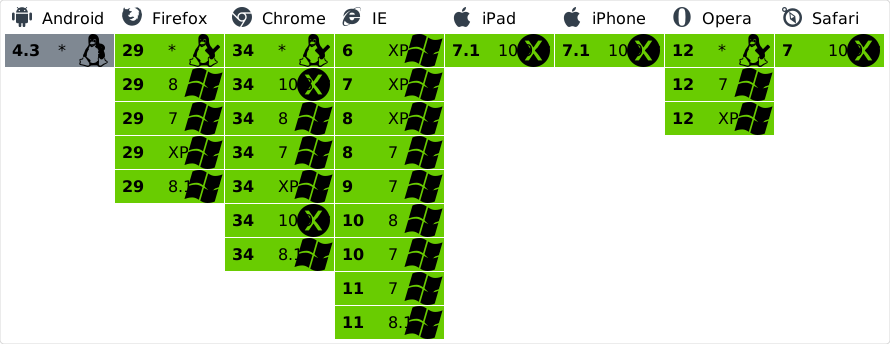 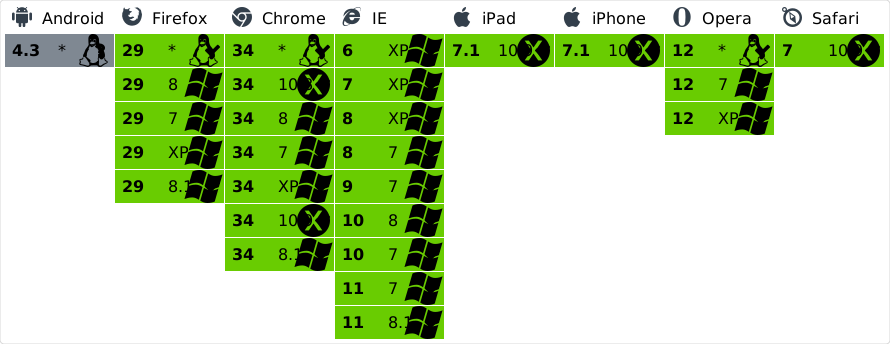 ## Caveats When a task is added to an empty event queue, it is not always possible to guarantee that the task queue will begin flushing immediately after the current event. However, once the task queue begins flushing, it will not yield until the queue is empty, even if the queue grows while running tasks. The following browsers allow the use of [DOM mutation observers][] to access the HTML [microtask queue][], and thus begin flushing ASAP's task queue immediately at the end of the current event loop turn, before any rendering or IO: [microtask queue]: http://www.whatwg.org/specs/web-apps/current-work/multipage/webappapis.html#microtask-queue [dom mutation observers]: http://dom.spec.whatwg.org/#mutation-observers - Android 4–4.3 - Chrome 26–34 - Firefox 14–29 - Internet Explorer 11 - iPad Safari 6–7.1 - iPhone Safari 7–7.1 - Safari 6–7 In the absense of mutation observers, there are a few browsers, and situations like web workers in some of the above browsers, where [message channels][] would be a useful way to avoid falling back to timers. Message channels give direct access to the HTML [task queue][], so the ASAP task queue would flush after any already queued rendering and IO tasks, but without having the minimum delay imposed by timers. However, among these browsers, Internet Explorer 10 and Safari do not reliably dispatch messages, so they are not worth the trouble to implement. [message channels]: http://www.whatwg.org/specs/web-apps/current-work/multipage/web-messaging.html#message-channels [task queue]: http://www.whatwg.org/specs/web-apps/current-work/multipage/webappapis.html#concept-task - Internet Explorer 10 - Safair 5.0-1 - Opera 11-12 In the absense of mutation observers, these browsers and the following browsers all fall back to using `setTimeout` and `setInterval` to ensure that a `flush` occurs. The implementation uses both and cancels whatever handler loses the race, since `setTimeout` tends to occasionally skip tasks in unisolated circumstances. Timers generally delay the flushing of ASAP's task queue for four milliseconds. - Firefox 3–13 - Internet Explorer 6–10 - iPad Safari 4.3 - Lynx 2.8.7 ## Heritage ASAP has been factored out of the [Q][] asynchronous promise library. It originally had a naïve implementation in terms of `setTimeout`, but [Malte Ubl][nonblocking] provided an insight that `postMessage` might be useful for creating a high-priority, no-delay event dispatch hack. Since then, Internet Explorer proposed and implemented `setImmediate`. Robert Katić began contributing to Q by measuring the performance of the internal implementation of `asap`, paying particular attention to error recovery. Domenic, Robert, and Kris Kowal collectively settled on the current strategy of unrolling the high-priority event queue internally regardless of what strategy we used to dispatch the potentially lower-priority flush event. Domenic went on to make ASAP cooperate with Node.js domains. [q]: https://github.com/kriskowal/q [nonblocking]: http://www.nonblocking.io/2011/06/windownexttick.html For further reading, Nicholas Zakas provided a thorough article on [The Case for setImmediate][ncz]. [ncz]: http://www.nczonline.net/blog/2013/07/09/the-case-for-setimmediate/ Ember’s RSVP promise implementation later [adopted][rsvp asap] the name ASAP but further developed the implentation. Particularly, The `MessagePort` implementation was abandoned due to interaction [problems with Mobile Internet Explorer][ie problems] in favor of an implementation backed on the newer and more reliable DOM `MutationObserver` interface. These changes were back-ported into this library. [ie problems]: https://github.com/cujojs/when/issues/197 [rsvp asap]: https://github.com/tildeio/rsvp.js/blob/cddf7232546a9cf858524b75cde6f9edf72620a7/lib/rsvp/asap.js In addition, ASAP factored into `asap` and `asap/raw`, such that `asap` remained exception-safe, but `asap/raw` provided a tight kernel that could be used for tasks that guaranteed that they would not throw exceptions. This core is useful for promise implementations that capture thrown errors in rejected promises and do not need a second safety net. At the same time, the exception handling in `asap` was factored into separate implementations for Node.js and browsers, using the the [Browserify][browser config] `browser` property in `package.json` to instruct browser module loaders and bundlers, including [Browserify][], [Mr][], and [Mop][], to use the browser-only implementation. [browser config]: https://gist.github.com/defunctzombie/4339901 [browserify]: https://github.com/substack/node-browserify [mr]: https://github.com/montagejs/mr [mop]: https://github.com/montagejs/mop ## License Copyright 2009-2014 by Contributors MIT License (enclosed) home/emeraadmin/public_html/node_modules/d3-timer/README.md000064400000013702151701456120017465 0ustar00# d3-timer This module provides an efficient queue capable of managing thousands of concurrent animations, while guaranteeing consistent, synchronized timing with concurrent or staged animations. Internally, it uses [requestAnimationFrame](https://developer.mozilla.org/en-US/docs/Web/API/window/requestAnimationFrame) for fluid animation (if available), switching to [setTimeout](https://developer.mozilla.org/en-US/docs/Web/API/WindowTimers/setTimeout) for delays longer than 24ms. ## Installing If you use NPM, `npm install d3-timer`. Otherwise, download the [latest release](https://github.com/d3/d3-timer/releases/latest). You can also load directly from [d3js.org](https://d3js.org), either as a [standalone library](https://d3js.org/d3-timer.v1.min.js) or as part of [D3 4.0](https://github.com/d3/d3). AMD, CommonJS, and vanilla environments are supported. In vanilla, a `d3` global is exported: ```html <script src="https://d3js.org/d3-timer.v1.min.js"></script> <script> var timer = d3.timer(callback); </script> ``` [Try d3-timer in your browser.](https://tonicdev.com/npm/d3-timer) ## API Reference <a name="now" href="#now">#</a> d3.<b>now</b>() [<>](https://github.com/d3/d3-timer/blob/master/src/timer.js#L15 "Source") Returns the current time as defined by [performance.now](https://developer.mozilla.org/en-US/docs/Web/API/Performance/now) if available, and [Date.now](https://developer.mozilla.org/en-US/docs/JavaScript/Reference/Global_Objects/Date/now) if not. The current time is updated at the start of a frame; it is thus consistent during the frame, and any timers scheduled during the same frame will be synchronized. If this method is called outside of a frame, such as in response to a user event, the current time is calculated and then fixed until the next frame, again ensuring consistent timing during event handling. <a name="timer" href="#timer">#</a> d3.<b>timer</b>(<i>callback</i>[, <i>delay</i>[, <i>time</i>]]) [<>](https://github.com/d3/d3-timer/blob/master/src/timer.js#L52 "Source") Schedules a new timer, invoking the specified *callback* repeatedly until the timer is [stopped](#timer_stop). An optional numeric *delay* in milliseconds may be specified to invoke the given *callback* after a delay; if *delay* is not specified, it defaults to zero. The delay is relative to the specified *time* in milliseconds; if *time* is not specified, it defaults to [now](#now). The *callback* is passed the (apparent) *elapsed* time since the timer became active. For example: ```js var t = d3.timer(function(elapsed) { console.log(elapsed); if (elapsed > 200) t.stop(); }, 150); ``` This produces roughly the following console output: ``` 3 25 48 65 85 106 125 146 167 189 209 ``` (The exact values may vary depending on your JavaScript runtime and what else your computer is doing.) Note that the first *elapsed* time is 3ms: this is the elapsed time since the timer started, not since the timer was scheduled. Here the timer started 150ms after it was scheduled due to the specified delay. The apparent *elapsed* time may be less than the true *elapsed* time if the page is backgrounded and [requestAnimationFrame](https://developer.mozilla.org/en-US/docs/Web/API/window/requestAnimationFrame) is paused; in the background, apparent time is frozen. If [timer](#timer) is called within the callback of another timer, the new timer callback (if eligible as determined by the specified *delay* and *time*) will be invoked immediately at the end of the current frame, rather than waiting until the next frame. Within a frame, timer callbacks are guaranteed to be invoked in the order they were scheduled, regardless of their start time. <a name="timer_restart" href="#timer_restart">#</a> <i>timer</i>.<b>restart</b>(<i>callback</i>[, <i>delay</i>[, <i>time</i>]]) [<>](https://github.com/d3/d3-timer/blob/master/src/timer.js#L31 "Source") Restart a timer with the specified *callback* and optional *delay* and *time*. This is equivalent to stopping this timer and creating a new timer with the specified arguments, although this timer retains the original invocation priority. <a name="timer_stop" href="#timer_stop">#</a> <i>timer</i>.<b>stop</b>() [<>](https://github.com/d3/d3-timer/blob/master/src/timer.js#L43 "Source") Stops this timer, preventing subsequent callbacks. This method has no effect if the timer has already stopped. <a name="timerFlush" href="#timerFlush">#</a> d3.<b>timerFlush</b>() [<>](https://github.com/d3/d3-timer/blob/master/src/timer.js#L58 "Source") Immediately invoke any eligible timer callbacks. Note that zero-delay timers are normally first executed after one frame (~17ms). This can cause a brief flicker because the browser renders the page twice: once at the end of the first event loop, then again immediately on the first timer callback. By flushing the timer queue at the end of the first event loop, you can run any zero-delay timers immediately and avoid the flicker. <a name="timeout" href="#timeout">#</a> d3.<b>timeout</b>(<i>callback</i>[, <i>delay</i>[, <i>time</i>]]) [<>](https://github.com/d3/d3-timer/blob/master/src/timeout.js "Source") Like [timer](#timer), except the timer automatically [stops](#timer_stop) on its first callback. A suitable replacement for [setTimeout](https://developer.mozilla.org/en-US/docs/Web/API/WindowTimers/setTimeout) that is guaranteed to not run in the background. The *callback* is passed the elapsed time. <a name="interval" href="#interval">#</a> d3.<b>interval</b>(<i>callback</i>[, <i>delay</i>[, <i>time</i>]]) [<>](https://github.com/d3/d3-timer/blob/master/src/interval.js "Source") Like [timer](#timer), except the *callback* is invoked only every *delay* milliseconds; if *delay* is not specified, this is equivalent to [timer](#timer). A suitable replacement for [setInterval](https://developer.mozilla.org/en-US/docs/Web/API/WindowTimers/setInterval) that is guaranteed to not run in the background. The *callback* is passed the elapsed time. home/emeraadmin/public_html/node_modules/react-lifecycles-compat/README.md000064400000005446151701464740022555 0ustar00# react-lifecycles-compat ## What is this project? React version 17 will deprecate several of the class component API lifecycles: `componentWillMount`, `componentWillReceiveProps`, and `componentWillUpdate`. (Read the [Update on Async rendering blog post](https://reactjs.org/blog/2018/03/27/update-on-async-rendering.html) to learn more about why.) A couple of new lifecycles are also being added to better support [async rendering mode](https://reactjs.org/blog/2018/03/01/sneak-peek-beyond-react-16.html). Typically, this type of change would require third party libraries to release a new major version in order to adhere to semver. However, the `react-lifecycles-compat` polyfill offers a way to use the new lifecycles with older versions of React as well (0.14.9+) so no breaking release is required. This enables shared libraries to support both older and newer versions of React simultaneously. ## How can I use the polyfill First, install the polyfill from NPM: ```sh # Yarn yarn add react-lifecycles-compat # NPM npm install react-lifecycles-compat --save ``` Next, update your component and replace any of the deprecated lifecycles with new ones introduced with React 16.3. (Refer to the React docs for [examples of how to use the new lifecycles](https://reactjs.org/blog/2018/03/27/update-on-async-rendering.html).) Lastly, use the polyfill to make the new lifecycles work with older versions of React: ```js import React from 'react'; import {polyfill} from 'react-lifecycles-compat'; class ExampleComponent extends React.Component { static getDerivedStateFromProps(nextProps, prevState) { // Normally this method would only work for React 16.3 and newer, // But the polyfill will make it work for older versions also! } getSnapshotBeforeUpdate(prevProps, prevState) { // Normally this method would only work for React 16.3 and newer, // But the polyfill will make it work for older versions also! } // render() and other methods ... } // Polyfill your component so the new lifecycles will work with older versions of React: polyfill(ExampleComponent); export default ExampleComponent; ``` ## Which lifecycles are supported? Currently, this polyfill supports [static `getDerivedStateFromProps`](https://reactjs.org/docs/react-component.html#static-getderivedstatefromprops) and [`getSnapshotBeforeUpdate`](https://reactjs.org/docs/react-component.html#getsnapshotbeforeupdate)- both introduced in version 16.3. ## Validation Note that in order for the polyfill to work, none of the following lifecycles can be defined by your component: `componentWillMount`, `componentWillReceiveProps`, or `componentWillUpdate`. Note also that if your component contains `getSnapshotBeforeUpdate`, `componentDidUpdate` must be defined as well. An error will be thrown if any of the above conditions are not met.home/emeraadmin/public_html/vendor/symfony/polyfill-mbstring/README.md000064400000000562151701472300022040 0ustar00Symfony Polyfill / Mbstring =========================== This component provides a partial, native PHP implementation for the [Mbstring](https://php.net/mbstring) extension. More information can be found in the [main Polyfill README](https://github.com/symfony/polyfill/blob/main/README.md). License ======= This library is released under the [MIT license](LICENSE). home/emeraadmin/public_html/vendor/psr/http-client/README.md000064400000001045151701500320017705 0ustar00HTTP Client =========== This repository holds all the common code related to [PSR-18 (HTTP Client)][psr-url]. Note that this is not a HTTP Client implementation of its own. It is merely abstractions that describe the components of a HTTP Client. The installable [package][package-url] and [implementations][implementation-url] are listed on Packagist. [psr-url]: https://www.php-fig.org/psr/psr-18 [package-url]: https://packagist.org/packages/psr/http-client [implementation-url]: https://packagist.org/providers/psr/http-client-implementation
/home/emeraadmin/.cpanel/../public_html/./node_modules/make-iterator/../../4d695/README.md.tar